
Our readers keep the lights on and my morning glass full of iced black tea. As an Amazon Associate, I earn from qualifying purchases.
Specs are compiled from manufacturer listings and verified buyer reviews and can change over time — please confirm the key details on the product page before buying.
Stretching a tight GPU budget to its absolute limit means picking the one card that delivers smooth 60 fps gameplay without wasting money on features you will never actually lean on. The difference between a good budget pick and a bad one is a single spec decision: VRAM capacity, boost clock, and whether the card fits your case without a rebuild. This guide cuts through the brand noise to find the best budget gaming graphics card for real 1080p play.
I’m Min — the founder and writer behind Gadgets Feed. This guide is built by comparing the manufacturers’ published specifications and the patterns across verified customer reviews, so you get each pick’s real strengths and trade-offs instead of marketing spin.
You want a budget gaming graphics card that actually runs your games without breaking your bank. These five cards each hit a different balance — from a tiny marvel for tight cases to an 8GB champion for modern titles — so you can pick the one that fits your rig and your favorite games.
Our Picks at a Glance

How To Choose The Best Budget Gaming Graphics Card
A budget card does not have to mean a bad experience. You just have to focus on the three things that matter most for 1080p gaming: memory size, clock speeds, and physical fit. Get those right and you will be playing modern titles at solid framerates without breaking your bank.
VRAM: The New Wall for 1080p
Graphics memory (VRAM) is what holds all the textures and assets your game needs to draw each frame. A card with 6GB of VRAM can handle most current titles at medium settings, but 8GB is becoming the safe zone for high/ultra textures in games like Call of Duty or Starfield. If you can stretch to 8GB, you will delay the moment you have to turn down texture quality to avoid stuttering.
Boost Clock and Real-World Framerates
The advertised boost clock (measured in MHz) tells you how fast the GPU can process instructions under load. A higher number means more frames per second in most games. For example, a card boosting to 2695 MHz will generally feel snappier than one at 1477 MHz — but the architecture matters too, so look at benchmarks for the specific games you play, not just the raw number.
Form Factor: Will It Fit?
Budget cards come in all sizes, from full-length dual-fan units to compact low-profile designs for small office PCs. Measure your case’s internal clearance before you buy. A “low profile” or “single-slot” card can fit into cramped Dell Optiplex or HP EliteDesk machines, whereas a standard dual-fan card often needs a mid-tower with room for its length and width.
Quick Comparison
| Model | Best For | VRAM | Boost Clock | Form Factor | Amazon |
|---|---|---|---|---|---|
| GIGABYTE RTX 3050 Windforce OC V2★ Best Overall | Entry-level 1080p with ray tracing | 6 GB | 1477 MHz | Dual-slot, 7.5″ | Amazon |
| ASRock Intel Arc A580 Challenger 8GBBest Value | Best value 8GB for 1080p | 8 GB | 2000 MHz | Dual-fan, 10.7″ | Amazon |
| MSI Gaming RTX 3050 LP 6G OC | Compact builds and SFF PCs | 6 GB | 1492 MHz | Low-profile, 6.9″ | Amazon |
| ASRock Radeon RX 7600 Challenger 8GB | High fps 1080p gaming | 8 GB | 2695 MHz | Dual-fan, 10.6″ | Amazon |
| Maxsun GeForce RTX 3050 6GB | SFF and no-PSU-rail builds | 6 GB | 1470 MHz | Low-profile, 6.65″ | Amazon |
In‑Depth Reviews
1. GIGABYTE GeForce RTX 3050 WINDFORCE OC V2 6G
Our pick — over 4.5★ from 250+ verified ratings; the strongest balance of quality and price.
The no-fuss entry card that handles 1080p gaming with ray tracing on.
If you are building a truly budget 1080p gaming rig, this GIGABYTE card is the first one to look at. It delivers smooth gameplay with NVIDIA’s Ampere architecture (the chip design that powers modern RTX features), 6GB of GDDR6 memory (fast video RAM for textures), and a boost clock of 1477 MHz (the top speed the chip runs at under load). The dual WINDFORCE fans keep it quiet enough that you will barely hear it during a session — buyers report it is “awesome for basic 1080p gaming with ray tracing,” which is exactly what a budget card needs to deliver.
The real draw here is simplicity. No external PCIe power connector is needed, so it slides into a media-center PC or a standard desktop without a power-supply upgrade. Performance tops the list of things owners praise most, and value for money comes second. If you are coming from integrated graphics, this is a night-and-day jump for games like Minecraft, Fortnite, and Overwatch at solid framerates.
At 6GB, VRAM is the only limit you will bump into first. Modern titles with ultra texture packs will eventually need you to drop a setting or two, but for the price, this is a confident buy that gets you into the RTX ecosystem cheaply.
What wins people over: easy installation and a quiet dual-fan cooler that does not require a PSU upgrade.
Reach for this if: you want the smoothest path into 1080p ray tracing gaming without touching your power supply.
Look elsewhere if: you need more than 6GB of VRAM for ultra-texture gaming at higher resolutions.
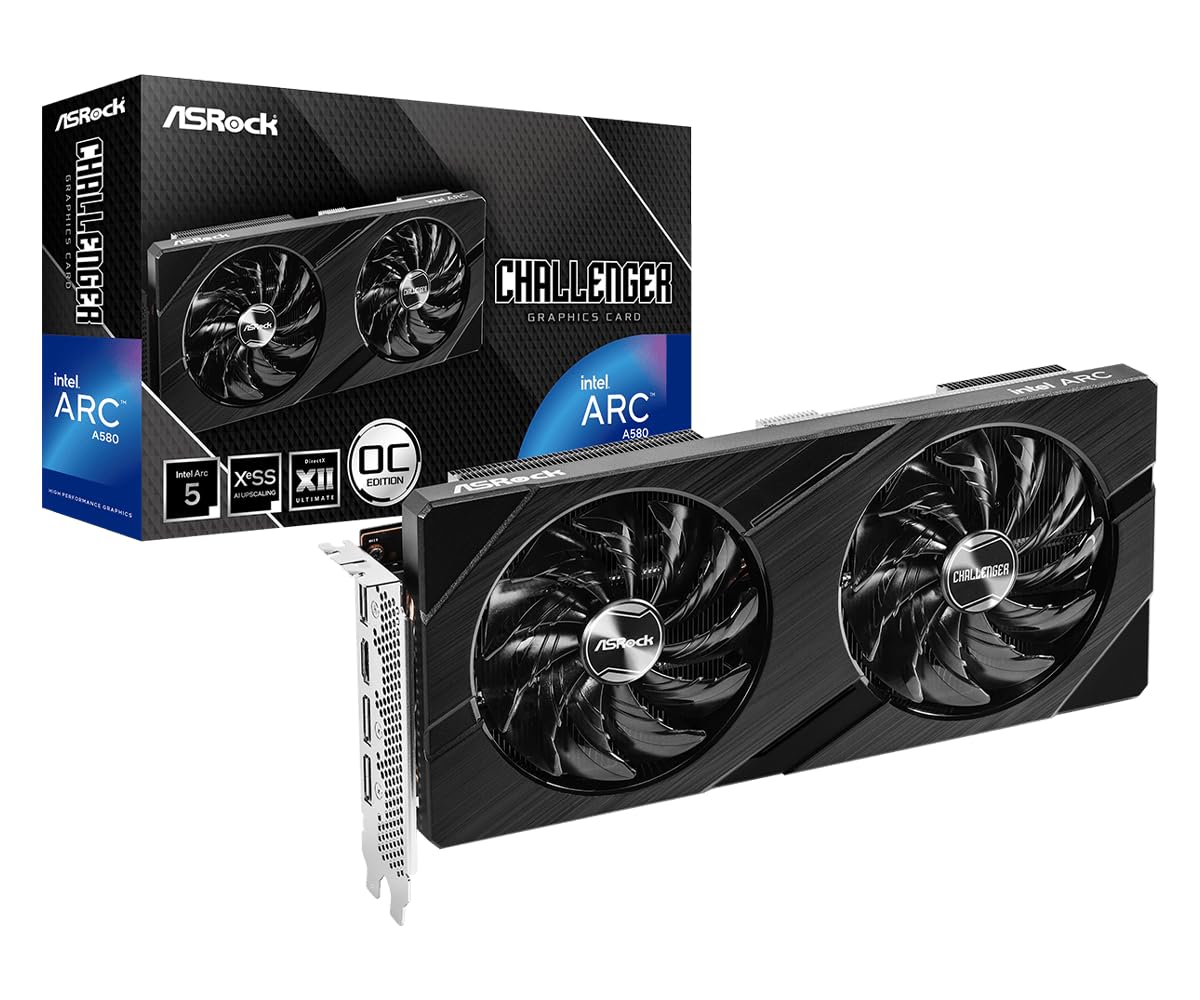
2. ASRock Intel Arc A580 Challenger 8GB OC
The 8GB challenger that outruns the RTX 3050 in raw bandwidth.
This is the card that makes you question the old rule that NVIDIA is the only safe bet at the low end. The Intel Arc A580 is built on Xe HPG microarchitecture with 8GB of GDDR6 memory on a 256-bit interface — a full 33% more VRAM than the GIGABYTE 3050 above, and double the memory bus width. Its factory boost clock of 2000 MHz is 35% higher than the GIGABYTE’s 1477 MHz, which translates directly into smoother framerates at 1080p high settings.
Owners mention that it “runs smoothly most of the game on 1080p (at least 60 FPS in high/ultra graphics)” and that temperatures hover around 64-68°C under modern games. The dual-fan setup includes 0dB Silent Cooling, so the fans stop completely at low temperatures — you get a dead-silent desktop when you are not gaming. Performance is the aspect people praise most, followed closely by value for money.
The catch here is power. The card needs two 8-pin PCIe connectors and a recommended 650W power supply, which is a heavier ask than the GIGABYTE. Some owners warn that standard Dell office PSUs will not cut it. It also requires ReBAR (Resizable BAR) support on your motherboard — something Intel Arc cards lean on heavily — so check your BIOS before buying. But if your rig can feed it, this is the best 8GB deal in the budget segment right now.
The headroom you get
- 8GB GDDR6 on a 256-bit bus — beats the RTX 3050’s 6GB by 33%
- 2000 MHz out-of-box boost for smooth 1080p high/ultra
- 0dB Silent Cooling for noise-free browsing
What to plan for
- Needs a 650W PSU and two 8-pin PCIe power connectors
- Requires motherboard ReBAR support for full performance
- Slim but not low-profile — 10.7 inches long
Best for: anyone who wants 8GB of VRAM at a budget price and has a PSU that can handle the draw.
skip it if: you are upgrading a prebuilt office PC with a small power supply and no ReBAR support.
3. MSI Gaming RTX 3050 LP 6G OC

The low-profile powerhouse that slides into tiny cases without mods.
Small form factor (SFF) builders have the hardest time finding a modern GPU that fits. The MSI RTX 3050 LP solves that with a compact 6.9-inch length and a 2.7-inch width — making it 9% shorter than the standard GIGABYTE 3050. It includes a low-profile bracket in the box, so it drops straight into Dell Optiplex, HP EliteDesk, and other SFF office chassis without cutting metal.
Inside that small frame, you get a 1492 MHz boost clock and 6GB of GDDR6 memory on a 96-bit interface, plus NVIDIA’s DLSS (Deep Learning Super Sampling — an AI feature that boosts framerates with minimal quality loss). Reviewers call it “solid 1080p gaming at 60fps+ on medium/high settings,” noting that ray tracing works but you need to lower settings to keep the frames up. The Twin Frozr cooling keeps noise in check, though a small number of owners mention an occasional fan clatter on cold starts.
The biggest trade-off is the same as any compact card: less thermal mass means it can run warmer under heavy loads (some customers note up to 78°C), and noise gets mixed feedback. But if you need a GPU that fits a tight space without a PSU upgrade — the card works with a 500W unit — this is the only one on the list that delivers RTX features in a truly low-profile package. pass on it if you want to run ray tracing at high settings; for that, the 8GB champion on this list handles it better.
What makes it special: the included low-profile bracket and narrow 2.7-inch width fit prebuilt SFF PCs that most cards cannot.
Perfect for: anyone upgrading an old office SFF desktop into a 1080p gaming rig without replacing the case.
Not for you if: noise sensitivity is a dealbreaker under load, or you want more than 6GB VRAM for future games.
4. ASRock Radeon RX 7600 Challenger 8GB OC
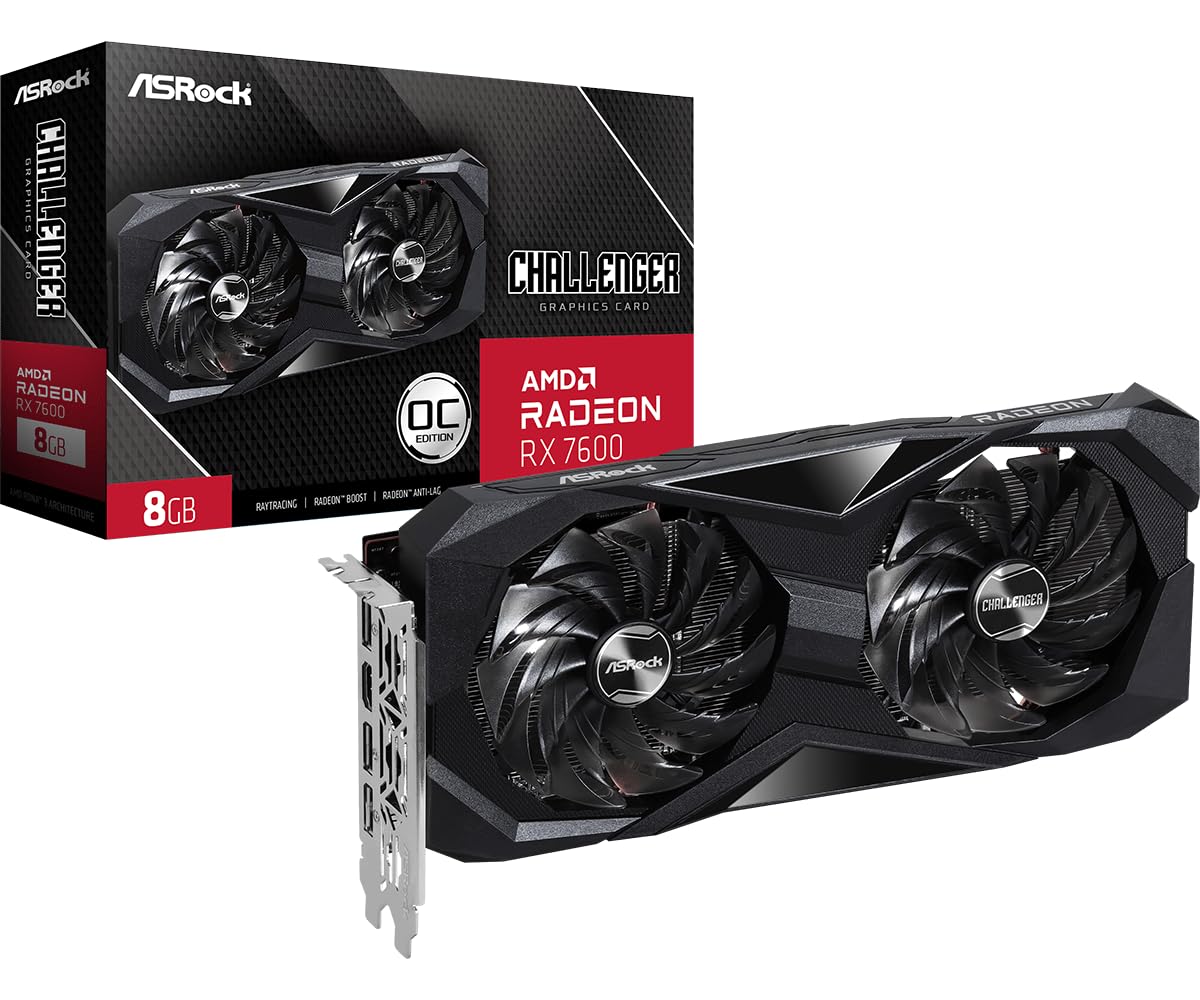
The RDNA 3 card that pushes 180 fps without breaking a sweat.
If performance is your only compass and the budget allows a small stretch, the RX 7600 is the clear winner on pure speed. It uses AMD’s RDNA 3 architecture with 2048 stream processors, a boost clock of 2695 MHz, and 8GB of GDDR6 on a 128-bit bus clocked at 18 Gbps. That combination hands it a commanding lead in raw framerates over every other card here — reviewers point out hitting up to 180 FPS in less demanding titles and smooth 1440p play in older games.
One owner described it as “one of the better budget GPU”s” and noted it runs cleanly on Linux (Ubuntu 24.04) with full plug-and-play support from the standard kernel, making it a rare easy choice for non-Windows builders. The dual-fan cooling with 0dB Silent mode keeps it near-silent under light loads, and it needs only a single 8-pin power connector with a recommended 550W PSU — less demanding than the Intel Arc’s 650W requirement.
The card is 2-slot thick and 269.2 mm long, so it needs a mid-tower case rather than an SFF chassis. VRAM bottlenecks disappear — 8GB is enough for almost any 1080p title at maximum textures — and the DisplayPort 1.4a plus HDMI 2.1 outputs support up to four monitors at 8K. Performance is the most-praised aspect, and value for money sits a close second.
The speed advantage
- 2695 MHz boost clock — highest on this list
- 8GB GDDR6 at 18 Gbps handles ultra textures easily
- Single 8-pin power, 550W PSU recommendation
Plan for this
- Full-size dual-fan design does not fit SFF cases
- PCIe 4.0 x8 interface — negligible real-world impact
- AMD FSR works well but does not match DLSS quality in some games
Reach for this if: you want the fastest 1080p framerates your budget can buy and have a standard mid-tower case.
Look elsewhere if: the ASRock A580 already meets your 60 fps target and you want to save money.
5. Maxsun GeForce RTX 3050 6GB Low Profile

The single-slot wonder that draws power directly from the motherboard slot.
This Maxsun card is the most specialized pick here, built for the tightest spaces. It is a low-profile, single-slot design measuring 6.65 inches by 2.71 inches — short enough for the smallest ITX cases and slim enough for half-height brackets. The key feature is that it requires no additional PCIe power cables; the 70-watt draw comes entirely from the motherboard slot, making it the only card here that works in computers with very small power supplies.
The GPU runs the NVIDIA Ampere architecture with 6GB of GDDR6 memory at 14000 MHz on a 96-bit interface, with a boost clock of 1470 MHz. Performance is the most-praised aspect by a wide margin. Owners use it in Dell Optiplex 3060 and 3080 SFF machines, reporting Warcraft Reforged at 100-140 fps on 1080p max settings. One owner even put it into a 3D printer build because it was the most powerful card they could find that does not need a rail from the PSU.
There are two honest trade-offs. The card runs hot in cramped cases — some owners add an extra case fan to keep temperatures under control. And the single-slot cooler gets noticeably loud under sustained gaming loads. The price sits higher than the other RTX 3050 cards here, which makes sense only if you absolutely need the no-PSU-cable, low-profile form factor. For everyone else, the GIGABYTE or MSI gives you more value per dollar.
Its superpower: zero external power cables and a single-slot low-profile shape that fits prebuilt office SFF machines.
Ideal for: upgrading those compact Dell Optiplex or HP machines where a standard card will not fit and the PSU cannot be upgraded.
Check first: if your case has decent airflow; this card runs hot in sealed office chassis.
Understanding the Specs
VRAM (Video RAM)
This is the dedicated memory your GPU uses to store textures and scene data. 6GB is the entry-level standard today — enough for most games at medium settings. 8GB gives you breathing room for high-resolution texture packs and newer titles that demand more. If you can afford 8GB now, you will push back the need for an upgrade by a year or two.
Boost Clock (MHz)
Think of this as the GPU’s maximum speed when it is working hard. A higher boost clock generally means better framerates, but the architecture between NVIDIA, AMD, and Intel also matters — so compare real game benchmarks alongside the number. The RX 7600’s 2695 MHz is the fastest on this list, while the RTX 3050 cards hover around 1470-1492 MHz.
FAQ
Is 6GB enough for 1080p gaming in 2025?
Will a budget graphics card fit in a Dell Optiplex or HP office PC?
Do I need to upgrade my power supply for a budget GPU?
What is ReBAR and why does Intel Arc need it?
Can I use a budget GPU for video editing or streaming?
Does the RX 7600 work well on Linux?
Is ray tracing worth it on a budget card?
What is the difference between GDDR6 and GDDR6X memory?
How long will a budget gaming GPU last before needing an upgrade?
Which is better: RTX 3050 or Intel Arc A580?
Final Thoughts: The Verdict
For most people, the budget gaming graphics card winner is the GIGABYTE GeForce RTX 3050 WINDFORCE OC V2 because it delivers a true no-complication upgrade path into 1080p ray tracing gaming, with no power supply changes required. If you want the best VRAM-to-dollar ratio and have a strong PSU ready, grab the ASRock Intel Arc A580 Challenger 8GB. And for the highest framerates your budget can buy, the ASRock Radeon RX 7600 Challenger 8GB is the one to reach for.
How We Picked
We do not accept paid placement. Every pick is matched to a real buyer and a real use-case; we do not hands-on test units.
Sources & Methodology
Specifications: manufacturer listings and product documentation. Review insights: verified customer reviews, as of July 2026. Pricing: not shown on this page (it changes often); check the current price via the retailer link.
As an Amazon Associate, Gadgets Feed earns from qualifying purchases. This does not affect which products we feature.