
Our readers keep the lights on and my morning glass full of iced black tea. As an Amazon Associate, I earn from qualifying purchases.
Specs are compiled from manufacturer listings and verified buyer reviews and can change over time — please confirm the key details on the product page before buying.
Finding a large-screen laptop that fits your budget feels like a contradiction. You want the expansive real estate for spreadsheets, coursework, and streaming without the premium price tag. The good news is that the market for a 17-inch laptop under $1000 is surprisingly rich, offering everything from touchscreens to powerful AMD processors. This guide cuts through the noise to find the best value for your money.
I’m Min — the founder and writer behind Gadgets Feed. This guide is built by comparing the manufacturers’ published specifications and the patterns across verified customer reviews, so you get each pick’s real strengths and trade-offs instead of marketing spin.
If you need a big screen for work, school, or just to stop squinting, the best 17 inch laptop under $1000 balances a large display with enough power for your daily tasks. Here is which one suits you and why.
Our Picks at a Glance

How To Choose The Best 17 Inch Laptop Under $1000
A 17-inch laptop is a commitment. You get an amazing screen for work and play, but you also carry more weight and use a bigger bag. Here is what to prioritize when shopping.
Display Resolution: HD+ vs Full HD
The biggest decision you will make is screen resolution. HD+ (1600×900) is common at entry-level prices and is perfectly fine for basic tasks like web browsing and email. However, Full HD (1920×1080) offers significantly more screen real estate. On a 17-inch panel, that extra detail makes side-by-side windows, detailed spreadsheets, and HD video look noticeably sharper. For a work or study machine, aiming for a Full HD screen is almost always worth it.
Processor and Memory for Your Workload
In this price range, you choose between two processor types: efficient ultra-mobile chips (like Intel N-series) or traditional laptop processors (like Intel Core i5). An Intel N-series or AMD Ryzen 3/5 handles everyday tasks—Office, browsing, video calls—smoothly. For heavier multitasking or light creative work, pick an Intel Core i5 or Ryzen 5. Pair that with 16GB of RAM (Random Access Memory, your laptop’s short-term memory for running apps) so you can keep dozens of browser tabs and programs open without slowdown. 8GB works for basics, but 16GB keeps your laptop fast for years.
Storage and Connectivity
A fast SSD (Solid State Drive) is non-negotiable. It makes your laptop boot in seconds and apps open instantly. Look for at least 256GB, though 512GB or 1TB is far better for storing files. For ports, a USB-C port is handy, but check if it supports charging or just data. An HDMI port is essential for connecting to an external monitor, and a good Wi-Fi card (like Wi-Fi 6) will keep your connection stable and fast.
Quick Comparison
| Model | Best For | Display Resolution | RAM | Storage | Amazon |
|---|---|---|---|---|---|
| HP 17.3” Touchscreen★ Best Overall | Touch & Value | 1600×900 | 8GB | 128GB UFS | Amazon |
| HP 17-cp2199nr (Ryzen 5)Best Value | Balanced Performance | 1600×900 | 16GB LPDDR5 | 512GB SSD | Amazon |
| NIMO 17.3″ (Ryzen 7)Top Performer | Light Gaming & Work | 1920×1080 | 16GB DDR5 | 1TB SSD | Amazon |
| 17.3″ FHD IPS Laptop (Svikou) | Budget & Portability | 1920×1080 | 16GB DDR3 | 1TB SSD | Amazon |
| HP 17 Laptop (i3-1125G4) | Reliable Home Use | 1600×900 | 8GB | 256GB SSD | Amazon |
| 17.3″ FHD IPS (Rumtuk) | Students & Portability | 1920×1080 | 16GB | 1TB SSD | Amazon |
| HP 17t (Core i5) | Touchscreen Power | HD+ Touch | 16GB | 512GB SSD | Amazon |
| HP 17 (32GB/1TB) | Heavy Multitasking | 1920×1080 | 32GB | 1TB SSD | Amazon |
| HP 17.3″ Business (Win 11 Pro) | Business & Pro Use | 1920×1080 | 32GB | 1TB SSD | Amazon |
In‑Depth Reviews
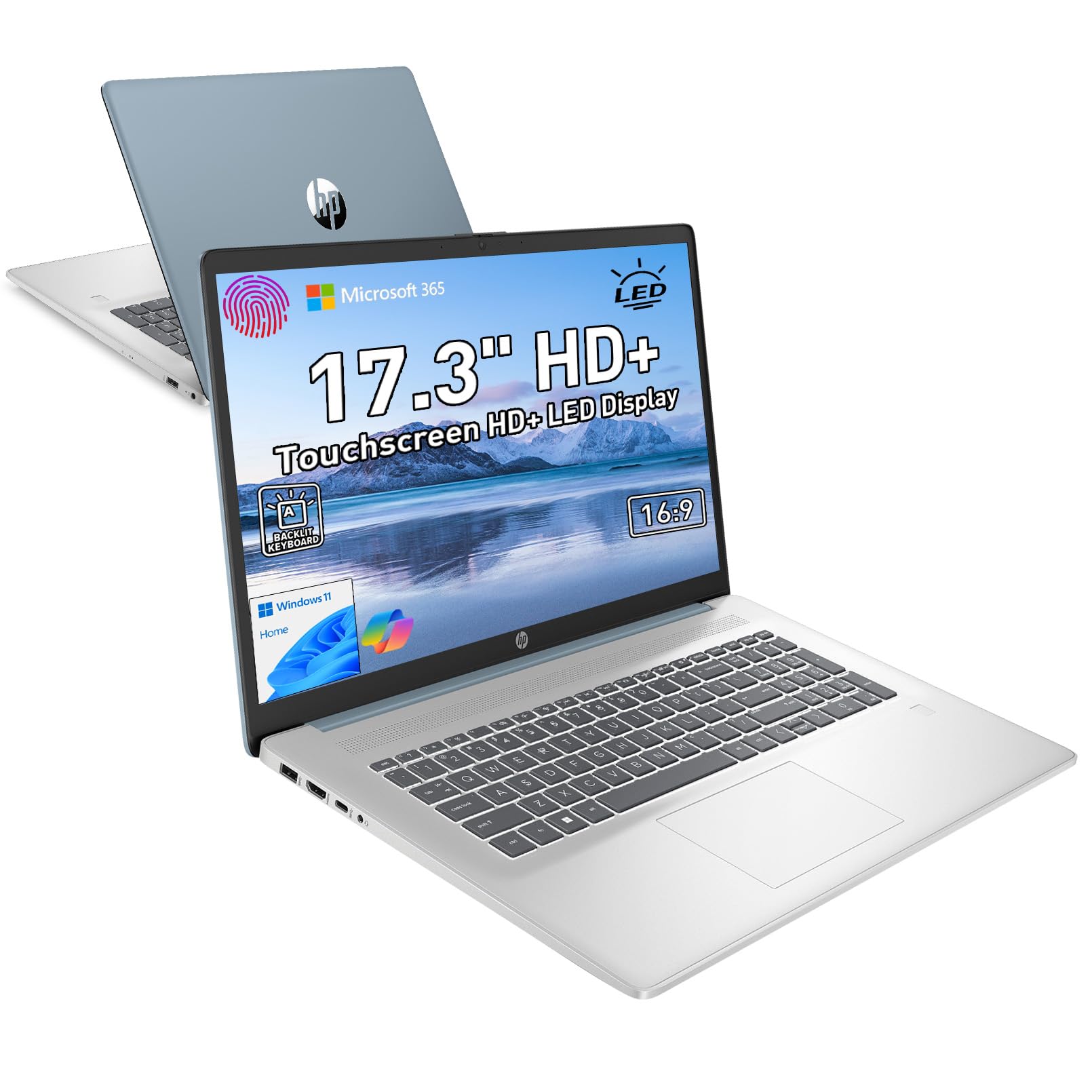
1. HP 17.3” Touchscreen Laptop w/Microsoft 365
Our pick — over 4★ from 250+ verified ratings; the strongest balance of quality and price.
A touchscreen 17-incher that brings a premium feel to a mid-range budget.
This HP is the crowd favorite for a reason. It delivers a massive 17.3-inch touchscreen display (1600×900 resolution) — the intuitive touch controls make navigating Windows 11 feel easy, like using a giant tablet. The full-size backlit keyboard with a numeric keypad is a dream for late-night spreadsheet work or data entry, and the built-in fingerprint reader lets you log in instantly with a quick touch, ditching passwords for good.
Under the hood, the Intel Quad-Core processor is paired with 8GB of RAM. This is a strong balance for speed and efficiency for everyday tasks like browsing, streaming, and online learning. A major plus is the HP Fast Charge feature that gets you from 0 to 50% battery in just 45 minutes, so you are never tethered to an outlet for long. The machine also includes a full port selection with USB-C, USB-A, and HDMI for flexible connectivity.
The honest trade-off here is the display resolution. While the 1600×900 HD+ screen is clear and anti-glare, it does not have the pixel density of a Full HD panel, so you get slightly less on-screen detail. The storage is also a 128GB UFS drive, which is enough for core apps but fills up faster than a standard SSD. For buyers who value a responsive touchscreen and a fantastic, secure typing experience, this is a top pick.
What wins people over
- 17.3-inch touchscreen with intuitive controls makes Windows 11 a joy to navigate.
- Fast charging reaches 50% in just 45 minutes — minimal downtime.
- Comes with a backlit keyboard, numeric keypad, and a fingerprint reader for secure, easy access.
A few things to know
- The 1600×900 HD+ display is good, but not as sharp as Full HD (1920×1080) panels.
- Storage is 128GB UFS — consider an external drive or cloud storage for larger files.
- Weighing 4.6 lbs, it is a bit heavier than some premium metal rivals.
Perfect for users who want: a touchscreen experience and a secure, comfortable typing setup in a large form factor. The integrated Microsoft 365 key is a bonus for productivity.
Think twice if: you absolutely need a Full HD (1920×1080) display for detailed photo or video work, or if you need a lot of internal storage for a large media library.
2. HP 17.3 inch Laptop (AMD Ryzen 5, 16GB RAM)
A powerful AMD engine in a practical, anti-glare chassis for serious daily work.
This HP is the performance champion of the mid-range. It is powered by the AMD Ryzen 5 7520U processor and 16GB of LPDDR5 RAM — a combination that easily handles heavy multitasking, dozens of browser tabs, and office software without stuttering. The AMD Radeon Graphics provide a nice boost for casual gaming or HD video, and the 512GB PCIe NVMe SSD is fifteen times faster than a traditional hard drive, making file access instant.
The 17.3-inch HD+ (1600×900) anti-glare display is a practical choice, designed for a non-reflective, low-gloss experience that works great in a bright office or near a window. The lift-hinge design subtly improve the keyboard for a more natural and comfortable typing angle. Owners consistently praise its quality and value for money, often noting the huge screen and smooth processor speed. The AI noise reduction on the microphone ensures you sound clear in video calls, even in busy rooms.
The main trade-off that owners mention is the build quality. The chassis feels a bit “plasticky” compared to metal-bodied rivals, which some find less premium. Battery life under heavy load sits around 5.5 hours, and the touchscreen this iteration does not have one, unlike another pick on this list. If your priority is raw processing power and RAM for complex tasks, this is a fantastic value.
The processor powerhouse: The Ryzen 5 7520U is a clear step up in performance versus Intel N-series chips, making this ideal for more demanding users.
The honest feel: The plastic casing is a compromise to hit this price point. It is durable but lacks the tactile luxury of aluminum.
Who it’s built for: Students, home office workers, and anyone who needs reliable, snappy performance for productivity and multitasking without a premium frame.
skip it if: you want a premium metal unibody design, or if your work requires the sharpest pixel-level detail for photo editing (the HD+ screen is good, but not Full HD).
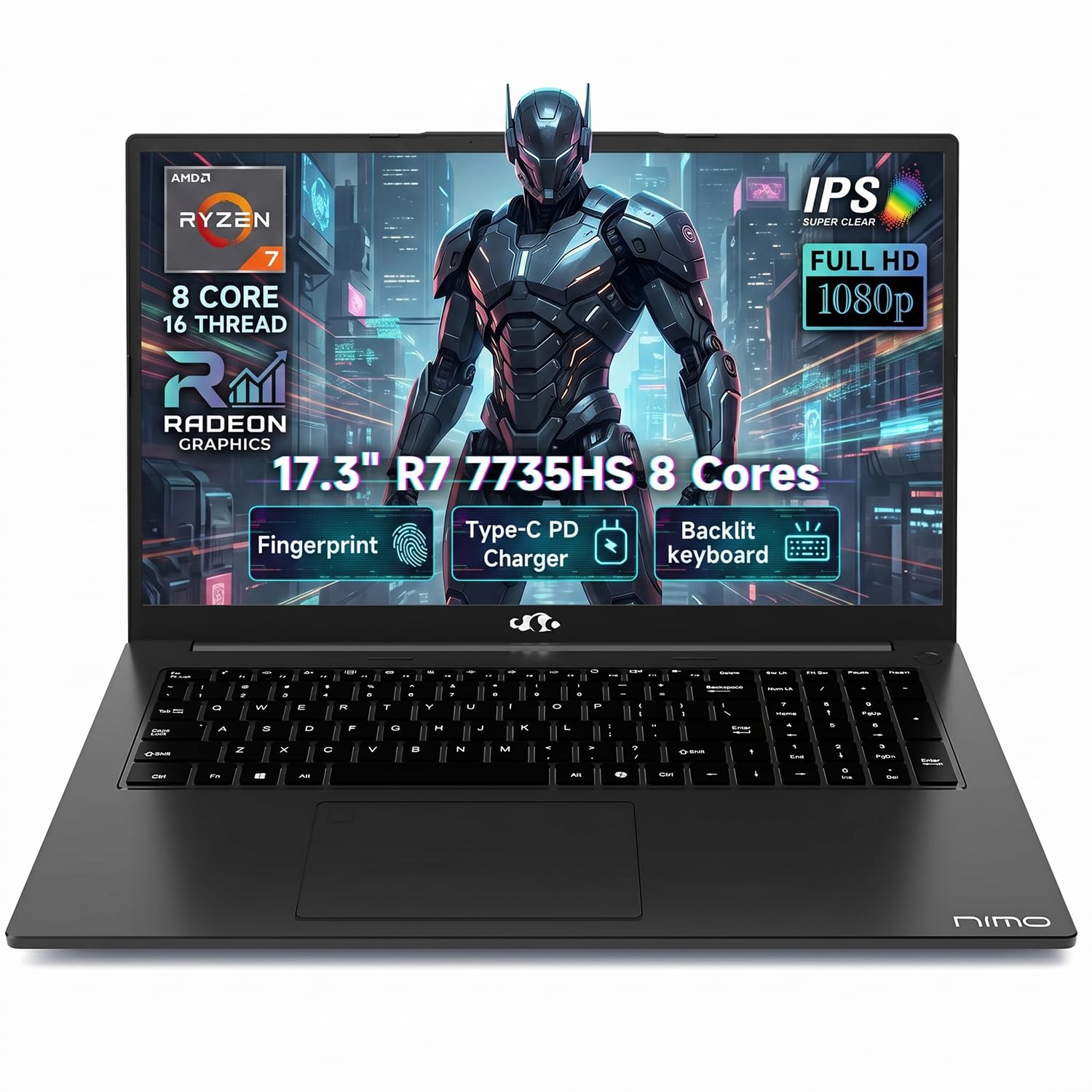
3. NIMO 17.3″ Light Gaming Laptop (AMD Ryzen 7)
A sleek machine packing a desktop-class CPU for creative and gaming tasks.
The NIMO is the dark horse of the list. It throws an 8-core, 16-thread AMD Ryzen 7 7735HS processor with a boost clock of up to 4.75GHz into a slim 17.3-inch chassis. This is a massive amount of power for the price, making it suitable for compiling code, light video editing, and even running games like Dark Souls at a playable 20-30 FPS. The 16GB of DDR5 RAM and 1TB PCIe SSD are modern and fast, ensuring smooth multitasking and quick load times.
The 17.3-inch FHD (1920×1080) IPS display provides crisp, clear visuals with wide viewing angles perfect for side-by-side documents. The 180-degree lay-flat hinge is a brilliant feature for impromptu presentations or sharing your screen in a meeting. It also comes with 100W PD fast charging via USB-C, so you can charge your laptop and phone with the same charger, a truly modern convenience.
The biggest caveat owners point out is battery life. It is not a machine for all-day unplugged work; you will get around 4 hours of browsing and about 2 hours of gaming before needing a charge. The build quality is also described as having some keyboard flex and a wobbly screen, a trade-off for the high-performance components. If raw CPU power and a fantastic screen are your priorities, this is a top contender.
Where it excels: The Ryzen 7 7735HS and Radeon 680M graphics make this the most powerful workhorse here for multitasking and light gaming.
The main trade-off: Battery life is limited. This machine is best for desk warriors or those always near an outlet.
Best for: Users who need serious processing power for coding, light creative work, or some gaming, and who value a modern fast-charging USB-C port.
Look elsewhere if: you need a laptop that lasts a full workday on battery, or if you prioritize a solid, rigid build quality over raw performance.
4. 17.3″ FHD IPS Laptop for Business & Students (Svikou)
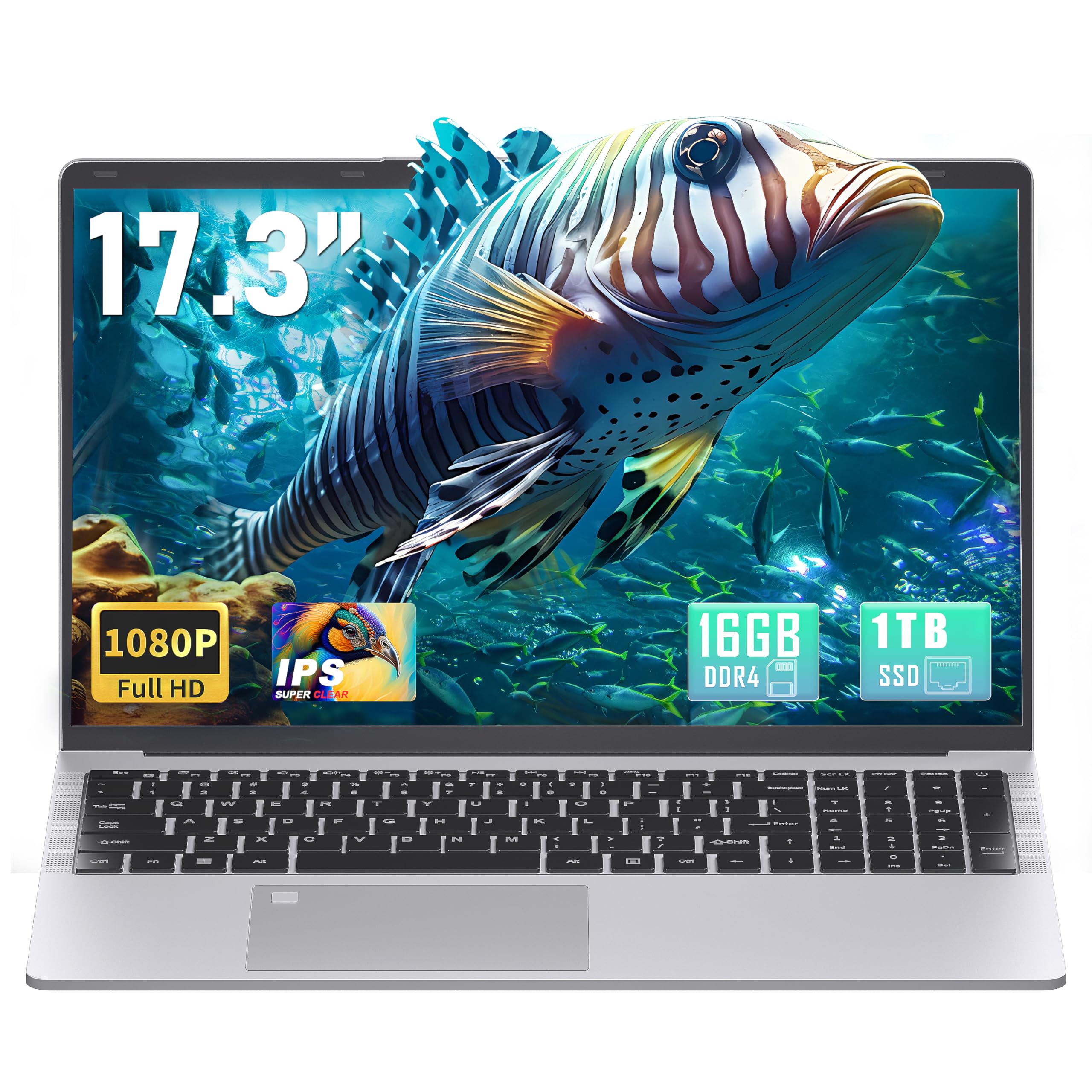
A surprisingly lightweight 17-inch laptop that gives you a sharp Full HD (1920×1080) screen and a roomy 512GB solid-state drive (SSD) for fast boot times and plenty of file space.
Weighing just 1.9kg (4.1 lbs), this laptop is a revelation for a 17.3-incher. It is significantly lighter than most of its peers, making it genuinely portable for students and on-the-go professionals. The standout feature is the 17.3-inch Full HD (1920×1080) IPS display — a considerable step up in clarity and sharpness from the HD+ panels found on many competitors. This makes reading documents, viewing photos, and watching videos a much more pleasant experience. The anti-glare finish also works well in brightly lit environments.
It comes with 16GB of DDR3 RAM and a massive 1TB SSD, meaning you can keep a lot of files and apps without worrying about space. The Gold 6500Y processor is designed for efficiency, and owners consistently report excellent battery life (better than half a day with many tabs open), low heat, and a quiet, smooth operation. The backlit keyboard, fingerprint reader, and 180-degree hinge add to the professional feel.
The honest verdict from longer-term owners is that performance is good for light tasks and browsing, but the processor is not a powerhouse. It is not built for heavy video editing or modern gaming. Some users have reported the fingerprint sensor can be finicky to set up. The RAM is also DDR3, which is an older standard than the DDR4/DDR5 found in pricier models. If you value a sharp, large screen and extreme portability over sheer processing brute force, this is the one.
Why it stands out
- Weighs just 4.1 lbs, making it one of the lightest 17-inch laptops available—truly easy to carry.
- Full HD (1920×1080) IPS display offers a sharp, clear picture that is noticeably better than HD+.
- Large 1TB SSD provides tons of storage for files, photos, and coursework without needing externals.
The trade-offs
- The Gold 6500Y processor is efficient but not powerful enough for video editing or most modern games.
- Uses DDR3 RAM, an older, slower standard than the competition.
- A few owners found the fingerprint sensor to be unreliable for initial setup.
Reach for this if: you are a student or mobile professional who carries their laptop everywhere and needs a brilliant, big screen for reading and writing.
Not for you if: you need serious processing power for creative workloads, gaming, or heavy data analysis. Its strengths are portability and display clarity, not raw speed.
5. HP 17 Laptop (32GB RAM, 1TB SSD)

An absolute monster of memory and storage, built for the heaviest multitaskers on a budget.
This HP configuration is a spec-sheet dream for serious users. It comes with a massive 32GB of RAM and a fast 1TB PCIe SSD. This combination is perfect for anyone who runs multiple virtual machines, heavy-duty photo editing software, or dozens of large spreadsheet files simultaneously without ever hitting a memory wall. The AMD Ryzen 5 processor (which the manufacturer claims beats the Intel i7-1165G7) provides plenty of horsepower to keep everything moving smoothly.
The 17.3-inch Full HD (1920×1080) display is sharp and clear, making it easy on the eyes for long work sessions. It includes a full numeric keypad for data entry, a webcam, and modern connectivity with Wi-Fi 6 and Bluetooth 5.3. Buyers consistently rate the quality, speed, and screen quality highly, calling it a “good buy” that doesn’t cost a whole lot of money.
However, the reliability score is mixed in the data. While most owners have a great experience, a small number have reported issues with units malfunctioning or specs not matching the listing after a crash, which is a concern. There are also reports that the included “Microsoft Office” key from some third-party sellers is not legitimate. It is a powerful machine, but the shopping experience may require more caution than buying directly from HP.
The memory champion: 32GB of RAM is a rare find at this price point, allowing for extreme multitasking that 8GB or 16GB laptops cannot handle.
The main caution: A significant minority of buyers report reliability issues or discrepancies in the actual specs versus the listing. Buy from a trusted seller.
Who this suits: Power users, data analysts, and content creators who need a huge amount of memory and storage for complex tasks but are on a strict budget.
Proceed with care if: You are risk-averse. The mixed reliability data suggests a higher chance of a defective unit compared to more straightforward models.
6. Newest HP 17t Laptop (Core i5, Touchscreen)

An 11th-gen Core i5 and a touchscreen make this a premium-feeling machine for the price.
This HP 17t is a middle-ground pick if you want a touchscreen but need more power than an N-series chip offers. Its 11th Gen Intel Core i5-1135G7 processor (a quad-core, 8-thread chip that can turbo boost up to 4.2 GHz) handles demanding office tasks, light video editing, and heavy multitasking without lag. The 16GB of RAM and 512GB PCIe SSD (a fast solid-state drive) give you speed and capacity that owners mention keeps the laptop feeling snappy even with many apps open. It is a better fit for heavier daily work than the HP 17 by cn, which uses a less powerful N-series chip.
The 17.3-inch HD+ touchscreen is a big draw. Owners highlight the backlit keyboard as a major plus, praising its perfect illumination for nighttime work. The screen size itself is a key feature, noted as being particularly suitable for those with older eyes. It also boasts a full complement of ports including USB Type-C and HDMI for connectivity.
Some owners have found the touchpad to be a bit unresponsive, preferring to use an external mouse. It also doesn’t come with a pre-installed document program like Office, which is a minor hassle. The overall rating is excellent, but with fewer reviews than some of the top picks. If you need a touchscreen with competent power, this is a strong choice.
the balance: The Core i5 processor is a clear step up in power from the N-series chips found in cheaper 17-inch models, so it handles heavier daily work like editing documents with large files or running multiple apps at once.
What owners mention: The keyboard backlight is a favorite feature, and the large screen is perfect for home users.
Best for: Home users who want the interactivity of a touchscreen but still need enough power for serious productivity and multitasking.
Not for: Users who rely heavily on a touchpad. Some reviews found it finicky, suggesting a mouse might be needed.
7. HP 17.3″ Business Laptop (AMD Ryzen 5, Win 11 Pro)
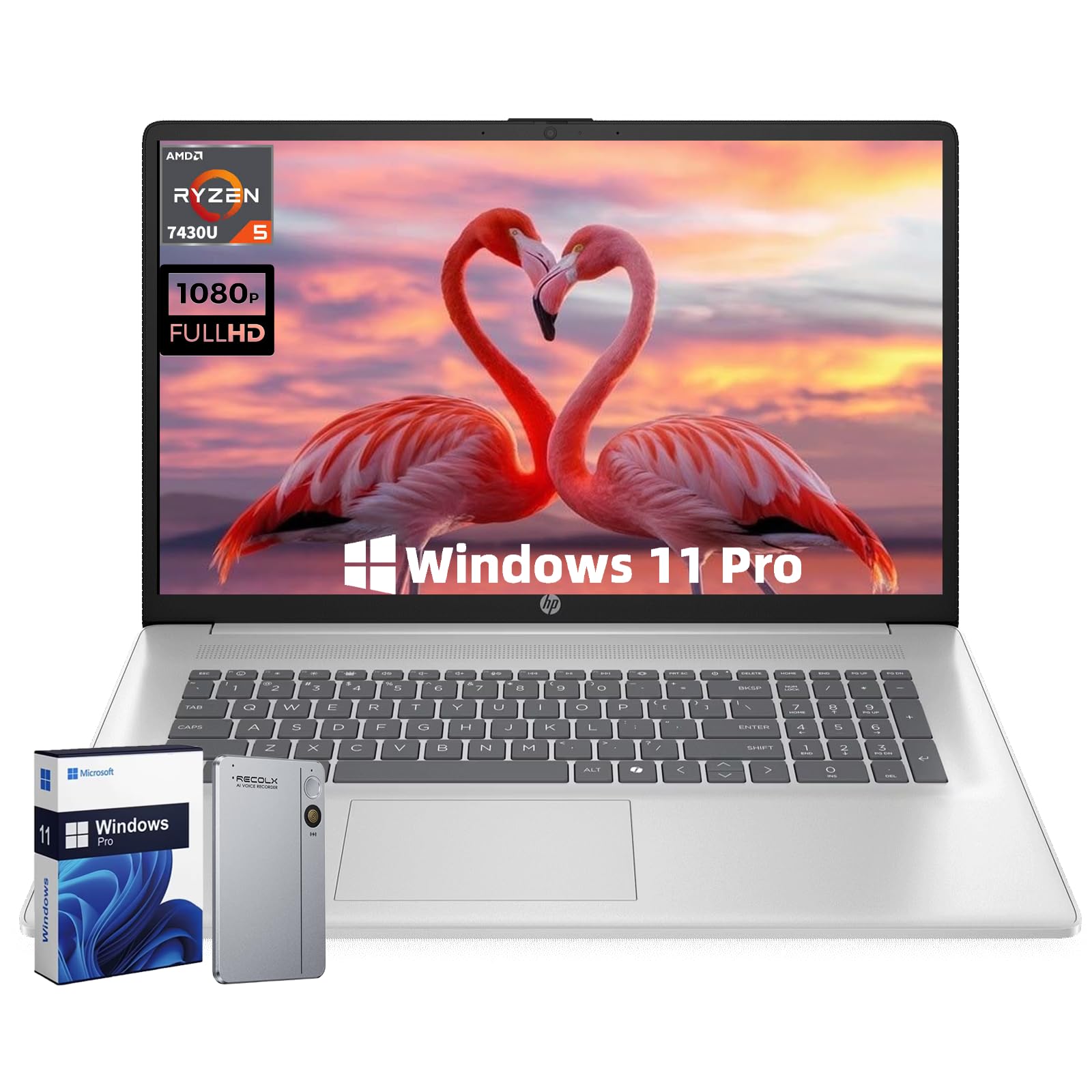
A professional-grade machine with Windows 11 Pro and a sharp, anti-glare FHD screen for serious work.
This is the laptop for the professional. It comes with Windows 11 Pro, which includes features like BitLocker encryption and Remote Desktop, essential for business security and remote work. The 17.3-inch FHD IPS anti-glare display is excellent for long days. It is crisp and clear, and the anti-glare technology cuts down on reflections to reduce eye strain. The AMD Ryzen 5 7430U is a modern 6-core processor that delivers great performance for office tasks, spreadsheets, and video conferencing.
The build is slim and portable for its class, weighing about 4.58 lbs and measuring just 0.78 inches thin. It includes a full array of modern ports (USB-C, HDMI, USB-A) and Wi-Fi 6 for fast, stable connectivity, along with a privacy shutter for the webcam. With support for up to 64GB RAM, it is ready for a future upgrade if needed.
The main drawbacks appear to be reliability and cooling. A couple of reviews note the unit died or started crashing after a month, which is a red flag. Others mention intermittent fan noise and high temperatures under load, which is a concern for long-term durability. Like the other high-RAM HP, it offers great potential specs, but the real-world consistency is a question mark.
Business-ready: The inclusion of Windows 11 Pro and a high-quality, anti-glare FHD screen makes this ideal for a professional environment.
A note on reliability: While many are satisfied, some owners experienced failures, and the cooling system is a point of concern for intensive use.
Perfect for: Business users, remote workers, and IT pros who need Windows 11 Pro features and a sharp, comfortable display for long work sessions.
Consider carefully if: The laptop will be used for hours of heavy processing. A small number of reviews suggest potential cooling and reliability issues.
8. 17.3″ FHD IPS Laptop (Rumtuk N150)

An ultra-slim, affordable 17-incher with a stunning FHD screen and a massive battery.
This Rumtuk laptop is a fantastic surprise. For a budget-friendly price, it delivers a premium-looking experience. It features a 17.3-inch FHD (1920×1080) IPS anti-glare display, a 180-degree lay-flat hinge, and a surprisingly slim profile at just 18mm thin. It weighs only 1.9kg (4.1 lbs), making it just as portable as the Svikou model. The included 6000mAh battery provides enough power for a full workday, and it supports both USB-C and standard DC charging.
Performance is solid for daily tasks. The Intel N150 quad-core processor handles web browsing, Microsoft Office, and video streaming smoothly. Paired with 16GB of RAM and a 1TB SSD, it boots up quickly and offers plenty of space for a student or home user. The backlit keyboard, camera shutter, and included wireless mouse make it a truly complete package right from the start.
The main caveat here is that it is a newer brand with a small number of reviews (though they are all perfect 5-star ratings). The Intel N150, while efficient, is not a powerhouse for gaming or heavy creative work. It is, however, an incredible value for anyone who needs a big, clear screen for reading, writing, and browsing without spending a lot.
What makes it great
- Incredibly thin (18mm) and light (4.1 lbs) for a 17.3-inch laptop, making it highly portable.
- Full HD (1920×1080) IPS display is sharp and clear, perfect for reading and spreadsheets.
- Comes with a 6000mAh battery for all-day use, plus a USB-C charging option for convenience.
Things to consider
- Limited number of customer reviews on Amazon, so the long-term reliability data is still thin.
- The N150 processor is efficient but not powerful enough for video editing or demanding multitasking.
- Wi-Fi 5 and Bluetooth 4.2 are older standards than the Wi-Fi 6 found in some rivals.
Who should buy this: Budget-conscious students and home users who prioritize a gorgeous FHD screen, high portability, and a full-day battery for basic tasks.
Skip this if: You need powerful CPU performance for complex software, or you prefer to buy from an established brand with a long track record.
9. HP 17 Laptop (i3-1125G4)

A solid, reliable 17-inch HP with a capable Core i3 processor at a very attractive price.
This is the quintessential home laptop. It is built by a trusted brand (HP) and features a solid 11th Gen Intel Core i3-1125G4 processor with a max turbo frequency of 3.7 GHz. The 8GB of RAM is sufficient for everyday use, and the 256GB PCIe NVMe SSD provides fast boot-ups. The 17.3-inch HD+ (1600×900) anti-glare display is the standard for this price tier, offering a bright and clear view for spreadsheets and web browsing.
What makes this laptop a top seller (with a very high volume of reviews) is its reliability and value for money. Owners consistently praise it as perfect for home use, with one user noting their previous HP lasted 13 years. The performance is described as great for the price, with a beautiful display and easy setup. It’s basically a no-nonsense machine that does everything a student or casual user needs.
The key trade-off for this highly-rated entry-level pick is the display resolution. At 1600×900, it is not as sharp as a Full HD screen, but it is perfectly adequate for normal use. The 8GB RAM is the baseline for smooth multitasking, and it lacks a touchscreen. If you want a dependable HP from a major brand for basic tasks, this is a proven choice with thousands of satisfied owners.
What owners love: The value for money is a consistent praise point, alongside the large screen and easy setup process.
The main trade-off: The HD+ (1600×900) screen is a budget-tier display. If you want sharper text and images, a Full HD model is worth the upgrade.
Best for: Budget-minded home users, seniors, and students who need a reliable, large-screen laptop from a well-known brand for basic tasks like browsing and email.
Not for: Users who need a high-resolution display for detailed photo work or who require a touchscreen for navigation.
Understanding the Specs
Display Resolution: HD+ vs Full HD
The screen resolution tells you how many pixels are packed into the panel. HD+ (1600×900) is a common, budget-friendly standard that looks fine for general use. Full HD (1920×1080) is a significant upgrade — it offers 2,073,600 pixels compared to 1,440,000 pixels at HD+, making text sharper and images clearer. On a big 17.3-inch screen, that difference is easy to see, especially when you are working with detailed spreadsheets or watching high-definition video.
RAM: 8GB vs 16GB vs 32GB
RAM (Random Access Memory) is your laptop’s short-term memory for running apps. 8GB is enough for basic browsing and Office work. 16GB is the balance for most users—it lets you keep many browser tabs, music streaming, and multiple apps open without slowdown. 32GB is for heavy multitaskers, video editors, or people running virtual machines. For a laptop you expect to last years, 16GB is a smart choice because it handles future software demands better than 8GB.
FAQ
Is a 17-inch laptop too heavy to carry around?
What is the real difference between HD+ and Full HD on a 17-inch screen?
Is a touchscreen worth it on a big laptop?
Can I play games on a $1000 17-inch laptop?
How much RAM do I really need for college?
Does a larger battery always mean longer battery life?
What is the advantage of a 180-degree lay-flat hinge?
Should I buy a laptop with Windows 11 Pro or Home?
Is an SSD faster than a traditional hard drive?
Will a 17-inch laptop fit in my backpack?
Final Thoughts: The Verdict
For the majority of shoppers, the best 17 inch laptop under $1000 winner is the HP 17.3” Touchscreen because it balances a premium touchscreen experience with a secure backlit keyboard and fingerprint reader at a fantastic price. If you want pure processing power for multitasking, grab the HP 17.3 inch Laptop (Ryzen 5). And for a vivid Full HD display in a lightweight package, the 17.3″ FHD IPS Laptop (Svikou) is the one to reach for.
How We Picked
We do not accept paid placement. Every pick is matched to a real buyer and a real use-case; we do not hands-on test units.
Sources & Methodology
Specifications: manufacturer listings and product documentation. Review insights: verified customer reviews, as of July 2026. Pricing: not shown on this page (it changes often); check the current price via the retailer link.
As an Amazon Associate, Gadgets Feed earns from qualifying purchases. This does not affect which products we feature.