
Our readers keep the lights on and my morning glass full of iced black tea. As an Amazon Associate, I earn from qualifying purchases.
Specs are compiled from manufacturer listings and verified buyer reviews and can change over time — please confirm the key details on the product page before buying.
A 3D printer for your kid should be a creative launchpad, not a frustrating tech puzzle. The real question is which printer keeps a child safe, lets them operate it independently, and avoids frustrating calibration issues. This guide reviews four enclosed printers for kids, focusing on safety, speed, and ease of use.
I’m Min — the founder and writer behind Gadgets Feed. This guide is built by comparing the manufacturers’ published specifications and the patterns across verified customer reviews, so you get each pick’s real strengths and trade-offs instead of marketing spin.
Here you’ll find the best enclosed 3d printer for kids, rated by safety, speed, and how independently a child can actually use it.
Our Picks at a Glance

How To Choose The Best 3D Printer For Kids
Choosing a printer for a child requires safety and simplicity features that hobbyist printers lack. Safety, simplicity, and low frustration are the key factors.
Safety First: The Enclosure Is Non-Negotiable
A 3D printer’s hot nozzle (over 200°C) and moving belts pose safety risks for children. You want a fully enclosed chassis so curious hands cannot reach the heated parts mid-print. Some models also add a child lock that pauses the job if the door opens, which is the gold standard for a younger maker.
Auto Leveling and Wi-Fi Saves Your Sanity
Manual bed leveling is the most common cause of first-print failures. Automatic bed leveling eliminates this step. Pair that with Wi-Fi printing, and a child can pick a model on a tablet and start printing without messing with SD cards or computer cables.
Speed vs. Detail: Choose Your Trade-Off
A faster printer (600 mm/s) can finish a small toy in 30 minutes, which keeps a child engaged. Slower printers (200 mm/s) might take two to three hours for the same object, which can test a young attention span. But faster speeds can sometimes introduce minor surface artifacts. If the child is patient and wants museum-quality detail, a slower speed is fine. If they want instant gratification, speed wins.
Quick Comparison
| Model | Best For | Max Speed | Weight | Build Volume | Amazon |
|---|---|---|---|---|---|
| Flashforge Adventurer 5M Pro★ Best Overall | Best Overall Speed & Safety | 600 mm/s | 39.6 lb | 9.4 x 9.4 x 9.1 in | Amazon |
| Entina TINA2S | Best Value for Young Beginners | 200 mm/s | 9.08 lb | 3.9 x 4.7 x 3.9 in | Amazon |
| SainSmart PrintyGo | Best for Independent Young Kids | 600 mm/s | 9.1 lb | — | Amazon |
| AOSEED X-Maker AI+ | Best AI-Powered Toy Maker | 400 mm/s | 24 lb | — | Amazon |
In‑Depth Reviews
1. Flashforge Adventurer 5M Pro
Our pick — over 4★ from 250+ verified ratings; the strongest balance of quality and price.
The powerhouse that prints a complex head in 30 minutes and keeps the air clean while doing it.
This is the one you buy when you want a serious machine that happens to be safe for a kid, not a toy. The fully enclosed design and dual filtration system—a HEPA13 and activated carbon filter—block 99% of particulate matter and VOCs, which is a major reassurance for a bedroom or classroom. The auto-leveling system measures distances and calculates offsets in one click, so there is no manual Z-axis tweaking.
The CoreXY structure hits a max 600 mm/s speed, which is three times faster than the Entina TINA2S. Buyers report that a “first 3D printer printed complex head in 30 min,” which gives you a sense of the pace. The 280°C direct-drive extruder accepts quick-detachable nozzles from 0.25 mm to 0.8 mm, so you can swap from fine detail to rapid infill without changing the whole hotend.
The 39.6-pound weight is a 4.4x gap over the TINA2S, meaning this is not a machine you casually move from room to room. Set it on a sturdy desk and leave it. The crowd favorite across 200-plus ratings lands at 4.3 stars, with print quality and ease of use the most-praised aspects. The reliability score is mixed—some owners hit a nozzle clog or a mid-print head stall. The occasional return experience is rough, but the overwhelming consensus is that it works beautifully from the start.
Speed and Safety Combo
- 600 mm/s top speed cuts print time to minutes for small objects
- HEPA13 + carbon filter makes it safer for indoor air quality than most kid printers
- Auto-leveling and one-click print remove the beginner frustration entirely
- Orca-Flashforge slicer supports multi-printer network monitoring from your phone
Heavy, and Not Perfectly Reliable
- Weighs 39.6 pounds—not portable; demands a permanent spot
- Reliability gets mixed feedback; a few owners mention clogging or head stoppage after weeks of use
- USB direct printing can cause errors—better to copy files to internal memory
Best for families who want: a fast, filter-equipped printer an older child can operate independently, with parent oversight for the initial setup and maintenance.
Think twice if: you need a lightweight, portable machine or you’re on a tight budget—this is an investment in speed and safety that demands permanent desk space.
2. Entina TINA2S
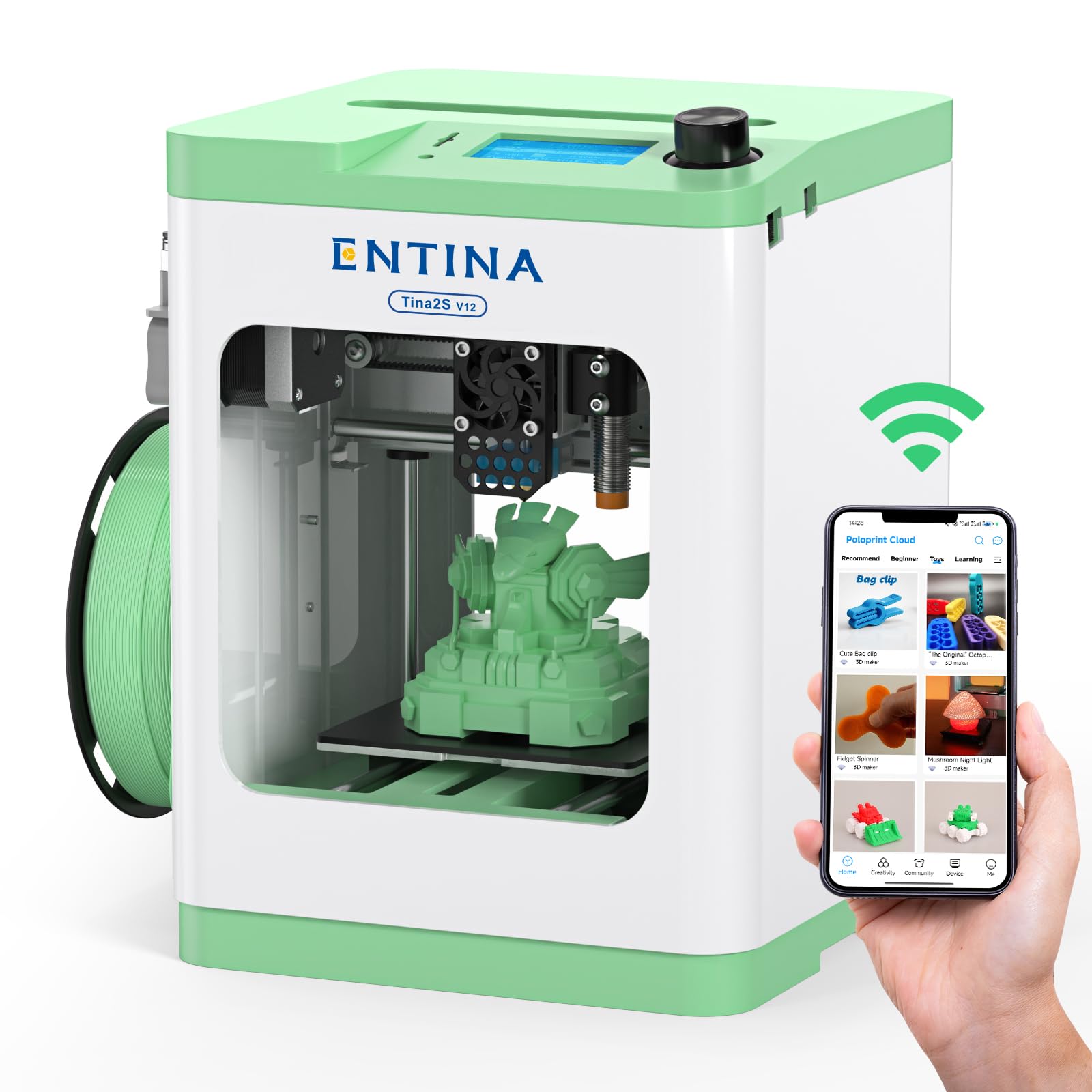
The compact, pre-assembled starter that an 8-year-old can operate without help on day one.
This is the smallest and lightest machine on the list at 9.08 pounds with dimensions of 11.4 x 8.6 x 8.6 inches—that’s about 31% smaller than the Flashforge. It arrives fully assembled, so there is zero build time. Just unbox, plug in, and load the included TF card with preloaded models. The Poloprint Cloud app gives access to 1,500+ ready-to-print models, and the Wi-Fi module claims 5x faster file transfers over previous generations.
The print speed caps at 200 mm/s, which is 3.0x slower than the Flashforge. Customers note that test prints like a keychain “lacked detail but a soda can opener worked well,” and small prints can take 2-3 hours versus the Flashforge’s 30 minutes. The 0.04 mm precision and automatic bed leveling help new users get consistent first layers without manual screw-turning. An 8-year-old is reported to use this printer independently, and an 11-year-old finds it easy to navigate.
The build volume is small at 3.9 x 4.7 x 3.9 inches—fine for miniatures, keychains, and small toys, but you are not printing a helmet here. The enclosed design supports safer operation in a bedroom or classroom. The crowd rating sits at 4.2 stars across 270-plus ratings, with ease of use and quality both earning high marks. Reliability gets mixed feedback—some owners see frequent print failures and nozzle clogs, while others run 20-25 files without a single issue. The cheapest printer here, it is the lowest-risk entry point.
Smart starter move: The TINA2S is the pick for a younger child who is just discovering the hobby. The small build volume and slower speed are actually advantages here—they keep prints manageable and teach patience. The pre-assembled, pre-loaded setup means the first successful print happens in minutes, not hours.
The real trade-off: That same small size and slower speed will frustrate an experienced kid who wants to tackle larger projects or needs quicker results. Reliability is inconsistent; you may get a perfect unit or one that needs troubleshooting within weeks.
Reach for this if: you want the lowest-cost, lowest-fuss way to see if 3D printing clicks with your child. The Wi-Fi app and huge model library make it feel like a smart toy, not a technical tool.
Look elsewhere if: your child is impatient with long print times or already shows interest in printing larger, more detailed objects. The small build plate and 200 mm/s top speed will become a bottleneck fast.
3. SainSmart PrintyGo
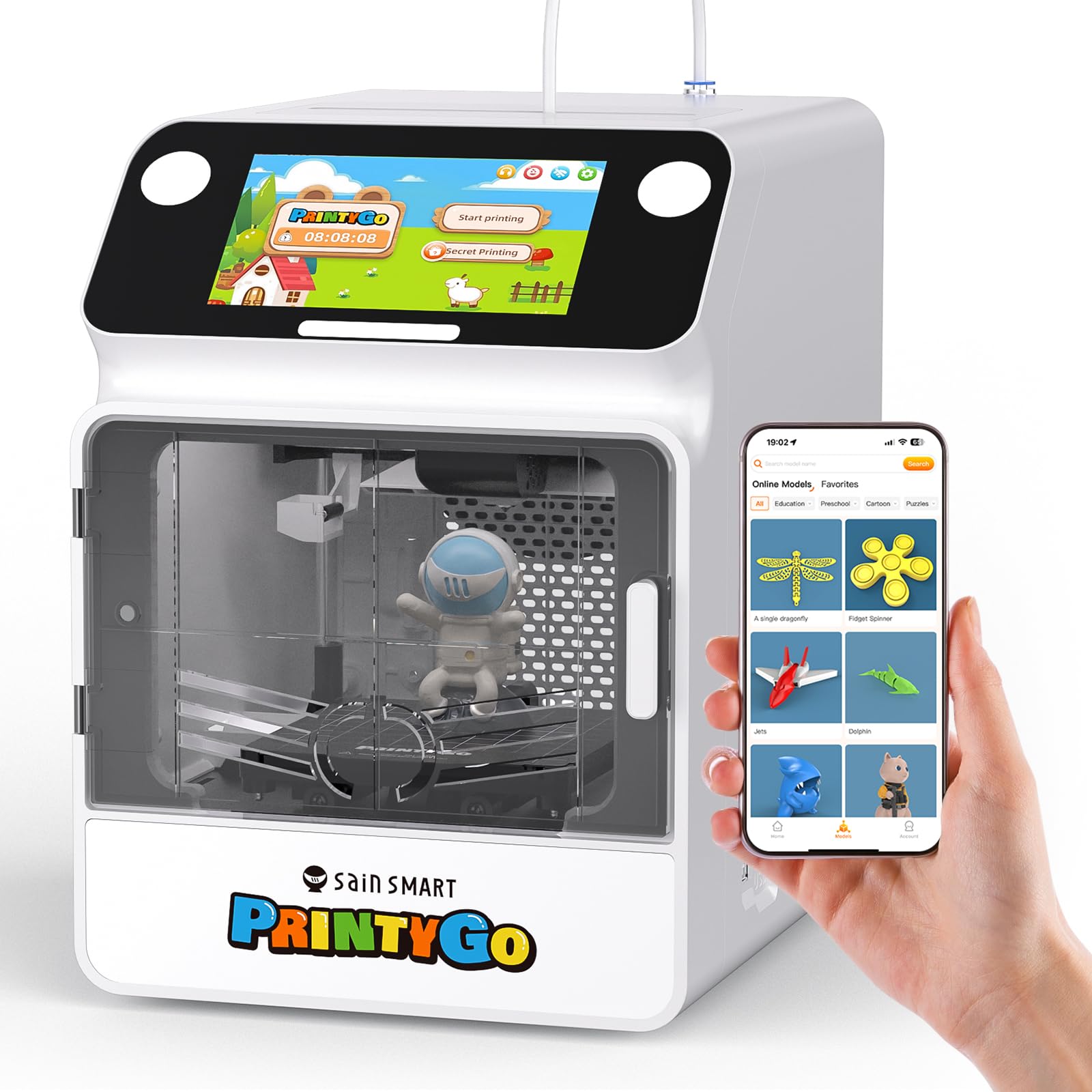
The dedicated child-first machine that runs entirely on its own 5-inch touchscreen, no phone required.
SainSmart built the PrintyGo specifically for makers aged 4 to 12, and it shows in every design choice. The fully enclosed body pairs with a child lock system that pauses printing the moment the door opens. A 5-inch interactive screen sits on the front—no smartphone app or computer needed to start a print. The built-in library holds over 1,500 3D models spanning animals, geometric shapes, puzzles, and landmarks, updated weekly. You skip the slicing process entirely; kids tap a model and hit print.
The top speed matches the Flashforge at 600 mm/s, but the tiny print bed restricts output to toys and miniatures. An owner notes that “prints can take 3-4 hours” for even small models, suggesting real-world speed is slower than the headline number. The Wi-Fi connection is occasionally rough, and the app is reportedly separate (“Kidoodle”). Without Wi-Fi, the on-machine library drops to about 30 models. The included 250 g of white PLA filament gets you started, and the magnetic self-leveling bed simplifies first-layer success. The build quality is solid, and it arrives pre-assembled.
The 3.8-star rating from 28 ratings is the lowest on this list, but families who got it working give positive reviews. One buyer says it is “pricier than a basic 3D printer, but the kid independence and experience make it worth every dollar.” Another reviewer flags that the bed leveling (adjusting the print surface so it is flat) can be problematic if the middle sits too high, which can damage the print plate. This printer is a niche product: it costs more for its small print volume (the space it can print in) and has fewer total reviews. But for a 6-year-old who cannot use a slicer (the software that turns a 3D model into printer instructions), the touchscreen independence is class-leading by any other pick here.
What wins parents over: The child lock, the touchscreen autonomy, and the full enclosure. Kids can operate this like an appliance. The 600 mm/s speed potential is a nice bonus, even if real-world prints take longer due to small layer heights.
Where it falls short: The tiny build plate and somewhat unreliable Wi-Fi limit what you can actually make. The value proposition is divisive—some see it as a premium experience, others as overpriced for the output size. Bed leveling issues appear in a few reviews, so check the first-layer calibration carefully.
Best for young children (ages 4-8): who want to press a button and watch a toy appear, without any parent-driven setup. The independence factor is real and valuable for that age group.
Not ideal for: older kids (10+) who want larger, more detailed prints or who are ready to learn slicing software. The PrintyGo’s simplicity becomes a ceiling, not a floor.
4. AOSEED X-Maker AI+
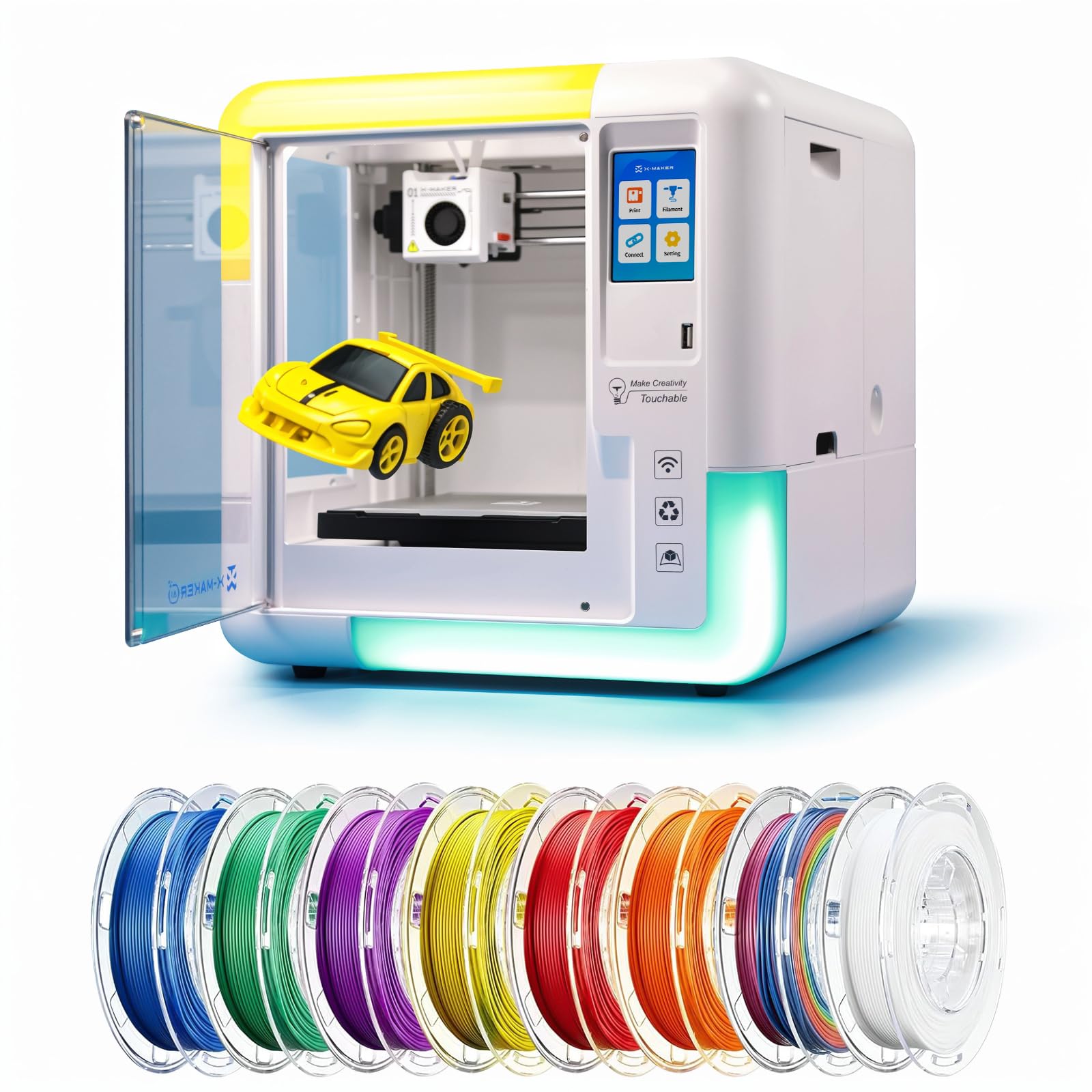
The AI-powered toy factory that converts a child’s drawing or voice into a 3D print in minutes.
AOSEED’s X-Maker AI+ is the most technologically ambitious kid printer here. The built-in AI Doodle feature generates a 3D model from a photo, a voice description, or a simple drawing—kids can sketch a monster on paper, snap a photo, and the printer creates the STL file automatically. The AI MiniMe tool turns a selfie into a cartoon avatar, and the built-in AI assistant guides kids through the process. It includes 8 TÜV-tested PLA filament rolls in the box, so you have a color palette from day one.
The print speed tops out at 400 mm/s, with a typical range of 220–250 mm/s. Precision goes down to 0.05 mm, which is finer than the 0.04 mm on the TINA2S. Small creations can finish in about 20 minutes. The 3.5-inch touchscreen and built-in Wi-Fi eliminate the need for a computer. The fully enclosed chassis and one-touch nozzle replacement are safety and convenience wins. It operates under 50 dB—about as loud as a quiet conversation—making it classroom-friendly.
At 24 pounds and 14.17 x 14.17 x 14.96 inches, it sits between the lightweight TINA2S and the heavy Flashforge. The 4.1-star rating from 56 ratings is solid, with ease of use and suitability for children earning the most praise. One owner reports that a “9-year-old daughter printed two cute toys right away” with no issues. The recurring concern is reliability—several owners say the printer “stops working after just a few uses” due to firmware problems, and customer support is difficult to reach after the Amazon return window.
The killer feature: AI Doodle and AI MiniMe turn this into a true toy-making appliance for ages 9-16. The 1,500+ digital toy catalog and customizer tool give endless variety, and the 8 included filament spools mean you don’t need to buy supplies for weeks.
The big caveat: That same AI firmware introduces a reliability risk. If an update breaks the unit after the return window, you may have an expensive paperweight. The mixed reliability feedback is the highest count aspect (12 mentions), so factor that into your decision.
Get this if: you have a creatively driven tween (ages 9-14) who will be thrilled by the AI features—turning a drawing into a physical object is genuinely magical at that age. The included filaments and pre-loaded models make it a complete out-of-box experience.
skip it if: you prioritize long-term reliability over cool features. The mixed reliability reports suggest this is still a first-generation product in some ways. Buy from a retailer with an extended return policy if possible.
Understanding the Specs
Fully Enclosed Design
A printer with walls and a door is the single most important safety feature for kids. It keeps small hands away from the hot nozzle (often over 200°C) and the moving belts. Some models add a child lock that pauses the print if the door opens, which is a welcome extra layer of protection. Without an enclosure, you need constant adult supervision during every print.
Auto Bed Leveling
Manual leveling requires turning tiny screws under the print bed while checking a gap with a piece of paper. Auto leveling replaces that with a sensor that measures the bed at several points and adjusts the print head’s height automatically. It is the difference between a “push and print” experience and a 15-minute calibration ritual that new users often get wrong. For a child—or a parent who doesn’t want to become a technician—auto leveling is essential.
FAQ
At what age can a child use a 3D printer safely?
Is PLA filament safe for kids?
What is the difference between an enclosed and open-frame printer?
Do kids need to know how to use 3D design software?
How fast should a kid’s 3D printer be?
What size printer should I get for a child?
How much maintenance does a kid’s 3D printer need?
Can a 3D printer be used in a classroom?
What does auto-leveling actually do?
Is a fully assembled printer worth paying extra for?
Final Thoughts: The Verdict
For most families, the best 3d printer for kids is the Flashforge Adventurer 5M Pro because it combines the fastest print speed with a serious HEPA13 filter and a fully enclosed safety chassis. If you want the simplest possible entry point at the lowest cost, grab the Entina TINA2S. For a very young child (ages 4-8), the SainSmart PrintyGo is worth the premium for its independent touchscreen operation. And for a creative tween who will love turning drawings into objects, the AOSEED X-Maker AI+ is the most magical pick on the list. The crowd favorite by volume—the TINA2S with over 270 ratings—proves that the budget option remains the most popular starter machine for good reason.
How We Picked
We do not accept paid placement. Every pick is matched to a real buyer and a real use-case; we do not hands-on test units.
Sources & Methodology
Specifications: manufacturer listings and product documentation. Review insights: verified customer reviews, as of July 2026. Pricing: not shown on this page (it changes often); check the current price via the retailer link.
As an Amazon Associate, Gadgets Feed earns from qualifying purchases. This does not affect which products we feature.