
Our readers keep the lights on and my morning glass full of iced black tea. As an Amazon Associate, I earn from qualifying purchases.
Specs are compiled from manufacturer listings and verified buyer reviews and can change over time — please confirm the key details on the product page before buying.
You probably bought a good router, yet there is still a corner of your home where the video buffers or the call drops. An app controlled WiFi extender fixes that by plugging into a wall outlet, linking to your router through an app on your phone, and beaming a strong signal to the exact rooms that need it — no laptop required for setup.
I’m Min — the founder and writer behind Gadgets Feed. This guide is built by comparing the manufacturers’ published specifications and the patterns across verified customer reviews, so you get each pick’s real strengths and trade-offs instead of marketing spin.
if you need to cover a backyard office, a basement gym, or a thick-walled bedroom, the best app controlled wifi extender for your home depends on your router’s generation and how far the signal has to travel.
Our Picks at a Glance


How To Choose The Best App Controlled WiFi Extender
Picking the right extender starts with knowing where your signal drops and what devices you need to connect. Here are the three factors that decide whether your extender actually works or just sits blinking.
WiFi Standard Matching
An extender can only talk as fast as your router. If you own a WiFi 5 router, a WiFi 7 extender will still work, but it will fall back to the slower speed of the router. For maximum throughput, match the standard (WiFi 6 or WiFi 7) across both devices. The number after “AX” or “BE” tells you the theoretical top speed, but real-world performance depends on walls and distance.
App Features and Placement Help
A good app does more than just turn the device on. It shows you a signal indicator to find the perfect spot halfway between your router and the dead zone. Tether (TP-Link), Nighthawk (Netgear), and ASUS Router apps each offer this and let you adjust settings, check for firmware updates, and manage connected devices from your phone.
Ports and Mesh Support
A gigabit Ethernet port lets you hardwire a game console, smart TV, or PC to the extender for a lag-free connection. Mesh compatibility (OneMesh, EasyMesh, or AiMesh) means the extender and your router act as one smooth network, so your phone switches between them without you noticing.
Quick Comparison
| Model | Best For | Data Transfer Rate | Coverage | Device Limit | Amazon |
|---|---|---|---|---|---|
| TP-Link Omada EAP650-Outdoor★ Best Overall | Outdoor & large yard | 3000 Mbps | 3500 sq. ft | — | Amazon |
| TP-Link RE615XTop Performer | Best overall value | 1800 Mbps | 2100 sq. ft | 64 | Amazon |
| NETGEAR EAX12Compact Pick | Compact homes | 1.6 Gbps | 1200 sq. ft | 15 | Amazon |
| ASUS RP-AX58 | ASUS mesh networks | 3000 Mbps | — | — | Amazon |
| TP-Link TL-WPA7817 KIT | Thick walls & basements | 1000 Mbps | — | 64 | Amazon |
| TP-Link RE223BE | WiFi 7 early adopters | 3200 Mbps | 2400 sq. ft | 64 | Amazon |
| ASUS RP-BE58 | ASUS WiFi 7 mesh | 3600 Mbps | 2200 sq. ft | — | Amazon |
| TP-Link RE815X | High-density homes | 5400 Mbps | 2800 sq. ft | 96 | Amazon |
| NETGEAR EXS27 | WiFi 7 speed | 5 Gbps | 1500 sq. ft | 45 | Amazon |
In‑Depth Reviews
1. TP-Link Omada Long Range Outdoor Access Point EAP650-Outdoor
Our pick — over 4★ from 350+ verified ratings; the strongest balance of quality and price.
The outdoor unit that pushes a strong signal a quarter-mile across your property.
This access point handles the wet, hot, and cold — its IP67 weatherproof enclosure keeps rain and dust out while the high-gain antennas focus the signal outward. Coverage spans up to 3,500 square feet, and owners confirm a strong link at 250 feet away. The Omada app gives you centralized management from anywhere, so you can check network status or reboot the unit without walking outside.
It runs on Power over Ethernet (PoE), meaning a single Cat6 cable carries both data and power. That makes mounting possible on a porch beam or a fence post without an electrical outlet nearby. Network range and setup get the most praise from owners, and the crowd favorite description says it works great with easy setup. The connectivity aspect is mixed across reviews, so if you plan to use it with non-TP-Link routers, expect a few minutes of configuration tinkering.
Our verdict: the climber that reaches everywhere your yard goes.
Range champ: With 3,500 sq. ft of coverage and a 3000 Mbps data transfer rate, this unit serves a full acre lot from a single mount point.
One caveat: It requires an Omada SDN controller for advanced features like mesh and smooth roaming; standalone mode is simpler but less capable.
Reach for this if: You need WiFi in a detached garage, workshop, or backyard and want weatherproof hardware.
Look elsewhere if: Your dead zone is a single room indoors — a plug-in extender is cheaper and easier.
2. TP-Link RE615X AX1800 WiFi 6 Range Extender
The plug-in that conquers thick walls while staying affordable.
For homes with lathe-and-plaster or concrete-block construction, this dual-band extender pushes coverage up to 2,100 square feet and handles up to 64 devices. The Tether app guides you to the best outlet location using an intelligent signal indicator, so you never have to guess. It delivers 1800 Mbps total bandwidth — 1201 Mbps on the 5 GHz band and 574 Mbps on the 2.4 GHz band — enough for smooth 4K streaming and video calls simultaneously.
It is 0.84 pounds and plugs directly into a wall outlet. The crowd favorite description says it performs excellently as a range extender with improved signal throughout the house. Buyers report a solid connection 100 feet into the backyard and smooth streaming after eliminating upstairs dead zones. The gigabit Ethernet port lets you hardwire a gaming console or smart TV for lag-free performance. Its EasyMesh compatibility means it can join a compatible router to form a single smooth network.
Why owners love it
- Functionality tops the owner feedback — 324 people call it reliable day-to-day
- Setup gets the second-most praise (227 mentions) for the intuitive Tether app
- The Ethernet port supports wired backhaul or device connection
What to keep in mind
- Does not support the 6 GHz band — it is a true dual-band (2.4 + 5 GHz) device
- The Ethernet port cannot act as a wired backhaul in all mesh configurations
Best for: Anyone with a mid-sized home who wants WiFi 6 speeds without spending premium prices.
Think twice if: Your router is older than WiFi 5 — the extender will still help coverage but won’t reach its full speed potential.
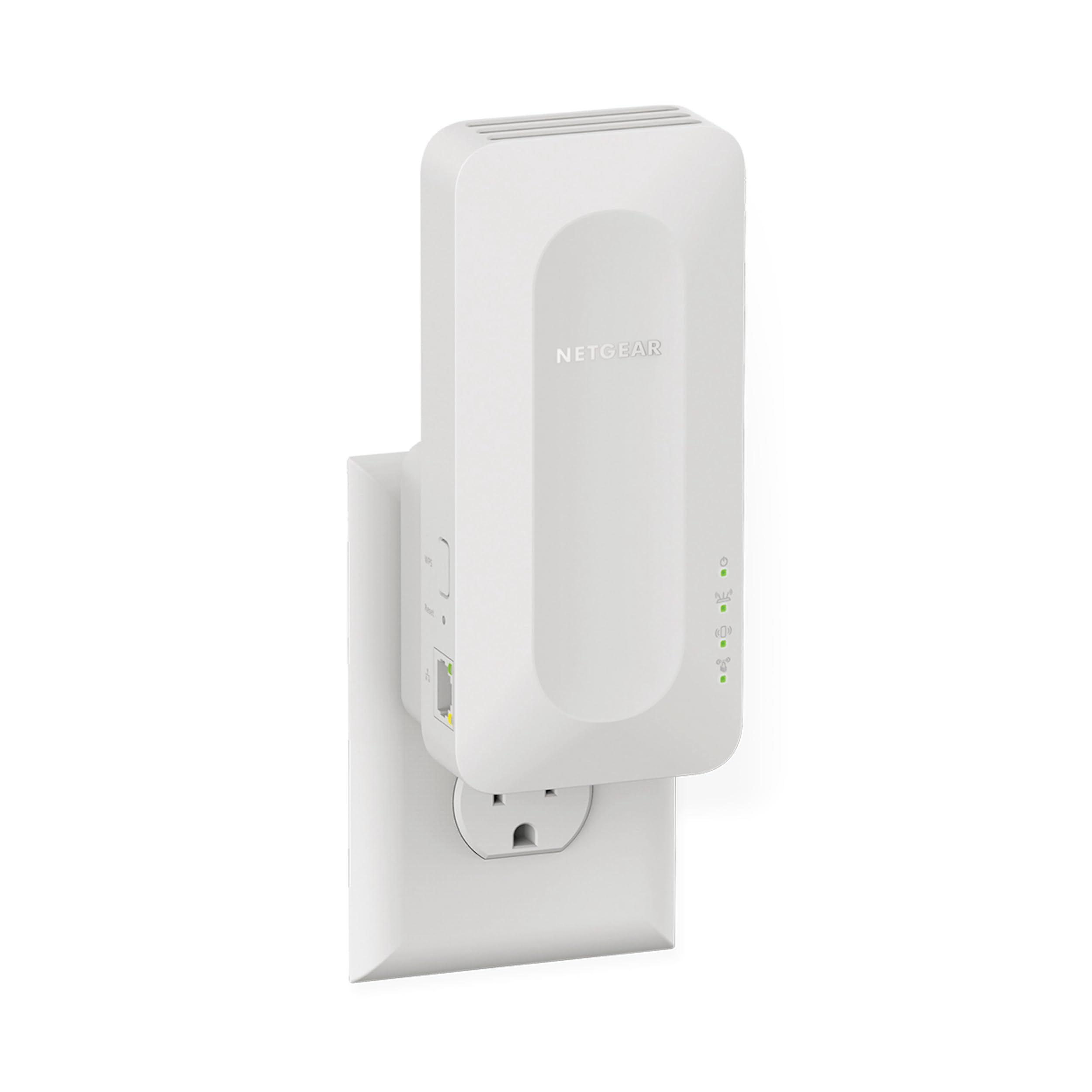
3. NETGEAR WiFi 6 Range Extender (EAX12)
The small-footprint booster that fits any outlet and covers a flat or small home.
This AX1600 extender adds up to 1,200 square feet of coverage and connects up to 15 devices. The Nighthawk app handles setup in about 20 minutes, from plug-in to registration. It pushes up to 1.6 Gbps speed, which handles HD gaming and video conferences without hiccups. At 0.9 pounds, it is slightly heavier than the TP-Link RE615X but still stays snug on the outlet.
Functionality earns the most owner praise (157 mentions), and the app-based setup is equally well-liked. Buyers who used it as a wireless bridge for cameras 48 feet away report solid throughput. Speed is a mixed topic — some owners see a drop of about 20 Mbps, which is normal for any extender. It uses your existing network SSID, so devices never ask you to reconnect as you move around the home.
What works
- Nighthawk app setup takes minutes and works with any wireless router
- WPA3 security keeps your network protected with the latest encryption
- Smart Roaming means your phone switches to the strongest signal automatically
What to watch
- Covers 1,200 sq. ft — less than many rivals, so best for apartments or small houses
- Single-band design means it uses one radio for both bands; tri-band models handle more traffic
Perfect for: A one-bedroom apartment or a home office that just needs a reliable signal boost.
skip it if: Your home is over 1,500 square feet or you own many smart home devices that need simultaneous connections.
4. ASUS RP-AX58 AX3000 Dual Band WiFi 6 Range Extender

The smooth mesh node that turns any ASUS router into a whole-home system.
If you already own an ASUS router, this extender joins it as a true AiMesh node — your phone roams between the router and extender without ever dropping the connection. Setup is straightforward through the ASUS Router app, and it earned the most praise on setup (122 mentions). It delivers speeds up to 3000 Mbps on WiFi 6, and owners mention strong signals through brick walls and multiple floors.
Reliability earns mixed feedback — some owners find smooth integration while others report occasional disconnections. It works with any WiFi router, but it shines best in an ASUS AiMesh environment where the guest network and parental controls carry over automatically. The lifetime free AiProtection Pro, powered by Trend Micro, blocks malicious sites and gives you WPA3 security without a subscription.
Strong points
- AiMesh creates a single network name so devices never disconnect
- Instant Guard gives you one-click secure internet access from anywhere
- Commercial-grade network security included for life
Consider this
- AiMesh features work best with ASUS routers; other brands may need Extender mode with a separate SSID
- Blocks the second outlet on a duplex wall socket
Ideal for: ASUS router owners who want a smooth mesh without replacing their main router.
Not ideal for: Households with a non-ASUS router who only need a simple signal repeater.
5. TP-Link Powerline Wi-Fi 6 Extender TL-WPA7817 KIT

The extender that rides your home’s electrical wiring to reach rooms WiFi cannot touch.
Thick concrete walls, metal studs, or a detached garage can block even the strongest WiFi extender. This kit uses your home’s electrical circuits to carry data — plug one adapter near your router and the second in the dead zone. It delivers AV1000 powerline speeds across up to 980 feet of wiring, and the built-in AX1500 WiFi 6 broadcasts at 5 GHz (1201 Mbps) and 2.4 GHz (300 Mbps).
Owners highlight the build quality and straightforward setup. One solved a 10-year garage connectivity issue and gets over 100 Mbps through a 125-foot cable run. The tpPLC mobile app lets you control the network from your phone. Speed depends on your home’s wiring — same-circuit connections are fastest, while different circuits or older wiring can reduce throughput. The kit includes two adapters and two Ethernet cables right in the box.
Circuit solver: Uses existing electrical wiring to bypass impossible WiFi barriers — no new cables needed.
Honest limit: Performance varies with wiring quality and distance; requires direct outlet plugs, not surge protectors.
Reach for this if: Your router’s signal cannot punch through to a basement, garage, or thick-walled room.
Look elsewhere if: Your home has multiple electrical panels or very old wiring — performance will be unpredictable.
6. TP-Link BE3200 Wi-Fi 7 Range Extender RE223BE
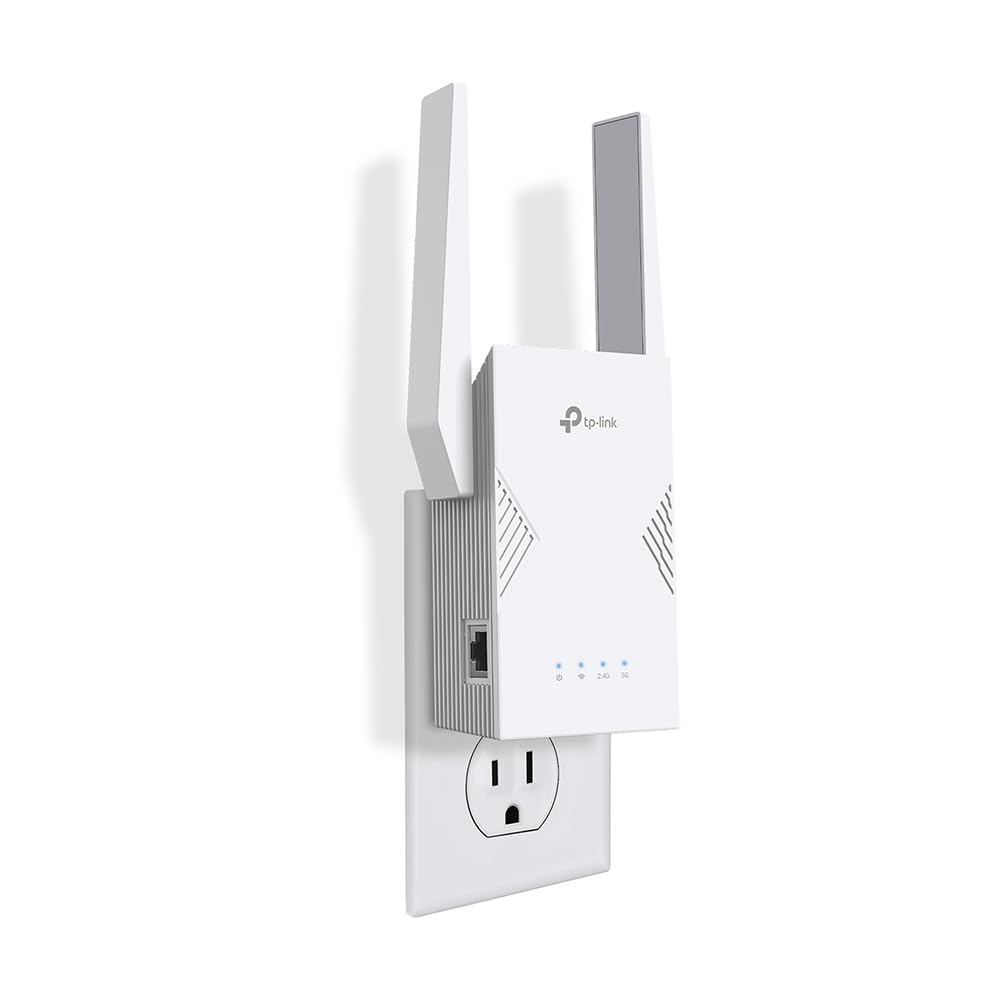
The first affordable taste of WiFi 7 for homes with the latest router.
WiFi 7 brings Multi-Link Operation (MLO), which lets a device talk on two bands at once for lower latency and higher throughput. This dual-band extender reaches up to 3.2 Gbps total bandwidth — 2594 Mbps on the 5 GHz band and 688 Mbps on the 2.4 GHz band. It covers up to 2,400 square feet and handles up to 64 devices. Owners praise reliability and signal strength, with one reporting 500+ Mbps across the house.
Reliability earns the most positive feedback (56 mentions), and setup is nearly as well-liked (48 mentions). The Tether app walks you through placement. Note that it does not support the 6 GHz band — it is a true dual-band unit. An occasional owner reports packet loss on the 5 GHz band, but the overwhelming feedback is stable and fast for streaming and gaming.
What stands out
- Multi-Link Operation reduces lag for AR/VR gaming and 4K/8K streaming
- CISA Secure-by-Design pledge for ongoing security updates
- EasyMesh-compatible for whole-home coverage
Keep in mind
- MLO benefits only work with a WiFi 7 router; older routers get normal dual-band performance
- No 6 GHz band support — a tri-band WiFi 7 extender is needed for that
Best for: Early adopters who just bought a WiFi 7 router and want the full benefit of MLO.
pass on it if: Your router is WiFi 6 or older — the RE615X gives you the same real-world speed for less money.
7. ASUS RP-BE58 BE3600 Dual Band WiFi 7 Range Extender

The ASUS mesh node that upgrades your network to WiFi 7 without replacing your router.
This BE3600 extender pairs with any ASUS AiMesh-compatible router to create a smooth WiFi 7 network. It delivers up to 3600 Mbps speed using 4096-QAM, which boosts a single band’s transmission speed by 1.2 times over WiFi 6. Multi-Link Operation (MLO) links to multiple bands at the same time for stable connections. Coverage reaches up to 2,200 square feet, and it is light at just 0.5 pounds.
Setup through the ASUS Router app earns the most positive feedback. Owners using AiMesh report excellent signal strength and the same SSID everywhere. Signal quality is the most-discussed aspect and gets mixed reviews — while many find it works well through stucco and in detached garages with wired backhaul, some experience daily disconnections that require power cycling. A wired backhaul is recommended for high-bandwidth tasks.
Strong points
- AiMesh creates a single smooth network with any ASUS router
- WiFi 7 with MLO ensures stable data transfers and lower latency
- Works with any WiFi router in standard extender mode
Consider this
- Signal quality is the most-mentioned aspect and it is mixed — some units struggle with stability
- Does not have a 6 GHz band, so WiFi 7 speeds are capped at 5 GHz
Ideal for: ASUS router owners who want WiFi 7 mesh without buying a whole new router system.
Not ideal for: Buyers who need a guaranteed plug-and-play experience with non-ASUS routers.
8. TP-Link RE815X AX5400 WiFi 6 Range Extender

The tri-band powerhouse that keeps 96 devices running without a hitch.
A tri-band extender dedicates one radio to talking to your router and two for your devices, so traffic never backs up. This model delivers up to 5.4 Gbps total bandwidth — 2402 Mbps on each of two 5 GHz bands and 574 Mbps on 2.4 GHz. It covers up to 2,800 square feet with four high-gain directional antennas and Beamforming technology. Six FEM (Front-End Modules) boost signal strength through walls.
Setup through the Tether app earns 63 positive mentions, and signal strength gets 53. Customers note instant handover between the router and extender, with speeds doubling on the 5 GHz band after installation. The gigabit Ethernet port supports Access Point (AP) mode, turning any wired connection into a WiFi hotspot. It weighs 0.68 kilograms and is compatible with OneMesh and EasyMesh networks.
Why it shines
- Tri-band design means dedicated backhaul for faster throughput
- Supports up to 96 devices — ideal for smart homes with many gadgets
- Coverage up to 2,800 sq. ft eliminates dead zones in larger homes
Trade-offs
- Connectivity is the most-mentioned aspect at 127 and it is mixed — some units need careful placement
- Not compatible with Deco mesh systems
Best for: Large homes with many connected devices, from security cameras to gaming consoles.
Think twice if: Your home is under 1,500 square feet — a dual-band extender will cover it for less.
9. NETGEAR WiFi 7 Range Extender (EXS27)

The bridge that turns a distant room into a wired gaming powerhouse.
This BE5000 extender pushes up to 5 Gbps speed over WiFi 7, but its standout feature is the 2.5 Gig Ethernet port. Owners who use it as a WiFi bridge report speed boosts from about 570 Mbps to 900 Mbps-1 Gbps for a distant gaming PC. It covers up to 1,500 square feet and connects 45 devices. Signal quality earns the most praise (17 mentions), with one owner noting it penetrates old plaster walls easily.
Reliability is the most-discussed aspect at 35 mentions and it is mixed — while many find it works brilliantly as a WiFi-to-Ethernet bridge with no dropouts for months, some report daily disconnections that require power cycling. Setup through the Nighthawk app is straightforward for most, but a few found it tricky. It works with any wireless router and is tune for WiFi 7 routers.
What works
- 2.5 Gig Ethernet port delivers multi-gig wired speeds to a single device
- WiFi 7 speeds up to 5 Gbps with 2.7x better performance than previous generations
- Smart Roaming uses your existing network SSID for smooth device switching
What to know
- Reliability is mixed — some units experience frequent disconnections
- Covers only 1,500 sq. ft, which is smaller than many WiFi 6 extenders
Perfect for: Gamers or streamers who want to hardwire a PC across the house using WiFi backhaul.
it’s not for you if: You need reliable whole-home coverage without the chance of node dropouts.
Understanding the Specs
WiFi Standard (WiFi 6 vs WiFi 7)
The generation of WiFi your extender supports decides the top speed it can reach. WiFi 6 (also called AX) handles crowded homes with many devices better than WiFi 5. WiFi 7 (BE) adds Multi-Link Operation, which lets a device use two bands at once for lower lag. Both standards are backward compatible, so a WiFi 7 extender still works with a WiFi 5 router, but at WiFi 5 speeds. For most homes today, WiFi 6 offers the best balance of speed and value.
Dual-Band vs Tri-Band
A dual-band extender has one 2.4 GHz radio and one 5 GHz radio. It talks to your router and your devices on the same radio, which can slow things down. A tri-band extender adds a second 5 GHz radio dedicated to talking to your router, leaving the first 5 GHz radio free for your devices. This keeps speeds higher, especially in homes with many gadgets. If you stream 4K video or game online while others are on the network, tri-band makes a clear difference.
FAQ
Does an app controlled WiFi extender work with any router?
How far from the router should I place the extender?
Will a WiFi 7 extender work with my WiFi 6 router?
How many devices can one extender handle?
Does an extender reduce my internet speed?
Can I use the Ethernet port on an extender for a wired connection?
What is the difference between EasyMesh, OneMesh, and AiMesh?
How long do WiFi extenders typically last?
Final Thoughts: The Verdict
For most people, the app controlled wifi extender that ticks every box is the TP-Link RE615X because it combines WiFi 6 speeds, broad coverage up to 2,100 square feet, and an app that makes setup easy — all backed by thousands of satisfied owners. If you need to push a signal across a yard or to a detached building, the TP-Link Omada EAP650-Outdoor handles rain and dust while reaching 250 feet away. And for a thick-walled basement or garage that ordinary extenders cannot penetrate, the TP-Link TL-WPA7817 KIT rides your home’s electrical wiring to deliver coverage where radio waves fail.
How We Picked
We do not accept paid placement. Every pick is matched to a real buyer and a real use-case; we do not hands-on test units.
Sources & Methodology
Specifications: manufacturer listings and product documentation. Review insights: verified customer reviews, as of July 2026. Pricing: not shown on this page (it changes often); check the current price via the retailer link.
As an Amazon Associate, Gadgets Feed earns from qualifying purchases. This does not affect which products we feature.