
Our readers keep the lights on and my morning glass full of iced black tea. As an Amazon Associate, I earn from qualifying purchases.
Specs are compiled from manufacturer listings and verified buyer reviews and can change over time — please confirm the key details on the product page before buying.
Your old hard drive is the slowest part of your computer. That mechanical drive makes booting feel like a coffee break, and launching any program comes with a grinding wait. Swapping to a solid state drive (SSD — a storage chip with no moving parts) is the single biggest speed upgrade you can make. A 1 TB capacity gives you enough room for your operating system, your everyday programs, and a healthy stack of files without running out of space next month.
I’m Min — the founder and writer behind Gadgets Feed. This guide is built by comparing the manufacturers’ published specifications and the patterns across verified customer reviews, so you get each pick’s real strengths and trade-offs instead of marketing spin.
Every drive below runs on the SATA III interface (that is the standard connector used by most laptops and desktops for the last decade), so compatibility is the first thing off your mind. What we sorted out is which internal drive gives you the best mix of everyday speed, long-term reliability, and real value — the honest findings on the 1 tb sata ssd market right now.
Our Picks at a Glance


How To Choose The Best 1 TB SATA SSD
Picking the right SSD for your upgrade depends on three things: how fast the chips can read and write data, how many terabytes of data you can pour through the drive before it wears out (that is the TBW — terabytes written — number), and if you need the highest possible reliability for a primary boot drive or a smart budget option for secondary storage. The following points cover the key specs to look at.
Read and Write Speeds
Sequential read speed (how fast the drive pulls up a large file, like a game level or a video) is the number you see advertised — most SATA III drives top out between 500 MB/s and 560 MB/s. Sequential write speed (how fast the drive saves a new file) typically runs a bit lower, often 450 MB/s to 530 MB/s. For booting Windows and opening applications, the difference between 500 MB/s and 560 MB/s is barely noticeable in everyday use. What really makes your PC feel snappier is random read/write performance — how well the drive handles many small files at once — and that is where modern 3D NAND chips shine compared to any mechanical hard drive.
NAND Type and Endurance (TBW)
TBW stands for “Terabytes Written” — it is the manufacturer’s estimate of how much total data you can write to the drive before cells start wearing out. A 1 TB drive with a 600 TBW rating, like the Samsung 870 EVO, means you could theoretically write 600 terabytes of data over its life. That is a massive buffer for most home users (someone who writes 50 GB a day would still take over 30 years to hit it). Drives using TLC (Triple-Level Cell) NAND generally offer longer write life than QLC (Quad-Level Cell) NAND, which is why TLC is common in higher-rated models.
DRAM Cache vs. DRAM-Less Design
Some SATA SSDs include a small amount of DRAM memory on the board (the “cache”). This DRAM acts as a high-speed traffic cop that maps where data is stored, so the drive does not have to consult the slower NAND chips for that info. Drives with DRAM tend to maintain consistent write speeds during heavy workloads like large file transfers. DRAM-less drives (like the Crucial BX500) are more affordable and still feel very fast for booting and everyday apps because they use the computer’s system memory or a bit of the NAND as a pseudo-cache. For a secondary storage drive or a laptop used for browsing and office work, a DRAM-less drive is plenty — the price savings are often worth it.
Quick Comparison
| Model | Best For | Sequential Read | Sequential Write | Endurance (TBW) | Amazon |
|---|---|---|---|---|---|
| Samsung 870 EVO★ Best Overall | Overall Reliability | 560 MB/s | 530 MB/s | 600 TBW | Amazon |
| Crucial BX500Value Upgrade | Value Upgrade | 540 MB/s | — | — | Amazon |
| Lexar NS100Premium Pick | Long-Term Daily Use | 550 MB/s | — | 480 TBW | Amazon |
| SanDisk SSD Plus | Shock Resistance | 545 MB/s | 515 MB/s | — | Amazon |
| TEAMGROUP T-Force Vulcan Z | Gaming Storage | 550 MB/s | 470 MB/s | — | Amazon |
| fanxiang S101 | Camera Hub Storage | 520 MB/s | — | — | Amazon |
| AVOETY AS550 | Mac/Linux Compatibility | 550 MB/s | 500 MB/s | — | Amazon |
| Vansuny 1TB SATA III | Budget OS Drive | 500 MB/s | 450 MB/s | — | Amazon |
| Bestoss 1TB | Raspberry Pi Projects | 550 MB/s | — | — | Amazon |
In‑Depth Reviews
1. Samsung SSD 870 EVO SATA III 2.5” 1TB
Our pick — over 4.5★ from 45,500+ verified ratings; the strongest balance of quality and price.
The gold standard that every other SATA drive is measured against.
This is the drive that owners call “the SSD all-star” for a reason. It pushes the SATA III interface to its ceiling — sequential reads hit 560 MB/s and writes reach 530 MB/s — so your system boots and loads applications with zero lag. The 600 TBW endurance rating (that is the total data you can safely write over the drive’s life) is the highest of any drive on this list, backed by a 5-year limited warranty. That warranty length alone signals a confidence the budget brands rarely match.
What wins people over is the consistency. The in-house DRAM and V-NAND technology keep write speeds steady during heavy jobs like video editing or transferring large folders. The 870 EVO also stays remarkably cool — 15°C cooler than a traditional hard drive — and uses 55-80% less power. Buyers report that the Samsung Magician software makes it simple to monitor the drive’s health and keep firmware current.
Reasons It Stands Out
- Top sequential read speed in the category at 560 MB/s — the fastest you will see on SATA.
- Industry-leading 600 TBW rating and a 5-year warranty, making it a set-and-forget primary drive.
- Owners consistently praise its reliability above all else, with over 1,800 positive mentions on build quality alone.
The Trade-Offs
- Priced at a premium — the highest up-front cost on this list, which reflects the endurance and support.
- A specific firmware version (SVT0B6Q) was flagged by owners as problematic; check the Samsung Magician tool for updates on arrival.
The right pick if: you want the most reliable boot drive for a desktop, workstation, or NAS that will not need replacing for years.
Think twice if: your budget is tight and the drive is for secondary storage — a more affordable option will serve fine there.
2. Crucial BX500 1TB 3D NAND SATA 2.5-Inch Internal SSD
The crowd favorite that proves you do not need to spend big for a huge speed jump.
This is the drive that has revived countless old laptops — and the 4.8-star rating across tens of thousands of owners confirms it. The BX500 delivers sequential reads up to 540 MB/s, which is enough to cut boot times dramatically compared to any mechanical hard drive. It uses a DRAM-less architecture (meaning it lacks a dedicated memory chip for the mapping table), which keeps the price low while still feeling instant for everyday use.
Owners mention that cloning their old hard drive over to the BX500 was straightforward, and the Acronis True Image software (free for Crucial drives) handles the migration. The feedback on performance is overwhelmingly positive — over 250 owners specifically praise the speed, and a similar number highlight the value for money. The catch is the endurance rating, which is lower than premium DRAM-equipped drives, so the BX500 is best suited for light-duty web surfing, office work, and media consumption rather than heavy daily writes.
Why It Wins Fans
- One of the highest-rated SATA SSDs for value — a massive performance gain at a mid-range cost.
- Extremely easy to install and clone; free migration software is included.
- DRAM-less design is perfectly adequate for typical home and office use.
What to Keep in Mind
- Lacks the sustained write performance and endurance of DRAM-equipped drives like the Samsung 870 EVO.
- Not recommended as a primary gaming or workstation drive where constant heavy writes occur.
Grab it if: you are upgrading an older laptop for everyday tasks and want the best price-to-performance ratio around.
Skip it for: heavy video editing, large database work, or any scenario where consistent high write speeds are critical.
3. Lexar 1TB NS100 SSD 2.5 Inch SATA III Internal Solid State Drive
A reliable workhorse that has earned trust through years of daily use.
The Lexar NS100 is built with an aluminum enclosure (good for heat dissipation) and pushes sequential reads up to 550 MB/s. Its 480 TBW rating is generous for a drive at this tier, and it comes with a three-year limited warranty. Owners who have used it for three years or more report zero data loss and consistently cool operating temperatures — the “extremely reliable SSD” review sums up the sentiment after heavy use.
What makes this drive a distinct pick is the balance: it is faster at sequential reads than the Crucial BX500 (550 MB/s vs 540 MB/s) and wears a more sturdy TBW rating than the TEAMGROUP Vulcan Z, which has mixed reliability feedback. Owners mention it is an ideal upgrade for aging laptops and notebooks, reviving machines that were too sluggish to use. The main caveat is that some units have failed within six months — a minority report, but note if you are looking for the absolute highest reliability floor (the Samsung 870 EVO is safer there).
Standout Performance: 550 MB/s reads and a 480 TBW endurance rating give it the edge over most budget-oriented SATA SSDs.
A Word of Caution: A small number of owners experienced failure within the first six months — the three-year warranty covers that, but it is worth factoring in for critical data.
Ideal for: a daily-driver laptop upgrade where you want better reliability than the cheapest options without paying the Samsung premium.
4. SanDisk SSD Plus 1TB Internal Solid State Drive
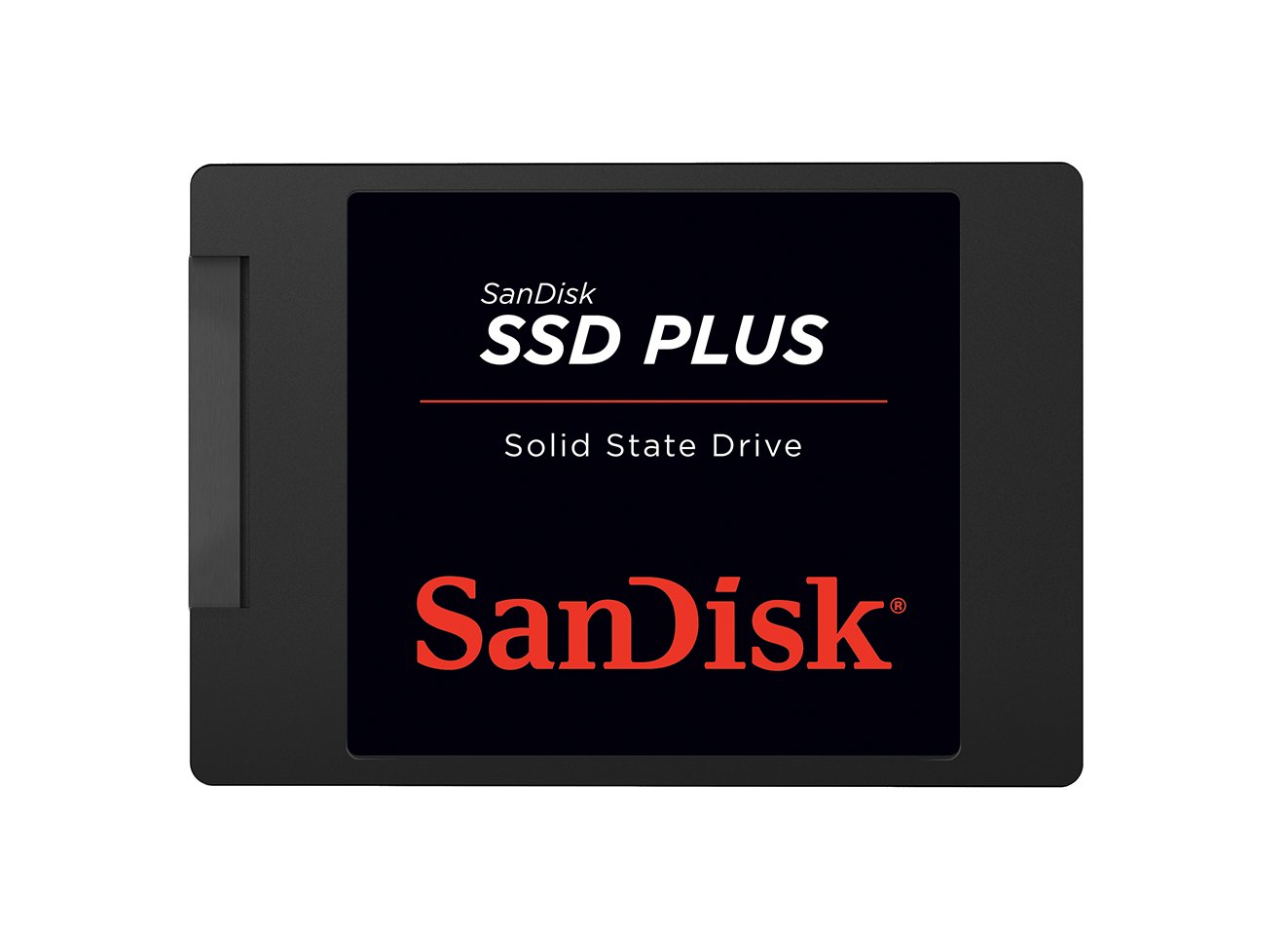
A rock-solid name with shock resistance (no moving parts to break if you drop your laptop) that adds real confidence.
SanDisk brings their flash memory heritage into this 2.5-inch SATA drive, which hits sequential reads of 545 MB/s and writes of 515 MB/s. That write speed is notably higher than the Lexar NS100’s unspecified figure and puts it in the same league as the Samsung 870 EVO for saving large files. The drive is shock-resistant — a useful spec if you are putting it into a laptop that moves around a lot, since SSDs have no moving parts but the physical protection still matters for the circuit board.
Owners consistently mention reliability and quality — over 20 owners call out the reliability specifically. Common use cases include replacing a slow hard drive in a laptop, expanding storage in a security camera system, and even retrofitting into a modded PS2 where silence and reliability are the priorities. The feedback is overwhelmingly positive, though the limited number of reviews (compared to the Samsung or Crucial) means the long-term picture is less documented. It carries a solid star rating across 800+ ratings.
Why It Gets Recommmended: High write speed at 515 MB/s — a step above most mid-range SATA drives — plus the brand’s reputation for flash reliability.
Reach for this if: you want a brand you know from memory cards and USB drives, and you value shock resistance in a mobile laptop.
5. TEAMGROUP T-Force Vulcan Z 1TB SATA III Internal Solid State Drive

A gamer-focused drive that balances TB-level capacity with solid boot speeds.
The T-Force Vulcan Z is marketed around gaming performance — it advertises sequential reads up to 550 MB/s and writes up to 470 MB/s, with an SLC cache that helps keep burst write speeds high during game installations. Owners who use it as a game drive report that loading times are dramatically improved over a mechanical hard drive and that it works well for storing large game libraries.
The value-for-money gets the most praise — over 40 owners specifically call it a good deal for high-capacity storage. However, the reliability feedback is mixed, with around 127 mentions. Some owners experienced failures within a year or reported that speeds slowed over time. One owner gave a measured review noting that actual speeds tested lower (402/343 MB/s) than advertised, calling the QLC NAND the reason. If you use this drive strictly for game storage rather than your operating system, the mixed longevity is less of a concern.
What Works Well
- Large 1 TB capacity at a palatable price point for expanding game storage.
- Customers note excellent read/write speed for game loading from the start.
- Installation is straightforward and compatible with desktops and consoles.
Where Caution Is Due
- Mixed feedback on long-term reliability — some drives reportedly failed within a year.
- QLC NAND may lead to slower performance over time compared to TLC-based rivals.
Best for: adding bulk storage for games where you are not relying on the drive for critical or irreplaceable data.
6. fanxiang S101 1TB SSD SATA III 6Gb/s 2.5″ Internal Solid State Drive

The budget-friendly TLC drive that keeps ticking in a camera NVR or as secondary storage.
The fanxiang S101 uses TLC 3D NAND (which offers a longer write lifespan than the QLC NAND found in some cheaper drives) and delivers reads up to 520 MB/s. The manufacturer claims it boots a system at least 50% faster than a mechanical hard drive. Owners have used it successfully as plug-and-play storage for camera hub systems — it was recognized immediately and handled loop recording without issue. That specific use case highlights its strength: quiet, vibration-free, and reliable for constant surveillance writes.
The value-for-money aspect is the top positive, with over 170 owners mentioning it. Quality and speed also get strong praise (161 and 152 mentions respectively). However, reliability is the most-discussed aspect overall with a mixed verdict — several hundred reviewers point out it works great, but some units failed within weeks. The S101 is best viewed as a budget-friendly secondary drive or a surveillance storage option rather than your primary boot drive for irreplaceable data.
Great Value Pick: TLC NAND at a budget price point makes it a smarter buy than QLC alternatives for write-intensive tasks.
Reality Check: A small percentage of owners experienced failure quickly — reasonable for secondary storage, cautious for a primary OS drive.
Get it for: a camera NVR, a media server, or secondary storage where the low price per gigabyte matters more than maximum reliability.
7. AVOETY 2.5″ SATA III Internal SSD 1TB (AS550)
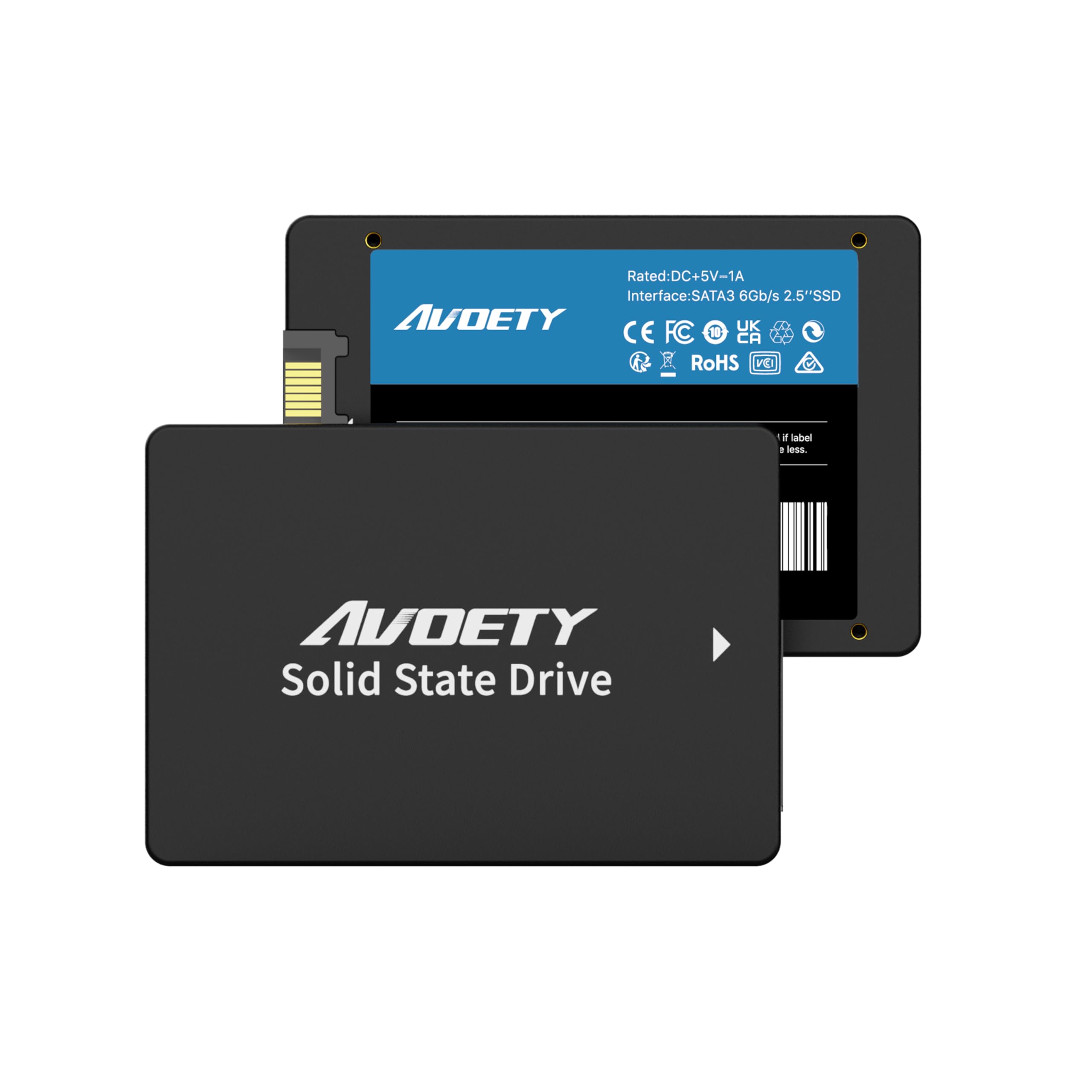
A simple, fast drop-in replacement that works across Windows, Mac, and Linux.
The AVOETY AS550 pushes the SATA III interface hard with reads up to 550 MB/s and writes up to 500 MB/s, and it uses TLC 3D NAND for durability. The manufacturer explicitly lists compatibility with Windows 11/10/8, Vista, XP, macOS, and Linux — a rare breadth that makes it ideal for multi-OS environments or older machines that need a second life. The 2.5-inch form factor fits standard laptop and desktop bays.
Buyer experiences are short but positive: one owner revived a sluggish notebook (“runs like new!!”), and another used free EaseUS To Do Backup software to clone their old hard drive over to this SSD without issues. The drive is also noted to be shock resistant and hot swappable. There is no deep long-term feedback in the reviews, which is expected given its relatively recent arrival on the market.
Multi-Platform Edge: Broad OS support makes it one of the few drives you can swap between a Windows PC and a Mac without hassle.
Tailored for: users running multiple operating systems or upgrading a legacy machine that needs a solid SATA speed bump.
8. Vansuny 1TB SATA III SSD Internal Solid State Drive 2.5”

A no-frills performer that gets the job done for older PCs on a tight budget.
The Vansuny delivers sequential reads up to 500 MB/s and writes up to 450 MB/s — noticeably slower than the Samsung 870 EVO’s 560 MB/s read and 530 MB/s write, which represents an 18% gap in write speed. That said, “leaps and bounds faster” than a spinning hard drive is still the reality, as one owner put it. The drive uses a plastic enclosure and advanced 3D NAND flash, and it is aimed squarely at budget-conscious upgrades for older laptops and desktops where the performance jump from a mechanical drive will be dramatic regardless.
Owners who have used the Vansuny in a gaming PC for a year report it is reliable. The mixed reliability feedback is note — around 54 comments mention it, with some drives failing within two months. For the price, it works as an OS drive for a secondary machine or a travel laptop where you would not risk your primary data. The quality and value-for-money are the top positive aspects, with 26 and 23 mentions respectively.
Budget Champion: At this price, you get a genuine speed upgrade over any mechanical drive, making older systems feel new again.
Important Trade-Off: Reliability is a mixed bag — a handful of owners experienced early failure, so keep recent backups.
Ideal for: breathing life into an old laptop or desktop where the cost needs to stay rock-bottom and the data is not irreplaceable.
9. Bestoss SSD 1TB – 2.5″ SATA III 6Gb/s Internal Hard Drive
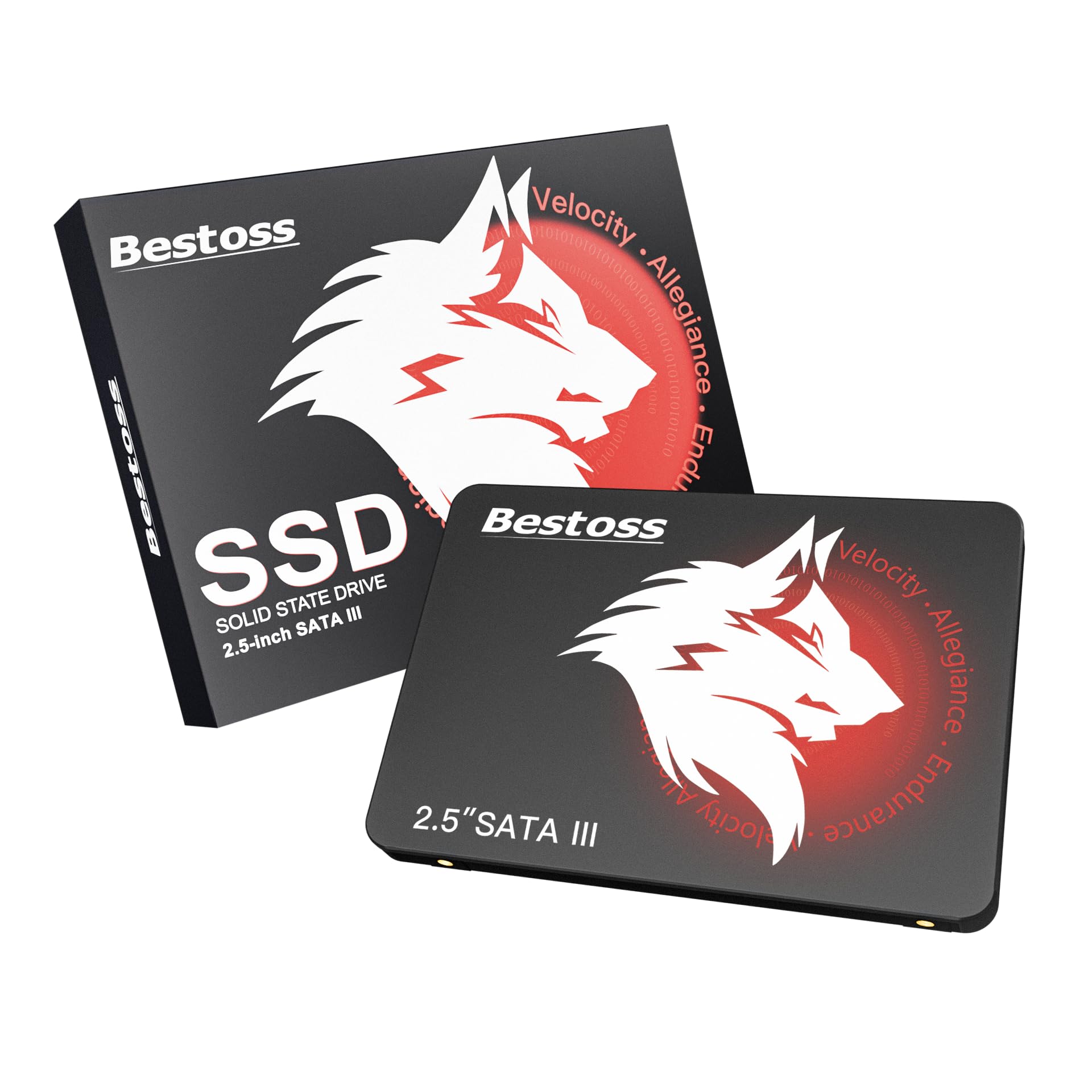
A Raspberry Pi-ready drive that punches above its weight in usable capacity.
The Bestoss SSD uses TLC 3D NAND (again, the more durable chip type vs QLC) and advertises reads up to 550 MB/s. The standout detail from an owner is that their 1 TB drive actually reported around 950 GB usable space rather than the typical 930 GB other drives offer — a small but welcome bonus for a budget drive. It is marketed as ideal for office work, content creation, and NAS systems, and it carries a 3-year warranty and lifetime technical support.
Owners have used it successfully in a Raspberry Pi setup (a common SATA SSD use case for DIY servers) and as an external drive via a SATA-to-USB adapter. The functionality and performance are the top praised aspects — with 33 and 20 mentions respectively. The drive is described as budget-friendly and easy to install. Long-term reliability data is still limited due to the smaller review pool. The brand is new to this space, but the early owner feedback is solid with no pattern of early failure reported.
Surprising Bonus: The slightly higher-than-typical usable capacity was a pleasant discovery for owners.
Good match for: Raspberry Pi builds, secondary storage, or a budget-minded upgrade where the 3-year warranty offers a safety net.
Understanding the Specs
Sequential Read and Write Speeds
When a drive advertises “up to 560 MB/s sequential read,” that is the speed at which it can read a single large file in a straight line — like loading a game level or opening a video file. Sequential write speed is how fast it can save a new large file. For everyday tasks like booting Windows or launching an app, random read/write (small files scattered across the drive) matters more, but sequential speeds are the standardized number you see on every spec sheet. A drive at 500 MB/s versus 560 MB/s feels nearly identical in normal use. The real leap is from an old mechanical hard drive (around 100-120 MB/s) to any SATA SSD — that is where your PC goes from sluggish to instant.
3D NAND and TLC vs. QLC
3D NAND is a method of stacking memory cells vertically to increase density without shrinking the individual cells. TLC (Triple-Level Cell) stores three bits per cell and offers a good balance of speed, cost, and write endurance. QLC (Quad-Level Cell) stores four bits per cell, which is cheaper per gigabyte but wears out faster under heavy write loads. If you are using the drive as your main boot drive or for frequent file editing (writing data every day), a TLC drive is a safer bet. If the drive is mostly for storing games, movies, and documents that you read more than you write, QLC is perfectly fine and saves you money.
FAQ
Will a 1 TB SATA SSD fit in my laptop or desktop?
How do I transfer my operating system to the new SSD?
How long will a 1 TB SATA SSD last before it wears out?
What is the difference between SATA III and NVMe SSDs?
Can I use a SATA SSD as an external drive?
What does TRIM support do on a SATA SSD?
Is a DRAM-less SATA SSD noticeably slower in real-world use?
Which SATA SSD is the most reliable for a server or NAS?
How do I check if my computer uses SATA or an older interface?
Final Thoughts: The Verdict
For the majority of shoppers, the 1 tb sata ssd winner is the Samsung 870 EVO because it delivers the highest sequential speeds (560 MB/s read, 530 MB/s write), the longest endurance (600 TBW — terabytes written), and a 5-year warranty — all backed by the highest reliability ratings from over 45,000 owners. If you want a budget-friendly upgrade that still provides a massive performance jump over a mechanical drive, grab the Crucial BX500. And for a dedicated game storage drive or secondary drive where the cost per gigabyte matters most, the fanxiang S101 offers TLC NAND (a type of flash memory that balances speed and cost) at a value price point that is tough to top.
How We Picked
We do not accept paid placement. Every pick is matched to a real buyer and a real use-case; we do not hands-on test units.
Sources & Methodology
Specifications: manufacturer listings and product documentation. Review insights: verified customer reviews, as of July 2026. Pricing: not shown on this page (it changes often); check the current price via the retailer link.
As an Amazon Associate, Gadgets Feed earns from qualifying purchases. This does not affect which products we feature.