
Our readers keep the lights on and my morning glass full of iced black tea. As an Amazon Associate, I earn from qualifying purchases.
Specs are compiled from manufacturer listings and verified buyer reviews and can change over time — please confirm the key details on the product page before buying.
A single USB-C cable is the promise — one wire that charges your laptop, delivers a razor-sharp image, and handles your keyboard and mouse data. The reality is that not every 27-inch USB-C monitor delivers on all three. Some cap the power delivery at a trickle, others skimp on color accuracy, and a few confuse you with resolutions that do not match your workflow. This guide cuts through that confusion to find the models that get the full picture right.
I’m Min — the founder and writer behind Gadgets Feed. This guide is built by comparing the manufacturers’ published specifications and the patterns across verified customer reviews, so you get each pick’s real strengths and trade-offs instead of marketing spin.
if you need a screen for editing photos, powering through spreadsheets, or gaming after hours, this roundup of the best 27 inch usb-c monitor options will help you match the right panel to your everyday setup.
Our Picks at a Glance

How To Choose The Best 27 Inch USB-C Monitor
Picking the right monitor depends on matching three key specs to the work you actually do each day. Ignore the marketing noise and focus on these few things.
Power Delivery — The “Will It Charge?” Question
The wattage rating on the USB-C port tells you if the monitor can power your laptop while it displays your screen. A 65W port is enough for most ultrabooks and MacBook Airs. A 90W or 98W port handles larger pro laptops, like a 16-inch MacBook Pro. If the port delivers only 15W, you will need a separate charger.
Resolution and Panel Type
A 27-inch screen looks dramatically different at QHD (2560×1440) versus 4K UHD (3840×2160). 4K makes text and tiny icons look pin-sharp, while QHD offers a good balance of clarity and performance, especially if your laptop GPU is older. For color work, an IPS panel delivers wide viewing angles and consistent colors; an OLED panel (found on the very top end) delivers perfect blacks and infinite contrast.
Refresh Rate and Response Time
Standard office monitors run at 60Hz. A 120Hz or 144Hz panel makes scrolling through documents feel smoother and eliminates the flicker your eyes can perceive at lower rates. Gamers will want the higher refresh rates, but for everyone else, the difference is a subtle but real improvement in daily comfort.
Quick Comparison
| Model | Best For | Resolution | Refresh Rate | USB-C Power | Amazon |
|---|---|---|---|---|---|
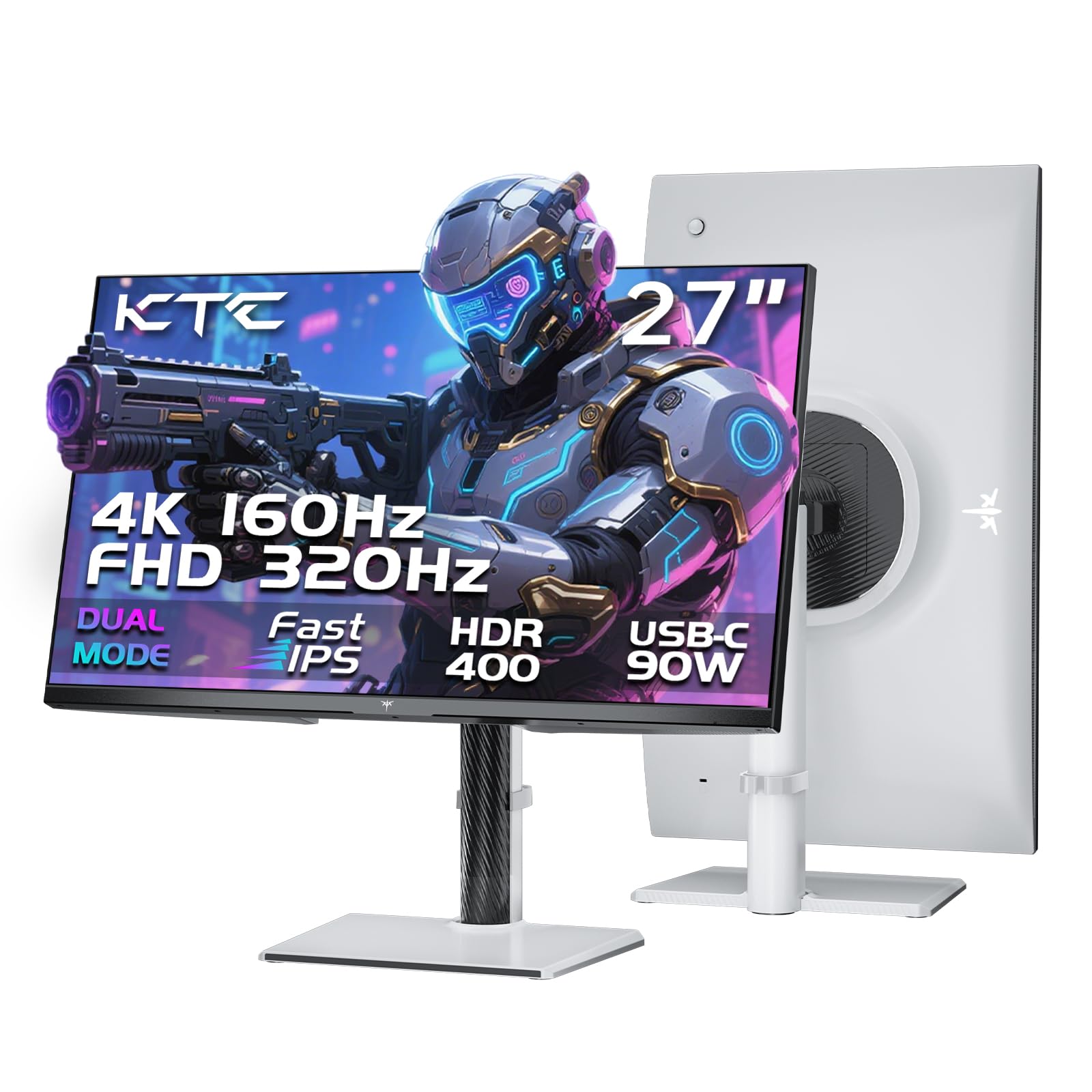
| KTC H27P6★ Best Overall | Gaming & Hybrid Work | 3840 x 2160 | 160Hz | 90W | Amazon |
| Philips 27E1N5900RValue 4K | Value 4K & Mac Setup | 3840 x 2160 | 60Hz | 65W | Amazon |
| Dell S2725DCSmooth Operator | All-Round Productivity | 2560 x 1440 | 144Hz | 65W | Amazon |
| ASUS ProArt PA278CV | Professional Color Work | 2560 x 1440 | 75Hz | 65W | Amazon |
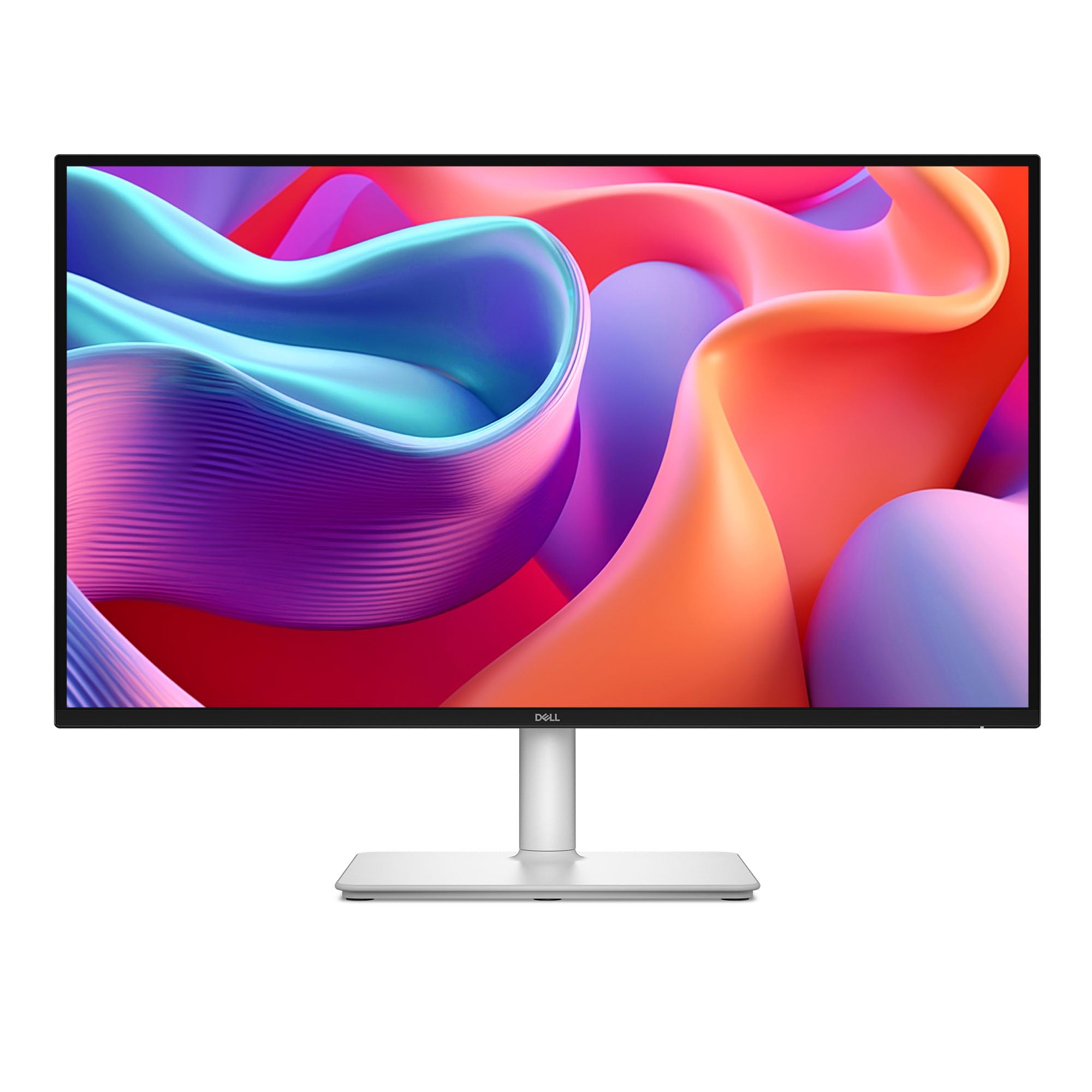
| Dell S2725QC | Sharp 4K Everyday | 3840 x 2160 | 120Hz | 65W | Amazon |
| LG 27UP850K-W | Mac-Friendly 4K | 3840 x 2160 | 60Hz | 90W | Amazon |
| ViewSonic VP2756-4K | Photo Editing Accuracy | 3840 x 2160 | 60Hz | 60W | Amazon |
| ASUS ProArt PA279CRV | High-End Creative Pro | 3840 x 2160 | 60Hz | 96W | Amazon |
| BenQ PD2725U | Thunderbolt Mac Workflow | 3840 x 2160 | 60Hz | 65W | Amazon |
| MSI PRO MAX 271UPXW12G | QD-OLED Perfection | 3840 x 2160 | 120Hz | 98W | Amazon |
In‑Depth Reviews
1. KTC H27P6
Our pick — over 4.5★ from 800+ verified ratings; the strongest balance of quality and price.
A dual-mode gaming beast that also serves as a powerhouse work monitor.
The KTC H27P6 is the rare monitor that genuinely does two jobs equally well. For gaming, it switches between a crisp 4K at 160Hz and a blazing 1080p at 320Hz — you pick the mode that fits the game. For work, its factory-calibrated panel covers 97% DCI-P3 and 99% sRGB, delivering colors so accurate that it rivals professional creative monitors. The 90W USB-C port means a single cable charges a 16-inch MacBook Pro while piping through the video signal, and buyers report that a MacBook Pro M2 Pro connection “works flawlessly” with zero lag.
The stand offers full ergonomic adjustment — height, pivot, swivel, and tilt — and the 1000:1 contrast ratio provides solid depth for an IPS panel. What really separates it is the value: it packs a 1ms MPRT response time, HDR400 brightness, and a KVM switch for controlling two computers with one mouse and keyboard, all without reaching the price bracket of dedicated pro monitors.
What Owners Love
- Dual-mode refresh rate delivers 4K 160Hz for visuals and 320Hz for ultra-fast competitive play.
- Factory-calibrated colors with Delta E<2 for professional-grade editing.
- 90W USB-C power delivery charges a large laptop over a single cable.
The Trade-Offs
- Color gamut Delta E and brightness fall short of the pricey OLED options.
- Narrow viewing angle noted by some owners; it is not the best for shared screen sessions.
- The OSD menu can be fiddly to navigate mid-game.
Reach for this if: you want one monitor that vanishes the line between competitive gaming and color-critical productivity.
Think twice if: infinite black levels and a premium brand badge matter more than raw features for the money.
2. Philips 27E1N5900R
A no-nonsense 4K IPS panel that cleans up your desk for a remarkably low price.
The Philips 27E1N5900R makes a strong case for itself as the entry-level 4K champion. The single USB-C cable delivers 65W of power to your laptop while carrying the video signal — and as a buyer put it, “the Type-C port has significantly decluttered my desktop.”
It also packs a MultiView feature that lets you display two sources side-by-side, plus a fully ergonomic stand with height, pivot, tilt, and swivel. The specs come in at a contrast ratio of 1000:1 and 350 cd/m² brightness, which provides a solid everyday image for office tasks, coding, and media. The main downsides are a 60Hz refresh rate (fine for work, not for fast gaming) and the lack of built-in speakers.
One thing to note: the description can be misleading about input ports — buyers confirm it has three inputs (HDMI, DP, USB-C), not four. Owners praise its compatibility and display quality as the most-mentioned positives.
The Bottom Line: If you need a clean, affordable 4K monitor for work and media without the fluff of gaming features, this Philips is a sharp choice.
Best for: MacBook Air and ultrabook users who want a crisp 4K image and a tidy single-cable setup on a budget.
skip it if: you need high refresh rates for gaming or prefer a glossy screen finish.
3. Dell S2725DC
This Dell delivers butter-smooth 144Hz refresh rates with a contrast ratio that beats typical IPS panels.
The Dell S2725DC splits the difference between work and play with a QHD (2560×1440) resolution, which is sharp enough for detailed productivity but far less demanding on your laptop’s graphics than a 4K panel. Its standout feature is the 1500:1 contrast ratio — a significant lift over the standard 1000:1 you see in most IPS monitors. The 1500:1 contrast ratio makes dark scenes in movies and documents look richer and more defined, without the glow common on cheaper screens.
It also includes dual integrated 3W speakers, a height/tilt/pivot/swivel stand, and a USB-C port that delivers 65W of power to your laptop and eliminates the power brick. Buyers confirm the single-cable setup “eliminates power brick; easy separation for travel,” and note the “crisp, bright images.” The build quality and adjustability get top marks in owner feedback.
The main catch is that it is not wall-mountable from the start, and some owners find the joystick control fragile.
Who It Fits: The buyer who spends the day in spreadsheets or code and wants a monitor that feels silky smooth (144Hz) without jumping to a full 4K panel.
Reach for this if: smooth scrolling and deep contrast matter more than 4K pixel density.
Look elsewhere if: you need 4K for tiny text or professional photo editing.
4. ASUS ProArt PA278CV

The studio-calibrated choice for creative pros who cannot afford a single wrong hue.
The ASUS ProArt PA278CV is built for one thing: color accuracy you can trust straight from the start. It comes Calman Verified and factory-calibrated to Delta E < 2, with 100% sRGB and 100% Rec. 709 coverage. For photo editors, video editors, and graphic designers, that means the skin tones, blue skies, and brand colors you see on screen match the final print or broadcast.
Connectivity is deep — a USB-C port with 65W power delivery, plus HDMI and DisplayPort — and it supports DisplayPort daisy-chaining, so you can run up to four monitors from a single laptop port. The 27-inch QHD (2560×1440) IPS panel runs at 75Hz, which is a slight step up from standard 60Hz. Owners use it with MacBooks daily, and the consensus is clear: “the colors are very neutral, it’s easy on your eyes, and works great with my MacBook.”
The ergonomic stand includes a 90-degree pivot for vertical coding, and the build quality is high enough that quality is the most-praised aspect.
Why It Wins for Creatives
- Factory-calibrated Delta E < 2 accuracy from the start, verified by Calman.
- 100% sRGB and Rec. 709 ensures video and web colors are spot-on.
- Daisy-chain DisplayPort keeps a multi-monitor setup clean.
The Honest Limits
- QHD resolution — not as sharp as 4K for fine detail work.
- Lower contrast than OLED panels; blacks are dark gray, not infinite.
Reach for this if: you edit photos, design graphics, or grade video and demand consistent color.
Think twice if: you prioritize 4K pixel density or high refresh rate gaming over color accuracy.
5. Dell S2725QC
A 4K monitor that brings premium smoothness to everyday work at a mid-range price.
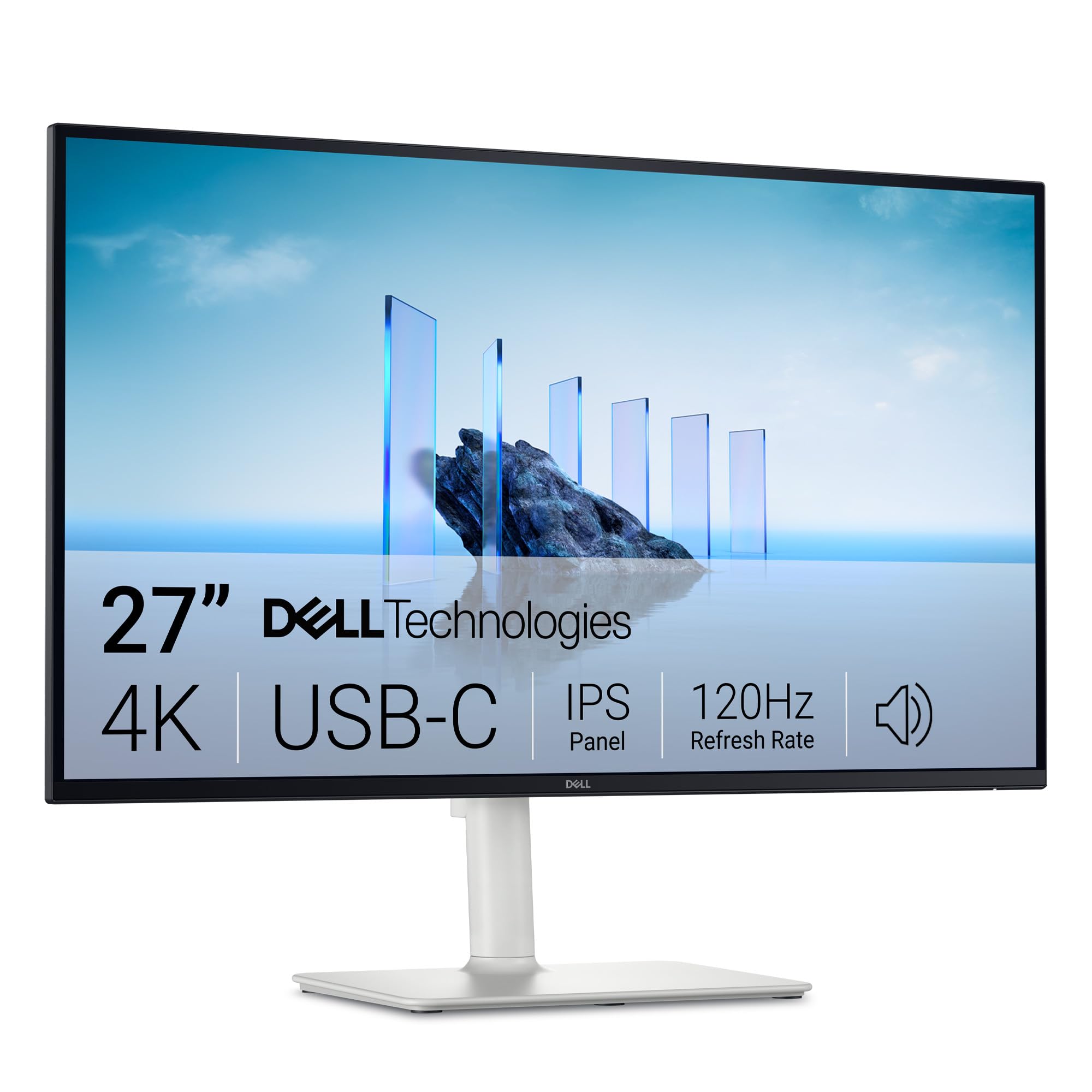
The Dell S2725QC is among the most affordable ways to get 4K (3840×2160) with a 120Hz refresh rate. That combination is rare at this price tier. It means you get the pin-sharp text of 4K resolution with scrolling and window animations that feel much more fluid than a standard 60Hz screen. The 1500:1 contrast ratio is the same improve spec as its QHD sibling, delivering deeper blacks for a richer image.
It comes with AMD FreeSync Premium for tear-free gaming, integrated speakers, and a single USB-C cable that handles both video signal and 65W laptop charging. The stand offers full height, pivot, swivel, and tilt adjustments. Owners consistently praise display quality as the top positive, with 126 mentions, followed closely by picture quality at 95.
The recurring design drawback is the power and menu button placement — they are on the back of the monitor, which owners find less convenient than front-facing controls.
In a sentence: This is the 4K monitor to pick if you want smooth everyday performance and a crisp image without breaking into the premium price tier.
Best for: The buyer who wants 4K sharpness and 120Hz smoothness in a single package without the “gamer” aesthetic.
pass on it if: you need deep OLED blacks or a glossy screen finish.
6. LG 27UP850K-W
A sleek 4K IPS monitor that delivers the 90W charge a pro laptop needs over USB-C.
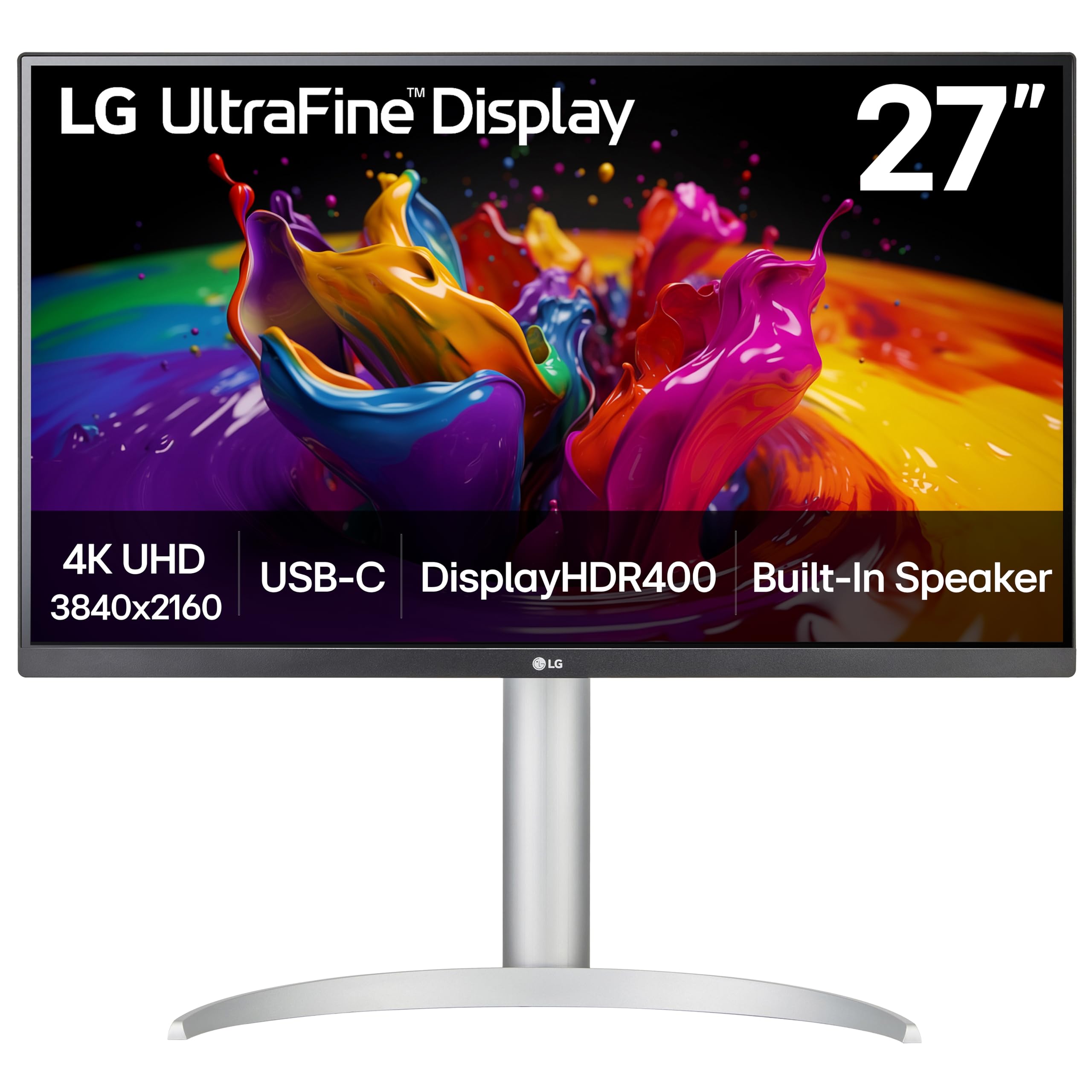
The LG 27UP850K-W stands out because its USB-C port supplies 90W of power delivery — enough to run and charge a 16-inch MacBook Pro at full speed. That is a meaningful upgrade over the 65W ports found on most competitors. The 27-inch 4K UHD IPS panel covers 95% of the DCI-P3 color gamut, which matches the wide color space used in modern film and video workflows.
It is VESA DisplayHDR 400 certified, meaning highlights in HDR content look brighter than a standard screen. The stand allows full height, tilt, and pivot adjustment, and it includes built-in stereo speakers with Waves MaxxAudio for better-than-average laptop speaker sound. Buyers consistently note the excellent picture quality and how well it pairs with M-series Macs via a single USB-C cable.
At 60Hz, it is not built for fast-paced gaming, but owners find it ideal for photo editing, design, and everyday productivity. The good-natured trade-off, as owners put it, is that the sound quality is decent but not room-filling, and the USB connectivity works well but is not lightning-fast.
The Verdict: A polished, color-accurate 4K monitor that charges your MacBook at full speed — one of the best single-cable solutions for Mac users.
Reach for this if: you use a high-power laptop and want a monitor that handles both charging and display over one cable.
Think twice if: a high refresh rate for gaming is a critical feature.
7. ViewSonic VP2756-4K
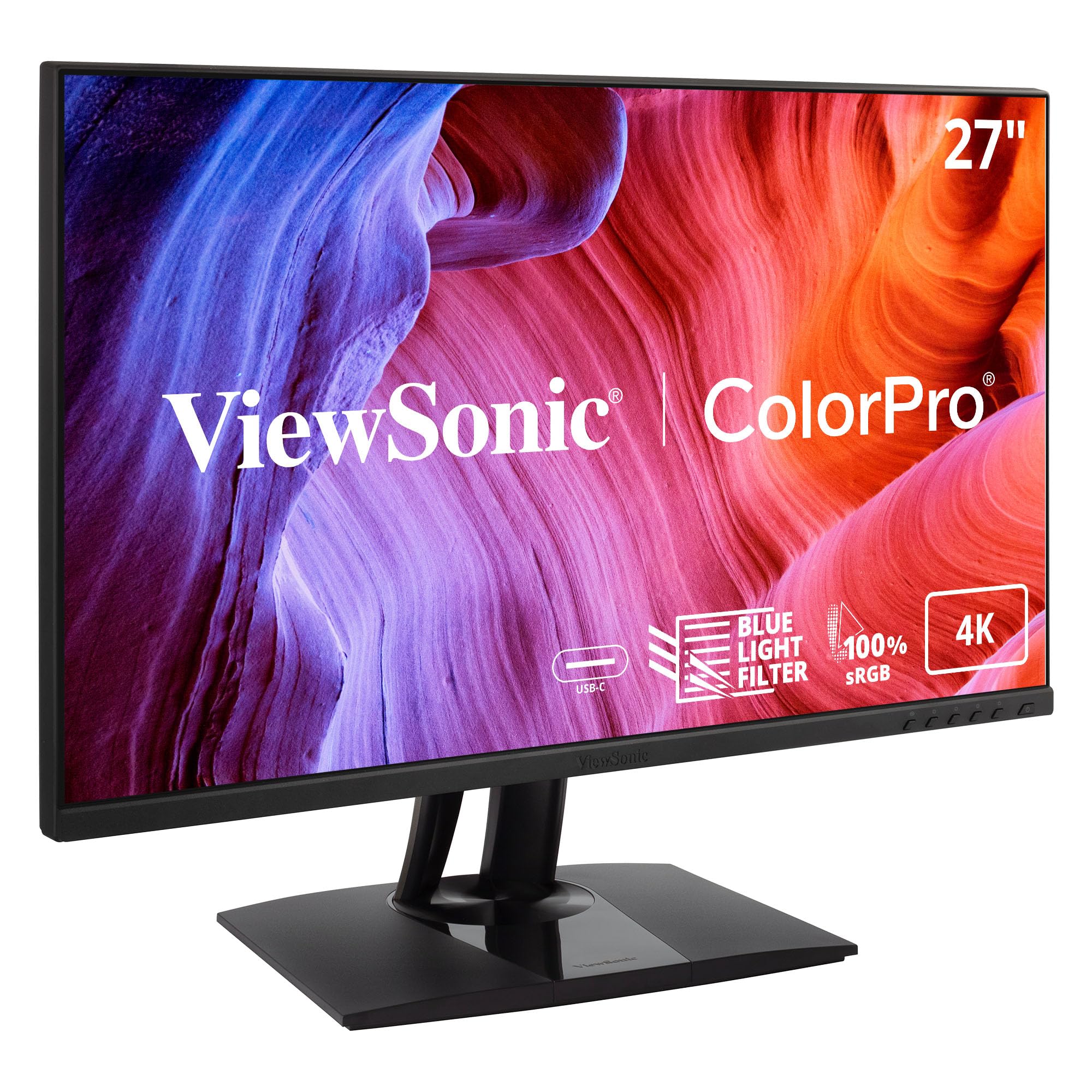
A Pantone-validated 4K panel built for the photographer who needs to match prints exactly.
The ViewSonic VP2756-4K is one of the few monitors in this roundup that carries Pantone Validation — a certification that it can reproduce the Pantone Matching System colors accurately. For anyone who works with brand color guides or prints photographs, that validation is a huge time-saver. It covers 100% sRGB, EBU, and SMPTE-C standards, with a Delta E < 2 rating for color accuracy.
The 27-inch 4K UHD IPS panel runs at 60Hz and delivers a bright, lifelike image that owners describe as “bright, extremely detailed, lifelike.” The USB-C port provides 60W charging and data transfer over a single cable, keeping the desk clean. The stand offers tilt, swivel, pivot, and height adjustments for all-day comfort, and it includes a three-port USB hub for connecting peripherals.
One important detail for Mac users: the monitor cannot rotate 90 degrees with a Mac connected, a fact not always disclosed in the listing. The on-screen display is also a bit clunky, though PC software can handle the settings.
In short: If your work involves matching printed colors, the Pantone validation on this ViewSonic is worth the premium alone.
Best for: Photographers, graphic designers, and pre-press professionals who need color-accurate output.
it’s not for you if: you need a high refresh rate for gaming or a rotation feature that works with macOS.
8. ASUS ProArt PA279CRV

The ProArt series steps up with 96W charging and wide-gamut color that covers almost every professional standard.
The ASUS ProArt PA279CRV takes everything the PA278CV does well and pushes the resolution to 4K UHD (3840×2160). It is Calman Verified, factory-calibrated to Delta E < 2, and covers a massive 99% DCI-P3 and 99% Adobe RGB color gamut. That combination makes it among the most versatile creative monitors available at this price point.
The USB-C port delivers 96W of power delivery — enough to keep even a 16-inch MacBook Pro running at full performance. It also supports DisplayPort daisy-chaining for multi-monitor setups, and it comes with a comprehensive bundle including HDMI, DisplayPort, and USB-C cables. The ergonomic stand offers tilt, swivel, pivot, and height adjustment. Owners of the PA279CRV use it for professional photo editing and praise the “excellent color and quality.”
Setting it up requires a minor power-saving configuration change to avoid wake-from-sleep issues, but once configured, it performs flawlessly. The 60Hz refresh rate is sufficient for editing work, but it is not a gaming monitor.
Why It Leads the ProArt Line
- 99% DCI-P3 and 99% Adobe RGB coverage for professional video and print workflows.
- 96W USB-C PD handles the largest creatives laptops on a single cable.
- DisplayPort daisy-chain simplifies multi-monitor setups.
The Catch
- Requires a tweak to power settings to prevent sleep/wake handshake issues.
- 60Hz refresh rate — fine for editing, but not ideal for gaming.
Reach for this if: you need 4K resolution with the widest color gamut for professional creative work.
Think twice if: you prefer a simpler plug-and-play experience without any configuration adjustments.
9. BenQ PD2725U

A Thunderbolt 3 monitor built to daisy-chain your entire Mac studio through one port.
The BenQ PD2725U is designed primarily for the Apple ecosystem, using Thunderbolt 3 connectivity instead of standard USB-C. This gives it a massive 40 Gb/s bandwidth — enough to charge your Mac with 65W power delivery while simultaneously running high-speed external drives and a second 4K monitor through a daisy-chain.
It offers a 27-inch 4K UHD IPS panel with 100% sRGB and Rec. 709 coverage, 95% P3, and Delta E ≤ 3 factory calibration. The stand includes full height, tilt, swivel, and pivot adjustments. It also comes with a Hotkey Puck G2 controller that simplifies switching between color modes and inputs. Owners say it is an excellent match for Mac Studio and Mac mini setups, noting instant Thunderbolt response and solid build quality.
However, buyer feedback includes reports of light bleed on some panels and occasional flickering issues. The brightness is rated at 250 cd/m², which is lower than most competitors, and some owners mention the display feels dim in naturally lit rooms.
The Verdict: If your workflow relies on Thunderbolt speed and daisy-chaining multiple devices, this BenQ is a specialized powerhouse.
Best for: Mac users who want a single-cable Thunderbolt hub that also serves as a color-accurate secondary display.
look elsewhere if: you are on a Windows PC, or you need a higher brightness panel for a bright room.
10. MSI PRO MAX 271UPXW12G
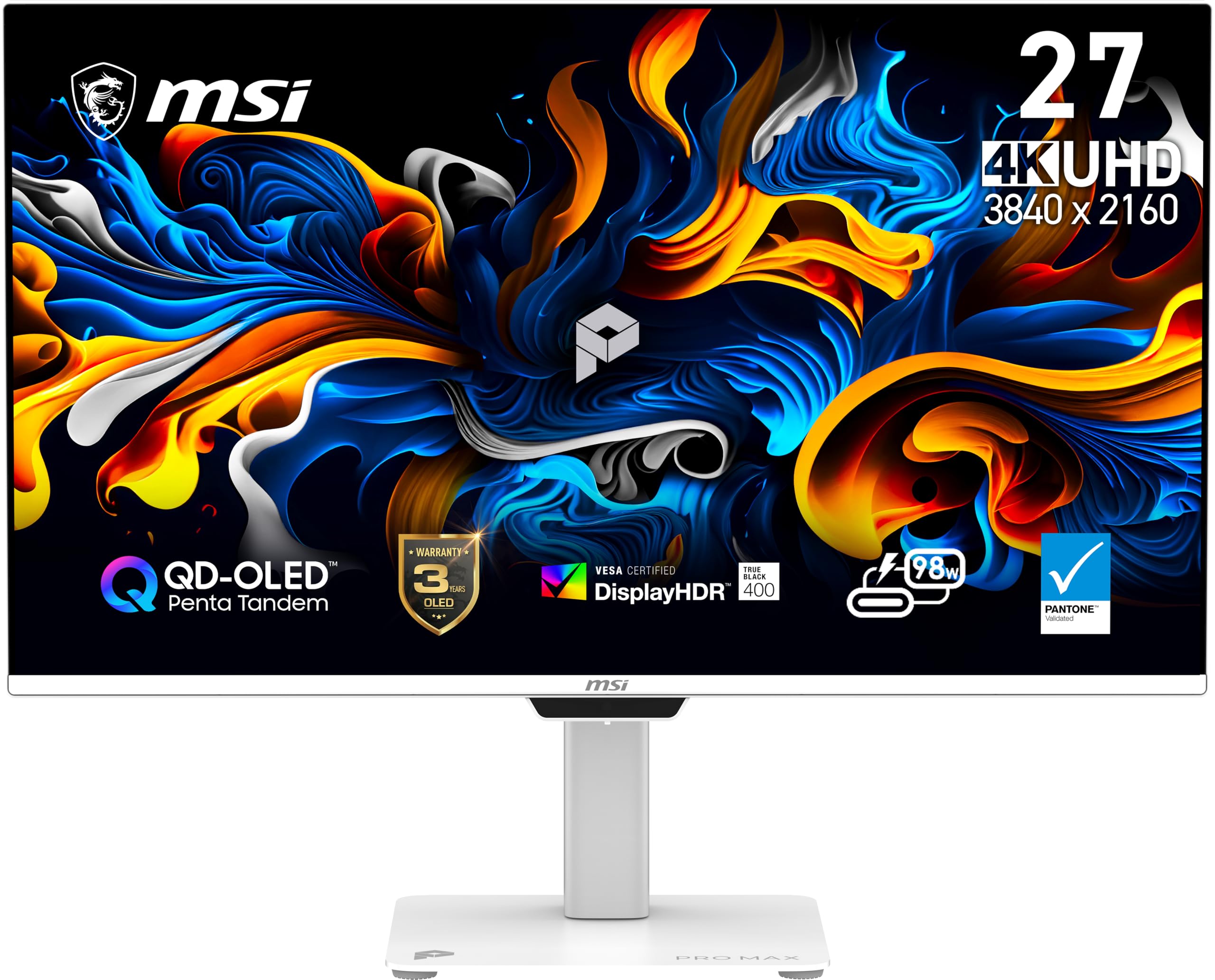
The QD-OLED panel that redefines what a 27-inch monitor can look like — infinite contrast, perfect blacks.
The MSI PRO MAX 271UPXW12G is the crown jewel of this list, bringing a 27-inch 4K QD-OLED panel to a professional monitor. The difference between OLED and IPS is night and day: the 1,500,000:1 contrast ratio means true, absolute blacks with no backlight glow. Colors pop with 97.5% DCI-P3 coverage, and the VESA DisplayHDR True Black 400 certification ensures that HDR content looks deeper and more dimensional than any LCD monitor can achieve.
It runs at a 120Hz refresh rate with FreeSync Premium Pro support, making motion look smooth. The USB-C hub includes dual ports — one delivering up to 98W power delivery and a second providing 15W — so you can charge a high-power laptop and a phone from the monitor. It also includes MSI Mac Optimization Software for smooth color synchronization with macOS. Owners call it a “stunning” upgrade from standard IPS panels and say the HDR colors are breathtaking.
The downsides are the price and the physical footprint of the stand, which some owners find chunky. There is also a known handshake issue when connecting dual QD-OLED monitors to a MacBook, though it is fixable by disabling DSC and locking the input.
The Unrivaled Strengths
- QD-OLED delivers perfect blacks and a 1,500,000:1 contrast ratio that IPS cannot touch.
- 98W USB-C power delivery handles the largest laptops over a single cable.
- 120Hz refresh rate with FreeSync Premium Pro for fluid gaming and scrolling.
The Real Trade-Offs
- Significant investment compared to any IPS monitor on this list.
- Stand is large and takes up noticeable desk space.
Reach for this if: you demand the best possible image quality — perfect blacks, infinite contrast, and vibrant colors — for creative work and entertainment.
Think twice if: your budget is tight or you need a simple, space-saving stand.
Understanding the Specs
USB-C Power Delivery (PD)
This is the feature that makes a monitor a true single-cable solution. Most 27-inch USB-C monitors offer 60-65W, which is enough to charge a MacBook Air or a 13-inch MacBook Pro. For larger laptops like the 16-inch MacBook Pro, look for 90-98W PD to avoid a slow discharge under heavy use. The monitor passes power from the wall outlet to your laptop through the same cable that carries video and data.
Contrast Ratio
This number tells you how deep the blacks can be. Standard IPS monitors have a 1000:1 ratio — blacks look like dark gray in a dim room. An improve 1500:1 ratio (found on some Dell monitors) gives noticeably darker letterbox bars in movies. OLED panels measure in the millions, delivering true perfect blacks where pixels turn off completely.
FAQ
Will a 27-inch USB-C monitor charge my 16-inch MacBook Pro?
Can I use a USB-C monitor with a Thunderbolt 4 laptop?
What is the difference between 60Hz, 120Hz, and 144Hz on a monitor?
Does a 27-inch 4K monitor make text too small to read?
What does HDR400 mean on a monitor?
Is a QHD monitor good enough for photo editing?
Can I connect a gaming console to a USB-C monitor?
What is a KVM switch in a monitor, and do I need one?
How long do OLED monitors last?
Will a USB-C monitor work with a Windows laptop that does not have Thunderbolt?
Final Thoughts: The Verdict
If you want one dependable pick, the best 27 inch usb-c monitor is the KTC H27P6 because it packs a 160Hz 4K panel, 90W charging, and professional color accuracy into a single package If you want a clean, affordable 4K setup for a MacBook Air, grab the Philips 27E1N5900R. And for the creative professional who demands perfect blacks and the widest color gamut, the MSI PRO MAX 271UPXW12G is the one to reach for — it is the only monitor on this list that delivers true OLED contrast alongside a fully featured USB-C hub.
How We Picked
We do not accept paid placement. Every pick is matched to a real buyer and a real use-case; we do not hands-on test units.
Sources & Methodology
Specifications: manufacturer listings and product documentation. Review insights: verified customer reviews, as of July 2026. Pricing: not shown on this page (it changes often); check the current price via the retailer link.
As an Amazon Associate, Gadgets Feed earns from qualifying purchases. This does not affect which products we feature.