
Our readers keep the lights on and my morning glass full of iced black tea. As an Amazon Associate, I earn from qualifying purchases.
Specs are compiled from manufacturer listings and verified buyer reviews and can change over time — please confirm the key details on the product page before buying.
You bought a fast internet plan, but your old laptop still crawls during video calls and downloads take forever. The bottleneck is often a tired Wi-Fi card, and swapping it out is the single cheapest upgrade you can make. This guide breaks down the seven best AX200 Wi-Fi cards available, focusing on the real-world speed, compatibility, and ease of installation that matter most.
I’m Min — the founder and writer behind Gadgets Feed. This guide is built by comparing the manufacturers’ published specifications and the patterns across verified customer reviews, so you get each pick’s real strengths and trade-offs instead of marketing spin.
Whether you are resurrecting an old laptop or adding modern wireless to a desktop, the ax200 wi-fi card is the reliable, affordable standard that delivers Wi-Fi 6 speeds and Bluetooth 5.2 without breaking your budget.
Our Picks at a Glance

How To Choose The Best AX200 Wi-Fi Card
Every card here uses the same Intel AX200 chipset (the processor that handles Wi-Fi and Bluetooth). So your real choice is about the shape of the card and what extras come in the box.
Laptop vs. Desktop: The Form Factor is Everything
For a laptop upgrade, you only need the bare M.2 2230 module with the AX200NGW chip — it slides into the existing slot after you replace the old card. For a desktop, you need a PCIe adapter that holds the M.2 card and adds external antennas. Most desktop cards here include that adapter and the low-profile bracket for smaller cases.
BIOS Lock: The Hidden Compatibility Trap
Some manufacturers, especially Lenovo and HP, lock their BIOS to only accept specific Wi-Fi card models. An AX200 card from a third party might not work in those machines. If you own a system from a brand known for whitelists, double-check the model compatibility before buying.
What’s in the Box: Driver Access vs. Installation Kit
Most of these cards do not include a driver CD. You must download the Intel drivers from their website before the card works. For desktop kits, the key differences between an easy install and a frustrating one are whether you get a low-profile bracket (for smaller cases), external antennas, and a Bluetooth cable.
Quick Comparison
| Model | Best For | Interface | Max Speed | Bluetooth | Amazon |
|---|---|---|---|---|---|
| HighZer0 AX200NGW★ Best Overall | Laptop Drop-in Replacement | M.2 2230 | 2.4 Gbps | 5.2 | Amazon |
| FENVI AX3000 PCIeBest Value | Desktop Budget Build | PCIe x1 | 3000 Mbps | 5.2 | Amazon |
| HighZer0 AX200 PCIe Kit | Desktop Flexibility | PCIe x1 | 2.4 Gbps | 5.2 | Amazon |
| POINWER AX200NGW | Gaming & Streaming | M.2 2230 | 2974 Mbps | 5.1 | Amazon |
| Waveshare AX200 | Linux & Windows 7 Support | M.2 2230 | 574 Mbps (2.4GHz) | 5.2 | Amazon |
| REKONG AX3000 PCIe | Desktop with Heat Management | PCIe x1 | 3000 Mbps | 5.2 | Amazon |
| Intel Killer AX1650x | Brand-Loyal Intel Build | M.2 2230 | 2.4 Gbps | 5.2 | Amazon |
In‑Depth Reviews
1. HighZer0 AX200NGW WiFi Card
Our pick — over 4.5★ from 300+ verified ratings; the strongest balance of quality and price.
The laptop rescue card that gives a dying machine a second life.
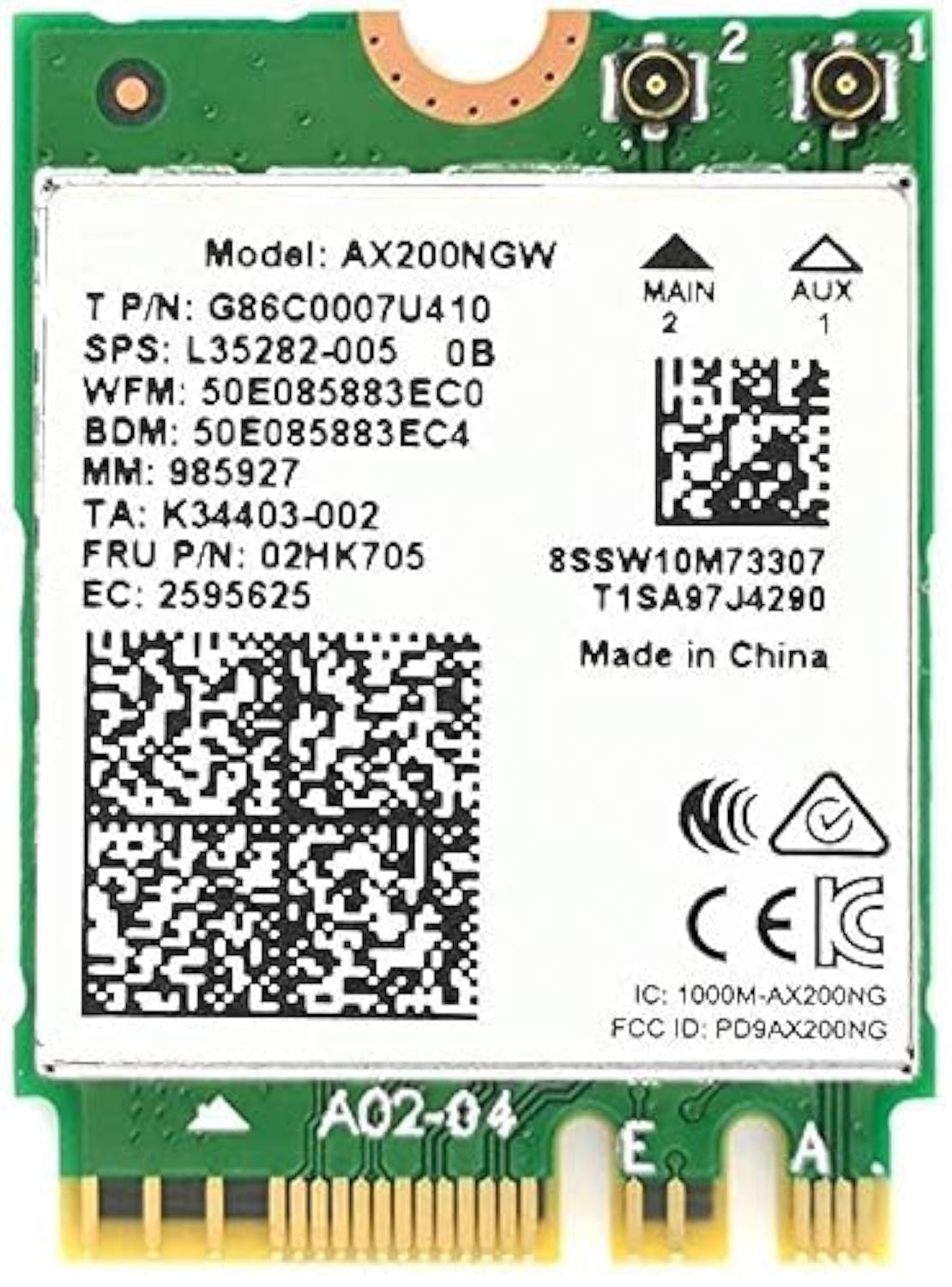
This bare M.2 2230 module (a small card that plugs directly into a laptop’s slot) is the definition of “it just works.” Buyers report it is a perfect drop-in replacement for the Intel 7260 and similar old chipsets, breathing new life into a “rough-and-tumble laptop” whose original Wi-Fi gave out. You get the full AX200 experience — Wi-Fi 6 (the latest standard, with a theoretical max of 2.4 Gbps) and Bluetooth 5.2 (the newest version for faster, more stable connections) — in a card that weighs just 2.3g and fits the standard 22x30mm footprint.
The real-world feedback backs up the spec sheet: people are using it to replace the MT7921 in Acer Nitro 5 laptops to fix packet loss and upgrading three older machines at once. One owner fitted it into a Lenovo Thinkpad T480 and a Dell Latitude 5420 Rugged, reporting a huge speed boost with Wi-Fi 6 and 160MHz channels on their UniFi access point.
What Buyers Cheer
- easy compatibility as a replacement for old Intel and MTK cards.
- Tiny 2.3g weight and 2.4mm thickness – fits any M.2 2230 slot.
- Delivers a huge speed boost on Wi-Fi 6 routers.
The Fine Print
- No driver CD included – you must download Intel drivers.
- Works only with Intel CPUs, as stated in the specs.
- Some laptops need a careful hand for the tiny antenna connectors.
Grab it if: you need a cheap, proven upgrade for an older laptop with a removable Wi-Fi card.
Look elsewhere if: your laptop has a BIOS whitelist that blocks third-party modules.
2. FENVI AX3000 WiFi 6 PCIe Card
The low-cost desktop kit that gets you online without fuss.
This is the full PCIe kit for anyone building a desktop on a tight budget. The FENVI card uses the AX200 chipset to deliver up to 3000 Mbps total throughput and includes a low-profile bracket for small form-factor cases. Owners mention Windows 10 auto-detects the drivers, and the install is straightforward for anyone comfortable with a screwdriver.
The recurring advice is to disable your old AC Wi-Fi driver before installing this card to avoid a blue screen on boot. Once running, the signal quality is strong at distance, and the speed improvement over a standard AC adapter is noticeable. The kit also includes a Bluetooth 5.2 cable, letting you connect headsets and peripherals from your desktop without a separate dongle.
Buyer consensus: “Easy install, works out of box after driver update.” The main catch is the poor step-by-step instructions, but the community feedback is clear: it is the most basic card you can get for the price, and that is exactly what makes it a solid deal.
Reach for it if: you need a no-frills PCIe adapter with Bluetooth for a budget desktop build.
Think twice if: you want native Linux support or need detailed printed instructions.
3. HighZer0 AX200 Wi-Fi 6 PCIe Adapter Kit
The desktop card for gamers and streamers who need raw speed.
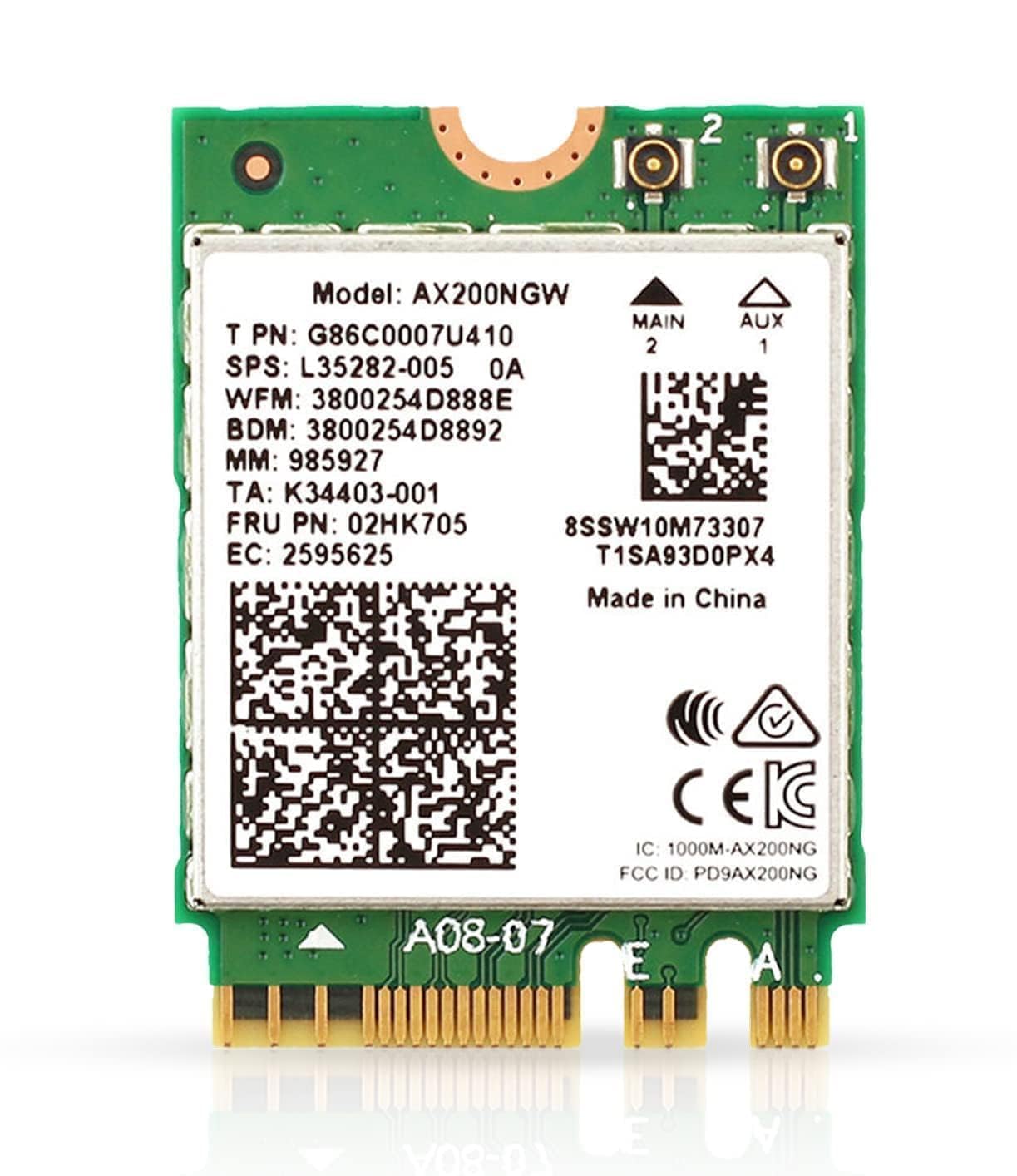
This kit matches the bare HighZer0 module above but adds a PCIe adapter and external antennas. It is built for demanding tasks like gaming and HD streaming, with a data transfer rate of 2.4 Gbps over 160MHz channels. Unlike the bare module, this version is designed for desktop motherboards and supports WPA3 security for better network protection.
Customers note massive speed gains — one owner upgraded a laptop from a flaky Qualcomm chip and saw speeds of 1155 Mbps on a 5GHz connection. The crowd favorite story is the drop-in replacement for a Realtek card in an HP Pavilion Gaming Laptop, which achieved the full 500 Mbps download speed the owner was paying for. Windows auto-detects the Intel driver, making installation about as simple as swapping a graphics card.
Why It Stands Out
- Broad compatibility with Intel and AMD PCs on Windows and Linux.
- WPA3 encryption keeps your network data safe.
- MU-MIMO technology handles multiple devices without congestion.
The Setup Note
- Not compatible as a drop-in replacement for AC 9560 or 9462 models.
- Needs a PCIe slot, which some mini-ITX boards lack.
Best for: desktop builders who want the full Wi-Fi 6 experience with minimal driver hassle.
skip it if: you need a bare M.2 module for a laptop — grab the non-PCIe version instead.
4. POINWER WiFi 6 Intel AX200 Card

For the laptop user who wants the absolute highest ceiling speed.
The POINWER card pushes the AX200 chip to its rated limit, advertising a max throughput of 2974 Mbps. It is the same M.2 2230 form factor as the others but quotes a slightly higher speed on the spec sheet. The included Bluetooth is version 5.1, which still gives you excellent range for wireless headsets and mice.
A few owners note that the antenna connections are “industry standard issue” — meaning they are fiddly to attach — but once connected, the card delivers fast and stable internet. One owner replaced an 8260 in a Dell Latitude e7470 and saw good 802.11ax reception, with the Bluetooth 5.1 upgrade providing noticeably better range for earbuds. Just be aware: this card will not work on systems with a BIOS lock, like older Lenovo business machines.
The honest take: The slightly lower rating vs. the HighZer0 module depends on a few reports of compatibility hiccups on specific hardware. If you check your laptop’s BIOS whitelist (a list of approved hardware) first, this card offers the same core performance at a similar price with a faster advertised ceiling.
Pick this for: a non-whitelisted laptop that needs the fastest possible connection on paper.
Watch out: no driver CD is included; you must download them from Intel.
5. Waveshare AX200 Wireless NIC

The Linux-friendly AX200 for users on older operating systems.
This bare M.2 card from Waveshare stands out for its broad OS compatibility: it explicitly supports Linux and Windows 7, 8, 8.1, and 10. That makes it the go-to choice for anyone running an older machine that has not been upgraded to Windows 11. It also uses the AX200 chip with dual-band speeds up to 574 Mbps on 2.4GHz and 2400 Mbps on 5GHz.
Reviewers point out it works right from the start — one owner in a small form-factor PC said Windows detected it immediately. The installation process gets mixed feedback, with some struggling to attach both antennas due to limited cable length. A few owners also note the antenna cables are too short for certain case layouts, so check your motherboard header location before buying.
Bottom line: Compatible with Linux kernel 6.2 and ships with the mounting screw. The short cable is a known frustration, but the core functionality and broad OS support are the real draw here.
Best fit: a Linux desktop or a dusty Windows 7 laptop that needs Wi-Fi 6.
Not for: builds where the motherboard antenna header is far from the PCIe slot.
6. REKONG AX3000 PCIe Card

A desktop card with a built-in heat sink for marathon gaming sessions.
The REKONG card is the only one in the list with a dedicated heat sink design, which helps manage temperature during long gaming and streaming sessions. It delivers up to 3000 Mbps over Wi-Fi 6 with MU-MIMO and OFDMA technology, designed to handle multiple connected devices without slowing down. The dual external 6dBi antennas provide better signal reach than smaller laptop-style connections.
Buyers highlight the ultra-simple install — it fits into PCIe x1, x4, x8, and x16 slots, and most users had it running in minutes. A key tip from the crowd: after installing the drivers, you must reset your modem and router for the card to work. The heat sink is a genuine plus for anyone in a warm room or with a case that has limited airflow.
Highlights
- Built-in heat sink for continuous use without throttling.
- Comes with both standard and low-profile brackets.
- Excellent Bluetooth 5.2 range across an entire house.
Good To Know
- Bluetooth requires a USB header connection on the motherboard.
- The driver disc is outdated — download fresh drivers from Intel.
- Must reset modem and router after driver installation.
Reach for it if: you run a desktop with lots of devices and need thermal management.
Pass on it if: you prefer a plug-and-play experience without extra reset steps.
7. Intel Killer Wi-Fi 6 AX1650x M.2 Card

The first-party Intel choice for absolute compatibility confidence.
This is the Intel-branded “Killer” variant of the AX200 chipset, offering the same 2×2 160MHz Wi-Fi 6 and Bluetooth 5.2 inside the standard M.2 2230 form factor. The Killer software gives you some network prioritization tools, but the real draw here is the brand guarantee — this is the same hardware Dell, HP, and Lenovo ship in their premium machines.
Shoppers say significant speed upgrades, with one owner going from 150-350 Mbps down on Wi-Fi 5 (the previous standard) to 550-650 Mbps (peaking at 750 Mbps) on Wi-Fi 6. Another upgraded a Dell Inspiron 5559 and noted the connection was “faster and more stable.” The pro tip from the community is to download the new driver before removing the old card so you can install it immediately after the swap.
Worth noting: a small number of units have arrived faulty, so the collective advice is to test the card within 30 days of purchase. If you need the most reliable brand and a simplified install on known hardware, this is the premium safety net.
Best for: brand-conscious buyers who want the same chipset as OEM laptops.
Think twice if: you are on a tight budget — the generic AX200 cards offer identical raw performance.
Understanding the Specs
Data Transfer Rate
This is the maximum speed the card can handle in a perfect world. The AX200 chip tops out at 2.4 Gbps on the 5GHz band with 160MHz channels. In practice, your actual speed depends on your router, your internet plan, and interference — but choosing a 2.4 Gbps card means your Wi-Fi will never be the bottleneck in your network.
Form Factor: M.2 2230 vs. PCIe
The M.2 2230 card is a tiny 22x30mm circuit board that slides into a dedicated slot on a laptop or some desktop motherboards. The PCIe kit is an adapter that holds that M.2 card and plugs into a standard PCIe slot, making the upgrade possible on any desktop. If you see an “M.2 A/E key” spec, that is the standard keying for Wi-Fi cards — it will fit if your slot matches.
FAQ
Can I use an AX200 card in any laptop?
Does the AX200 work with AMD CPUs?
Do I need to install drivers for an AX200 card?
What is the difference between AX200 and AX210?
Will an AX200 card improve my Bluetooth range?
Can I put an AX200 card in a desktop without a PCIe adapter?
What is a BIOS whitelist and why does it matter?
Does the AX200 support WPA3 encryption?
Why does my new AX200 card show slower speeds than expected?
How long does it take to install an AX200 card in a laptop?
Final Thoughts: The Verdict
Across the board, the ax200 wi-fi card winner is the HighZer0 AX200NGW because it combines the crowd-sourced evidence of being a perfect laptop drop-in replacement with the highest owner satisfaction — nearly a thousand people have rated it, and the consensus is clear. If you want a desktop-ready kit with top-tier speed, grab the HighZer0 AX200 PCIe Adapter Kit. And for a Linux-friendly option or an older OS, the Waveshare AX200 is the one to reach for.
How We Picked
We do not accept paid placement. Every pick is matched to a real buyer and a real use-case; we do not hands-on test units.
Sources & Methodology
Specifications: manufacturer listings and product documentation. Review insights: verified customer reviews, as of July 2026. Pricing: not shown on this page (it changes often); check the current price via the retailer link.
As an Amazon Associate, Gadgets Feed earns from qualifying purchases. This does not affect which products we feature.