
Our readers keep the lights on and my morning glass full of iced black tea. As an Amazon Associate, I earn from qualifying purchases.
Specs are compiled from manufacturer listings and verified buyer reviews and can change over time — please confirm the key details on the product page before buying.
Choosing an Android tablet computer today means balancing screen quality, battery life, and raw performance against your budget — and every pick below does that balancing act differently. Some are built for artists who need a pen-on-paper feel, others for students who need a full laptop-style bundle, and a few for anyone who just wants a big, bright screen for streaming.
I’m Min — the founder and writer behind Gadgets Feed. This guide is built by comparing the manufacturers’ published specifications and the patterns across verified customer reviews, so you get each pick’s real strengths and trade-offs instead of marketing spin.
You will get the most out of an Android tablet when you match it to your daily routine — whether that means a vivid screen for drawing, a battery that lasts a full flight for travel, or a keyboard bundle for taking notes in class.
Our Picks at a Glance


How To Choose The Best Android Tablet Computer
Your main use — streaming movies, digital art, remote work, or handing it to a child — tells you what matters most. That single decision determines if you need an AMOLED screen (a display with deep blacks and vivid colors), a keyboard bundle, or a rugged case. Here are the three specs that drive that choice.
Screen Resolution, Refresh Rate, and Panel Type
The display is the tablet’s main interface, so it deserves the most scrutiny. Resolution (measured in pixels like 1920×1200 or 2560×1600) determines sharpness — higher numbers mean text looks cleaner and images more detailed. Refresh rate (60Hz, 90Hz, 120Hz) controls how smooth scrolling and animations feel; 120Hz is noticeably fluid for gaming and general navigation. Panel type (IPS LCD vs AMOLED) governs color vibrancy and contrast — AMOLED gives you true blacks and punchier colors, which matters if you watch a lot of HDR content or draw.
Processor, RAM, and Storage
The processor (like a Snapdragon 8 Gen 2 or Exynos 1580) handles everything from app launches to multitasking. More RAM (8GB and up) means you can keep more apps open without reloading. Storage (128GB or 256GB) fills up fast with games, offline movies, and photo libraries — expandable microSD slots let you add up to 1TB or more later, which is a huge advantage on budget models. Some tablets use “virtual RAM” (adding unused storage as extra memory), which helps but doesn’t replace physical RAM speed.
Battery Capacity and Charging Speed
Battery life is measured in milliamp-hours (mAh), but real-world hours vary with screen brightness and tasks. A 5000mAh battery might last 6 hours of heavy use, while a 10000mAh battery can push 12 hours. Charging speed (measured in watts, like 15W, 20W, or 30W) determines how fast you top up — fast charging is essential for heavy users who drain the battery daily. Also check if a charger is included in the box; many premium tablets now ship without one.
Quick Comparison
| Model | Best For | Display | RAM / Storage | Battery | Amazon |
|---|---|---|---|---|---|
| Samsung Galaxy Tab S10 FE★ Best Overall | Overall Excellence | 90Hz, 16:10 | 128GB + microSD | 8000mAh, 20hr | Amazon |
| Samsung Galaxy Tab S9Premium Pick | Premium Performance | 11″ AMOLED 120Hz | 12GB / 256GB | 8400mAh, 15hr | Amazon |
| URAO 14″Screen Champion | Max Battery | 14″ 1920×1200 IPS | 30GB (6+24) / 256GB | 10000mAh, 12hr | Amazon |
| Jeazans Android 16 | Budget Bundle | 10.1″ 1280×800 | 24GB (3+21) / 64GB | — | Amazon |
| Urao Kids Tablet | Child-Friendly | 10″ 1280×800 | 24GB / 64GB | 6hr, Fast Charge | Amazon |
| Lenovo Tab One | Compact Travel | 8.7″ 1340×800 | 4GB / 64GB | 12.5hr | Amazon |
| TECLAST T65 | Big Screen Value | 13.4″ 1920×1200 120Hz | 20GB / 128GB | 8000mAh, 10hr | Amazon |
| Nexall N90 | All-in-One Kit | 12″ 2000×1200 | 24GB / 128GB | 9000mAh, 24hr | Amazon |
| Tabwee Tablet | Large Storage | 10″ 1280×800 | 24GB (8+16) / 256GB | 5000mAh, 6hr | Amazon |
| Lenovo Idea Tab | Study & Stream | 11″ 2560×1600 90Hz | 8GB / 256GB | 7216mAh, 12hr | Amazon |
| Wacom MovinkPad Pro 14 | Digital Art | 14″ 3K OLED | 12GB / 256GB | — | Amazon |
In‑Depth Reviews
1. Samsung Galaxy Tab S10 FE
Our pick — over 4.5★ from 900+ verified ratings; the strongest balance of quality and price.
The crowd favorite that upgrades everything from note-taking to movie nights.
This tablet delivers a bright, fluid 90Hz screen and a powerful Exynos 1580 processor that keeps apps opening without lag. The S Pen is included, so you can circle anything on screen to search, write handwritten notes that auto-straighten, or solve equations by writing them out. The 8000mAh battery gives you up to 20 hours of use, and when it runs low, Super Fast Charging gets you back up quickly. Owners consistently praise the performance — over a hundred mention it positively — and the crisp display. One owner called it a “major upgrade to the Samsung S6 lite.”
The 128GB of built-in storage handles plenty of apps and files, and you can add up to 1TB more with a microSD card. The IP68 water resistance means splashes and even full submersion won’t ruin your day. Buyers also highlight the smooth interface and excellent battery life that charges fast.
What wins owners over
- Buttery-smooth 90Hz screen for fluid scrolling and gaming
- 20-hour battery life with fast charging keeps you unplugged
- S Pen included with smart features like Circle to Search and Math Solver
A few honest trade-offs
- No charging brick included in the box
- Stylus tip can feel slightly shifty during long writing sessions
- Premium price means it is not a budget option
Reach for this if: You want a do-it-all Android tablet with a great screen, reliable performance, and a pen that actually helps you work and create.
Look elsewhere if: You need a full keyboard bundle from the start, or your budget is tight and you cannot justify the premium.
2. Samsung Galaxy Tab S9
The 11-inch AMOLED screen and Snapdragon processor make this the performance leader.
If screen quality is your top priority, this is the one. The 11-inch Dynamic AMOLED 2X display delivers intense colors and deep contrasts that make movies and photos pop, and the 120Hz refresh rate keeps every scroll butter-smooth. Under the hood, the Snapdragon 8 Gen 2 processor is Samsung’s most powerful tablet chip yet, handling heavy multitasking and demanding games without breaking a sweat. The IP68 water and dust resistance means you can take it to the pool or the workshop without worry. The 8400mAh battery provides up to 15 hours of video playback, and it supports Super Fast Charging. One owner noted it is “the best Android tablet” and an upgrade from the Tab S4.
The S Pen is included, and it feels like writing on real paper. The auto-focus front camera keeps you looking sharp on video calls, and the quad speakers with Dolby Atmos provide rich, room-filling sound. The Armor Aluminum frame gives it a premium, durable feel. Owners consistently mention the fast processor and beautiful screen — one reviewer noted it is “better than iPad 9th gen” for lack of black bars on videos.
The catch: No headphone jack, and no charger is included. It is also the most expensive pure-consumer tablet on this list.
Grab this if: You want the best screen and fastest performance available in an Android tablet today, and you are willing to pay for it.
skip it if: You need a headphone jack, or you do not plan to use the full performance for gaming or creative work.
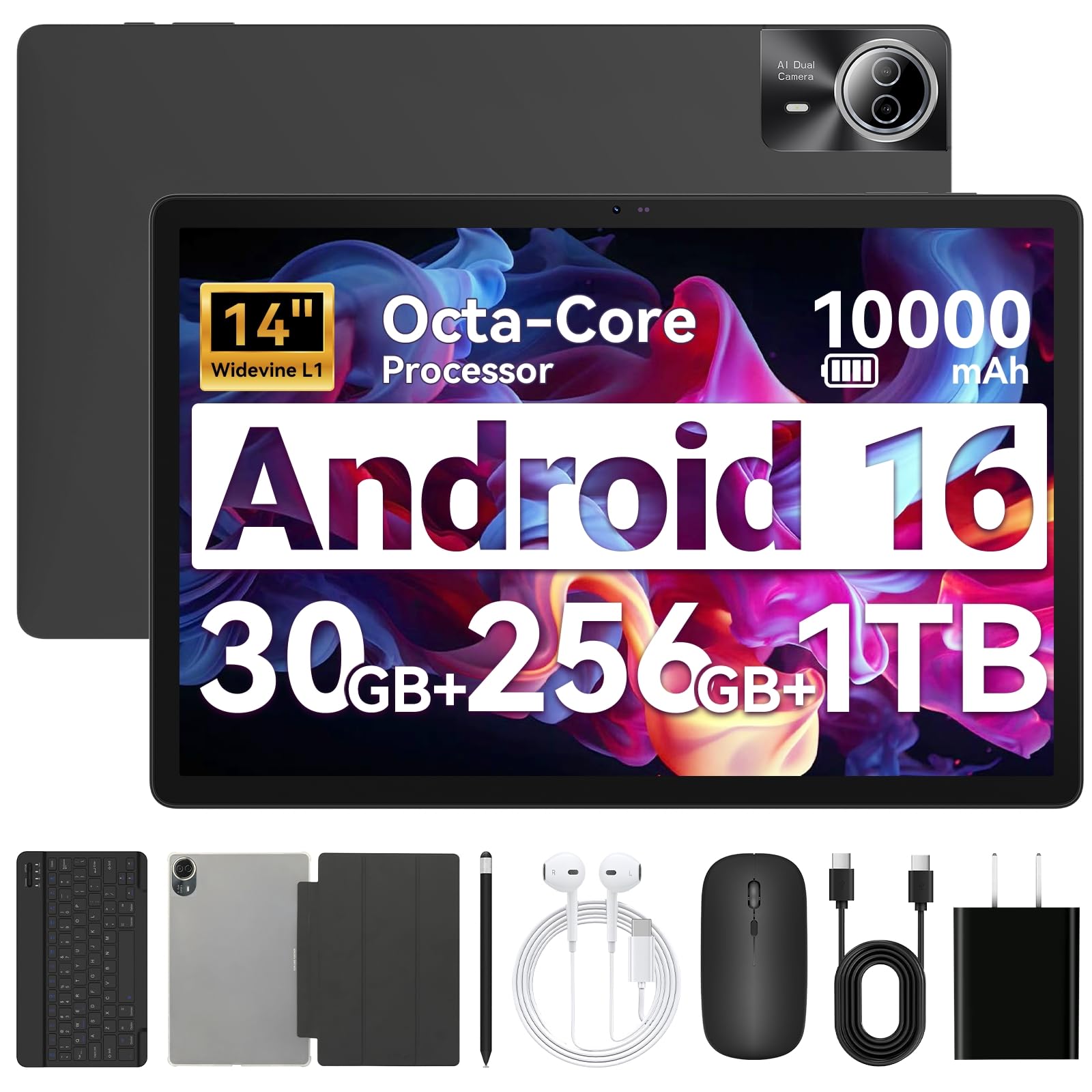
3. URAO 14 Inch Android 16 Tablet
The massive 14-inch screen and 10000mAh battery make it a portable entertainment hub.
For sheer screen real estate, nothing else on this list comes close. The 14-inch 1920×1200 IPS display gives you a wide, bright canvas for spreadsheets, sheet music, or splitting the screen between a video and a note-taking app. The 10000mAh battery provides up to 12 hours of mixed use, and the 30W fast charging refills it in about 2.5 hours. The octa-core processor and 30GB of RAM (6GB physical + 24GB virtual) keep things running smoothly for everyday tasks. The tablet comes with a Bluetooth keyboard, stylus, case, and even earbuds — a complete desktop replacement kit. Owners praise the large, sharp screen and impressive battery life. One buyer called it “excellent value for the price.”
Wi-Fi 6 (the latest fast wireless standard) and Bluetooth 5.4 keep your connection fast and stable, so streaming and file transfers stay smooth. The dual cameras (5MP front, 8MP rear) handle video calls and document scanning clearly. The stereo 4 speakers deliver room-filling sound. Setup is simple, and it pairs easily with iPhones for cross-platform use.
top-tier features
- 14-inch IPS screen with 1920×1200 resolution for true multitasking
- Enormous 10000mAh battery with 30W fast charging
- Complete bundle: keyboard, stylus, case, and headphones included
What to consider
- No built-in GPS, so offline navigation is not possible
- Cannot directly share accounts with iOS systems
- Large size makes it less portable for one-handed use
Ideal for: Travelers, remote workers, or anyone who wants a big screen for movies and multitasking without paying premium prices.
Not for: People who need a lightweight, compact tablet for daily commuting or heavy gaming.
4. Lenovo Idea Tab

A crisp 2.5K screen and included pen make this the college student’s smart choice.
The 11-inch 2.5K IPS touchscreen (2560×1600 resolution) is noticeably sharper than the 1080p competition, and the 90Hz refresh rate keeps everything from scrolling to note-taking fluid. The MediaTek Dimensity 6300 processor with 8GB of RAM (plus 6GB virtual) handles study apps, streaming, and light gaming without stuttering. The 256GB of built-in storage is ample, and you can add a microSD card for even more space. The included Lenovo Tab Pen lets you circle items to search, translate languages, or take handwritten notes in apps like Lenovo AI Note and Nebo. The battery lasts up to 12 hours of YouTube streaming. Owners praise the quality and value — the display is described as “bright and sharp,” and the performance as “fast for apps, YouTube, and streaming.”
The metal back gives it a premium feel, and the included folio case protects it in a backpack. Quad Dolby Atmos-tuned speakers provide clear, room-filling sound, and the TÜV Rheinland low blue light certification means less eye fatigue during long study sessions.
The honest trade-off: The included folio case feels a bit flimsy, and the Amazon app may not work perfectly — some owners use the web version instead.
Pick this if: You are a student who needs a sharp screen, long battery life, and a pen for notes without paying for a premium brand.
Think twice if: You need a keyboard included in the box, or you want the absolute brightest screen for outdoor use.
5. Wacom MovinkPad Pro 14
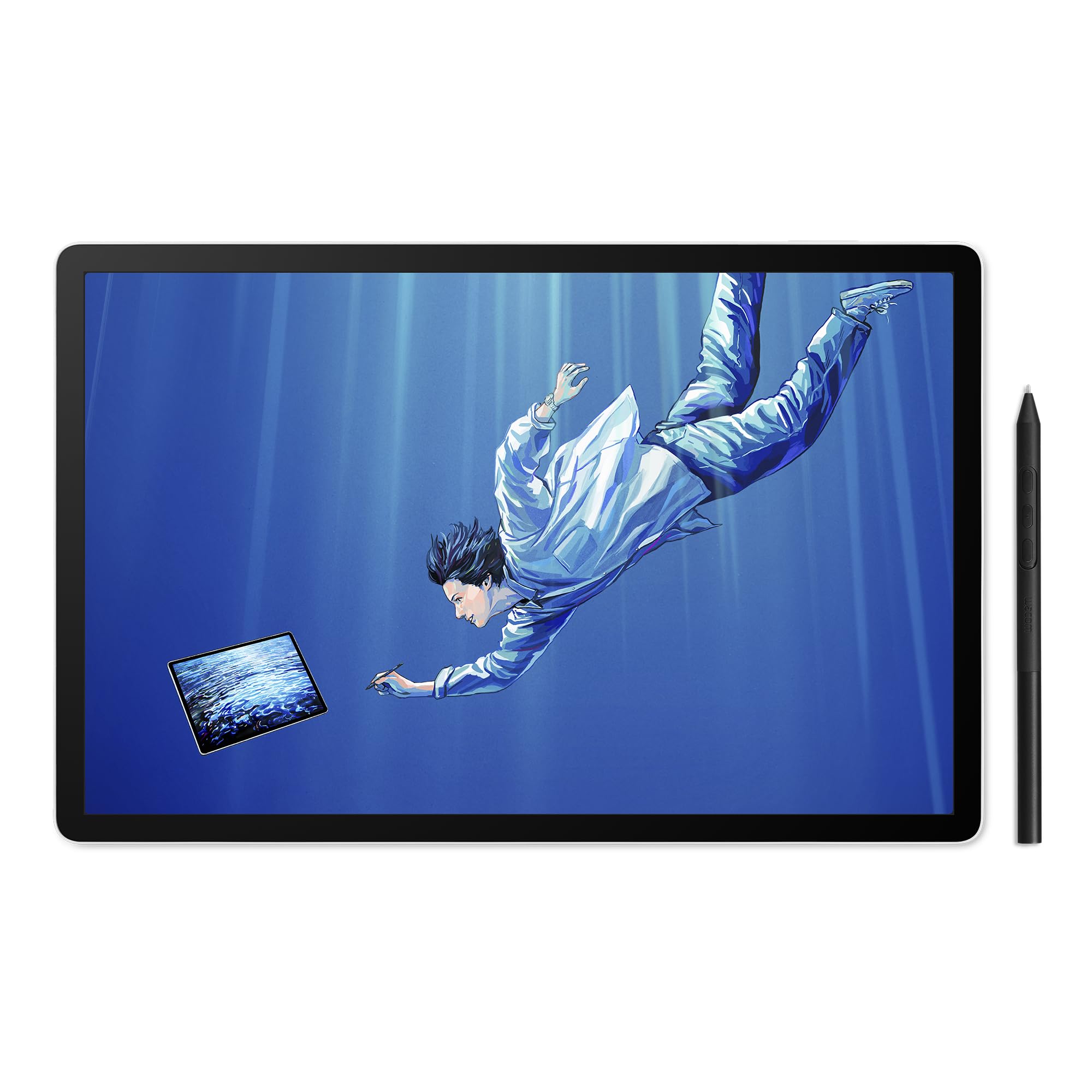
A dedicated creative studio with a 3K OLED screen and a battery-free pen that feels like paper.
This is not a general-purpose tablet — it is a professional drawing tablet that runs Android 15. The 14-inch OLED display delivers a crisp 3K resolution (2880×1800 pixels) with 100% sRGB and DCI-P3 color gamut, so your artwork looks true-to-life. The Premium Texture etched glass gives you a real pen-on-paper feel while minimizing parallax. The included Wacom Pro Pen 3 delivers 8,192 pressure levels and never needs charging — replacement nibs store in the pen’s own back end. The Snapdragon 8s Gen 3 processor with 12GB of RAM handles memory-intensive apps like Clip Studio Paint and Krita without lag. Owners say it is “probably the best drawing tablet there is” and that it “performs as well as an iPad Pro.”
The 256GB storage is expandable via microSD. It doubles as a pen display for Windows and Mac computers via USB-C. The lightweight build (0.73 kg) makes it easy to take to a coffee shop or studio. Buyers love the responsive pen, bright screen, and excellent battery life.
Why artists love it
- Stunning 3K OLED display with true color accuracy
- Battery-free Pro Pen 3 with 8,192 levels of pressure sensitivity
- Lightweight all-in-one design with no extra equipment needed
The downsides
- No audio jack, so you need USB-C headphones or Bluetooth
- Pen build feels slightly less premium than older Wacom models
- Touchscreen can be finicky, and file system navigation takes getting used to
Best for: Digital artists and designers who want a standalone drawing tablet with a premium screen and pen experience.
pass on it if: You only need a general-purpose tablet for browsing and streaming — this is overkill for that.
6. TECLAST T65
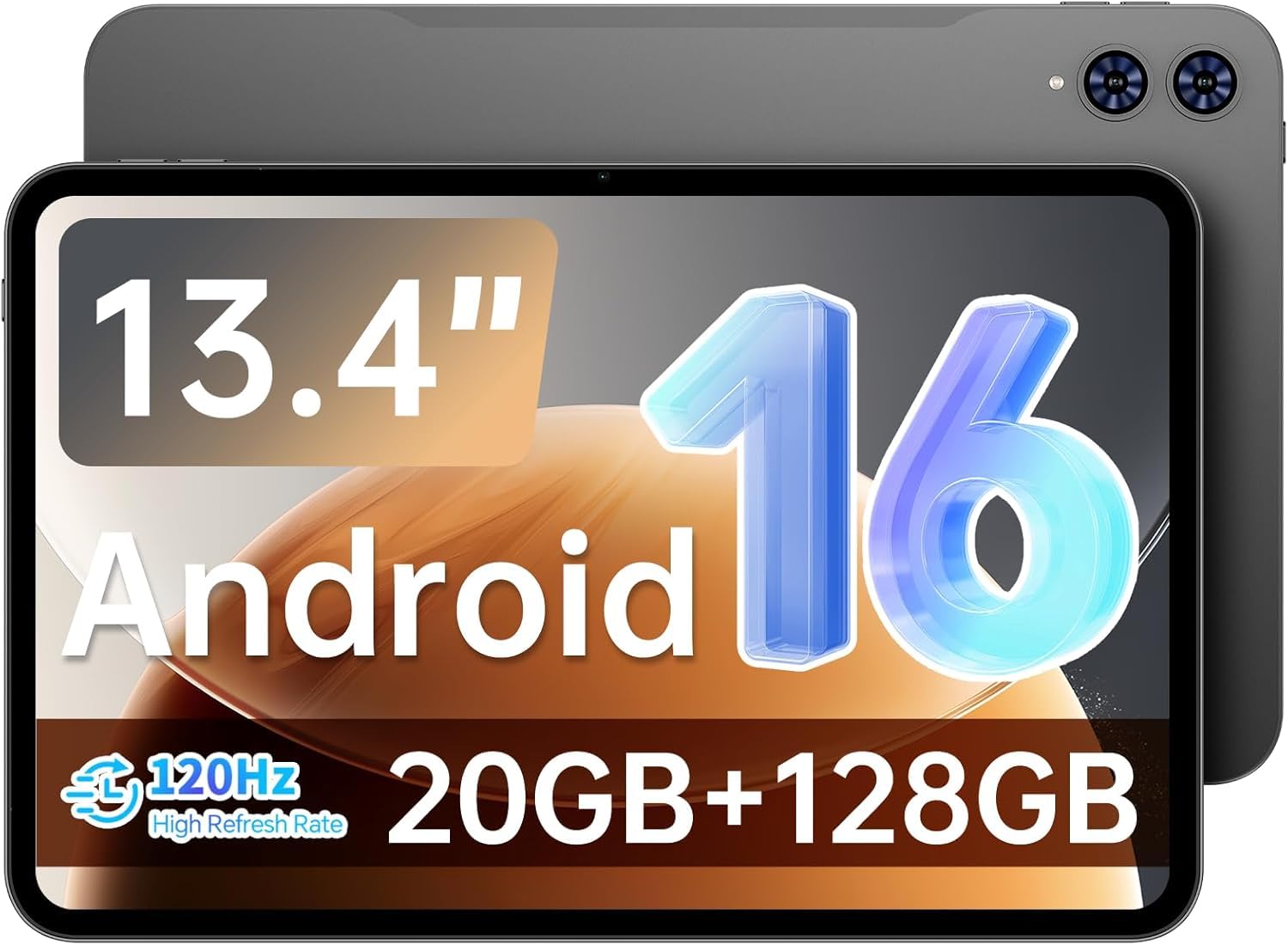
A massive 13.4-inch screen with a buttery 120Hz refresh rate, for less than you would expect.
The 13.4-inch IPS display is one of the largest on this list, and the 120Hz refresh rate makes scrolling, gaming, and video playback noticeably smoother than standard 60Hz tablets. The 1920×1200 resolution keeps text and images sharp. The octa-core processor with 20GB of RAM (8GB physical + 12GB virtual) and 128GB of storage handles streaming and multitasking well. The 8000mAh battery provides up to 10 hours of mixed use, and 4G LTE means you can stay connected without WiFi. The thin 8.5mm and 720g build makes it portable despite the large screen. Owners call it “excellent for sheet music” and “great for basic tasks” like YouTube and card games. One buyer mentioned it runs “great for elderly users” due to the large icons and simple Android 16 interface.
The dual cameras (front and rear) handle video calls, and the TDDI touch technology makes the screen more responsive. The tablet comes with a factory-installed tempered glass screen protector, which saves you a few dollars.
The catch: No case, keyboard, or pen included — you will need to buy those separately. Gaming performance is modest, so heavy 3D titles may struggle.
Choose this for: Budget-conscious buyers who want a huge, smooth screen for streaming, reading sheet music, or elderly family members.
Not ideal for: Heavy gamers or creative professionals who need a stylus and keyboard bundle.
7. Nexall N90
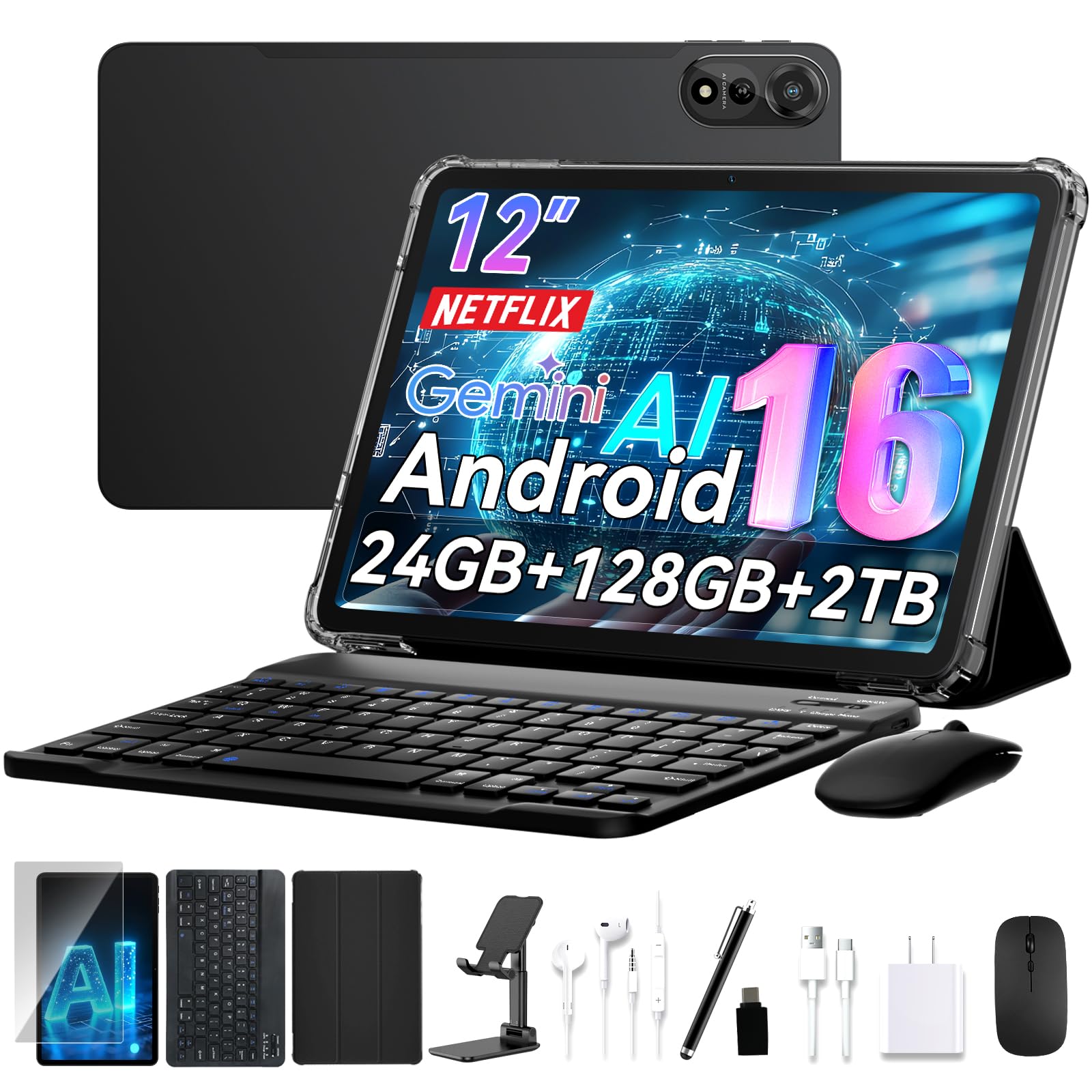
The 12-inch 2K screen and 9000mAh battery come with everything you need to work.
This is the most complete all-in-one package on the list. The 12-inch 2K display (2000×1200 resolution) provides crisp, colorful visuals for photo editing, blueprint reviews, or movie nights. The 9000mAh battery delivers up to 24 hours of mixed use — enough for a cross-country flight without recharging. The octa-core processor with 24GB of RAM keeps demanding apps running smoothly. The included keyboard, stylus, stand, and case transform it into a laptop in seconds. Owners appreciate the “big clear screen” and the fact that “all the accessories and goodies are included.” One buyer called it a “high-quality Android tablet” and praised the easy setup.
The 128GB of storage is expandable via microSD (a small memory card), and Widevine L1 certification (a digital rights standard) means you can stream Netflix and Prime Video in HD. Face ID provides quick, secure open up, and the 4-year warranty (2 years standard + 2 years extended) gives you rare confidence. The dual AI cameras handle document scanning and video calls.
What makes it special
- Complete kit with keyboard, stylus, stand, and case included
- Enormous 9000mAh battery with AI power management for all-day use
- 4-year warranty and 24/7 support are industry-leading
What to watch for
- The device is fairly heavy, which can be tiring for one-handed use
- Face recognition can be unreliable in low light
- Keyboard and mouse feel somewhat flimsy compared to premium accessories
Reach for this if: You want a true laptop replacement with a huge battery and every accessory included, backed by an excellent warranty.
Look elsewhere if: You need something lightweight for daily carry, or you want a premium pen experience for art.
8. Tabwee Tablet (2026 Latest Android 16)
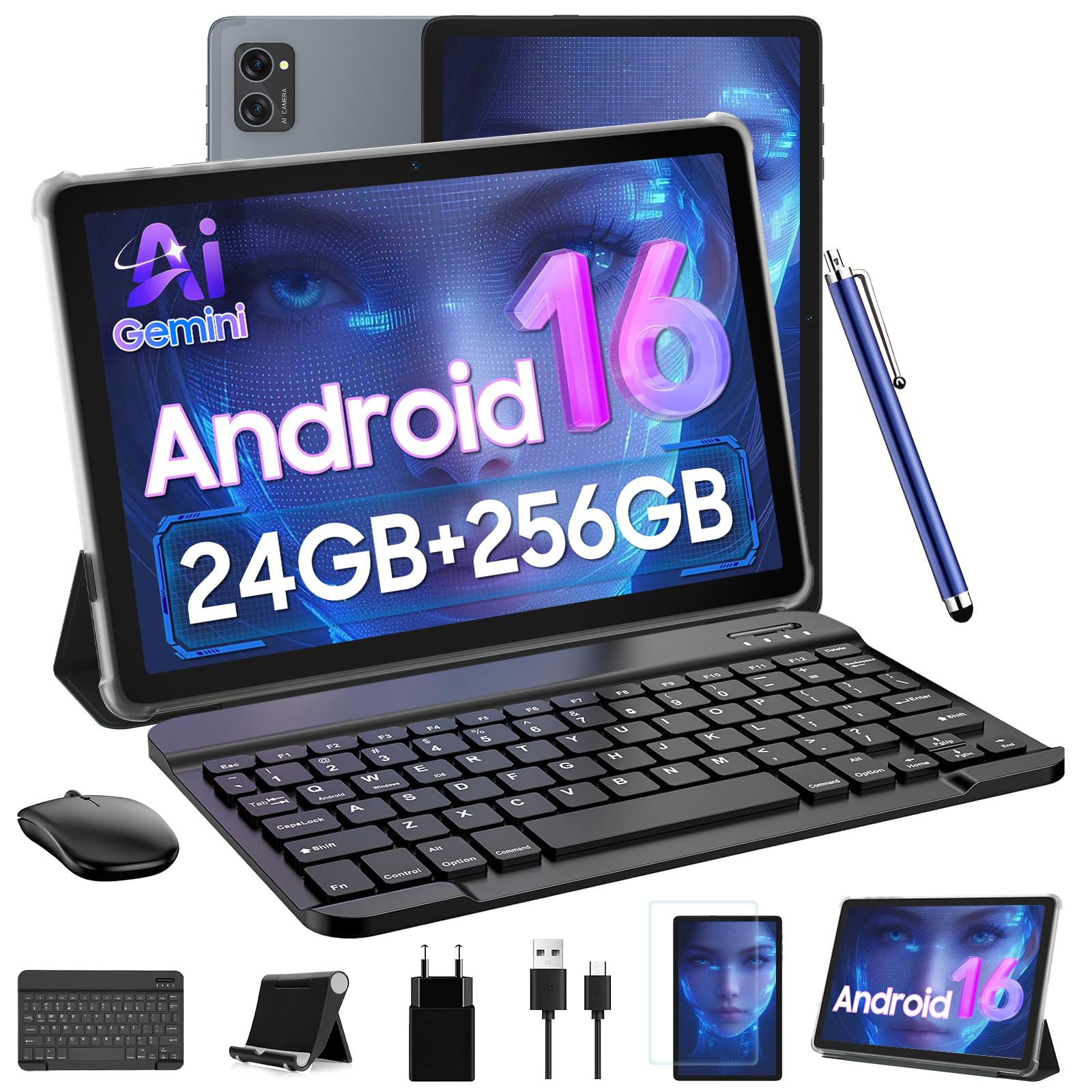
256GB of internal storage with 2TB expansion means you will never worry about space.
Storage is the headline here. The 256GB internal ROM is the highest base capacity on this list, and the microSD slot supports up to 2TB more. The 24GB of RAM (8GB physical + 16GB virtual) and the T606 Octa-Core processor provide solid performance for everyday tasks like browsing, streaming, and document editing. The 10-inch 1280×800 HD Incell display is certified Widevine L1, so Netflix and Prime Video stream in 1080p HD. The bundle includes a detachable Bluetooth keyboard, wireless mouse, responsive stylus, and a protective case. The 5000mAh battery provides up to 6 hours of continuous use. Owners say it “comes with all the accessories needed” and is “really fast and has plenty of space.”
The 8MP rear camera and 5MP front AI camera handle photos and video calls, and the dual-band 5G WiFi keeps connections stable. The 2-year US warranty adds confidence for a budget-friendly tablet.
The trade-off: Battery life is shorter than most competitors here — one owner reported 65% drain in 3.25 hours with moderate use. Speaker quality is tinny, and the mouse speed resets after restart.
Best for: Users who need massive internal storage for offline movies, large game libraries, or work files, all in one bundle.
it’s not for you if: Battery life is your top priority, or you need a high-refresh-rate screen for smooth scrolling.
9. Lenovo Tab One
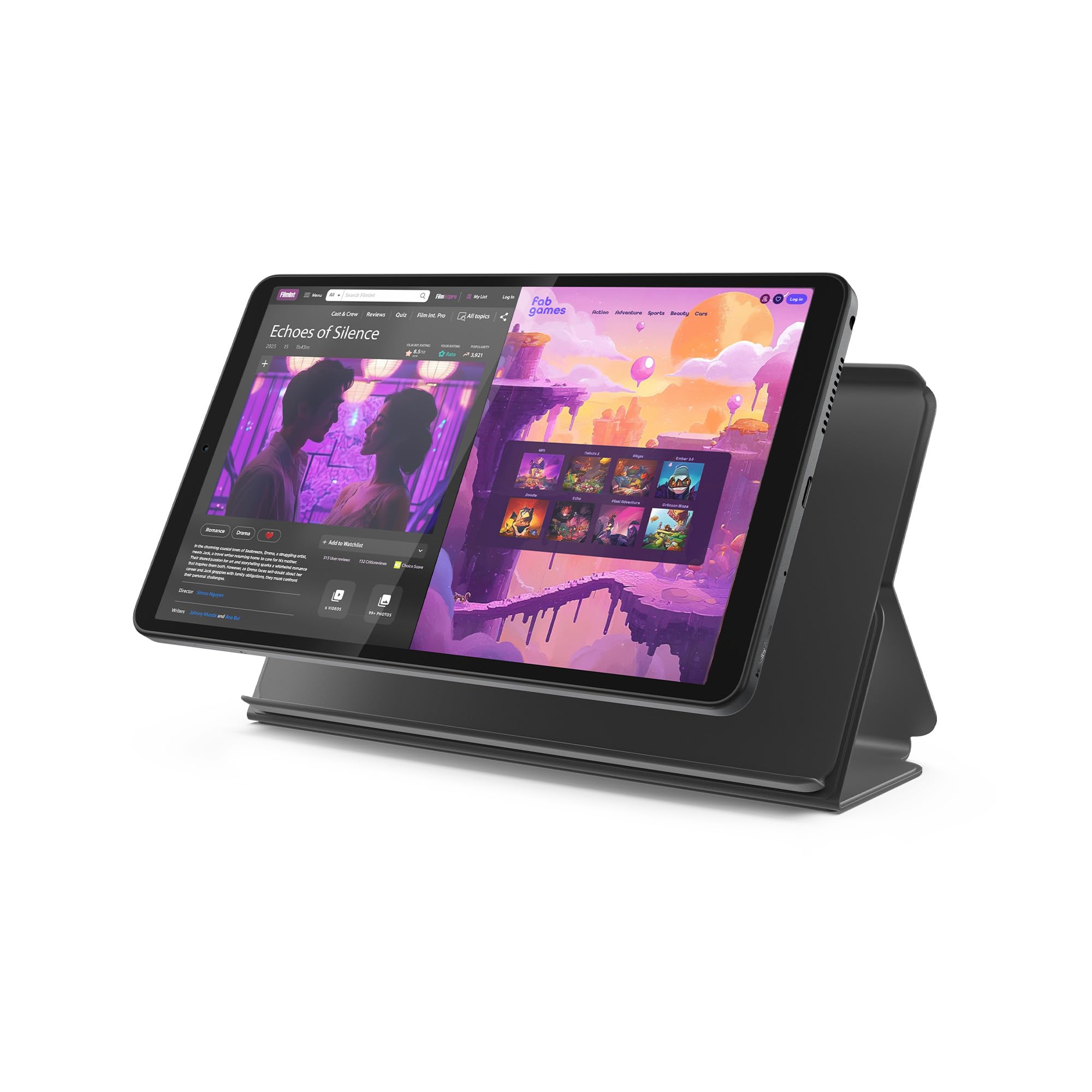
An 8.7-inch tablet that fits in a jacket pocket and lasts through a long travel day.
If you value portability above all else, this is the one. The 8.7-inch HD display (1340×800 resolution) is small enough to hold in one hand and light enough to slip into a purse or backpack without noticing. The battery lasts up to 12.5 hours for YouTube streaming, and the 15W fast charging is quicker than previous Lenovo models. The MediaTek Helio G85 processor and 60Hz refresh rate handle browsing and streaming smoothly, and the 480 nits of brightness make the screen readable in bright rooms. A folio case is included, providing basic protection and a stand for hands-free viewing. Owners are impressed with the quality and value — one called it a “good value iPad Mini alternative.”
The 4GB of RAM and 64GB of storage (expandable via microSD) handle basic tasks well. Dual Dolby Atmos speakers provide surprisingly good sound for the size. The included 3.5mm headphone jack is a rare feature in modern tablets. Android 14 with 2 years of security updates keeps things current.
Why it stands out
- Ultra-light and compact 8.7-inch design for one-handed use
- Excellent battery life at 12.5 hours for streaming
- Includes folio case and 3.5mm headphone jack
Honest limitations
- Performance is mixed for demanding apps and gaming
- Screen brightness is not very high, and video is limited to around 30fps
- No charger is included in the box
Ideal for: Commuters, travelers, or anyone who wants a lightweight secondary tablet for reading and streaming.
Not for: Heavy multitaskers, gamers, or anyone who needs a large screen for productivity.
10. Jeazans Android 16 Tablet
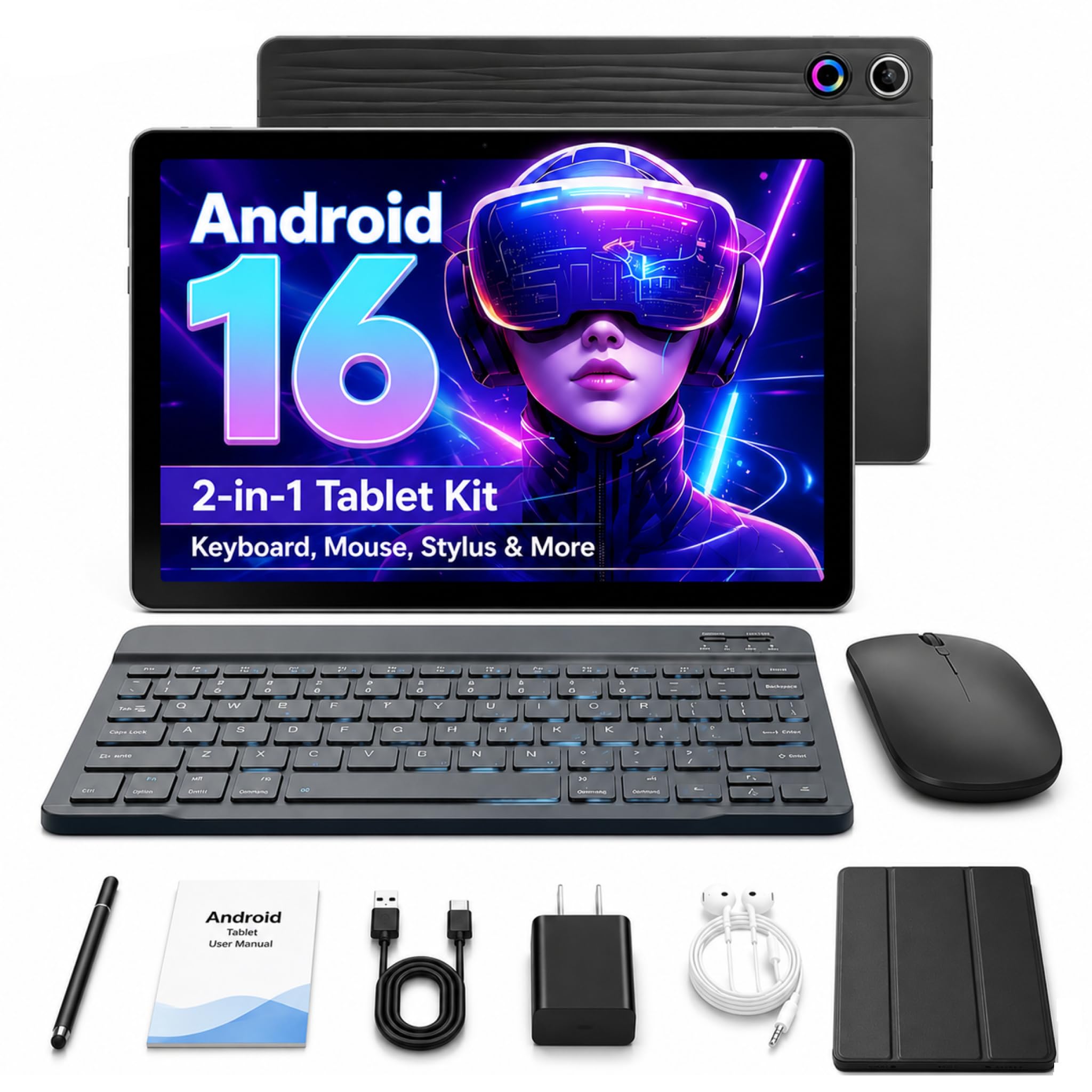
A full laptop-style kit at a budget price, featuring Android 16 and 1TB expandable storage.
This is the best value if you need everything in one box. The bundle includes a Bluetooth keyboard, wireless mouse, stylus, and a protective leather case — you do not need to buy anything else. The 10.1-inch 1280×800 LCD screen is bright enough for indoor use, and Android 16 provides a clean, up-to-date experience. The 24GB of RAM (3GB physical + 21GB virtual) and 64GB of storage (expandable to 1TB) handle basic tasks like browsing, email, and video calls. Owners consistently praise the “excellent value” and “bright 10.1-inch screen.” One buyer called it the “best product” for the price, noting smooth navigation and reliable battery life.
The dual HD cameras work well for Zoom and Google Meet. WiFi and Bluetooth 5.4 keep connections fast. The PD fast charging reduces downtime. It is lightweight and portable, making it a solid choice for students or remote workers on a tight budget.
The honest take: Performance is fine for basic tasks but will struggle with heavy gaming or multitasking. The keyboard and mouse feel budget-friendly, not premium.
Reach for this if: You need a complete laptop-style setup for studying, browsing, and video calls, and your budget is very tight.
Look elsewhere if: You need high performance for gaming or creative work, or you want a sharper, higher-resolution screen.
11. Urao Kids Tablet

Built for small hands with a rugged case and easy parental controls that actually work.
This tablet is designed specifically for children ages 3 to 12. The 10-inch screen is bright and kid-friendly, and the included food-grade silicone case absorbs drops and bumps without breaking. The Android 16 operating system comes with advanced parental controls, allowing you to set screen time limits, approve apps, and filter web content without constant monitoring. The 2.0 GHz octa-core processor with 24GB of RAM and 64GB of storage (expandable to 1TB) keeps educational apps and casual games running smoothly. The 5000mAh battery provides up to 6 hours of playtime and fully charges in about 1.5 hours via USB-C. Owners say it is “great for kids” and that the “protective case handles drops well.” One parent noted it is “perfect for children.”
The dual cameras handle video calls with grandparents, and the expandable storage means you can load up e-books and educational content. The adjustable bracket on the case lets kids watch from different angles. It ships with a screen protector and stickers, making it a ready-to-go gift.
Parent-friendly features
- sturdy parental controls for screen time, app approval, and web filtering
- Included food-grade silicone case protects against drops and bumps
- Expandable storage up to 1TB for loading content ahead of trips
What to keep in mind
- Performance is modest — fine for kids’ games but not for demanding adult apps
- Battery life of 6 hours is average for a kids’ tablet
- Limited to WiFi; no cellular option for on-the-go connectivity
Best for: Parents who want a durable, easily controlled tablet for their kids to use for educational apps, games, and videos.
Not for: Teenagers or adults who need general-purpose performance, or families who need cellular connectivity.
Understanding the Specs
Display Resolution & Refresh Rate
Resolution is measured in width x height pixels (e.g., 1920×1200). Higher numbers mean sharper text and more detail. You want at least 1920×1200 for comfortable reading and movie watching. Refresh rate, measured in Hertz (Hz), tells you how many times the screen redraws per second. A 60Hz screen is standard and fine for browsing. A 90Hz or 120Hz screen makes scrolling, animations, and games feel much smoother and more responsive — worth paying for if you game or just want a fluid feel.
RAM, Storage, and Expandable Memory
RAM (Random Access Memory) determines how many apps you can keep open at once. 4GB is enough for basic use; 8GB or more is better for multitasking. Storage (ROM) is where your apps, photos, and files live. 64GB fills up fast if you install games or download movies. Many tablets support microSD cards, which let you add extra space cheaply — up to 1TB or 2TB on some models. Some tablets use “virtual RAM,” converting unused storage into extra memory, which helps but is slower than physical RAM.
FAQ
How much RAM do I actually need in an Android tablet?
Can I use an Android tablet for work like a laptop?
What does Widevine L1 mean for streaming?
How long should an Android tablet battery last on a full charge?
Is it worth buying a tablet with 4G or 5G LTE?
Can I draw on any Android tablet with a stylus?
What is the difference between an IPS and an AMOLED screen?
How important is the processor for gaming on a tablet?
What is the best screen size for an Android tablet?
How long do Android tablets receive software and security updates?
Final Thoughts: The Verdict
For most buyers, the best android tablet computer is the Samsung Galaxy Tab S10 FE because it combines a smooth 90Hz screen (so scrolling and drawing feel fluid), excellent performance, a long-lasting 20-hour battery, and the included S Pen — all in a water-resistant design that has won over thousands of owners. If you want maximum battery life and a massive screen for entertainment, grab the URAO 14. And for professional digital art, the Wacom MovinkPad Pro 14 is the one to reach for.
How We Picked
We do not accept paid placement. Every pick is matched to a real buyer and a real use-case; we do not hands-on test units.
Sources & Methodology
Specifications: manufacturer listings and product documentation. Review insights: verified customer reviews, as of July 2026. Pricing: not shown on this page (it changes often); check the current price via the retailer link.
As an Amazon Associate, Gadgets Feed earns from qualifying purchases. This does not affect which products we feature.