
Our readers keep the lights on and my morning glass full of iced black tea. As an Amazon Associate, I earn from qualifying purchases.
Specs are compiled from manufacturer listings and verified buyer reviews and can change over time — please confirm the key details on the product page before buying.
Dongles that vanish, batteries that die mid-presentation, and a clunky shape that cramps your hand after an hour — that is the actual daily reality with a bad wireless mouse. The right Bluetooth Rechargeable Mouse eliminates all three headaches: you charge it once every few weeks or months, it pairs instantly with your laptop and tablet, and it fits your hand so well you forget you are holding it. This guide cuts through the noise to find the one that actually delivers on that promise.
I’m Min — the founder and writer behind Gadgets Feed. This guide is built by comparing the manufacturers’ published specifications and the patterns across verified customer reviews, so you get each pick’s real strengths and trade-offs instead of marketing spin.
The goal is simple: find the best bluetooth rechargeable mouse for your desk, your bag, and your budget, without wasting money on features you will never use.
Our Picks at a Glance

How To Choose The Best Bluetooth Rechargeable Mouse
Most people grab the cheapest mouse on the shelf and then spend a year fighting with a dead battery, a loud click that annoys the whole office, or a sensor that skips on their wooden desk. A great Bluetooth Rechargeable Mouse is a long-term purchase. Focus on these three things to get it right the first time.
Battery Life and Charging
A rechargeable mouse should free you from the constant hunt for AA batteries. Look for a battery that lasts at least a few weeks of heavy use. A USB-C charging port is a must — it means you can use the same cable as your phone or laptop. Some mice even offer a “five-minute top-up” that gives you hours of use, which is a lifesaver when you forget to charge overnight. The numbers you see, like 60 days or 90 days, are usually based on light use, so halve that for a realistic estimate.
DPI and Sensor Quality
DPI stands for Dots Per Inch, and it controls how fast the cursor moves across the screen. A lower DPI (like 800) gives you slow, precise control for detailed work in Photoshop or Excel. A high DPI (like 4800) lets you zip across a giant monitor with a tiny flick of the wrist. Most good mice let you switch between a few levels on the fly. The sensor itself matters just as much — a standard optical sensor can stutter on glass or glossy desks, while a Darkfield or high-quality laser sensor works on almost any surface.
Ergonomics and Button Layout
You will touch this mouse more than your keyboard. A flat, thin mouse is great for slipping into a bag, but it can cramp your hand after an 8-hour day. A contoured, vertical, or palm-supporting shape is far better for all-day comfort. Think about button placement too — a dedicated forward/back side button saves you a lot of clicks in a browser, and a horizontal scroll wheel is a godsend for wide spreadsheets. If you switch between a laptop and a desktop, get a mouse that can pair with at least three devices and switch between them with a single button press.
Quick Comparison
| Model | Best For | Battery Life | DPI Range | Weight | Amazon |
|---|---|---|---|---|---|
| PHILIPS Ergonomic★ Best Overall | Spreadsheet Warriors | 200 hours | 800 – 4000 | 97 g | Amazon |
| iClever MD360Also Great | Absolute Battery Endurance | 90 days | 800 – 2400 | — | Amazon |
| Logitech MX Master 3SPro Workflow | Pro Workflow & Comfort | 70 days | 8000 | 4.96 oz | Amazon |
| Alienware AW720M | High-Stakes Gaming | 420 hours (BT) | 26,000 | — | Amazon |
| Satechi OntheGo | Sleek Travel Companion | 80 hours | 800 – 2400 | 81.4 g | Amazon |
| Uineer Vertical | Wrist Pain Relief | — | 800 – 2400 | 71 g | Amazon |
| TECKNET Ultra-Thin | Pocket Portability | 60 days | 800 – 4800 | 3.2 oz | Amazon |
| Seenda MOU001 | Style on a Budget | 14 days | 1000 – 2400 | 75 g | Amazon |
| Logitech MX Anywhere 2S | Classic Road Warrior | 2 months | 4000 | 6.72 oz | Amazon |
In‑Depth Reviews
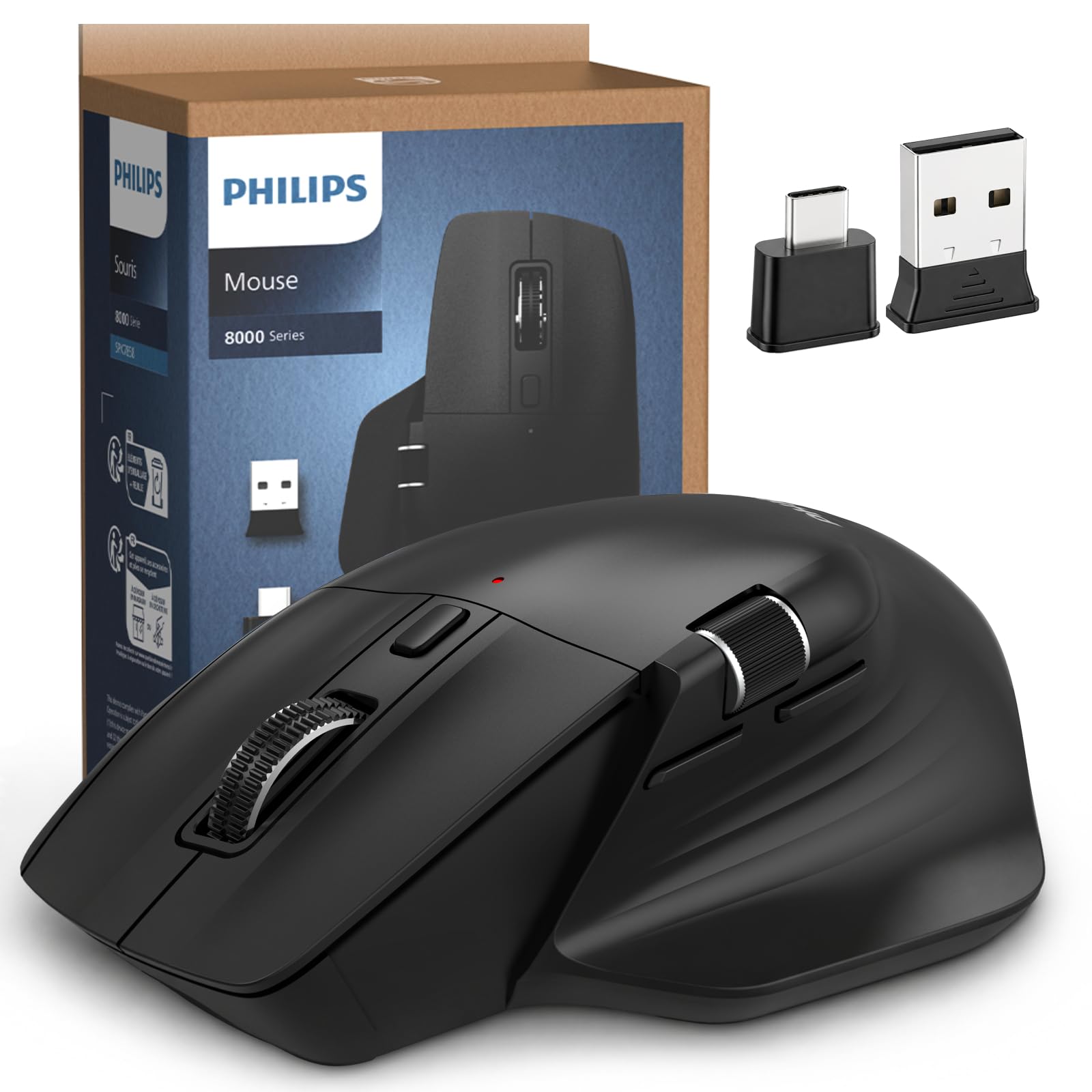
1. PHILIPS Ergonomic Wireless Mouse
Our pick — over 4.5★ from 950+ verified ratings; the strongest balance of quality and price.
The spreadsheet slayer with a second scroll wheel for your thumb.
Most mice make you drag your cursor across the screen to scroll sideways in Excel. The PHILIPS Ergonomic solves that with a dedicated thumb-side horizontal scroll wheel — just roll your thumb and glide through columns. The main wheel and side wheel, combined with the 5 programmable buttons, turn this into a control center for analysts and designers. The right-handed contoured shell and anti-slip thumb rest are built to reduce wrist fatigue during the 9-to-5 grind.
The 500mAh battery delivers 200 hours of use, and the 5-minute emergency top-up gives you an hour of tracking — perfect for when you forget to charge before a meeting. The 5-level DPI (800 to 4000) gives you on-the-fly speed switching. The dual 2.4G receiver comes in both USB-A and USB-C, so it fits modern laptops without an adapter. The price is a strong mid-range value, though a few buyers mention it has only 5 buttons versus the iClever’s 7, and a rare report of the USB plug failing after a week exists — treat the receiver gently.
Your data-crunching ally
- Dedicated horizontal scroll wheel for easy spreadsheet navigation
- 5-minute charge gives you 1 hour of emergency use
- Contoured right-handed shell with anti-slip thumb rest for all-day comfort
- Comes with both USB-A and USB-C receiver for modern laptop compatibility
The honest catch
- Only 5 buttons compared to the 6 on the iClever
- Occasional reports of receiver plug fragility — handle with care
Choose this for: heavy Excel, data analysis, or any job where horizontal scrolling saves you hours of dragging.
Pass if: you need a left-handed mouse or the maximum number of programmable buttons.
2. iClever MD360 Bluetooth Mouse
The battery king that keeps your Zoom status green while you step away.
The iClever MD360 blows past every other mouse in this list on battery stamina by a wide margin. You get a full 90 days of use from a single USB-C charge — compared to the TECKNET’s 60 days. And it packs a trick no other pick here has: a built-in mouse jiggler. Hold the DPI button for five seconds, and the cursor moves invisibly to stop your computer from going to sleep. It keeps your Teams or Zoom status showing as active during a quick break, without installing any sketchy software.
It connects to three devices at once (Bluetooth and 2.4G), and the 6 programmable buttons give you more control than the 5-button PHILIPS. The 4-level DPI (800/1200/1600/2400) covers everything from detail work to fast cursor travel. It works with Windows, macOS, iOS, Android, and Chrome OS from the start. The only honest trade-off is that the glossy finish and slightly wide shape (4.45 x 2.83 inches) can feel a bit big for very small hands — those with a 7-inch palm may find it a stretch.
Why it wins your desk
- 90-day battery life crushes the competition — charge twice a year, not twice a month
- Built-in mouse jiggler keeps your status active during breaks without extra software
- Pairs with 3 devices and switches instantly between them
- Quiet clicks and a precise scroll wheel make it a pleasure for long work sessions
The honest catch
- Glossy finish and 4.45-inch width may feel too large for users with smaller hands
- Jiggler activates on a delay and doesn’t auto-pause when you start actually using the mouse
Reach for this if: you want to charge a mouse once a season and need the clever jiggler to keep your Slack green during short breaks.
Look elsewhere if: you have smaller hands or prefer a matte, non-glossy surface.
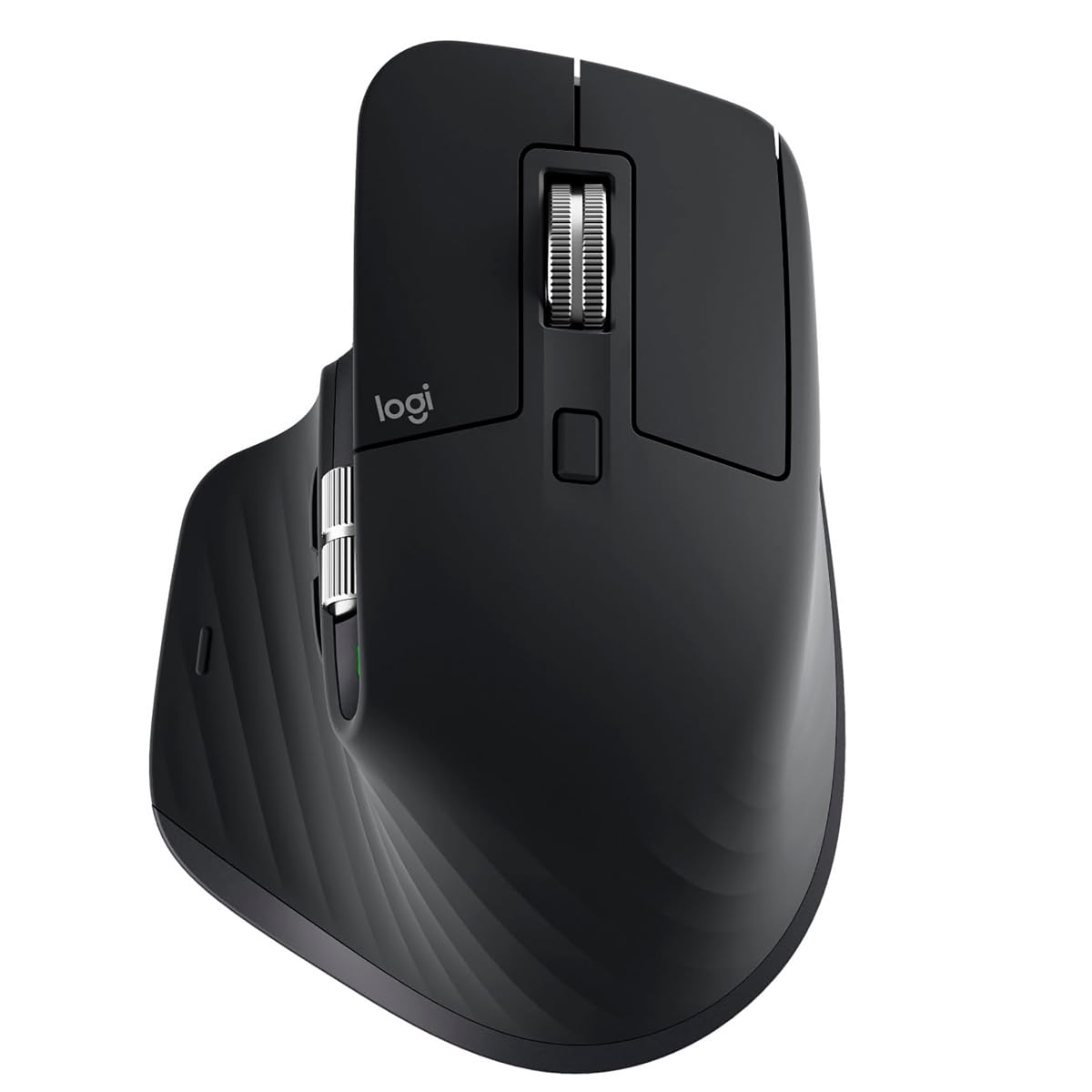
3. Logitech MX Master 3S
The gold standard for professionals who live in spreadsheets and design software.
This is not a mouse you buy on a whim — it is a tool you buy when your hand hurts and your workflow demands more. The MX Master 3S features an 8000 DPI Darkfield sensor that tracks perfectly on glass, where most other mice fail. Its MagSpeed scroll wheel is the star of the show: it moves 90% faster and is 87% more precise than a standard wheel, letting you fly through a thousand-row spreadsheet or land exactly on the right line in a code editor. The clicks are 90% quieter than standard Logitech mice, so your open-office neighbors will thank you.
You can program each of the 5 buttons with app-specific profiles using Logi Options+. That means a different set of shortcuts for Photoshop, Excel, and Chrome, all automatic. It holds a 70-day battery, connects to three devices, and lets you use Logitech Flow to move your cursor and copy-paste files between a Windows PC and a Mac. The sculpted shape and thumb rest are built for all-day comfort, but the value-for-money rating is mixed — it is a premium investment, and a very small number of buyers report the mouse stops working after a year of heavy use.
Your productivity powerhouse
- 8K DPI Darkfield sensor works on glass and glossy desks without a mousepad
- MagSpeed scroll wheel is 90% faster and 87% more precise than standard wheels
- App-specific button profiles automate your shortcuts in Excel, Photoshop, and more
- 70-day battery and USB-C charging keep you running for weeks
The honest catch
- Premium price tag makes it a serious investment for most buyers
- A small handful of owners mention reliability issues after the first year
The verdict: Buy this if you spend 8+ hours a day on a computer and want the most comfortable, precise, and customizable mouse available.
4. Alienware AW720M Tri-Mode Gaming Mouse
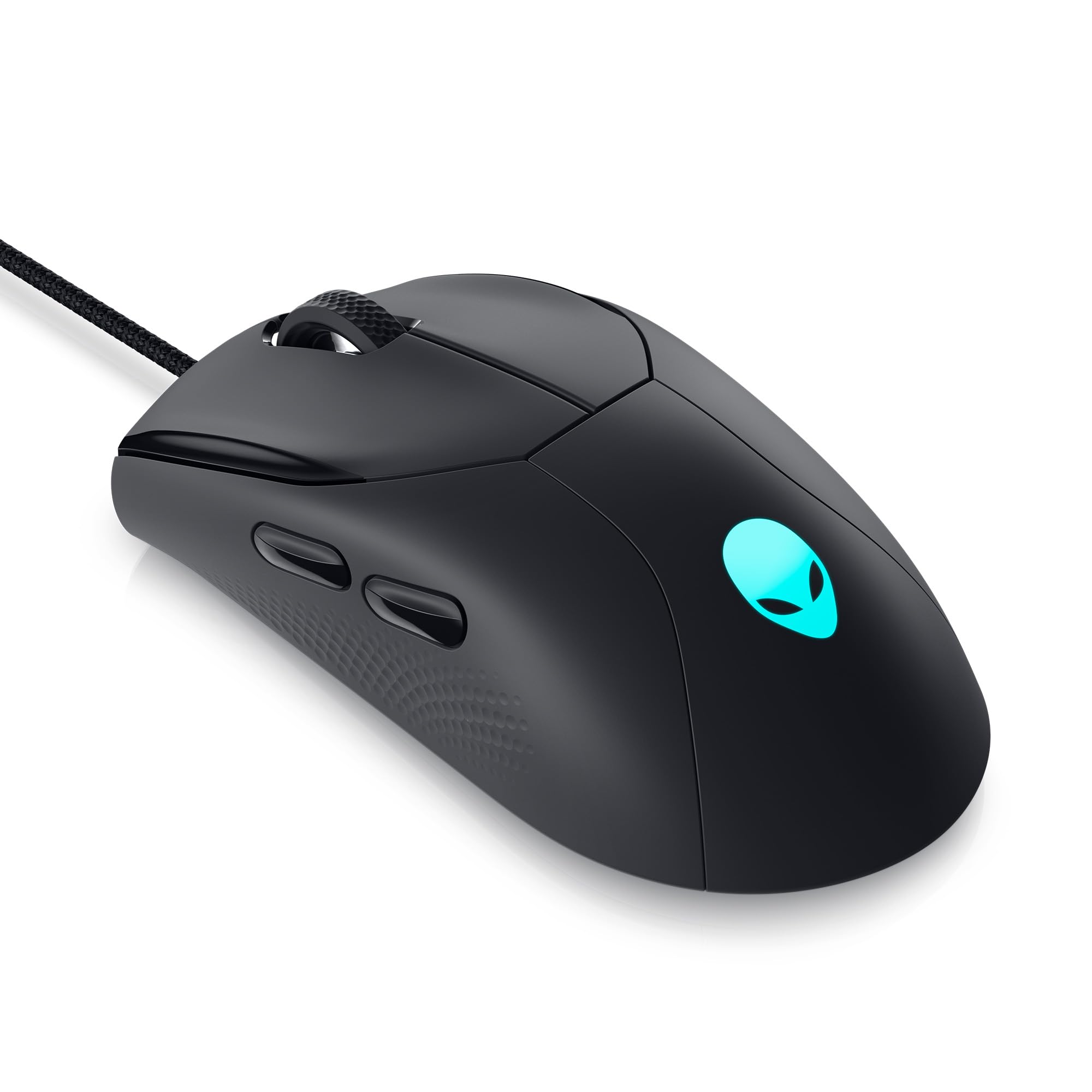
Competitive speed with a battery that lasts through a gaming marathon and then some.
If your mouse needs to keep up with twitch shooters and strategy marathons, the AW720M is the pick. Its 26,000 DPI sensor tracks at up to 650 inches per second with 50G of acceleration — numbers that mean zero lag and pixel-perfect flicks in games like Valorant or Apex Legends. The 8 fully programmable buttons put every macro at your thumb, and the tri-mode connectivity (2.4GHz wireless dongle, Bluetooth 5.1, or USB-C wired) means you can switch from gaming rig to work laptop without re-pairing.
The battery life is the real shocker: up to 420 hours on Bluetooth, or 140 hours via the 2.4GHz dongle with the LED off. That is weeks of heavy use. The magnetic snap-on charging adapter makes topping up easy. The downsides are familiar for high-performance gear: it runs on the pricier side, and the compact ambidextrous shape may be too small for gamers with very large hands. A very small number of units have reported connectivity issues, though the majority praise the build quality and grippy synthetic fiber finish.
Your gaming weapon
- 26,000 DPI and 650 IPS tracking for zero-lag competitive gaming
- 420-hour battery on Bluetooth — charge once a month even with heavy use
- Magnetic snap-on charging keeps you gaming while you top up
- 8 programmable buttons for custom macros and shortcuts
The honest catch
- Compact shape may not fill a large hand comfortably
- Premium price point that reflects its gaming pedigree
Who it fits: Gamers who want tournament-grade precision and insane battery life in one package.
skip it if: you have large hands or only need a simple office mouse.
5. Satechi OntheGo Bluetooth Mouse
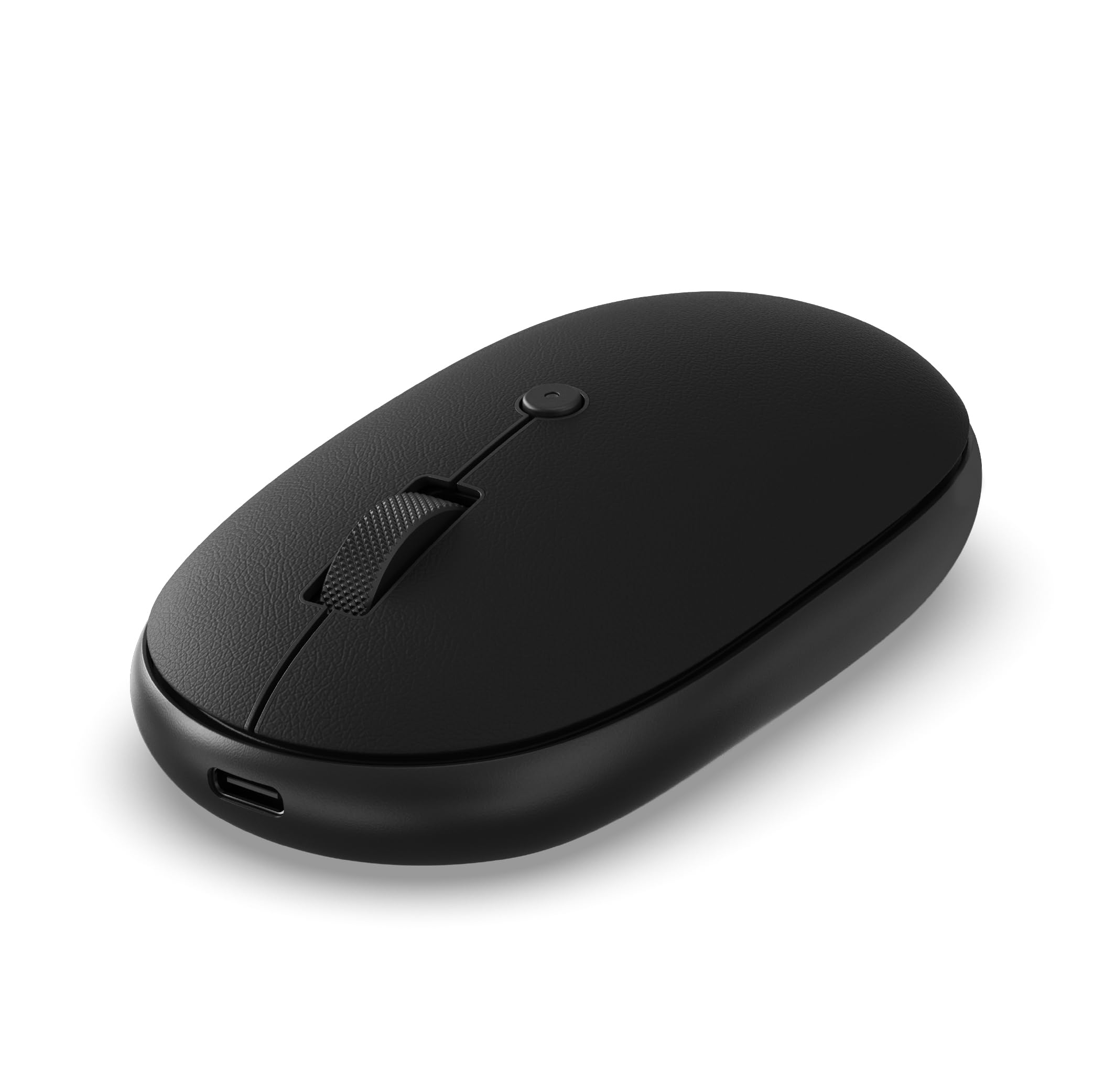
A sleek, whisper-quiet mouse that disappears into your tech pouch.
The Satechi OntheGo is built for the hybrid worker who carries a mouse between coffee shops and co-working spaces. At just 81.4 grams and 4.3 inches long, it is lightweight and compact enough to slide into a back pocket. The ambidextrous shape works for left- or right-handed users, and the premium soft-touch material gives it a high-end feel that stands out from the glossy plastic of budget mice. The clicks are library-quiet, and you can switch between four DPI levels (800/1200/1600/2400) with an onboard button.
The built-in 300mAh battery charges in 2 hours via the included USB-C to USB-C cable and delivers up to 80 hours of continuous use. It pairs with up to 3 devices and works smoothly with Mac, Windows, iOS, and Android. Satechi backs it with a 2-year limited warranty. The trade-off is a simpler 2-button layout (plus the scroll wheel click) — no side buttons for forward/back navigation. Some owners also note the scroll wheel could be smoother, but the overall build quality and battery life win consistent praise.
Why it travels so well
- Ultra-light at 81.4g with a slim 4.3-inch profile for easy packing
- 80-hour battery life and USB-C charging with a 2-year warranty
- Premium soft-touch material feels great in the hand
- Connects to 3 devices and works cross-platform (Mac, PC, iOS, Android)
The honest catch
- Only 2 physical buttons — no dedicated forward/back side buttons
- Some owners find the scroll wheel could use a bit more lubrication
Ideal for: the minimal traveler who values a premium feel and simple, reliable performance over extra buttons.
6. Uineer Vertical Ergonomic Mouse
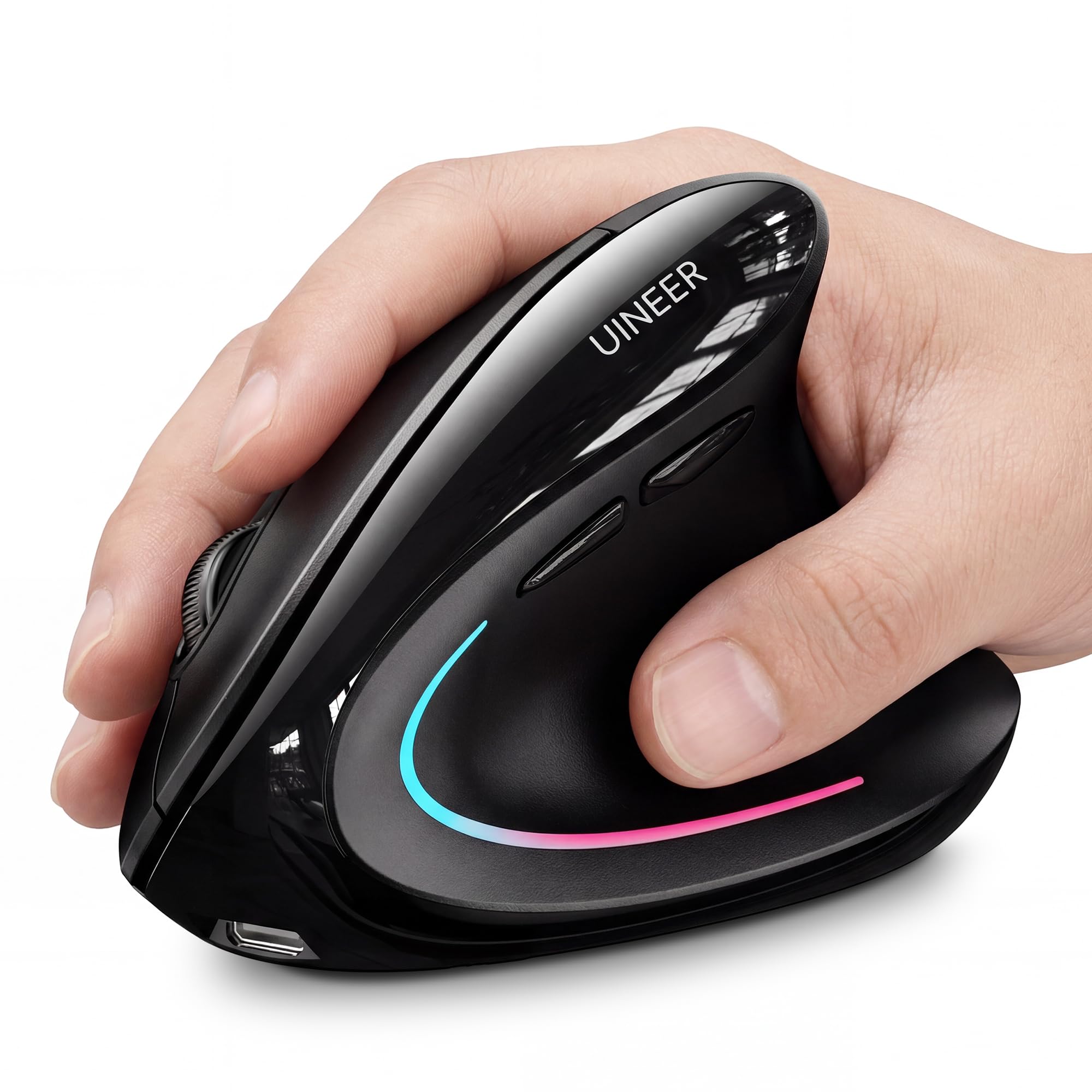
Your wrist’s best friend — a vertical grip that stops the ache before it starts.
If you feel a dull ache in your forearm or wrist after a day of clicking, the Uineer Vertical is the fix. It forces your hand into a natural “handshake” position, keeping your wrist straight and your forearm relaxed. The ergonomics earn the most praise by far from owners who use it for 8-hour workdays. At just 71 grams, it is lighter than it looks, and the 7-color ambient lighting adds a fun accent to your desk without being distracting.
It connects to three devices via dual Bluetooth 5.0/4.0 and a 2.4G dongle. The 4-level DPI (800/1200/1600/2400) covers office work and casual gaming. The battery lasts over a week of heavy use, and the auto-sleep after 10-30 minutes saves power. There is a low-battery LED reminder so you never get caught off guard. The catch is that the vertical shape is designed for small to medium hands — measure before ordering. Also, the side buttons do not work on macOS, which can be a dealbreaker for Mac users.
Your wrist relief tool
- Vertical handshake grip actively reduces wrist strain during long workdays
- Ultra-light at 71g and connects to 3 devices via Bluetooth and 2.4G
- 7-color ambient light for a personalized desk aesthetic
- Auto-sleep and low-battery warning prevent unexpected downtime
The honest catch
- Designed for small to medium hands — larger hands may find it cramped
- Side buttons are non-functional on macOS systems
Get this if: you already have wrist discomfort or want to prevent it, and you use a PC or Windows laptop.
pass on it if: you have large hands or use a Mac and need all the buttons.
7. TECKNET Bluetooth Wireless Mouse
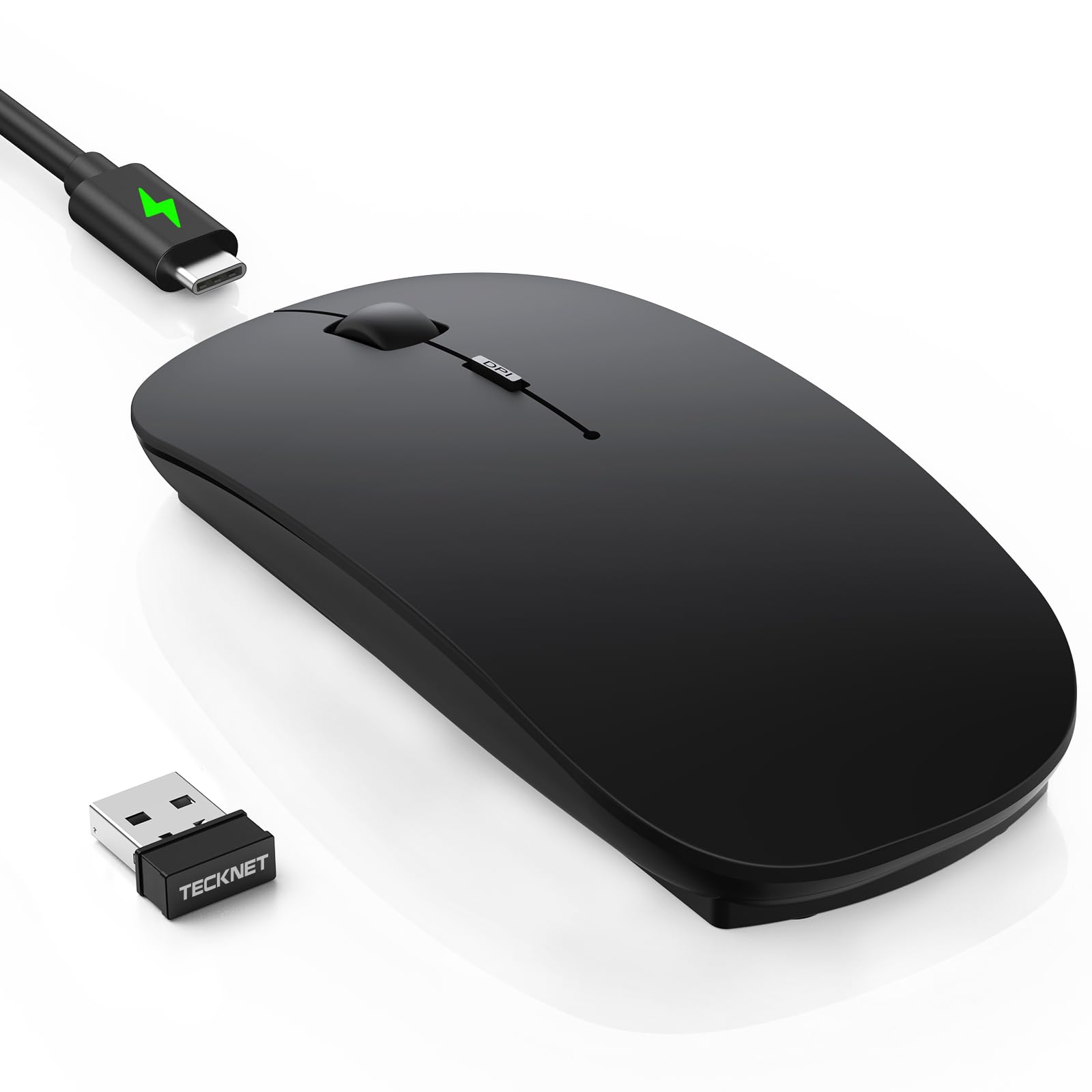
Pocket-sized with a DPI range that outruns mice twice its price.
The TECKNET is the one you throw in your bag without thinking. Its ultra-slim body is just 2.26 x 4.48 x 0.93 inches and 3.2 ounces, making it among the most portable options here. But it is not just small — it packs 6 adjustable DPI levels from 800 to 4800, the widest range in its price tier. That means you can dial it down for precise Photoshop work or crank it up for fast cursor travel across a multi-monitor setup. The soft, anti-slip skin-touch coating resists fingerprints and feels more premium than the price suggests.
It connects to three devices via Bluetooth 5.2 or the included 2.4G dongle, with a range of up to 15 meters. The USB-C rechargeable battery lasts 60 days on a 2-hour charge, with a 30-minute auto-sleep to save power. The quiet clicks cut noise by 90%, which is a big win for shared workspaces. The main downside is that the ultra-thin shape, while great for travel, offers less palm support for all-day use than a contoured mouse. Reliability gets mixed feedback from a small segment of owners, but the overwhelming majority praise its wireless connectivity and smooth operation.
Your travel essential
- Ultra-thin body (0.93 inches) and 3.2 oz weight for easy portability
- 6-level DPI up to 4800 — the widest range in the budget tier
- 60-day battery life with convenient USB-C charging
- Quiet clicks reduce noise by 90% for library or office use
The honest catch
- Ultra-slim profile offers less palm support for all-day comfort
- A small number of customers note initial connectivity lag that clears after a day or two
Best for: road warriors who need a compact, versatile mouse that handles everything from office work to light gaming on the go.
8. seenda MOU001 Bluetooth Mouse
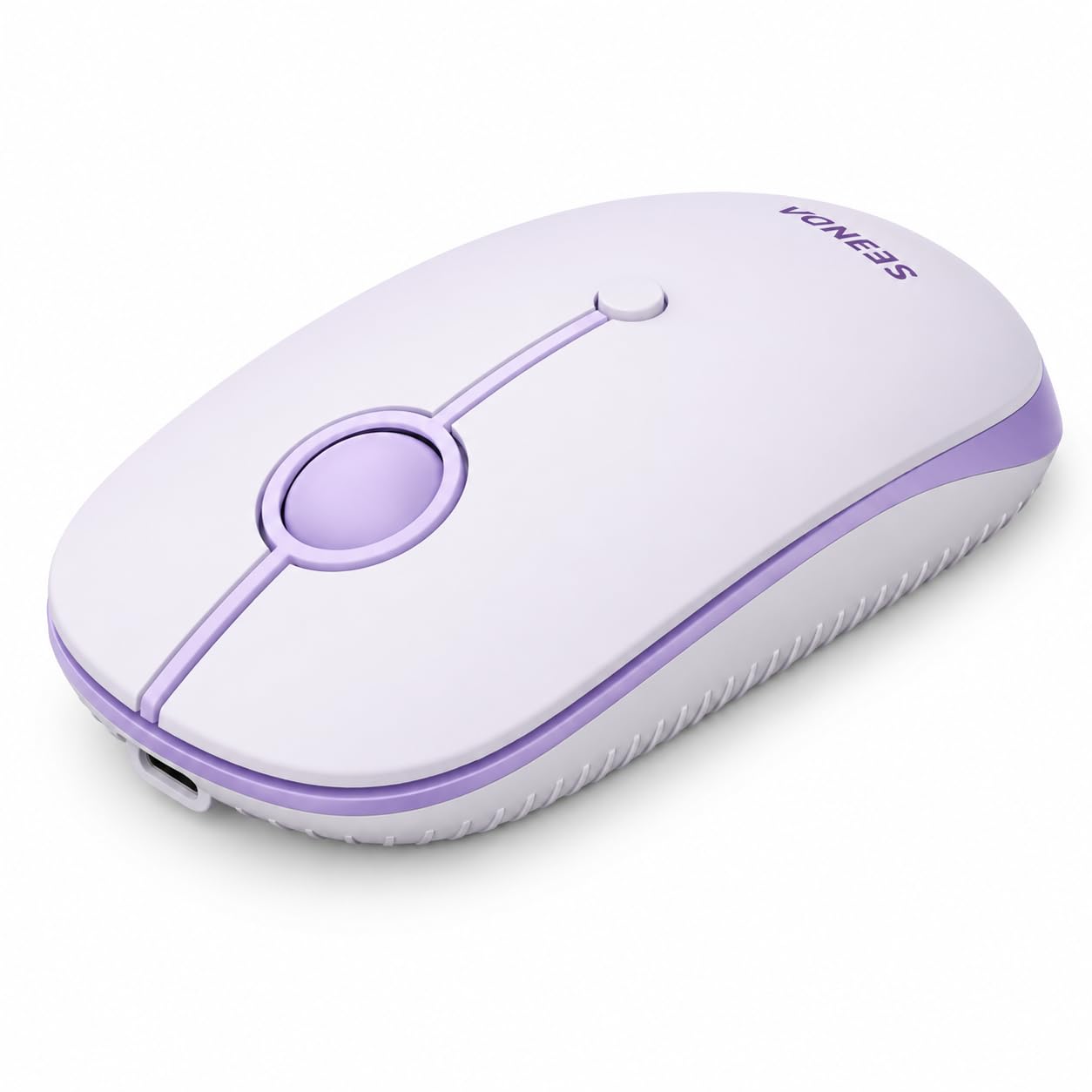
A pop of color for your desk with a price that feels like a steal.
The seenda MOU001 proves you do not have to pay a premium for a good-looking, functional mouse. Available in a vibrant purple (among other colors), it adds personality to a dorm room, home office, or modern workspace. It is small and slim at 4.33 inches and 75 grams, which makes it a natural fit for people with smaller hands. One owner with a Surface Pro 11 reported flawless Bluetooth pairing with zero adjustments needed. The low-profile design and quiet clicks keep the peace in shared spaces.
It connects to three devices via a combination of 2.4G wireless and dual Bluetooth channels. Three DPI levels (1000/1600/2400) cover the basics, and the battery lasts 14 days on a single charge. It works with Windows, macOS, iPadOS, Chrome OS, and Android, and the company backs it with a 24-month support commitment. The trade-offs are a shorter battery life than the 60-day TECKNET and only 2 physical buttons — no side forward/back. The USB receiver storage inside the mouse feels a little insecure to some owners, so be mindful when traveling.
Why it stands out
- Fun color options brighten a plain desk setup
- Compact 4.33-inch length is ideal for smaller hands and travel bags
- Flawless Bluetooth pairing with devices like the Surface Pro 11
- 24-month manufacturer support for confidence
The honest catch
- Battery life of 14 days is shorter than many competitors
- Only 2 buttons — no dedicated forward/back navigation buttons
Choose this for: a budget-friendly, stylish mouse that matches your personality and works well on a Mac or iPad.
Pass if: you need long battery life or side navigation buttons for your workflow.
9. Logitech MX Anywhere 2S

The veteran that tracks on glass and still works perfectly after years of daily abuse.
The MX Anywhere 2S is a legend for a simple reason: its Darkfield sensor tracks on any surface, including glass, where almost every other mouse fails. That alone makes it the best companion for working in coffee shops, airports, or hotel lobbies. The Hyper-fast scroll wheel lets you flick through long documents with a single spin, or click into ratchet mode for line-by-line precision. It connects to three devices via Bluetooth and switches between them smoothly — one owner has been using it as their daily driver for 8-9 years straight.
It has 7 buttons and a 2-month battery life, and it is compact enough for a tech pouch without sacrificing palm support. Logi Options+ software lets you customize every button. The biggest frustration from long-time fans is that it still uses a Micro-USB charging port instead of USB-C, which means you need a separate cable. The wheel’s free-spin mode also lacks the mechanical ratchet feedback some prefer. It is a brilliant road warrior, but the overall buzz is mixed on Bluetooth connectivity and scrolling consistency compared to the newer MX Master 3S.
Your surface-proof partner
- Darkfield sensor works on glass, marble, and glossy desks — no mousepad needed
- Hyper-fast scroll wheel lets you fly through long documents
- Proven durability — reviewers point out 8+ years of daily use
- Connects to 3 devices with Logitech Flow for cross-computer control
The honest catch
- Still uses Micro-USB instead of the modern USB-C standard
- Free-spin scroll wheel lacks the tactile ratchet feel some users prefer
Reach for this if: you work on the move and need a mouse that tracks on any surface without a mousepad.
Look elsewhere if: you want the latest USB-C charging and a more tactile scrolling experience.
Understanding the Specs
DPI (Dots Per Inch)
DPI measures how sensitive the mouse sensor is. A higher DPI means the cursor moves further with a smaller physical motion. For detailed work like photo editing or spreadsheet navigation, you want a lower DPI (800-1200). For fast cursor movement across multiple screens or gaming, a higher DPI (2400-4800) is better. Many mice let you switch between levels on the fly with a button press, so you can slow down for precision and speed up for browsing.
Battery Life (Days vs. Hours)
Manufacturers often estimate battery life based on a set number of hours of use per day (like 8 hours). A 90-day battery claim usually means 90 days of office use, not 90 days of 24/7 gaming. Look for mice with USB-C charging and a “quick charge” feature — a 5-minute top-up for an hour of use is a real lifesaver. Auto-sleep modes are also common; they kick in after a period of inactivity (typically 10-30 minutes) to save power.
Multi-Device Connectivity
A Bluetooth Rechargeable Mouse with multi-device support can pair with up to 3 different computers, tablets, or phones at once. You switch between them with a single button press — no re-pairing required. This is essential if you use a laptop and a desktop, or an iPad and a PC. Some mice also include a 2.4G wireless dongle for a more stable connection on devices that lack Bluetooth.
Sensor Type
Standard optical sensors work on most surfaces but can skip or stutter on glass or glossy tables. A Darkfield sensor (used by Logitech’s MX series) tracks on glass by imaging microscopic particles on the surface. Laser sensors offer higher accuracy on a wider variety of surfaces. For most users, a good optical sensor is fine, but if you spend a lot of time in coffee shops or on glass desks, a Darkfield or high-end laser sensor is worth the upgrade.
FAQ
Can I use a Bluetooth Rechargeable Mouse while it is plugged in charging?
Will a Bluetooth mouse work with my iPad or Android tablet?
What is the difference between Bluetooth 5.0 and 5.2 for a mouse?
How many devices can I connect at once?
Is a vertical mouse worth it for wrist pain?
What does a mouse jiggler do?
How long does a rechargeable mouse battery really last?
Can I use a gaming mouse for office work?
What is the difference between 2.4G wireless and Bluetooth?
Is a silent click mouse actually silent?
Final Thoughts: The Verdict
For most buyers, the best bluetooth rechargeable mouse is the iClever MD360 because it combines a market-leading 90-day battery with a clever built-in jiggler and triple-device connectivity at a price that beats expectations. If you want a premium ergonomic powerhouse for all-day professional work, grab the Logitech MX Master 3S. And for competitive gaming with insane battery life, the Alienware AW720M is the one to reach for.
How We Picked
We do not accept paid placement. Every pick is matched to a real buyer and a real use-case; we do not hands-on test units.
Sources & Methodology
Specifications: manufacturer listings and product documentation. Review insights: verified customer reviews, as of July 2026. Pricing: not shown on this page (it changes often); check the current price via the retailer link.
As an Amazon Associate, Gadgets Feed earns from qualifying purchases. This does not affect which products we feature.