
Our readers keep the lights on and my morning glass full of iced black tea. As an Amazon Associate, I earn from qualifying purchases.
Specs are compiled from manufacturer listings and verified buyer reviews and can change over time — please confirm the key details on the product page before buying.
You need to get your microphone or guitar into a computer or tablet without anything sounding thin, noisy, or delayed. That is exactly what a USB-C audio interface does — it takes the sound from your XLR mic or instrument cable, converts it to clean digital audio, and sends it straight into your recording software, all while letting you hear yourself in real time without that frustrating lag.
I’m Min — the founder and writer behind Gadgets Feed. This guide is built by comparing the manufacturers’ published specifications and the patterns across verified customer reviews, so you get each pick’s real strengths and trade-offs instead of marketing spin.
Getting the right piece of gear here depends on the number of inputs you need, the quality of the preamps, and if you want extras like built-in effects or loopback for streaming, which is why we sorted through the leading options to find the best usb-c audio interface for every scenario.
Our Picks at a Glance


How To Choose The Best USB-C Audio Interface
Your first decision is how many inputs you need: one mic and a guitar, two mics for a podcast, or a full band setup. After inputs, focus on preamp quality, bit-depth and sample rate for clarity, and extras like direct monitoring or built-in effects.
Inputs and Channels
The number of inputs decides how much gear you can record at the same time. A solo musician who records one mic and one guitar can live with 2 inputs. A podcaster who wants two hosts on separate mics needs at least 2 to 4. A drummer tracking a full kit needs 8 or more. An interface with 10 channels, like the MaonoCaster, is really a mixer designed for live streaming with lots of sound sources. Count your mics and instruments right now, then buy one with exactly that many — or one more for future gear.
Preamp Quality and Gain
The preamp boosts your microphone’s quiet signal to a usable level. A clean preamp delivers a low noise floor (less hiss) and sufficient gain without maxing out. Most interfaces offer between +60dB and +75dB of gain. Higher gain is important for dynamic microphones, which need more power than condenser mics. The PreSonus Quantum ES 2 delivers +75 dB of gain, which is enough to drive something like a Shure SM7B without an extra booster.
Sample Rate and Bit Depth
Bit depth and sample rate define how much detail your recording captures. 24-bit / 192 kHz is the current high standard — it gives you a very wide dynamic range (the quietest to loudest sounds it can capture) and enough resolution for any home studio, podcast, or streaming setup. Some budget interfaces run at 16-bit / 48 kHz, which is fine for voice, but 24-bit / 192 kHz is the safe pick if you ever record music with dynamic range.
Connectivity and Extra Features
USB-C is the standard, plugging into modern laptops and iPads without a special adapter. Phantom power (+48V) is essential if you use condenser microphones. Direct monitoring (zero-latency) lets you hear your voice through headphones as you record, with no delay. Loopback routes your computer’s audio (game sound, music) into streaming software so your audience hears everything without a second cable.
Quick Comparison
| Model | Best For | Channels | Max Sample Rate | Preamp Gain | Amazon |
|---|---|---|---|---|---|
| Universal Audio Volt 1★ Best Overall | Best Overall / Home Studio | 2 | 192 kHz | — | Amazon |
| Focusrite Scarlett Solo 4th GenBest Value | Best Value / Beginner | 2 | 192 kHz | — | Amazon |
| MAONO MaonoCaster AME2Podcast Mixer | 10-Channel Podcast Mixer | 10 | — | 60 dB | Amazon |
| Shure MVX2U Gen 2 | Portable XLR-to-USB-C | 1 | 192 kHz | 60 dB | Amazon |
| PreSonus Quantum ES 2 | Studio Pro Software Bundle | 2 | 192 kHz | 75 dB | Amazon |
| M-AUDIO AIR192x4 VSPro | Complete Recording Kit | 2 | 192 kHz | — | Amazon |
| MOTU M4 | 4 I/O with Screen | 8 | 192 kHz | — | Amazon |
| Audient iD24 | Console-Grade Preamps | 8 | 96 kHz | — | Amazon |
| RØDE RØDECaster Duo | All-in-One Production | 2 | — | 76 dB | Amazon |
| MOTU M6 | 6 I/O with A/B Monitors | 6 | 192 kHz | — | Amazon |
| Focusrite Clarett+ 2Pre | Premium Clarity | 10 | 192 kHz | — | Amazon |
In‑Depth Reviews
1. Universal Audio Volt 1
Our pick — over 4.5★ from 700+ verified ratings; the strongest balance of quality and price.
The home-studio hero that makes a microphone sound like a vintage record.
The Volt 1 is the crowd favorite for a reason — it delivers pro-level sound through a Vintage 610 tube preamp emulation that adds a rich, saturating warmth to vocals. At 24-bit / 192 kHz, every detail of a performance lands cleanly in your DAW, and the build quality feels substantial. It also comes with a software bundle that includes LUNA, Ableton Live Lite, and Melodyne, so you are ready to record right from the start.
What wins people over is the overall audio quality. The preamp is quiet, the signal is clear, and it plays well with Discord for everyday use too. It is compact and compatible with Mac, PC, iPad, and iPhone (iOS 14+ with the right adapter), making it the most versatile 2-channel interface at this level. The one honest trade-off is that the Volt 1 has only 2 channels, so you cannot record multiple mics at once.
studio-grade sound
- Vintage 610 tube emulation gives vocals a warm, classic tone.
- 24-bit / 192 kHz resolution captures every performance detail.
- Solid build with zero-latency monitoring for real-time recording.
channel limit
- Only 2 channels — no room for a second mic without an upgrade.
- USB-C but requires external power for iPad/iPhone use.
reach for it if: you are a solo musician, vocalist, or podcaster who wants pro-level sound and the classic UA analog character in a compact unit.
look elsewhere if: you need to record two microphones at the same time for interviews or dual-host shows.
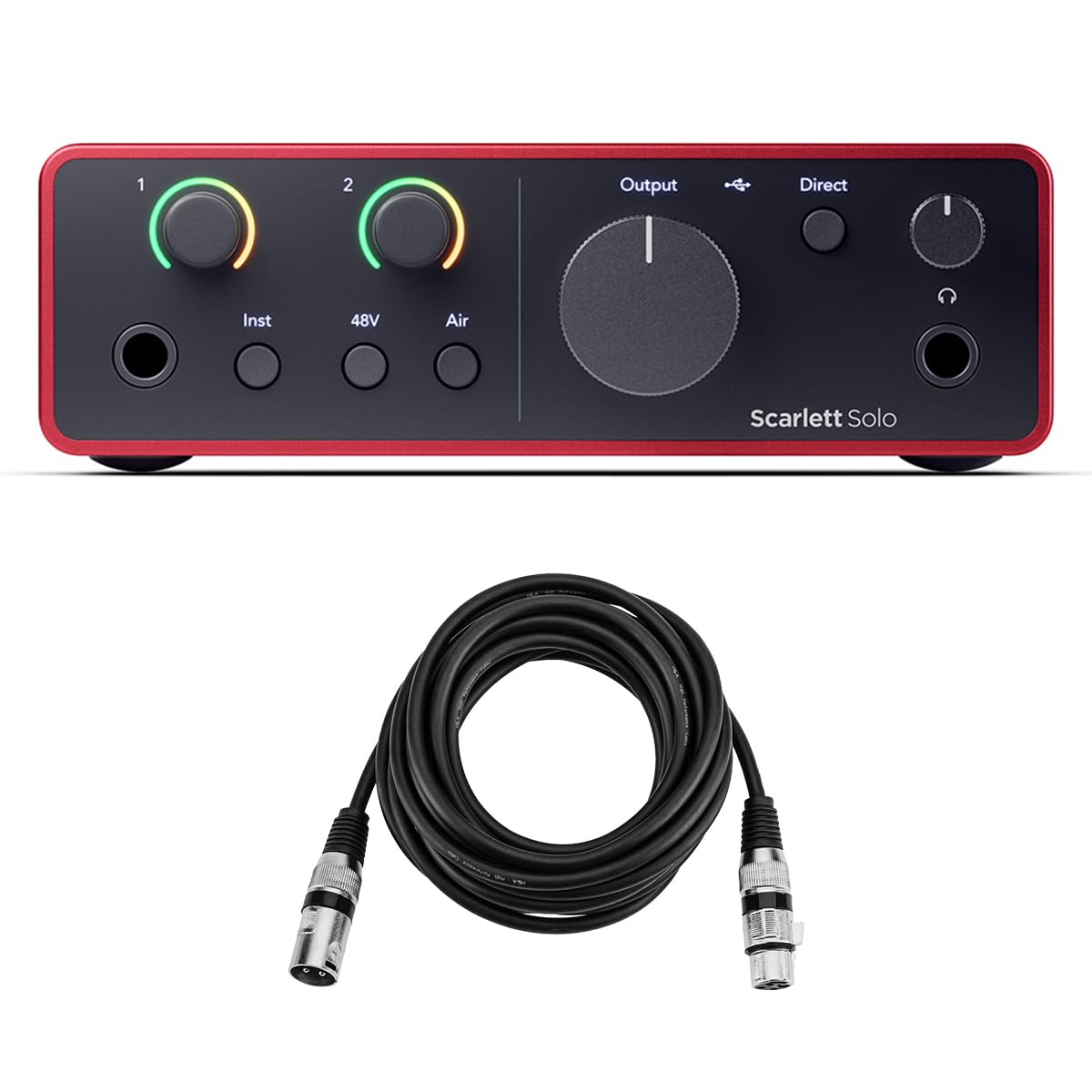
2. Focusrite Scarlett Solo 4th Gen
The beginner’s best friend that grows with your skills.
The Scarlett Solo 4th Gen is a standard-setter for entry-level interfaces, offering 24-bit / 192 kHz resolution with ultra-low latency via its USB 2.0 protocol and USB-C connection. It includes one mic preamp with phantom power, one instrument input, two line outputs, and a headphone output. The sound is pristine and the preamps are famously quiet.
Practical touches make it easy to live with — a separate headphone volume knob, two vocal presence modes, and a clean, sleek design. It works with any modern Mac, Windows PC, or USB-C iPad without fuss. The main criticism here is that the gain knobs are quite sensitive, and the lack of printed setup instructions can frustrate a first-time XLR user. The bundle includes a HA 10′ XLR cable and a software suite with Pro Tools Artist and Ableton Live Lite.
crisp for the price: The sound is noticeably cleaner than budget options, and the 4th Gen preamps are a real upgrade. The trade-off is the controls can feel touchy at first, and total outputs are limited for complex monitoring setups.
who it fits: a singer-songwriter, podcaster, or streamer on a budget who wants reliable, high-quality sound from a proven brand.
who might outgrow it: anyone who needs more than one mic input or balanced monitor outputs.
3. MAONO MaonoCaster AME2
A sound effects board and mixer rolled into a single box.
The MaonoCaster AME2 is a 10-channel podcast mixer, not a traditional audio interface. It gives you 11 customizable sound pads (3 can record up to 60 seconds each with one-key looping), six reverb modes, 12-step auto-tune, and a built-in Bluetooth connection. This is designed for a live streamer who needs sound effects, background music, and vocal processing from one device without a computer. It has 60dB of gain and 48V phantom power for condenser mics.
The thing everyone raves about is the sound quality for the price — it is clean and has good EQ control. It works with XLR condenser and dynamic mics (USB microphones are not supported), and it even has a high-headroom 6.35mm instrument input for guitar. The recurring gripe is the reliability over time. Buyers report that after about a year of light use, some units stop working entirely, with the USB-C ports failing. Also, the headphone monitor sound does not always match the final live stream audio.
best for: a live streamer or karaoke host who wants a dedicated hardware mixer with sound pads and vocal effects, not a simple recording interface.
skip it if: you need a durable, long-term recording interface for a professional podcast — reliability data is inconsistent here.
4. Shure MVX2U Gen 2

A featherlight adapter that turns any XLR mic into a USB plug-and-play.
The MVX2U Gen 2 is a single-channel XLR-to-USB-C adapter that weighs just 100 grams. It is for the person who already owns a great XLR mic and wants to plug it directly into a laptop, tablet, or smartphone without a bulky interface. It provides up to +60 dB of clean gain and 48V phantom power. Its real trick is the onboard DSP — Auto Level Mode adjusts gain in real time, a Real-Time Denoiser cuts background hum, and a Digital Popper Stopper handles plosives — all at zero latency.
People love how it works with the free MOTIV app (on desktop or mobile) for fine-tuning tone, EQ, compression, and limiter. It saves its settings when powered off. The honest caution is the gain can feel insufficient for quiet talkers — it delivers about 5-6dB of headroom less than some users need for a naturally speaking voice on a dynamic mic. Also, the MOTIV software on Windows can introduce occasional low-frequency bumps.
travel ready: It is the most portable way to get studio-level audio from a good XLR mic into any USB-C device. The recurring complaint is the gain ceiling for quiet speakers.
reach for it if: you travel for work or stream from different rooms and want to carry no more than a mic and a thumb-sized adapter.
look elsewhere if: you need more than one mic input, or you have a naturally quiet speaking voice and a demanding dynamic mic like an SM7B.
5. PreSonus Quantum ES 2
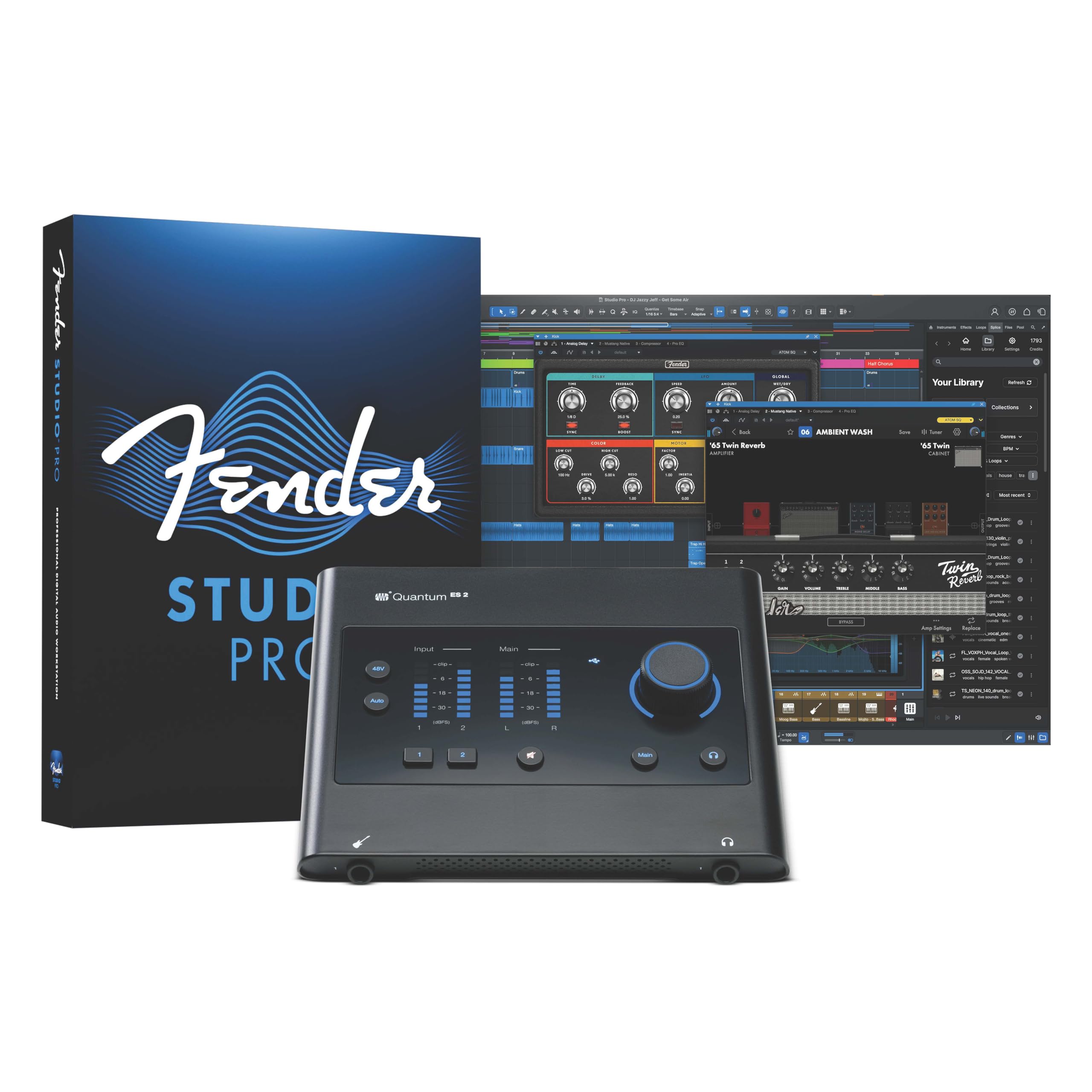
The interface that throws in a professional DAW for free.
PreSonus built the Quantum ES 2 with MAX-HD mic preamps that offer +75 dB of gain — plenty of clean headroom for even the most demanding dynamic microphones without an external booster. It operates at 24-bit / 192 kHz and features an Auto Gain button that sets the perfect recording level for your mic or instrument. The instrument input was co-developed with Fender engineers, specifically tuned for guitar and bass.
The huge advantage here is the included Studio One Pro perpetual license. That saves you hundreds compared to buying a DAW separately. People call it the best value for a small home studio, with clean preamps and exceptionally low latency. The downsides: a number of owners mention the interface stopped syncing or developed popping sounds after the warranty expired, and the MIDI connection uses a mini plug instead of the standard 5-pin DIN.
best for: a home studio musician who is new to recording and wants a serious DAW (Studio One Pro) included at no extra cost.
think twice if: you can not afford a potential out-of-warranty failure, or you absolutely need standard MIDI ports.
6. M-AUDIO AIR192x4 VSPro

Everything you need to start recording, straight out of the single box.
The AIR192x4 VSPro is a complete recording package — it includes the 2-in/2-out 24-bit / 192 kHz USB-C audio interface, a Nova Black condenser microphone with shock mount and windscreen, a 10-foot XLR cable, and HDH40 studio headphones. The interface itself boasts transparent crystal preamps and a class-leading round trip latency of only 2.59 milliseconds, which means you hear yourself in real time without any noticeable delay.
It is a great starting point for someone who owns nothing yet. The hardware feels premium for the price range, and the software bundle includes Ableton Live Lite and several virtual instruments. The reliability data is mixed — some units had USB failures after the first month (though M-Audio support reportedly replaced the full package), and the headphones that come in the kit are basic. Note that the headphone output stopped working for a small number of buyers after the first week.
reach for it if: you are a total beginner with no gear at all — this gets you a mic, headphones, cables, and interface in one purchase.
pass on it if: you already own a microphone and headphones, because paying for the bundled extras is not the best value for you.
7. MOTU M4

The 4-input workhorse with a screen that shows you exactly what your levels are doing.
The MOTU M4 gives you 4 analog inputs and 4 analog outputs (8 total channels) with clean, transparent mic preamps and a low noise floor. It runs at 24-bit / 192 kHz and is USB-C bus-powered. The standout hardware feature is a full-color 160×120 pixel LCD screen that shows detailed level meters for every input and output.
People praise the transparent sound and rock-solid Windows drivers. The dedicated loopback output is a valuable tool for streamers. The weakest link is the headphone amp — it is limited by the USB bus power, so high-impedance studio headphones do not get as loud as they would with a more powerful amplifier. Some owners mention a quirk where audio pitch shifts occasionally, which is fixed by disabling Windows fast-startup. The MOTU M4 is the higher-channel version of the excellent M2, ideal for multi-mic recording.
perfect for multi-mic recording: The LCD screen makes setting levels a breeze, and the loopback feature is a godsend for streamers. The headphone amp is the only real compromise for bus-powered operation.
who it fits: a small band, a two-host podcast, or a streamer who needs multiple inputs and visual level feedback.
who might not: a user with high-impedance headphones who expects to drive them loud without a separate headphone amp.
8. Audient iD24

The one that brings a real recording console preamp to your desk.
The iD24 uses the exact same Class-A Audient Console Mic Preamp circuit that is found in the company’s renowned ASP8024-HE recording console. This delivers ultra-low noise and low distortion with a touch of classic analog warmth. It features 32-bit DAC converter technology with 126dB of dynamic range, giving you remarkable clarity for critical mix decisions.
A rare feature at this price is the inclusion of 2 fully balanced insert points. That means you can connect your favorite outboard compressor or EQ directly into the signal chain before conversion, which is a pro-studio workflow. It also has 1 ADAT input and output, allowing you to expand with up to 8 more channels. The maximum sample rate is 96 kHz, not 192 kHz like many competitors. The monitoring features are extensive: assignable function buttons for speaker select, talkback, polarity invert, and mono sum. Owners call the preamps phenomenal for the price.
best for: a serious home studio engineer who wants console-grade preamps and the ability to use external analog gear before the computer.
not for: someone who needs 192 kHz recording or a simple plug-and-play interface without learning the software.
9. RØDE RØDECaster Duo

A compact broadcast console for podcasters who want everything in one go.
The RØDECaster Duo is an all-in-one audio production console designed for podcasters and streamers. It features two high-quality Neutrik combo jacks with ultra-low-noise Revolution Preamps (-131.5dBV EIN, 76dB gain), four broadcast-quality faders, a high-resolution touchscreen with haptic feedback, and six SMART pads with bank switching. It includes studio-grade effects powered by APHEX processing, including the legendary Aural Exciter and Big Bottom effects.
It connects via dual USB-C interfaces, Bluetooth, Wi-Fi, Ethernet, and even has an integrated 2.4GHz wireless receiver for RØDE Series IV wireless mics. The main trade-off that owners talk about is reliability — a significant number report the unit freezing at the loading screen or crashing mid-use, sometimes requiring a lengthy unplug to reset. While the sound quality and feature set are excellent, this is best treated as a powerful tool for casual or semi-professional streaming, not a mission-critical live broadcast rig.
feature-rich console: The preamps are pristine and the APHEX processing is genuinely useful. The catch is the reliability — crashes are common enough that professionals should consider a simpler, more proven interface.
reach for it if: you are a content creator who wants a dedicated hardware mixer with effects, sound pads, and wireless mic support without needing a computer.
think twice if: reliability for live broadcasts is non-negotiable, or your budget cannot handle the premium price.
10. MOTU M6

The serious studio centerpiece with converters that rival gear costing thousands.
The MOTU M6 is equipped with ESS Sabre32 Ultra DAC Technology, which gives its line outputs an astonishing 120 dB Dynamic Range. It powers its headphone outputs from the same converters, rivaling dedicated headphone amplifiers. The mic preamps are ultra-clean, measuring -129 dBu EIN. It offers 4 mic preamp inputs, MIDI in/out, 2 independent headphone outputs (both driven by the Sabre32 DAC), and a unique A/B monitor switch so you can check your mixes on two different pairs of speakers.
People rate the build quality and sound highly, noting the sound quality is indistinguishable from much more expensive interfaces like the UA Apollo Twin DUO. The full-color LCD screen makes gain staging easy. It operates standalone when connected to its DC power adapter, so you can use it as a mixer without a computer. The one question that comes up is reliability — while most are solid, a few owners reported units that stopped working.
who it fits: a serious musician or producer who needs 4 preamp inputs, high-quality converters, and the flexibility of A/B monitoring in a single unit.
who might not: a budget-conscious beginner, or someone who needs to rely on it for critical live broadcasts (occasional reliability concerns).
11. Focusrite Clarett+ 2Pre
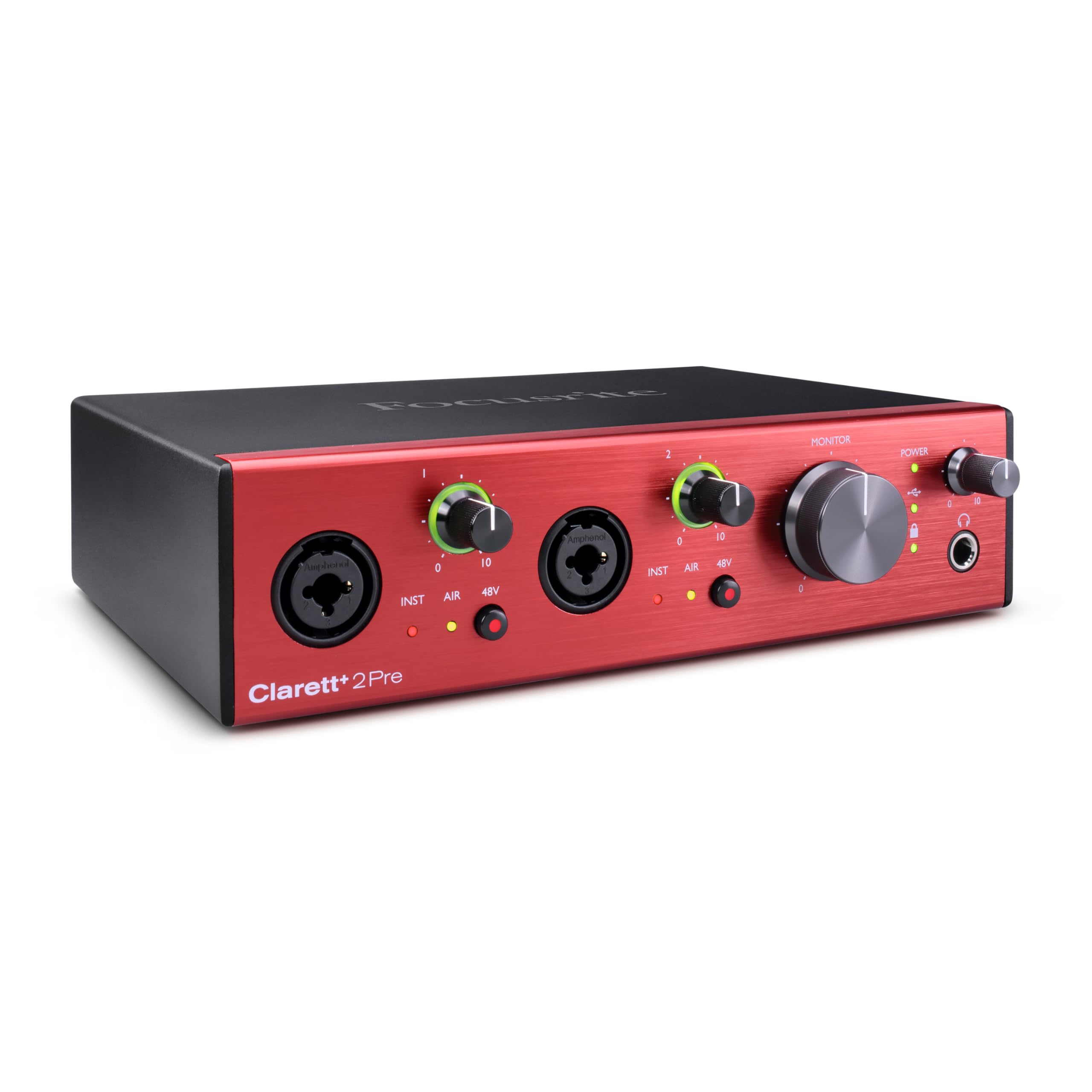
The step-up that reveals things you were missing in your old interface.
The Clarett+ 2Pre is Focusrite’s premium USB-C bus-powered interface. It uses two professional quality Clarett+ preamps with masses of headroom, low distortion, and ultra-low noise. The Air mode switches to a relay-controlled analogue circuit that emulates the classic ISA 110 by boosting the high frequencies with a 4dB cumulative high shelf. The converters are a big step up — extremely low-noise, low-distortion with high dynamic range.
It features dedicated JFET instrument inputs that mimic the input stage of a guitar amp, preserving the natural tone of your guitar. The headphone output is powerful and transparent, delivering a flat frequency response with any headphone type. An ADAT optical input lets you expand with 8 more channels using a Clarett OctoPre. People who upgrade from a Scarlett say the sound is noticeably cleaner and more detailed. Pay attention to the 24-bit / 192 kHz setting — some customers note it can cause a device malfunction that requires a factory reset.
pro-level detail: The Air mode on the preamps genuinely makes vocals shine, and the JFET input is a clear win for guitarists. The value is in the clarity for critical listening, but the 192 kHz glitch is a real caveat.
best for: a home studio owner ready to upgrade from a beginner interface to get cleaner sound, better headphone output, and expandability for a drum kit.
it’s not for you if: you rely on 24-bit / 192 kHz operation without any glitches, or your budget can not stretch to this level.
Understanding the Specs
Sample Rate & Bit Depth
A sample rate (measured in kHz) is how many times per second the interface captures a snapshot of your audio — 44.1 kHz captures 44,100 snapshots per second (CD quality), while 192 kHz captures 192,000, giving you room to edit with more headroom. Bit depth (16-bit vs 24-bit) tells you how quiet a sound the interface can capture before it gets buried in noise. For home recording, 24-bit / 96 kHz is the balance; 192 kHz is only useful if you plan to heavily edit audio in extreme slow-motion.
Direct Monitoring vs Latency
Latency is the tiny delay between when you speak into a mic and when you hear it in your headphones. A high latency (over 10ms) makes recording feel sluggish because you hear your own voice late. Direct monitoring or zero-latency monitoring routes your input signal straight to your headphones, bypassing the computer entirely. If you see “2.59ms” listed, that is the computer’s round-trip latency — anything under 10ms is practically unnoticeable. Direct monitoring is a feature you want for every interface.
FAQ
What is the difference between an audio interface and a mixer?
Will a USB-C audio interface work with an iPad or iPhone?
What does phantom power (+48V) mean and do I need it?
Is 24-bit / 192 kHz better than 24-bit / 96 kHz?
What is loopback audio used for?
Can I use a USB-C audio interface with a USB-A port on an older computer?
How many inputs do I need for a two-person podcast?
Do I need an interface with MIDI I/O?
Final Thoughts: The Verdict
For the majority of shoppers, the usb-c audio interface winner is the Universal Audio Volt 1 because it combines pro-level Vintage preamp emulation, excellent 24-bit/192 kHz converters, and a heavy software bundle at a price that undercuts studio gear with the same sound quality. If you want the best value for a beginner, grab the Focusrite Scarlett Solo 4th Gen — its clean sound and reliable build have made it a standard for a reason. And for a streamer or podcaster who needs a full mixer with sound pads and effects, the MAONO MaonoCaster AME2 is the one to reach for.
How We Picked
We do not accept paid placement. Every pick is matched to a real buyer and a real use-case; we do not hands-on test units.
Sources & Methodology
Specifications: manufacturer listings and product documentation. Review insights: verified customer reviews, as of July 2026. Pricing: not shown on this page (it changes often); check the current price via the retailer link.
As an Amazon Associate, Gadgets Feed earns from qualifying purchases. This does not affect which products we feature.