
Our readers keep the lights on and my morning glass full of iced black tea. As an Amazon Associate, I earn from qualifying purchases.
Specs are compiled from manufacturer listings and verified buyer reviews and can change over time — please confirm the key details on the product page before buying.
That moment you open a Chromebook in a dim coffee shop or a dark dorm room, and the keyboard is a black void — it is a small frustration that grinds your workflow to a halt. A backlit keyboard transforms a Chromebook from a daytime-only tool into a device you can use in any lighting. This guide cuts through the spec clutter to find the Chromebooks that combine a truly useful backlit keyboard with the performance, screen quality, and battery life that actually matter for the way you work and play.
I’m Min — the founder and writer behind Gadgets Feed. This guide is built by comparing the manufacturers’ published specifications and the patterns across verified customer reviews, so you get each pick’s real strengths and trade-offs instead of marketing spin.
The best Chromebook balances a bright, responsive keyboard with the processing power and screen clarity for your daily tasks. Whether you are a student, a professional, or just someone who works in the hours when the sun is down, finding the best backlit keyboard chromebook means knowing which models actually deliver on that glow where it counts.
Our Picks at a Glance


How To Choose The Best Backlit Keyboard Chromebook
Choosing a Chromebook with a backlit keyboard requires evaluating screen quality, processor, and battery life. You need to consider the screen’s quality for late-night viewing, the processor’s ability to handle your workload, and the battery life that powers both the display and the lights.
Processor and RAM: The Engine Room
The processor determines how snappy your Chromebook feels. Intel Celeron processors (N4020, N4120, N3350) are fine for basic web browsing, email, and document editing. More demanding users — anyone juggling 15+ tabs or Android apps — will want a Core i3 or i5, or at least an Intel Core m3. RAM is equally important: 4GB is the bare minimum for light use, but 8GB gives you the breathing room to switch between tasks without slowdowns or reloads.
Display and Resolution: What You See Matters
A backlit keyboard helps you type in the dark, but a dim or low-resolution screen can still strain your eyes. A 1920 x 1080 (Full HD) or 1920 x 1200 (WUXGA) display offers sharp text and clear images, while a 1366 x 768 (HD) screen leaves you with less vertical space and fuzzy fonts. IPS panel technology gives better viewing angles and color accuracy than standard TN panels.
Battery Life: Powering the Glow
A backlit keyboard draws extra power, so battery life is crucial. Look for models that claim 10 hours or more of standard use. If a Chromebook promises 12-13 hours, you can expect a full day of mixed work with the keyboard lit for part of the time. Fast-charging support is a welcome bonus for when you need a quick top-up.
Quick Comparison
| Model | Best For | Processor | RAM | Display | Amazon |
|---|---|---|---|---|---|
| Acer Chromebook 514 (CB514-1HT-C6EV)★ Best Overall | Best Overall | Intel Celeron N3450 | 4GB | 14″ FHD Touch | Amazon |
| ASUS Chromebook C425Top Performer | Power & Portability | Intel Core m3-8100Y | 8GB | 14″ FHD | Amazon |
| HP Chromebook 14a-na0024nrBudget Champ | Budget Basics | Intel Celeron N4020 | 4GB | 14″ HD | Amazon |
| HP Chromebook (Renewed, N4120) | Value & Storage | Intel Celeron N4120 | 8GB | 14″ FHD | Amazon |
| Acer Chromebook 514 (CB514-1H-C0FF) | Budget 1080p | Intel Celeron N3350 | 4GB | 14″ FHD | Amazon |
| HP Chromebook Plus 14a-nf0035cl | Touchscreen Power | Intel Core i3-N305 | 8GB | 14″ FHD IPS Touch | Amazon |
| Lenovo IdeaPad Flex 5i Chromebook Plus | 2-in-1 Versatility | Intel Core i3-1315U | 8GB | 14″ WUXGA Touch | Amazon |
| Acer Chromebook Plus Spin 514 | Premium Performance | Intel Core i5-1334U | 8GB | 14″ WUXGA Touch | Amazon |
| ASUS Chromebook Flip | Gaming & Speed | Intel Core i5-1235U | 8GB | 14″ FHD+ 144Hz Touch | Amazon |
In‑Depth Reviews
1. Acer Chromebook 514 (CB514-1HT-C6EV)
Our pick — 4.5★ from 500+ verified ratings; the strongest balance of quality and price.
A touchscreen Chromebook that pairs a backlit keyboard with genuinely all-day battery life.
The real draw here is the 14-inch Full HD widescreen IPS touchscreen that fits into a body more like a 12-inch laptop. It makes for a portable machine that still gives you a large workspace. The Intel Celeron N3450 processor (up to 2.2 GHz) handles the basics smoothly, and what wins people over is the snappy, responsive feel for everyday tasks like email, web browsing, and streaming.
The backlit keyboard itself offers five levels of brightness, so you can dial in exactly the glow you need — from a faint guide in a dark room to a bright tap-anything light. Battery life lands in the 10-12 hour range depending on brightness, and the non-glare screen cuts reflections during daytime use. The touchscreen is smooth and responsive, making it easy to tap through menus or swipe through web pages.
Note that the highest number of owner voices center on reliability — while most units are solid, a few report issues that made them return the device. The build quality gets mixed feedback, with some finding it well-constructed and others noticing sharp edges on the aluminum chassis. This is the pick for someone who wants a touchscreen and backlit keyboard in one package without stepping into premium price territory.
Why it’s a crowd favorite
- Performance is the most-praised feature — the machine feels fast for daily tasks
- Touchscreen adds smooth navigation and the display is bright and clear
- Battery life is consistently reported as 10-12 hours, matching the 12-hour spec
The honest trade-offs
- Reliability is the most-discussed topic, and opinions are split — most are fine, but some struggle
- Build quality earns mixed marks; a few owners note sharp edges or a loose trackpad
- Performance can feel slow after a couple of years of heavy use, as some long-term owners found
Reach for this if: you need a portable, touch-friendly Chromebook with a backlit keyboard and battery that lasts from class or work to home.
Think twice if: absolute long-term reliability is your top priority; a few owners had issues after a few years of use.
2. ASUS Chromebook C425
The performance pick that packs an Intel Core m3 and 8GB of RAM into a lightweight body.
The ASUS Chromebook C425 is the clear choice if you need more muscle than a basic Celeron. Its Intel Core m3-8100Y processor (up to 3.4 GHz) is a 55% speed advantage over the Celeron N3450 in the Acer 514, and with 8GB of RAM, you can keep a dozen tabs open, run Android apps, and even dabble in Linux applications without feeling the squeeze. The 64GB of eMMC storage gives you a 2x capacity advantage over the HP Chromebook 14’s 32GB.
The 14-inch Full HD IPS display uses ASUS’s 4-way NanoEdge design, meaning a 14-inch screen sits in a frame more like a 13-inch laptop. This makes it genuinely portable at under 3 pounds. The backlit keyboard has a 1.4mm key travel distance, which gives a satisfying, tactile feel for typing. Buyers report battery life in the 8-10 hour range, with one owner noting the matte screen cuts glare nicely.
The main trade-off, mentioned by a fair number of owners, is that there is no touchscreen. For someone who has grown used to tapping and swiping, this can feel like a step backward. The backlight itself gets mixed feedback — some find it perfectly visible, while others say it is hard to see under overhead lighting. This is the pick for the person who prioritizes raw performance and a lightweight build over touch functionality.
Why performance lovers choose it
- Performance is the most-praised aspect — snappy for multitasking with Linux and Android apps
- 8GB RAM and a fast Core m3 processor put it ahead of most competitors in this class
- The 14″ screen in a 13″ body makes it genuinely portable at under 3 lbs
The honest trade-offs
- The lack of a touchscreen is a recurring negative, especially in a market moving toward touch
- The backlit keyboard is a point of mixed opinion — some find it hard to see in certain lighting
- Battery life, while good at 8-10 hours, falls short of the 12-hour claim according to some owners
Grab this for: fast multitasking, running Linux and Android apps, and needing a lightweight laptop that truly travels well.
skip it if: you rely on a touchscreen for navigation or prefer a brighter, more obvious keyboard backlight.
3. HP Chromebook 14 (14a-na0024nr)
An entry-level Chromebook with a backlit keyboard and surprisingly good speakers.
The HP Chromebook 14 is built for the person who wants a backlit keyboard on a tight budget. It is powered by the Intel Celeron N4020 processor (up to 2.8 GHz) with 4GB of RAM and 32GB of eMMC storage. This combination handles basic tasks — email, browsing, document editing — without complaint. The battery life is the standout spec here, with HP claiming up to 13 hours and 30 minutes; one owner reported getting 16+ hours of daily use, and HP Fast Charge takes the laptop from 0 to 50% in about 45 minutes.
The backlit keyboard itself is complemented by stereo speakers tuned by B&O, which makes this a decent choice for movie binging in dim light. The 14-inch HD (1366 x 768) micro-edge display is the primary cost-saving measure — it is fine for reading and basic video, but text is not as crisp as it would be on a Full HD panel. Owners consistently praise the battery life and the ease of use, calling it “great for minimal usage.”
The catch is the HD screen resolution. If you have ever used a 1080p laptop, you will notice the difference in sharpness. And with only 4GB of RAM and a Celeron processor, you should not expect to run a dozen heavy Android apps simultaneously. This is the right pick for a student, a senior, or anyone whose daily computing is tabs, docs, and streaming — not heavy multitasking.
The key takeaway: The battery life is the star here — owners love that it “stays charged forever” and the fast charge gets you back up quickly. The HD screen and 4GB of RAM set firm limits on what you can do, but for basic tasks this is a reliable workhorse.
Best for: light browsing, streaming, and email where battery longevity matters more than screen sharpness.
An honest limit: The 1366 x 768 display is noticeably less sharp than a Full HD panel, so this is not the pick for detail work like photo editing or reading small text.
4. HP Chromebook 14 (Renewed, N4120, 128GB)

A renewed Chromebook that packs 8GB of RAM and 128GB of storage at a budget-friendly price.
This HP Chromebook is a renewed model, which means it has been inspected and refurbished to work like new. The value proposition is strong: you get an Intel Celeron N4120 processor (up to 2.6 GHz), 8GB of RAM, and 128GB of eMMC storage. That storage capacity is a notable jump from the 32GB or 64GB you see in most entry-level Chromebooks, giving you room for downloaded content, documents, and Android apps without constantly managing space.
The 14-inch Full HD (1920 x 1080) display is a clear improvement over the HD screen on the previous HP model. The backlit keyboard is called out specifically as a “nice bonus” by owners, and the machine earns positive marks for overall quality and speed. It is a straightforward choice for school or office work — lightweight, with long battery life, and enough RAM to handle several open tabs without reloading.
The caveat is reliability, which gets a mixed reception. While most units work perfectly, a few owners reported issues such as unexpected shutdowns or audio skipping. Being a renewed product, the condition can vary slightly between units, though most arrive in “flawless condition” with no scratches. This is the pick for the budget-conscious buyer who wants the combination of a backlit keyboard, Full HD screen, and ample storage without paying for a premium brand-new model.
The real story: Quality and value for money are the top positives, meaning this renewed machine feels like a steal for the specs. But reliability is the most-discussed aspect with a split opinion — most work great, a few do not.
Reach for this if: you need a Chromebook with 8GB RAM and 128GB of storage but are comfortable buying a renewed unit with a good track record.
A word of caution: As a renewed product, individual unit quality can vary, so buy from a seller with a solid return policy.
5. Acer Chromebook 514 (CB514-1H-C0FF)

An aluminum Chromebook with a sharp 1080p screen and a quiet backlit keyboard.
The Acer Chromebook 514 (CB514-1H-C0FF) is a close cousin to the touchscreen 514 above, but this version drops the touch function to hit a lower price point while keeping the Full HD (1920 x 1080) IPS display. The Intel Celeron N3350 processor (up to 2.4 GHz) with 4GB of RAM and 32GB of eMMC storage is entry-level, but the build quality feels more premium thanks to the aluminum chassis. One owner called it “budget-friendly with premium features,” specifically noting the quiet backlit keyboard and smooth glass trackpad.
The anti-reflective screen is a real asset for working near a window or under bright lights. Battery life hovers around the 10-hour mark, which is in line with Acer’s claim of up to 12 hours. The backlit keyboard is specifically praised as quiet — a detail that matters if you are typing in a library or a shared room. The port selection is also balanced, with both USB-C and USB-A ports so you do not need a dongle for older devices.
Performance is the most-discussed topic, and it is a mixed picture. While some owners find it fast enough for basic tasks like Skype, Facebook, and YouTube, others find it “pretty slow” after extended use. There is also no touchscreen, which surprised a few buyers who expected it based on the product name. This Chromebook is best for someone who values a quality 1080p screen and a quiet, comfortable keyboard over raw processing speed.
What stands out: The aluminum build and anti-reflective 1080p screen give it a premium feel at a budget price, and the quiet backlit keyboard is a rare asset for shared spaces.
The biggest trade-off: Performance is the most-discussed aspect and it draws mixed reviews — fine for light use, but not for heavy multitasking.
Pick this for: a quiet, premium-feeling typing experience on a sharp, non-glare screen for basic daily computing.
Look elsewhere if: you need to run demanding apps or plan to have 20+ tabs open — the Celeron N3350 and 4GB RAM are limiting.
6. HP Chromebook Plus 14a-nf0035cl (Renewed)

A renewed Chromebook Plus with a Core i3 processor and touchscreen for under.
The HP Chromebook Plus 14a-nf0035cl is part of Google’s Chromebook Plus tier, meaning it meets higher standards for performance, display, and camera quality. It runs on an Intel Core i3-N305 processor with 8GB of LPDDR5 RAM and 256GB of UFS storage. That combination is a serious step up from Celeron-based models — you get responsive multitasking, fast app loading, and the ability to handle more demanding web apps without stuttering.
The 14-inch Full HD IPS touchscreen is bright and sharp, with vivid colors that make streaming and photo viewing enjoyable. The backlit keyboard is described by owners as adding both aesthetic appeal and real function, especially for typing in low-light rooms. The machine runs on ChromeOS with built-in virus protection and automatic updates, and the renewed condition means you get these specs without the full retail price.
The main drawbacks are that this is a renewed model with a relatively small review sample (around 26 ratings). A few owners reported a defective unit with the screen turning off randomly, though the seller handled the return. The fans are quiet but do activate if the laptop heats up, so you need to keep it on a flat surface for good airflow. For someone who wants a powerful touchscreen Chromebook with a backlit keyboard at a discount, this is a compelling option.
The standout feature: The Intel Core i3-N305 and 8GB of RAM put this in a different league from budget Chromebooks, and the touchscreen makes it feel modern and intuitive.
Ideal for: power users on a budget who want a touchscreen, backlit keyboard, and the speed of a Core i3 processor.
Consider carefully if: you are buying from outside the US, as support and returns may be more difficult to navigate.
7. Lenovo IdeaPad Flex 5i Chromebook Plus

A 2-in-1 Chromebook with a 13th-gen Core i3 that converts between laptop and tablet in a snap.
The Lenovo IdeaPad Flex 5i is a Chromebook Plus model that brings a 2-in-1 design and a modern processor to the table. The Intel 6-Core i3-1315U (up to 4.5 GHz) is a 13th-generation chip that offers excellent efficiency for multitasking, and it pairs with 8GB of DDR4 RAM. The 128GB of eMMC storage is boosted by a bundled 256GB SD card, giving you a total of 384GB for files and apps.
The 14-inch WUXGA (1920 x 1200) touchscreen has a slightly taller 16:10 aspect ratio compared to standard 16:9 screens, meaning you see more vertical content when browsing or working on documents. That extra space is welcome for reading long articles or spreadsheets. The backlit keyboard is tactile and responsive, and the 2-in-1 hinge lets you flip the screen into tent, stand, or tablet mode. It is a flexible machine for students or professionals who need to switch between typing, presenting, and sketching.
Some international buyers received units with non-localized keyboards (QWERTY vs. AZERTY), which was a source of frustration. A few also reported a damaged shipping box and a missing power cord. As a Chromebook Plus device, it also gives you access to Google AI Pro features for 12 months, which includes Gemini Advanced and extra cloud storage. This is the pick for someone who values the versatility of a 2-in-1 alongside the latest processor performance.
The defining edge: The 16:10 WUXGA touchscreen gives you more screen real estate than a standard 16:9 display, which is a meaningful advantage for reading and document work.
Best if: you want a 2-in-1 Chromebook with a fast, modern processor and a taller screen for productivity.
Be aware that: some buyers received keyboards set for European layouts, so check the listing details carefully for your region.
8. Acer Chromebook Plus Spin 514
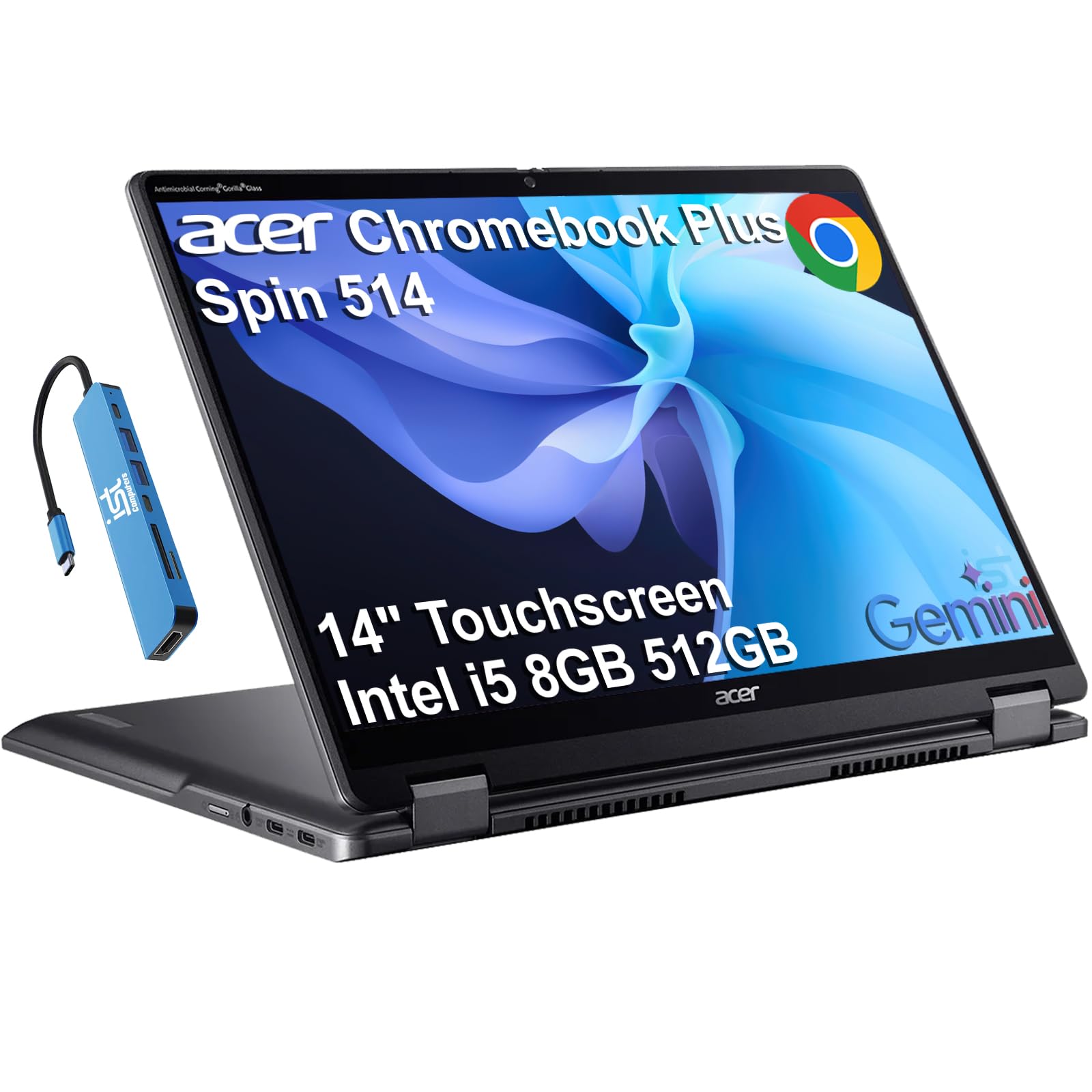
The premium choice that brings an Intel Core i5 and a 360-degree hinge to serious Chromebook users.
The Acer Chromebook Plus Spin 514 is built for the user who wants no-compromise performance. The Intel Core i5-1334U processor (10 cores, up to 4.6 GHz) with 8GB of DDR5 RAM and a 512GB PCIe NVMe SSD delivers the kind of speed you expect from a premium laptop. The SSD, in particular, makes a huge difference — apps launch instantly, and large files transfer in seconds. It is one of the few Chromebooks here with storage that rivals a mainstream Windows laptop.
The 14-inch WUXGA (1920 x 1200) IPS touchscreen is bright and crisp, and the x360 hinge allows full flexibility: laptop mode for typing, tent mode for watching, stand mode for presentations, and tablet mode for touch interaction. The backlit keyboard lets you type comfortably in any lighting, and the included 7-in-1 USB-C hub expands connectivity with HDMI, extra USB ports, and an SD card reader. Build quality is the most-praised aspect, with over 30 owners calling it out as a strength.
The trade-off is that of the 600+ ratings, the most-discussed topic is reliability — while most owners are happy, some report performance issues or units that needed troubleshooting. That said, the Chromebook Plus designation means automatic updates until June 2032, which gives you a long runway of security and new features. This is the pick for business professionals, power users, and anyone who wants a Chromebook that can genuinely replace a traditional laptop.
The premium highlights
- Build quality is the most-praised aspect, with owners calling it well-constructed and premium-feeling
- The Core i5 processor and 512GB SSD provide desktop-class performance and storage
- Touchscreen responsiveness is excellent, with the x360 hinge adding real versatility
The honest trade-offs
- Reliability is the most-discussed topic, and owner opinions are split — most are fine, but a few report problems
- Some owners find the performance underwhelming for the price, especially compared to a Windows laptop
- At this premium tier, the included 7-in-1 hub is appreciated, but you may want a more powerful dock for heavy use
Choose this for: a premium Chromebook experience with a powerful processor, fast SSD, and flexible 2-in-1 design that handles professional workloads.
Think twice if: you are on a tight budget or need absolute certainty of a flawless experience from the start — a small number of units need support.
9. ASUS Chromebook Flip (144Hz, Core i5)
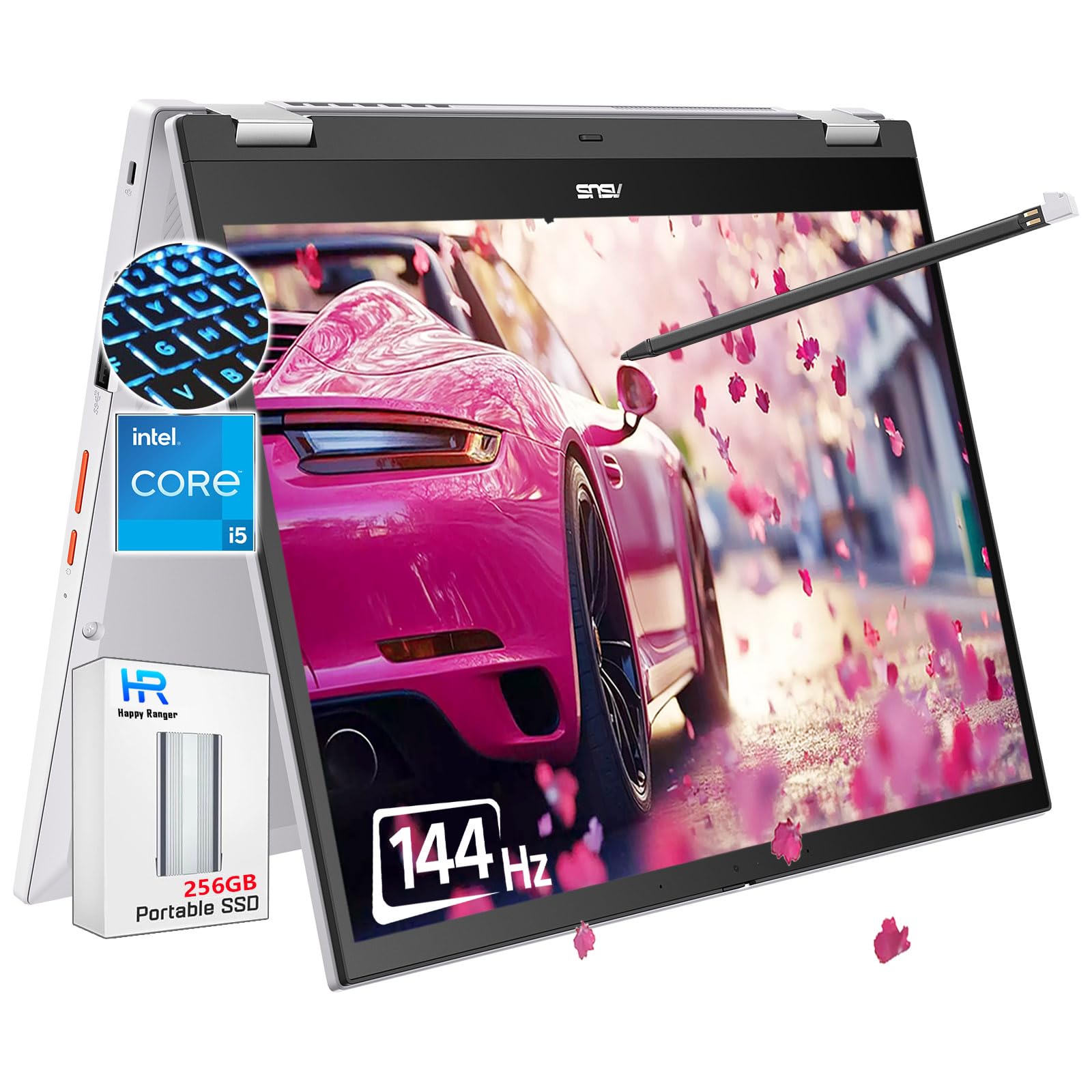
A Chromebook with a 144Hz touchscreen — built for smooth scrolling and even gaming.
The ASUS Chromebook Flip is an unusual and notable entry: it is marketed as a “Gaming Chromebook,” and the 14-inch FHD+ IPS 144Hz display is the reason. Most laptop screens top out at 60Hz or maybe 120Hz, but this one refreshes 144 times per second. That means scrolling through long web pages feels fluid, animations look smooth, and games that run on Chrome OS or via cloud streaming will look and feel noticeably better than on a standard screen.
Under the hood, it packs an Intel Core i5-1235U processor (up to 4.4 GHz), 8GB of RAM, and a 256GB PCIe SSD, plus a bundled 256GB portable SSD card for extra storage. It also includes a stylus pen for note-taking or sketching on the touchscreen. The 360-degree flip design lets you use it as a tablet, and the backlit keyboard ensures you can game or work in the dark. ASUS claims up to 13 hours of battery life, and the privacy webcam is a nice touch for video calls.
Performance is the most-discussed topic, and it is a mixed bag. Some owners rave about fast processing and a beautiful screen, while others feel the performance is not as snappy as they expected from the specs. Battery life also draws a few negative comments, with some reporting it does not hold a charge as well as claimed. The touchscreen glass is also reportedly fragile — one unit shattered when dropped. This is the pick for the gamer, the creative, or anyone who simply wants the smoothest, most responsive Chromebook display available.
Why it stands apart
- The 144Hz display is a category rarity — smoother scrolling and gaming than any other Chromebook here
- Build quality is the most-praised aspect, with owners impressed by the material feel
- Includes a stylus pen and a bundled extra 256GB SSD for expanded storage
The honest trade-offs
- Performance is the most-discussed topic with mixed opinions — some find it fast, others underwhelming
- Battery life is the top negative concern, with a few owners reporting the battery won’t hold a charge
- The touchscreen glass on the test unit shattered when dropped, so a case is strongly recommended
Get this if: you want the smoothest possible Chromebook experience for gaming, creative work, or just ultra-fluid scrolling.
Be cautious if: you need rock-solid battery life or plan to use it without a protective case — the screen is fragile.
Understanding the Specs
Backlit Keyboard Quality
Not all backlit keyboards are created equal. Pay attention to the brightness levels and key travel. A keyboard with 5 levels of brightness, like the Acer Chromebook 514, lets you adjust the glow to your environment. Key travel — the distance a key moves when pressed — affects typing comfort. The ASUS C425 offers 1.4mm of travel, which feels substantial and satisfying. Some backlights are white, others are colored; white tends to be most visible. Read reviews to see if owners find the backlight bright enough — some Chromebook backlights can be too dim in overhead light.
Display Resolution and Panel Type
Resolution is measured in pixels. A 1366 x 768 (HD) display is the minimum for a 14-inch screen, but a 1920 x 1080 (Full HD) or 1920 x 1200 (WUXGA) display is sharper and gives you more room to work. IPS panels offer better colors and wider viewing angles than standard TN panels. For a backlit keyboard Chromebook, a good screen is especially important because you are likely using it in dimmer lighting where any fuzziness or color shift is more noticeable. Touchscreens add convenience, but they also increase cost and battery drain slightly.
Processor and RAM Requirements
For basic use — email, web browsing, document editing — an Intel Celeron processor with 4GB of RAM will suffice. For multitasking, cloud apps, Android apps, or light Linux use, step up to at least a Core m3, Core i3, or Core i5 with 8GB of RAM. The processor’s speed is measured in GHz, but the chip generation also matters: a 13th-gen Core i3 (like the i3-1315U) is significantly more efficient than a 7th-gen Celeron. More RAM means fewer tab reloads and smoother switching between apps.
Battery Life and Fast Charging
Battery life is listed by manufacturers based on ideal conditions, so expect to get about 80-90% of the claimed time in real-world use with a backlit keyboard active. Models that claim 10-13 hours generally deliver a full work or school day. Fast charging is a valuable feature: the HP Chromebook 14 charges from 0 to 50% in about 45 minutes, which is enough for a few hours of work from a short plug-in. If you work in cafes or libraries, prioritize a model with strong battery reviews over one with a higher-resolution screen.
FAQ
Can I turn off the backlight on a Chromebook keyboard to save battery?
Do all Chromebooks with backlit keyboards also have touchscreens?
How much RAM do I need in a Chromebook with a backlit keyboard?
What is the difference between a Chromebook and a Chromebook Plus?
Will a Chromebook with a backlit keyboard work with Android apps?
Do Chromebook backlit keyboards wear out faster than non-lit keyboards?
Can I use a Chromebook with a backlit keyboard for video editing or gaming?
How long does a Chromebook battery last with the backlight on?
What is a renewed Chromebook, and is it safe to buy one?
Is a Chromebook with a backlit keyboard worth the extra cost over a non-lit model?
Final Thoughts: The Verdict
If you want one dependable pick, the backlit keyboard chromebook winner is the Acer Chromebook 514 (CB514-1HT-C6EV) because it combines a touchscreen, five-level backlit keyboard, and genuinely all-day battery life at a price that makes sense for students and professionals alike. If you value pure performance and a lightweight build over touch input, the ASUS Chromebook C425 with its Core m3 and 8GB of RAM is the perfect choice. And for the gamer or creative who wants the smoothest, most responsive Chromebook display available, the ASUS Chromebook Flip with its 144Hz touchscreen and included stylus is the one to reach for.
How We Picked
We do not accept paid placement. Every pick is matched to a real buyer and a real use-case; we do not hands-on test units.
Sources & Methodology
Specifications: manufacturer listings and product documentation. Review insights: verified customer reviews, as of July 2026. Pricing: not shown on this page (it changes often); check the current price via the retailer link.
As an Amazon Associate, Gadgets Feed earns from qualifying purchases. This does not affect which products we feature.