
Our readers keep the lights on and my morning glass full of iced black tea. As an Amazon Associate, I earn from qualifying purchases.
Specs are compiled from manufacturer listings and verified buyer reviews and can change over time — please confirm the key details on the product page before buying.
If you need 20 TB of storage, you are done with drives that fill up in a few months. At this size, every choice — speed, reliability, noise, warranty — matters because you are likely using it for backups, media archives, or professional video projects. This guide compares the seven top-rated 20 TB external hard drives, each verified for capacity and real-world use, so you know exactly what you are getting.
I’m Min — the founder and writer behind Gadgets Feed. This guide is built by comparing the manufacturers’ published specifications and the patterns across verified customer reviews, so you get each pick’s real strengths and trade-offs instead of marketing spin.
This roundup of the best 20 tb external hard drive options will help you find the right balance of price, performance, and confidence, if you need a reliable backup drive for a small office or a high-speed storage solution for 4K/8K video workflows.
Our Picks at a Glance


How To Choose The Best 20 TB External Hard Drive
Buying a 20 TB external drive is a big commitment, both in terms of budget and the data you are trusting it with. Before you click ‘buy’, you need to understand a few key concepts that separate a reliable workhorse from a potential headache.
Usable Capacity vs. Advertised Capacity
Hard drive manufacturers measure 1 TB (terabyte) as 1 trillion bytes. Your computer, however, measures 1 TB as 1,099,511,627,776 bytes. This discrepancy means you will always see less available space than the box says. For a 20 TB drive, expect roughly 18 to 19 TB of usable space. As buyers report, a 20TB Western Digital Elements drive shows up as 18.19TB. This is normal and is not a defect.
Speed: USB 3.0 vs. Thunderbolt vs. USB-C
For most people doing backups or storing a media library, a standard USB 3.0 drive with transfer rates around 180-250 MB/s (megabytes per second) is perfectly adequate. If you are a video editor working with 4K or 8K files directly from the drive, you will want a faster interface (the connection standard) like Thunderbolt 3 (up to 550 MB/s) or USB 3.2 Gen 2 (10 Gbps—gigabits per second). The trade-off for speed is always a higher price tag.
Warranty and Data Recovery
All hard drives fail eventually. The difference between a good purchase and a regret is the coverage that comes with it. Look for drives that include Rescue Data Recovery Services (a free attempt to recover your lost files if the drive fails), as some Seagate models do, or a comprehensive warranty like Glyph’s 3-2-1 plan. The confidence justifies the premium when storing irreplaceable files.
Quick Comparison
| Model | Best For | Interface | Transfer Speed | Reliability Rating | Amazon |
|---|---|---|---|---|---|
| WD 20TB Elements★ Best Overall | Best Overall | USB 3.0 | 180 MB/s+ | 4.6/5 | Amazon |
| Avolusion PRO-Z 20TBValue Pick | Budget Backup | USB 3.0 | 300-180 MB/s | 4.2/5 | Amazon |
| Seagate Expansion 20TB | Value & Data Recovery | USB 3.0 | 480 Mbps | 4.2/5 | Amazon |
| Glyph BlackBox Pro 20TB | Professional Video | USB-C 3.2 Gen 2 | 250 MB/s | 4.4/5 | Amazon |
| WD 24TB My Book | Highest Capacity | USB 3.2 Gen 1 | 150 MB/s | 4.4/5 | Amazon |
| WD 20TB My Book Duo | RAID Storage | USB 3.1 Gen 1 | 10 Gbps | 3.9/5 | Amazon |
| Seagate LaCie 2big Dock 20TB | Thunderbolt 3 Speed | Thunderbolt 3 / USB4 | 550 MB/s | 2.8/5 | Amazon |
In‑Depth Reviews
1. WD 20TB Elements Desktop External Hard Drive
Our pick — over 4.5★ from 127,500+ verified ratings; the strongest balance of quality and price.
The crowd favorite for its quiet operation, fast transfers, and proven reputation among over 100,000 owners.
This is the drive most people should buy. The Western Digital 20TB Elements gives you a massive 20 TB of storage in a simple, plug-and-play package. It connects via USB 3.0 (a standard interface that works with older and newer computers), and owners consistently report transfer speeds above 180 MB/s, which is plenty fast for backing up an entire photo library or moving large video files. The crowd favorite — 4.6 stars across well over 100,000 ratings — is proof of its consistent quality.
The thing everyone raves about is the build quality. The aluminum enclosure feels sturdy, and the drive itself is quiet in operation, producing only a “soft whir on wake” as one owner described it. Owners mention that the actual usable capacity is 18.19TB, which is standard for a 20 TB drive. It works smoothly with Windows PCs, just plug in the included USB 3.0 cable and AC adapter. For Mac users, a quick reformat to ExFat (a file system that works on both Windows and Mac) is recommended for full read/write access. The reliability is solid for most, though a small number of customers note drives that stop being recognized after several months — a risk inherent to any mechanical hard drive at this scale.
Avolusion, at a similar price point, offers raw speed but with the uncertainty of a renewed drive, while the Seagate Expansion matches the Elements on value and adds data recovery services. The WD Elements beats them both on sheer owner satisfaction and build quality, making it the safest, most proven choice for the vast majority of buyers.
Why it wins
- Top-tier 4.6-star average from the largest owner base.
- Quiet, fast operation with consistent 180 MB/s+ transfer speeds.
- Solid aluminum build feels more premium than plastic rivals.
The honest trade-off
- Some units can become unrecognized after months of use; treat it as a backup, not a single point of storage.
- Requires reformatting for full Mac compatibility.
- Not the fastest interface available for professional video workflows.
Best for anyone who wants a proven, high-capacity backup drive with a solid build: the WD Elements is the safe, crowd-verified pick.
Think twice if you need Thunderbolt speeds or RAID redundancy from the start: this is a single USB 3.0 drive for straight storage.
2. Avolusion PRO-Z Series 20TB External Hard Drive (Renewed)
A budget-friendly gamble that works for secondary backups if you accept the risks of a renewed drive.
This is a renewed drive, meaning it is a secondhand enterprise unit that has been tested and repackaged. For a fraction of the price of a new 20 TB drive, you get a unit with a 256 MB cache (a small amount of fast memory that helps with data transfer) and write speeds that can reach 300 MB/s on the first copy, before settling to around 180 MB/s. The reviewer consensus is that it is “a good bargain for certain tasks” — namely, secondary or tertiary backups where the loss of the drive is not a catastrophe.
The catch is significant. This is a used drive, often 2-3 years old with normal wear showing on its SMART data (a system that reports the health of the drive). The most-discussed aspect is longevity; one detailed account describes how it “worked great for 4 months, then developed strange noise and failed.” Another owner received a unit that made ticking noises and was never recognized by Windows. This is not a drive for your only copy of important documents. It works for Windows from the start, requiring a reformat to exFAT for Mac use, similar to the WD Elements. While it offers a dramatically lower entry point to 20 TB of storage, you are trading long-term reliability for upfront savings.
Best only for budget-focused secondary backup: grab this if you need a lot of storage for non-critical archives and are comfortable with the risk of a renewed unit.
Serious limitation: the failure rate reported by owners is notably higher than a new drive, so never store your only copy of anything on it.
Reach for this if your budget is tight and you need a cold-storage vault for files you can afford to lose.
Look elsewhere if you need a primary, dependable drive for active work or irreplaceable personal files.
3. Seagate Expansion 20TB External Hard Drive
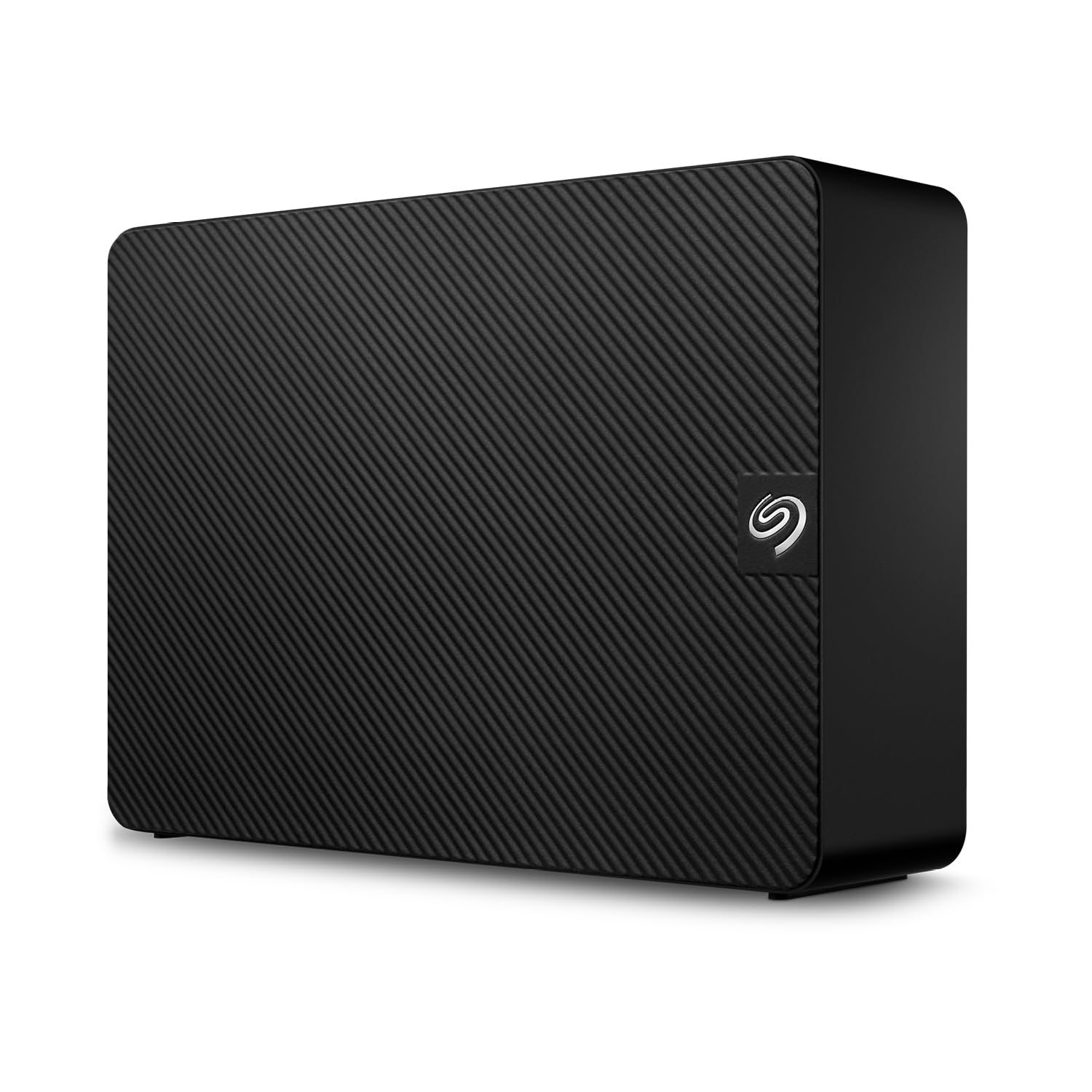
Includes Rescue Data Recovery Services for added confidence.
Seagate’s 20TB Expansion drive is a direct competitor to the WD Elements, and it brings a key differentiator: Rescue Data Recovery Services (a promise by the brand to attempt to recover your data if the drive fails). If your drive fails, Seagate will try to get your files back. For many, this feature alone justifies the choice. The quality and storage capacity are the most praised aspects, with owners finding it easy to set up for long-term file storage.
The main trade-off is performance consistency. The most-discussed aspect — with over 400 mentions — is performance, which receives mixed feedback. While many say it runs great, others report their computers slowing “to a crawl” when the drive is active. The noise level is also a point of contention; some find it quiet, others do not. Reliability is a negative aspect according to the aggregated review data, with some owners experiencing failures within the first few months. This makes the included Rescue Data Recovery Services not just a perk, but a necessity. The drive works with both Windows and Mac (reformatting needed for Time Machine) and is plug-and-play from the start.
Best for value-conscious buyers who want a fast drive and a safety net: the included data recovery service provides confidence that the cheaper Avolusion cannot.
Not ideal for those who prioritize silent operation or bulletproof reliability: the noise and mixed performance reviews mean it is not a universal recommendation.
Solid pick if the data recovery service is your top priority and you can accept a drive that performs best with occasional, not constant, use.
Better to skip if you need a drive for 24/7 active work or if noise is a major concern in your workspace.
4. Glyph BlackBox Pro 20TB External Hard Drive

Designed for professionals needing enterprise-class reliability and fast 4K/8K video editing speeds.
The Glyph BlackBox Pro is a different kind of beast. It is designed for agencies, broadcasters, and production studios handling 4K/8K workflows. It spins at 7200 RPM (revolutions per minute — a measure of how fast the disk platters rotate, meaning faster data access) and delivers speeds up to 260 MB/s over a USB‑C 3.2 Gen 2 connection, which offers 10 Gbps bandwidth. This makes it faster than the USB 3.0 drives from WD and Seagate, and it includes both USB‑C and USB‑A cables for smooth use with modern laptops and older desktops.
What truly separates it is the “3-2-1 warranty”: three years of full hardware coverage, two years of Level-1 data recovery, and one year of advanced replacement. This is an industry-leading promise that shows confidence in the drive’s enterprise-class components. Owners praise its storage capacity and solid construction, and the aluminum enclosure adds to the premium feel. The performance gets mixed feedback, however, with a few accounts of the drive failing “within 10 months.” It also runs hot and noisy under load, which is the price of that 7200 RPM speed. The drive is Mac-ready from the start and reformattable for Windows or Linux. While it is pricier than the standard options, the warranty and speed make it a smart investment for professionals who bill by the hour.
Professional perks
- Fast 250 MB/s speeds over USB-C 3.2 Gen 2 (10 Gbps).
- Industry-leading 3-2-1 warranty with data recovery coverage.
- Enterprise-grade 7200 RPM drive inside a rugged aluminum enclosure.
The professional tax
- Runs hot and noisy — not suited for a quiet office or bedroom.
- Mixed reports on long-term reliability, despite premium pricing.
- Heavier than plastic rivals, making it less portable.
The pick for video editors and creative pros: the speed, warranty, and build quality are tailored for demanding production environments.
Not for general home backup: the price, heat, and noise are overkill if you just need a place to store family photos.
5. WD 24TB My Book Desktop External Hard Drive

Adds critical extra space and hardware encryption for archives when 20 TB is not enough.
The My Book is Western Digital’s feature-rich alternative to the bare-bones Elements. It boasts an even larger 24 TB of storage for archiving photos, videos, music, and important documents. It is ready for both Windows and Mac from the start, formatting in exFAT (a file system that both operating systems can read and write to) so it works on both platforms immediately. This drive comes with WD Backup software and password protection with hardware encryption (a built-in chip that scrambles your data to keep it safe), which is a significant step up in data security from the simpler Elements line.
The speed is adequate for backups, with owners reporting transfer rates around 150 MB/s. It is slower than the Glyph or Seagate Expansion, but for archiving and scheduled backups, that is rarely a bottleneck. The reliability aspect is the most discussed by owners, with mixed feedback — some units have lasted over a decade, while others have failed. The majority of owners praise its quality and value for money. It requires its own AC power adapter, and its vertical orientation means you need stable desk space. The WD My Book is the best choice if you need the absolute maximum capacity in a single, secure, and user-friendly package.
Best for maximizers who need more than 20 TB: this is the highest capacity single-drive external HDD (hard disk drive) on this list, with the added security of hardware encryption.
Not the fastest or most portable option: it is a large desktop unit with slower transfer speeds, designed for storage, not active editing.
Smart choice if you need to consolidate multiple smaller drives into one massive, encrypted archive.
Not ideal if you need the fastest transfer speeds or a drive that you can easily move between locations.
6. Western Digital 20TB My Book Duo Desktop RAID

A dual-drive RAID enclosure that lets you choose between speed or data mirroring.
The WD My Book Duo is a different concept. Instead of a single hard drive, it is a desktop RAID enclosure (a box that holds two hard drives and lets you configure them together) that comes with two 10 TB WD Red drives (totaling 20 TB). It ships RAID 0-ready from the start, which combines the two drives for maximum speed. You can also reconfigure it to RAID 1 (a setup called “mirroring”), which copies your data across both drives for safety. This flexibility is its main selling point. It also features two USB 3.0 hub ports on the front, a 256-bit AES (Advanced Encryption Standard) hardware encryption, and a USB 3.1 Gen 1 interface.
The most-discussed aspect by a wide margin is reliability, and the feedback is overwhelmingly mixed. While some reviewers point out their units running reliably for years, a significant number describe failures within the first three months. The RAID software itself can be finicky; one owner resolved persistent “RAID Configuration Error” alerts by simply using a shorter USB cable. Another notes that data can be encrypted by the RAID software, making recovery complex if the enclosure fails. The My Book Duo is a powerful tool for those who understand RAID and need redundancy, but its higher failure rate in reviews makes it a riskier purchase than a single-drive unit like the WD Elements.
Best for users who need RAID 1 mirroring for instant data redundancy: the dual-drive setup allows for continuous backup.
High caution warranted: the owner feedback on reliability is the most negative on this list, with a notable number of units failing within months.
Choose this if you understand RAID configurations and want the option of built-in data mirroring in a single desktop unit.
Better to avoid if you just want a simple, reliable plug-and-play backup drive — the standard My Book or Elements is a safer bet.
7. Seagate LaCie 2big Dock 20TB External HDD

The fastest interface on this list with pro-grade ports, but its reliability record is the most concerning.
The LaCie 2big Dock is a premium, all-in-one solution built for laptop-centric workflows. It offers dual Thunderbolt 3 ports (a very fast connection standard, up to 40 Gbps) for blazing speeds of up to 550 MB/s, a USB4 compatible USB 3.2 Type-A hub port, and even card reader slots for CFexpress Type B, CFast 2.0, and SD cards (common memory card formats used in professional cameras). It is a docking station and a high-speed RAID drive in one, configurable for RAID 0 (performance) or RAID 1 (redundancy). It uses hot-swappable Seagate IronWolf Pro enterprise-class drives and includes Rescue Data Recovery Services.
Despite the impressive hardware, the owner experience is the worst on this list. The 2.8-star rating across 26 ratings is a clear warning. The most common complaints are catastrophic failure within the first few months and abysmal customer service. One owner described it as a ” mistake” after the drive failed 29 days past the one-year warranty, costing them in data recovery fees. Another reported the drive being with Seagate for nine weeks with no updates. The fan noise and frequent sleep mode are also persistent gripes. While the speed and dock features are class-leading, the risk of failure and the poor support experience make this a very hard recommendation for any budget.
class-leading connectivity for a Mac-based creative pro: the Thunderbolt 3 speed and built-in card slots streamline a professional video editing workflow.
The highest risk pick: the owner reviews are overwhelmingly negative, citing early failures and terrible customer support, making the included data recovery service a necessary safety net you will likely need.
Only consider this if you absolutely need Thunderbolt 3 speeds and the dock functionality, and you are prepared for a potentially fraught ownership experience.
Strongly consider the Glyph BlackBox Pro instead: it offers excellent speeds for video work with a much better reliability reputation and warranty.
Understanding the Specs
Interface and Transfer Speed
The interface (the type of connection port and cable) dictates how fast data moves to and from your drive. USB 3.0 (up to 5 Gbps—gigabits per second) is standard for most desktop drives and offers plenty of speed for backups and media playback — expect around 150-260 MB/s in the real world. For video editors who work with files directly on the external drive, USB-C 3.2 Gen 2 (10 Gbps) or Thunderbolt 3 (40 Gbps) is a standout, allowing for smoother scrubbing through 4K timelines. The trade-off is always cost and complexity. A faster interface also typically means a more expensive enclosure and drive mechanism.
Warranty and Data Recovery Services
A hard drive is a mechanical device with moving parts, and they all have a finite lifespan. A standard 1-2 year warranty covers replacement if the drive fails. A few premium drives, like the Glyph BlackBox Pro, offer multi-year coverage that includes data recovery services. This is arguably more important than the warranty itself, as the cost of professional data recovery can be thousands of dollars. Some Seagate drives include Rescue Data Recovery Services, which provides a free attempt to recover your data if the drive fails. For any drive storing irreplaceable files, this feature alone is worth a premium.
FAQ
Will my computer recognize a 20 TB external hard drive?
What is the difference between a 7200 RPM and a 5400 RPM hard drive?
Why does my 20 TB drive show up as 18.19 TB?
How long does a 20 TB external hard drive last?
Is a 20 TB external hard drive good for gaming?
Can I use a 20 TB external hard drive with a Mac and a PC interchangeably?
What is RAID 0 and RAID 1 in an external drive?
RAID 0 (Striping): Combines both drives into one large volume, maximizing speed and capacity. The downside is that if one drive fails, you lose all data on both.
RAID 1 (Mirroring): Writes the exact same data to both drives simultaneously. This cuts your usable capacity in half (20 TB becomes ~10 TB), but provides complete data redundancy if one drive fails.
Do I need a USB-C or Thunderbolt 3 external hard drive?
Final Thoughts: The Verdict
For most buyers, the best 20 tb external hard drive winner is the WD 20TB Elements because it combines a rock-solid reputation, quiet operation, and reliable speed at a fair price backed by an immense owner community. If you want the fastest transfer speeds and a professional warranty for video work, grab the Glyph BlackBox Pro. And for the budget-conscious who need mass secondary storage, the Avolusion PRO-Z Series is the cost-effective entry point, provided you understand the risks of a renewed drive.
How We Picked
We do not accept paid placement. Every pick is matched to a real buyer and a real use-case; we do not hands-on test units.
Sources & Methodology
Specifications: manufacturer listings and product documentation. Review insights: verified customer reviews, as of July 2026. Pricing: not shown on this page (it changes often); check the current price via the retailer link.
As an Amazon Associate, Gadgets Feed earns from qualifying purchases. This does not affect which products we feature.