
Our readers keep the lights on and my morning glass full of iced black tea. As an Amazon Associate, I earn from qualifying purchases.
Specs are compiled from manufacturer listings and verified buyer reviews and can change over time — please confirm the key details on the product page before buying.
You have a spare M.2 slot and a budget that does not stretch to a 2TB monster. What you really need is the fastest 500GB NVMe SSD that turns your boot times into a blink and your game loads into a non-event. The good news: the 500GB Gen4 field is stacked with drives that outperform the old Gen3 kings by miles — but picking the wrong one means leaving real speed on the table.
I’m Min — the founder and writer behind Gadgets Feed. This guide is built by comparing the manufacturers’ published specifications and the patterns across verified customer reviews, so you get each pick’s real strengths and trade-offs instead of marketing spin.
Every drive here was chosen because it earns its place among the 500gb nvme ssd options worth your money — balancing raw transfer rates, real-world reliability, and the warranty that backs it all up.
Our Picks at a Glance
How To Choose The Best 500GB NVMe SSD
A Gen4 SSD is the standard for speed right now, but not every drive delivers the same experience. The three specs that separate a great buy from a frustrating one are read speed, controller quality, and warranty support. Here is what to look for.
PCIe Gen3 vs Gen4: The Speed Jump
A PCIe Gen4 drive can read data at over 5,000 MB/s, which is roughly double what a good Gen3 drive manages. If your motherboard has a Gen4 slot, you will feel that difference every time you boot your PC, launch a game, or move large video files. Gen4 drives are also backward compatible with Gen3 slots, so they still work — they just run at the slower Gen3 speeds.
Read and Write Speeds: What the Numbers Mean
Sequential read speed (measured in MB/s) is the headline number. It matters most when you copy a 50GB game folder or load a massive level. Write speed matters when you save or transfer files back to the drive. Pay attention to both — a drive with a fast read but slow write will leave you waiting during large save operations. An SLC cache (a small, super-fast area of memory) helps keep write speeds high for smaller burst transfers.
Endurance (TBW) and Warranty
TBW stands for Terabytes Written — it is the manufacturer’s estimate of how much total data you can write to the drive before it starts to wear out. A 500GB SSD with a 300 TBW rating is fine for everyday gaming and office work. A higher TBW number (like 600 or more) signals a drive built for heavier workloads like video editing or constant file transfers. Pair the TBW rating with the warranty length — five years is the gold standard; three years is acceptable for a budget pick.
Quick Comparison
| Model | Best For | Read Speed | Interface | Warranty | Amazon |
|---|---|---|---|---|---|
| Crucial P310★ Best Overall | Blazing Overall Speed | 6,600 MB/s | PCIe Gen4 | Limited (Micron quality) | Amazon |
| WD Blue SN5100Premium Pick | Reliable AI Workflows | 6,600 MB/s | PCIe Gen4 | 5-year limited | Amazon |
| WD_Black SN7100Handheld Hero | Handheld Gaming | 6,800 MB/s | PCIe Gen4 | 5-year limited | Amazon |
| Kingston NV3 | Value Versatility | 5,000 MB/s | PCIe Gen4 | Limited | Amazon |
| TEAMGROUP MP44L | Reliable Budget Builds | 5,000 MB/s | PCIe Gen4 | 5-year or TBW | Amazon |
| Patriot VP4000 Mini | Steam Deck Upgrades | 4,700 MB/s | PCIe Gen4 | Limited | Amazon |
| Ediloca EN760 | PS5 Expansion | 4,800 MB/s | PCIe Gen4 | 5-year limited | Amazon |
| WD Green SN350 | Entry-Level Gen3 | 2,400 MB/s | PCIe Gen3 | 3-year limited | Amazon |
| WD Green SN3000 | Budget-Friendly Gen4 | 5,000 MB/s | PCIe Gen4 | Limited | Amazon |
In‑Depth Reviews
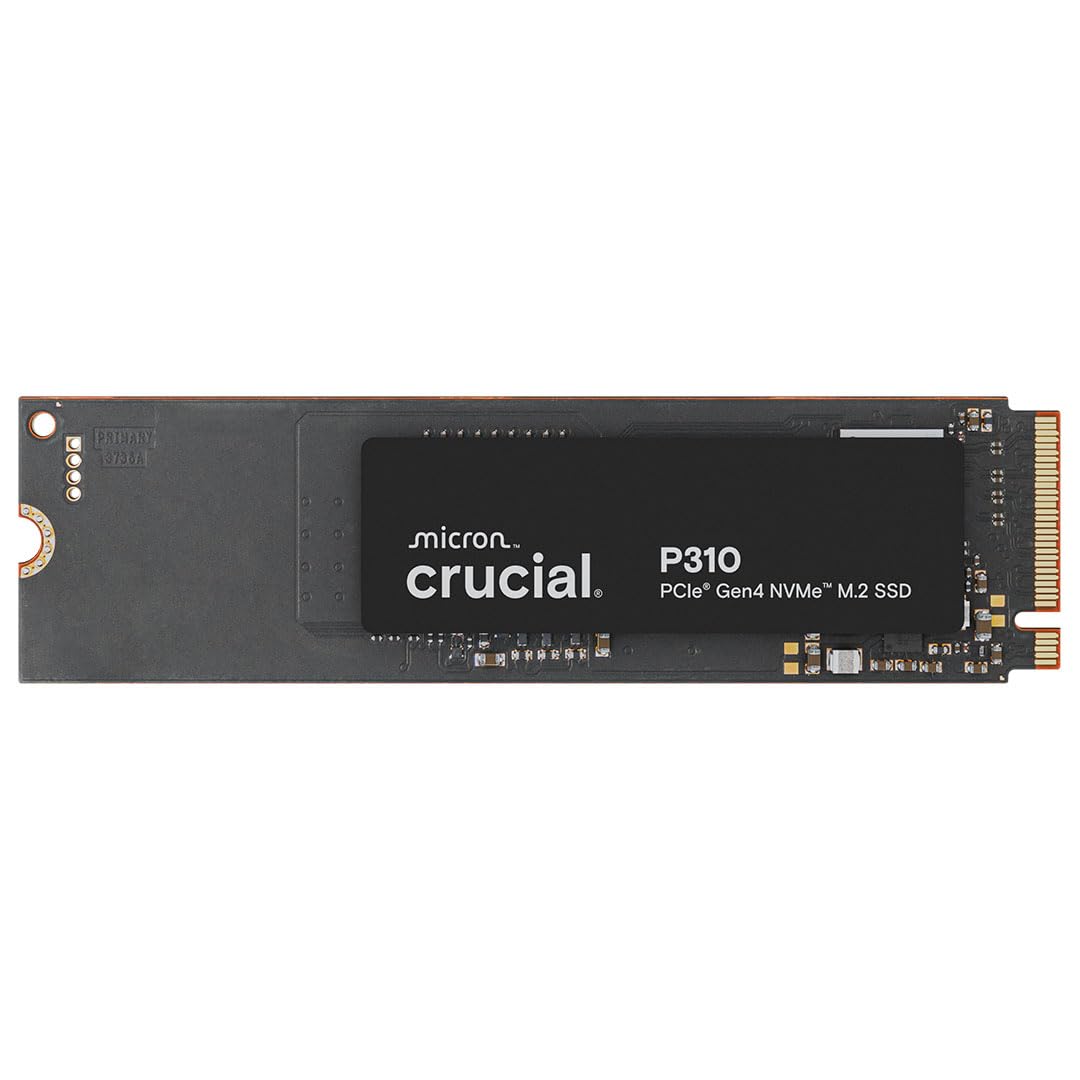
1. Crucial P310 500GB
Our pick — over 4.5★ from 10,500+ verified ratings; the strongest balance of quality and price.
The speed demon that makes a 6,600 MB/s read feel like a real daily upgrade.
This drive delivers the kind of read speed — 6,600 MB/s — that used to belong only to flagship 1TB SSDs. Translating that to real life means games load before you finish reaching for your drink, and booting Windows takes a handful of seconds. The write speed is no slouch either at 5,000 MB/s, so large file dumps finish fast. Built on Micron’s advanced G8 NAND, the P310 also includes thermal control to keep performance steady under load.
Performance is the most-talked-about aspect, and owners consistently report transfers that feel “almost instant.” It works with everything from a standard desktop to a handheld like the ROG Ally X or Lenovo Legion Go. It also drops into a PCIe Gen3 slot and runs perfectly fine, though you lose some of that top-end speed. The only real catch is the limited warranty documentation compared to the five-year terms some rivals offer — but the sheer speed and Micron pedigree make that easy to overlook.
One reviewer summed it up as “a common ol reliable” that is snappy even when plugged into a Gen3 system. The crowd favorite sits at a stellar 4.8 stars across over 10,000 ratings, making it the most proven pick on this list.
What wins people over
- Blazing 6,600 MB/s read speed compared to the Ediloca EN760’s 4,800 MB/s
- Trusted Micron G8 NAND and built-in thermal management
- Broad compatibility with handheld consoles and both Gen3/Gen4 systems
The honest trade-off
- Warranty terms are less explicit than the 5-year coverage some competitors offer
- Gen4 speed requires a Gen4 slot — Gen3 systems cap performance
Grab this if: you want the absolute fastest 500GB Gen4 drive with proven reliability and 10,000+ happy owners backing it up.
Look elsewhere if: you need a documented 5-year warranty or you are on a tight budget where every dollar matters more than top speed.
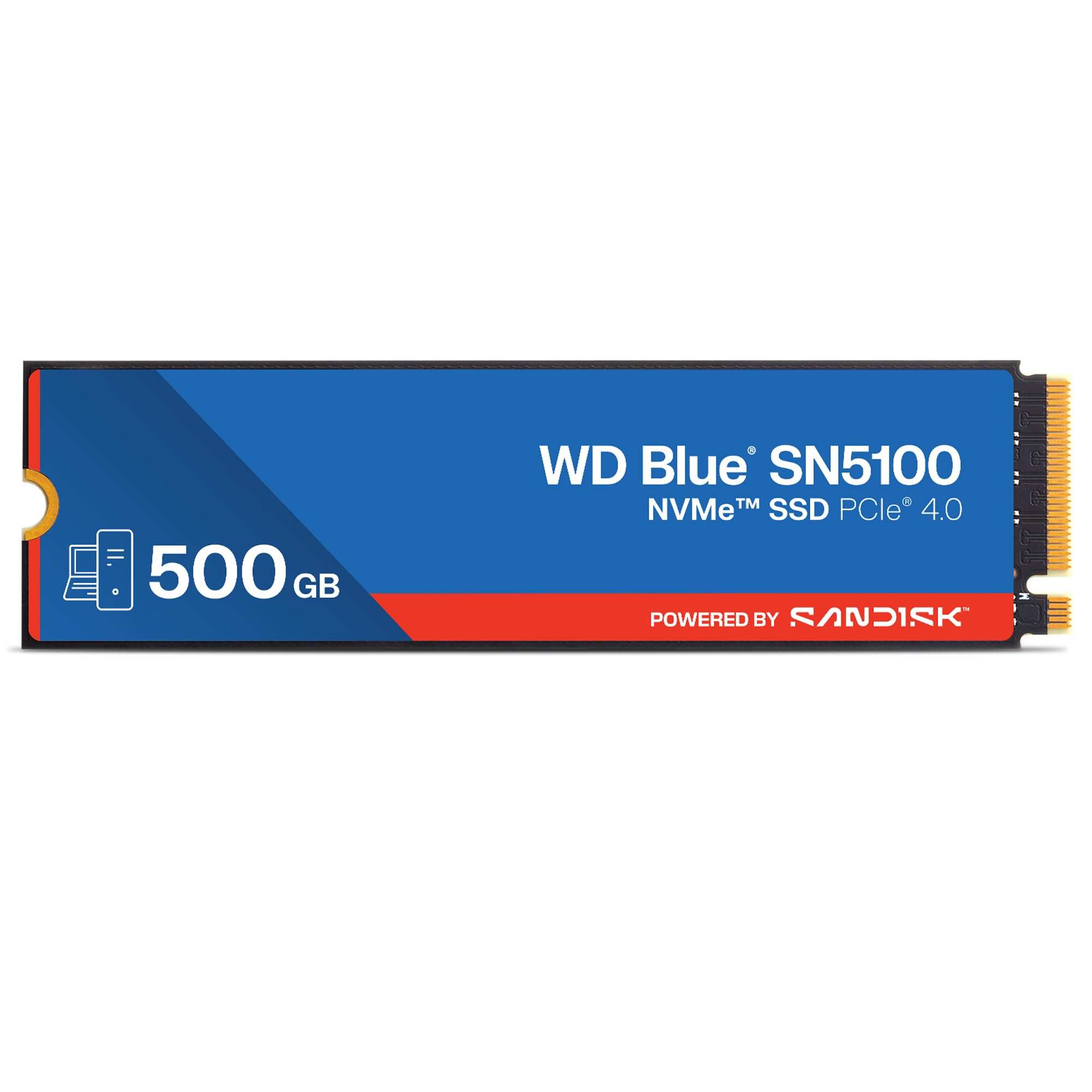
2. WD Blue SN5100 500GB
A 5-year warranty and AI-ready speeds that rival the fastest in class.
You get read speeds up to 6,600 MB/s, matching the Crucial P310 on paper, but the SanDisk SN5100 wins on confidence. It includes a 5-year limited warranty and uses SanDisk’s nCache 4.0 technology (a caching system that speeds up copying large project folders). The single-sided M.2 2280 design (a slim, one-sided circuit board) fits into thin laptops and small-form-factor PCs without hitting clearance issues.
Reliability is what owners praise most — they report zero stuttering during gaming and smooth operation in everything from a Dell All-in-One to a custom RAID pair (two drives working together). The included Acronis True Image for SanDisk software makes moving your existing operating system drive painless. At 4.8 stars across 760+ ratings, it has the same top-tier approval as the Crucial P310, but with a smaller owner community.
The main trade-off: the 500GB model tops out at 6,600 MB/s read, while larger capacities (1TB and 2TB) reach 7,100 MB/s. If you ever plan to upgrade capacity later, you might wish you started bigger. For a 500GB buy today, this is still one of the fastest and most trustworthy picks.
Best move for: anyone who wants premium speed backed by a full 5-year warranty and easy data migration tools.
skip it if: you need raw speed above all else at the same capacity — the P310 matches it and has a much larger owner base for long-term confidence.
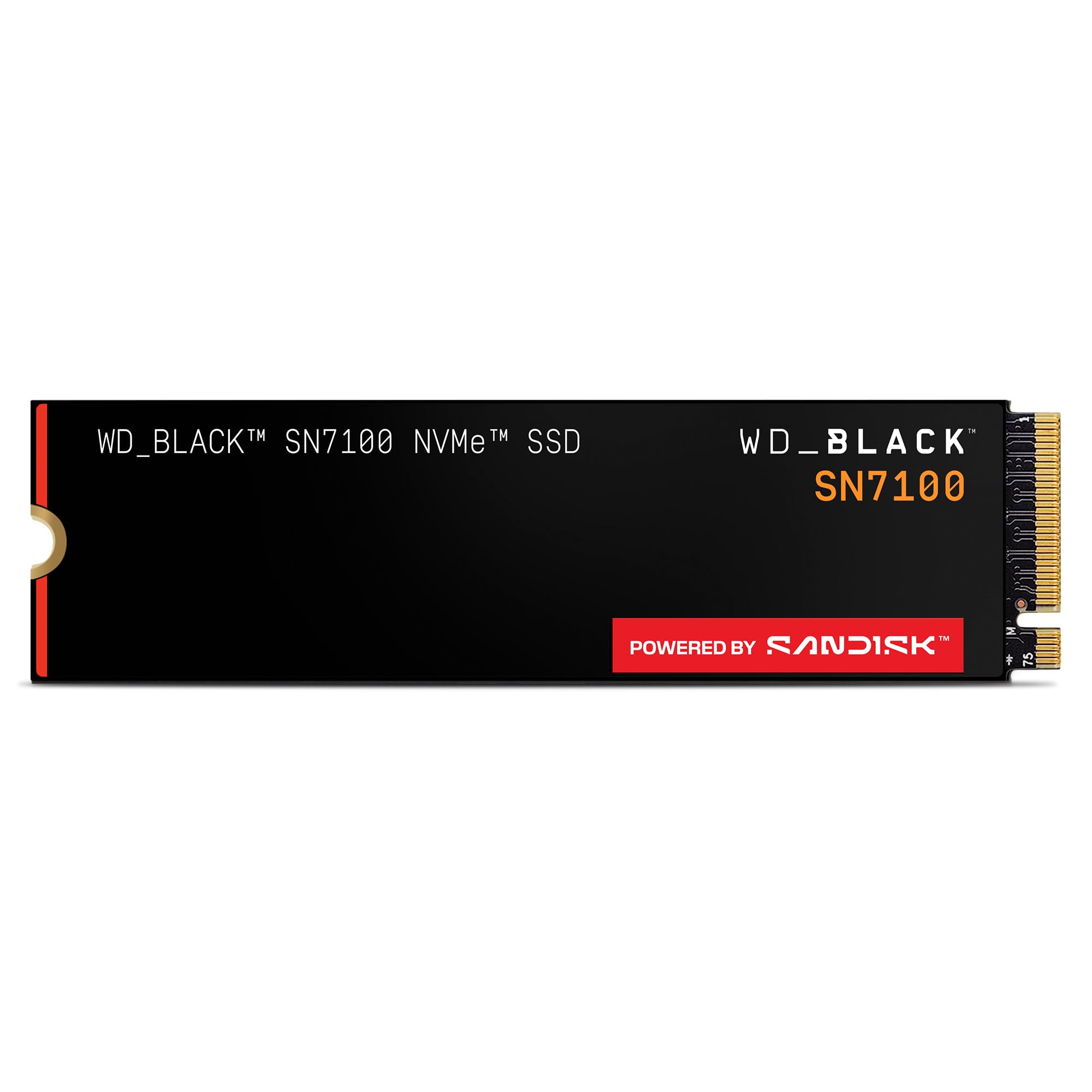
3. WD_Black SN7100 500GB
The handheld gaming specialist that runs cool while hitting 6,800 MB/s.
Read speed peaks at 6,800 MB/s, which is the fastest 500GB number on this list. That speed is paired with next-generation TLC 3D NAND and up to 100% better power efficiency than the last generation — a real advantage for battery-conscious devices like the Steam Deck or ROG Ally. The WD_Black Dashboard (Windows-only) lets you monitor and tune performance.
Owners consistently praise the drive for its cool operation even without a heatsink, with idle temps around 30°C and load temps peaking at about 60°C. It is also a favorite in PS5 expansions and laptop upgrades. Performance and speed are the top-cited aspects, so you know the raw throughput delivers. The 5-year limited warranty matches the Blue SN5100, and the 4.8-star rating across over 6,000 reviews gives it a massive vote of confidence.
The catch is the price premium — you pay a noticeable amount more for that 6,800 MB/s ceiling and the gaming-branding. If you are building a desktop and do not need the power-efficiency edge, the P310 or SN5100 offer similar real-world speed for less.
Reach for this if: you game on a handheld PC or laptop where power draw and heat matter as much as raw speed.
Think twice if: you are on a strict budget for a desktop build — the value gap with mid-tier Gen4 drives is hard to ignore.
4. Kingston NV3 500GB

Rock-solid Gen4 speeds at a price that undercuts the premium brigade.
You get PCIe Gen4 speeds, but you pay for only what you need. The drive is shock-resistant and runs cool during normal operation — owners mention no heat issues even in a Mac Studio hub enclosure.
Performance is the standout aspect here, and the phrase that keeps coming up is “fast-food money for legit Gen4.” The Kingston NV3 works with older 2017 PC M.2 slots without issues, making it a popular choice for a budget operating system drive. One owner described it as “no nonsense. Fast. Reliable. Decently priced.” That sums it up well. The one split opinion is durability — a few buyers report failures after extended usage, though the vast majority find it very durable.
The 4.7-star average across over 13,000 ratings is the highest-volume approval on this list, meaning tens of thousands of buyers are happy with this pick.
Perfect for: the builder who wants genuine Gen4 speed without spending extra for top-tier numbers they may never use.
Not for: heavy write workloads or video editing where a higher TBW rating provides more reassurance over years of use.
5. TEAMGROUP MP44L 500GB

Graphene-coated label and SLC cache make this a reliable dark horse.
Do not let the unassuming name fool you — the MP44L is a full PCIe Gen4 drive with read/write speeds up to 5,000 and 3,700 MB/s respectively. It uses SLC caching technology (a fast, temporary buffer) to keep write speeds high during bursts, and its graphene-coated aluminum label is less than 1mm thick, so it never interferes with installation. The onboard M.2 heatsink doubles the heat dissipation.
Reliability is the most-mentioned aspect, with owners running the drive in 10-year-old computers and modern budget builds alike. One owner noted transferring a 50GB game in about 10 seconds, which gives you a real-world sense of its speed. It works with both Intel and AMD platforms, and comes with a 5-year or TBW-limited warranty for added protection.
The 4.7-star rating from 594 ratings is solid, though the smaller sample size means there is less long-term data than the Kingston or Crucial. Still, for a budget-friendly Gen4 drive with a 5-year warranty, the MP44L is tough to beat.
Best for: a budget build or an older PC revival where you want Gen4 speeds and a 5-year warranty at a reasonable price.
Consider the alternatives if: you prefer the extra confidence that comes with a massive owner community like the Kingston NV3’s 13,000+ ratings.
6. Patriot Viper VP4000 Mini 500GB

The tiny 2230 form factor that brings Gen4 speed to Steam Deck and ROG Ally.
This is the only drive on the list built in the smaller M.2 2230 form factor, which makes it the correct shape for Valve’s Steam Deck and the ASUS ROG Ally. It delivers 4,700 MB/s read and 1,700 MB/s write over a PCIe Gen4 interface, and it is compliant with NVMe 1.4. Owners mention that benchmarks match pricier SSDs when used with a 10Gbps enclosure, making it a versatile travel storage solution too.
Performance and storage capacity are the most-praised aspects. Users note that installation is standard — just slot it in — and the drive is recognized immediately in both SteamOS and Windows. One owner says it “consumed the same amount of power as any SSD” and that “storage was as promised” after three months of use in a ROG Ally. The 4.7-star average across 315 ratings confirms consistent satisfaction.
The main limitation is the write speed — 1,700 MB/s is lower than any other Gen4 drive here. For booting games and general OS use, you will not notice. But if you regularly save large project files back to this drive, a full-size 2280 alternative will finish faster.
Reach for this if: you are upgrading a Steam Deck, ROG Ally, or any device that uses the 2230 size — this is the best Gen4 500GB option in that format.
pass on it if: your device accepts full-size 2280 drives — you will get better write speed and a lower cost-per-gigabyte from a standard drive.
7. Ediloca EN760 500GB with Heatsink

Pre-installed heatsink makes this the simplest drop-in PS5 expansion.
If you want to expand a PlayStation 5’s storage without hunting for a separate heatsink, this drive comes ready to go. The 4,800 MB/s read speed and 2,400 MB/s write speed are enough to match the PS5’s internal drive requirements, and 3D TLC NAND with an SLC cache keeps transfer speeds steady. The 5-year limited warranty and 350 TBW endurance rating add confidence for long-term console use.
Installation is the most-praised aspect — customers note the PS5 reads and formats the drive immediately. It is a “plug and play” experience as one owner describes it, with the included screwdriver and mounting screws making physical installation simple. The only negative thread: the heatsink assembly instructions are poor, causing minor confusion about thermal pad placement. A few owners had to trial-and-error to get the housing to snap together properly.
The 4.7-star average across 815 ratings is strong, and the value for money is noted. Just be prepared to spend five minutes figuring out the heatsink pads if you follow the included instructions.
Best for: PS5 owners who want a straightforward storage expansion with a pre-installed heatsink and a 5-year warranty.
Consider something else if: you prefer a drive with clearer installation documentation or you need faster write speeds for PC video editing work.
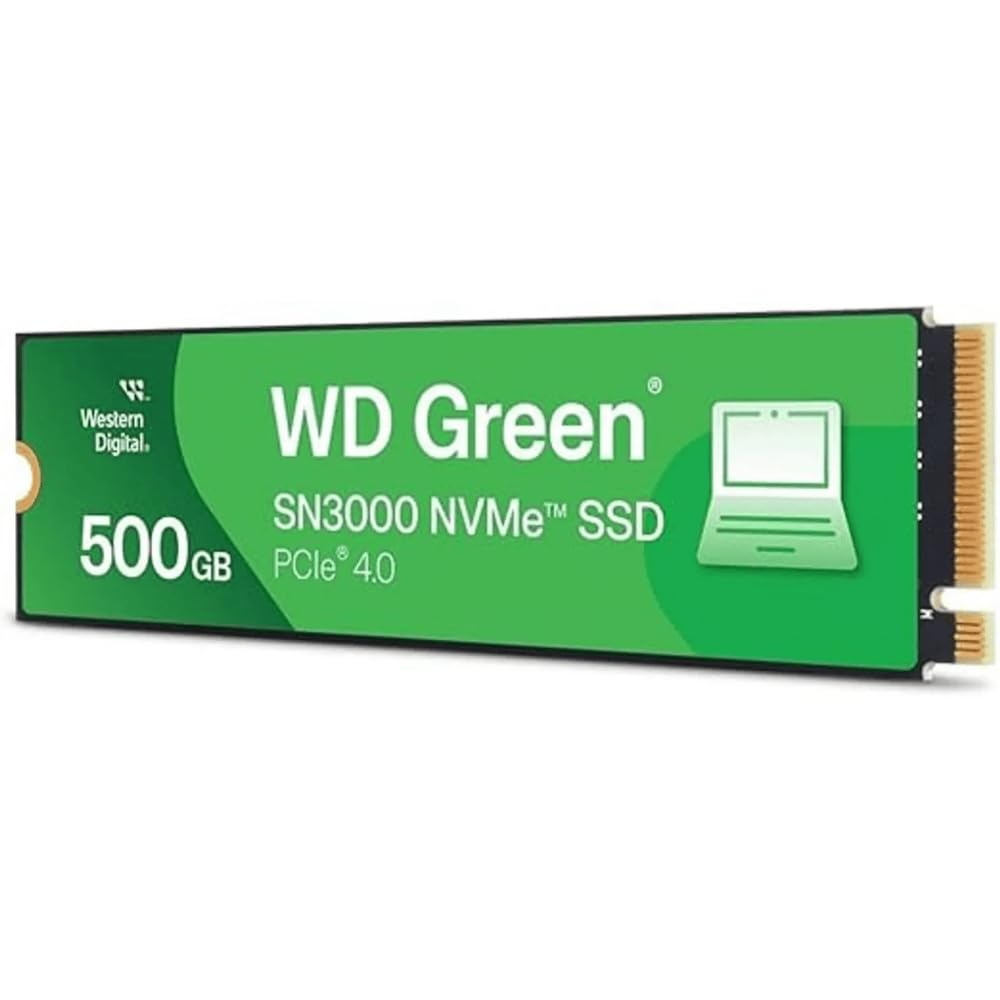
8. WD Green SN3000 500GB
Western Digital’s entry-level Gen4 drive that punches above its tier.
Despite being the “Green” line — traditionally the budget series — the SN3000 delivers genuine PCIe Gen4 performance at 5,000 MB/s read. It uses a single-sided M.2 2280 design, so it fits into thin laptops easily. The Western Digital nCache 4.0 technology helps with burst writes, and the included Acronis True Image for Western Digital makes cloning your old drive a step-by-step process.
Storage capacity and value for money are the top aspects cited by owners. The drive worked perfectly in a MacBook Pro Retina 15-inch Mid 2015 with an NVMe adapter, bringing a very old laptop back to life. Boot speeds are fast, and transfer speeds are respectable for a budget Gen4 offering. The 4.7-star average from just 141 ratings is less tested than most picks here, but early adopters are clearly satisfied.
The catch is that the SN3000 does not come with a clearly stated 5-year warranty in the spec sheet, unlike the WD Blue and WD_Black lines. For the price, it is a solid entry into Gen4, but if warranty length matters, step up to the SN5100.
Grab this if: you want the lowest-cost path to PCIe Gen4 speeds from a trusted brand like Western Digital.
Think twice if: warranty terms are a dealbreaker for you — the SN5100 offers a full 5-year limited warranty for a small step up in cost.
9. WD Green SN350 500GB

The budget Gen3 workhorse that still breathes new life into older PCs.
This is the only PCIe Gen3 drive on the list, and it is here for a reason. At 2,400 MB/s read, it is less than half the speed of the Gen4 leaders, but it is also much cheaper. For an older laptop with a Gen3 slot, a Raspberry Pi 5, or a secondary storage drive, this is perfectly adequate. The slim M.2 2280 form factor fits anywhere, and the downloadable WD SSD Dashboard lets you monitor health and usage.
Performance and speed are the most-cited positives, with owners noting it actually exceeds the advertised 2,400 MB/s in some tests — reaching around 2,700-2,900 MB/s. One owner uses it as a nearline storage drive on a PCIe 3 system and says it works “exactly as expected.” The 3-year limited warranty is shorter than the Gen4 drives, but that matches its budget positioning. Durability receives a mixed response — some find it super durable, others prefer a higher TBW-rated drive for writes.
At 4.7 stars across nearly 13,000 ratings, this is among the most-reviewed drives on the list. The crowd speaks clearly: it is the go-to if your system cannot use Gen4 (the fourth generation of PCIe, which offers higher speeds).
Perfect for: an older PC with a Gen3 slot, a Raspberry Pi 5, or a low-budget storage expansion where speed is secondary to cost.
Not ideal if: your motherboard supports Gen4 — you are leaving a massive performance jump on the table for a small extra investment.
Understanding the Specs
Sequential Read / Write (MB/s)
This is the number you see on the box — how fast the drive can read or write data in a straight line. A higher read speed (5,000 MB/s vs 2,400 MB/s) directly translates to faster game loading and quicker file copying. Write speed matters when you save large files back to the drive. For everyday use, anything above 4,000 MB/s read is excellent; 2,400 MB/s is still a massive upgrade over a hard drive.
PCIe Gen 4 vs Gen 3
The interface generation determines the maximum speed the drive can reach. Gen4 is roughly twice as fast as Gen3. If your motherboard has a Gen4 M.2 slot, you should buy a Gen4 drive — it is backward compatible, so it will still work at Gen3 speeds in an older slot. A Gen3 drive in a Gen4 slot caps your potential speed. Always check your motherboard specs before buying.
FAQ
Will a Gen4 500GB NVMe SSD work in my Gen3 slot?
How long does a 500GB NVMe SSD typically last?
What is the difference between M.2 2280 and M.2 2230?
Do I need a heatsink for my 500GB NVMe SSD?
What does TBW mean and why does it matter?
Can I use a 500GB NVMe SSD in a PlayStation 5?
Is 500GB enough for gaming in 2025?
What does SLC cache do on an NVMe SSD?
How do I clone my old drive to a new 500GB NVMe SSD?
What is the difference between TLC and QLC NAND?
Final Thoughts: The Verdict
For the majority of shoppers, the 500gb nvme ssd standout is the Crucial P310 because it delivers 6,600 MB/s read speed and Micron G8 NAND reliability with the largest and happiest owner community in the class. If you want a full 5-year warranty and excellent data migration tools, grab the WD Blue SN5100. And for handheld gaming devices like the Steam Deck, the tiny Patriot Viper VP4000 Mini is the only Gen4 2230 drive that makes sense.
How We Picked
We do not accept paid placement. Every pick is matched to a real buyer and a real use-case; we do not hands-on test units.
Sources & Methodology
Specifications: manufacturer listings and product documentation. Review insights: verified customer reviews, as of July 2026. Pricing: not shown on this page (it changes often); check the current price via the retailer link.
As an Amazon Associate, Gadgets Feed earns from qualifying purchases. This does not affect which products we feature.