
Our readers keep the lights on and my morning glass full of iced black tea. As an Amazon Associate, I earn from qualifying purchases.
Specs are compiled from manufacturer listings and verified buyer reviews and can change over time — please confirm the key details on the product page before buying.
A 32-inch 4K smart TV used to mean just one thing: a static box that sits on the same piece of furniture every day until you physically lift it somewhere else. That picture is changing fast. The best 32-inch smart TV 4K models now roll on wheels, respond to your touch, pack batteries that last for hours, and double as giant Android tablets that you can move from the kitchen counter to the bedroom floor to a patio table without missing a single scene.
I’m Min — the founder and writer behind Gadgets Feed. This guide is built by comparing the manufacturers’ published specifications and the patterns across verified customer reviews, so you get each pick’s real strengths and trade-offs instead of marketing spin.
if you need a portable screen that follows you through the house, a professional-grade desktop monitor with smart TV apps, or the purest picture quality for movie nights, this roundup of the 32-inch smart tv 4k market will point you straight to the right model for your home and habits.
Our Picks at a Glance

How To Choose The Best 32-Inch Smart TV 4K
The 32-inch 4K class has split into two distinct flavors in the last couple of years. One side leans into a traditional desk setup — a sharp monitor that also runs streaming apps. The other side is the new wave: a battery-powered, rolling, touchscreen device that you treat like a giant tablet. Which side is right for you depends on where the screen will live and how often it needs to move.
Battery Life and Cord-Free Use
A 32-inch 4K panel draws more power than a tablet, so battery capacity directly decides how long you can wander before hunting for an outlet. If you plan to carry the TV from the living room to the deck or the garage, look for a built-in battery that reliably covers at least a couple of full-length movies. Without one, you are back to the old drill of finding a wall plug in every new spot.
Touchscreen Responsiveness
A 4K touchscreen at this size changes the feel entirely if you use the TV for more than just Netflix. Flicking through recipe steps, tapping a YouTube search bar, or pinching a map all become natural gestures. The spec to watch here is “10-point touch” — more touch points mean smoother multi-finger actions and less frustration when the screen ignores your swipe.
Smart Platform and App Ecosystem
The operating system running the TV determines which streaming services you can install and how long the device stays useful. Google EDLA certification open up the full Google Play Store, including apps that never appear on a basic smart TV platform. webOS gives you a clean interface and LG Channels. Samsung’s Tizen offers its own gaming hub and Samsung TV Plus. Make sure the OS supports the specific services — Netflix, Disney+, YouTube — you watch every day.
Display Technology and Color Accuracy
Not all 4K panels are created equal at 32 inches. An IPS screen, like the one in the LG Swing, delivers wider viewing angles and stays bright from the side, making it better for group watching or a desk setup where you lean in. A VA panel, common on the portable rolling models, gives you deeper blacks and a higher contrast ratio (typically 3000:1), which looks richer in a darker room. Color gamut percentages like 90% DCI-P3 or 95% DCI-P3 tell you how vividly the screen reproduces film-grade color — a higher number means punchier, more lifelike tones.
Portability and Stand Design
The physical stand is the unsung hero of a 32-inch 4K TV that you plan to move. A rolling cart with a weighted base and hidden wheels lets you push the screen quietly from room to room without lifting. Some models add tilt, swivel, height adjustment, and even pivot to portrait mode. If the screen is staying on one desk, a sturdy traditional stand with a slim footprint is all you need. If it is chasing you through the house, make sure the wheels glide easily on your floor type — carpet and hardwood each handle differently.
Quick Comparison
| Model | Best For | Screen Type | Battery | Stand / Base | Amazon |
|---|---|---|---|---|---|
| ApoloSign Gen2★ Best Overall | Full-room portable touchscreen | 4K VA Touch | 15000mAh (6 hrs) | Rolling stand | Amazon |
| LG 32U701SB-BTop Performer | Professional desktop monitor + TV | 4K IPS | No | Tilt stand | Amazon |
| Samsung M7 (M70F) | Smart monitor with hub apps | 4K LED | No | Tilt / Height stand | Amazon |
| Samsung Movingstyle Essential | Rolling room-to-room smart TV | 4K LED | No | Rolling stand | Amazon |
| KTC MEGAPAD A32Q7 Pro | Budget-friendly rolling tablet TV | 4K VA Touch | 9500mAh | Rolling stand | Amazon |
| KTC MEGAPAD A32Q7 MAX | High-performance touch powerhouse | 4K VA Touch | 9500mAh (4-5 hrs) | Rolling stand | Amazon |
| LG Smart Monitor Swing | Premium adjustable touch monitor | 4K IPS Touch | No | Rolling stand | Amazon |
In‑Depth Reviews
1. ApoloSign 32 Inch 4K UHD Smart Portable TV on Wheels
Our pick — over 4★ from 450+ verified ratings; the strongest balance of quality and price.
The rolling, battery-powered touchscreen that turns your whole home into a TV room.
The ApoloSign Gen2 is the only model on this list that combines a 10-point 4K UHD touchscreen with Android 16, 8GB of RAM (expandable to 16GB), 256GB of storage, and a built-in 15000mAh rechargeable battery that buyers report delivers up to 6 hours of cordless entertainment. That combination means you can roll it into the kitchen for a cooking show, tap through recipes with your finger, then wheel it to the bedroom or covered patio without ever reaching for a power cord. The screen uses a VA panel with a 3000:1 contrast ratio, so blacks look deep and image detail stays crisp in dimmer lights — the thing owners consistently rave about is that picture sharpness.
What separates the ApoloSign from other rolling models is the Google EDLA certification, which gives you full access to the Google Play Store. You are not limited to a handful of pre-loaded apps — you can install Zoom, Microsoft Office, kid-learning apps, and even work as a second monitor via HDMI. The stand itself includes a multi-angle swivel, height adjustment, and a detachable camera for video calls. The crowd favorite here is an impressive performer across 400+ ratings, standing as the highest-rated portable 32-inch 4K touchscreen on the market right now.
The honest trade-off: the built-in speakers are decent for casual shows but noticeably thin for movie dialogue. As buyers put it, “the speakers are decent but I prefer Bluetooth for movies.” Plan on pairing a Bluetooth speaker or earbuds for serious watching, and note that wireless screen mirroring does not support AirPlay or Google Cast — it works for local files and presentations, not direct streaming from a phone.
Room-to-room freedom: The 15000mAh battery gives you real cordless hours — enough for a few episodes or a full-length film without hunting for an outlet.
Living-room-clear picture: The 4K UHD VA panel with a 3000:1 contrast ratio delivers deep blacks and sharp detail that owners praise across the board.
Reach for this if: you want a single screen that moves through the house — kitchen, bedroom, patio, home office — and works as a giant Android tablet for streaming, browsing, and video calls.
Think twice if: audio quality matters straight from the start; you will want a separate Bluetooth speaker for full sound.
2. LG 32U701SB-B 32-inch Smart 4K UHD Professional Monitor
A desk-first smart monitor that doubles as a 4K streaming hub with zero compromises on color.
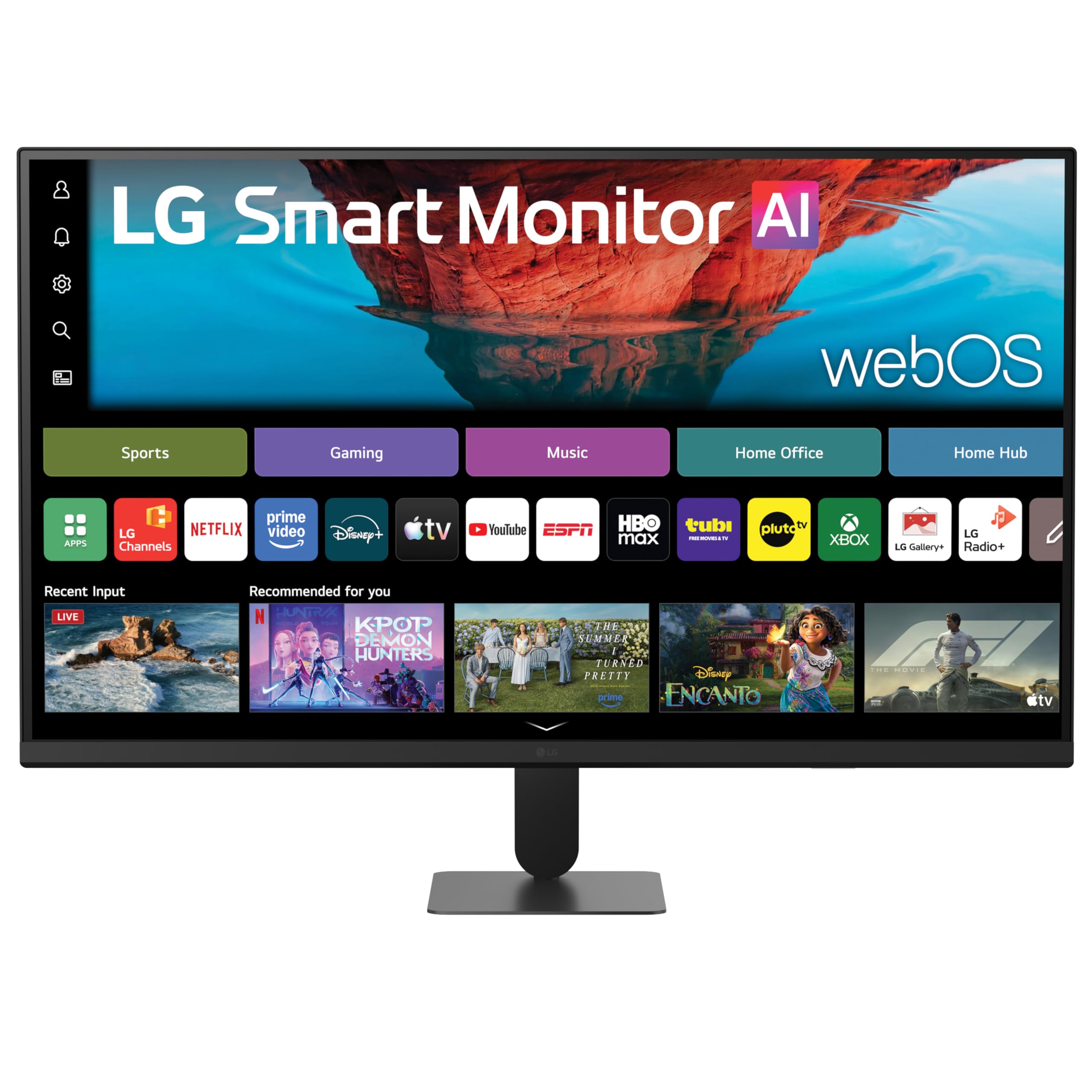
The LG 32U701SB-B takes a different approach from the rolling models: it is first a professional-grade monitor with 4K UHD resolution (3840×2160), HDR10 support, and an impressive 90% DCI-P3 color gamut on an IPS panel, and second a smart TV powered by webOS. That means you get precise color reproduction — exactly what you want for photo editing, 6K film work, or productivity spreadsheets — plus built-in streaming apps for Netflix, Prime Video, Disney+, YouTube, and Apple TV. Owners mention it is “excellent quality for 6K film work” and praise the metal swivel stand, adjustable height, and bright screen.
What makes this a smart TV rather than just a monitor is webOS. You can work all day without a PC connected — use cloud-based Office apps, access your PC remotely through Remote PC, or browse the LG Content Store for apps. The included AI Picture Pro feature upscales lower-resolution content toward 4K clarity, and AI Sound Pro creates a virtual 9.1.2-channel surround effect that makes dialogue and music feel more layered than you expect from built-in monitor speakers. The auto brightness control adjusts the 250-nit panel to your room’s lighting, which keeps your eyes comfortable through a full workday.
The catch is subtle but real if you plan to use it purely as a smart TV: the interface defaults to the smart home screen on every power-on, so you have to manually select your HDMI input each time. A few customers note this workflow is annoying for a desktop monitor setup, and one mentions the wireless remote can cause frequency conflicts with dual-monitor configurations. It is a small compromise for the image accuracy you get, but something to note if you want a true plug-and-play TV experience from a single remote.
Colors that hold up to pro work: The 90% DCI-P3 gamut delivers crisp, accurate images that owners consistently rank as the top reason to buy.
Work-then-stream workflow: webOS lets you switch from productivity apps to Netflix without turning on a separate PC, though the input-selection dance can feel clunky.
Best for: anyone who needs a sharp 4K monitor for work by day and a smart TV for streaming by night — especially if color accuracy matters for your job.
Look elsewhere if: you want a pure TV experience that boots straight into your HDMI source; the OS interface adds a step every time.
3. Samsung 32” M7 (M70F) Series 4K UHD Smart Monitor
A 4K smart monitor that controls your lights and plays AAA game streams in one place.
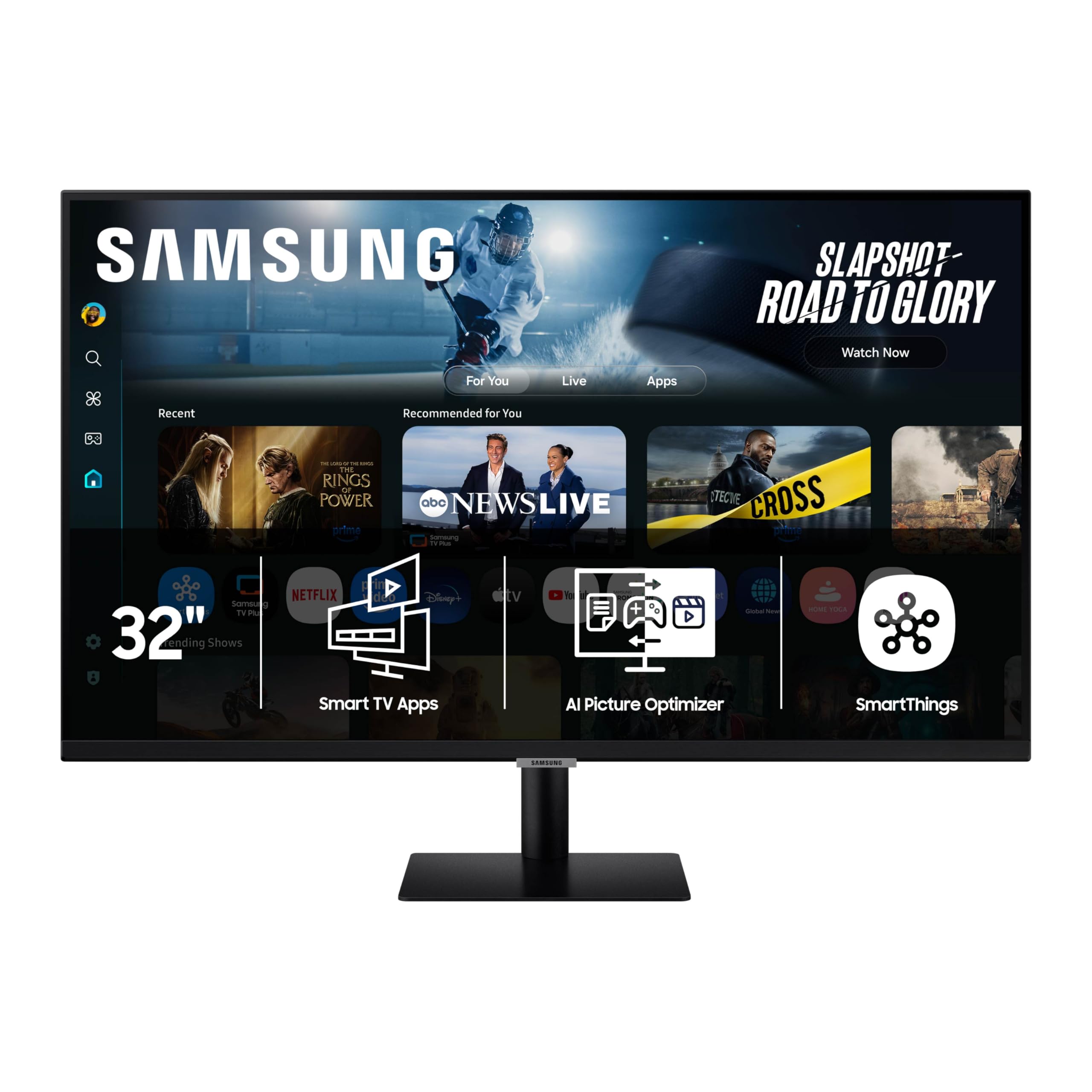
The Samsung M7 (M70F) is less a TV and more a command center for your desk. The 32-inch 4K UHD LED panel hits 300 cd/m² brightness with a 3000:1 contrast ratio, and the real differentiator here is the Samsung Gaming Hub — you can jump into Xbox Cloud Gaming, GeForce NOW, and Amazon Luna without any console or PC connected. The AI Picture Optimizer analyzes what is on screen and adjusts the visuals accordingly, boosting contrast during games and shifting to a comfortable document mode for spreadsheets. Buyers call the picture “beautiful” and note the wide port selection, including USB-C and wired ethernet.
Where the M7 truly stands apart from the rest of this list is its smart home integration. Samsung SmartThings lets you see every connected device in a 3D Map View on screen, check energy usage by device, and even put things into energy-saving modes directly from the monitor — a feature no other 32-inch 4K panel in this roundup offers. The Samsung TV Plus service provides live and on-demand channels without any subscription, while the Active Voice Amplifier uses AI to boost dialogue volume when noise around the monitor gets loud.
The main thing to watch out for is the included accessories. Several owners note that the HDMI cable that ships with the monitor is low quality, and replacing it with a better one instantly fixes reports of a “washed out and blurry” 4K picture. The sound profile is treble-heavy, so external Bluetooth speakers are recommended for anything beyond casual desk listening. The 60Hz refresh rate is adequate for streaming and most cloud games, but dedicated gamers on fast-paced titles will want higher refresh rates that this panel does not offer.
One screen for everything: Gaming Hub, SmartThings home control, and streaming apps all live on the same 4K panel — no separate devices needed.
Cable caution: The bundled HDMI cable can cause blurry output; owners strongly recommend replacing it with a quality cable right after unboxing.
Reach for this if: you want a smart monitor that controls your smart home, streams AAA games from the cloud, and looks sharp for everyday work.
Think twice if: you need out-of-box 4K clarity without replacing cables, or if fast-action gaming at higher than 60Hz is a priority.
4. Samsung 32″ The Movingstyle Essential 4K UHD Smart Monitor
A rolling white monitor that matches your decor while following you from room to room.
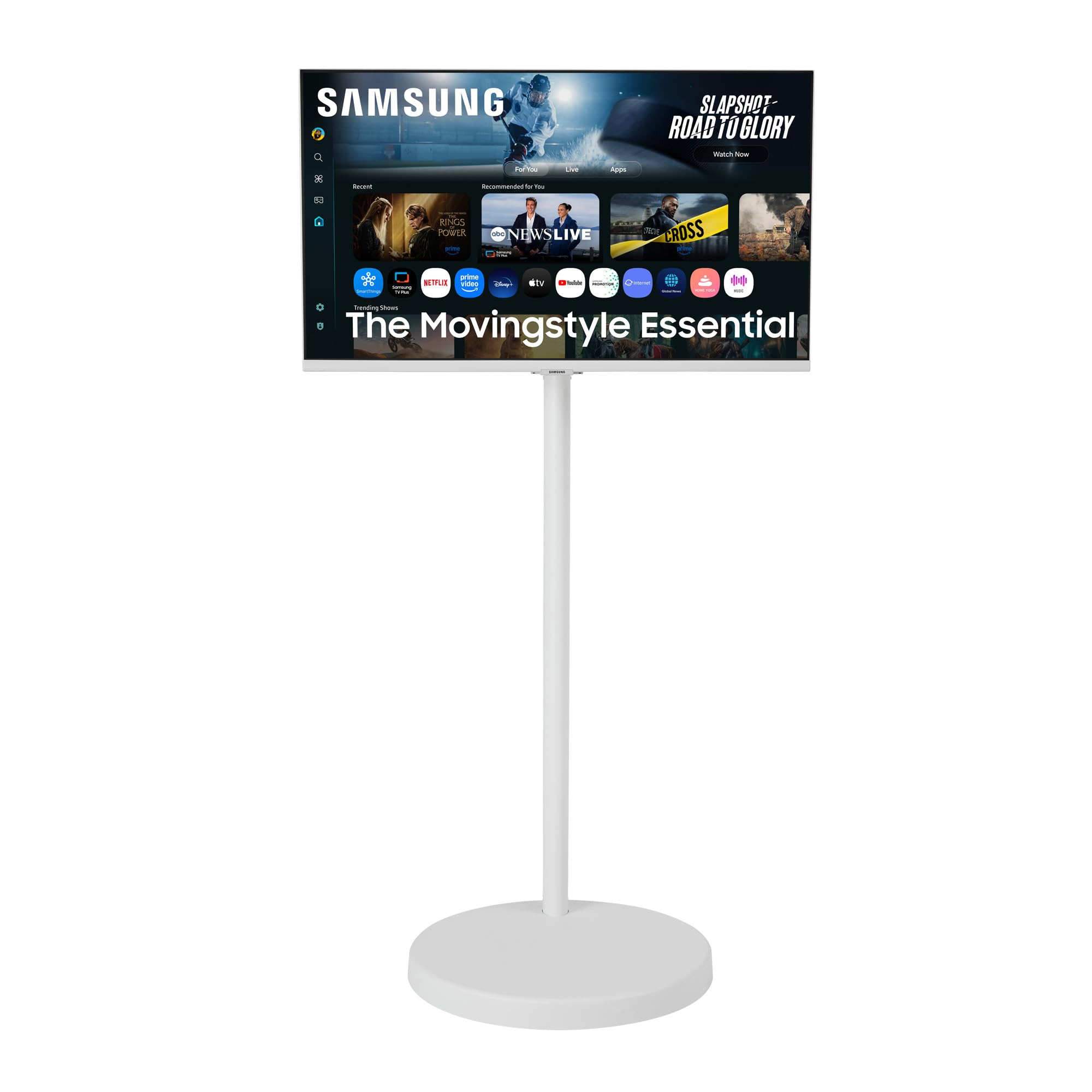
The Samsung Movingstyle Essential is the looker of the lineup. It swaps the usual black box for a clean white aesthetic with a cylindrical column and a sleek, rounded base, and it rides on hidden urethane wheels that move quietly and smoothly over hard floors. The rolling stand is not just for show — it offers height adjustment, tilt, swivel, and pivot, so you can angle the 4K UHD screen however you want without lifting. Buyers consistently praise the portability, with one noting “it is so simple to push from room to room” and another calling the stability “great for my small apartment.”
Under the hood, the M70F-series NQM AI Processor powers the same AI Picture Optimizer and Smart TV Apps found in Samsung’s desk monitors. You get access to Samsung TV Plus and the Samsung Gaming Hub, meaning streaming and cloud gaming are built-in without a separate device. The 300 cd/m² brightness and 3000:1 contrast ratio deliver the same punchy, vivid image as the M7. There is no touchscreen here and no battery — the Movingstyle Essential stays plugged in, but the rolling stand makes it easy to move from one outlet to another. Owners say the assembly is easy and the sound quality is “better than expected” for a monitor of this size.
The honest limitation: without a battery, every move you make requires finding a wall outlet at the destination, which reduces the spontaneity that makes battery-powered rolling sets so appealing. Additionally, the base is purposely very heavy to prevent tipping — several owners mention it is hard to maneuver on carpet. It is a trade-off for stability (pets and kids will not knock it over), but something to consider if you have thick carpet throughout the house. The glossy white finish also shows fingerprints and dust more readily than black models.
A moving beauty: The white design and hidden urethane wheels make it the best-looking room-to-room option, and owners rave about how stable it feels on hard floors.
Not truly cordless: You still need a wall outlet at every location, and the heavy base can struggle on thick carpet.
Best for: style-conscious buyers who want a 4K smart display that rolls easily through rooms with hard flooring and looks like furniture, not electronics.
Look elsewhere if: you need a battery for outdoor or cordless use, or if your home is mostly wall-to-wall carpet.
5. KTC MEGAPAD 32″ 4K UHD Smart Portable TV A32Q7 Pro
The entry-level rolling touchscreen that brings 4K and a battery to a more accessible price point.
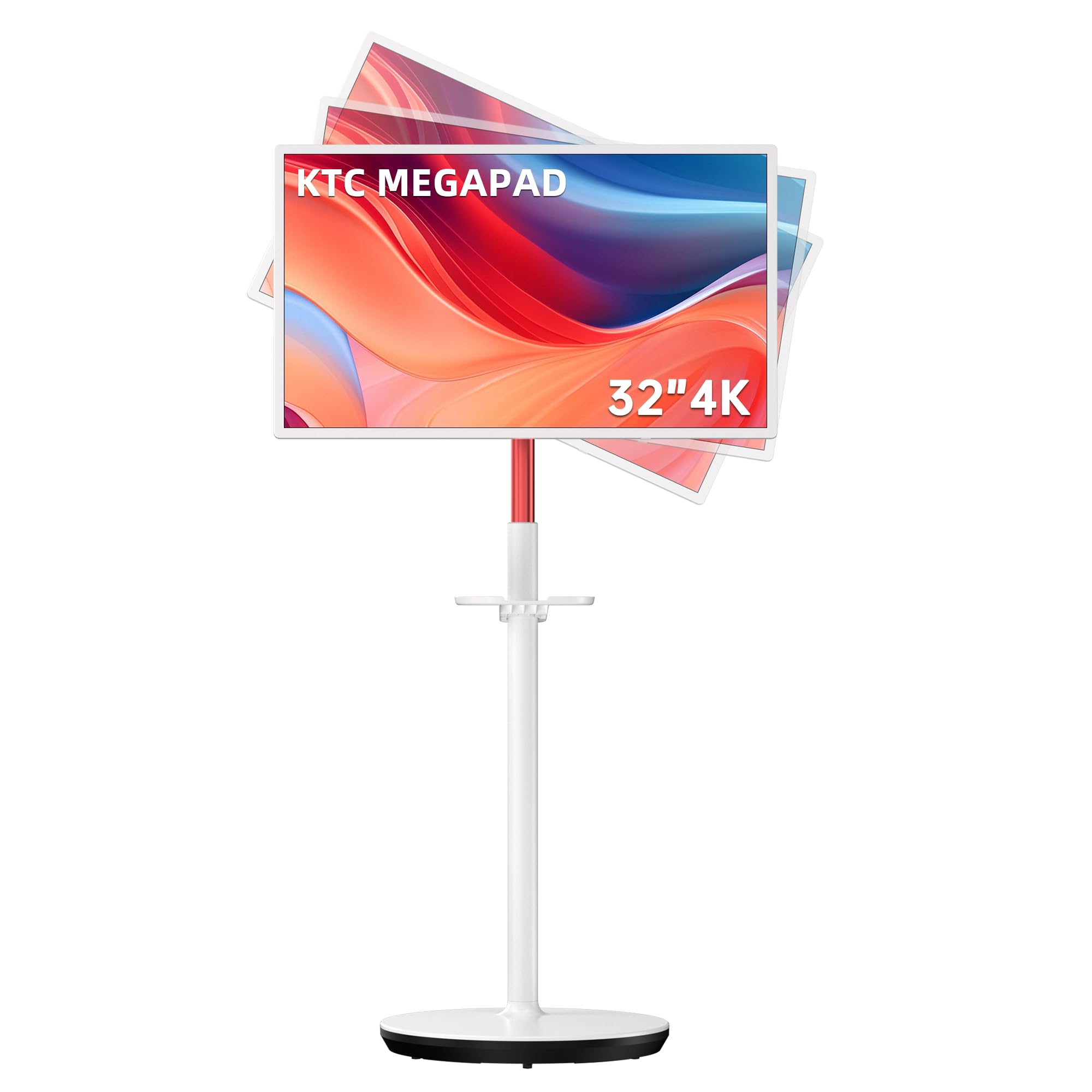
The KTC MEGAPAD A32Q7 Pro proves you do not need to spend flagship money to get a 4K touchscreen TV on wheels. It packs a 32-inch VA panel with 3840×2160 resolution, a 3000:1 contrast ratio, and 121% sRGB color gamut, alongside a 9500mAh battery that reviewers point out lasting 7+ hours of real-world use. The Google EDLA certification gives you the full Google Play Store on Android 13, and the Rockchip octa-core processor paired with 8GB RAM and 128GB storage keeps everyday streaming and browsing running smoothly. Buyers use it for everything from HIIT workouts to bedside streaming, praising the adjustable height and tilt that make it comfortable from any position.
Compared to the ApoloSign Gen2, which costs more but offers 256GB storage, a larger 15000mAh battery, and Bluetooth 5.3, the KTC Pro holds its own with Bluetooth 5.2, WiFi 6, and a 121% sRGB color gamut that actually beats the ApoloSign’s listed spec. The 5-wheels base rolls smoothly on laminate floors, and the dual 6W 3D speakers integrated into the lifting rod deliver fuller audio than many built-in TV speakers at this price tier. The included wireless mouse and remote control mean you can navigate without touching the screen when you prefer.
The downsides are note honestly. Some shoppers say audio inconsistency across different apps, and the touchscreen can feel frustrating when swiping to close apps. The 9500mAh battery, while respectable for the price, is smaller than the ApoloSign’s 15000mAh pack — expect a few hours of use, not all day. The small rollers struggle on bumps and doorway transitions, and iPhone users report significant connectivity issues with screen sharing. Buyers also note the remote and mouse are “mostly useless” for daily navigation; the touchscreen is the primary way to interact. This is a solid entry point for Android users who want a rolling 4K touchscreen at the lower end of the price range.
Color-rich on a budget: The 121% sRGB color gamut delivers vivid, punchy colors that beat some pricier rivals on paper, and the 3000:1 contrast ratio keeps blacks deep.
Battery limits and iOS friction: The 9500mAh battery gives several hours but not all-day cordless use, and iPhone screen sharing can be a headache.
Reach for this if: you are an Android user on a tighter budget who wants a functional 4K rolling touchscreen for home use around laminate or hard floors.
Think twice if: you own an iPhone and need smooth screen mirroring, or if you need the largest battery for all-day, outlet-free roaming.
6. KTC 32″ 4K Smart Portable Monitor MEGAPAD A32Q7 MAX
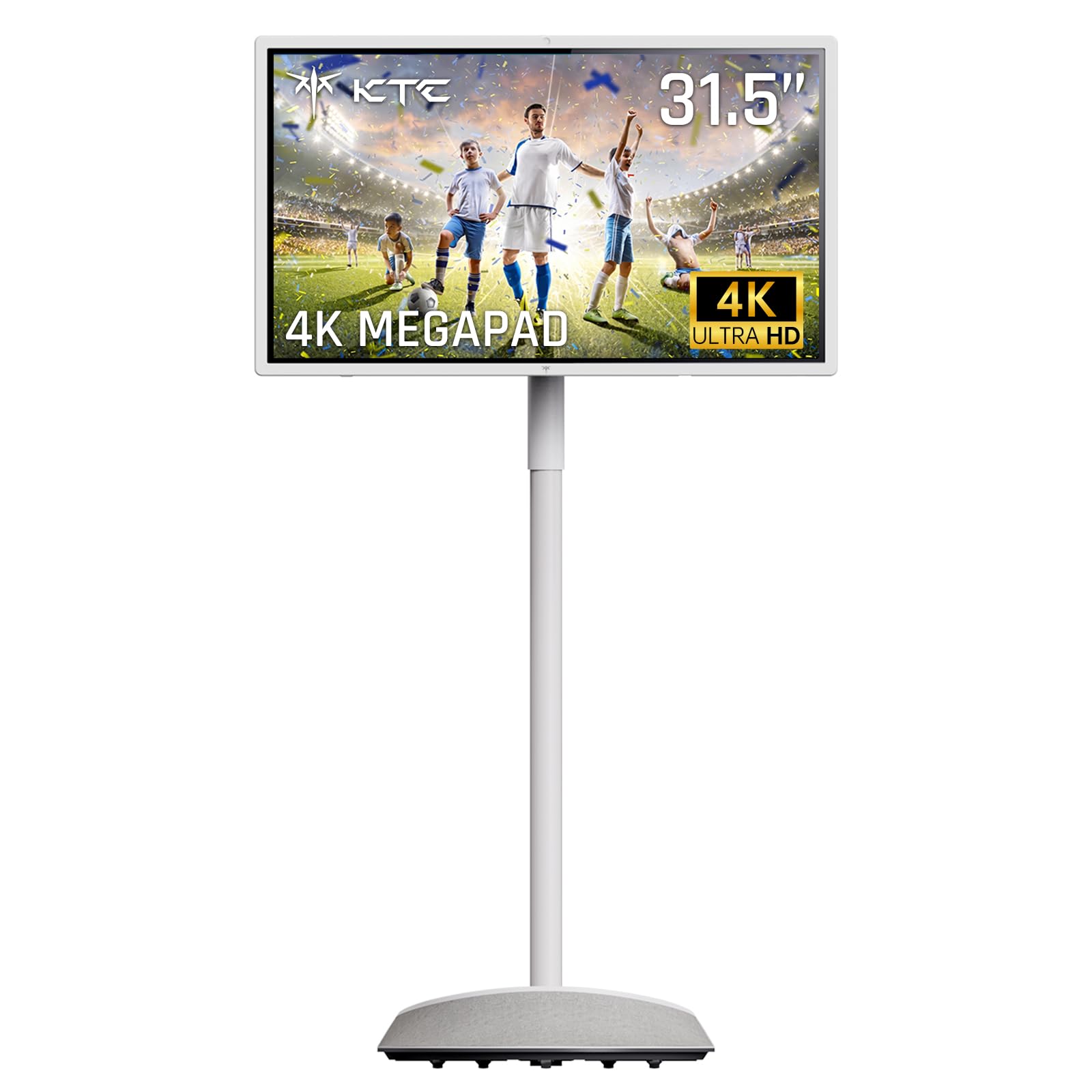
The spec monster with 16GB of RAM and four speakers that turns 4K into a full-room theatre.
The KTC A32Q7 MAX answers the biggest complaint about portable 4K touchscreens: they lack power and sound. This model jumps to 16GB RAM (the ApoloSign has 8GB) and 256GB storage, runs on Android 13 with Google EDLA certification, and includes a built-in 8MP camera with dual microphones for ultra-clear video calls. The 4K VA panel keeps the 3000:1 contrast ratio, and now there are four speakers — two rear and two in the base — delivering rich surround sound that owners praise as “impressive sound quality” for this form factor. The 9500mAh battery charges in 2.5 hours and provides 4–5 hours of wireless use.
What makes the MAX interesting compared to the ApoloSign Gen2 is the raw multitasking muscle. With 16GB of RAM, you can split the screen into multiple app windows, run a video call alongside a recipe app, and still have headroom for browsing — no lag. The 10-point touch is responsive across the full 32-inch surface, and the rolling stand offers vertical movement, horizontal rotation, and tilting. The built-in camera and microphones make it the only model on this list that is truly ready for Zoom and FaceTime-style calls straight from the start.
The real-world caveat: at 4–5 hours of battery life, the MAX has less cordless run time than the ApoloSign Gen2’s 6 hours. The 9500mAh pack is the same size as the cheaper KTC Pro, so the added RAM and storage draw more power. Some owners note streaming services like Netflix occasionally glitch and jump back to previous episodes without any input. If battery endurance is your top priority, the ApoloSign remains the longer-lasting option. The MAX is the better choice if raw performance and audio immersion matter more than all-day freedom from the wall.
Serious multitasking power: 16GB RAM and 256GB storage make this the only rolling 4K touchscreen that handles heavy app switching without stuttering.
Cinema-grade sound: Four speakers (two rear, two base) deliver genuinely rich audio that separates it from every other portable model here.
Reach for this if: you want the most powerful rolling 4K touchscreen for heavy app multitasking, video calls, and room-filling audio without external speakers.
Think twice if: battery life is your primary concern — the ApoloSign Gen2 gives you more cordless hours for less money.
7. LG Smart Monitor Swing 32U889SA-W 32-Inch 4K UHD IPS Touchscreen
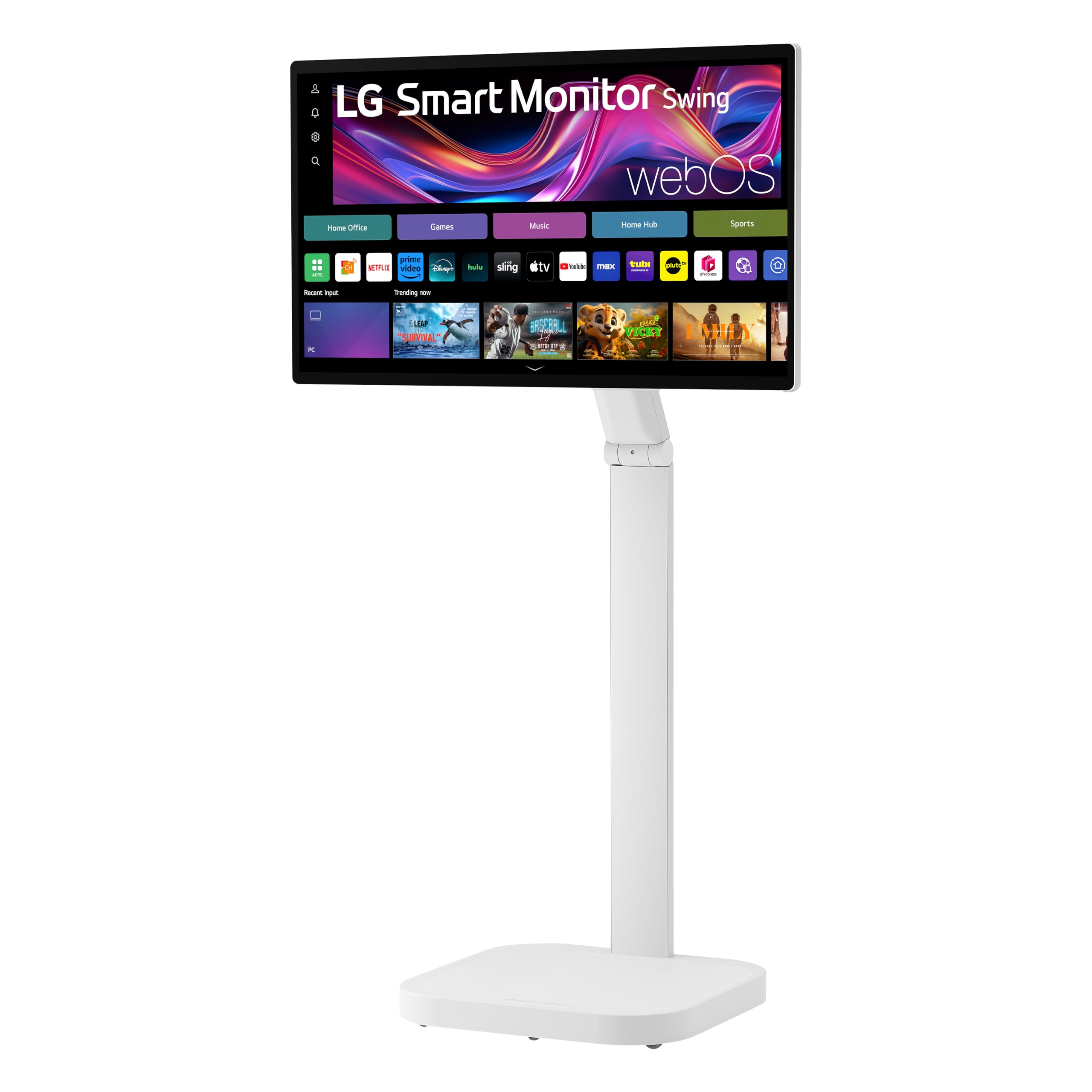
An IPS touchscreen that rolls, pivots, and tilts into portrait mode for maximum viewing flexibility.
The LG Smart Monitor Swing is the premium outlier in this roundup because it uses an IPS panel instead of VA. That means you get 350 nits brightness and a 95% DCI-P3 color gamut with wide viewing angles that do not wash out when you watch from the side — ideal if the monitor sits in a shared space or needs to be visible from across a room. The 10-point touchscreen is smooth and responsive, and the rolling stand uses a torsion spring hinge that makes tilt, swivel, height, and full portrait-mode adjustments feel easy. Three USB-C ports (one delivering up to 65W power delivery) let you charge a laptop through a single cable while mirroring the screen. Owners consistently praise the picture quality and the smooth rolling on hardwood floors.
What makes the Swing truly unique is the 360-degree physical adjustability combined with the Switch app, which splits the screen into up to six sections for multitasking — you can run a video call, a document, and a streaming app in separate windows simultaneously. The built-in webOS provides access to streaming apps without a PC, while AirPlay 2 and Screen Share make mirroring simple on both Apple and Android devices. The hidden adapter compartment in the rolling base keeps cables out of sight, maintaining the clean, modern look that makes this model a statement piece rather than just electronics.
The catch with the LG Swing is pricey value and some software hiccups. At the top of the price range here, it does not include a built-in battery — you are tethered to a wall outlet, which partially defeats the purpose of a rolling stand for some buyers. The built-in speakers are quiet and low quality; owners note you will likely connect an external Bluetooth speaker or soundbar from day one. Mixed feedback on compatibility includes random WiFi disconnections and occasional touchscreen responsiveness issues. Most importantly, several units shipped appear to be Latin American regional variants (model 32U889SA-WA.BWPFMSD) with Spanish labels and a regional Content Store that lacks US streaming apps — check your unit immediately and ensure you received the US version.
Stunning colors from any angle: The 95% DCI-P3 IPS panel delivers vibrant, consistent color that stays rich whether you are head-on or watching from the side.
Premium at a premium: You pay top dollar for the design and flexibility, but the lack of battery, weak speakers, and regional-variant shipping issues are real trade-offs.
Best for: design-conscious users and Apple households who want a gorgeous 4K IPS touchscreen on a rolling stand for work and streaming, and who already own a Bluetooth speaker.
Look elsewhere if: you need cordless portability, strong built-in audio, or a guaranteed US-spec unit without regional firmware restrictions.
Understanding the Specs
4K UHD Resolution (3840 x 2160)
This is the sharpness standard for modern screens. At 32 inches, 3840×2160 pixels give you four times the detail of a 1080p screen. You see finer text in documents, individual blades of grass in nature documentaries, and sharper edges around app icons when using a touchscreen. Any 32-inch screen without true 4K resolution is skipping the main reason to upgrade.
Battery Capacity (mAh) and Real Runtime
The milliampere-hour (mAh) rating tells you how much charge the internal battery holds. A 15000mAh battery can run a 32-inch 4K panel for roughly 6 hours of mixed use — enough for three movies or a full evening of streaming away from a wall outlet. A 9500mAh battery typically delivers 4–5 hours. Models without any battery require a power cord at all times, which limits true room-to-room freedom.
Touch Technology: 10-Point Capacitive
10-point touch means the screen recognizes up to ten fingers at the same time, which is the same standard as a modern tablet or smartphone. That allows pinch-to-zoom, two-finger scroll, and multi-touch gestures in apps and games. A responsive 10-point touch layer makes a 32-inch TV feel like a giant iPad for cooking, drawing, or interactive work.
Panel Type: VA vs IPS
VA (Vertical Alignment) panels offer deeper blacks and higher contrast ratios, typically 3000:1, which makes movies and games look richer in dim lighting. IPS (In-Plane Switching) panels sacrifice a little contrast (usually 1000:1) but give you much wider viewing angles and brighter peak brightness, so colors stay accurate when you are not sitting dead-center. DCI-P3 percentage (90–95%) measures how much of the film industry’s color space the panel can display — higher numbers mean more vivid, cinema-like color.
FAQ
Can I use a 32-inch 4K smart TV as a computer monitor?
Will a 32-inch 4K TV fit on a standard desk or stand?
How long does a battery-powered 32-inch 4K TV last on a single charge?
Can I install Netflix and other streaming apps?
What is Google EDLA certification and why does it matter?
Is a VA or IPS panel better for watching movies?
Do I need a separate soundbar for good audio?
Can I mirror my iPhone or Android phone to these screens?
What does the contrast ratio number actually mean for picture quality?
Is there latency or lag when using a touchscreen 32-inch TV for drawing or art?
Final Thoughts: The Verdict
For most people, the 32-inch smart tv 4k market has one clear picture: the ApoloSign Gen2 is the best all-around pick because it combines a true 4K touchscreen, the largest battery for cordless freedom, and full Android app access in a well-reviewed package. If you want a desk-focused smart monitor with stunning color accuracy, the LG 32U701SB-B delivers professional-grade performance with the convenience of webOS streaming. And for the absolute highest multitasking power and built-in camera for video calls, the KTC A32Q7 MAX is the premium powerhouse that sacrifices some battery life for raw performance and rich sound from its four speakers. Pick the one that matches your home’s layout and your daily habits — any of these will transform how you watch.
How We Picked
We do not accept paid placement. Every pick is matched to a real buyer and a real use-case; we do not hands-on test units.
Sources & Methodology
Specifications: manufacturer listings and product documentation. Review insights: verified customer reviews, as of July 2026. Pricing: not shown on this page (it changes often); check the current price via the retailer link.
As an Amazon Associate, Gadgets Feed earns from qualifying purchases. This does not affect which products we feature.