
Our readers keep the lights on and my morning glass full of iced black tea. As an Amazon Associate, I earn from qualifying purchases.
Specs are compiled from manufacturer listings and verified buyer reviews and can change over time — please confirm the key details on the product page before buying.
When you buy a 3D printer kit you assemble yourself, you are not just getting a machine — you are signing up for a project that can take twenty minutes or twenty hours. Some kits reward you with a finished printer that prints flawless parts the moment the last screw is tight, while others demand upgrades before they earn their spot on your bench. The three kits here represent very different starting points, from a budget-friendly tinkerer’s special to a premium build that sets a new standard for print quality.
I’m Min — the founder and writer behind Gadgets Feed. This guide is built by comparing the manufacturers’ published specifications and the patterns across verified customer reviews, so you get each pick’s real strengths and trade-offs instead of marketing spin.
If you want absolute reliability from the first print, or a low-cost platform you can mod over time, these are the contenders for the title of best 3d printed 3d printer kit you can bring home today and actually build.
Our Picks at a Glance

How To Choose The Best 3D Printed 3D Printer Kit
The first thing to ask yourself is how much of your time you are willing to invest before you print your first part. Some kits go together in under half an hour and auto-calibrate everything, while others are essentially a 3D puzzle that teaches you the mechanics of the machine. There is no wrong answer — but matching the kit to your patience level is the single most important decision you will make here.
Assembly Time and Difficulty
A “20-minute” build and a “25-hour” build are not the same product category, even though they both arrive in a box labeled DIY. Look for honest estimates in the product description and check what owners say about the instruction quality. A kit with poor documentation can double your build time no matter how simple the design.
Print Bed Technology and Leveling
Auto-leveling has become the standard even on budget kits, but the implementation matters. A strain sensor for Z-offset (a sensor that measures the exact distance between the nozzle and the bed) is far more reliable than having to slide a piece of paper under the nozzle by hand. Spring steel build plates with a PEI coating (a flexible steel sheet with a special surface that holds hot plastic well) are the current gold standard — they grip hot filament firmly and pop prints off easily once cool.
Motion System: CoreXY vs. Bed-Slinger
The motion system dictates print speed and quality. Bed-slingers (like the standard Ender design) move the entire print bed back and forth, which limits acceleration. CoreXY printers move only the print head, allowing much higher speeds and reducing ringing (visible echoes on vertical surfaces). If you plan to print at high speeds, CoreXY is the architecture to look for.
Quick Comparison
| Model | Best For | Print Size | Item Weight | Assembly Time | Amazon |
|---|---|---|---|---|---|
| Creality Ender 3 V3 SE★ Best Overall | Budget Tinkerers | 8.66 x 8.66 x 9.84 in | 15.43 lbs | ~20 min (reported) | Amazon |
| Original Prusa MK4S Kit | Reliability Hunters | 9.84 x 8.3 x 8.6 in | 15.4 lbs | ~1 day | Amazon |
| Original Prusa CORE One Kit | Enthusiast Builders | 9.8 x 8.6 x 10.6 in | 54 lbs | ~20-25 hrs | Amazon |
In‑Depth Reviews
1. Creality Ender 3 V3 SE
Our pick — over 4★ from 26,000+ verified ratings; the strongest balance of quality and price.
The quick-build budget champ that puts speed and value ahead of ultimate reliability.
This kit goes together in about twenty minutes — far faster than the Prusa CORE One’s 20-25 hour build. Once built, it prints at 250 millimeters per second (roughly double what many entry-level machines manage), so small parts finish in minutes instead of hours. The “Sprite” direct extruder (a motor mounted right above the nozzle) feeds PLA, PETG, and TPU cleanly — a versatility that usually costs more. The CR Touch auto-leveling system saves you from the dreaded paper-leveling ritual that frustrates most beginners. At 15.43 pounds, it is light enough to move around your workspace easily, and the footprint (17.8 x 16.93 x 20.47 inches) fits on a standard desk.
Here is where the honesty kicks in: reliability is the most-discussed topic among owners, and the reports are mixed. The print quality (the aspect buyers praise most) is genuinely good, but the Y-axis bearings (the rollers on the bed’s moving track) have been known to fail after around fifty prints, with some owners needing linear rail upgrades (a more durable sliding track) to keep high-acceleration printing smooth. The PTFE tube (a plastic guide that feeds filament into the hot end) can degrade when printing PETG above 230°C, a known weak link on budget designs. If you are a tinkerer who enjoys upgrades as part of the hobby, this is a fantastic learning platform. If you need a printer that just works without fiddling, the Prusa kits below are a safer bet.
Fast Start, Strong Value
- Sub-30-minute assembly is genuinely beginner-friendly
- Direct drive extruder handles PLA, PETG, and TPU from the start
- Auto bed leveling removes the hardest part of getting started
- Large support community means help is never far away
Plan for Upgrades
- Reliability is mixed — the Y-axis bearings (the rollers on the bed track) are a known weak point according to owners
- PTFE tube degrades at higher temperatures; an all-metal hotend (a nozzle that withstands more heat) is a smart upgrade
- Bed adhesion can be too strong; buyers report needing a heat gun to remove some prints
Reach for this if: you enjoy modding your machines and want the lowest-cost entry to fast 3D printing with a huge community behind it.
Think twice if: you want a reliable out-of-box experience and do not want to chase hardware fixes after the first fifty prints.
2. Original Prusa MK4S Kit
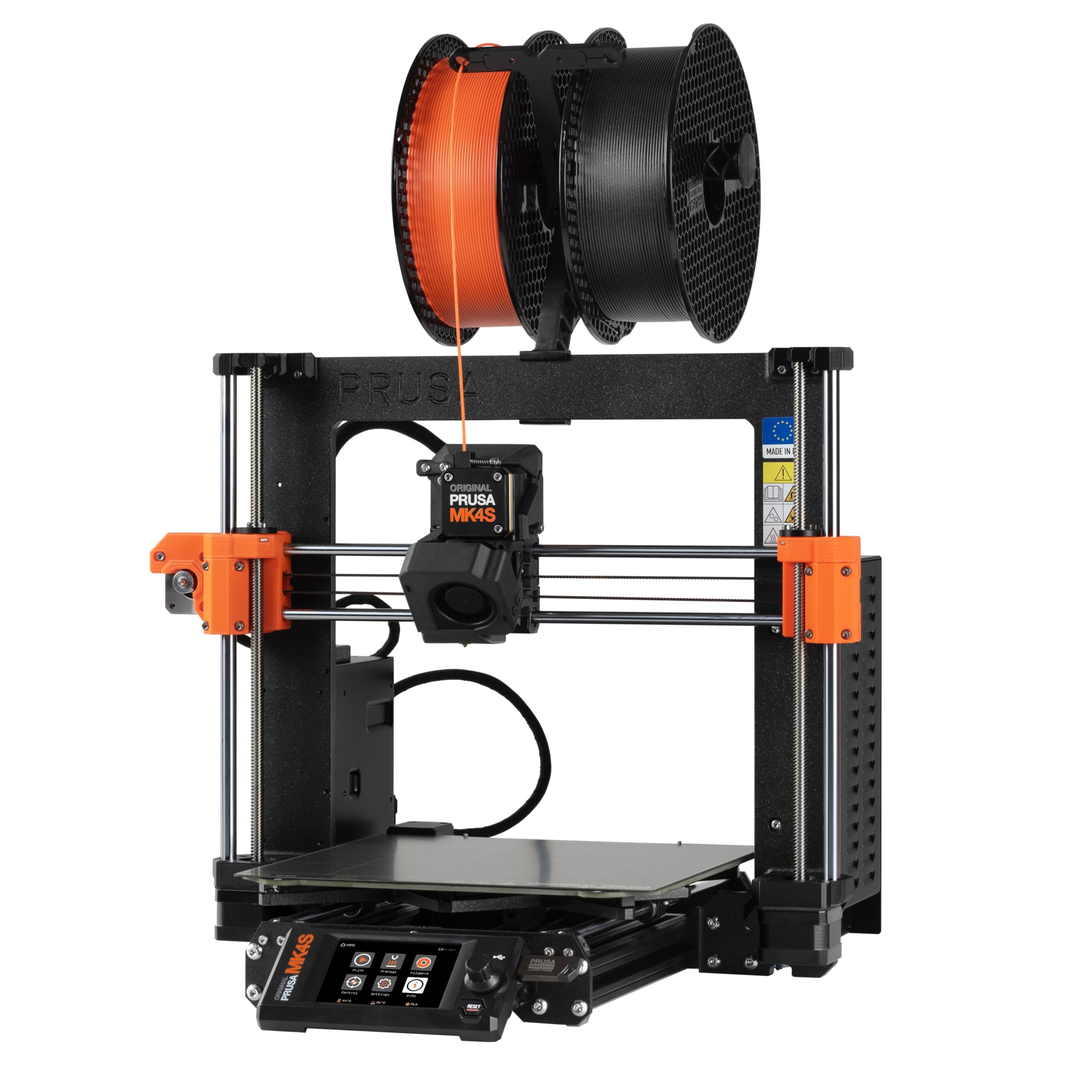
The professional-grade kit that teaches you the machine while delivering stunning prints from day one.
This kit produces prints that owners call “stunningly smooth” — a noticeable step up from the Creality Ender 3 V3 SE’s output, especially on complex overhangs. Input shaping (a motion-control feature that cancels out vibration) means you get sharp corners and clean vertical surfaces even at high speeds. The assembly takes a solid day and requires careful attention — the build guide is detailed, and a few owners mention missing parts. But the payoff is a printer that handles complex overhangs without needing support structures, saving time and filament. The MK4S weighs 15.4 pounds, nearly identical to the Creality kit (15.43 pounds), but it sits in a completely different class for repeatable precision and material compatibility.
The open-source design means replacement parts and firmware upgrades are easy to find, and Prusa’s support is known for being responsive. The catch is the price — this is a premium kit, and a few owners mention issues like a dead LCD screen or missing hardware. But the overwhelming consensus is that once it is dialed in, it out-prints cheaper machines by a noticeable margin. Customers note the cost is comparable to a fully upgraded cheap printer like the Ender 3 V3 SE, but without the tinkering.
Print Quality Benchmark
- Input shaping produces clean, sharp edges at higher speeds
- Handles complex overhangs without supports, saving time and filament
- Open-source platform with long-term firmware support and easy part sourcing
- Self-calibrating — setup scored 9.7/10 in owner feedback
Premium Price, Minor Gripes
- Assembly requires a full day and careful reading of the instructions
- A small number of reviewers point out missing parts or early hardware failures
- More expensive than many pre-built competitors
Best for: the maker who wants a reliable, high-precision printer and enjoys the learning experience of building it themselves.
Who should skip it: anyone who needs a printer running within an hour of unboxing — this is a project, not a quick build.
3. Original Prusa CORE One Kit
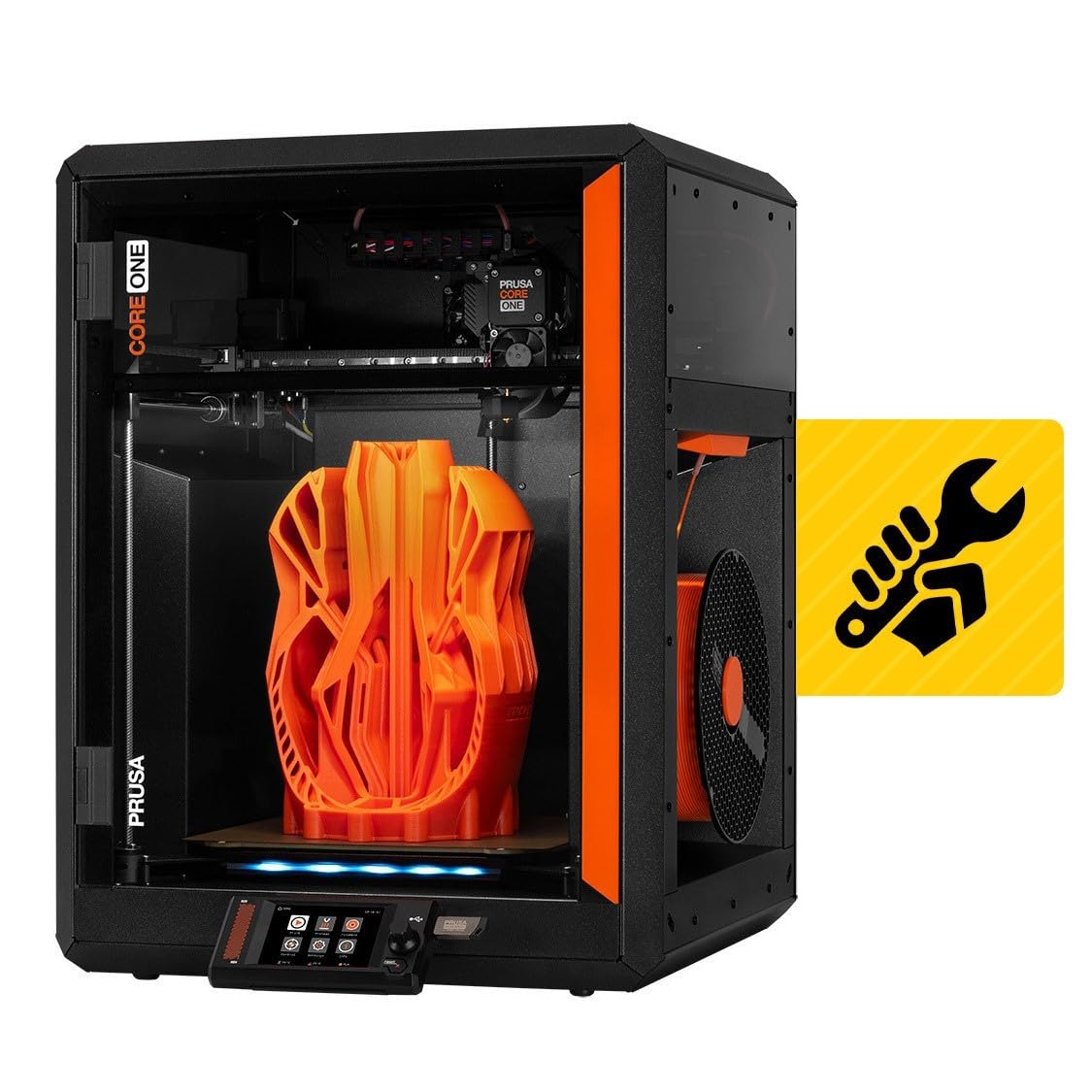
The twenty-hour build that rewards you with a heavy, enclosed workhorse capable of engineering-grade materials.
The build takes twenty to twenty-five hours — a long project compared to the Prusa MK4S’s one-day assembly or the Ender 3 V3 SE’s 20-minute setup. Owners describe it as satisfying but involved — you will understand every component in this machine by the time you are done. The payoff is a printer that weighs 54 pounds, more than three times the weight of the other two kits, with an all-steel exoskeleton that eliminates frame flex. The enclosed chamber reaches 55°C with active temperature control, meaning you can print demanding materials like ASA, polycarbonate, and nylon — not just PLA and PETG. The CoreXY motion system moves only the print head, not the bed, which enables faster acceleration and cleaner high-speed results than bed-slinger designs like the Ender 3 V3 SE.
Print quality is the aspect owners praise most, and it lives up to the Prusa reputation. The print speed also earns strong marks. But the kit has its teething pains. A few shoppers say firmware issues with homing (the process where the printer finds its starting position) and belt tensioning (adjusting the tightness of the drive belts), and the acrylic door panel feels less premium than the metal frame around it. One owner noted the printer arrived dusty with filament already in the nozzle. The reliability score in customer feedback is mixed, and a recurring comment is that the price is high compared to some competitors. Still, for buyers who value an open-source, non-cloud-locked machine that will last for years, the CORE One is a serious contender.
Industrial-Grade Foundation
- Enclosed heated chamber (up to 55°C) open up engineering filaments like ASA and nylon
- CoreXY design enables higher speeds and cleaner output than bed-slingers like the Ender 3 V3 SE
- All-steel exoskeleton provides class-leading rigidity and durability
- Fully open-source with lifetime support from Prusa
A Committed Build
- Twenty-plus hours of assembly is a serious time investment
- Some early-unit quirks reported (firmware, belt tension, acrylic quality)
- Heavier than any desktop printer needs to be — not portable
Built for: the enthusiast who wants a permanent, high-performance machine that can handle advanced materials and will stay relevant for years.
Not your kit if: you need a printer up and running this weekend, or you are on a tighter budget — this is a long-term investment in both time and money.
Understanding the Specs
Print Volume
The print volume tells you the maximum size of the object you can make in one piece. It is measured in three dimensions — width, depth, and height. The Creality Ender 3 V3 SE prints within an 8.66 x 8.66 x 9.84 inch box, while the Prusa kits offer slightly larger volumes. If you plan to print functional parts like brackets or enclosures, a taller Z-height (the vertical dimension) matters more than a small difference in width.
Motion System
The two main architectures are Cartesian bed-slingers and CoreXY printers. A bed-slinger moves the print platform back and forth, which creates inertia that limits acceleration. A CoreXY printer moves only the print head using a belt system, allowing higher speeds and reducing visible ringing (the wavy artifacts on vertical surfaces). The Original Prusa CORE One uses CoreXY, while the MK4S and the Ender 3 V3 SE are Cartesian designs.
FAQ
How long does it take to assemble a 3D printer kit?
What is the difference between a bed-slinger and a CoreXY printer?
Do I need an enclosed chamber for printing with different materials?
What is input shaping and why does it matter?
What is a direct drive extruder and do I need one?
Will a 3D printer kit work with my Mac or PC?
What is auto bed leveling and do I really need it?
How much filament does a kit include?
Is it cheaper to build a kit than to buy a pre-assembled printer?
What happens if my kit is missing parts or something breaks?
Final Thoughts: The Verdict
Across the board, the best entry point into a 3d printed 3d printer kit is the Original Prusa MK4S Kit because it delivers the best balance of high-quality output, professional reliability, and a rewarding (but not overwhelming) build experience. If your priority is absolute speed and you are comfortable with upgrades down the line, the Creality Ender 3 V3 SE offers unbeatable value for a fast learner. And if you plan to print engineering-grade materials and want a machine that will not wobble, the Original Prusa CORE One Kit is the powerhouse worth the long build and higher price.
How We Picked
We do not accept paid placement. Every pick is matched to a real buyer and a real use-case; we do not hands-on test units.
Sources & Methodology
Specifications: manufacturer listings and product documentation. Review insights: verified customer reviews, as of July 2026. Pricing: not shown on this page (it changes often); check the current price via the retailer link.
As an Amazon Associate, Gadgets Feed earns from qualifying purchases. This does not affect which products we feature.