
Our readers keep the lights on and my morning glass full of iced black tea. As an Amazon Associate, I earn from qualifying purchases.
Specs are compiled from manufacturer listings and verified buyer reviews and can change over time — please confirm the key details on the product page before buying.
Moving from a standard 60Hz screen to a 120Hz gaming monitor is one of those upgrades you feel instantly — scrolling becomes buttery, mouse movements turn precise, and fast-paced shooters suddenly feel slow-motion clear. This list covers the best 120 Hz gaming monitor options at every level, from budget-friendly workhorses to premium 4K beasts, all chosen for real-world performance based on published specs and genuine owner experiences.
I’m Min — the founder and writer behind Gadgets Feed. This guide is built by comparing the manufacturers’ published specifications and the patterns across verified customer reviews, so you get each pick’s real strengths and trade-offs instead of marketing spin.
Because “120Hz” is often a starting point — many of these monitors go well beyond — we have included picks that hit or exceed that refresh rate, whether you play competitive esports, marathon RPGs, or just want a silky-smooth desktop. This is your shortcut through the noise to find the right 120 hz gaming monitor for your setup and your budget.
Our Picks at a Glance

How To Choose The Best 120 Hz Gaming Monitor
Choosing a high-refresh monitor depends on resolution, panel type, adaptive sync, and HDR support.. Here is what to focus on.
Resolution: 1080p, 1440p, or 4K
Higher resolution means sharper text and more detail, but it also demands more from your graphics card (GPU) to hit high frame rates. 1440p (2560 x 1440) is the balance for most gamers today — noticeably sharper than 1080p without being as punishing on your GPU as 4K. 4K (3840 x 2160) looks stunning but often requires a powerful card like an RTX 4080 to push 120+ frames per second in modern titles.
Panel Type: IPS, Fast IPS, and VA
The panel type determines how colors look and how fast the pixels change. IPS (In-Plane Switching) panels offer the best color accuracy and wide viewing angles, making them the go-to for both gaming and creative work. Fast IPS is a newer variant that cuts pixel response time down to 1ms, reducing ghosting in fast motion. VA panels offer deeper blacks and higher contrast but can suffer from slower dark-level response times, leading to more noticeable smearing.
Adaptive Sync: FreeSync and G-Sync
These technologies sync your monitor’s refresh rate with your GPU’s frame output, eliminating screen tearing and stuttering. AMD FreeSync is common on most modern monitors and works with both AMD and many NVIDIA cards. NVIDIA G-Sync is a stricter standard typically found on premium monitors. Many monitors are “G-Sync Compatible” — tested by NVIDIA to work smoothly without the full certification cost.
HDR (High Dynamic Range)
HDR improves contrast and brightness, making bright highlights pop and shadows look deeper. Look for VESA DisplayHDR 400 as a baseline for a noticeable upgrade over standard SDR. Higher tiers like DisplayHDR 600 cost more but offer significantly better peak brightness. Budget monitors often claim HDR but lack the brightness to make it convincing.
Quick Comparison
| Model | Best For | Resolution | Refresh Rate | Panel Type | Amazon |
|---|---|---|---|---|---|
| KTC H27P3★ Best Overall | Mac users & creative pros | 5120 x 2880 (5K) | 5K @ 60Hz / 2K @ 120Hz | IPS | Amazon |
| Samsung Odyssey G5 G50FTop Value | Budget-friendly 1440p gaming | 2560 x 1440 (QHD) | 180Hz | Fast IPS | Amazon |
| KTC H27P6Best Dual Mode | Dual-mode competitive gaming | 3840 x 2160 (4K) | 4K @ 160Hz / FHD @ 320Hz | Fast IPS | Amazon |
| Dell S2725QS | Productivity + light gaming | 3840 x 2160 (4K) | 120Hz | IPS | Amazon |
| ASUS TUF VG27AQM5A | Competitive FPS players | 2560 x 1440 (QHD) | 300Hz | Fast IPS | Amazon |
| Acer Nitro VG270K | Console + PC dual-mode play | 3840 x 2160 (4K) | 4K @ 160Hz / FHD @ 320Hz | IPS | Amazon |
| LG 27G640A-B | High-refresh 1440p | 2560 x 1440 (QHD) | 300Hz | IPS | Amazon |
| LG 27GR83Q-B | Quality build + smooth VRR | 2560 x 1440 (QHD) | 240Hz | IPS | Amazon |
| Dell S2725QC | USB-C 4K office + play | 3840 x 2160 (4K) | 120Hz | IPS | Amazon |
| Samsung Odyssey G50D | Big-screen QHD gaming | 2560 x 1440 (QHD) | 180Hz | Fast IPS | Amazon |
| ASUS ROG Strix XG27UCG | Premium 4K dual-mode | 3840 x 2160 (4K) | 4K @ 160Hz / FHD @ 320Hz | Fast IPS | Amazon |
In‑Depth Reviews
1. KTC 27 Inch 5K Dual Mode Computer Monitor (H27P3)
Our pick — over 4.5★ from 800+ verified ratings; the strongest balance of quality and price.
The crispest 5K panel you can pair with a MacBook without spending Apple money.
This 27-inch monitor delivers a 5120 x 2880 resolution, giving you razor-sharp text and incredible detail for design work or video editing. The IPS panel covers 99% DCI-P3 and 100% sRGB with Delta E under 2, meaning colors are accurate straight from the start. Owners consistently praise the picture clarity and how easily it switches between landscape and portrait orientation.
For connectivity, you get a USB-C port that delivers 65W power delivery (PD65W), so a single cable charges your laptop and sends a 5K signal at the same time. The 2000:1 contrast ratio gives deeper blacks and richer shadow detail. While the stand is not height adjustable (a fair trade-off at this price point), the 27-inch size and 5K sharpness make this the top pick for creative pros.
As owners put it, “Mine is hooked up to a 14 inch MacBook Pro M2 Pro via the USB-C port and it works flawlessly.” The crowd favorite here — a 4.6-star average across hundreds of owners — confirms this is a steal for the resolution and color accuracy on offer.
What wins people over
- crisp 5K resolution at 5120 x 2880 pixels
- Wide color coverage at 99% DCI-P3 and 100% sRGB with Delta E under 2 for accurate editing
- USB-C PD65W charges your laptop and transmits video through one cable
- G-Sync and FreeSync compatible for smooth motion
The trade-off
- Stand is not height adjustable — you will want a monitor arm or riser for ergonomic positioning
Reach for this if: you do creative color work on a Mac and want a crisp 5K panel with single-cable USB-C charging.
Look elsewhere if: you need on-the-fly height adjustment from the stock stand.
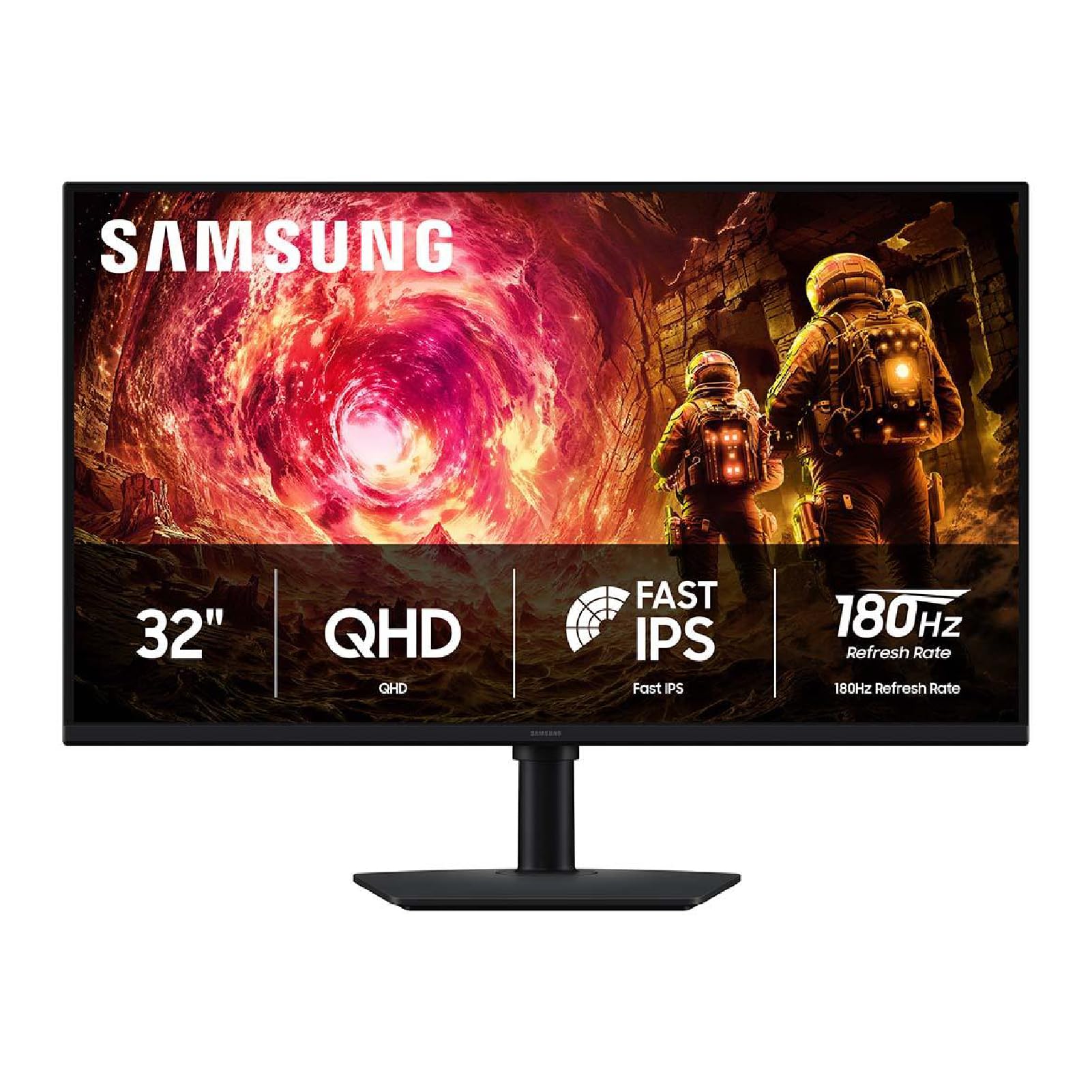
2. Samsung 32” Odyssey G5 (G50F) Series QHD Gaming Monitor
A big 32-inch QHD screen with 180Hz speed at a price that undercuts almost everything else.
This 32-inch monitor brings QHD resolution (2560 x 1440) to a spacious 32-inch screen, all while keeping pixel density sharp enough for detailed gaming. The Fast IPS panel delivers a 180Hz refresh rate and 1ms (GtG) response time, so motion stays crisp whether you are tearing through a shooter or scrolling documents. Owners rave about the display quality — it is the aspect mentioned most often in reviews by a wide margin — and the value for money.
HDR10 support provides brighter highlights and deeper shadows for added depth in games and movies. The ergonomic stand is height adjustable, pivots, tilts, and swivels — a feature rarely found at this level. G-Sync compatibility keeps the GPU and panel synced to eliminate screen tearing and stutter, which owners confirm works flawlessly even after months of use. The recurring minor complaint is the tiny control joystick on the back, but nearly everyone agrees: “After 6 months, zero issues.” This is the best entry-level 1440p option hands down.
Note that this list uses flexible matching for “120 Hz” — many picks exceed that refresh rate to give you more headroom, and this one does exactly that. The Dell S2725QS (below) is the truest at exactly 120Hz if that is your primary concern.
Display quality champion: The thing owners praise most is the display quality — buyers consistently call it sharp, vivid, and tear-free from the start.
Buy it for: a large, smooth, color-accurate QHD gaming experience that does not break the bank.
skip it if: you prefer a smaller desktop screen or need high native contrast for dark-room gaming.
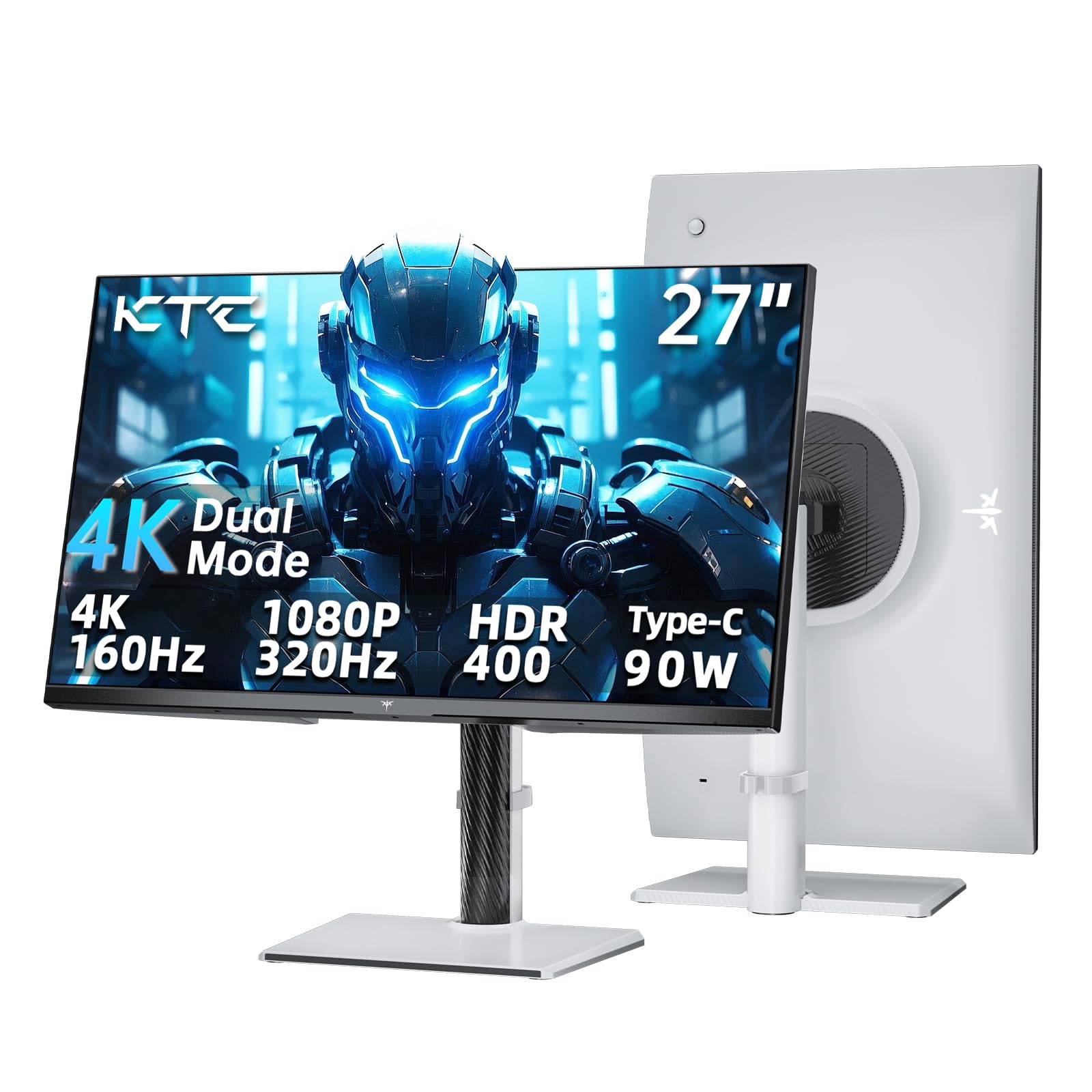
3. KTC 27 Inch Gaming Monitor 4K Dual Mode (H27P6)
One monitor, two modes — gorgeous 4K for single-player and lightning-fast 1080p for competitive play.
The H27P6 switches between 4K at 160Hz for rich RPGs and 1080p at 320Hz for esports titles where every millisecond counts. Both modes use a Fast IPS panel with a 1ms (MPRT) response time and Adaptive Sync to keep motion blur and tearing in check. The 125% sRGB color gamut and Delta E under 2 make for vibrant, accurate colors straight from the factory — owners consistently praise the “excellent color accuracy” and “no backlight bleed.”
A USB-C port with 90W power delivery (PD 90W) charges even high-power laptops while sending video through the same cable, keeping your desk clean. The stand is fully adjustable — height, tilt, swivel, and pivot — which is a welcome feature at this price point. The monitor also includes a three-year warranty, and owners note the RMA process is straightforward if any issue arises. A small handful of buyers report a defective unit after a few weeks, but the vast majority call this an “amazing monitor that comes at an affordable price.”
Dual-mode advantage: Switch from 4K 160Hz for story-driven games to FHD 320Hz for fast-paced shooters with a single button press.
Ideal for: gamers who play both single-player epics and competitive shooters and want one screen that does both without compromises.
Think twice if: you prefer a larger screen than 27 inches for your main display.
4. Dell 27 Monitor S2725QS, 4K UHD IPS, 120Hz

The rare 4K monitor that hits exactly 120Hz for work and play without going overboard on price.
At 27 inches with a 4K UHD (3840 x 2160) IPS panel and a smooth 120Hz refresh rate, the S2725QS is built for mixed use — spreadsheets look razor-sharp, video feels fluid, and light gaming is tear-free thanks to AMD FreeSync Premium. The 1500:1 contrast ratio delivers better depth than many IPS competitors, and owners note the “near-OLED black performance” at this price is a pleasant surprise. Image quality is the most-praised aspect by a wide margin (over 150 positive mentions), and the 99% sRGB coverage keeps colors accurate for photo editing.
The re-engineered built-in speakers are genuinely usable, delivering “incredibly loud sound” per many owners, which is rare for a monitor. The stand adjusts for height, swivel, and pivot, and the ultra-thin bezel makes this a great multi-monitor candidate. ComfortView Plus reduces blue light emissions to 35% or less without washing out colors, so you can work all day without eye strain. A minority of owners mention a slight yellow tint or text distortion after the return window, but the consensus is that this is one of the best-value 4K 120Hz monitors available.
Mixed-use master: The image quality wins everyone over — crisp 4K text, deep blacks, and smooth 120Hz scrolling that makes 60Hz feel slow.
Choose this if: you split your day between productivity work and gaming, and want a clean 4K 120Hz experience without chasing 300Hz extremes.
Pass if: you need the absolute lowest input lag for competitive esports — it is not designed for hardcore FPS play.
5. ASUS TUF Gaming 27” 1440P Monitor (VG27AQM5A)
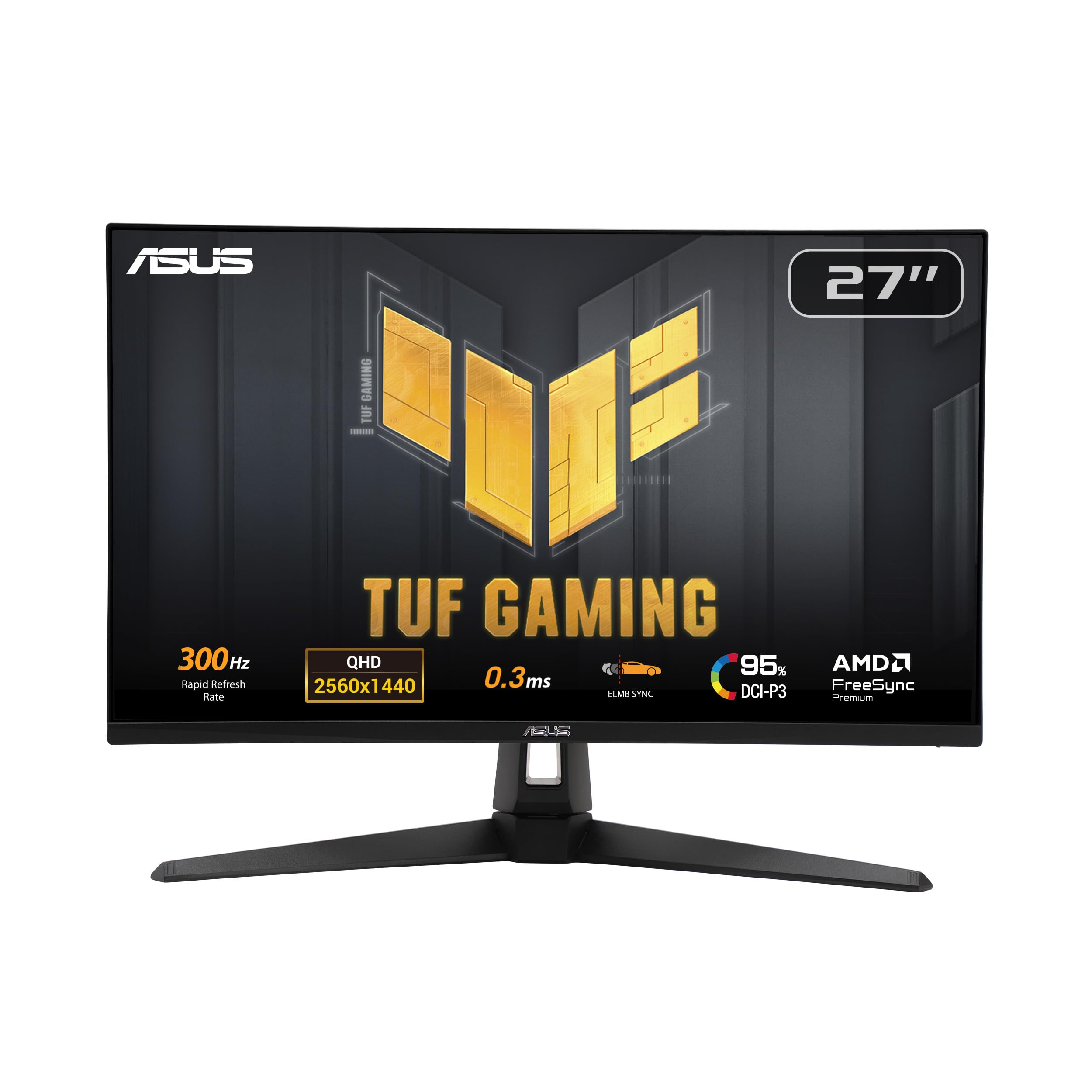
A 300Hz QHD monitor with a blistering 0.3ms response time built for competitive gaming supremacy.
This 27-inch QHD (2560 x 1440) monitor from ASUS TUF Gaming is built for one thing: speed. The 300Hz refresh rate and 0.3ms (GtG) response time — the fastest in this roundup — mean motion is rendered with practically zero blur. The Fast IPS panel covers 95% DCI-P3 for vibrant colors, and ASUS’s Extreme Low Motion Blur Sync (ELMB Sync) lets you use ELMB alongside variable refresh rate, eliminating both ghosting and tearing simultaneously. Owners call it a “standout” for fast-paced titles like CS2 and Valorant.
DisplayWidget Center lets you tweak monitor settings with a mouse rather than fiddling with on-screen buttons, and Shadow Boost brightens dark areas without overexposing highlights. The monitor quality is the most-praised aspect, with owners noting the “superior picture quality” and “low response time ideal for competitive gaming.” A few units have arrived with a dead pixel, and the brightness is described as “not extremely bright” compared to premium HDR panels, but for pure competitive performance at this price point, it is tough to top.
Speed king: At 300Hz with a 0.3ms response time, this is one of the fastest QHD IPS panels you can buy for competitive play.
Grab it for: esports and fast-paced shooters where every millisecond of input lag matters.
pass on it if: you prioritize HDR brightness or run a less powerful GPU that cannot push 300 frames per second.
6. Acer Nitro 27” 4K UHD Gaming IPS Monitor (VG270K V4bmiipx)

A 4K 160Hz monitor with dual-mode DFR that punches way above its price class.
The Acer Nitro VG270K is a 27-inch IPS monitor with UHD (3840 x 2160) resolution and a clever DFR (Dual Frame Rate) feature — you get 4K at 160Hz for gorgeous single-player games, or you can switch to FHD at 320Hz for competitive titles. AMD FreeSync Premium keeps things tear-free, and the 0.5ms (GtG) response time handles fast motion cleanly. The near-bezel-less ZeroFrame design makes multi-monitor setups feel smooth, and the 90% DCI-P3 color gamut with HDR10 support adds punch to games and movies. Owners consistently praise the value for money and vibrant color quality.
Port selection is excellent for the price: 1 x DisplayPort 1.4 and 2 x HDMI 2.1 ports, giving you full bandwidth for both PC and next-gen consoles. The monitor tilts from -5° to 25° and is VESA mount compatible (100 x 100 mm). A recurring theme in the reviews is that the quality is excellent for the price, though durability and reliability get mixed notes — some owners mention units dying within a few months. If you buy this, make sure you are covered by the return window or an extended warranty.
Standout strengths
- Dual-mode feature lets you choose 4K 160Hz or FHD 320Hz depending on the game
- Dual HDMI 2.1 ports deliver full bandwidth for PS5 and Xbox Series X
- Vibrant 90% DCI-P3 colors with HDR10 support at a budget-friendly price
The honest caveat
- Reliability is a mixed bag — some customers note failures within the first few months, so warranty planning is wise
Best for: console gamers on a budget who want HDMI 2.1 and dual-mode flexibility across 4K and high-speed FHD.
Caution: durability reports are mixed — buy with a protection plan for confidence.
7. LG 27G640A-B 27-inch Ultragear QHD IPS Gaming Monitor
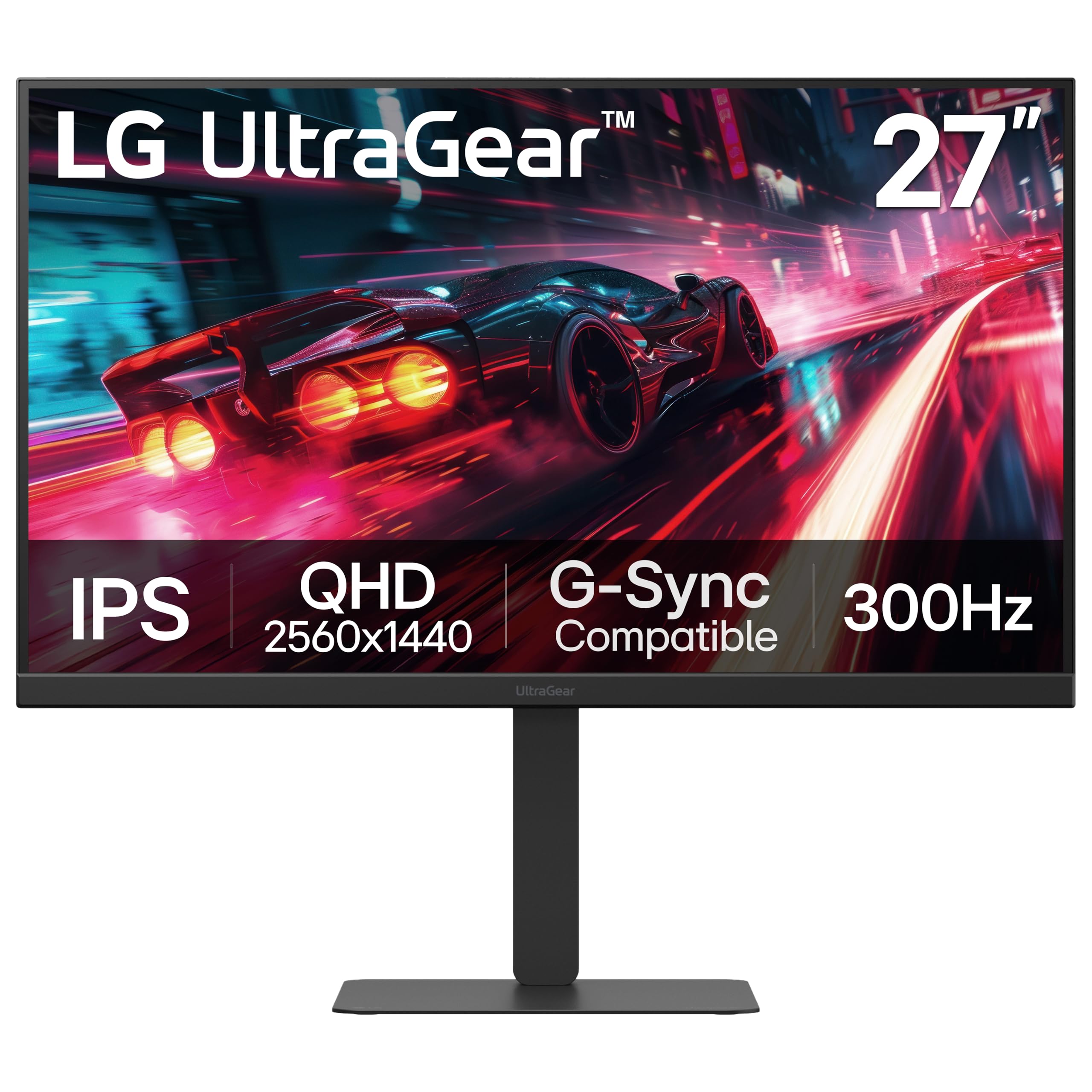
A 300Hz QHD workhorse with HDMI 2.1 that connects smoothly to PC, PS5, and Mac.
The LG 27G640A-B packs a 27-inch QHD (2560 x 1440) IPS panel with a 300Hz refresh rate, 1ms (GtG) response time, and VESA DisplayHDR 400 certification for brighter highlights and deeper blacks. The 95% DCI-P3 color gamut ensures vibrant, lifelike visuals across games and media. Display quality is the most-praised aspect, with owners calling it “great picture quality, crisp colors, nice blacks” — fitting for a monitor that handles both competitive gaming and creative work.
Connectivity is where this monitor stands out: dual HDMI 2.1 ports, a DisplayPort 1.4, and USB Type-C (15W power delivery) let you hook up a PC, a PS5, and a laptop simultaneously. The stand offers height, tilt, swivel, and pivot adjustments for full ergonomic control. Dynamic Action Sync reduces input lag, and Black Stabilizer brightens dark scenes to reveal hidden enemies. Owners love the “great value at ” price point, though the built-in speakers are described as mediocre and the OSB menu system frustrates some. The overall consensus: an excellent 1440p 300Hz monitor for the price.
Ports galore: Dual HDMI 2.1 plus USB-C means you can connect a high-end PC, a PS5, and a work laptop without swapping cables.
Perfect for: gamers who need a single high-refresh monitor that works across multiple devices including next-gen consoles.
Not for: anyone who relies on built-in speakers — they are mediocre and best replaced with headphones or external speakers.
8. LG 27GR83Q-B 27-inch Ultragear QHD IPS Gaming Monitor
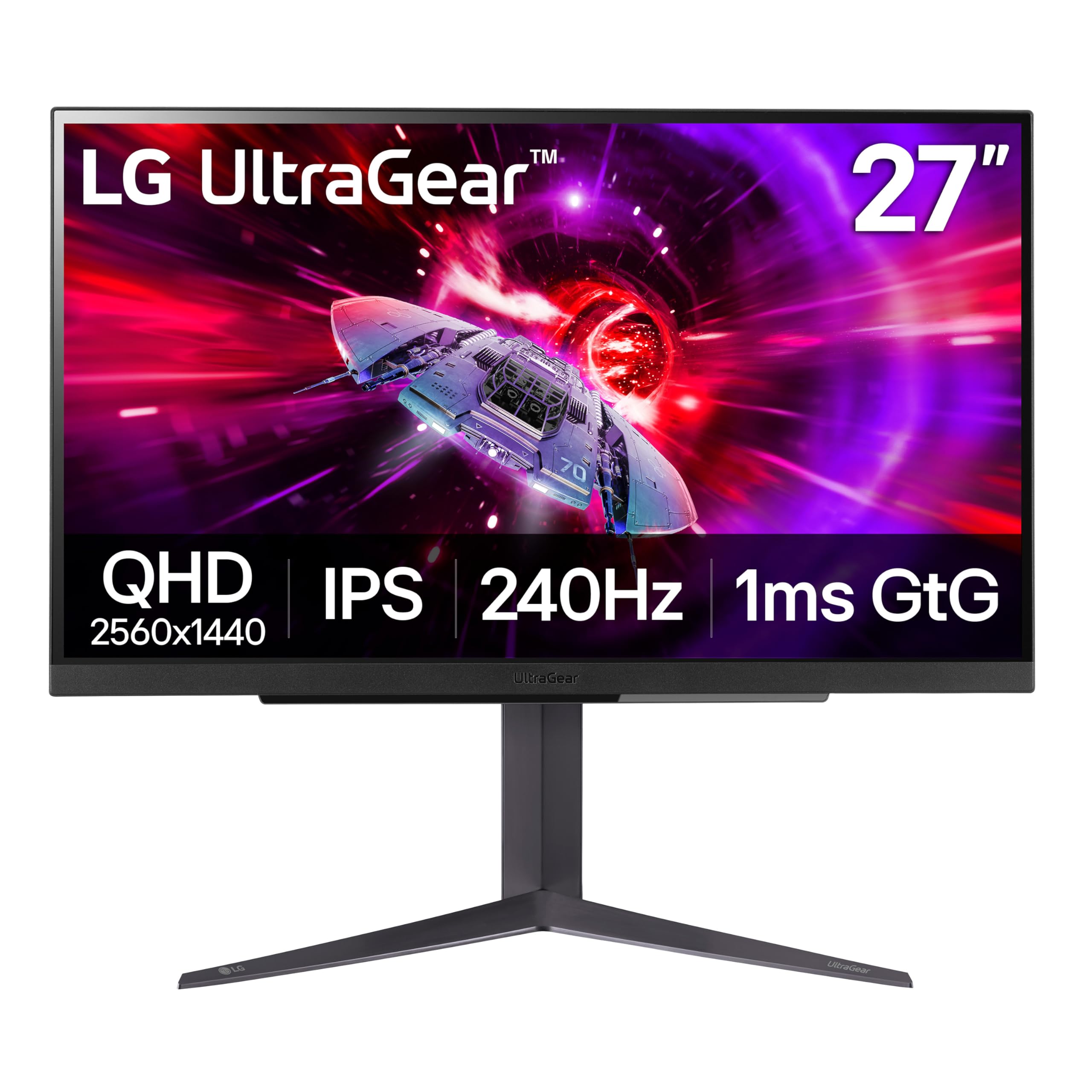
An impeccably built 240Hz QHD monitor that feels premium from the stand to the screen.
The 27GR83Q-B uses a 27-inch QHD (2560 x 1440) IPS panel with a 240Hz refresh rate, 1ms (GtG) response time, and VESA DisplayHDR 400 certification with up to 95% DCI-P3 color gamut. NVIDIA G-Sync Compatible certification means it has been rigorously tested by NVIDIA to reduce stutter and tearing. The build quality is the most-praised aspect by a wide margin (over 100 positive mentions) — owners consistently describe it as “heavy, high quality” with an “amazing stand” that feels rock-solid. Color quality and the 240Hz smooth variable refresh rate performance also earn consistent praise.
Dynamic Action Sync reduces input lag for real-time response, Black Stabilizer brightens dark scenes, and a 4-pole headphone jack with DTS Headphone:X delivers 3D spatial audio over headphones. A HDMI 2.1 port lets you hit 240Hz on both PC and console. The recurring issue is pixel quality — some units arrive with stuck or dead pixels, which is a common lottery with high-refresh IPS panels. If you get a clean unit (the majority do), this is among the most satisfying 1440p monitors to own day to day.
Why people love it
- top-tier build quality — the stand and chassis feel premium and durable
- G-Sync Compatible certification ensures tear-free gameplay
- Excellent color accuracy with 95% DCI-P3 coverage from the start
- 240Hz refresh rate is fast enough for all but the most extreme esports players
The pixel lottery
- Pixel quality is mixed — while many get a flawless panel, a notable number of owners find stuck or dead pixels on arrival
Pick this if: you value build feel and want a confirmed G-Sync Compatible 240Hz monitor with top-tier color.
Inspect on arrival: the pixel defect lottery is real — check your panel thoroughly within the return window.
9. Dell 27 Monitor S2725QC, 4K UHD IPS, 120Hz
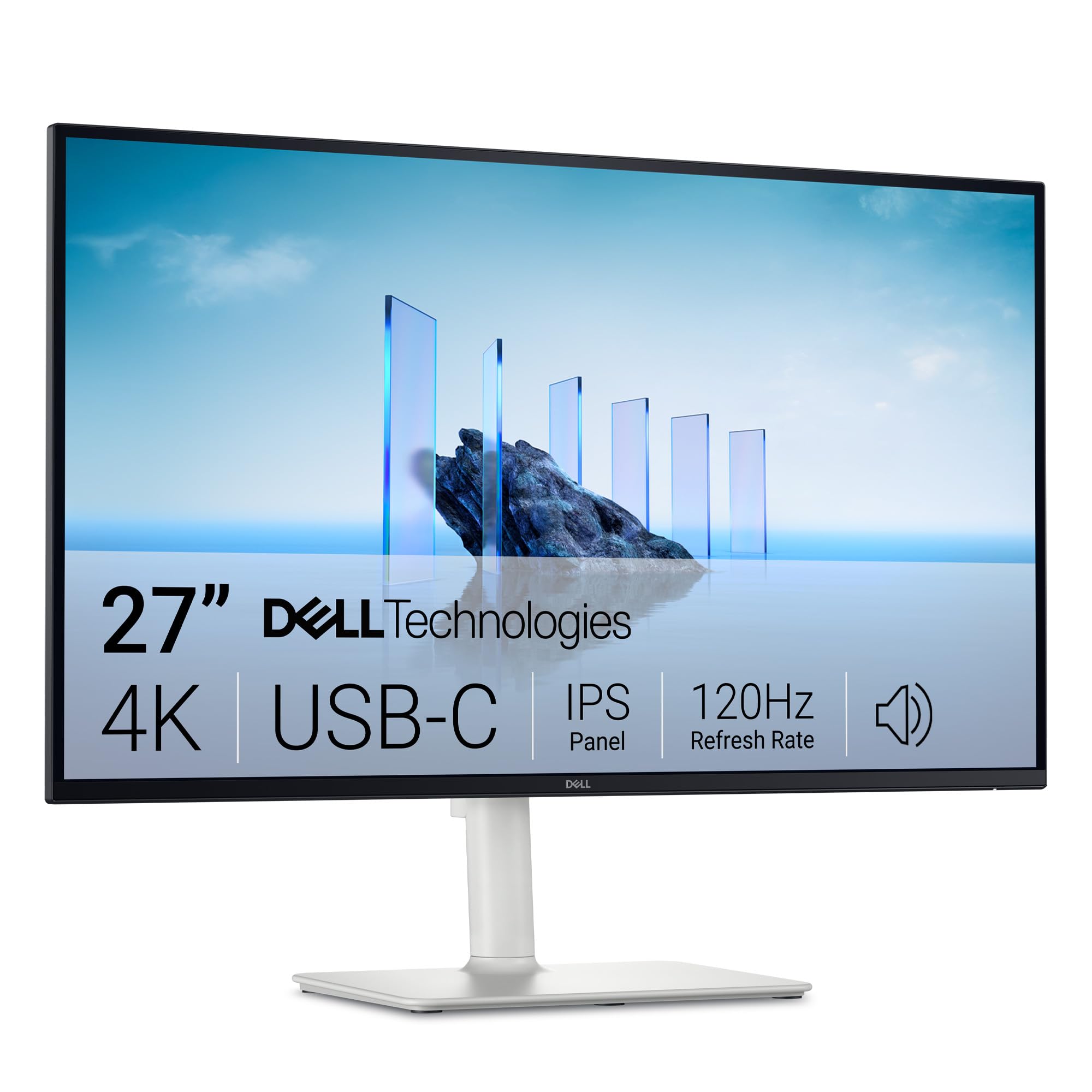
A 4K 120Hz monitor that connects to your laptop with a single USB-C cable — power, video, and data included.
The S2725QC is a 27-inch 4K UHD (3840 x 2160) IPS monitor that hits 120Hz with AMD FreeSync Premium, making it equally capable for work tasks and casual gaming. The 1500:1 contrast ratio delivers deep blacks that owners call “near-OLED” quality for an IPS panel. Display quality is the most-praised aspect by a huge margin (over 120 positive mentions), with owners noting “excellent image quality, crisp, great contrast, deep blacks, vibrant color.” The 163 PPI pixel density makes text razor-sharp for programming and document work.
The killer feature here is USB-C connectivity — a single cable delivers up to 65W power delivery, video, and data to your laptop, keeping your desk clean and clutter-free. The re-engineered built-in speakers are genuinely good, with owners saying “external sound bar unnecessary.” The stand adjusts for height, swivel, tilt, and pivot, giving you full ergonomic freedom. The main complaint is that the power and adjustment controls are on the back, which some find clumsy. But for a laptop-centric worker who wants smooth scrolling and sharp text, this is the top pick.
Single-cable wonder: USB-C with 65W power delivery charges your laptop and drives the display through one cord — the cleanest desk setup in this list.
Ideal for: laptop users who want a clean, single-cable 4K 120Hz setup for productivity and light gaming.
Not for: competitive gamers who need the absolute lowest latency — this is a work-first monitor with gaming as a bonus.
10. SAMSUNG 32-Inch Odyssey G50D Series QHD Fast IPS Gaming Monitor

A 32-inch QHD Fast IPS panel with 180Hz, DisplayHDR 400, and G-Sync for an rich, smooth gaming experience.
The Odyssey G50D pairs a large 32-inch QHD (2560 x 1440) display with a Fast IPS panel that delivers a 180Hz refresh rate and 1ms (GtG) response time. VESA DisplayHDR 400 certification provides deeper blacks and brighter whites, helping you spot enemies hiding in shadows. AMD FreeSync and G-Sync compatibility ensure tear-free gameplay, and owners call it “smooth 180Hz refresh rate with G-Sync; no tearing/stuttering in FPS and racing games.” Display quality and refresh rate are the most-praised aspects by a significant margin.
The stand is fully adjustable (height, tilt, swivel, pivot), so you can dial in your perfect viewing angle. Eye Saver Mode reduces blue light for extended sessions, and the thin bezel design makes multi-monitor setups look clean. A few owners note that the default color calibration is poor and requires manual adjustment (some report spending up to two hours tweaking settings), and the power light is very dim. But when calibrated, the consensus is that this is one of the best all-around monitors for its size and price range.
DisplayHDR 400 advantage: Proper HDR certification means brighter highlights and deeper blacks that make games look noticeably more dimensional than standard IPS panels.
Made for: gamers who want a large, rich 32-inch QHD screen with high refresh and credible HDR without jumping to 4K prices.
Be prepared: the factory calibration can be off — plan to spend some time dialing in the color to your liking.
11. ASUS ROG Strix 27” 4K HDR USB-C Gaming Monitor (XG27UCG)

A premium 4K dual-mode monitor with ELMB Sync and 95% DCI-P3 color for those who want the best of both worlds.
The ROG Strix XG27UCG is a 27-inch 4K (3840 x 2160) monitor with Fast IPS panel technology and a versatile dual-mode system: 4K at 160Hz for visually rich single-player games, or FHD at 320Hz for competitive play where speed is everything. ASUS Extreme Low Motion Blur Sync (ELMB Sync) lets you use ELMB alongside variable refresh rate, eliminating both ghosting and tearing simultaneously. The 95% DCI-P3 color gamut with advanced gray-scale tracking ensures smooth, uniform color gradation. Owners describe the picture as “exceptional 4K picture with deep blacks, brilliant colors, no ghosting/fading.”
The fully adjustable stand (height, swivel, rotation) is heavy and firm, and the RGB logo light adds a gaming touch. DisplayWidget Center lets you adjust monitor settings with a mouse. A minority of reviewers point out intermittent black screens or the monitor turning off randomly, which is the main reliability concern. However, the vast majority are thrilled with the “sharp 4K display with great overall performance” and consider it a worthwhile premium investment. HDMI limited to 4K 120Hz, so use DisplayPort for the full 160Hz.
Why it is premium
- 4K 160Hz or FHD 320Hz dual-mode — you pick depending on the game
- ELMB Sync keeps motion blur and tearing under control simultaneously
- 95% DCI-P3 color with advanced gray-scale tracking for professional-grade color
- Premium, heavy-duty stand with height, swivel, and rotation
Known quirks
- Reliability is mixed — some shoppers say intermittent black screens or the monitor turning off randomly
- HDMI port is limited to 4K 120Hz; use DisplayPort for the full 160Hz
Splurge on this if: you want a top-tier 4K gaming monitor with professional color accuracy and the flexibility to switch to 320Hz for esports.
Think twice if: you need HDMI to hit 4K 160Hz — you will need a DisplayPort connection to reach full bandwidth.
Understanding the Specs
Refresh Rate (Hz)
This is the number of times your monitor redraws the image each second. A standard monitor runs at 60Hz, meaning 60 refreshes per second. A 120Hz monitor doubles that to 120, which makes your mouse cursor feel incredibly smooth and fast-moving objects appear much sharper. For gaming, 120Hz is the new baseline — anything above that (144Hz, 165Hz, 240Hz, 300Hz) gives competitive players an edge by reducing perceived lag and making motion look almost liquid.
Response Time (GtG / MPRT)
Measured in milliseconds (ms), this tells you how fast a pixel changes from one shade to another. A slower response time (above 5ms) can cause “ghosting” — a faint trail behind moving objects. For fast games, look for 1ms (GtG) or lower. “MPRT” (Moving Picture Response Time) is a different measurement that accounts for the full frame transition; 1ms MPRT is also excellent. Budget monitors often advertise “1ms” with fine print, so check whether it is GtG or MPRT.
FAQ
Can my graphics card run a 120Hz monitor?
Do I need DisplayPort or HDMI for 120Hz?
Is 120Hz worth it over 60Hz?
What is the difference between FreeSync and G-Sync?
Does a 120Hz monitor work with PS5 or Xbox Series X?
Can I use a 120Hz monitor for work and gaming?
What is IPS glow and should I worry about it?
How do I check if my monitor is running at 120Hz?
What is the difference between 1440p and 4K for a 120Hz monitor?
Are built-in monitor speakers good enough for gaming?
Final Thoughts: The Verdict
For the majority of shoppers, the 120 hz gaming monitor winner is the KTC H27P3 because it delivers a gorgeous 5K IPS panel with USB-C charging and professional color accuracy at a price that undercuts Apple’s Studio Display by a huge margin. If you want a pure gaming-focused QHD monitor with a high refresh rate and a big screen, grab the Samsung Odyssey G5 G50F — it offers 32 inches of 180Hz Fast IPS goodness at an unbeatable value. And for laptop users who want a single-cable 4K 120Hz desk setup, the Dell S2725QC is the one to reach for. Whichever you choose, The jump from 60Hz to 120Hz is the most noticeable single upgrade for both gaming and everyday computing..
How We Picked
We do not accept paid placement. Every pick is matched to a real buyer and a real use-case; we do not hands-on test units.
Sources & Methodology
Specifications: manufacturer listings and product documentation. Review insights: verified customer reviews, as of July 2026. Pricing: not shown on this page (it changes often); check the current price via the retailer link.
As an Amazon Associate, Gadgets Feed earns from qualifying purchases. This does not affect which products we feature.