
Our readers keep the lights on and my morning glass full of iced black tea. As an Amazon Associate, I earn from qualifying purchases.
Specs are compiled from manufacturer listings and verified buyer reviews and can change over time — please confirm the key details on the product page before buying.
Running out of ink in the middle of a job is annoying enough. But paying HP’s prices for a replacement set? That stings in a whole different way. The best 951XL ink cartridges prove you can have both reliability and a reasonable budget—if you know which compatible brands actually deliver.
I’m Min — the founder and writer behind Gadgets Feed. This guide is built by comparing the manufacturers’ published specifications and the patterns across verified customer reviews, so you get each pick’s real strengths and trade-offs instead of marketing spin.
These picks identify compatible 951XL cartridges that keep your OfficeJet Pro running without the HP markup., making this the only guide you need for the best 951xl ink cartridges.
Our Picks at a Glance


How To Choose The Best 951XL Ink Cartridges
Choosing between a genuine HP cartridge and a compatible brand is the main fork in the road. OEM cartridges like the HP 950/951 series guarantee perfect fit and color accuracy but cost significantly more per page. Compatible options from brands like Smart Ink or Valuetoner can cut your ink costs substantially, but you trade off the certainty of identical performance and may deal with the occasional defective unit. Your choice depends on your monthly print volume and tolerance for occasional troubleshooting.
Page Yield — The Real Math Behind the Price
Page yield is the single most important number on a cartridge box. A 951XL black cartridge is rated for roughly 2,300 pages, while a standard 951 black is much lower. A compatible that claims “up to 2,300 pages” may deliver close to that number on a simple text document but fall short on a page full of graphics. The ISO standard (5% page coverage) is a light test—your real-world mileage will vary, especially if you print photos or dense presentations. When comparing value, divide the price by the claimed page yield to get a rough cost-per-page, then be honest about your typical print mix.
Compatibility — The Chip That Makes It Work
HP printers use a smart chip on each cartridge to track ink levels and verify authenticity. A compatible cartridge must replicate this chip’s signal so your printer recognizes it. Most modern compatibles do this well, but you will almost always see a “Non-HP cartridge” warning on your printer’s screen. You press “OK” and it works. The issue arises when a chip is faulty or outdated, causing the printer to reject the cartridge. The best compatible brands update their chips to match the latest printer firmware, so look for listings that mention “updated chip” or “latest chip version” to reduce the risk of a rejection error.
Quick Comparison
| Model | Best For | Page Yield (Black) | Page Yield (Color) | Total Cartridges | Amazon |
|---|---|---|---|---|---|
| HP 950XL + 951 (OEM)★ Best Overall | Office Reliability | 2,300 | 700 | 4 | Amazon |
| Smart Ink 4-PackBest Value | Budget Balance | 2,300 | 1,500 | 4 | Amazon |
| Valuetoner 8-Pack | Bulk Supply | 2,300 | 1,600 | 8 | Amazon |
| Kimveway 3-Pack | Color-Only Refill | — | 1,500 | 3 | Amazon |
| Miss Deer 9-Pack | Multi-Cartridge Value | 2,300 | 1,500 | 9 | Amazon |
| BINKSYLER 12-Pack | Heavy-Duty Printing | 2,300 | 1,500 | 12 | Amazon |
| Haikyuu 4-Pack | High-Quality Color | 2,500 | 1,700 | 4 | Amazon |
In‑Depth Reviews
1. HP 950XL Black + 951 Cyan, Magenta, Yellow Ink (Black XL + CMY)
Our pick — 4.5★ from 5,500+ verified ratings; the strongest balance of quality and price.
The OEM standard that sets the bar for reliability and print quality.
If zero-tolerance for troubleshooting is your rule, this genuine HP set is your answer. The black cartridge delivers up to 2,300 pages per XL cartridge, and each color yields 700 pages—perfect for the home office that cannot afford a surprise paper jam or a misread chip. The print quality is what keeps owners coming back: black text stays razor-sharp, and colors remain consistently vibrant without the muted tone some buyers report from third-party inks.
You get sharp, reliable prints without any setup headaches—over 200 owners praise the ink quality. “Received in 2 days and works great,” owners mention, meaning no compatibility pop-ups to dismiss and no firmware fights. The trade-off is the price; as one long-time user put it, “expensive, but the going rate for inkjet printers.” The value trade-off: OEM ink costs more upfront, but reliability means you replace it on schedule, not because a defective cartridge clogged your printhead. Unbox, install, and print—that is the entire workflow, and it works every time.
What Wins People Over
- Genuine HP build quality and chip reliability—no printer warnings or rejections.
- Sharp black text and vibrant color graphics that resist fading and water damage.
The Honest Catch
- Price per page is significantly higher than compatible alternatives.
- The occasional defective color cartridge slips through, though rare.
The final call: Reach for this set if your printer is a workhorse you cannot afford to have down for a single day.
Think twice if: You print hundreds of pages a month and need to keep per-page costs under control—here the compatibles make more financial sense.
2. Smart Ink Compatible Ink Cartridges Replacement for HP 950XL 951XL 4 Combo Pack
A compatible that saves serious cash without a constant compatibility battle.
This four-cartridge set from Smart Ink is the strongest argument for going third-party. You get a 950XL black (2,300 pages) and three 951XL colors (1,500 pages each) at a fraction of the OEM price. The ink quality earns consistent praise from owners, who find it more than adequate for daily document printing and standard graphics. The built-in chip tracks ink levels reliably, so you get a low-ink warning when it is time to order a replacement.
The standout feature here is the customer support. The reviews are full of owners who hit a snag—a chip error, a printer rejection, a defective color—and then had a representative named Kate or Ann or Leo walk them through a fix or overnight a replacement. “The yellow cartridge was defective and printed black,” one owner noted. “After helping me make sure the printer heads were clean, they shipped a complete replacement set of cartridges to me.” That kind of post-sale service turns a reject into a long-term customer. The main caution is that some units arrive damaged or fail sooner than expected, but the company’s support seems committed to making it right. The compatibility count is high, which is a mixed signal—most printers accept it, but a few need that support call.
Why It Gets the Nod
- Dramatically lower cost than OEM for comparable page yields.
- Exceptional customer service that resolves defects quickly.
One Thing to Watch
- Occasional cartridge damage or smudging reported; quality control varies.
Best suited for: The budget-conscious home office that prints a moderate volume and values responsive support when a cartridge fails.
Look elsewhere if: You need flawless out-of-box performance every single time and have no patience for a support call to fix a defect.
3. Valuetoner 8-Pack 950XL 951XL Ink Cartridges for HP
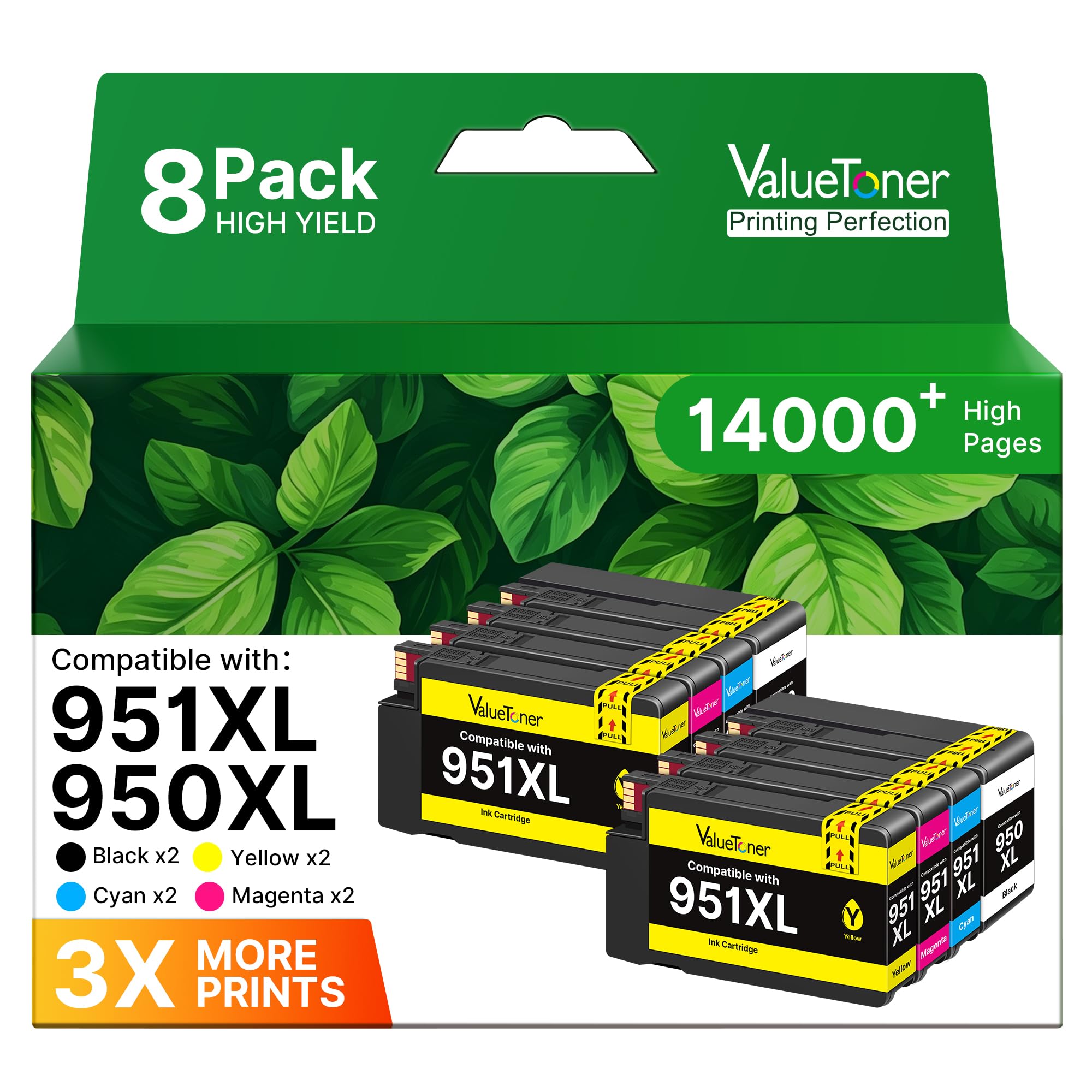
A sturdy, no-nonsense 8-pack that delivers the lowest per-cartridge cost in this roundup.
With two black, two cyan, two magenta, and two yellow cartridges, this Valuetoner set is built for the office that burns through ink. The page yields (2,300 per black, 1,600 per color) are competitive with OEM, and the cost per cartridge is the kind of math that makes you stop worrying about printing drafts.
Printer compatibility is a mixed bag: most printers accept them with a simple “OK” at the dialog prompt, but a few owners had their printer reject the cartridge or, in rare cases, report an authenticity warning. A smaller group flagged color quality issues—specifically the yellow printing an odd green tint. And a handful of long-term users found that the cartridges failed after about six months of light use, with the printer flagging them as non-functional. “So far, so good” is the most common short-term verdict; the uncertainty comes with heavier use over time.
The smart play: This is a volume buy for the printer that sees daily action. The value equation is undeniable—just keep a spare set on hand for the occasional rejection.
Reach for it if: You print a high volume and the absolute lowest per-page cost is your primary metric.
skip it if: You need certainty that every cartridge in the box will work without the rare compatibility hiccup.
4. Kimveway 951XL Ink Cartridges Compatible 3-Pack (Cyan, Magenta, Yellow)

A 3-pack of colors for the office that ran out of cyan but has black to spare.
This set from Kimveway skips the black cartridge entirely and gives you a 951XL refill for cyan, magenta, and yellow. Each color yields up to 1,500 pages, and the price per cartridge undercuts most full sets. If your black 950XL still has life but the colors have run dry, this is a targeted save.
Customer feedback on this set is polarized. Some owners say “works just fine in my old printer for a lot less money,” enjoying crisp output with no setup fuss. Others had a severe experience—”THIS BROKE MY PRINTER”—where a faulty cartridge triggered an “ink system problem” error that persisted even after switching back to HP cartridges, eventually requiring a new printer. The product’s rating reflects this split. It is a gamble, but the company cites strict quality control in high-tech facilities. The risk is real, but so is the savings for those who hit the jackpot of a good batch.
The bottom line: Buy these if you need a color-only refill and your printer is not your most critical office tool. Have a backup plan for the small chance of a defective cartridge.
Who it fits: The low-volume home user printing occasional color pages who wants to save on the three expensive color cartridges.
Who it does not fit: Anyone who relies on their printer for professional or time-sensitive work where a failure could cost a deadline.
5. Miss Deer 9-Pack 950 951 Ink Cartridges Combo Pack Upgraded XL
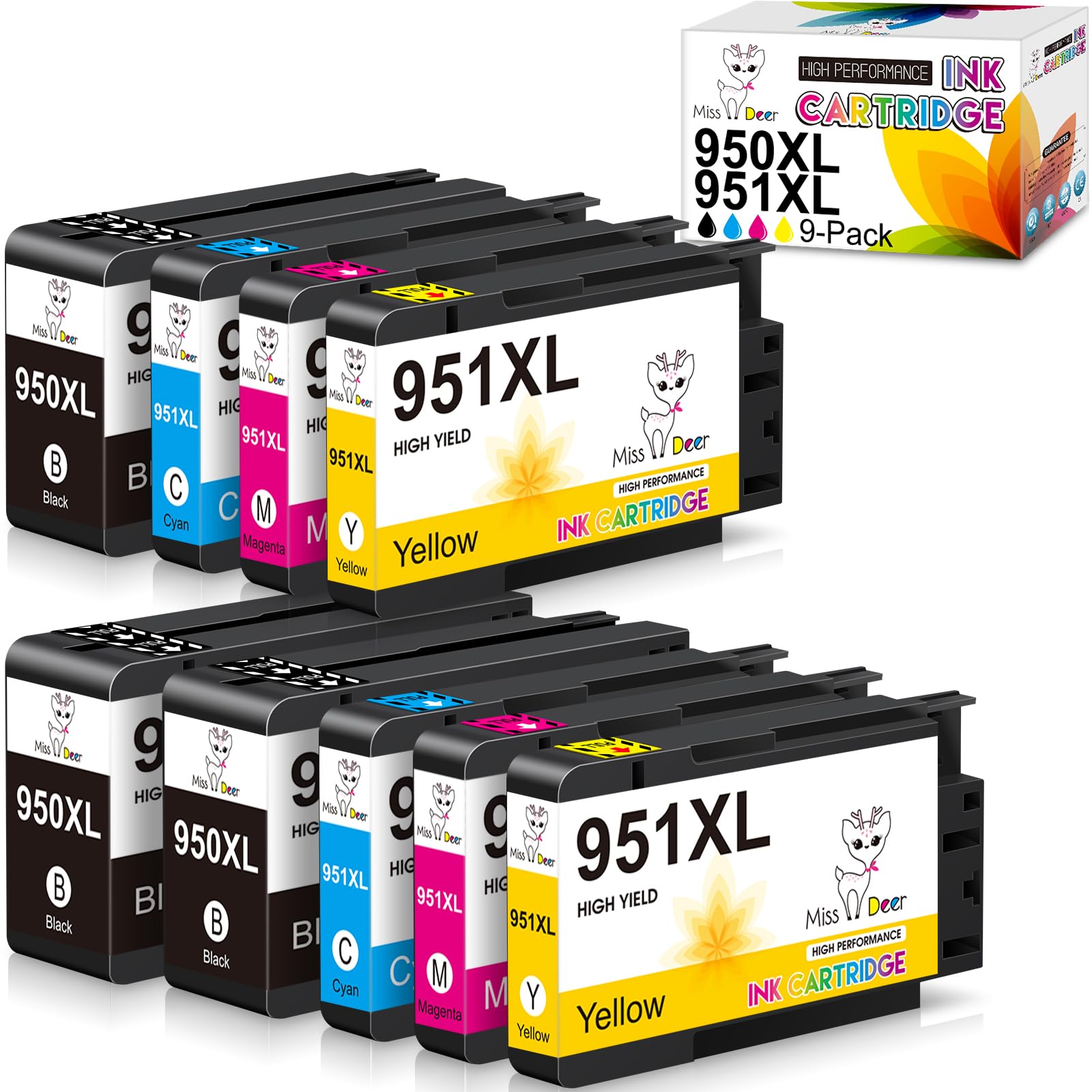
A nine-cartridge bundle that practically guarantees you will not run out mid-project.
You get more black ink than color with Miss Deer: three black cartridges and two of each color in one box, giving you 2,300 pages per black and 1,500 per color. That black-heavy ratio suits an office that prints mostly text documents. Owners praise the sharp printing and big savings over OEM (original equipment manufacturer) ink. “These work! Fantastic! While my printer did point this out, it used them without issue and delivered great print quality,” one owner wrote about the smooth compatibility.
Mixed feedback centers on printer compatibility and ink leakage. A significant minority of customers note that the cartridges leaked ink inside the printer—a messy and potentially damaging event. Others had trouble with the printer not recognizing the cartridge at all. The company includes a disposable glove in the package, which is a thoughtful touch for installation, but the leakage issue is a real hesitation point. The cartridge that works delivers an unbeatable per-cartridge price, but the one that leaks represents a serious hassle.
The Strong Points
- class-leading cost-per-cartridge for a high-volume office.
- Smart chip works smoothly for most users with a simple “OK” prompt.
The Weak Points
- Reports of ink leakage inside the printer—the risk is not trivial.
- Compatibility is not 100%; some printers reject them outright.
Best fit: The heavy-volume office willing to accept a small failure rate for massive savings across hundreds of prints.
Not for: The risk-averse owner who cannot deal with an ink leak damaging their printer.
6. BINKSYLER 3-Sets 950XL 951XL Ink Cartridges Combo Pack (12-Pack)
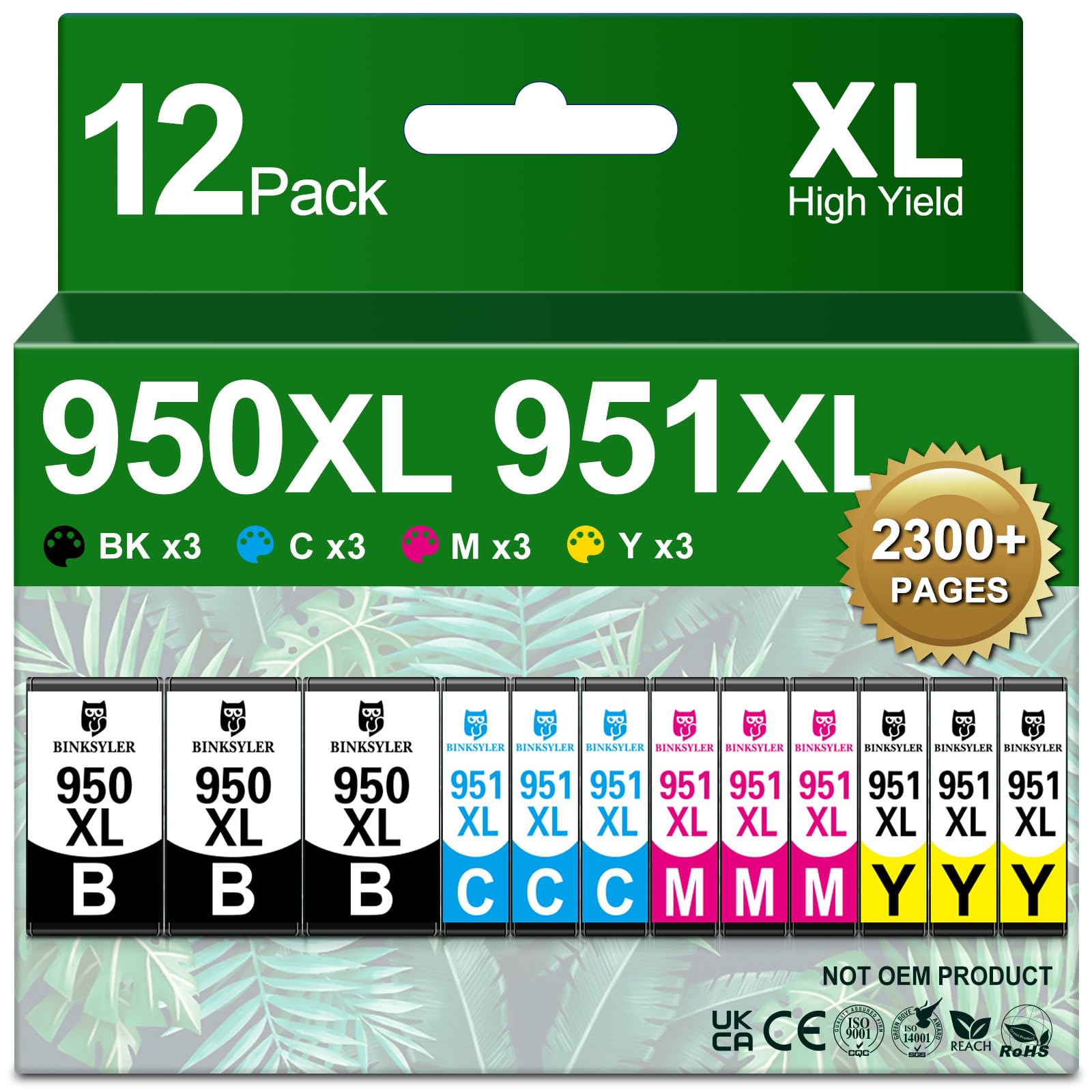
A 12-cartridge arsenal for the office that treats ink like a utility bill.
BINKSYLER sells three complete sets of black, cyan, magenta, and yellow—that is 12 cartridges total—each with yields of 2,300 pages for black and 1,500 for color. The per-cartridge economics are the best in class for this selection. Owners consistently praise the print quality and value, with one noting they printed 70 Christmas cards with three color changes and still had ink left. Another owner reported it was their second order in seven years, pointing to decent longevity for a compatible.
Printer compatibility carries the usual mixed feedback. Most printers accept them immediately after a simple acknowledgment, but a small number of reviewers point out their machine could not detect the cartridge at all. The company manufactures in ISO9001 & ISO14001 certified facilities and includes a 2-year warranty and lifetime technical support, which provides a safety net that many cheaper compatibles lack. The bulk size is a double-edged sword: you save a lot, but if the first cartridge does not work, you are left wondering about the other eleven.
The verdict on this one: This is the ultimate subscription-free bulk buy. The warranty gives confidence, but a test run with one set before buying three is a sensible approach.
Perfect for: A shared office or small business with multiple OfficeJet Pro printers that need a constant supply.
Probably not for: A single-user home office that prints lightly—the ink may dry out before you finish the second set.
7. Haikyuu 950XL 951XL Ink Cartridges 4-Pack

Premium page yields and vibrant color quality make this a strong OEM rival.
Haikyuu’s 4-pack pushes the yield numbers higher than most competitors: the black cartridge prints up to 2,500 pages, and each color delivers up to 1,700 pages. The ink quality receives a strong positive signal from owners who describe “crisp text and consistent results” and “vibrant colors, particularly the dark blacks.” Installation is straightforward, with the printer recognizing the cartridge quickly.
Print quality is the standout feature—owners consistently find the output sharp and smudge-free, on par with genuine HP ink for everyday documents and color graphics. “Great printer ink. The print quality is sharp and clear, with vibrant colors and deep black,” one owner reported. “It installs easily and works without any issues.” The main negative is an occasional compatibility issue where the printer rejects the cartridge as “not genuine.” The return window may close before you discover the problem, so test it the day it arrives. For most buyers, though, the higher page count and vivid output make this a compelling premium-priced alternative that actually outperforms the compatibles in print quality.
Why It Stands Out
- Highest page yields in this roundup—2,500 black / 1,700 color.
- Print quality that rivals OEM with no smudging or streaks.
The Caution
- A minority of printers reject the cartridge; install immediately to test.
Grab this if: You want a compatible that boost pages per cartridge and delivers color-rich, crisp output worthy of client documents.
pass on it if: Your printer is known for being picky with third-party chips—the risk of rejection is real, if rare.
Understanding the Specs
Page Yield (ISO 5% Coverage)
This is the page count a cartridge is rated for under a standard test pattern that uses only 5% of the page area with ink—that is roughly a single short paragraph or a small logo. A 951XL black rated for 2,300 pages means you can print about 2,300 of those test pages. In real life, a full-page photo or a dense spreadsheet consumes far more ink, so your actual page count will be lower. When comparing cartridges, the yield number gives you a consistent baseline; adjust downward by 30-50% for realistic expectations if you print mostly graphics.
Smart Chip Compatibility
HP printers rely on an electronic chip embedded in each cartridge to monitor ink levels and verify that the cartridge is genuine. When you install a compatible cartridge, its chip sends a signal that mimics the HP chip. Most printers accept this after a single “OK” press on a non-genuine cartridge warning. However, printer firmware updates from HP can sometimes block these chips, leaving you with a cartridge your printer refuses to recognize. Reputable compatible brands update their chips regularly to stay ahead of firmware changes, so a recent purchase date and a latest chip version claim are your best protections.
FAQ
What is the difference between a 951 and a 951XL cartridge?
Will a compatible 951XL cartridge work in my HP OfficeJet Pro 8600?
Why does my printer say the cartridge is not genuine when using a compatible?
How many pages does a 951XL black cartridge typically print?
Can a third-party cartridge damage my printer?
What does the 5% page coverage mean in the page yield spec?
Is it better to buy a multi-pack or individual cartridges?
How do I store unused 951XL cartridges to keep them fresh?
Final Thoughts: The Verdict
For most people, the best 951xl ink cartridges winner is the HP 950XL + 951 set because it removes all guesswork—genuine HP quality, sharp text, vibrant colors, and zero compatibility headaches. If you want to cut your printing costs significantly without sacrificing basic reliability, grab the Smart Ink 4-Pack and keep their customer support number handy. And for the highest page counts a premium-rated price can buy, the Haikyuu 4-Pack delivers exceptional yield and print quality that rivals the OEM original.
How We Picked
We do not accept paid placement. Every pick is matched to a real buyer and a real use-case; we do not hands-on test units.
Sources & Methodology
Specifications: manufacturer listings and product documentation. Review insights: verified customer reviews, as of July 2026. Pricing: not shown on this page (it changes often); check the current price via the retailer link.
As an Amazon Associate, Gadgets Feed earns from qualifying purchases. This does not affect which products we feature.