
Our readers keep the lights on and my morning glass full of iced black tea. As an Amazon Associate, I earn from qualifying purchases.
Specs are compiled from manufacturer listings and verified buyer reviews and can change over time — please confirm the key details on the product page before buying.
Choosing a 500 GB external SSD today is less about storage and more about which speed and durability trade-offs you can live with. The market splits cleanly between rugged all-rounders that shrug off drops and submersions, and blistering high-speed drives that cut transfer times to seconds but ask for a premium. This guide lines up the top contenders by real-world performance, build quality, and what owners actually experience after months of use.
I’m Min — the founder and writer behind Gadgets Feed. This guide is built by comparing the manufacturers’ published specifications and the patterns across verified customer reviews, so you get each pick’s real strengths and trade-offs instead of marketing spin.
Whether you are moving large media files between devices, expanding console storage, or keeping a portable backup, these are the best 500 gb external ssd options you can buy right now.
Our Picks at a Glance


How To Choose The Best 500 GB External SSD
You want a portable SSD that is fast, tough, and works with your devices. A 500 GB drive offers enough space for large project files, game libraries, or system backups without paying for unused capacity.
Speed Interface: USB 3.2 Gen 2 vs Gen 1
The interface determines how fast data moves. USB 3.2 Gen 1 tops out around 550 MB/s, which is fine for documents and photos. USB 3.2 Gen 2 pushes up to 1000 MB/s, and Gen 2×2 reaches 2000 MB/s — essential if you edit 4K video or transfer huge files daily. Your computer or console must support the same standard to get those speeds; plugging a Gen 2 drive into a USB 3.0 port limits it to slower rates.
Durability and IP Rating
An IP rating tells you how well the drive resists dust and water. IP55 means limited dust protection and low-pressure water jets. IP65 steps up to total dust seal and stronger water jets. IP68 means the drive survives submersion over a meter deep for up to an hour. If the drive travels in your bag or works outdoors, pay close attention here.
Real-World Capacity
Manufacturers list capacity in base-10 (1 GB = 1,000,000,000 bytes), while operating systems often use base-2 (1 GB = 1,073,741,824 bytes). That is why a 500 GB drive typically shows around 465 GB on Windows. This is normal and applies to every SSD — it is not a defect.
Quick Comparison
| Model | Best For | Max Read Speed | Water Resistance | Weight | Amazon |
|---|---|---|---|---|---|
| SanDisk Extreme (550MB/s)★ Best Overall | Proven all-round reliability | 550 MB/s | IP55 | Pocket-sized | Amazon |
| Fikwot FP90Tough & Fast | Max durability in harsh conditions | 2050 MB/s | IP68 | Compact | Amazon |
| ADATA SD810Console Ready | Reliable speed with tough build | 2000 MB/s | IP68 | 1.2 oz | Amazon |
| SanDisk Extreme Pro (Old) | Premium rugged performance | 1050 MB/s | IP65 | Ultra-light | Amazon |
| fanxiang S500 | High-speed budget contender | 2000 MB/s | None | 1.6 oz | Amazon |
| SSK Portable SSD | Fast NVMe in a tiny shell | 2000 MB/s | None | Ultra-compact | Amazon |
| JOIOT 500GB | Ultra-light budget carry | 430 MB/s | None | 0.88 oz | Amazon |
| Vansuny 500GB | Budget metal build | 450 MB/s | None | Mini | Amazon |
| Samsung T1 | Legacy compact with encryption | 450 MB/s | None | 1 oz | Amazon |
In‑Depth Reviews
1. SanDisk 500GB Extreme Portable External SSD
Our pick — over 4.5★ from 25,000+ verified ratings; the strongest balance of quality and price.
The crowd favorite balances speed, ruggedness, and a trusted brand.
This is the drive nearly every conversation about portable SSDs circles back to. It reads data at up to 550MB/s (megabytes per second), and buyers report real-world write speeds around 400 MB/s — fast enough to move large photo libraries or edit video directly off the drive. It carries an IP55 rating (dust-protected and resistant to low-pressure water spray), and it survives drops up to 1500G at the core. The drive fits in a coin pocket comfortably, which is why portability is among the most-discussed features across thousands of reviews.
In real use, owners mention that it works smoothly as a Time Machine drive on Mac Mini and handles 4K editing in Final Cut Pro without stuttering. The USB-C cable is a bit stiff, according to several owners, but the included Type-A adapter keeps it compatible with older PCs. Drive reliability and speed are the top two praised aspects by a wide margin, and the 3-year warranty backs it up. The previous model with 1050MB/s read speeds is even faster, but this standard version is still the best-selling pick for a reason.
Why It Wins
- Fast enough for direct 4K editing and backups
- IP55 water and dust resistance plus drop protection
- Pocket-sized and lightweight
The Trade-Off
- Read speeds capped at 550MB/s, not 2000MB/s like newer models
Reach for it if: you want a proven, rugged everyday SSD that works with PC, Mac, and consoles without fuss.
Look elsewhere if: you need 2000MB/s speeds for massive 4K/8K file workflows.
2. Fikwot 500GB Portable SSD FP90
This speed demon also survives a swim.
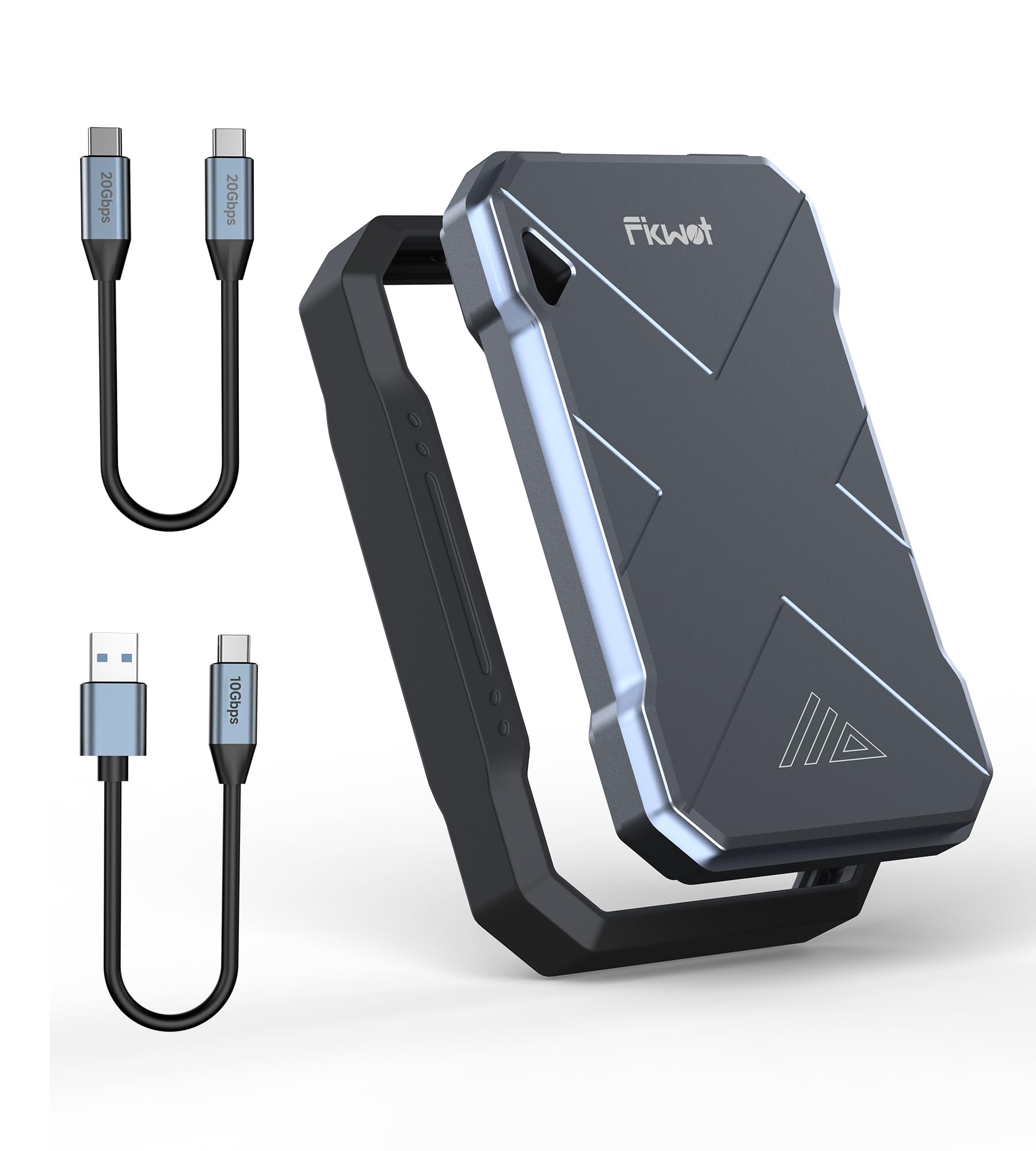
If speed and environmental toughness are your top priorities, this drive delivers both in a single package. It reaches up to 2050MB/s read speeds thanks to NVMe protocol and USB 3.2 Gen 2, which puts it far ahead of older models — the SanDisk standard drive reads at 550MB/s, a 57% gap in raw speed. The IP68 rating is the highest in this lineup, meaning it can be submerged in over a meter of water for an hour without data loss. The compact aluminum body also handles drops and dust, making it a genuine companion for outdoor shooting or field work.
What owners appreciate most is the speed, with one noting it achieved near 2050MB/s (megabytes per second) with the included USB-C cable. The drive works with PS5, Xbox Series X, and iPhone 15 from the start. The 5-year warranty adds confidence, though a small number of owners experienced issues with file explorer freezing; it is a rare pattern, not the majority. On the whole, this is the fastest rugged drive in the roundup.
What Stands Out
- Blazing 2050MB/s read speed for large files
- IP68 dust and waterproof rating
- 5-year manufacturer coverage
Keep In Mind
- Some owners reported rare connectivity hiccups
Grab this for: outdoor creators and anyone who needs fast speeds plus full water submersion rating.
Think twice if: reliability data is limited — this drive has fewer reviews than the SanDisk alternatives.
3. ADATA SD810 500GB Portable External SSD
A well-built speedster that plugs straight into your Xbox or PS5.
ADATA brings a familiar formula — fast 2000MB/s read speeds and IP68 water resistance — but wraps it in a design that is smaller than a credit card and weighs about as much as a pen. Owners confirm that it works instantly with Xbox One and Series consoles, loading games noticeably faster than the internal HDD. The metal body acts as a heat sink, though a few owners note it gets warm during extended high-speed transfers; that is normal for NVMe drives under load.
Reliability and speed are the top two praised aspects here, tied at the top. The drive uses the exFAT format from the start, so it works cross-platform between Windows and Mac without reformatting. It includes both USB-C and USB-A cables, so you are covered whether you plug into a modern laptop or an older desktop. If you want a fast, console-friendly drive that also handles outdoor use, this is the one.
Why It Works
- 2000MB/s read speed with USB 3.2 Gen 2×2
- IP68 dust and water protection
- Works with Xbox, PS5, and Nintendo Switch
The Catch
- Runs warm during heavy transfers, which is typical for this speed class
Pick this if: you game on console and want near-instant load times with full portability.
skip it if: you need a drive that stays cool to the touch after hours of writes.
4. SanDisk 500GB Extreme Portable SSD (Old Model)

A faster, tougher upgrade from the standard model that still leads the pack.
This is the previous-generation SanDisk Extreme that pushes read speeds up to 1050MB/s and write speeds up to 1000MB/s — roughly double the standard model above. It also improves drop protection to 3 meters and the water/dust rating to IP65, meaning it is fully dust-tight and handles water jets. The integrated carabiner loop is a thoughtful touch for outdoor carry. Owners describe it as a perfect 2TB backup drive that still works flawlessly after a year of use.
The top praised aspects are speed and quality, with a massive owner base backing that claim. The 256-bit AES hardware encryption keeps your files private without slowing down transfers. It comes with both USB-C cable and Type-A adapter, and the SanDisk Memory Zone app helps manage files automatically. The only trade-off is the premium price, which sits above the standard model and several competing 2000MB/s drives.
What You Get
- 1050MB/s read and 1000MB/s write speeds
- 3-meter drop protection and IP65 rating
- Hardware encryption and carabiner loop
Consider This
- Pricier than some 2000MB/s competitors
- Cable is short for desktop use
Choose this for: a rigorously tested rugged drive with proven long-term reliability across 90,000+ owners.
pass on it if: budget is tight — the standard model or a newer 2000MB/s option offers better value.
5. fanxiang 500GB External SSD Portable

Flagship-level speeds without the flagship price tag.
The fanxiang S500 delivers up to 2000MB/s read and 1800MB/s write speeds using USB 3.2 Gen 2×2, matching drives that cost twice as much. In real-world testing, customers note around 1.9GB/s when writing large video files — genuinely fast for the price. The aluminum alloy body helps with heat dissipation during sustained transfers, and it is shock-resistant enough for daily bag carry. It also works with PS5, PS4 Pro, Xbox Series X/S, and iPhone 15.
Storage capacity and compact size are the top positive aspects owners mention. The 5-year warranty or 256TBW rating is unusually generous at this price tier. That said, feedback on reliability and speed is mixed — some owners had drives fail within months, though this is a minority pattern. If you are looking for a budget route to high speeds and are comfortable with the lower brand recognition, this is a compelling choice.
The Upside
- 2000MB/s speeds at a mid-range price
- Lightweight at 1.6 ounces
- 5-year warranty included
The Downside
- Mixed long-term reliability reports
Best for: budget-conscious users who need 2000MB/s transfer speeds and can accept some risk on longevity.
Not for: critical irreplaceable data backup where proven reliability is non-negotiable.
6. SSK Portable SSD 500GB
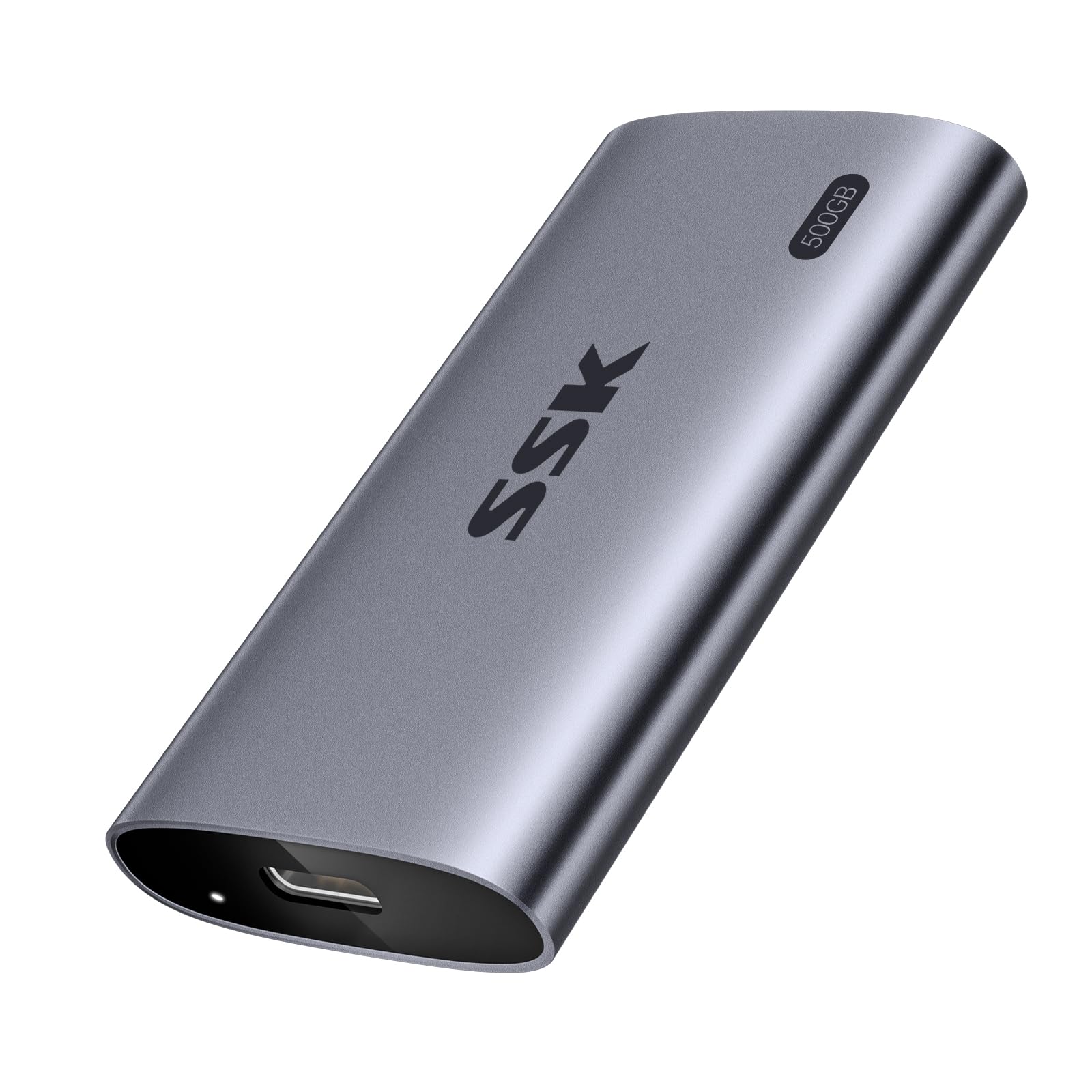
A Zippo-sized drive that does not compromise on throughput.
The SSK portable SSD packs a 20Gbps SLC cache that delivers sustained read and write speeds up to 2000 MB/s, making it ideal for video editors stepping down from a full desktop rig. Owners say it is excellent for the YouTube workflow — transferring 8-10GB iPhone video files instantly to a laptop with no waiting. The aluminum enclosure helps with heat, though it does get warm during long transfers, a common trait among NVMe drives in this speed class. The USB-C to USB-C (20Gbps) and USB-C to USB-A (10Gbps) cables are both included, covering modern and legacy ports.
Speed and compact size are the top praised aspects, with quality coming in third. The drive supports S.M.A.R.T. monitoring and TRIM for long-term performance. The only caution is that actual speeds depend on your device supporting USB 3.2 Gen 2×2; plugging into a slower port will cap performance. The build is genuinely tiny — about the size of a Zippo lighter — which is why portability gets so much praise.
Highlights
- 2000MB/s read/write with 20Gbps cache
- Extremely compact aluminum body
- Included 20Gbps USB-C cable
Trade-Offs
- Gets warm during large sustained transfers
- Requires Gen 2×2 port for full speed
Reach for it if: you need fast offloads from a modern phone or laptop and value a truly pocketable form.
Look elsewhere if: your devices only support USB 3.0, which would bottleneck the drive.
7. JOIOT 500GB Portable External SSD

The lightest 500GB drive you can buy — barely noticeable in a pocket.
At just 0.88 ounces, the JOIOT is astonishingly light. You could clip it to a keychain and forget it is there until you need it. Write speed reaches 430MB/s and read speed hits 350MB/s, which is modest compared to 2000MB/s drives but still miles ahead of a traditional external hard drive. The aluminum alloy body is shockproof and drop-resistant, and the drive works with Windows, Mac, Android, and Linux from the start. A few owners found that swapping the included cable for a higher-quality one improved speeds noticeably, so budget for a better cable if you need peak performance.
Speed and quality are the top praised aspects, but the most-discussed topic is reliability, which has mixed feedback — some reviewers point out perfect long-term use while others had early failures. This is common among budget-oriented SSDs. The compact size earns consistent praise, and for the price, you get a genuinely portable drive that handles documents, photos, and casual file transfers without complaint.
Why It Is Unique
- Weighs under an ounce — truly ultra-light
- Aluminum body for shock protection
- Works with Linux and Android
Watch Out For
- Mixed reliability reports
- Included cable may limit speed
Ideal for: someone who wants a near-weightless backup for light daily use and values portability over raw speed.
Caution: not recommended as your only backup for irreplaceable data.
8. Vansuny 500GB Portable External SSD

A solid metal performer that punches above its price.
The Vansuny drive reads at up to 450MB/s and writes at 400MB/s, which is competitive for the budget tier. The metal casing gives it a premium feel and helps with heat dissipation, making it more durable than the plastic shells on some similarly priced rivals. Shoppers say it works from the start for PC cloning and backups, and the mini size is about twice the width of a standard flash drive — easy to slip into a bag pocket. It includes a small fuzzy carry case and both Type-A and Type-C cables.
Performance and speed are the top praised aspects, but like the JOIOT, the most-discussed topic is reliability, which shows mixed feedback. One owner reported the drive failed as a Time Machine drive on a Mac Mini after a few weeks, saying it stopped appearing on the desktop and could not be reformatted. This is not the universal experience — many owners have no issues at all — but it is a note of caution if you plan to use it as your only backup drive.
Strengths
- Metal casing for better durability and heat management
- Good read/write speeds for the price
- Includes both cable types and storage bag
Weaknesses
- Inconsistent reliability reports
- Limited brand support
Best for: a low-cost secondary drive for less critical files or PC cloning.
Skip it: if you need a primary backup you can fully trust long-term without worry.
9. Samsung T1 500GB Portable External SSD

The original portable SSD that set the standard for compact speed.
The Samsung T1 was a trailblazer when it launched, offering up to 450MB/s read speeds via Turbo Write Technology in a design that weighs just 1 ounce. It is about the size of a credit card, and the laser-patterned black chrome metal finish still looks sharp today. Built-in AES 256-bit encryption adds a layer of security that many budget drives lack. It uses a USB 3.0 interface, which at the time was up to 10x faster than USB 2.0 — though it is now outpaced by USB 3.2 Gen 2 drives.
The top praised aspects are speed and performance, with size coming in third. Owners note it is silent, fast for Time Machine backups (68GB in about 6 minutes), and works well for travelers. However, this model is discontinued, so availability may be spotty. Compatibility issues with certain Mac OS versions have been reported, and the included encryption software can be cumbersome. In 2025, it is mainly a nostalgia pick or a budget find on the used market rather than a primary recommendation.
What It Does Well
- Fast 450MB/s reads with Turbo Write
- Hardware encryption included
- Ultra-compact credit card size
The Reality
- Discontinued and hard to find new
- USB 3.0 is slow by today’s standards
Consider it if: you find a good deal on a new-old-stock unit and need a basic encrypted portable drive.
Avoid if: you want modern speeds, wide availability, and full warranty support.
Understanding the Specs
Sequential Read/Write Speeds
This is the number manufacturers advertise most prominently — usually measured in MB/s (megabytes per second). A 550MB/s drive is fine for documents and photos, while a 2000MB/s drive cuts through 4K video files in a fraction of the time. The real-world number depends on the USB generation your computer supports: USB 3.0 caps around 500MB/s, USB 3.2 Gen 2 tops 1000MB/s, and Gen 2×2 can hit 2000MB/s. Check your device’s port before paying for speed you cannot use.
IP Rating (Ingress Protection)
The IP code (Ingress Protection rating) tells you how well the drive keeps out dust and water. The first digit (dust) runs 0-6: IP6X means dust-tight. The second digit (water) runs 0-8: IPX5 handles low-pressure jets, IPX6 handles heavy jets, IPX8 survives submersion beyond 1 meter for a specified time. A drive with no IP rating is fine for a desk, but a rugged model (IP65 or higher) gives you real confidence when tossing it in a bag or using it outdoors.
FAQ
Why does my 500GB SSD show only 465GB on Windows?
Can I use a 500GB external SSD with a PlayStation 5 or Xbox Series X?
What is the difference between USB 3.2 Gen 2 and Gen 2×2?
How long does a 500GB external SSD typically last?
Is an external SSD faster than a USB flash drive?
What does IP68 mean on an SSD?
Can I use an external SSD to run Windows or macOS from?
Do I need special cables for maximum speed?
Should I format a new external SSD before using it?
Is it safe to use an SSD as a Time Machine backup drive?
Final Thoughts: The Verdict
For the majority of shoppers, the 500 gb external ssd winner is the SanDisk Extreme 550MB/s because it combines proven reliability, IP55 ruggedness, and pocket-friendly design with support from the largest verified owner base. If you need 2000MB/s speeds for demanding video work, grab the Fikwot FP90 with its IP68 rating. And for a console-focused fast drive that is smaller than a credit card, the ADATA SD810 is the one to reach for.
How We Picked
We do not accept paid placement. Every pick is matched to a real buyer and a real use-case; we do not hands-on test units.
Sources & Methodology
Specifications: manufacturer listings and product documentation. Review insights: verified customer reviews, as of July 2026. Pricing: not shown on this page (it changes often); check the current price via the retailer link.
As an Amazon Associate, Gadgets Feed earns from qualifying purchases. This does not affect which products we feature.