
Our readers keep the lights on and my morning glass full of iced black tea. As an Amazon Associate, I earn from qualifying purchases.
Specs are compiled from manufacturer listings and verified buyer reviews and can change over time — please confirm the key details on the product page before buying.
You want a compact monitor for a tight desk, but you also need a crisp 1080p picture, reliable ports, and maybe a built-in speaker. The challenge is that many small screens cut corners on brightness or color. This guide picks the eight best 20-inch monitors for different budgets and uses, helping you avoid a bad buy.
I’m Min — the founder and writer behind Gadgets Feed. This guide is built by comparing the manufacturers’ published specifications and the patterns across verified customer reviews, so you get each pick’s real strengths and trade-offs instead of marketing spin.
These eight monitors represent solid options for a 20 inch computer monitor, with a range of features to suit any workspace from a secondary laptop screen to a primary office display.
Our Picks at a Glance


How To Choose The Best 20 Inch Computer Monitor
Picking the right small monitor means matching the screen’s features to what you actually do with it. A coder, a gamer, and a cashier all need different things from their display. Focus on these three areas first to avoid buyer’s remorse.
Refresh Rate and Motion Clarity
The refresh rate, measured in Hertz (Hz), tells you how many times the screen updates per second. A 60Hz monitor (60 updates per second) is the standard for office work and web browsing. A 75Hz or 100Hz panel looks noticeably smoother for everyday cursor movement and scrolling, and it makes casual games feel much more responsive.
Panel Technology and Viewing Angles
IPS (In-Plane Switching) panels offer the best color accuracy and wide 178-degree viewing angles, so the picture still looks good if you are not sitting directly in front of it. TN (Twisted Nematic) panels are cheaper but have poor viewing angles and washed-out colors. If you share your screen or do any color-sensitive work, an IPS panel is the choice to make.
Connectivity and Built-in Features
Check which ports you need before you buy. HDMI is the most common for modern laptops and consoles, but older office setups might still rely on VGA or DVI. If you like a clean desk, a VESA mountable monitor (usually 75x75mm or 100x100mm) lets you attach it to an arm or wall. Built-in speakers are convenient for basic audio, but they are almost always a compromise on quality.
Quick Comparison
| Model | Best For | Refresh Rate | Panel Type | Contrast Ratio | Amazon |
|---|---|---|---|---|---|
| ASUS VP229Q★ Best Overall | Best Overall | 75Hz | IPS | 1,000:1 | Amazon |
| ASUS VP227HFBest Value | Best Value | 100Hz | VA-like | 4,000:1 | Amazon |
| Thinlerain 21.5″Best Value | Budget Pick | 60Hz | TN | 800:1 | Amazon |
| Dell E Series 20″ | No-Frills Durability | 60Hz | TN | 1,000:1 | Amazon |
| Showscren 21.5″ Portable | Ultra-Portable | 75Hz | IPS | 1,000:1 | Amazon |
| HP Business VH22 | Office Reliability | 60Hz | TN | 1,500:1 | Amazon |
| Jexiop 20″ Smart TV | Small-Space TV | 60Hz | LCD | — | Amazon |
| Elo 2002L | Commercial Touchscreen | 60Hz | LCD | 3,000:1 | Amazon |
In‑Depth Reviews
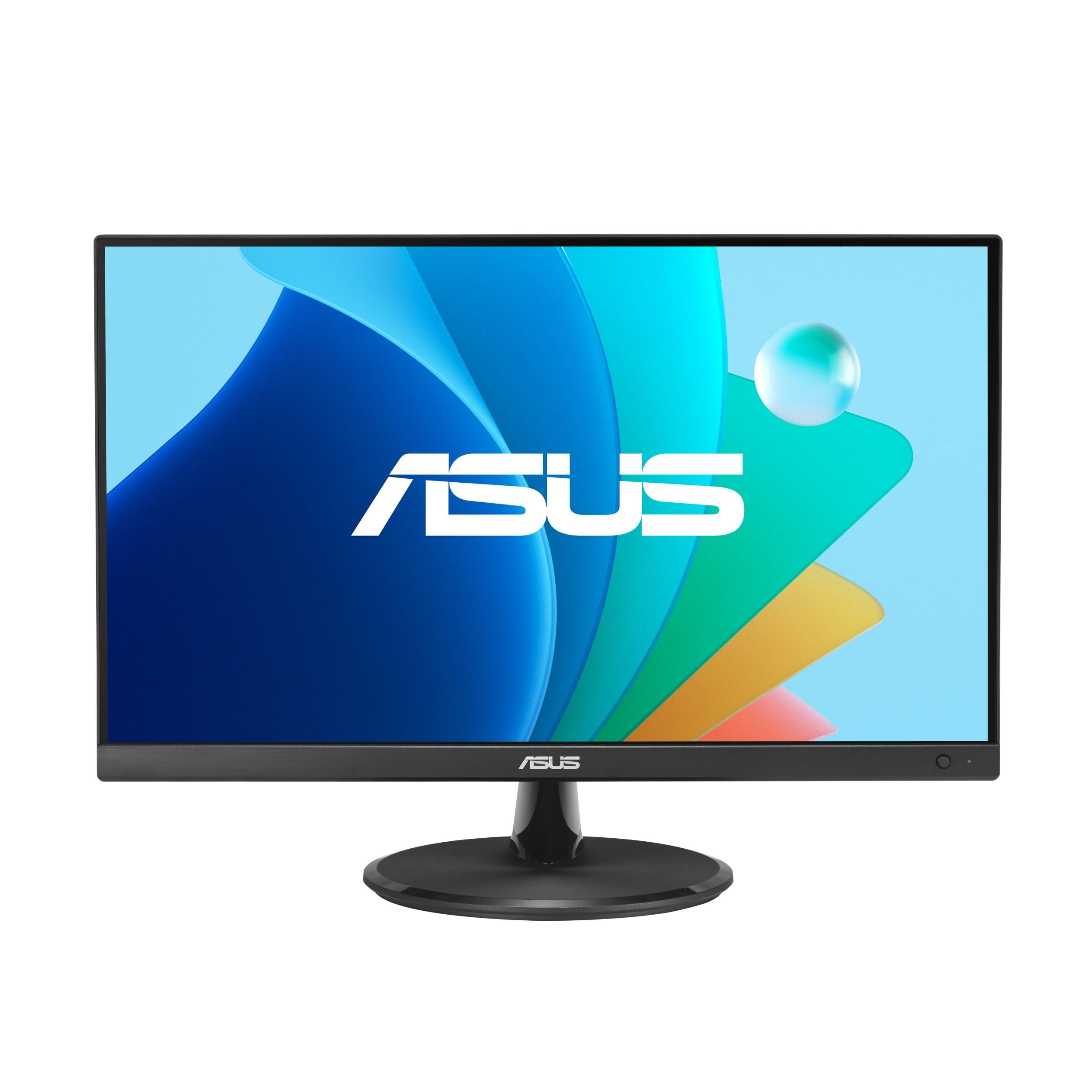
1. ASUS VP229Q 21.5” Monitor
Our pick — over 4★ from 350+ verified ratings; the strongest balance of quality and price.
The IPS panel here gives you wide 178-degree viewing angles so the picture stays true when you lean back, and the 75Hz refresh rate makes scrolling feel smoother than the standard 60Hz.
Connectivity is generous for a monitor at this level, offering HDMI, VGA, and a DisplayPort 1.2 input (a high-bandwidth port for connecting to PCs and laptops). The included DP and HDMI cables mean you are set up minutes after unboxing. Buyers praise the crisp text and sharp graphics, and the reliability factor is the highest praise of all — more owners single out its consistent performance than any other aspect of the screen itself. The built-in 1.5-watt speakers are serviceable for system sounds, but you will want external ones for any real listening.
Adaptive-Sync and FreeSync support further sweeten the deal, cleaning up screen tearing if you do a bit of gaming on the side. Compared to the ASUS VP227HF below, the VP229Q offers a wider set of ports (including DisplayPort) and a more conventional IPS experience, though the VP227HF beats it on refresh rate.
What Makes It the One
- IPS panel delivers wide viewing angles and consistent color
- 75Hz refresh rate for smoother everyday motion
- Includes both DisplayPort and HDMI cables
- Reliability is the most praised trait among owners
The Trade-Offs
- Built-in speakers are weak and lack volume
- Stand is wobbly and does not swivel
- Slight IPS glow visible on dark screens
Pick this if: you want the most balanced small monitor for office work, web browsing, and light gaming, with a bulletproof reputation.
2. ASUS 22” 1080P Eye Care Monitor (VP227HF)
A 100Hz refresh rate gives you a 67% smoother feel than a typical 60Hz monitor — every mouse movement feels wired directly to your brain — and the 4,000:1 contrast ratio means blacks appear far deeper than the ASUS VP229Q’s 1,000:1 panel.
This screen beats the ASUS VP229Q above on raw specs while landing at a lower price. The 100Hz refresh rate (the screen updates 100 times per second) makes scrolling through documents feel instantaneous. The color gamut (the range of colors the monitor can display) covers an impressive 99% of the sRGB spectrum (the standard red-green-blue color space used in most digital content), so images and videos look richer and more vibrant. Owners describe it as crisp for work tasks and an excellent value for a secondary home-office screen. The DisplayWidget Center app is a convenience you do not see at this tier — it lets you tweak brightness and contrast with a mouse instead of fumbling with tiny monitor buttons. Just note that the rear port placement has drawn some frustration for being awkward to reach, and the unit does not include built-in speakers.
The No-Compromise Deal: You get a smoother, punchier image than monitors costing twice as much, but you trade away onboard audio and convenient port access.
Reach for this if: your priority is buttery-smooth scrolling and deep black levels for office tasks and budget gaming.
Stick with the VP229Q if you need built-in speakers or a DisplayPort connection.
3. Thinlerain 21.5 inch Computer Monitor
The budget monitor that doubles as a small TV thanks to its AV port (composite video for old consoles like PS2) and BNC port (a bayonet-style connector for security cameras).
Most 20-inch monitors stick to basic HDMI and VGA, but this Thinlerain screen throws in those extra ports, making it a surprisingly good fit for retro gaming consoles and security camera setups. The inclusion of a remote control is a rarity at this price, letting you switch inputs or adjust volume from across the room.
At a 60Hz refresh rate with a 5ms response time (the time it takes a pixel to change color, measured in milliseconds), this is not a screen for competitive gaming. But for standard office work and web browsing, the 1920×1080 resolution is perfectly sharp. The 800:1 contrast ratio is modest compared to pricier options, and the 95-degree viewing angle means you need to sit fairly square in front of it to avoid color shift. Owners note that the colors look different from the start but are fine after some calibration. The built-in speakers and 75x75mm VESA mounting add genuine flexibility.
The Budget Special: Unusual port selection and a remote make it versatile for mixed monitor-and-retro-gaming use, but the narrow viewing angle and 60Hz limit are clear trade-offs compared to the ASUS VP227HF.
Ideal for: someone who needs a secondary screen that can also hook up to older video equipment or a surveillance camera system.
Stick with the ASUS VP229Q if you need wide IPS viewing angles for a shared workspace.
4. Dell E Series 20-inch Widescreen Flat Panel Monitor

A legacy workhorse with a 1600×900 resolution (not full 1080p, so you get less screen real estate for multitasking) but praised for superb color quality and an adjustable stand.
If your office is still running a VGA-only setup and you want a monitor that feels built to survive a decade, this Dell E Series model is the ticket. Owners praise the excellent contrast from the 1,000:1 rated panel, and the adjustable stand is a detail many pricier monitors still skimp on. The simple menu is easy to navigate, and the design eliminates reflection issues while keeping the image bright at 250 cd (candelas per square meter, a measure of brightness).
The catch is obvious: a VGA-only connection means you absolutely need an adapter or a computer with a legacy port. There is no HDMI, no DisplayPort. For its dedicated use case — a no-frills, dependable office display — it is still highly regarded, but it feels dated next to any modern screen. This is for the buyer who values physical durability over screen modernity.
The Vintage Pick: Great colors, solid build, and a 1600×900 panel best suited for basic office tasks with older computers. A buyer who needs 1080p for modern media should pick the ASUS VP227HF instead.
Best for: a dedicated secondary display on an older desktop that only has VGA output.
Not for: anyone who needs 1080p resolution, HDMI connectivity, or a screen for modern media consumption.
5. Showscren 21.5inch Large Portable Monitor
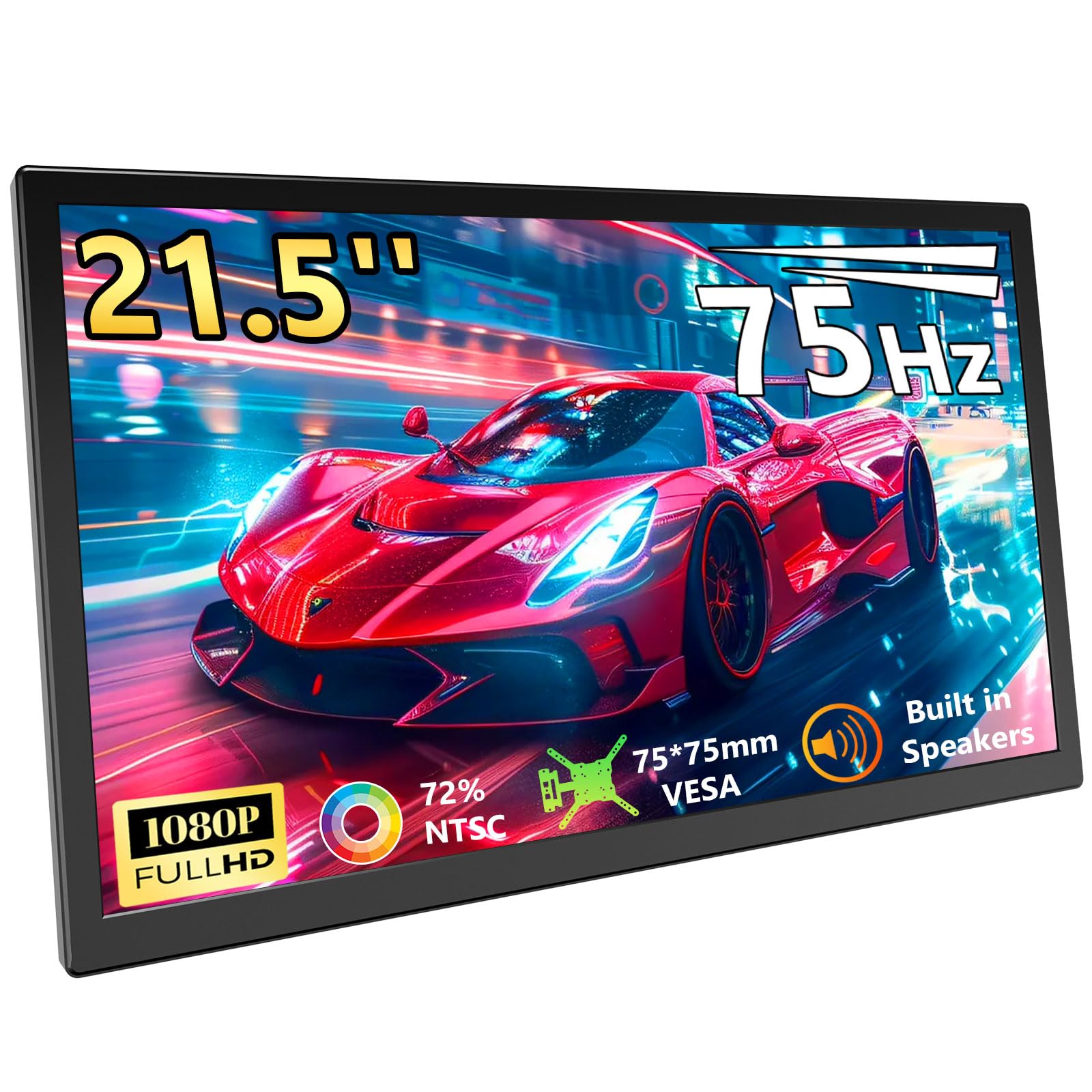
An unusually large portable monitor that stretches to 21.5 inches — most portable screens max out around 15 or 16 inches — giving you a genuine dual-monitor experience when you travel.
Most portable monitors max out around 15 or 16 inches, but this Showscren panel stretches to 21.5 inches, giving you a genuine dual-monitor experience when you travel. The 1080p resolution pairs with a 75Hz refresh rate for smooth motion, and the 300 cd brightness is higher than many budget desktop monitors, which helps readability in brighter rooms. It connects via USB-C or HDMI and is VESA mountable for a more permanent desk setup.
The reality check comes in the user reports. Several owners hit a “No Signal” issue when using USB-C hubs or docking stations — the monitor is finicky about the video signal it receives. The quoted brightness also gets pushback from some buyers who find the maximum level disappointingly dim. This makes it a higher-risk pick for professionals who need zero-fuss travel gear than a standard desktop monitor like the ASUS VP229Q, but a solid option if you are willing to use the included cable directly.
Why It Stands Out
- Unusually large 21.5-inch form factor for a portable monitor
- 75Hz refresh rate for smoother visuals on the go
- 300 cd brightness is higher than many budget office monitors
- VESA mountable for flexible desk setups
The Risky Bits
- Frequent “No Signal” issues with USB-C hubs and docks
- Maximum brightness is considered underwhelming by some owners
- Power-hungry; requires a separate DC power source
Reach for this if: you need a large portable screen for a laptop and are comfortable troubleshooting USB-C connectivity quirks.
Stick with the standard ASUS VP229Q if you want a rock-solid plug-and-play experience without risking signal dropouts.
6. HP Business VH22 21.5″ LED LCD Monitor

A 1,500:1 contrast ratio gives this HP deeper black levels than the ASUS VP229Q’s 1,000:1 panel, making dark text on a white background feel sharper and the screen less washed out.
The HP VH22 targets the professional office market. The 250 cd brightness is standard for this class, and the 1920×1080 resolution is crisp on a 21.5-inch screen. Connectivity includes VGA and DisplayPort, but there is no HDMI, which is an odd omission for a modern office monitor. The included DVI cable (a digital video cable common on older computers) is a nice touch for older workstations. Owners generally praise the build quality, size, and color performance, calling it great for professional office use. The unlabeled control buttons on the front panel are a minor frustration for first-time setup, and the image quality is described as decent rather than spectacular — a workmanlike tool, not a showpiece.
The Business Tool: Strong contrast and a solid build aimed at corporate desks, but no HDMI input limits its versatility for modern devices. If you need HDMI, the ASUS VP229Q is a better fit.
Pick this if: your office still uses DisplayPort or DVI and you need a reliable screen with better-than-average contrast.
Consider the ASUS VP229Q if you need an HDMI port or want a monitor with built-in speakers.
7. Jexiop 20inch Smart TV
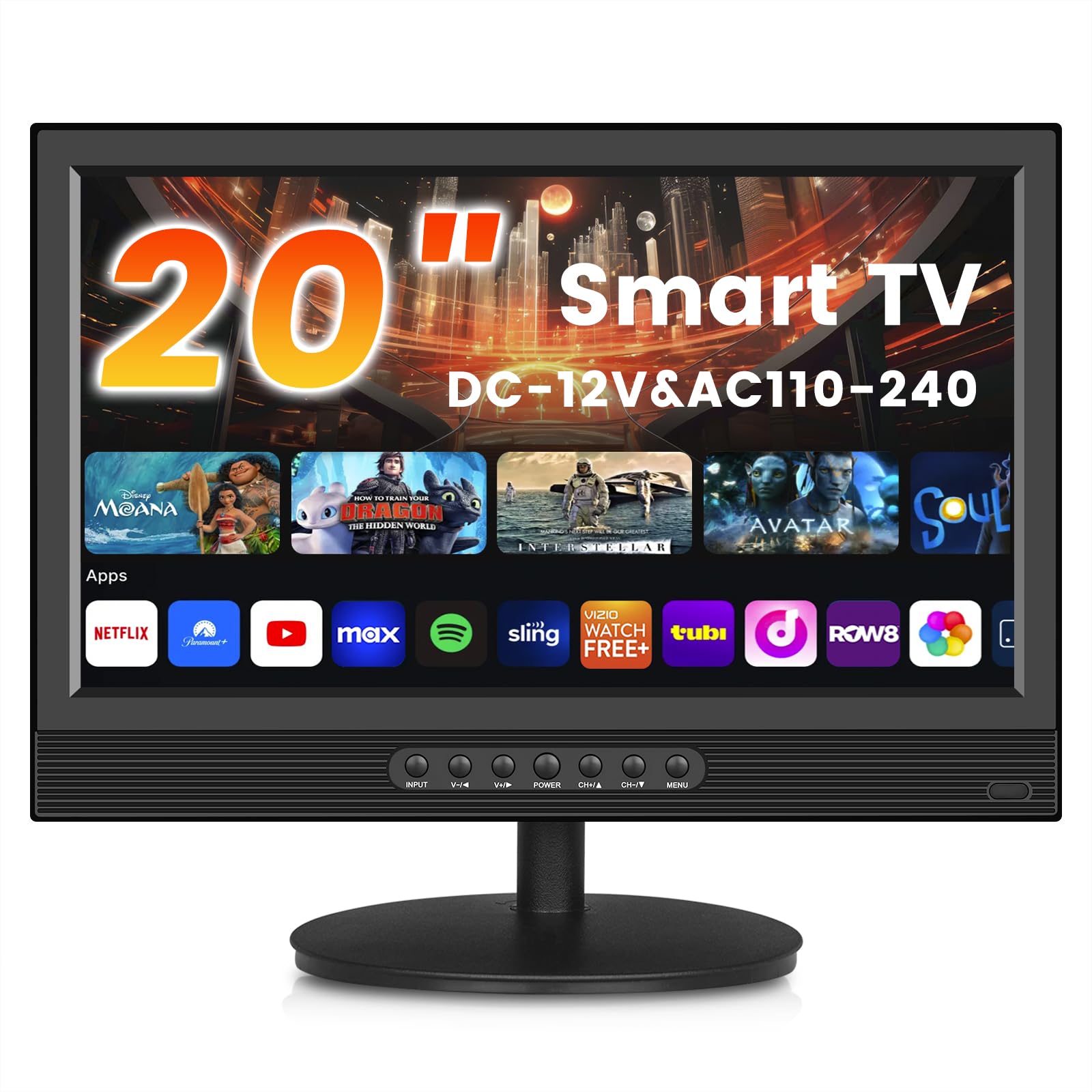
A 20-inch smart TV with a built-in ATSC tuner (a digital receiver for over-the-air broadcast channels) that blurs the line between a computer monitor and a small-screen television.
This is not a pure monitor — it is a full smart TV, meaning you can plug in an antenna and watch broadcast channels without any extra box. The 1080p resolution and LED backlight deliver vibrant colors in a compact 20-inch frame that measures 18.6 inches wide, making it one of the smallest actual 20-inch options on this list. The smart TV interface lets you connect to streaming services via Wi-Fi.
Buyers report the setup is very easy, and the picture quality is good for the size. The drawbacks are hard to ignore for use as a primary computer monitor: the 60Hz refresh rate is standard, and the rear-facing speakers can sound muffled when the TV is placed against a wall. A couple of buyers experienced inconsistent antenna signal retention and finicky internet connection setup, so keep expectations realistic about the smart features. This is a space-saver for casual TV viewing, not a dedicated PC workhorse like the ASUS VP229Q.
The Space-Saver: A compact smart TV that works as a computer monitor in a pinch, best suited for casual viewing rather than focused desk work.
Best for: a small guest room, RV, or kitchen counter where you want a TV that can occasionally connect to a laptop.
Not for: primary desktop use where you need reliable PC connectivity and consistent performance from a monitor.
8. Elo 2002L 20″ Touchscreen Monitor

A commercial-grade touchscreen with a 3,000:1 contrast ratio — the highest on this list — that is built for retail checkouts and kiosks where a keyboard is not practical.
This Elo monitor is built for a completely different world than the other screens here. It is designed for retail checkouts, restaurant ordering kiosks, and hospitality front desks. The TouchPro PCAP (Projected Capacitive) technology supports up to 10 simultaneous touches for a tablet-like experience, and the edge-to-edge anti-glare glass keeps it readable under bright retail lighting.
The 1920×1080 resolution is sharp on the 20-inch display. The standard VESA mount gives you flexible installation options. Owners who use this in real businesses — at bowling center check-ins and hotel front desks — praise its sturdy, non-cheap feel and excellent touch response. The major caveat is the premium price, which places it in a completely different tier from home-office monitors. Also, some units shipped with older HD (non-FHD) panels despite the listing description. This is premium overkill for any home setup that would be better served by the ASUS VP229Q.
Why It Costs More
- Commercial-grade build with 10-point multitouch PCAP technology
- Anti-glare glass ideal for bright retail environments
- 3,000:1 contrast ratio for vivid, punchy visuals
- Cable management built into the base
The Investment Reality
- Premium price puts it out of reach for home office buyers
- Some units arrived as HD instead of FHD, contradicting the listing
- Overkill for any task that does not require touch input
Invest in this if: you run a business that needs a durable, responsive touchscreen kiosk or POS station.
Do not buy this for a standard home or office desktop setup — you are paying for touch technology you will never use. A standard monitor like the ASUS VP229Q is a better fit for desktop use.
Understanding the Specs
Contrast Ratio (Why It Matters for Text and Video)
Contrast ratio is the difference between the brightest white and the darkest black a monitor can display. A higher ratio — like 4,000:1 on the ASUS VP227HF — means deeper blacks and more punchy, dimensional-looking images. Lower ratios, such as 800:1 or 1,000:1, can make dark scenes in movies look washed out or grayish. For office work, a better contrast ratio makes black text on a white background look sharper and easier to read.
Refresh Rate (Hertz) and Smooth Motion
Measured in Hertz (Hz), the refresh rate tells you how many times per second the image on screen refreshes. Standard monitors run at 60Hz (60 refreshes per second), which is fine for typing and web browsing. A 75Hz or 100Hz monitor updates more frequently, making every mouse movement and scroll feel smoother and more responsive. This is the single biggest performance upgrade you can feel in everyday use, even if you never play a game.
FAQ
Is a 20-inch monitor large enough for a primary display?
What is the difference between a 20-inch monitor and a 21.5-inch monitor?
Does a 20-inch monitor work well for gaming?
What does VESA mountable mean?
Can I use a 20-inch monitor as a secondary display for my laptop?
Why are some 20-inch monitors more expensive than 24-inch models?
What does IPS mean for a computer monitor?
How long should a modern LED monitor last?
Final Thoughts: The Verdict
The 20 inch computer monitor that earns the top spot is the ASUS VP229Q because its IPS panel, 75Hz refresh rate, and sturdy connectivity options create the most balanced experience for both office work and casual gaming. If you want the smoothest motion and deepest contrast on a budget, grab the ASUS VP227HF. And for a commercial-grade touchscreen that can handle heavy daily use in a retail or hospitality environment, the Elo 2002L is the one to reach for.
How We Picked
We do not accept paid placement. Every pick is matched to a real buyer and a real use-case; we do not hands-on test units.
Sources & Methodology
Specifications: manufacturer listings and product documentation. Review insights: verified customer reviews, as of July 2026. Pricing: not shown on this page (it changes often); check the current price via the retailer link.
As an Amazon Associate, Gadgets Feed earns from qualifying purchases. This does not affect which products we feature.