
Our readers keep the lights on and my morning glass full of iced black tea. As an Amazon Associate, I earn from qualifying purchases.
Specs are compiled from manufacturer listings and verified buyer reviews and can change over time — please confirm the key details on the product page before buying.
Wrist pain from a cheap mouse is a hidden tax on every workday. The problem is not just discomfort—it is the hours of lost focus and the creeping fear that carpal tunnel is waiting around the corner. The good news: you do not need to spend a fortune to fix your posture. A well-designed vertical or trackball mouse changes your arm’s natural position, and many of the best options sit well below the price of a single dinner out. This guide cuts through the noise to find the budget ergonomic mouse that actually delivers on its promise of relief without breaking your bank.
I’m Min — the founder and writer behind Gadgets Feed. This guide is built by comparing the manufacturers’ published specifications and the patterns across verified customer reviews, so you get each pick’s real strengths and trade-offs instead of marketing spin.
The crowd favorite in this space—nearly 1,000 owners weighing in—shows that relief and value can live in the same package, but only if you choose the right shape for your hand size and workflow. Deciding on a budget ergonomic mouse is about matching the right angle and button layout to your daily tasks.
Our Picks at a Glance
How To Choose The Best Budget Ergonomic Mouse
You want a mouse that stops your wrist from aching, connects easily, and doesn’t die mid-afternoon. Get those three things right, and you will wonder why you waited so long to switch from a flat mouse.
Hand Size and Grip Style
Ergonomic mice are not one-size-fits-all. Some are sculpted for small-to-medium hands (under 7 inches from wrist to fingertip), while others are built for larger palms. A vertical mouse forces your hand into a handshake position—this takes a few days to feel natural, but most buyers report it becomes second nature quickly. Trackball mice keep your hand still while your thumb does the work, which saves desk space but demands a short adjustment period too.
Connectivity and Multi-Device Support
Most budget ergonomic mice use a 2.4 GHz USB receiver for plug-and-play simplicity. If you switch between a laptop, tablet, and desktop, look for models that also support Bluetooth. Dual-mode connectivity (Bluetooth plus USB receiver) lets you pair up to three devices and swap between them with one button—no re-pairing each time.
Battery Life and Charging Convenience
Rechargeable mice save you money on AA batteries over time, but not all rechargeable batteries last the same. A 500mAh battery typically delivers weeks of use with 8-hour workdays. Some mice offer fast-charge features—a five-minute top-up can give you an hour of use, which is a lifesaver before a meeting. If you hate cables, a wireless charging pad is a nice bonus, but it adds cost.
Quick Comparison
| Model | Best For | Connectivity | Buttons | Battery | Amazon |
|---|---|---|---|---|---|
| PHILIPS SPK7858★ Best Overall | Best Overall Value | Bluetooth + 2.4G (USB-A/C) | 5 | 500mAh (25 days heavy) | Amazon |
| Lekvey Light PurpleWrist Relief Champ | Wrist Relief Champion | 2.4G USB | 6 | 600mAh (150 hours) | Amazon |
| SABLUTE MAM1 ProTrackball Precision | Trackball Precision | Bluetooth + 2.4G USB | 8 | Rechargeable (USB-C) | Amazon |
| Nulea MD280 | Longest Battery Life | Bluetooth + 2.4G USB | 6 | 8.53 months avg. | Amazon |
| Uineer A9 | Ultralight Travel | Bluetooth + 2.4G USB | 6 | Rechargeable (USB-C) | Amazon |
| Uineer A06S | RGB & Silent Clicks | Bluetooth + 2.4G USB | 6 | 500mAh (168 hours) | Amazon |
| Perixx PERIMICE-713RX | Wireless Charging Convenience | 2.4G USB | 6 | Rechargeable + Qi pad | Amazon |
| PHILIPS SPK7628 | Small Hands & Travel | 2.4G USB | 6 | 2x AAA (included) | Amazon |
| Anker Vertical | Proven Classic | 2.4G USB | 6 | 2x AAA (not incl.) | Amazon |
In‑Depth Reviews
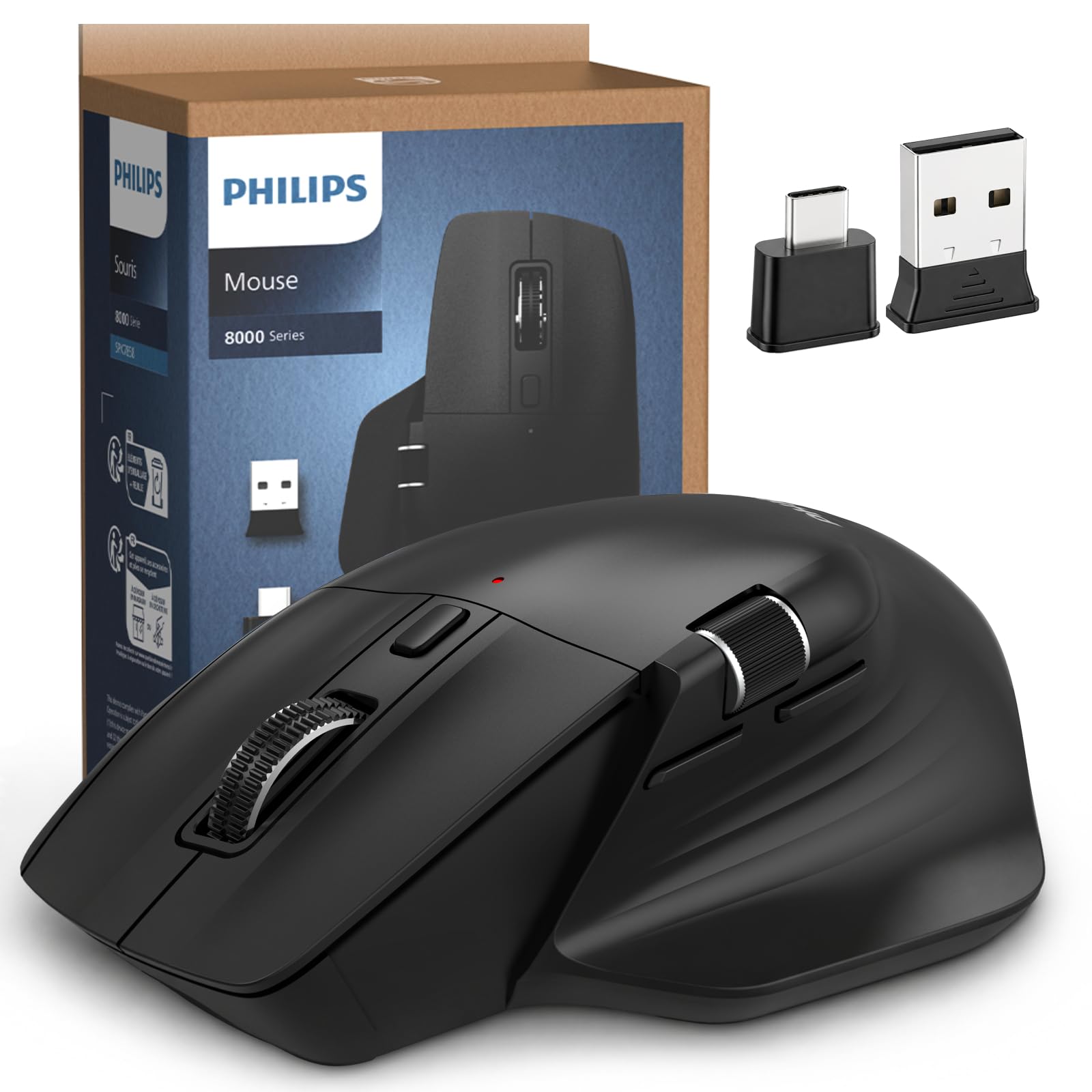
1. PHILIPS Ergonomic Wireless Mouse SPK7858
Our pick — over 4.5★ from 950+ verified ratings; the strongest balance of quality and price.
The smartly equipped vertical that stops wrist ache without demanding a premium.
The Philips mouse earns its spot because it combines comfort with a thumb-side horizontal scroll wheel — a real time-saver for anyone who lives in spreadsheets or long documents. Its contoured right-handed shell and an anti-slip thumb rest support a wider grip, which naturally minimizes daily fatigue. The 5 buttons include that horizontal scroll wheel, and owners mention it “easily outdoes” other mice, especially on battery life and the sheer quantity of useful features. The 5-level DPI sensor (800 to 4000) lets you dial in cursor speed for pixel-precise editing or fast multi-monitor navigation. skip it if you need more than 5 buttons or want a left-handed design.
Where it really shines is multi-device flexibility. The included USB receiver has both a USB-A and USB-C connector, so it works with older desktops and modern MacBooks straight from the start. You can pair it with three devices and switch instantly. The 500mAh battery promises 25 days of heavy use, and a 5-minute charge gives you one hour of emergency tracking. At just 97 grams, it is light enough to toss in a bag without thinking about it.
The thing owners praise most is build quality — 24 call it out directly — followed closely by value for money. A few note the scroll wheel texture can feel odd at first, and one long-term user found the USB plug needed occasional re-seating. For a sub- product, the consensus is clear: this is the most complete package in the budget vertical-mouse category.
What Wins People Over
- Dual USB-A/C receiver means zero dongle hassle
- Thumb-side scroll wheel for easy Excel navigation
- 5-minute fast charge yields an hour of use
- Light enough at 97g for daily carry
Points to Consider
- Scroll wheel texture can feel unusual to some
- USB receiver may require occasional re-seating
Reach for it if: you want a feature-packed vertical mouse that works across all your devices without spending over.
Look elsewhere if: you have very large hands and prefer a heavier, more substantial feel.
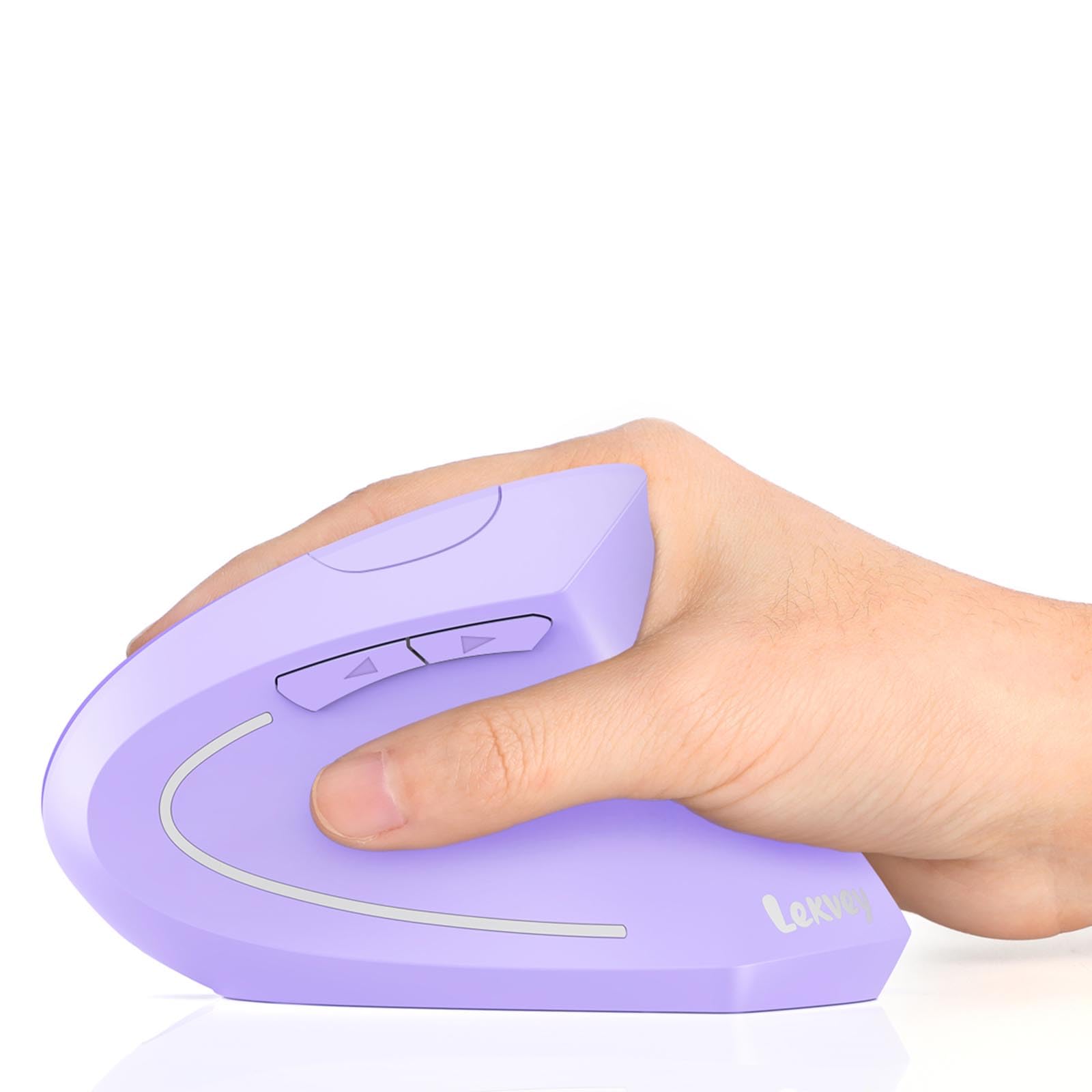
2. Lekvey Ergonomic Mouse, Light Purple
The purple charger that turned “my wrist hurts” into a forgotten problem.
Owners consistently report near-immediate wrist pain relief, especially for carpal tunnel symptoms. The vertical shape encourages a natural handshake grip, and the 600mAh battery lasts up to 150 hours — far longer than many competitors. A full charge takes about 3 hours via the included 150 cm USB-C cable, and the auto-sleep mode kicks in after 20 minutes of inactivity to save power.
The whisper-quiet clicks are rated for 9 million presses. Three adjustable DPI levels (1000/1200/1600) give you basic cursor-speed control, and the forward/back buttons make web browsing faster. The catch: it is designed for medium and large hands, so smaller-handed users should measure first. Also, the forward and back buttons are not compatible with macOS — a common limitation in this price range.
Ergonomics is the most-praised aspect here, mentioned by 49 owners, and reliability runs a close second at 33. The recurring sentiment: “My wrist doesn’t hurt anymore.” The purple color is a nice visual break from the sea of black mice, but the real win is the comfort.
One-liner verdict: The Lekvey is arguably the best wrist-relief value on this list — just check your hand size and OS before you buy.
Best for: medium-to-large hands and anyone whose wrist pain has become a daily distraction.
Not for: Mac users who need forward/back navigation buttons, or anyone with small hands.
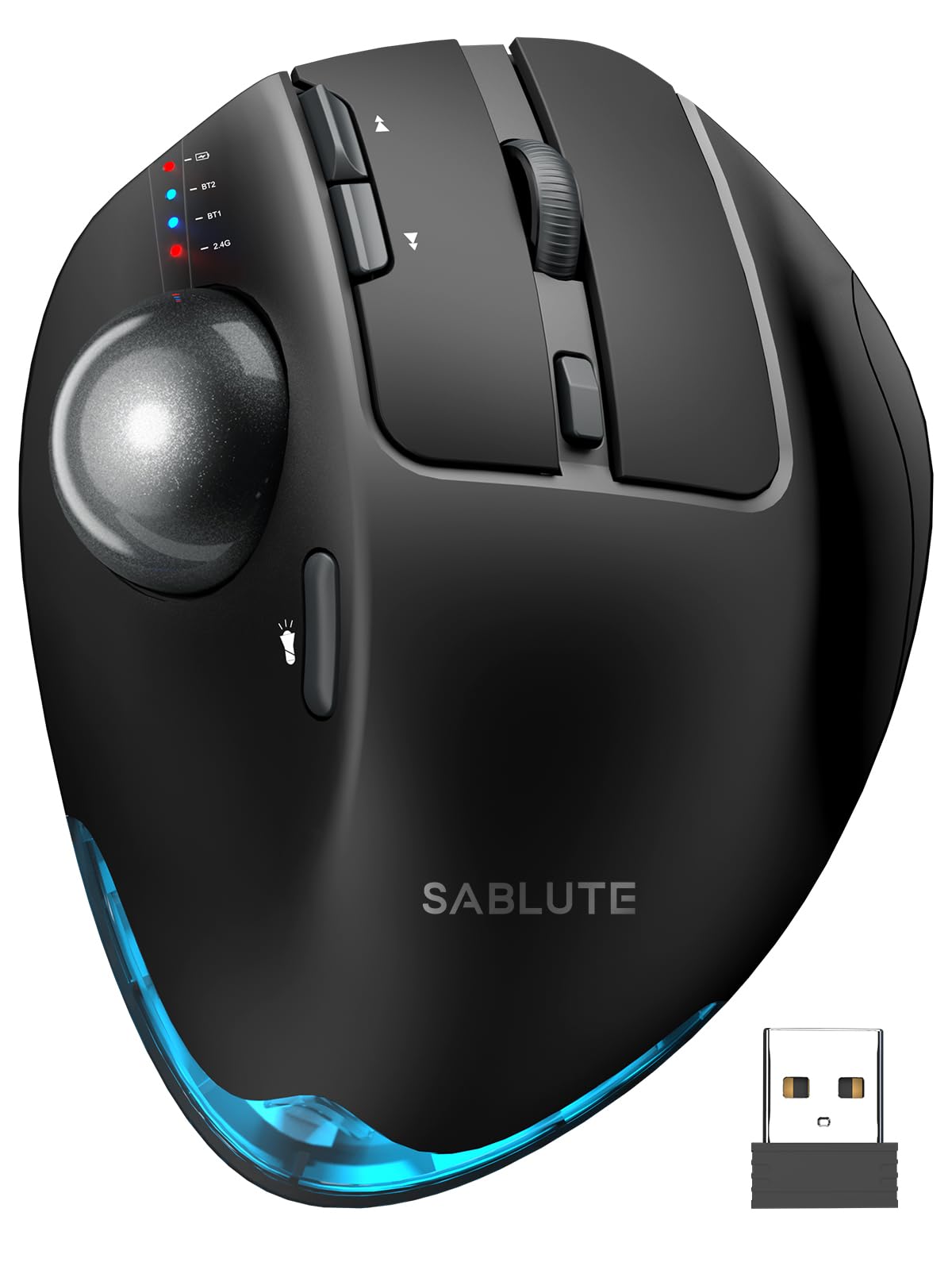
3. SABLUTE MAM1 Pro Thumb Trackball Mouse
The desk-space saver that lets your whole arm rest while your thumb does the work.
If you have a cluttered desk or suffer from shoulder fatigue from moving your arm across the mouse pad, the SABLUTE MAM1 Pro changes the rules. Instead of sliding the mouse, you roll the thumb-operated trackball. The most distinctive feature is the adjustable tilt: you can run it flat at 0° or angle it to 18°, which follows your wrist’s natural resting posture. Owners praise the smooth operation and the fact that it connects to three devices via Bluetooth or the 2.4G USB receiver.
This mouse gives you the widest DPI range on this list (800 to 4800), so you get very fine control for graphic work or very fast cursor movement across large monitors. The 8 buttons include forward/back navigation and a solid scroll wheel. The ultra-quiet buttons claim 95% noise reduction. The metallic base gives it a hefty, premium feel, and it is usable while charging via USB-C. The driver software lets you customize button mapping, though it does not work on macOS — so Mac users should skip this one.
Ergonomics is the top praise by a wide margin — 80 owners mention it — followed by functionality. The main trade-off mentioned is that the trackball can feel overly sensitive at first, and a few note a clanking sound when tilting the mouse to the left. Trackball newcomers should expect a 1-2 week learning curve.
Bottom line: The most versatile trackball option on the list, ideal for cramped desks and anyone wanting to eliminate arm movement from their workflow.
Perfect for: students and professionals with limited desk space or shoulder/arm discomfort.
Think twice if: you prefer a traditional sliding mouse and do not want to spend a week adjusting to trackball control.
4. Nulea MD280 Vertical Wireless Mouse

The USB-C charged marvel that goes months between top-ups.
The Nulea MD280 stands out for its exceptional battery life — customers note a single charge lasting roughly 8 months with daily work use. That is an industry outlier in this price range. The ergonomic design includes a dedicated pinky rest, which reduces the dragging sensation that some vertical-mouse users complain about. The dual-mode connectivity (Bluetooth and 2.4G) lets you smoothly switch between three devices, and the magnetic USB receiver storage in the base means you will never lose the dongle. If you need a mouse that rarely needs charging and works across multiple computers, this is your pick.
The 4 adjustable DPI levels (800/1200/1600/2400) cover precision work to fast browsing, and the whisper-quiet clicks suit shared offices. The matte finish is easy to clean and resists fingerprints. Quality is the most-praised aspect (43 mentions), followed closely by comfort (36). A few owners note that the bubble shape feels less ergonomic than some competing models after several hours, and one long-term user reported a sticky scroll wheel after a drop. The core value proposition is undeniable: plug it in once and forget about charging for the better part of a year.
The Big Wins
- 8-month battery life on a single charge
- Pinky rest prevents finger drag on the mouse pad
- Magnetic receiver storage in the base
- smooth three-device switching
The Trade-Offs
- Bubble shape may feel less natural than some competitors after long sessions
- Slight cursor lag reported in gaming; better for office use
Grab it if: you hate charging peripherals and want a mouse you can set up once per year.
pass on it if: you need competitive-grade tracking for gaming, or prefer a more sculpted ergonomic shape.
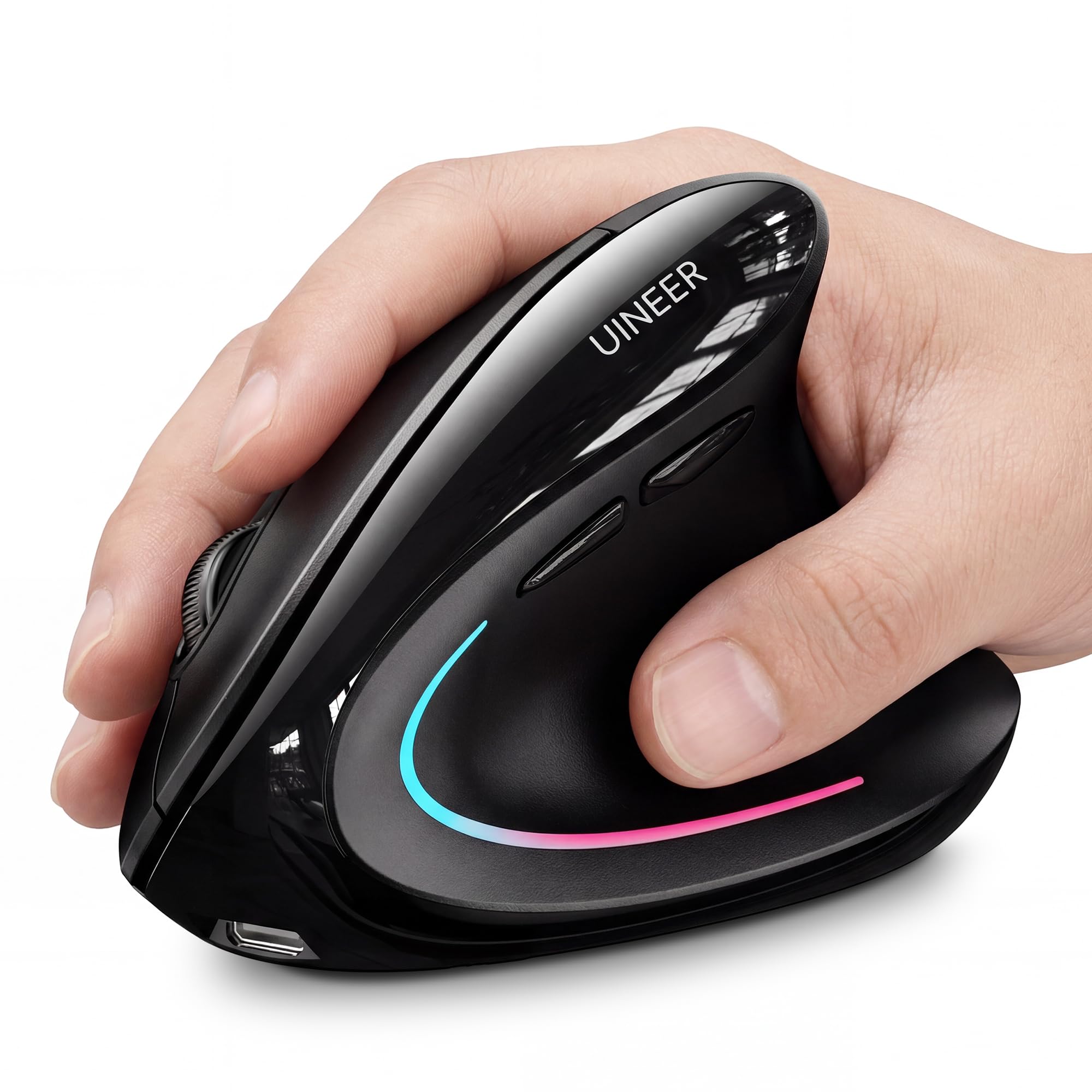
5. Uineer A9 Vertical Ergonomic Mouse
The featherweight that disappears into a bag and still tracks across three devices.
At only 105 grams, the Uineer A9 is the lightest ergonomic mouse on this list by a significant margin — it is lighter than most standard travel mice. The trade-off is that it is designed for small-to-medium hands only, so larger-handed users should look elsewhere. The natural handshake grip keeps your wrist straight, and the 7-color ambient light adds a bit of personality to your desk. The dual Bluetooth (5.0 and 4.0) plus 2.4G connectivity lets you pair up to three devices and switch between them without re-pairing.
The 4-level DPI (800/1200/1600/2400) and upgraded tracking chip deliver smooth cursor movement on most surfaces. Owners consistently praise the ergonomics (21 mentions) and build quality (17). A few note that the thumb-rest lighting is not fully lit, and the lightweight build means it is not suited for weighted gaming. If your priority is throwing a comfortable mouse into a laptop bag and forgetting it is there, this is the one.
Key takeaway: Unbeatable portability for a vertical mouse, but only if your hands are on the smaller side.
Best for: commuters, remote workers, and anyone with small-to-medium hands who travels light.
Not for: large hands, or anyone who wants a heavier, more substantial mouse feel for gaming.
6. Uineer A06S Vertical Mouse
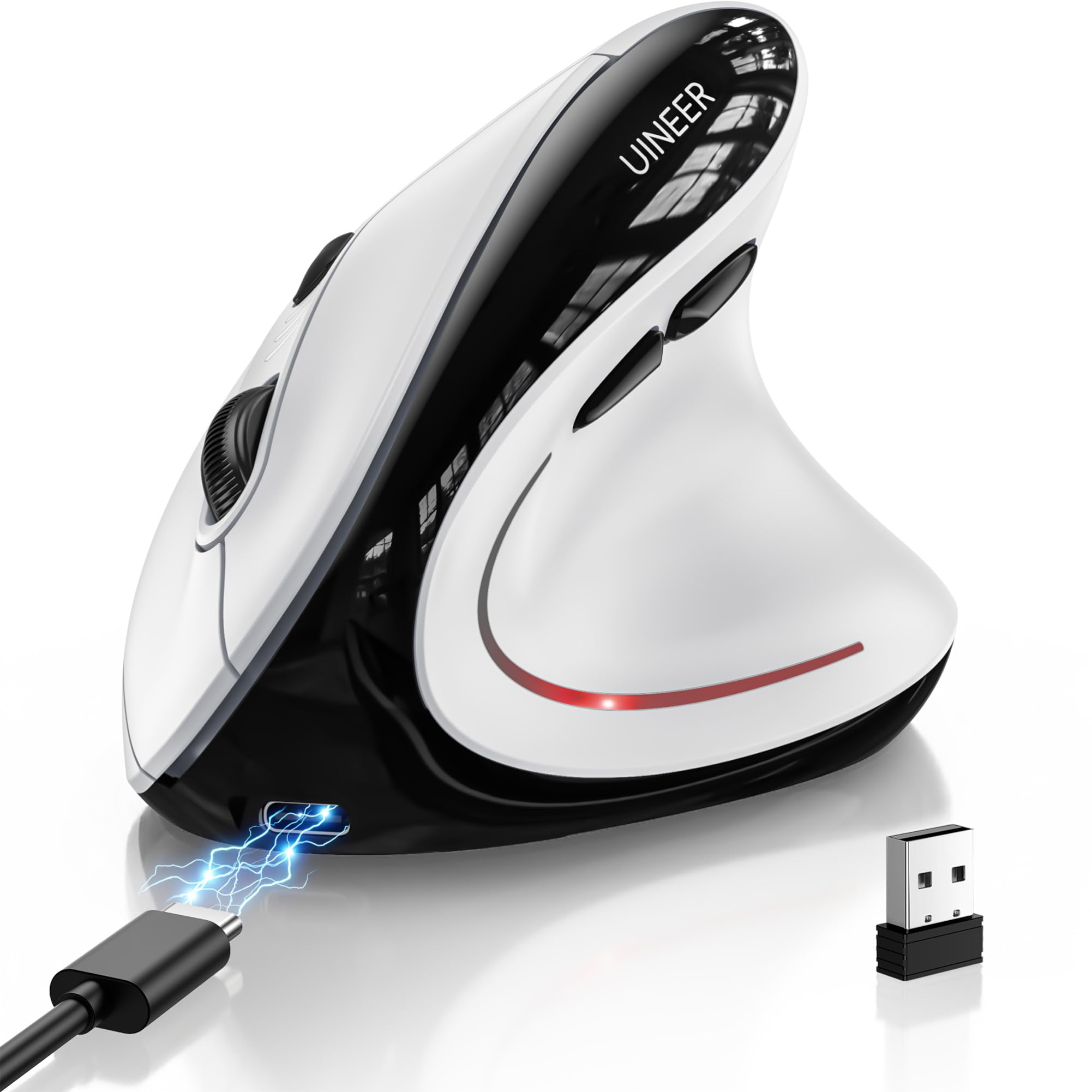
A vertical mouse that hides its budget price behind vibrant RGB and genuinely quiet clicks.
The Uineer A06S packs a surprising amount of visual flair for its price point, with 7-color LED ambient lighting that energizes a plain desk setup. The tri-mode connectivity (Bluetooth 5.0, Bluetooth 4.0, and 2.4G) lets you sync up to three devices, and the 500mAh battery delivers up to 168 hours of use — about a month of 8-hour workdays. The silent left and right buttons are genuinely quiet, making it a strong candidate for shared workspaces and libraries.
The 4-level DPI (800/1200/1600/2400) covers standard office tasks and casual gaming. A side scroll wheel enables smooth horizontal navigation, which helps with wide spreadsheets. The 6 buttons include forward/back navigation.
Bottom line: A visually fun, fully featured vertical mouse that delivers on ergonomics, though battery life may vary.
Reach for it if: you want RGB lighting without the premium price tag, and need multi-device switching.
Look elsewhere if: you cannot tolerate any wake-up lag or need a guarantee of month-long battery life.
7. Perixx PERIMICE-713RX Wireless Rechargeable Vertical Mouse

The vertical mouse that also charges your phone, thanks to a bundled wireless pad.
The Perixx 713RX differentiates itself with a bundled wireless charging pad that supports 7.5W for iPhones and 10W for Samsung Galaxy models — so when the mouse is fully charged, the pad becomes a phone charger. The mouse itself supports both USB-C wired charging and Qi wireless charging, giving you maximum flexibility. The soft rubber-coated build provides a secure, comfortable grip for extended use.
The vertical shape keeps your wrist in a neutral position, and the 2.4G wireless connection reaches up to 30 feet (around 10 meters). Adjustable DPI settings (1000/1600) are more limited than some competitors, but sufficient for standard office work. The 6 buttons include quiet left/right clicks (though the scroll wheel and forward/back buttons are not silent). Owners praise the comfort and the charging option, noting that battery life is solid. However, reliability gets mixed feedback — some units stopped working after a few months, and the charging pad can be finicky for some. The 12-month warranty via Perixx’s website is worth registering.
The catch: When it works, it is great — but reported reliability issues make this a riskier pick than the more consistent options above.
Best for: tech enthusiasts who value wireless charging convenience and want to reduce cable clutter.
Not for: buyers who prioritize long-term reliability above all else.
8. PHILIPS SPK7628 Vertical Mouse
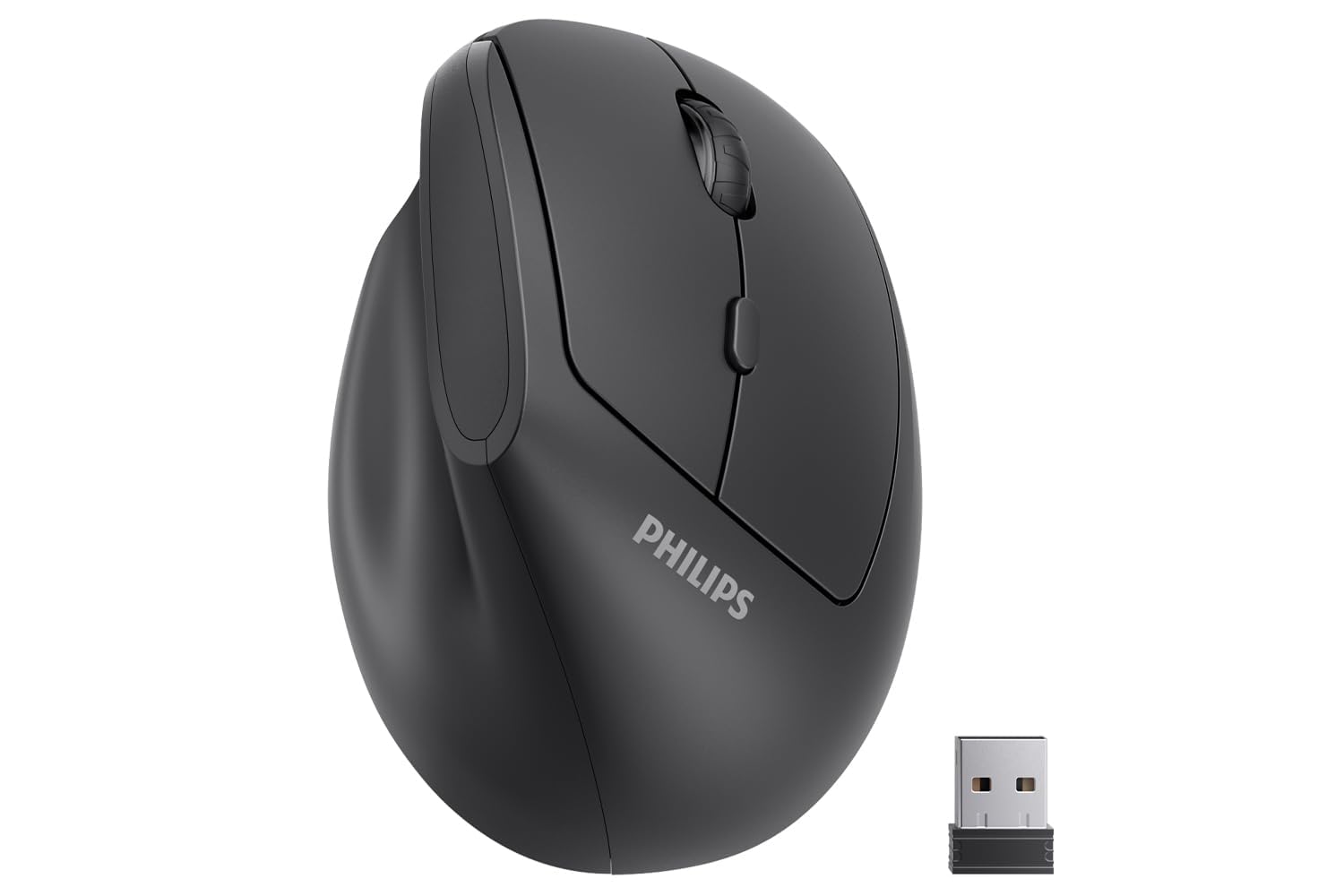
The petite vertical that fits hands up to 7 inches and costs barely more than lunch.
The PHILIPS SPK7628 is built specifically for small-to-medium hands up to 7 inches from wrist to fingertip. Its 57° vertical angle promotes a natural handshake position without forcing your fingers into an overstretched grip — a common problem when large ergonomic mice are used by smaller hands. The 6 buttons include silent left/right clicks ideal for shared offices, and the 2.4G wireless receiver provides a stable, driver-free connection.
The adjustable DPI switches between 800, 1200, and 1600 — a basic but functional range. The mouse runs on 2 AAA batteries (included), which is less convenient than rechargeable models but means you are never stuck tethered to a charging cable. The compact size and lightweight build make it easy to toss into a laptop bag. The most-praised aspects are Comfort (65 mentions) and Ergonomics (63). A small number of units have had tracking issues — the consensus is that if you get a good unit, it is excellent value for very small hands, but quality control can vary.
Final read: A niche-savvy pick for petite or small-handed users that outperforms its price tag — when you get a good one.
Best for: small hands, commuters, and anyone who wants a no-fuss 2.4G mouse that is ready to go from the start.
Not for: medium-to-large hands, or anyone who insists on rechargeable batteries.
9. Anker 2.4G Wireless Ergonomic Vertical Mouse
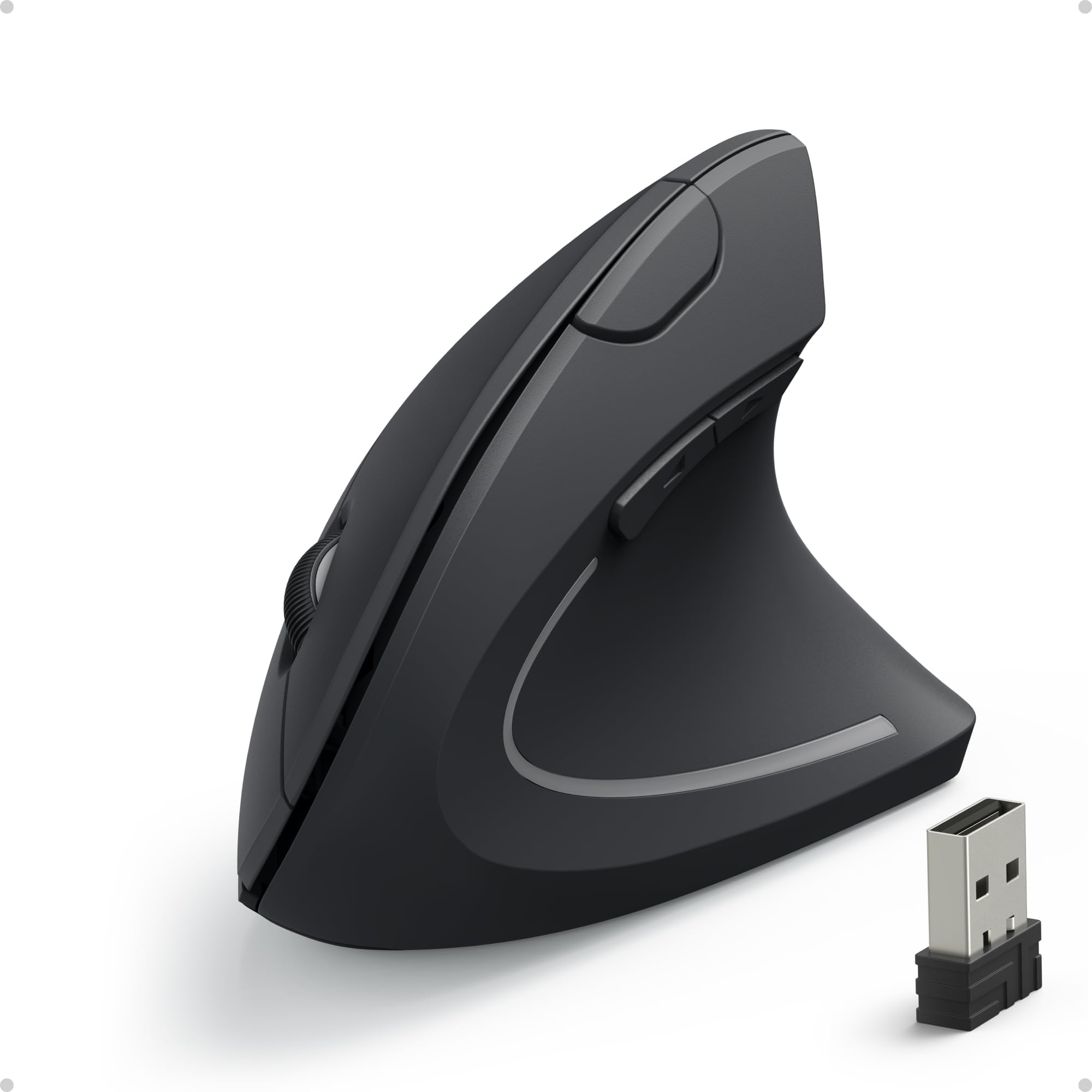
The vertical that proved the category, with over 50,000 owners vouching for its handshake grip.
The Anker vertical mouse is the veteran of this category — it has been around for years and has amassed a massive following (over 50,000 ratings). The “handshake” design promotes a neutral wrist and arm position, and the rubbery matte finish provides a secure grip. It uses 2.4G wireless via a USB receiver (no Bluetooth), and runs on 2 AAA batteries (not included). An 8-minute inactivity timer triggers a deep sleep mode to save power; a simple click wakes it up.
The 3 DPI settings (800/1200/1600) are basic, and the 6 buttons include forward/back navigation for easy browsing. At 4.48 ounces, it is one of the heavier vertical mice here, but owners say the weight feels ideal for desk use. The most-praised aspects are Quality (3,600 mentions) and Wrist comfort (3,500) — the volume of positive feedback is staggering. The trade-offs are well-documented: the size runs large, so it is not suitable for small hands; the pinky can drag on the mouse pad; and some units experience scroll wheel failure after about a year and a half. For the price, it remains a beloved entry point into vertical mice.
The Strengths
- Proven design trusted by tens of thousands of owners
- Excellent wrist comfort for medium-to-large hands
- Deep sleep mode saves battery life significantly
- 18-month warranty provides confidence
The Weaknesses
- Too large for small hands; pinky may drag
- Scroll wheel durability is a known weak point over time
- No Bluetooth — receiver only
Grab it if: you have medium-to-large hands and want the most-tested, most-reviewed vertical mouse under.
Pass if: you need Bluetooth, have small hands, or want a rechargeable battery instead of AA’s.
Understanding the Specs
DPI (dots per inch) — Cursor Sensitivity
DPI controls how fast the cursor moves across your screen when you move the mouse. A low DPI (800) gives you precise, slow movement for detailed work like photo editing. A high DPI (2400 or more) lets you zip across multiple monitors with a small hand movement. Most budget ergonomic mice offer 3 to 5 adjustable DPI levels, which is enough to adjust to different tasks without needing software.
Vertical Angle and Grip Posture
Vertical mice tilt your hand into a handshake position (usually between 57° and 90°). This straightens your wrist and forearm, reducing the compression on the carpal tunnel that flat mice can cause. The steeper the angle, the more dramatic the change — and the longer the adjustment period. Some trackball mice offer adjustable tilt (0° to 18°) so you can find your own balance.
Connectivity: Bluetooth vs. 2.4G Receiver
2.4G receivers offer a strong, low-latency connection — just plug in the tiny dongle and go. Bluetooth is more convenient for switching between devices (laptop, tablet, phone) without needing a USB port. Dual-mode mice do both, letting you pair up to three devices and swap with a button press. The trade-off is that Bluetooth can introduce slight lag and drain the battery faster.
Battery Life and Charging Method
Rechargeable mice with 500mAh to 600mAh batteries typically last between 2 weeks and 8 months depending on usage and whether they include auto-sleep modes. AA-powered mice are simpler to replace but cost more over time. Fast-charge features (giving you an hour of use from a 5-minute charge) are common on newer models and are helpful for meeting-day emergencies.
FAQ
How long does it take to adjust to a vertical mouse?
Can I use a vertical mouse for gaming?
What does DPI mean and which level should I choose?
Are ergonomic mice worth the adjustment period?
How do I know if a vertical mouse will fit my hand?
What is the difference between a trackball mouse and a vertical mouse?
Do all ergonomic mice work with Mac computers?
How long do the batteries last in a rechargeable ergonomic mouse?
What does “silent click” mean and does it affect performance?
Can I connect an ergonomic mouse to multiple devices at once?
Final Thoughts: The Verdict
For most people, the budget ergonomic mouse winner is the PHILIPS SPK7858 because it combines multi-device Bluetooth, a dual USB-A/C receiver, fast charging, and strong build quality at a price that undercuts most competitors. If your main goal is wrist pain relief and you have medium-to-large hands, the Lekvey Light Purple is the one to reach for with its massive 600mAh battery and consistent owner feedback. And for those who want to eliminate arm movement entirely and save desk space, the SABLUTE MAM1 Pro trackball offers adjustable tilt and the widest DPI range on the list.
How We Picked
We do not accept paid placement. Every pick is matched to a real buyer and a real use-case; we do not hands-on test units.
Sources & Methodology
Specifications: manufacturer listings and product documentation. Review insights: verified customer reviews, as of July 2026. Pricing: not shown on this page (it changes often); check the current price via the retailer link.
As an Amazon Associate, Gadgets Feed earns from qualifying purchases. This does not affect which products we feature.