
Our readers keep the lights on and my morning glass full of iced black tea. As an Amazon Associate, I earn from qualifying purchases.
Specs are compiled from manufacturer listings and verified buyer reviews and can change over time — please confirm the key details on the product page before buying.
Filling up drive space is like filling a room — it happens faster than you expect. Whether you are archiving years of family videos, building a home media server, or backing up a business, a single 14TB drive can store roughly 3,500 hours of high-definition video. The catch is that not every 14TB drive is built the same, and some models prioritize speed while others focus on quiet daily use. You need a drive that fits exactly how you use it, not just the one with the biggest number on the package.
I’m Min — the founder and writer behind Gadgets Feed. This guide is built by comparing the manufacturers’ published specifications and the patterns across verified customer reviews, so you get each pick’s real strengths and trade-offs instead of marketing spin.
Here is what nearly 130,000 owners have to say about the best 14 tb hard drive options on the market right now, broken down by real-world use case.
Our Picks at a Glance


How To Choose The Best 14 TB Hard Drive
Picking a 14TB drive starts with one question: where will it live? If you need a simple backup drive for your desk, an external USB model is the easiest route. If you are building a network-attached storage (NAS) system for multiple users, you want an internal drive engineered to run 24/7. The speed of the drive, measured in RPM (revolutions per minute), affects how fast data transfers feel — 7200RPM is snappier but louder, while 5400RPM runs cooler and quieter. Finally, consider the warranty and data recovery service, because when you are trusting 14TB of your life to one piece of hardware, you want protection if it fails.
External vs Internal
External drives are ready from the start — plug in the USB cable and the power adapter, and your computer sees the drive instantly. They are great for backups on a single PC or laptop. Internal SATA drives install inside a desktop tower or a NAS enclosure, offering higher sustained speeds and easier replacement. If you plan to put the drive in a home server or a multi-bay RAID system, go internal. For a simple one-stop backup, go external.
Speed: 7200RPM vs 5400RPM
A 7200RPM drive spins the platters faster, so reading and writing large files — like a 4K movie or a game library — happens noticeably quicker. The trade-off is more noise and heat. A 5400RPM drive is quieter and consumes less power, making it a good choice for a backup drive that sits idle most of the day. For everyday backups, 5400RPM is fine. For active use like video editing or a media server, spend the extra for 7200RPM.
Warranty and Data Recovery
You get confidence from a longer warranty (three to five years) because hard drives are mechanical and eventually fail. Some premium drives include a data recovery service — if the drive crashes, the manufacturer tries to get your files back. That can be a lifesaver if you do not have a second backup. A five-year warranty and included rescue service adds real long-term value.
Quick Comparison
| Model | Best For | Type | Speed (RPM) | Cache | Amazon |
|---|---|---|---|---|---|
| WD 14TB Elements★ Best Overall | Best Overall | External USB 3.0 | — | — | Amazon |
| WD 14TB My BookSecure Backup | Secure Backup | External USB 3.0 | — | 1 | Amazon |
| Seagate IronWolf Pro 14TBPremium NAS | Premium NAS | Internal SATA | 7200 RPM | 256MB | Amazon |
| WD 14TB Easystore | Quiet Desktop | External USB 3.0 | — | — | Amazon |
| Seagate IronWolf 14TB | NAS (up to 8 bays) | Internal SATA | — | 256MB | Amazon |
| Toshiba MG07ACA14TE (Enterprise) | Enterprise Server | Internal SATA | 7200 RPM | 256MB | Amazon |
| UnionSine Desktop External | Budget Backup | External USB 3.0 | 5400 RPM | — | Amazon |
| Avolusion PRO-T8 14TB | Value Media Storage | External USB 3.0 | 7200 RPM | 256MB | Amazon |
| Toshiba MG07ACA14TE (Renewed) | Budget Enterprise | Internal SATA | 7200 RPM | 256MB | Amazon |
In‑Depth Reviews
1. Western Digital 14TB Elements Desktop External Hard Drive
Our pick — over 4.5★ from 127,500+ verified ratings; the strongest balance of quality and price.
The 14TB drive that tens of thousands of owners trust for plug-and-play backup.
This is the crowd favorite for good reason — it is a simple, reliable external drive that Western Digital has been making for years. Setup takes seconds: plug in the USB 3.0 cable, connect the power adapter, and your Windows PC recognizes it immediately. The data transfer rate reaches up to 5 Gbps over USB 3.0. The aluminum enclosure helps dissipate heat, keeping the drive cool during long backup sessions.
Where this WD Elements really shines is the sheer volume of owner experience backing it up. The thing everyone raves about is the build quality — over 2,000 positive mentions. The drive is not perfect across the board: reliability gets mixed feedback from 3,300 owners, which you see with any high-capacity mechanical drive. Some units have stopped working after several months. That said, the 4.6-star average from well over 100,000 buyers suggests the vast majority are satisfied.
massive plug-and-play
- Plug-and-play on Windows with no driver setup required
- Quality praised by more than 2,000 owners
- USB 3.0 data transfer rate of 5 Gbps for fast backups
slow transfer speeds
- Reliability is mixed in the review data — some drives fail after months
- NTFS format limits write access on Mac without reformatting
- Requires a power outlet; not truly portable
big backups: you want the most trusted, widely-used external 14TB drive for backing up a Windows PC — the one with the biggest owner community.
speed seekers: you need a drive for full-time NAS use or you want hardware encryption built in.
2. WD 14TB My Book Desktop External Hard Drive
The external drive that adds password protection and hardware encryption on top of 14TB of space.
This is the step-up version of the WD Elements. The My Book includes 256-bit AES hardware encryption — your data is scrambled on the drive itself, so even if someone steals the device, they cannot read your files without the password. It also comes with WD Discovery software that handles backups and drive utilities (though you need to download and install it yourself). The drive connects via SuperSpeed USB (5 Gbps) and remains compatible with USB 2.0 ports.
Buyers consistently mention the build quality, with over 600 positive comments, and the storage capacity gets another 450 mentions. One owner noted their previous 4TB My Book lasted over 10 years, which gives a strong sense of longevity. The main trade-off, mentioned by over 1,300 owners, is that reliability can be hit or miss — some drives stop being recognized after months. The noise level also draws mixed feedback, but most owners find it acceptable for a desktop backup drive. This drive is a solid pick if you want that extra layer of data security.
built-in encryption: 256-bit AES hardware encryption keeps data safe even if the drive is stolen — a feature the cheaper Elements model lacks.
data security: anyone backing up sensitive files (financial records, business data) who wants password protection on the hardware itself.
budget builds: you just need a plain external drive and do not need the encryption or backup software.
3. Seagate IronWolf Pro 14TB NAS Internal Hard Drive
The 14TB drive built for 24/7 NAS duty with included data recovery service.
If you are running a Synology, QNAP, or any multi-bay NAS system, this is the drive you want. The IronWolf Pro is engineered for up to 24-bay server environments, with a 7200 RPM spin speed and a 256MB cache. Data transfers hit up to 250MB/s, which makes a noticeable difference when you are shifting large media libraries. The 1.2 million hours mean time between failures (MTBF) rating indicates it is built for constant operation.
Owners highlight the value for money — over 40 positive mentions. The speed also gets praise from 27 buyers. One owner reported that their 14TB drives have been running reliably for years, with transfers around 170 MB/s. The catch, as with any high-capacity drive, is that reliability gets mixed feedback (191 mentions). Some units fail, and a few owners mention the drive becomes noisy over time. The five-year limited warranty and three-year Rescue Data Recovery Services are a significant safety net — if the drive crashes, Seagate attempts to recover your data.
high endurance: built for up to 24 drives in a single NAS, so it handles heavy multi-user workloads better than a desktop-grade drive.
NAS arrays: you are building or expanding a serious NAS and want the speed and warranty that come with a pro-grade drive.
quiet setups: you are just looking for a single backup drive — you will pay for features you do not use.
4. Western Digital Easystore 14TB External USB 3.0 Hard Drive

A simple, quiet external drive that owners praise for running 18 hours a day without a hitch.
This is essentially WD’s retail-boxed version of the external drive, often sold alongside the Elements line. It offers the same USB 3.0 interface with data transfer rates up to 5 Gbps and is backward compatible with USB 2.0. The drive is compatible with both Mac and PC, so you can use it on either platform from the start after a quick reformat. One owner loaded 3TB of music onto this drive and runs it 18 hours daily with zero problems — a sign of solid day-to-day reliability.
The drive earns equal praise for reliability and storage capacity, each with 8 positive mentions. It is noticeably quiet during operation, which makes it a good fit for a living room or office desk. The main concern to flag: a few buyers received drives that had been previously used and partitioned, making them unusable. That is a frustrating experience, but it appears to be a minority of units.
frequent deals:
bargain hunters: quiet, long-running desktop backups where you want a WD drive with a good track record.
reliability first: the occasional unit arrives pre-used — test it immediately when it arrives.
5. Seagate IronWolf 14TB NAS Internal Hard Drive

The step-down IronWolf that still delivers NAS-grade performance for up to eight drive bays.
This is the standard IronWolf, not the Pro version, but it still packs the features most home and small-office NAS users need. It uses CMR (conventional magnetic recording) technology, which keeps write speeds consistent during RAID rebuilds — something SMR (shingled magnetic recording) drives struggle with. The 256MB cache helps with multi-user file sharing. The drive also includes the IronWolf Health Management system, which monitors key metrics like temperature and vibration so you get early warnings before a failure.
Customers note solid performance, with 5 positive mentions. A buyer using two 14TB IronWolfs in a Synology DS223J NAS found they work great with no bad sectors. The drive does produce noticeable access noise — that is typical of NAS-class drives. The main concern is the 6 mentions of mixed reliability, with one owner reporting a dead drive on arrival and a frustrating warranty replacement process that took over a month. The five-year limited warranty and three-year Rescue Data Recovery Services are included, providing a safety net if things go wrong.
balanced performance: CMR recording instead of SMR — matters for RAID arrays where consistent write performance prevents rebuild failures.
home servers: a home NAS with up to eight bays where you want CMR reliability without paying the Pro premium.
enterprise loads: some buyers have had bad experiences with Seagate’s warranty support turnaround times.
6. Toshiba MG07ACA14TE 14TB Enterprise Internal Hard Drive

The enterprise-drive that promises 24/7 operation and transferred 12TB in a single day.
This is a full enterprise-class internal drive, meaning it is built to run in servers and data centers with a 550TB per year workload rating. It spins at 7200 RPM and uses a 9-disk helium-sealed design, which reduces friction and keeps power consumption lower than air-filled drives. The SATA 6.0 Gb/s interface is compatible with most desktop and NAS motherboards.
The drive earns praise for compatibility (6 mentions) and speed (5 mentions). Several owners use them in Synology NAS units without issues. The biggest negative in the data is reliability — 16 mixed mentions. One buyer mentioned the drive failed after 3 months with boot errors, and they had a previous Toshiba with a similar early failure. The drive also gets mixed feedback on noise level (9 mentions), with some describing it as noticeably loud. If you push drives hard in a work environment, these are worth considering; for light home use, a desktop-grade drive may be a better fit.
enterprise grade: 550TB/year workload rating — meaning it is designed to be written and rewritten constantly, unlike a consumer drive.
24/7 operation: a 24/7 NAS or server environment where you need enterprise-level endurance and high transfer speeds.
energy savers: a quiet home office — the noise may be distracting if the drive is out in the open.
7. UnionSine Desktop External Hard Drive 14TB
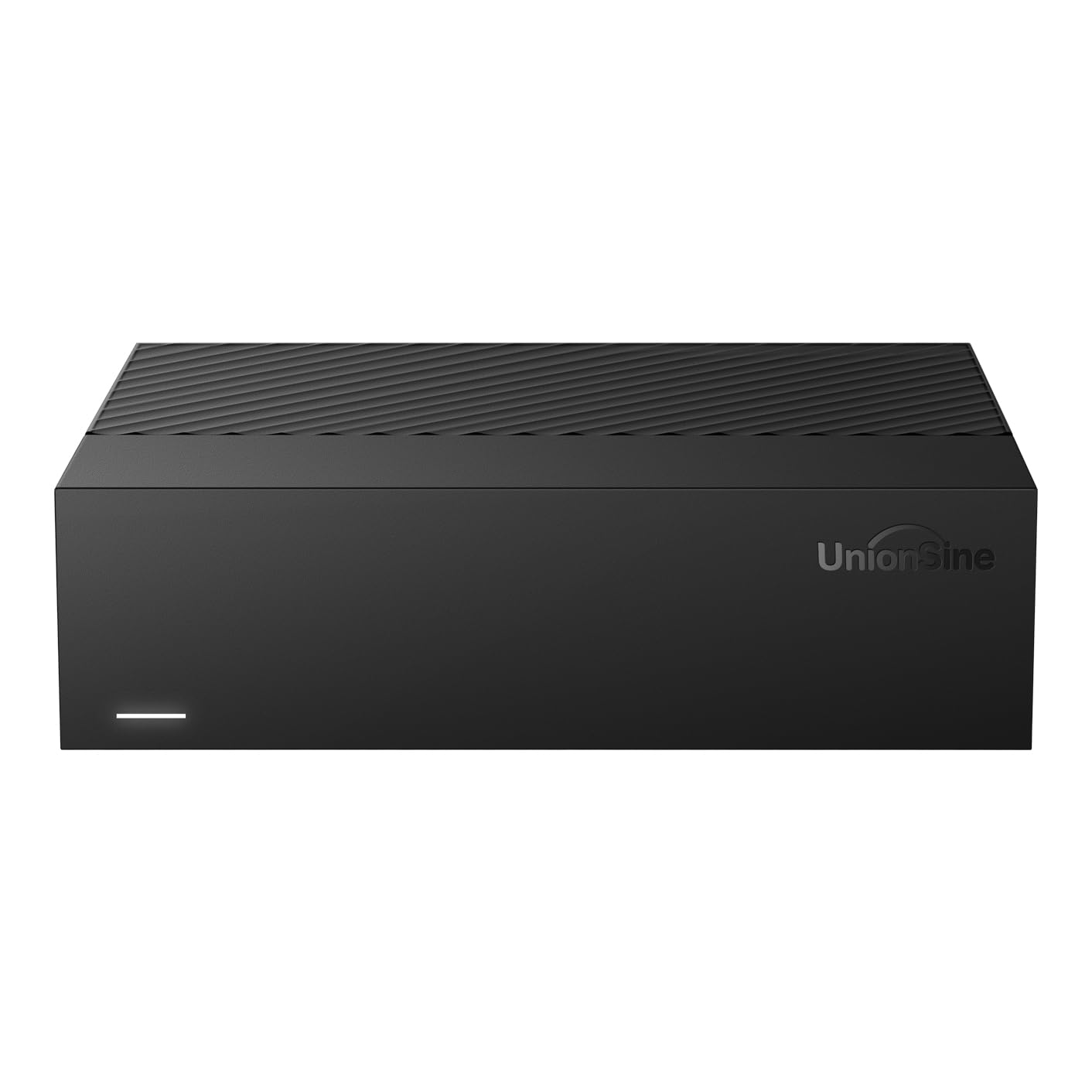
A budget-friendly external drive that backs up photos and documents while staying affordable.
The UnionSine drive takes a simple approach: wrap a 5400RPM SATA drive in a sturdy enclosure and offer USB 3.0 connectivity. The theoretical read/write speeds are up to 130-270 MB/s, which is adequate for photo backups and document storage. It uses an ASM chip for broad compatibility — Windows, Mac, Linux, Android, TV, and Xbox are all listed as compatible. The 12V/3A power supply provides stable power, and anti-vibration silicone inside keeps noise lower than many budget drives.
Owners give it positive marks for performance (11 mentions) and ease of use (9 mentions). One buyer found it cost-effective compared to cloud storage, praising the plug-and-play setup and quiet operation. The main risk is the occasional dead-on-arrival unit — one owner reported a power supply that sparked and a drive that would not be recognized by any computer. That is a small percentage of the overall feedback, but it is note for confidence.
lowest cost: one buyer described it as a “cost-effective alternative to cloud storage” with fast USB 3.0 transfers and a quiet footprint.
tight budgets: you need a large external backup drive on a tighter budget and do not need the fastest transfer speeds.
data critical: you need 24/7 reliability — the occasional DOA unit makes this a better fit for non-critical backups.
8. Avolusion PRO-T8 Series 14TB USB 3.0 External Hard Drive

An external drive that packs a 7200RPM enterprise-grade internal drive for Plex servers and media storage.
The Avolusion PRO-T8 is an interesting hybrid: it is a brand-new external enclosure housing a like-new refurbished 7200RPM enterprise hard drive from a top-tier manufacturer. The drive has been tested for zero bad sectors and 100% health, with 0 power-on hours. That effectively gives you an enterprise-grade internal drive in an external USB 3.0 shell. The 256MB cache helps with large media file transfers. The maximum data transfer rate over USB 3.0 is 5 Gbps.
Storage capacity and value for money are the top praises, with 17 and 14 positive mentions respectively. One owner has been running this drive reliably for over 1.5 years, using it for local AI models and large datasets. Another uses it for a Plex media server, streaming HD and 4K content with no lag. The drive is fast enough for continuous media playback. The caveat is that reliability scores are mixed (16 mentions). Some units work flawlessly; others do not work at all from the start. The 2-year warranty provides some coverage, but it is worth testing the drive thoroughly within the return window.
cool running: one customer observed downloading 139GB in about 40-45 minutes, giving a real-world sense of the transfer speed.
desktop use: a media server or secondary backup where you want the speed of a 7200RPM enterprise drive in an external package.
long distances: the refurbished internal drive means quality control may vary; test it right away.
9. Toshiba 14TB Enterprise Hard Drive (Renewed)
A renewed enterprise drive that offers 14TB at a sharp discount for those comfortable with refurbished hardware.
This is the same Toshiba MG07ACA14TE enterprise drive as product 6, but sold as a renewed (refurbished) unit at a noticeably lower price. It still packs the 7200 RPM spin speed, 256MB cache, the 9-disk helium-sealed design, and a SATA 6.0 Gb/s interface. The renewed process should include testing for bad sectors, but as with any refurbished drive, the history is unknown. One user highlighted a 5-year warranty card was included.
Reliability is the top praise, with 11 positive mentions. Reviewers point out that the drive connects and formats just fine, with one user noting no issues after 4 months. The drive is described as quiet during idle. The main concern flagged across reviews: some units may require a small modification for internal PC use. An owner discovered the drive originally came from an external enclosure and had extra USB-related power pins that caused shutdowns. Removing or taping those pins resolves the issue. If you are comfortable with that, this is an excellent way to get enterprise-level performance for less.
refurbished price: one buyer described it as “renewed and working like new” and emphasized testing each drive on arrival is important for confidence.
tested units: you are comfortable with refurbished drives and want a 7200RPM enterprise internal drive at a budget price.
new only: you want a brand-new drive with a full manufacturer warranty and no potential pin-modification needed.
Understanding the Specs
Cache Memory
The cache is a small, fast buffer on the hard drive where frequently accessed data is temporarily stored. A larger cache (like 256MB) means the drive can handle repeated file requests more efficiently — useful when you are running a media server or multitasking. A smaller or unspecified cache is fine for simple backups.
RPM (Speed)
This is how fast the drive’s platters spin. 7200 RPM is faster and better for active use like video editing or gaming, but it produces more noise and heat. 5400 RPM is quieter and consumes less power, making it a better fit for a backup drive that sits idle most of the day. If you do not need speed, 5400 RPM is often the quieter choice.
USB vs SATA
USB drives connect externally to any computer with a USB port. They are ready to go from the start. SATA drives are internal — you mount them inside a desktop case or a NAS enclosure. Internal SATA drives generally offer higher sustained speeds and are easier to replace in a server setup. For a single backup, go USB. For a NAS, go SATA.
Enterprise vs Desktop
Enterprise drives are designed to run 24/7 with higher workload ratings (like 550TB per year) and better vibration tolerance. Desktop drives are built for intermittent use — a few hours a day. If you are building a home server that runs continuously, an enterprise drive is worth the extra cost. For occasional backups, a desktop drive is more than enough.
FAQ
How much usable space do I get on a 14TB drive?
Can I use a 14TB external drive with a Mac?
What does CMR mean in a hard drive?
Is a 7200RPM or 5400RPM drive better for backup?
Can I shuck a 14TB external drive to use it internally?
How long does a 14TB hard drive typically last?
What is a helium-sealed hard drive?
Can I use a 14TB NAS drive in a regular desktop?
What does a data recovery service cover?
Final Thoughts: The Verdict
For the majority of shoppers, the 14 tb hard drive winner is the Western Digital 14TB Elements because it combines a massive capacity with the most trusted feedback from well over 100,000 owners. If you want hardware encryption and backup software included, grab the WD 14TB My Book. And for anyone building a serious NAS that needs 24/7 performance with data recovery included, the Seagate IronWolf Pro 14TB is the one to reach for.
How We Picked
We do not accept paid placement. Every pick is matched to a real buyer and a real use-case; we do not hands-on test units.
Sources & Methodology
Specifications: manufacturer listings and product documentation. Review insights: verified customer reviews, as of July 2026. Pricing: not shown on this page (it changes often); check the current price via the retailer link.
As an Amazon Associate, Gadgets Feed earns from qualifying purchases. This does not affect which products we feature.