
Our readers keep the lights on and my morning glass full of iced black tea. As an Amazon Associate, I earn from qualifying purchases.
Specs are compiled from manufacturer listings and verified buyer reviews and can change over time — please confirm the key details on the product page before buying.
You want a massive 65-inch screen, but you don’t want to pay flagship money. That’s the balance this list lives in — TVs that deliver sharp 4K resolution, solid smart features, and often surprising extras (like Mini-LED or high refresh rates) without crossing into premium territory. The hard part is cutting through the noise: some bargain models compromise on brightness, motion handling, or software speed in ways that kill the experience. This guide separates the true value plays from the ones that look good on paper but frustrate in real use.
I’m Min — the founder and writer behind Gadgets Feed. This guide is built by comparing the manufacturers’ published specifications and the patterns across verified customer reviews, so you get each pick’s real strengths and trade-offs instead of marketing spin.
Every television reviewed below earns its spot by delivering genuine quality per dollar, all at the 65-inch size that fills a living room wall without overwhelming it — the exact context for any real bargain 65 inch tv worth your time.
Our Picks at a Glance

How To Choose The Best Bargain 65 Inch TV
Before you buy, there are three things to check under the hood. The numbers on the box can be misleading, and knowing what they really mean separates a great deal from a regret.
Panel Technology: The Big Brightness Difference
Standard LED panels are fine for a dim room, but if your living room gets any sunlight, you want a QLED (quantum dot) or Mini-LED model. QLED boosts color volume and brightness significantly. Mini-LED takes that further by adding hundreds of tiny backlight zones — this is what gives you those deep, inky blacks you see on expensive OLEDs, at a fraction of the cost. A plain LED at rock-bottom price will look flat and washed out in daytime.
Refresh Rate: Not All 60Hz Are Equal
A 60Hz panel is standard and perfectly fine for TV shows and movies. But if you game on a PS5 or Xbox Series X, a 120Hz or 144Hz native panel makes a massive difference — fast motion stays crisp instead of blurring into a mess. Some TVs advertise a “Motion Rate” that is double the native refresh rate; that is a software trick, not real hardware capability. Look for “Native 120Hz” or “Native 144Hz” in the specs if gaming is a priority.
Smart TV OS: The Hidden Time-Sink
Your TV’s operating system is what you interact with every single day. A clunky, slow OS with a bad remote will drive you crazy, no matter how good the picture is. Roku and Google TV (on newer hardware) are widely considered the smoothest. Fire TV is powerful but can get sluggish over time. A TV with a great panel but a frustrating interface is not a bargain — you will spend time and money fixing it with an external streaming stick.
Quick Comparison
| Model | Best For | Picture Tech | Refresh Rate | Sound | Amazon |
|---|---|---|---|---|---|
| Roku Select Series 4K QLED★ Best Overall | Overall Ease & Value | QLED + HDR10 | — | Clear pass-through | Amazon |
| iFFALCON 65U85 MiniLEDBest Value | Pro Gaming & Hospitality | Mini-LED | Native 144Hz | 50W 2.1 System | Amazon |
| TCL QM7K Series Mini-LEDTop Performer | Premium Brightness Zones | QD-Mini LED | 120Hz-144Hz | Onkyo Audio | Amazon |
| Samsung Crystal UHD U8000H | Bright Room Viewing | LED | 60 Hz | Built-In Speaker | Amazon |
| Hisense E6 Cinema Series | Cinema Sound & Vision | Hi-QLED | Motion Rate 120 | Dolby Atmos | Amazon |
| Westinghouse Xumo TV | Budget Simplicity | 4K UHD + HDR10 | 60 Hz | Dolby Audio | Amazon |
| Panasonic W70 Series | Wired Connectivity | 4K UHD + HDR10+ | 60 Hz | Surround Output | Amazon |
| Hisense U6 Series Mini-LED | Gaming & Contrast | Mini-LED QLED | Native 144Hz | Built-In Subwoofer | Amazon |
| Toshiba M450 Series QLED | AI-Powered Picture | QLED | 60 Hz | REGZA Power Audio | Amazon |
| Sony BRAVIA 2 II | PS5 Gaming Experience | LED + Triluminos Pro | 60 Hz | Dolby Atmos | Amazon |
| Amazon Ember QLED Series | Alexa & Fire TV Ecosystem | QLED + Dolby Vision | — | Dolby Audio | Amazon |
In‑Depth Reviews
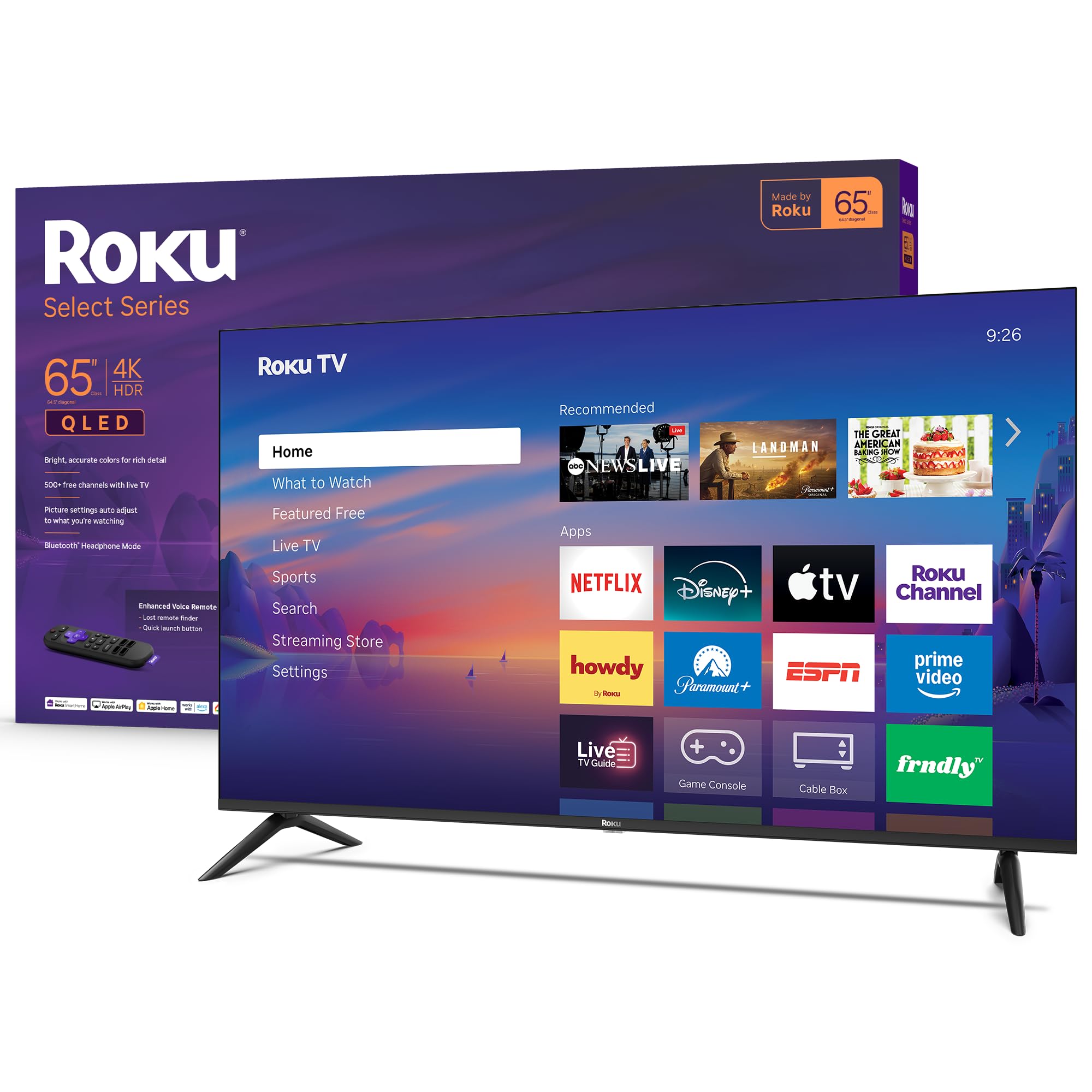
1. Roku 65-Inch Select Series 4K QLED TV
Our pick — over 4.5★ from 700+ verified ratings; the strongest balance of quality and price.
The crowd-pleaser that nails the fundamentals and keeps the interface out of your way.
What wins people over by a wide margin is the picture quality. The QLED panel paired with HDR10 delivers noticeably vibrant colors and sharp 4K detail, even in a room with some daytime glare — something buyers report is a non-issue here. The Roku operating system is the star behind the scenes: it’s fast, clean, and gets you into apps in seconds. Buyers consistently note how quick the initial setup is, describing it as a “plug-and-play” experience that takes under ten minutes.
It’s also remarkably lightweight for a 65-inch set, which reviewers mention makes wall-mounting a one-person job. The sound is described as loud and clear, adequate for everyday viewing, though some owners pair it with a Roku soundbar for a fuller experience. The dedicated Bluetooth headphone mode is a quiet win — it lets you listen privately without disturbing anyone, a feature that gets more use than expected.
What Owners Love
- Picture quality is frequently called “stunning” for the price, with deep blacks and saturated QLED color.
- Roku OS is praised as fast, intuitive, and free of bloatware — a “quick setup under 10 minutes” experience.
- Lightweight chassis makes wall-mounting simple without help.
Honest Consideration
- The built-in sound is good enough for most, but some owners add a soundbar for louder, fuller audio.
- No native 120Hz panel, so serious gamers may want a higher-refresh alternative.
Grab this if: you want a reliable, great-looking TV with the smoothest smart TV experience out there, no learning curve required.
Think twice if: high-refresh-rate gaming is a priority — the Roku focuses on picture quality and ease, not raw gaming specs.
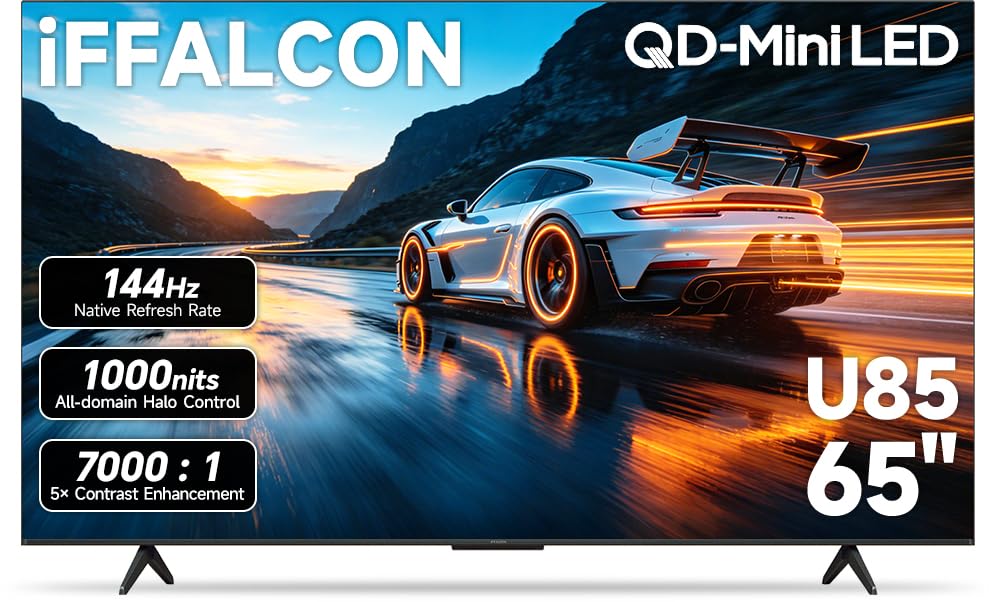
2. iFFALCON 65″ 4K MiniLED Smart TV (65U85)
Gaming specs that rival sets costing hundreds more, packed into a Mini-LED frame.
This is the dark horse of the list. The raw specs are staggering for the price tier: a native 144Hz panel with VRR that can reach up to 288Hz, a 7,000:1 contrast ratio, and up to 1000 nits of peak brightness. That makes it a legitimate partner for a PS5 or Xbox Series X — owners mention zero ghosting and silky-smooth gameplay. The 50W 2.1-channel audio system (with a dedicated subwoofer) means you don’t immediately need a soundbar, a rare claim at this price point.
Beyond gaming, it runs Google TV smoothly and includes a feature you almost never see at this budget: built-in hotel mode with IP/IR control, making it a smart pick for an Airbnb or office setup. The 4x HDMI 2.1 ports (two at 144Hz, two at 60Hz) future-proof your cabling. A small but real note: a very small number of customers note a DOA unit, so test it right away. For the performance here, the value is tough to top.
Gaming powerhouse: Mini-LED backlighting with local dimming and a native 144Hz panel makes this the bargain pick for serious console or PC gaming.
One drawback: customer support response was slow for the handful of owners who received a defective unit — buy from a retailer with a solid return policy.
Great for: gamers or power users who want high-refresh Mini-LED performance without breaking.
Not ideal for: someone who wants a simple, set-and-forget TV — the extensive gaming features require a bit of setup tinkering.
3. TCL 65″ QM7K Series Mini-LED QLED (65QM7K)
Picture quality that punches well above its weight class, especially in a bright room.
This is the TV people rave about for its “stunning” image and “Super Resolution” performance, as the review consensus puts it. The QD-Mini LED technology (a blend of QLED color and Mini-LED backlighting) with up to LD2500 local dimming zones creates a picture with incredible depth — blacks are truly black, and highlights pop without blooming. The CrystGlow HVA Panel is specifically designed to kill reflections, so if your living room is flooded with daylight, this is the bargain TV that won’t wash out.
It also pairs a 120Hz-144Hz variable refresh rate with Onkyo audio, producing a balanced, room-filling sound without an external system. Owners who set it up as a “dumb” TV (by skipping the Wi-Fi and using an Apple TV 4K) report an ultra-private, premium experience. The main knock from a few owners is a cheap-feeling remote, but that’s a minor quibble versus the picture quality on offer.
Stunning picture: The QD-Mini LED panel with thousands of dimming zones delivers OLED-like contrast at a fraction of the price. A “mini-LED image is stunning with amazing shadows/colors” is how owners sum it up.
Catch: the included remote is not great — many owners recommend a universal remote or a streaming box remote instead.
Reach for this if: picture quality is your absolute top priority and you watch content in a bright room.
Look elsewhere if: you want a premium-feeling remote and packaging; this is a panel-first product with budget touches around the edges.
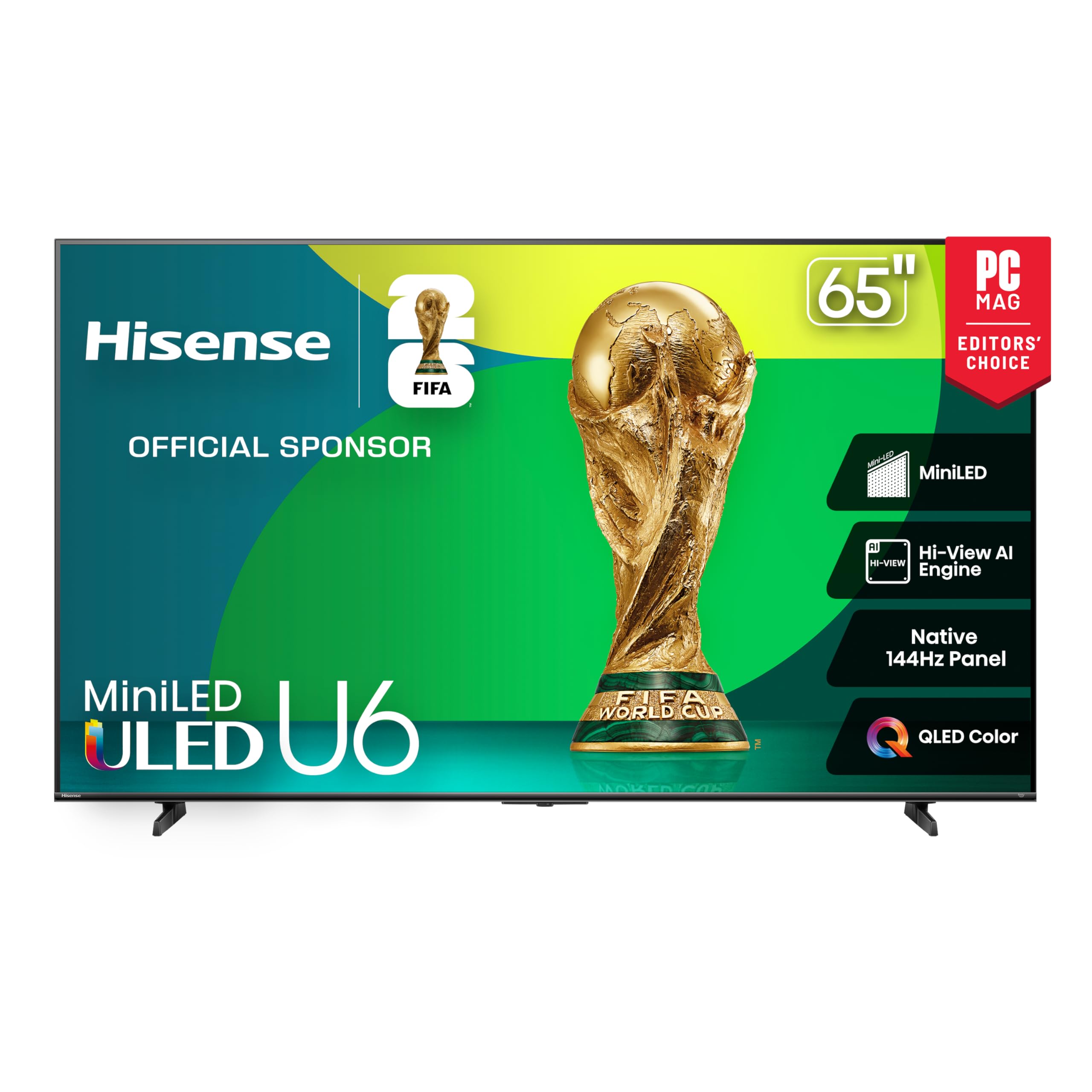
4. Hisense 65″ U6 Series Mini-LED 4K TV (65U65QF)
A built-in subwoofer and a native 144Hz panel make this the sound-first gaming TV.
Most bargain TVs skimp on audio, but the Hisense U6 series bucks the trend with a built-in subwoofer. Owners note the deep bass is genuinely surprising for an onboard speaker — one owner said it was “a bit much for an apt,” but you can dial it down in settings. The Mini-LED backlighting with up to 1,000 nits peak brightness and up to 600 local dimming zones delivers a high-contrast HDR image that makes games and movies look punchy.
For gamers, the native 144Hz panel with AMD FreeSync Premium (48Hz-144Hz VRR) means lag-free, tear-free play on a PS5 or Xbox. The Fire TV OS is snappy, and Dolby Vision IQ adjusts the picture automatically to room lighting. The side-view picture quality gets a “bit diluted” according to some owners, so it’s best enjoyed head-on. Also, only two of the four HDMI ports support the full 144Hz bandwidth — check which port you plug into.
This set beats the Toshiba M450 on raw gaming specs and beats the Panasonic W70 on audio quality and peak brightness, making it the strongest all-around mid-range pick for a mixed-use household that games.
Audio standout: The built-in subwoofer means your first 100 hours might not need a soundbar — owners call the bass “surprising” and the sound “best of any TV I’ve owned.”
Know this: the side viewing angle is narrower than some competitors; best for a straight-on seating arrangement.
Choose this for: gaming and movies in a dedicated media room where you can sit directly in front of the screen.
skip it if: your seating stretches wide across the room — the off-angle picture takes a hit.
5. Samsung 65″ Crystal UHD U8000H Series

A known brand at a killer price, with a setup so fast you’ll be watching in minutes.
Samsung’s Crystal UHD line is a staple for a reason. The U8000H delivers a bright, colorful 4K picture with Samsung’s Motion Xcelerator to keep sports and fast scenes smooth at 60Hz. Owners consistently use the phrase “excellent picture quality for the price tag,” and several note the setup process takes under five minutes — you can even bypass the Samsung account creation. At a 60Hz panel, it is not a gaming TV, but it is a fantastic everyday living room TV.
The main trade-off is the remote. It is the recurring negative point in owner feedback, described by some as “terrible.” It is very simple and functional, but if you are used to a backlit or more ergonomic remote, you will want to replace it. The sound quality also varies by app; some owners recommend a soundbar. For the price and the Samsung reliability, this remains a top contender for buyers who value brand and ease over gaming specs.
Trusted brand, fast setup: Samsung reliability at a near-entry-level price. “Easy setup under 5 minutes; Samsung account not required” is a real-world win.
Watch out for: the remote control is widely called “terrible” and the sound quality varies across streaming apps — a soundbar upgrade is a common next step.
Best if: you want a straightforward, reliable 4K TV from a top-tier brand without any complexity.
Not for: gamers needing a 120Hz+ panel or anyone sensitive to a basic remote control.
6. Sony 65″ BRAVIA 2 II (K-65S20M2)

Sony’s legendary processing and PS5 integration in a surprisingly approachable package.
For the dedicated PS5 owner, this is the bargain TV that punches above its weight. The exclusive features for PlayStation 5 — Auto HDR Tone Mapping and Auto Genre Picture Mode — mean the console and TV talk to each other perfectly, optimizing the picture for gaming or streaming without you touching a menu. The 4K Processor X1 with 4K X-Reality PRO upscales all your content to near-4K, so even older YouTube videos look cleaner.
The picture quality is where Sony’s engineering shines: colors are “natural and precise” thanks to the Triluminos Pro display, and Motionflow XR keeps fast sports blur-free. Owners who bought this for a spare room say it “appears to be the best TV in the house.” Sound quality from the built-in speakers gets mixed feedback, so Sony owners often pair it with a soundbar. The 60Hz panel means it isn’t built for competitive 120fps gaming, but for the vast majority of players, the picture processing is worth the price.
PS5 perfection: The exclusive auto-picture modes and Game Menu integration are the best in the business — “takes your PS5 gaming to the next level.”
Honest note: the built-in speakers receive mixed feedback — some call them “perfect,” others “horrible.” Budget for a soundbar if audio matters to you.
Reach for this if: you own a PS5 and want the smoothest, most tune gaming experience Sony can offer at this price.
Look elsewhere if: you need a high native refresh rate for PC gaming, or if you want one-box audio without any add-ons.
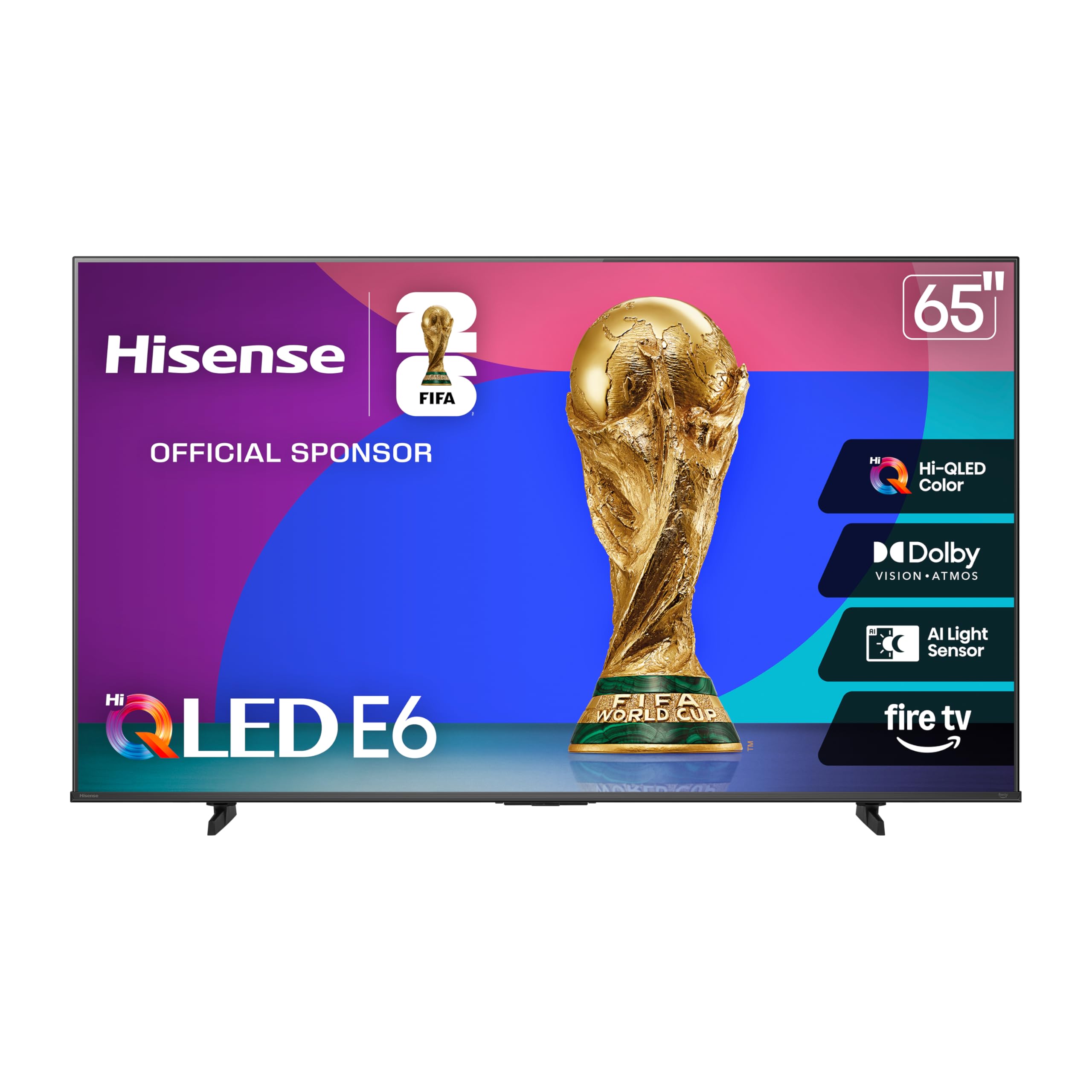
7. Hisense 65″ E6 Cinema Series Hi-QLED (65E6QF)
Dolby Vision and Dolby Atmos together, paired with WiFi 6 for smooth streaming.
The E6 Cinema Series is built around the idea that a great picture needs great sound alongside it. The Dolby Vision HDR and Dolby Atmos audio combo turns your living room into a mini theater, and the AI Light Sensor automatically adjusts the screen brightness to the room, saving electricity while maintaining image quality. The picture is praised as “sharp, vibrant, and clear,” and the Hi-QLED color provides a level of vibrancy that standard LED panels just can’t match.
This is among the most popular models on the list — with thousands of ratings — and the clear consensus is that it delivers outstanding value. The Fire TV operating system is central to the experience, and for most owners it works great. The area where feedback is mixed is the overall performance speed, with some owners noting the interface can take 30-60 seconds to boot up. For a living room TV used for movies and streaming, this is a compelling and affordable choice.
Total HDR solution: supports every major HDR format (Dolby Vision, HDR10+, HLG) so any content source looks its best. “Ink-black blacks” is how owners describe the contrast.
Slow starter: the Fire TV OS can be sluggish on boot for the first 30-60 seconds, and the internal storage is tight at around 9.56 GB usable.
Best for: movie lovers who want the Dolby Vision/Atmos cinema experience from the built-in speakers and a reliable Fire TV interface.
Not for: speed demons who want instant-on navigation; consider an external streaming stick if startup lag annoys you.
8. Amazon Ember 65″ QLED Series

The deepest Alexa integration yet, with a display that wakes when you enter the room.
If you live in the Amazon ecosystem (Alexa, smart home devices, Prime Video), this TV is designed for you. The “Omnisense technology” wakes the screen as you walk in to show art or resume content instantly. The quad-core processor and Wi-Fi 6 keep the Fire TV experience snappy, and the QLED display with Dolby Vision and full-array local dimming produces a picture that owners call “excellent” with “deep contrast.”
The standout feature is the hands-free Alexa integration — you can control the TV, your lights, and your music without a remote. Owners say the “smart home integration is awesome” and that the TV “pairs very nicely” with an Amazon soundbar. The main reliability concern flagged by some owners is that streaming services can stop working after a few months, requiring a reset. It’s a risk, but for those deep in the Amazon fold, the smooth experience is tough to top.
Smart home hub: Deep Alexa integration lets you control your whole connected home from the couch. “Massive TV, pairs well with Alexa AI” is a common owner sentiment.
Keep in mind: a small but notable number of reviewers point out streaming service issues after a few months, though many others have a flawless experience.
Grab this if: your home is filled with Alexa devices and you want the most integrated TV experience possible.
Think twice if: you prefer a simpler, more reliable smart TV OS (Roku or Google TV) and don’t use Amazon’s ecosystem.
9. Toshiba 65″ M450 Series QLED 4K Fire TV (65M450SU)

Toshiba’s latest REGZA engine fine-tunes the picture frame-by-frame for a unique look.
Toshiba’s REGZA AI Engine ZRi Gen3 is the brain of this TV, and it is what separates it from the Fire TV crowd. It is tuned by Toshiba’s picture experts to tune images and sound to match the human eye. The QLED panel delivers rich, lifelike colors, and HDR10+ Adaptive adjusts brightness and contrast scene-by-scene. Owners note the picture is “crisp and clear” and that the “value exceeds the quality” of the price.
Be prepared to tweak the factory settings. Owners strongly recommend turning off “energy saving mode” (which dims the picture) to open up the true vividness of the QLED panel. The set is also notably lightweight. A few shoppers say reliability concerns with WiFi connectivity, and some miss the analog inputs and headphone jack that the listing may have implied were included. For the core viewing experience, however, the REGZA engine delivers a polished, adjustable picture.
Picture tuning: The REGZA AI Engine is genuinely tune by human experts, not just an algorithm. “Brings humans and machine together” to deliver natural-looking images.
Setup note: you must disable the factory energy-saving mode — it crushes the brightness and makes an already good TV look great.
Choose for: a buyer who likes to tweak and tune their picture settings for a precisely calibrated look.
Skip if: you want a simple out-of-the-box experience without adjusting any menus, or need analog audio connections.
10. Westinghouse 65″ 4K UHD Xumo TV
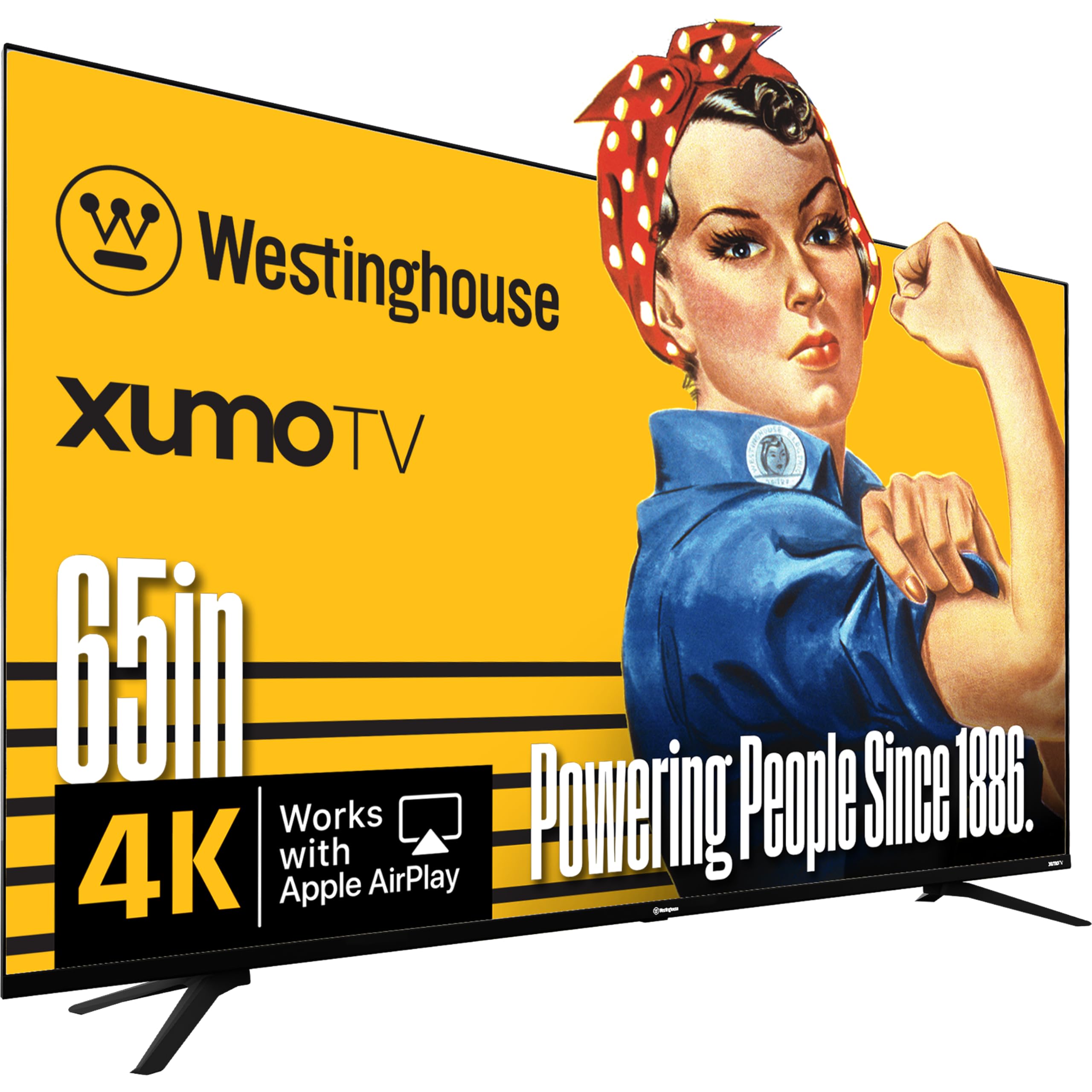
A dirt-simple smart TV for cord-cutters who just want free live TV and streaming apps.
The Westinghouse Xumo TV strips away complexity. The Xumo Play platform gives you 350+ free live channels and 70,000+ on-demand movies and shows with no subscription — launch and watch. The screen itself supports Dolby Vision and HDR10+, delivering surprisingly good picture quality for an entry-level set. Owners describe the built-in speaker quality as “excellent,” with some noting the stereo separation is better than their existing soundbar.
The big caveat is packaging. Multiple buyers report receiving units with cracked screens or bezel damage from shipping, so inspect it carefully the moment it arrives. The Xumo OS is also not as fast as Roku or Google TV, and a few owners had connectivity issues as a computer monitor. For its core purpose — a simple, affordable TV for streaming and live channels — it delivers. The 6,000:1 contrast ratio and multiple HDMI ports (3x HDMI) add good value for the money.
Free TV built-in: 350+ free channels and 70,000+ movies/shows on Xumo Play with zero subscriptions — a cord-cutter’s dream interface.
Packaging risk: some units arrive with cracked screens due to thin packaging — always film the unboxing and test immediately.
Ideal for: someone moving out for the first time, a spare bedroom, or a cord-cutter who wants free live TV without a service.
Not ideal for: gaming or anyone who wants a fast, polished smart TV interface — the Xumo OS is utilitarian.
11. Panasonic W70 Series 65″ Fire TV (65W70BP)

A good, honest 4K HDR TV with Fire TV built-in and a rare HDMI 2.1 port at this price.
Panasonic’s W70 series is a straightforward proposition: a 4K LED panel with HDR10+, Dolby Vision, and a 4K Studio Color Engine that provides a crisp, clear picture. The standout hardware feature is the inclusion of an HDMI 2.1 port, which is unusual at this price point and allows for smoother 4K 60Hz gaming. The Fire TV interface provides all the major streaming apps, and the built-in Alexa voice control lets you search across them.
Owners praise the “really amazing quality” and “perfect” color reproduction for the price. The build is sturdy with metal stands, and the Fire TV OS allows for easy switching between cable and streaming. The reliability side is the main split: a recurring issue reported by some owners is a failure of the bottom portion of the screen after a few months. This is a risk with any budget panel. For those who buy it and get a good unit, the praise is very high — it is widely seen as “amazing for the price.”
Surprising connectivity: Four HDMI ports including an HDMI 2.1 port at this price tier for future-proofed console gaming.
Screen reliability risk: a minority of owners mention the bottom 25% of the screen failing after a month — treat with care and buy from a retailer with a good return policy.
Go for this if: you prioritize a well-known brand name (Panasonic) and want the latest Fire TV OS in a package with a solid picture.
Be cautious if: you cannot afford to deal with a possible screen defect — buy a protection plan or choose a more established model from this list.
Understanding the Specs
QLED vs Mini-LED vs Standard LED
Standard LED is the basic backlight — fine for dim rooms but can look washed out in daylight. QLED (quantum dot) uses tiny particles that boost color volume and peak brightness significantly. Mini-LED takes QLED further by using thousands of tiny backlight LEDs that can be controlled independently (local dimming). This gives you deep, inky blacks next to bright highlights, mimicking OLED contrast at a lower price. For a bargain 65-inch TV, Mini-LED is the holy grail if you can find it.
Native Refresh Rate (60Hz vs 120Hz vs 144Hz)
This measures how many times per second the screen refreshes the image. A 60Hz panel is standard and perfectly fine for TV shows, movies, and casual console gaming at 30-60fps. A 120Hz or 144Hz native panel is a must for high-frame-rate gaming on PS5, Xbox Series X, or a gaming PC — it doubles the smoothness and dramatically reduces motion blur. Some brands advertise a “Motion Rate” (e.g., 240) which is a marketing number derived from software tricks, not raw hardware capability. Always check for the word “Native” in the specs.
FAQ
Will a bargain 65-inch TV fit on my current TV stand?
Is a 60Hz TV bad for gaming?
Which operating system is the smoothest: Roku, Fire TV, or Google TV?
Can I mount any of these bargain 65-inch TVs on the wall?
Does a bargain TV need a soundbar?
How important is HDR (Dolby Vision, HDR10+) on a budget TV?
What is VESA mounting and how do I measure it?
Is buying a cheaper TV with an external streaming stick better?
Final Thoughts: The Verdict
For most people, the bargain 65 inch tv winner is the Roku Select Series 4K QLED because it combines the best picture quality in its price bracket with an operating system that simply stays out of the way — no lag, no bloat, just watching. If gaming is your main use case and you want Mini-LED contrast with a 144Hz panel, grab the iFFALCON 65U85. And for a premium picture that handles bright rooms beautifully, the TCL QM7K Series is the one to reach for.
How We Picked
We do not accept paid placement. Every pick is matched to a real buyer and a real use-case; we do not hands-on test units.
Sources & Methodology
Specifications: manufacturer listings and product documentation. Review insights: verified customer reviews, as of July 2026. Pricing: not shown on this page (it changes often); check the current price via the retailer link.
As an Amazon Associate, Gadgets Feed earns from qualifying purchases. This does not affect which products we feature.