
Our readers keep the lights on and my morning glass full of iced black tea. As an Amazon Associate, I earn from qualifying purchases.
Specs are compiled from manufacturer listings and verified buyer reviews and can change over time — please confirm the key details on the product page before buying.
You need 16 wired ports that simply work at full gigabit speed without killing your budget or filling your office with fan noise. The right switch delivers steady 1Gbps per port, silent cooling, and a setup that takes minutes. This guide finds the switch that fits your home network or small office setup.
I’m Min — the founder and writer behind Gadgets Feed. This guide is built by comparing the manufacturers’ published specifications and the patterns across verified customer reviews, so you get each pick’s real strengths and trade-offs instead of marketing spin.
If you need a 1 gigabit switch 16 port that handles fast file transfers, smooth streaming, and reliable connections for every wired device in your home or office, the NETGEAR GS316 is the one worth buying — it is silent, simple, and backed by a lifetime warranty.
Our Picks at a Glance


How To Choose The Best 1 Gigabit Switch 16 Port
Picking the right 16-port switch is about matching it to your specific network needs. A simple unmanaged switch is perfect for plug-and-play expansion, while a smart managed model gives you traffic control and security features. Here are the key factors to consider before you click buy, based on real-world use and owner feedback.
Managed vs Unmanaged
Unmanaged switches are the go-to for most homes and small offices — plug in a cable and it works instantly, with no setup required. Managed switches let you create separate networks (VLANs), prioritize traffic, and monitor performance, which is essential for security camera systems, guest networks, or running a home lab.
PoE (Power over Ethernet) Needs
If your devices include security cameras, wireless access points, or IP phones, a PoE switch sends both data and power through the same Ethernet cable. This eliminates the need for separate power adapters at each device, simplifying installation and keeping your setup tidy.
Build Quality and Noise
A fanless metal housing is the gold standard for quiet, dust-free operation in a living room or office. Look for a sturdy metal case and a design that allows heat to dissipate without a noisy fan — the quieter the switch, the better it blends into your everyday space.
Quick Comparison
| Model | Best For | Switching Capacity | Port Speed | Form Factor | Amazon |
|---|---|---|---|---|---|
| NETGEAR GS316v3★ Best Overall | Everyday reliability | — | 1 Gbps | Desktop/Wall Mount | Amazon |
| TP-Link TL-SG1016Rack Ready | Rackmount dependability | 32 Gbps | 1 Gbps | Rackmount/Desktop | Amazon |
| TP-Link TL-SG1016DESmart Managed | Traffic control on a budget | — | 1 Gbps | Rackmount/Desktop | Amazon |
| Tenda TEG1016D | Budget-friendly reliability | 32 Gbps | 1 Gbps | Desktop | Amazon |
| TRENDnet TEG-S17D | NDAA/TAA compliance | 32 Gbps | 1 Gbps | Desktop/Rackmount | Amazon |
| UGREEN 16 Port | Office VLAN security | — | 1 Gbps | Desktop/Wall Mount | Amazon |
| MokerLink 16 Port | Low-cost expansion | 32 Gbps | 1 Gbps | Desktop/Wall Mount | Amazon |
| YuLinca 16 Port | Value with a warranty | 32 Gbps | 1 Gbps | Desktop/Wall Mount | Amazon |
| Reidubo 18 Port PoE | PoE camera systems | — | 1 Gbps | Rackmount | Amazon |
In‑Depth Reviews
1. NETGEAR 16-Port Gigabit Ethernet Unmanaged Network Switch (GS316v3)
Our pick — over 4.5★ from 54,000+ verified ratings; the strongest balance of quality and price.
The crowd-favorite 16-port delivers silent, rock-solid performance you can trust for years.
This NETGEAR switch is the most popular pick because it just works with zero fuss. The fanless metal housing keeps it completely silent and cool, drawing only 8.1 watts of power. You get 16 auto-negotiating gigabit ports that handle everything from a home office PC to a media server or gaming console, and it includes 802.1p QoS (quality of service, which prioritizes traffic for streaming and gaming) as well as support for 9K jumbo frames to speed up large file transfers.
Setup is plug-and-play. Buyers consistently describe it as flawless for everyday use, noting that speeds are solid even if one measured a slight drop from 950 to 790-800 Mbps on upload — a difference most people never notice in real-world browsing or streaming. Its compact metal design fits on a desk or mounts to a wall, and NETGEAR backs it with a lifetime warranty. The one catch is power draw — at 8.1 watts it is slightly higher than some competitors, but the trade-off in stability and brand reputation is worth it for most people.
Why it wins: Tens of thousands of owners give it a near-perfect score, and the consensus is that functionality and quality are off the charts — over 2,000 reviews highlight performance alone. A wired connection with this switch means no buffering and no drops, as one owner reported after upgrading their Orbi mesh system.
Your go-to if: you want the safest, most proven 16-port switch that requires no configuration and delivers silent reliability for a home or small office.
Think again if: you need managed features like VLANs (virtual LANs to separate network traffic) or PoE (power over Ethernet); this is purely unmanaged.
2. TP-Link TL-SG1016, 16 Port Gigabit Unmanaged Ethernet Switch
A no-frills, rackmount-friendly switch trusted for its lasting build and silent speed.
TP-Link’s TL-SG1016 is a straightforward workhorse built for a server rack or a sturdy shelf. The metal casing is substantial and heavy, and the package includes rackmount brackets for a clean 1U installation. It handles a 32 Gbps switching capacity with a non-blocking architecture, which means all 16 ports can run at full gigabit speed simultaneously without any slowdown. The fanless design ensures quiet operation, making it suitable for a home office or media room.
Owner feedback is remarkably consistent over years of use — 100% of all ports deliver full 1 Gbps with no issues, and the switch stays cool even in a warm rack. One long-term owner calls it “no-frills excellence,” noting it runs silently and flawlessly after months of continuous use. The biggest downside is its size and weight — at around 4.4 pounds, it is noticeably bulky for a desktop setup. If you are mounting it on a wall, you will need a solid surface.
Reliability king: With 118 owners specifically praising reliability and 59 highlighting build quality, this is the switch you buy when you want to forget you ever bought a switch. Buyers mention it runs cool and silent, handling full-speed backups without any hiccups.
Reach for it if: you need a rackmountable switch that is built to last and handles heavy traffic without breaking a sweat.
skip it if: desk space is tight — this unit is large and heavy, and the bulky design may not suit every workspace.
3. TP-Link TL-SG1016DE, 16 Port Gigabit Easy Smart Managed Switch
The budget gateway to VLANs and traffic management for home labs and small offices.
This TP-Link managed switch gives you real control over your network without the heavy price tag of enterprise gear. It supports extensive VLAN features, port-based and tag-based QoS, IGMP snooping (to tune video streaming to multiple devices), and link aggregation (LAGG) to combine ports for more bandwidth. The 9K jumbo frame support improves large data transfers. All this comes in a fanless metal chassis with rackmount brackets included.
The crowd praises its performance and feature set for the price — one owner using it with AT&T Fiber 1Gbps reports flawless operation, while another calls it the best bang for the buck for a homelab. Setup is more involved than an unmanaged switch, however. A few owners mention the manual is sparse and the initial configuration, particularly for VLANs, can be confusing without some networking expertise. The rackmount brackets also feel a bit flimsy under the weight of cables.
Owners confirm it runs fast, silent, and cool.
Your pick if: you want to segment your network (guest network, IoT devices, work PCs) or need link aggregation for a NAS without spending a fortune.
Not for you if: you just want plug-and-play — this switch requires you to fiddle with an IP address and web interface to open up its features.
4. Tenda 16 Port Gigabit Ethernet Switch (TEG1016D)

A budget workhorse with a rock-solid metal build and surprising durability.
The Tenda TEG1016D is the unmanaged switch that keeps surprising owners with its reliability. Despite the low cost, it features a full steel housing, 32 Gbps switching capacity, and 10K jumbo frame support to accelerate large file transfers. A standout spec here is the 6 KV lightning protection on every port and power module — rare at this price and a real plus if you live in an area with thunderstorms. The fanless, dust-free design keeps it silent and cool.
Owner reports are glowing: one buyer mounted it sideways between studs in a maintenance room and says “it doesn’t die — would buy again 100 times over.” Another uses it for 18 IP cameras and 3 access points with PoE injectors, reporting no drops. The switch sustains true 1 Gbps transfers between devices and has been running flawlessly for months. The only note is that it lacks a rackmount bracket, so it is strictly a desktop or shelf unit.
What owners love
- Full steel housing feels reassuringly solid
- All 16 ports deliver true gigabit speed with no dropouts
A small trade-off
- No rackmount brackets included; desktop placement only
- Lightning protection is a bonus but not a guarantee
Grab it if: you want the best bang for your buck — a metal gigabit switch that just works, with the extra protection against electrical surges.
Think twice if: you need to mount it in a 19-inch rack; you will need to buy separate rack ears or place it on a shelf.
5. TRENDnet 16-Port Gigabit Desktop Switch, TEG-S17D

The NDAA-compliant switch runs cool with an internal power supply and a fanless chassis.
This TRENDnet switch stands out for its NDAA and TAA compliance, which is a requirement for many government and education projects in the US and Canada. Beyond compliance, it is a solid performer with 16 gigabit RJ-45 ports, a 32 Gbps switching capacity, and a forwarding rate of 23.8 Mpps (millions of packets per second). The design includes an internal power supply (100-240V AC, 1 amp) rather than a bulky external brick, which simplifies rack cabling. The fanless metal enclosure keeps it silent and dust-free.
The thing owners appreciate most is performance — one reports it “runs really well” in a home network, noting it runs cooler than an old Netgear switch. Setup takes about five minutes: plug in, connect cables, and it works. The switch’s larger footprint is note if space is tight, but rackmount brackets are included for a clean installation. Durability gets mixed feedback from a few owners, but the overall consensus is that it is a faithful, reliable device for small business or home use.
Solid and cool: Owners specifically highlight its quiet, fanless operation and sturdy metal enclosure. The internal PSU (power supply unit) is a major plus for rack setups, as it eliminates the dangling wall wart.
Best for: small businesses or government contractors who need TAA compliance and a switch that runs cool and quiet for years.
Not ideal if: you need PoE ports — this model is purely data; you will need a separate injector for powered devices.
6. UGREEN 16 Port Gigabit Switch, Standard/VLAN Mode
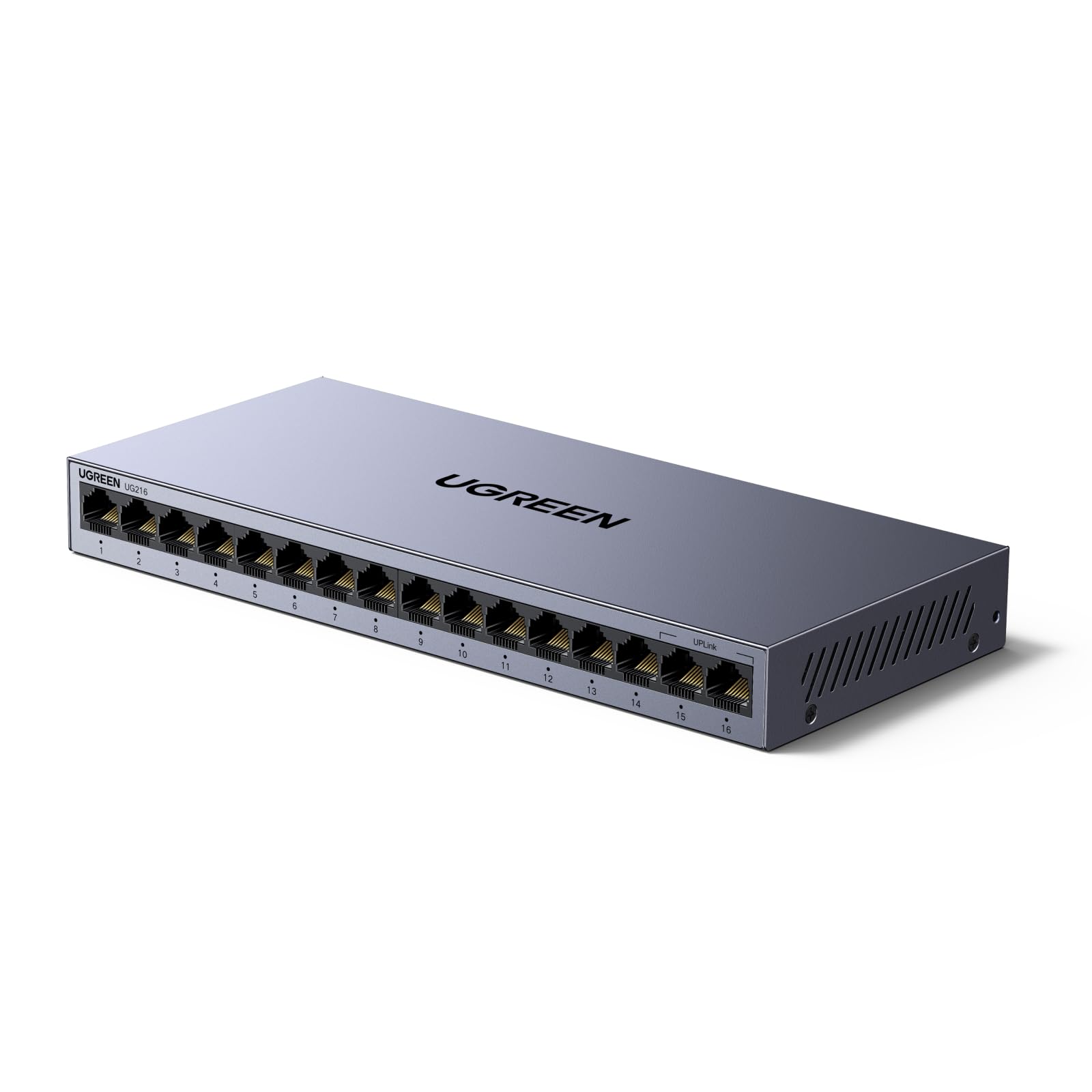
The unmanaged switch with a simple VLAN button to isolate office traffic without complex setup.
The UGREEN 16-port switch brings a clever middle ground between unmanaged simplicity and managed security. A single button on the front panel toggles between Standard mode (all ports talk freely) and VLAN mode, where ports 1-14 are isolated from each other but can still communicate with ports 15-16. This helps prevent network storms and keeps traffic segmented for security. Every port delivers up to 1000 Mbps, and the switch supports Wake-on-LAN (WOL) so IT admins can power on computers remotely for updates.
The build is all metal with 6KV surge protection and a fanless design. One owner specifically bought it for the VLAN mode, calling it “very simple but useful.” They caution against accidentally looping a cable back into the same switch, which can make it appear broken. Another owner finds the all-or-nothing VLAN switch not very practical for more nuanced needs. But for basic office security — keeping finance PCs separate from guest access — this is an elegant no-configuration solution.
Smartly simple: Buyers report it is true plug-and-play with zero hassle, and the VLAN toggle is a standout feature for small offices that want basic traffic isolation without learning an interface.
Choose this if: you run a small office and want to quickly isolate sensitive devices (like finance or HR computers) from the main network with a single switch.
pass on it if: you need per-port custom VLANs or any advanced managed features — the VLAN here is a simple on/off mode, not a configurable menu.
7. MokerLink 16 Port Gigabit Ethernet Switch, Fanless Metal Unmanaged

A low-cost, fanless metal switch that delivers full gigabit speeds across all 16 ports.
The MokerLink is the budget pick that does everything a basic 16-port switch should do without frills. It provides a 32 Gbps switching capacity so all ports can run at 1 Gbps simultaneously, and the durable metal housing includes cooling holes on both sides for heat dissipation. It is unmanaged and truly plug-and-play — no software, no configuration, just power and cables. The fanless design keeps it absolutely silent, and you can mount it on a desk or wall.
Owners find it solves port shortages effectively for home theaters and streaming setups. One long-term user had an intermittent wired backhaul disconnection after 6 months but resolved it with router tweaks, and now it runs flawlessly again. The main trade-off at this price is that support and firmware updates are minimal, but for a simple unmanaged switch, most buyers find it does the job admirably.
What owners love
- Excellent value for a simple 16-port gigabit switch
- Fanless and silent, stays fairly cool even under load
What to know
- Some units developed intermittent disconnections after several months
- Limited support options; no advanced features
Reach for this if: you are on a tight budget and need 16 ports for light to moderate use — streaming, basic office tasks, or expanding a home network.
Look elsewhere if: you need bulletproof 24/7 reliability for a business-critical network; the low price comes with some risk of long-term stability issues.
8. YuLinca 16 Port Gigabit Switch, 16 x 100/1000Mbps Ports, Metal Unmanaged Fanless
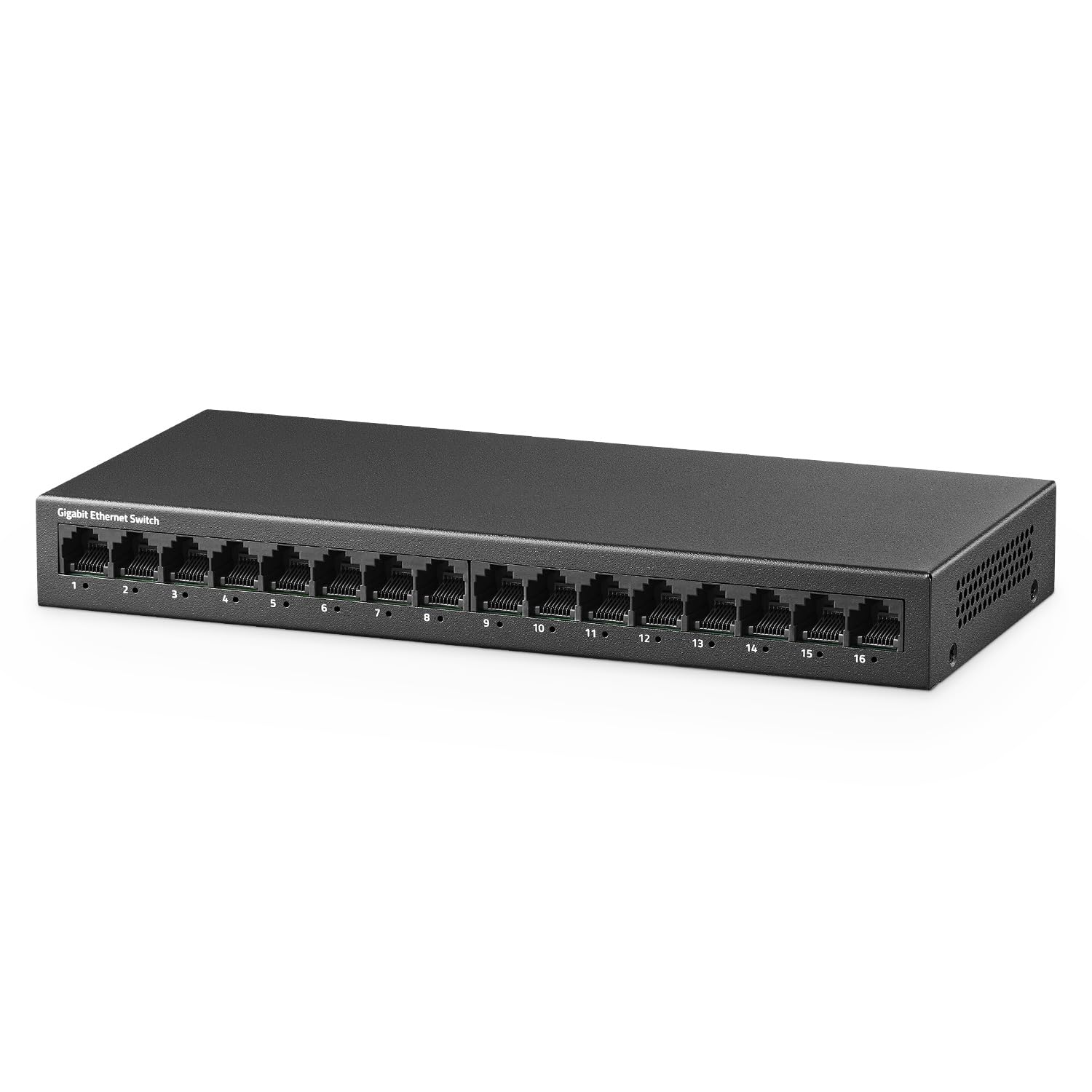
A straightforward gigabit switch with a reliable track record and a generous 3-year warranty.
The YuLinca 16-port switch is a no-nonsense unmanaged metal switch that owners find consistently reliable. It offers 16 ports all supporting 10/100/1000 Mbps, with a total bandwidth of 32 Gbps so each port can run at full speed simultaneously. The fanless design keeps things quiet, and it supports desktop or wall-mount placement. What sets this one apart is the 3-year after-sales support — a solid commitment for a budget-tier device.
Owners mention that it delivers advertised speeds with no packet loss or added latency. The build quality is praised, and the value for money is a common highlight. A few owners note a concern about the power adapter not being UL or ETL listed, so you may want to use a known-brand adapter if safety is a top priority. Overall, it performs admirably.
Dependable and cool: The most-discussed aspect among owners is reliability, with many saying it runs silently, connects at full speed, and has caused zero issues over months of use.
A good fit for: cost-conscious buyers who still want a metal switch and the reassurance of a 3-year warranty behind their purchase.
Check it if: you are bothered by non-UL listed power adapters — consider swapping the supply for a known-brand unit for confidence.
9. Reidubo 18 Ports Gigabit PoE Switch, 16 Port PoE+ with 2 Uplink, 250W

The 18-port PoE switch that powers your cameras and APs with a generous 250-watt budget.
The Reidubo switch is built for those who need to power devices over Ethernet. It provides 16 PoE+ ports (each capable of up to 30W) with a total PoE power budget of 250W — enough to run multiple security cameras, WiFi 6 access points, and IP phones without separate power adapters. It also includes 2 gigabit uplink ports for connecting to your main router or NVR. The built-in 250W power supply eliminates the need for an external brick, and the 4KV lightning protection adds durability against electrical surges.
Setup is fully unmanaged and plug-and-play. One owner connected 4 PoE devices and 7 non-PoE devices and everything “just worked.” However, reliability gets mixed feedback — some units have failed after about 4 months, though customer support has replaced them. The 2 uplink ports are both gigabit but do not support LACP (Link Aggregation Control Protocol), so connecting both to the same network can risk loops. For a basic camera system or a handful of APs, this switch offers solid value for the PoE wattage it delivers.
What owners love
- 250W PoE budget powers multiple cameras and APs easily
- Fanless, quiet operation despite the high power output
What to watch for
- Some units have experienced failures within a few months, though support replaces them
- The 2 uplink ports are both 1 Gb and do not support LACP for link aggregation
Best for: setting up a PoE camera system or a few access points without the complexity of a managed switch — this is a budget-friendly power supply for your network devices.
it’s not for you if: you need 24/7 reliability for business-critical systems, or if you want to aggregate two uplinks for higher bandwidth — look for a switch with SFP+ ports or LACP support instead.
Understanding the Specs
Switching Capacity
This number (often 32 Gbps for a 16-port gigabit switch) tells you the total amount of data the switch can handle across all ports at once. A switch with enough switching capacity ensures that every device on your network can send and receive data at full speed simultaneously without slowdowns, which matters most when you are transferring large files between computers or streaming video from a NAS.
PoE Budget & Standard
Power over Ethernet (PoE) lets the switch send electrical power along with data through the same Ethernet cable, so you don’t need separate power adapters for cameras, access points, or phones. The PoE budget (measured in watts) is the total power the switch can supply to all devices combined — ensure it covers your devices’ total draw. The standard (PoE at 15.4W per port or PoE+ at 30W per port) determines how much power each individual port can deliver.
FAQ
Will a 16-port gigabit switch slow down my internet speed?
Can I mix different brands of switches on the same network?
What is the difference between a managed and unmanaged switch?
Do I need a PoE switch for my devices?
How many watts does a 16-port gigabit switch use?
What is a jumbo frame and do I need it?
Can I mount a 16-port switch on a wall?
What is a switching capacity of 32 Gbps on a 16-port switch?
Is a fanless switch better than a fan-cooled one?
Will a 16-port switch work with my existing Cat5e cables?
Final Thoughts: The Verdict
If you want one dependable pick, the 1 gigabit switch 16 port winner is the NETGEAR GS316v3 because it combines crowd-proven reliability, silent fanless operation, and a lifetime warranty at a reasonable price point. If you want managed features for traffic control and VLANs, grab the TP-Link TL-SG1016DE. And for powering cameras and access points, the Reidubo 18 Port PoE Switch is the one to reach for.
How We Picked
We do not accept paid placement. Every pick is matched to a real buyer and a real use-case; we do not hands-on test units.
Sources & Methodology
Specifications: manufacturer listings and product documentation. Review insights: verified customer reviews, as of July 2026. Pricing: not shown on this page (it changes often); check the current price via the retailer link.
As an Amazon Associate, Gadgets Feed earns from qualifying purchases. This does not affect which products we feature.