
Our readers keep the lights on and my morning glass full of iced black tea. As an Amazon Associate, I earn from qualifying purchases.
Specs are compiled from manufacturer listings and verified buyer reviews and can change over time — please confirm the key details on the product page before buying.
Stuttery, choppy motion can kill the fun in any game. You want that silky-smooth movement where every frame lands clean, but you don’t have a flagship budget. The good news: today’s affordable monitors pack high refresh rates — 144Hz and even 180Hz — while staying affordable. This guide lines up the best affordable 144Hz gaming monitors that deliver real speed, solid image quality, and honest value. It cuts through the specs so you can pick the one that fits your PC and your wallet.
I’m Min, the writer behind Gadgets Feed. This guide is built from manufacturers’ published specs and patterns across verified customer reviews. You get each pick’s real strengths and trade-offs, not marketing spin.
Picking the best affordable 144hz gaming monitor depends on matching the right panel type, ports, and size to the games you actually play.
Our Picks at a Glance


How To Choose The Best Affordable 144Hz Gaming Monitor
Not all budget monitors are the same. Some hide a cheap panel behind a high refresh rate number. Others skimp on ports or build quality. Here is what actually matters when you shop in this tier.
Refresh Rate vs Response Time
144Hz (or higher, like 165Hz or 180Hz) means the screen redraws the image 144 times per second. That creates smooth motion in fast games. Response time (1ms MPRT or GTG) tells you how fast each pixel changes color — lower numbers reduce ghosting, the trail behind moving objects. You need both for a clean experience.
Panel Type: IPS vs VA
IPS panels give you the best color accuracy and wide viewing angles. That is great for vibrant games and any desk work. VA panels (like the 3000:1 on the Samsung Odyssey G3) offer deeper blacks and better contrast. That makes dark scenes in horror games or movies look richer. For an all-around gaming monitor in this price range, IPS is usually the safer bet.
Adaptive Sync (FreeSync and G-Sync Compatible)
This technology matches the monitor’s refresh rate to your graphics card’s frame output. It kills screen tearing — that horizontal split where the image looks cut in half — without adding input lag. Most affordable 144Hz monitors support AMD FreeSync. Some also support NVIDIA G-Sync Compatible, which is a bonus if you have a GeForce card.
Quick Comparison
| Model | Best For | Refresh Rate | Panel Type | Contrast Ratio | Amazon |
|---|---|---|---|---|---|
| Samsung Odyssey G3 27″★ Best Overall | Best Overall | 180Hz | VA (LED) | 3000:1 | Amazon |
| ASUS TUF VG259Q3AFastest IPS | Fast IPS Gaming | 180Hz | Fast IPS | High | Amazon |
| LG 24G414B-B UltragearG-Sync Ready | G-Sync Compatible | 144Hz | IPS | 1500:1 | Amazon |
| Sceptre E275B-FPT165 | 100% sRGB Color | 180Hz | IPS | — | Amazon |
| ASUS TUF VG247Q1A | FreeSync Premium | 165Hz (supports 144Hz) | LCD | 1000:1 | Amazon |
| Dell 27 Plus S2725HSM | Productivity & Gaming | 144Hz | LCD | 1500:1 | Amazon |
| Acer Nitro KG271 | Budget 27-inch IPS | 144Hz | IPS | 1000:1 | Amazon |
| Dell 24 Plus S2425HSM | Best 24-inch Value | 144Hz | LCD | 1500:1 | Amazon |
In‑Depth Reviews
1. Samsung 27″ Odyssey G3 (G30D)
Our pick — over 4.5★ from 1,500+ verified ratings; the strongest balance of quality and price.
The crowd-favorite that outruns its price tag by a mile.
You get smooth motion in fast games because this monitor refreshes at 180Hz — that is 180Hz versus the 144Hz of many rivals. The VA panel (a type that delivers deep blacks) has a 3000:1 contrast ratio, so dark corners in games like Escape from Tarkov look genuinely black, not washed-out gray. That 3000:1 figure is higher than the 1000:1 typical of many IPS monitors (a different panel type with accurate colors) in this price range. The 1ms response time (MPRT, a measure of how fast pixels change) keeps fast-moving objects sharp.
The adjustable stand (height, swivel, tilt, pivot) is rare at this level. The Black Equalizer feature lifts shadows so you spot enemies hiding in dark areas. Buyers report the 3-sided borderless design makes a dual-monitor setup clean and smooth. Over a hundred of the top reviewers mention the overall quality and the deep, vibrant picture. The Samsung G3’s standout advantage over the ASUS TUF VG259Q3A is its deeper contrast for richer dark scenes.
What wins people over
- 180Hz refresh rate — owners mention hitting 270 fps in some titles after enabling it
- 3000:1 VA contrast ratio delivers rich blacks, so you see detail in dark game areas
- Fully adjustable ergonomic stand (height, swivel, tilt, pivot) at a price where that is uncommon
- Eye Saver Mode and Flicker-Free tech reduce strain during long sessions
The trade-offs to know
- 250 cd/m2 brightness is average — not ideal for very bright rooms without blinds
- 1080p (FHD) resolution on a 27-inch screen gives looser pixel density than a 24-inch 1080p panel, so text is less sharp
Reach for this if: you want the fastest refresh rate and richest contrast in an affordable 27-inch package with a stand that actually adjusts.
Look elsewhere if: you need a 24-inch size for a tighter desk or want maximum pixel density from 1080p.
2. ASUS TUF Gaming 25″ (VG259Q3A)
A 180Hz Fast IPS panel built for competitive edge.
In esports titles like Valorant or Apex Legends, you need every millisecond. The ASUS TUF VG259Q3A refreshes at 180Hz and has a 1ms (GTG) response time (Gray-to-Gray — the time a pixel takes to shift from one shade of gray to another). Its Extreme Low Motion Blur (ELMB) technology keeps fast-moving targets crisp and free of ghosting. The 24.5-inch Fast IPS panel (an IPS type built for speed) covers 99% sRGB (a standard color space), so colors in open-world games look punchy and accurate — a step up from older TN panels. The Samsung G3 has deeper blacks, but this ASUS gives you faster pixel response and wider viewing angles.
The built-in 1.5W x 2 stereo speakers are fine for casual use. Owners consistently praise the clear picture and smooth refresh rate, noting it works well with a PS5. The stand offers tilt, swivel, and height adjustment. Shadow Boost brightens dark areas without blowing out highlights. Buyers’ main complaint: the headphones do not automatically mute the speakers when you plug them in.
Sharp contender: 180Hz Fast IPS, 99% sRGB, and ELMB anti-blur put this among the fastest screens you can get without paying triple. The headphone/speaker quirk is the only real annoyance.
Best for: competitive gamers who prioritize motion clarity and color accuracy over deep black levels.
Not for you if: you want a larger 27-inch screen or need speakers that mute automatically when you plug in headphones.
3. LG 24G414B-B Ultragear 24″
Rare dual-sync support at a price that undercuts the competition.
Screen tearing (a split image) disappears because this LG works with both NVIDIA G-Sync AND AMD FreeSync. If you run a GeForce card, that is a big deal — most budget monitors only support FreeSync. The 144Hz IPS panel (a type with accurate colors and wide viewing angles) has 1ms Motion Blur Reduction, so gameplay stays smooth. Its 99% sRGB coverage with HDR10 (a standard that expands brightness and color range) support brings vibrancy to game worlds. The 1500:1 contrast ratio is solid for an IPS panel, giving dark scenes decent depth without the backlight glow you sometimes see on cheaper screens.
Built-in stereo speakers and a headphone out are included. Dynamic Action Sync reduces input lag (the delay between your action and the screen’s response) for a snappier feel. Black Stabilizer lifts shadows so you do not get caught off guard. Owners call the colors and clarity great for the price. A few note the stand feels less sturdy than pricier models. The ultra-slim bezel keeps a dual-monitor setup clean. The Switch app lets you split the screen into six sections for multitasking.
Smart pick for Nvidia owners: G-Sync Compatible certification at this price point is rare and makes this the default choice for GeForce users who want tear-free gaming.
Choose this if: you have an NVIDIA graphics card and want proper Adaptive Sync without busting your budget.
skip it if: you prefer a larger 27-inch screen or want a stand with more heft and metal build quality.
4. Sceptre 27″ E275B-FPT165
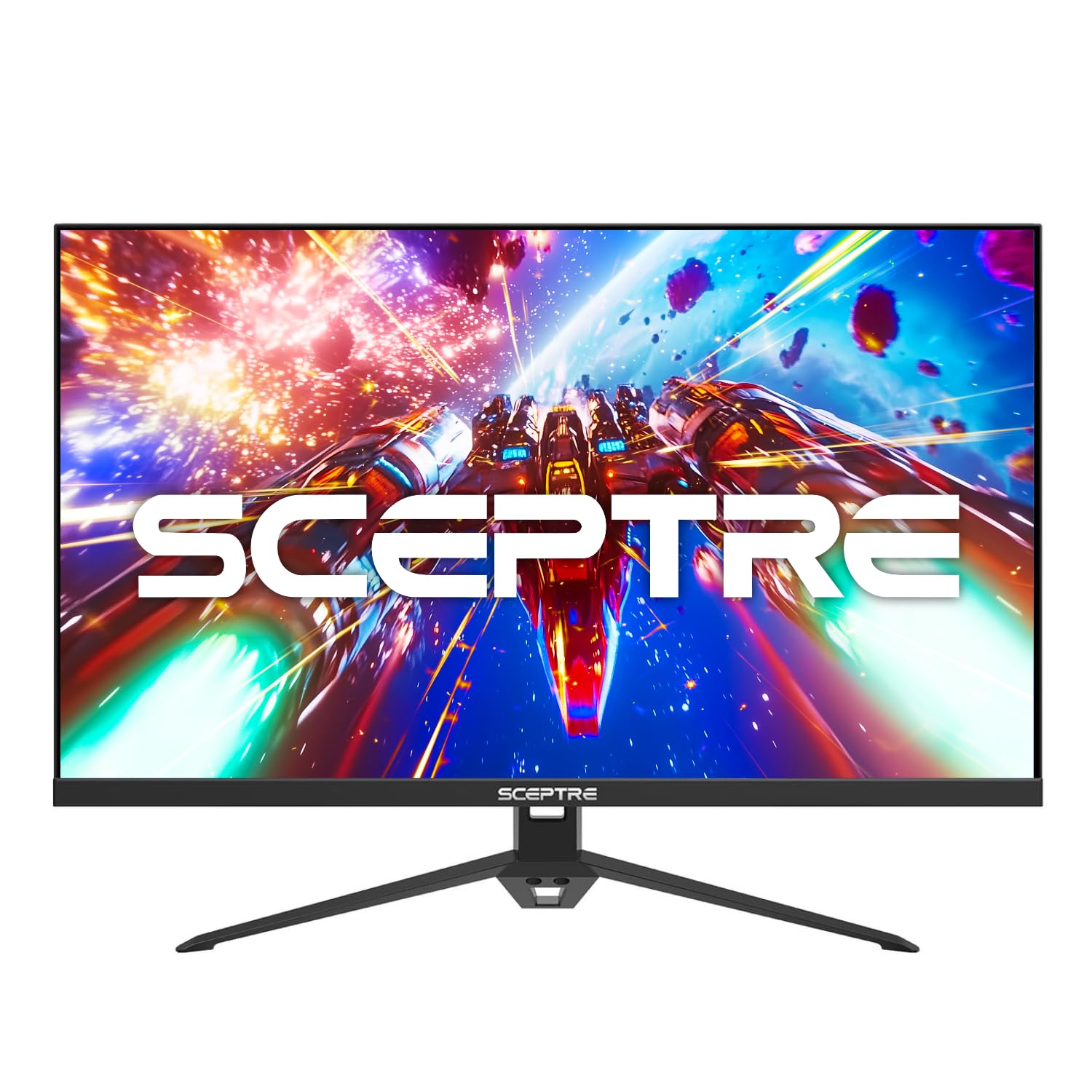
Full sRGB coverage with a 180Hz panel — a rare color-accurate budget find.
Colors look accurate because this Sceptre covers 100% sRGB (the standard color space for most web and photo work). That is rare in the sub- bracket. If you game and also edit photos, browse the web, or do design work, this monitor does both without forcing you into a separate professional display. The 27-inch IPS panel runs at 180Hz with a 1ms MPRT response time, so fast games like Call of Duty feel responsive and fluid. Owners call the colors vibrant and the wide viewing angles a real plus for sharing the screen.
It includes built-in speakers, three HDMI ports plus a DisplayPort, and VESA wall-mount support (a standard mounting pattern for arms or wall brackets). Blue Light Shift technology reduces eye strain. The most-discussed praise centers on value for money and display quality, with many noting no noticeable lag or ghosting. The build quality gets mixed marks — some find it solid, others report minor issues. The included cables are on the shorter side.
Color-first gamers: 100% sRGB at this price is the headline feature. If accurate colors matter for your work or play, this is the one to watch.
Reach for this if: color accuracy and a high refresh rate are equally important to you.
Think twice if: you want a premium-feeling chassis — the build quality is decent but not luxurious.
5. ASUS TUF Gaming 24″ (VG247Q1A)

Reliable 165Hz gaming with Adaptive-Sync support for both GPU brands.
Smooth motion comes from this ASUS running at 165Hz from the start (it also supports 144Hz natively) with a 1ms MPRT response time. FreeSync Premium certification adds low framerate compensation (LFC — a feature that keeps gameplay smooth when your frame rate drops below the monitor’s range). It also supports Adaptive-Sync with NVIDIA GeForce GTX 10-series, 16-series, and RTX 20-series cards and newer. Shadow Boost lifts dark areas without washing out bright spots — useful for spotting enemies hiding in shadows.
The 24-inch screen means higher pixel density (pixels per inch) than a 27-inch 1080p panel, so text and UI elements look sharper. Owners call the screen quality excellent for the price. The built-in speakers are usable but unremarkable. The stand offers tilt but not height adjustment. It includes both HDMI and DisplayPort cables in the box.
Why owners grab this
- 165Hz with FreeSync Premium and Adaptive-Sync for NVIDIA cards — flexibility with either GPU brand
- 24-inch 1080p gives sharp pixel density for crisp text and game details
- Shadow Boost helps visibility in dark scenes without washing out bright areas
The downsides
- Stand lacks height adjustment — you will likely need a monitor arm or riser for ideal eye level
- A few customers note flickering or faint lines, so quality control is not perfect
Best for: budget-conscious gamers who want Adaptive Sync compatibility with both AMD and NVIDIA cards in a sharp 24-inch format.
Not for you if: height adjustment is a must-have on your desk — factor in an aftermarket arm.
6. Dell 27 Plus S2725HSM
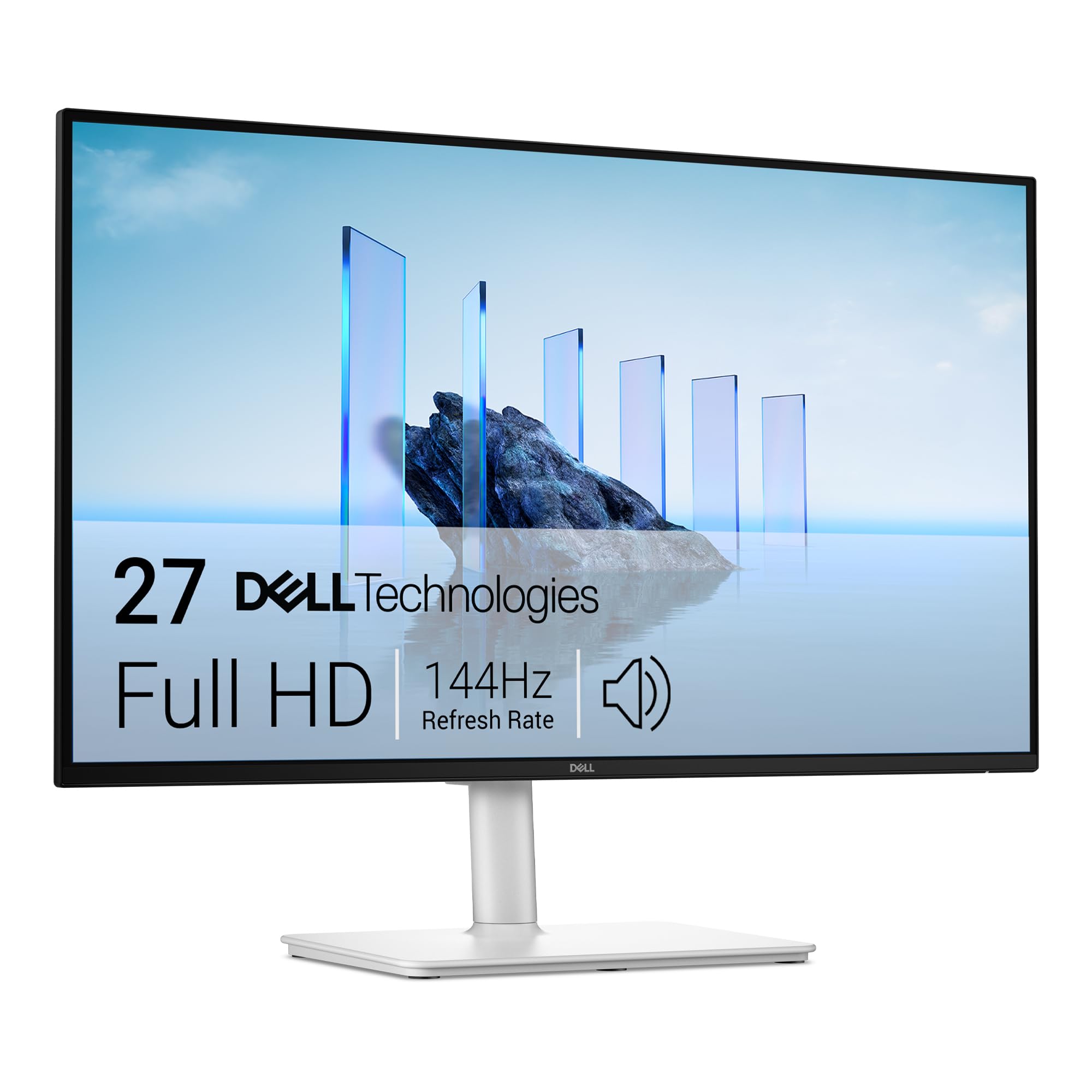
A 144Hz work-and-play monitor that looks good in any setup.
You get smooth motion for games and crisp spreadsheets for work because this Dell refreshes at 144Hz with a 1ms MPRT response time and a 1500:1 contrast ratio. The dual 3W built-in speakers are notably better than average for a monitor — owners consistently praise the sound quality. The 4-star TÜV-certified Eye Comfort display (certified by a German safety agency to reduce blue light) cuts harmful blue light without washing out colors, so your eyes stay fresh through a full workday plus evening sessions.
The stand offers full ergonomic adjustment (height, tilt, swivel, pivot). The ash white color gives it a clean, modern look. Owners say the picture is sharp and vibrant, with 300 cd/m2 brightness. The main complaint: the joystick and power button sit on the back corner, which some find awkward. A few owners note the screen arrives slightly warm in color and needs a quick calibration. If you want one monitor that handles spreadsheets by day and shooters by night, this is a strong contender. Its sharpness is better than the Acer Nitro KG271 because the Dell has a 1500:1 contrast ratio versus the Acer’s 1000:1.
Two-in-one value: 144Hz for gaming, strong speakers for video calls, and TÜV eye comfort for long work hours — this is the best hybrid in the lineup.
Perfect for: anyone working from home who games in the evening and wants a single, adjustable, great-looking monitor.
Not ideal if: you need a racing-grade 180Hz+ refresh rate for high-level competitive play.
7. Acer Nitro 27″ KG271

A 27-inch IPS panel at a price that feels like a steal.
You get consistent colors from any angle because this Acer uses an IPS display. It runs at 144Hz with a 1ms VRB (Visual Response Boost — a fast pixel-change mode) response time and covers 99% sRGB. The ZeroFrame design means the bezel is thin, giving you more screen for the desk footprint. AMD FreeSync keeps tearing at bay.
One owner who bought a second unit calls it a great match for a teenage gamer — fast setup, thin bezel, and the jump from 60Hz to 144Hz is night and day for clarity in fast games and even drawing work. The stand includes tilt adjustment and takes up minimal desk depth (8.28 inches). The single HDMI port means you will need a converter for multiple inputs. The included HDMI cable and power cord get you started.
Pure value play: 27-inch IPS 144Hz at this entry-level price is the whole story. No extra frills, just the core gaming experience done well.
Choose this if: you want the largest screen size for the lowest price with decent IPS color and a 144Hz refresh rate.
pass on it if: you need multiple video inputs, height adjustment, or a fully adjustable stand.
8. Dell 24 Plus S2425HSM
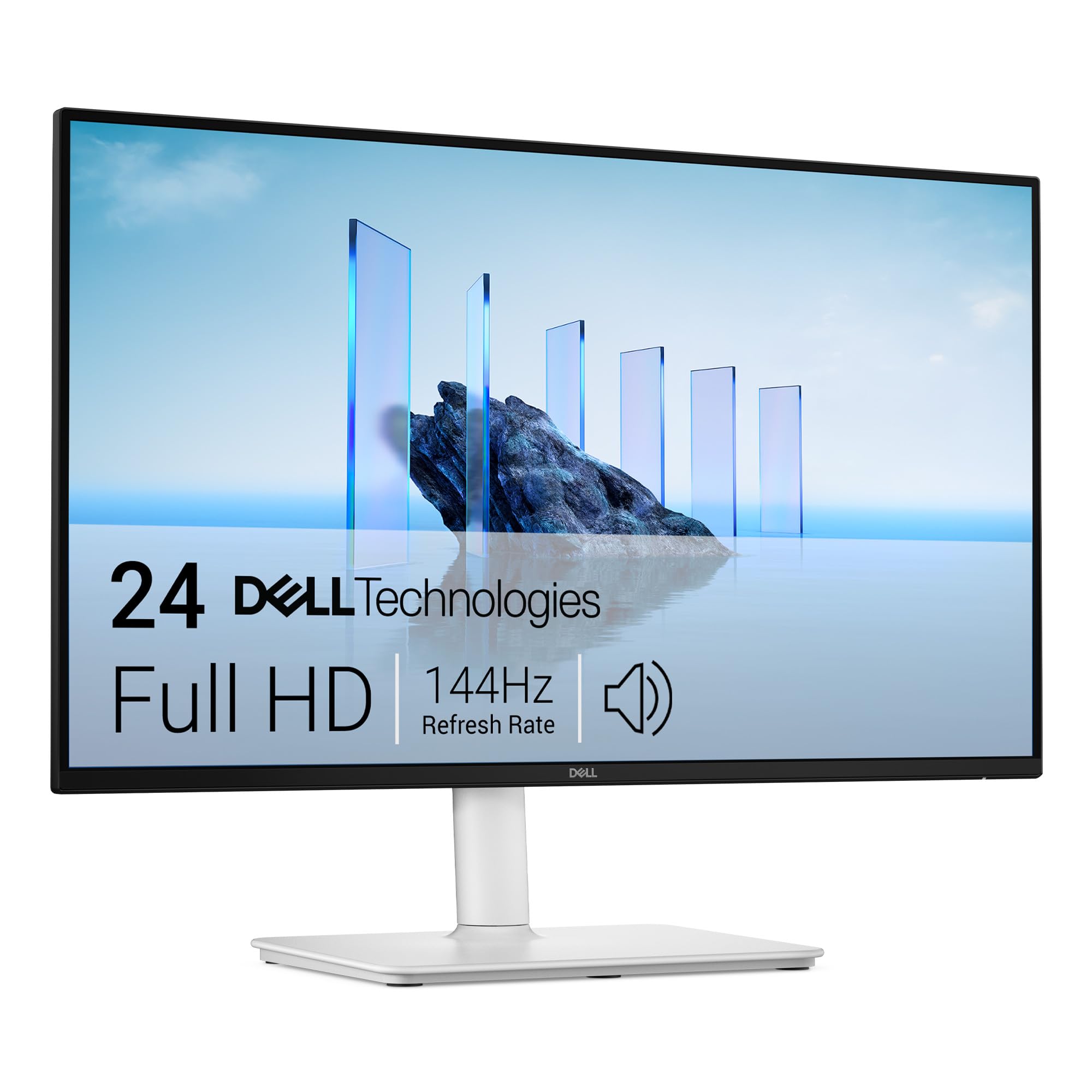
Compact 24-inch design with speakers that actually sound good.
You get rich sound from a monitor because this Dell has dual 3W speakers. Owners call them better than anything they have heard from a normal monitor, with sound that fills a small room. The 23.8-inch FHD panel runs at 144Hz with a 1ms MPRT response time and a 1500:1 contrast ratio. The 4-star TÜV-certified eye comfort display reduces blue light without making colors look weird, so you can game or work for hours.
The stand offers full height, tilt, pivot, and swivel adjustment — rare at this price. The ash white finish looks clean, and the anti-glare screen keeps reflections down. The main practical note from owners: there is no USB-C or Thunderbolt port, so you will need HDMI for video and a separate laptop power cord. A few owners mention text can look slightly pixelated at 1080p on a 24-inch screen. The joystick menu navigation is smooth and intuitive. Its compact size makes it a better fit for tight desks than the 27-inch Samsung G3, though you lose that deeper 3000:1 VA contrast.
Why it stands out
- Exceptional built-in speakers — owners say they are the best they have heard from a monitor at this price
- Full ergonomic stand (height, pivot, swivel, tilt) in a compact 24-inch frame
- 4-star TÜV-certified low blue light — great for all-day use without eye strain
Honest limitations
- No USB-C or Thunderbolt port — requires HDMI plus separate laptop power cable
- Text can appear slightly soft at 1080p on a 24-inch screen, though fine for most use
Best for: students or minimal-desk setups where you want a high-refresh monitor with great built-in speakers and no external clutter.
Not for you if: you need USB-C single-cable connectivity or want a larger 27-inch screen.
Understanding the Specs
Refresh Rate (Hz)
This is the number of times per second your monitor redraws the entire image. A 144Hz display does this 144 times every second. That makes motion look smooth instead of stuttery. Going from a standard 60Hz office monitor to 144Hz is the single biggest upgrade you can feel in games — fast camera pans, moving targets, and scrolling all become fluid. Higher numbers like 165Hz or 180Hz give an even tighter feel, but the jump from 60Hz to 144Hz is where most of the magic lives.
Response Time (MPRT / GTG)
Measured in milliseconds (ms), this tells you how fast a pixel can change from one color to another. Lower numbers mean less ghosting — that trail behind fast-moving objects. 1ms is the balance for gaming monitors in this class. MPRT (Moving Picture Response Time) and GTG (Gray-to-Gray) are measured differently but both aim for the same result: sharp, blur-free motion during fast gameplay.
Adaptive Sync (FreeSync / G-Sync)
Screen tearing happens when your graphics card sends frames faster than the monitor can display them, splitting the image horizontally. Adaptive Sync solves this by letting the monitor match its refresh rate to the GPU’s output frame-by-frame. AMD FreeSync is the most common on affordable monitors. Some monitors also carry NVIDIA G-Sync Compatible certification, which means they work with GeForce cards too. If you have a choice, get a monitor with Adaptive Sync — it is a night-and-day difference for smoothness.
Panel Type (IPS vs VA)
IPS (In-Plane Switching) panels offer the best color accuracy and widest viewing angles — the image looks the same whether you are sitting dead center or off to the side. VA (Vertical Alignment) panels deliver higher contrast ratios (like 3000:1) which means deeper blacks and better shadow detail in dark game scenes. For general gaming and desk work, IPS is the safer all-rounder. For horror games, atmospheric single-player titles, or movie-watching, VA’s deeper blacks give a richer picture.
FAQ
Is 144Hz worth it if I only play single-player story games?
Can my PC run a 144Hz gaming monitor?
What is the difference between 144Hz and 180Hz?
Does a 144Hz monitor work with PS5 or Xbox Series X?
Should I get a 24-inch or 27-inch 1080p monitor for gaming?
What does 1ms response time actually mean for my gameplay?
Is a VA panel or IPS panel better for gaming?
Do budget 144Hz monitors come with a DisplayPort cable?
Can I use a 144Hz monitor for photo or video editing?
Why does my new 144Hz monitor look the same as my old one?
Final Thoughts: The Verdict
For most buyers, the affordable 144hz gaming monitor winner is the Samsung 27″ Odyssey G3 because it combines a 180Hz refresh rate, a deep 3000:1 contrast VA panel, and a fully adjustable stand that no other monitor in this price range matches. If you want the fastest motion clarity and vibrant IPS colors for competitive gaming, grab the ASUS TUF VG259Q3A. And for a compact, well-rounded hybrid that handles work and gaming with exceptional built-in speakers, the Dell 24 Plus S2425HSM is the one to reach for.
How We Picked
We do not accept paid placement. Every pick is matched to a real buyer and a real use-case; we do not hands-on test units.
Sources & Methodology
Specifications: manufacturer listings and product documentation. Review insights: verified customer reviews, as of July 2026. Pricing: not shown on this page (it changes often); check the current price via the retailer link.
As an Amazon Associate, Gadgets Feed earns from qualifying purchases. This does not affect which products we feature.