
Our readers keep the lights on and my morning glass full of iced black tea. As an Amazon Associate, I earn from qualifying purchases.
Specs are compiled from manufacturer listings and verified buyer reviews and can change over time — please confirm the key details on the product page before buying.
Picking a 27-inch mini LED monitor means chasing two things that usually fight each other: eye-popping brightness for HDR games and movies, and deep, inky blacks that don’t wash out in a bright room. Mini LED solves that with hundreds of tiny backlight zones that light up only where needed. But with refresh rates that stretch to 320Hz, color gamuts that cover 99% of Adobe RGB, and prices that vary widely, the wrong choice can mean buying more speed than you need or missing the color accuracy your work demands.
I’m Min — the founder and writer behind Gadgets Feed. This guide is built by comparing the manufacturers’ published specifications and the patterns across verified customer reviews, so you get each pick’s real strengths and trade-offs instead of marketing spin.
If you are a competitive gamer chasing every millisecond or a creative who lives in Adobe Suite, this breakdown of the 27 inch mini led monitor market will show you exactly which model matches your desk and your budget.
Our Picks at a Glance
How To Choose The Best 27 Inch Mini LED Monitor
Mini LED monitors sit in a balance between standard LED backlighting and true OLED. They use an array of tiny LEDs (often 1152 zones on these 27-inch models) to control brightness locally, which gives you better contrast than a regular IPS panel without the burn-in risk of OLED. When you shop, the three specs that separate a great mini LED from a mediocre one are the local dimming zone count, the dual-mode refresh rate capability, and the color gamut coverage.
Local Dimming Zones: The Backbone of Contrast
Each mini LED zone is a cluster of LEDs that can be turned on or off independently. More zones mean finer control — a bright explosion next to a dark shadow stays sharp instead of creating a hazy glow (often called blooming). On a 27-inch screen, 1152 zones is the current high-water mark; anything with fewer zones will show more halos around bright objects in dark scenes.
Dual-Mode Refresh Rates: One Monitor, Two Personalities
Many of these monitors let you switch between a high-resolution mode (4K at 160Hz, for example) and a lower-resolution, higher-speed mode (1080p at 320Hz). This means you get the sharp, detailed view you want for a story-driven game and then flip to a buttery-smooth, ultra-fast refresh for competitive shooters — all on the same panel. If you play both types of games, this feature alone can justify upgrading.
Color Gamut and HDR Certification
Color gamut numbers tell you how wide a range of colors the monitor can show. 99% Adobe RGB or 98% DCI-P3 is ideal for photo and video editors because those standards match professional print and cinema workflows. For pure gaming, sRGB coverage (100%) is fine, but HDR certification — DisplayHDR 1000 or 1400 — guarantees a peak brightness level that makes HDR content pop. A 1000-nit monitor delivers bright highlights; 1400 nits pushes further for more dramatic contrast in very bright scenes.
Quick Comparison
| Model | Best For | Color Gamut | Dual Mode Speeds | HDR Cert. | Amazon |
|---|---|---|---|---|---|
| KOORUI S2741LM★ Best Overall | Best Overall Value | 99% Adobe RGB | 4K 160Hz / FHD 320Hz | DisplayHDR 1400 | Amazon |
| Pixio PX27UMBrightest Gaming | Brightest Pure Gaming | 150% sRGB | 4K 160Hz / FHD 320Hz | HDR (unrated) | Amazon |
| KTC M27U6 | Budget Dual Mode | 148% sRGB | 4K 72Hz / FHD 144Hz | HDR 1000 | Amazon |
| MSI MPG 274URDFW E16M | Smart AI Features | 100% sRGB | 4K 160Hz / FHD 320Hz | HDR Ready | Amazon |
| LG 27GM950B-B | Ultra-High Resolution | 99% DCI-P3 | 5K 165Hz / QHD 330Hz | DisplayHDR 1000 | Amazon |
In‑Depth Reviews
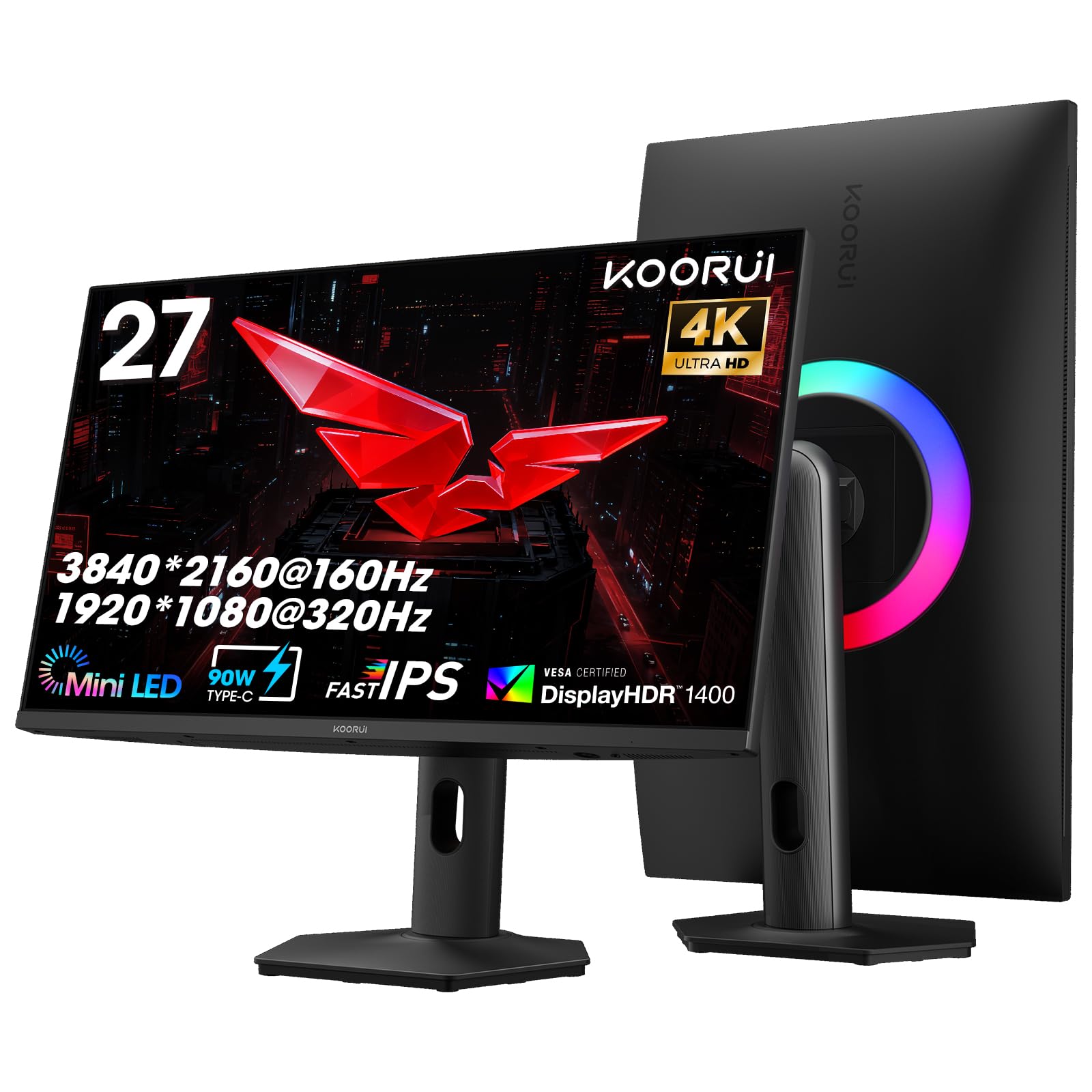
1. KOORUI 27″ 4K QD-Mini LED Gaming Monitor (S2741LM)
Our pick — over 4★ from 3,500+ verified ratings; the strongest balance of quality and price.
This monitor packs 1152 local dimming zones and HDR 1400 into the most affordable package here, making bright highlights pop without washing out dark corners.
The KOORUI S2741LM earns the top spot because it gives you the highest HDR certification in the group — VESA DisplayHDR 1400 — which guarantees a peak brightness of 1400 nits. That means sun flares, explosions, and reflections look vivid and punchy. The 1152 mini LED zones (clusters of tiny LEDs that light up independently) keep dark areas black next to bright ones, so you don’t get the hazy glow (blooming) that cheaper backlights create. Owners consistently praise the “extremely bright” output and “crisp” text, with many calling it a no-brainer for the price.
Its dual-mode flexibility is a standout: you get 4K at 160Hz for rich AAA titles, then flip to 1080p at 320Hz for competitive shooters where every millisecond counts. The 1ms response time and Adaptive Sync Premium keep motion smooth. For creatives, the 99% Adobe RGB coverage (along with 98% DCI-P3 and 100% sRGB) and a factory-calibrated Delta E of 0.55 (Delta E measures color accuracy; lower is better, and 0.55 is excellent) mean colors are accurate straight from the start — no fiddling with profiles required.
The fully adjustable stand (130mm height, swivel, tilt) and 90W USB-C charging make it a versatile hub for a laptop and desktop setup. Buyers report the 320Hz mode is genuinely “mind-blowing” for fast-paced titles like Valorant, and the 4K clarity at 200% scaling on a MacBook Pro is “crisp” with a “large UI.” The only minor complaint is the 240Hz button sitting close to the menu joystick, which can be pressed accidentally — a small ergonomic quirk in an otherwise excellent monitor.
What wins people over
- Top-tier HDR 1400 certification delivers 1400 nits peak brightness for dazzling highlights.
- 99% Adobe RGB coverage plus factory-calibrated Delta E 0.55 for professional-grade color accuracy.
- Dual-mode (4K 160Hz or FHD 320Hz) covers both cinematic and competitive gaming perfectly.
- 90W USB-C powers and drives a laptop through a single cable — a clean desk setup.
A couple of honest trade-offs
- The built-in stand is on the short side for some desk heights — a monitor arm might be a better fit.
Reach for this if: You want the highest HDR performance and color accuracy available at a mid-range price, and you play both story-driven 4K games and fast-twitch esports titles.
Think twice if: Your desk is very high and you don’t plan to use a monitor arm — the stand may feel short.
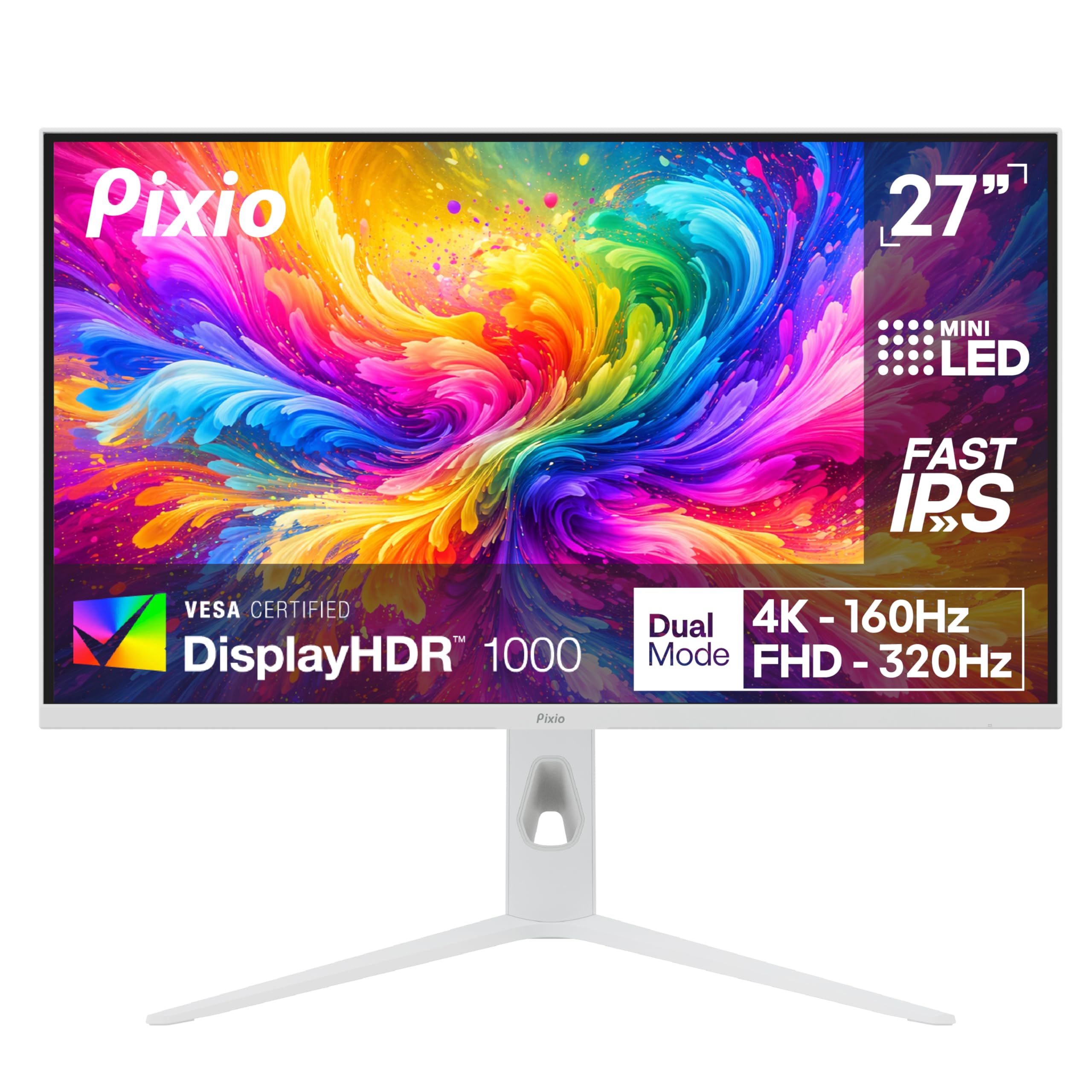
2. Pixio PX27UM Mini LED White 27″ Dual Mode
If you want the most vivid, saturated color in this roundup, the Pixio’s 150% sRGB volume is the number to beat — though it comes with some caution flags on long-term reliability.
Like the KOORUI, it has 1152 local dimming zones for strong contrast, and it matches the same dual-mode specs: 4K at 160Hz for detail, 1080p at 320Hz for speed. Owners say the build “feels high-quality” and the image is “great,” with many noting the value for the price.
Where this monitor really stands out visually is its crisp, sleek white chassis. If your setup is all-white or you want a statement piece on your desk, the PX27UM delivers. The 1ms GTG response time (Grey-to-Grey: the time a pixel takes to change from one shade of grey to another) and Adaptive Sync (FreeSync) keep motion blur and screen tearing at bay. For connectivity, you get two DP 1.4 and two HDMI 2.1 ports, all supporting both 4K 160Hz and 1080p 320Hz with adaptive sync — so you can plug in a PC, a console, and a laptop without juggling cables.
The honest trade-off is a mixed reception on long-term screen performance. While many owners mention no issues, some mention backlight bleed and a surprising minority have had the monitor “start failing after one year” — a longevity concern that gives pause if you keep your gear for several years. The built-in speakers are also poor (tinny, with audio lag), so plan to use external speakers or a headset. And as one buyer put it after a few months of use: “Had it for a few months now” — short-term satisfaction is high, but the track record is shorter than more established brands. Compared to the KOORUI, the KOORUI has more consistent long-term owner feedback.
What makes it shine
- 150% sRGB color volume is the highest in this lineup for hyper-vivid, saturated visuals.
- Sleek all-white design stands out from the sea of black monitors.
- Full dual-mode support (4K 160Hz / FHD 320Hz) on all four video ports — great multi-device setups.
Where to be cautious
- Mixed feedback on screen longevity — some customers note backlight bleed or failure after a year.
- Built-in speakers are weak and have noticeable audio lag; external audio is a must.
- Stand lacks tilt adjustment from the start; a monitor arm is recommended.
Reach for this if: You prioritize vivid, saturated color and want a white monitor that doubles as a design piece, and you’re okay with using external speakers.
Look elsewhere if: You need proven long-term reliability or you don’t want to spend extra on a monitor arm for proper ergonomics.
3. KTC 27″ 4K Mini-LED Gaming Monitor (M27U6)
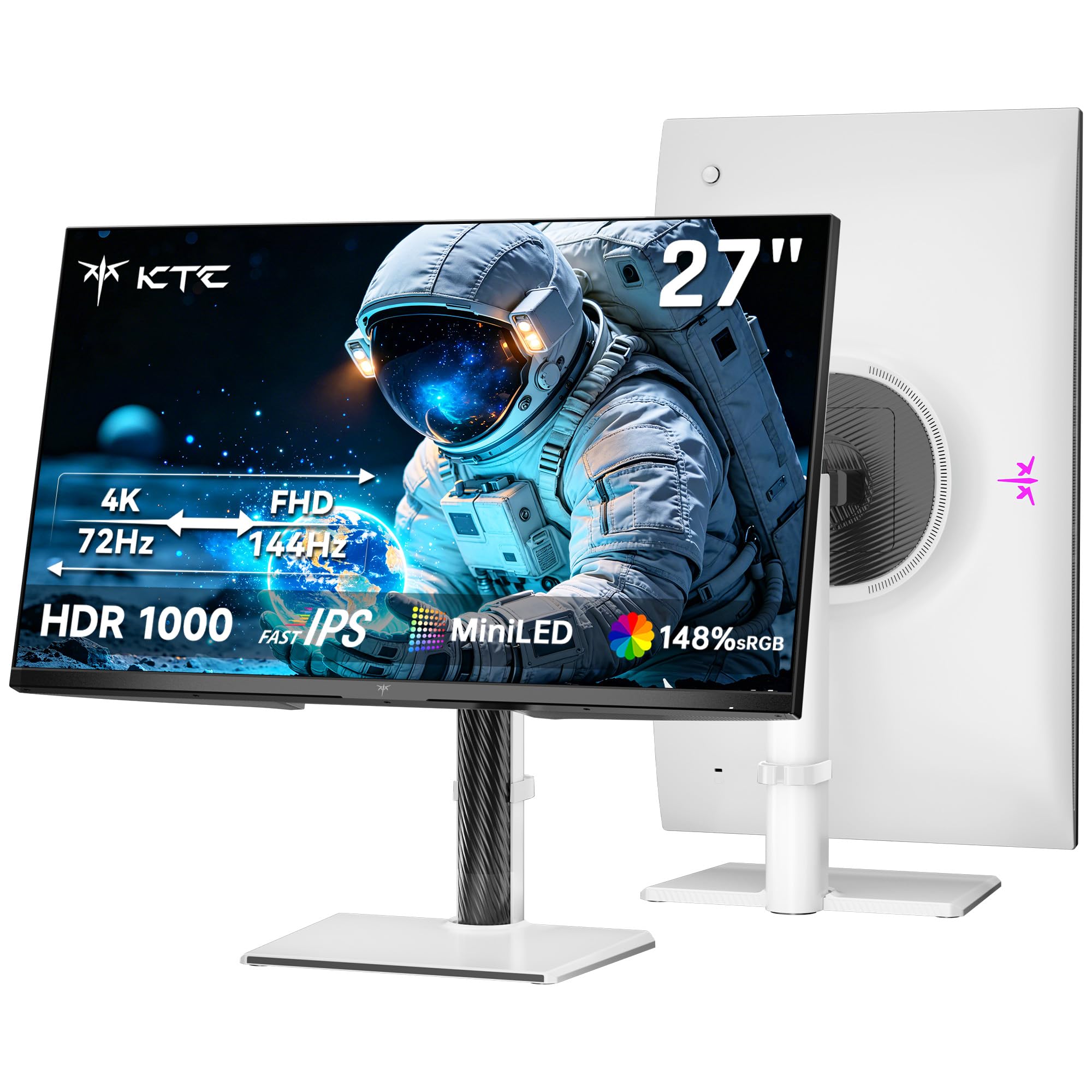
You can get 1152 mini LED zones and HDR 1000 for less money here, but the 4K refresh rate drops to 72Hz — two times slower than the top picks.
The KTC M27U6 is the most affordable way to get 1152 mini LED zones and HDR 1000 certification on a 27-inch screen. Its 1000 nits peak brightness is plenty for vivid HDR visuals in games and movies, and the 148% sRGB color area (roughly 99% DCI-P3 equivalent) delivers rich, accurate colors. The Fast IPS panel keeps motion clear, and the 1ms MPRT response (Motion Picture Response Time: measures how long a pixel stays visible per frame) eliminates blur in fast scenes. Owners call the picture quality “excellent” and praise the “great value for the money.”
The catch is the dual-mode speeds: 4K at 72Hz and FHD at 144Hz. That’s a 2.1x slower refresh than the KOORUI or Pixio at 4K (160Hz vs 72Hz), so this monitor is better suited for cinematic gaming and desktop work than for high-frame-rate competitive play at 4K. The FHD 144Hz mode is still smooth for esports, but hardcore speed seekers will want the faster options. Full ergonomic adjustment — tilt, swivel, pivot, and height — is included, and the white chassis matches the Pixio’s clean look. KTC also backs it with a three-year warranty and 12-hour support response, which is reassuring at this price.
Quality control is a mixed bag. While many buyers get a perfect panel with “phenomenal black levels” and “no backlight bleed,” a few have encountered dead pixels after a month or debris under the panel. KTC’s return process has drawn criticism in isolated cases. Across the board, the risk is low — the majority experience is very positive — but if panel perfection is non-negotiable, you may want to factor in the possibility of a return.
Why it’s a steal
- 1152 mini LED zones and HDR 1000 at the lowest price point — unbeatable value for HDR.
- Full ergonomic stand (tilt, swivel, pivot, height) included, no monitor arm needed.
- Three-year warranty with responsive support adds confidence at this price tier.
The bigger trade-off
- 4K refresh is capped at 72Hz — noticeably slower than competitors for high-fps 4K gaming.
- QC reports are mixed; a small but real chance of dead pixels or panel debris.
Reach for this if: You want the HDR and contrast of 1152 mini LED zones but primarily play at 60-72fps or do creative work, and you want to save money.
Think twice if: You demand 4K 160Hz smoothness or you can’t accept any risk of panel imperfections.
4. MSI MPG 274URDFW E16M 27″ 4K Mini-LED
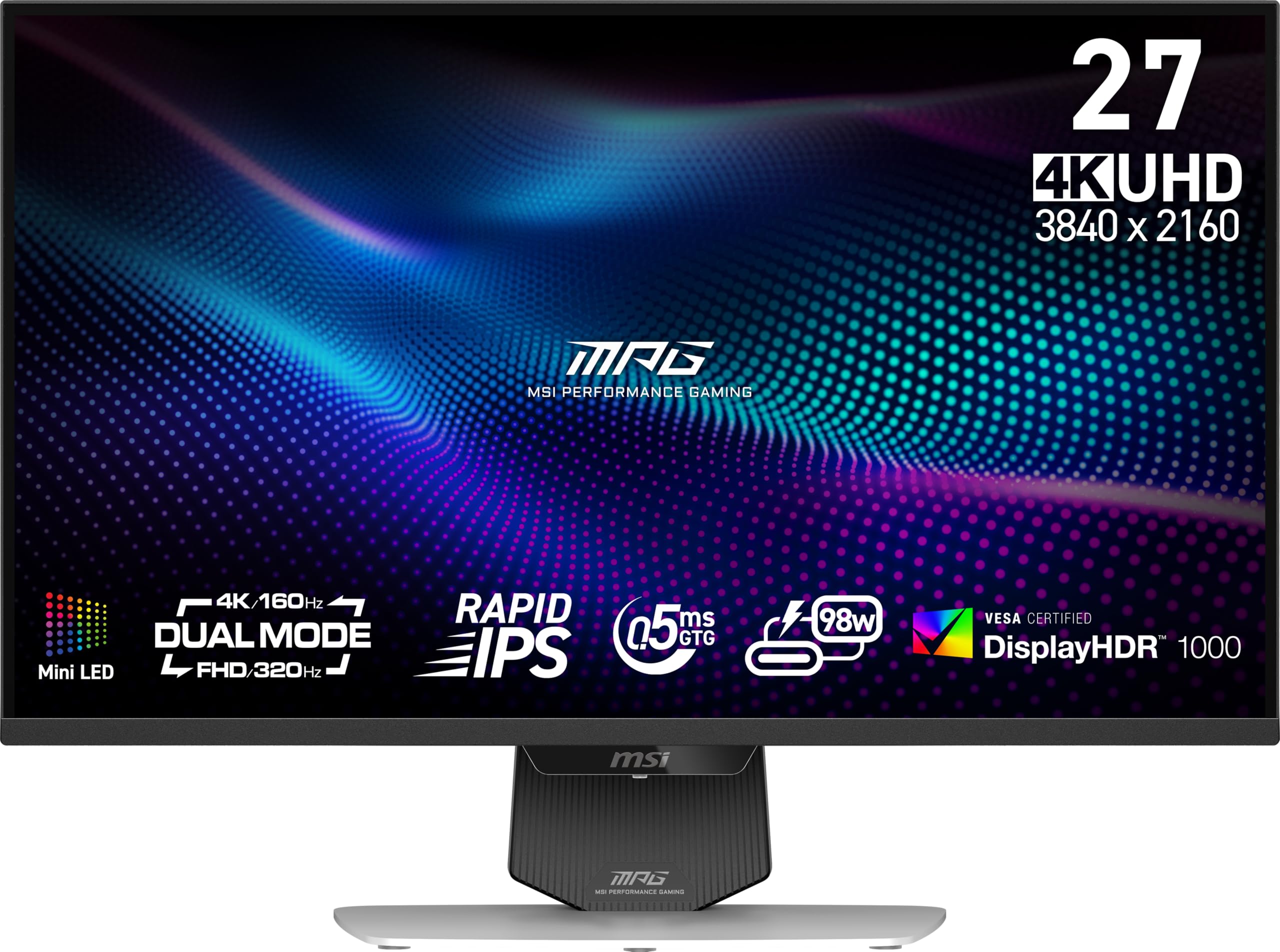
The fastest pixel response in this lineup at 0.5ms GTG, plus smart AI that auto-tunes your display when you launch a game — but SDR color has a known reddish tint.
The MSI MPG 274URDFW stands apart with its AI Dual Mode and AI Menu features. Instead of manually switching resolutions, AI Dual Mode auto-adjusts the refresh rate when you change resolution — so flipping from 4K to 1080p is smooth and instant. The AI Menu detects when you launch a game and automatically customizes display settings (brightness, contrast, response time) for that specific title. It also lets you share profiles with other MSI monitor owners. For gamers who want a “low-maintenance” experience, this is a genuine time-saver.
Under the hood, it packs 1152 mini LED zones on a Rapid IPS panel with a 0.5ms GTG response time — the fastest pixel response in this roundup. The dual-mode capabilities match the top-tier picks: 4K at 160Hz and 1080p at 320Hz. Owners say the HDR mode provides “perfect clarity” and “incredible” brightness and color, with many calling it “the best balance between visual quality and gaming performance.” The KVM switch works well for sharing a keyboard and mouse between two computers, a feature that creatives and multi-PC gamers appreciate.
The downsides center on quality control and productivity quirks. The image quality mix is real: while HDR gaming looks stunning, some owners note a reddish tint in SDR mode and uneven white uniformity that can cause eye strain during long document sessions. There are also scattered reports of units arriving with a dead sub-pixel or two (ISO class 1), and the USB-C hub has been known to disconnect every few minutes until a firmware update is applied. MSI recommends updating the firmware immediately — something the brand actively points out in its support materials. If you mainly game in HDR, this monitor is excellent; if you also do color-critical productivity work, be aware of the SDR quirks.
what separates it
- AI Dual Mode and AI Menu automate refresh rate and display tuning for each game — no manual fiddling.
- Fastest pixel response at 0.5ms GTG — a tangible edge in competitive shooters.
- Built-in KVM switch makes it easy to control two PCs with one keyboard and mouse.
Honest caveats
- SDR color balance has a reported reddish tint; panel uniformity can show cloudy whites for desktop use.
- Some units arrive with minor dead pixels; firmware update is required for USB-C hub stability.
Reach for this if: You want a smart, automated gaming experience and prioritize the fastest pixel response and a solid KVM for multi-PC setups.
Think twice if: You need flawless out-of-box SDR color for professional editing, or you dislike the idea of applying firmware updates.
5. LG 27GM950B-B Ultragear evo 5K Mini-LED
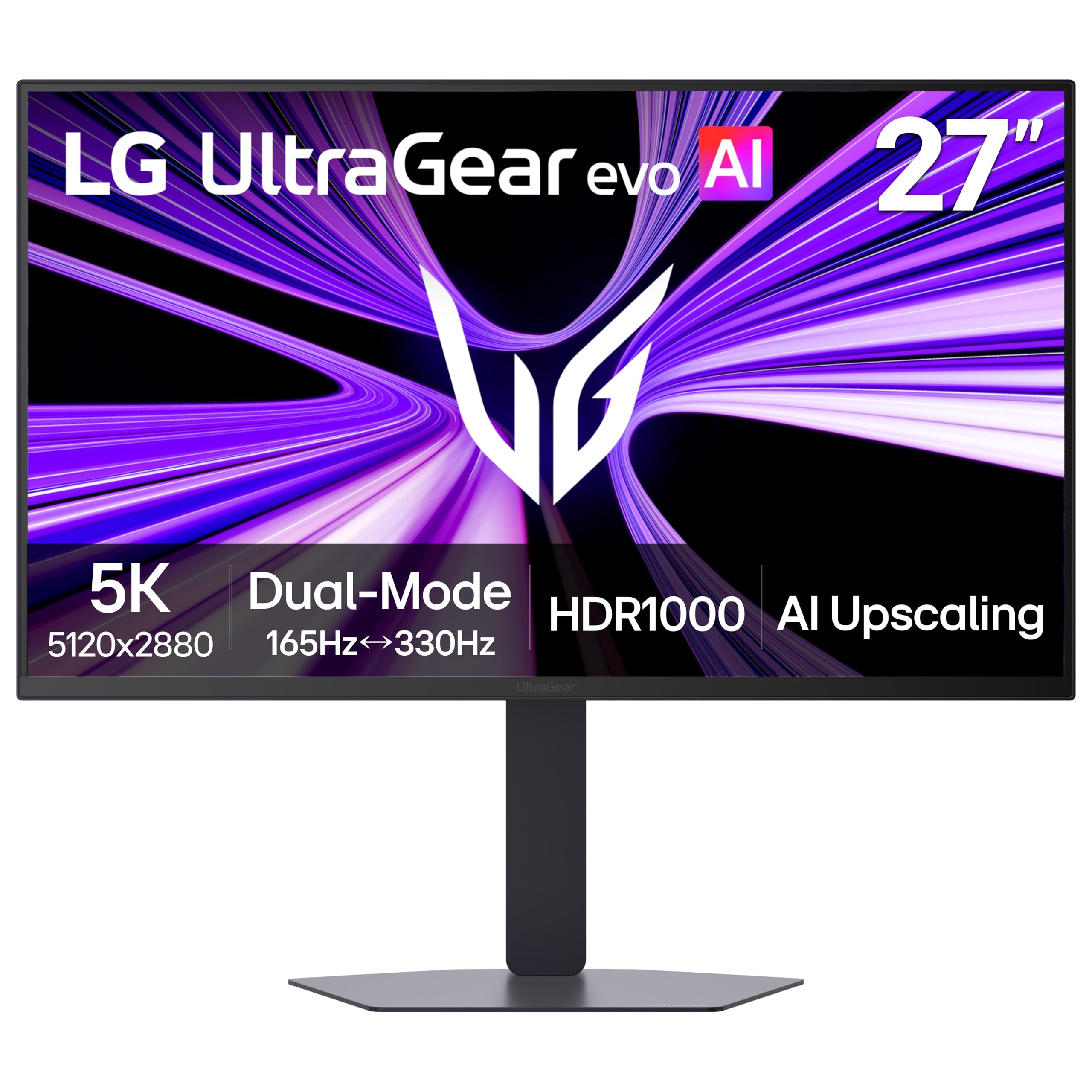
At 218 pixels per inch (PPI), this 5K monitor is noticeably sharper than any 4K panel for text and detail — but widespread reliability issues make it a high-risk choice.
The LG 27GM950B-B is the only 5K monitor in this roundup, with a resolution of 5120 x 2880 that delivers a stunning 218 pixels per inch. That means text, UI elements, and fine details are sharper than anything a 4K panel can produce. It also uses Hyper Mini LED technology with 9,216 individual LEDs and 1.5 times more local dimming zones than the typical 1152-zone models for reduced blooming and deeper contrast. With VESA DisplayHDR 1000 certification and 1250 nits peak brightness, HDR content looks “incredible” — owners call the dynamic range “explosive.”
Its dual-mode is unique: 5K at 165Hz for detail-rich AAA gaming or QHD at 330Hz for ultra-smooth competitive play. The 0.5ms response time and both G-Sync and FreeSync Premium Pro support keep everything fluid. Connectivity is future-proof with DisplayPort 2.1 (UHBR20), HDMI 2.1, and USB-C with 90W power delivery. AI upscaling is built in, meaning you can feed it lower-resolution content and the monitor’s processor enhances it toward 5K clarity — a genuine help if your GPU can’t push native 5K in every game.
The reality check is reliability and macOS compatibility. With a 2.7 out of 5 rating — the lowest here — this monitor has a vocal minority of buyers facing serious issues. Several report right-half display glitches on macOS, text blur on the right side of the screen, overheating that triggers a loud fan and shutdown, and USB-C connectivity problems with docking stations. These are not edge cases; multiple owners returned the unit or switched to alternatives. On the positive side, owners who get a good unit after the firmware update describe it as “great across two machines” and a “one-display solution” for both Mac and PC. This monitor is for the risk-tolerant enthusiast who needs 5K resolution and is willing to troubleshoot, not for the average buyer who wants a plug-and-play experience.
The best in class
- 5K resolution at 218 PPI — noticeably sharper than any 4K panel for text and detail.
- 1250 nits peak brightness with DisplayHDR 1000 and 9,216 LEDs for stunning HDR highlights.
- Dual-mode (5K 165Hz / QHD 330Hz) plus AI upscaling make it versatile across all content.
- DisplayPort 2.1 and 90W USB-C are future-ready connectivity.
Serious caveats
- 2.7-star rating signals widespread QC issues — right-side glitches on Mac, overheating, and USB-C problems.
- Matte coating can cause shimmer and color distortion at close viewing distances.
- Firmware update is required for stability; some units arrive simply unusable for productivity.
Reach for this if: You absolutely need 5K pixel density for creative work or coding, and you are comfortable troubleshooting firmware and potential returns.
Look elsewhere if: You want a reliable plug-and-play monitor, or you use macOS — the risk of glitches is too high based on current owner feedback.
Understanding the Specs
Local Dimming Zones (1152 zones)
Mini LED monitors use an array of tiny LEDs to control brightness in specific areas of the screen. More zones mean finer control — so a bright white explosion next to a dark cave wall stays crisp without a hazy glow around it. On a 27-inch monitor, 1152 zones is currently the standard for good contrast performance. Fewer zones lead to more obvious blooming, where bright objects bleed into dark areas.
Dual-Mode Refresh Rate
A dual-mode monitor lets you switch between a high-resolution, moderate-refresh mode (like 4K at 160Hz) and a lower-resolution, high-speed mode (like 1080p at 320Hz). This means you get crisp visuals for story-rich games and ultra-smooth motion for competitive shooters, all on the same panel. The refresh rate number (Hz) tells you how many times the screen updates per second — 160Hz is smooth, 320Hz is buttery.
Color Gamut (Adobe RGB / DCI-P3 / sRGB)
Color gamut is a percentage that tells you how much of a specific color standard the monitor can show. 99% Adobe RGB is excellent for photo editing and professional print work. 98% DCI-P3 is the cinema standard for video editing. 100% sRGB is good for everyday web browsing and gaming. Higher percentages mean richer, more accurate colors in that specific area — but a monitor can’t cover 100% of every standard at once.
HDR Certification (DisplayHDR)
VESA’s DisplayHDR standard certifies that a monitor meets minimum brightness and color requirements for high dynamic range content. DisplayHDR 1000 means the monitor can hit 1000 nits peak brightness, which makes HDR highlights — like sun flares, explosions, or reflections — look vivid and punchy. DisplayHDR 1400 is even brighter at 1400 nits, offering more dramatic contrast in very bright scenes.
FAQ
Can I use a 27-inch mini LED monitor for professional photo and video editing?
Is 1152 local dimming zones enough for good HDR on a 27-inch screen?
What does dual-mode mean on a mini LED gaming monitor?
Will a mini LED monitor work with a MacBook Pro or Mac mini?
How does mini LED compare to OLED for gaming and desktop use?
What is the difference between 1ms GTG and 1ms MPRT response time?
Do I need a powerful graphics card to drive a 4K mini LED monitor at 160Hz?
What is the advantage of DisplayPort 2.1 over HDMI 2.1 for these monitors?
Can I wall-mount a 27-inch mini LED monitor?
How important is HDR certification like DisplayHDR 1000 or 1400?
Final Thoughts: The Verdict
For most users, the 27 inch mini led monitor winner is the KOORUI S2741LM because it delivers the highest HDR certification (DisplayHDR 1400), professional-grade 99% Adobe RGB color, and full dual-mode 4K 160Hz / 1080p 320Hz flexibility at a price that undercuts much of the competition. If you prioritize vivid, saturated color and a white design aesthetic, grab the Pixio PX27UM. And for the absolute sharpest pixel density and 5K resolution — provided you’re willing to navigate potential QC issues — the LG 27GM950B-B is the one to reach for.
How We Picked
We do not accept paid placement. Every pick is matched to a real buyer and a real use-case; we do not hands-on test units.
Sources & Methodology
Specifications: manufacturer listings and product documentation. Review insights: verified customer reviews, as of July 2026. Pricing: not shown on this page (it changes often); check the current price via the retailer link.
As an Amazon Associate, Gadgets Feed earns from qualifying purchases. This does not affect which products we feature.