
Our readers keep the lights on and my morning glass full of iced black tea. As an Amazon Associate, I earn from qualifying purchases.
Specs are compiled from manufacturer listings and verified buyer reviews and can change over time — please confirm the key details on the product page before buying.
A battery powered printer cuts the cord that ties most printers to a desk. Whether you’re a contractor printing invoices at a job site, a student pulling notes between classes, or a seller shipping from a pop-up stall, the whole point is printing where there’s no wall outlet in sight. This guide breaks down the best options by what you actually need — document speed, label volume, photo quality, or sheer portability — so you can pick the one that fits your real routine.
I’m Min — the founder and writer behind Gadgets Feed. This guide is built by comparing the manufacturers’ published specifications and the patterns across verified customer reviews, so you get each pick’s real strengths and trade-offs instead of marketing spin.
From fast document printers to high-volume label makers, here is the breakdown of the best battery powered printer options that keep you printing without hunting for an outlet.
Our Picks at a Glance
How To Choose The Best Battery Powered Printer
The first decision is not the brand — it’s the print technology. Nearly every portable printer here uses thermal printing, which applies heat to special paper instead of spraying ink. That means zero ink or toner costs, but it also means you must buy thermal paper and you’re usually limited to black-and-white output. The one exception on this list is the dye-sublimation photo printer, which prints full color but uses special paper-and-ribbon kits.
Match battery life to your workload
Look at how many pages you print in a typical session. A document printer that handles 150-200 pages per charge suits a student or traveler. A label printer claiming 700+ labels per charge is built for a seller who works through a roll in one sitting. If your job involves trucking or field work, a reliable battery that lasts a full day is the spec that actually saves you.
Check connectivity before you buy
Bluetooth is the standard for phone printing, but not every model pairs with a laptop the same way. Some printers connect to computers only via USB cable, not wirelessly. If you print from a PC or Mac, confirm the printer supports USB connection and check the driver download process — some apps handle mobile printing far better than desktop printing.
Understand the paper commitment
Thermal paper is the ongoing cost, and it varies by size. Standard 8.5″ x 11″ letter paper works for documents, while 4″ x 6″ rolls feed label and shipping printers. Many compact models only accept their own brand of paper or cartridges, so factor that into the long-term price. Photo printers add a ribbon cartridge on top of the paper, which is a bigger per-print cost than plain thermal documents.
Quick Comparison
| Model | Best For | Speed (B&W ppm) | Battery Life | Resolution | Amazon |
|---|---|---|---|---|---|
| ETIKEZ D90E★ Best Overall | Budget travel documents | 4 ppm | — | — | Amazon |
| iDPRT MT610ProFast Performer | Fast compact printing | 15 ppm | — | 300 DPI | Amazon |
| MUNBYN MC240Label Specialist | 4×6 shipping labels | 72 ppm | — | 203 DPI | Amazon |
| Makeid P31 | Cable & wire labeling | — | 2000mAh | 300 DPI | Amazon |
| JADENS C10 | High-volume shipping | 13 ppm | 700+ labels | 203 DPI | Amazon |
| Phomemo M832D | Touchscreen all-rounder | 6 ppm | 200 pages | 300 DPI | Amazon |
| Phomemo M08D | Document & travel | 7 ppm | 150 pages | 600 DPI | Amazon |
| Liene M200 | Full-color photos | 1 ppm | 40 prints | 24 bpp | Amazon |
| HP OfficeJet 250 | Scan, copy & print | 20 ppm | — | — | Amazon |
In-Depth Reviews
1. ETIKEZ D90E Inkless Portable Thermal Printer
Our pick — over 4.5★ from 200+ verified ratings; the strongest balance of quality and price.
The featherweight champion that slips into a backpack and prints full letter-sized documents anywhere.
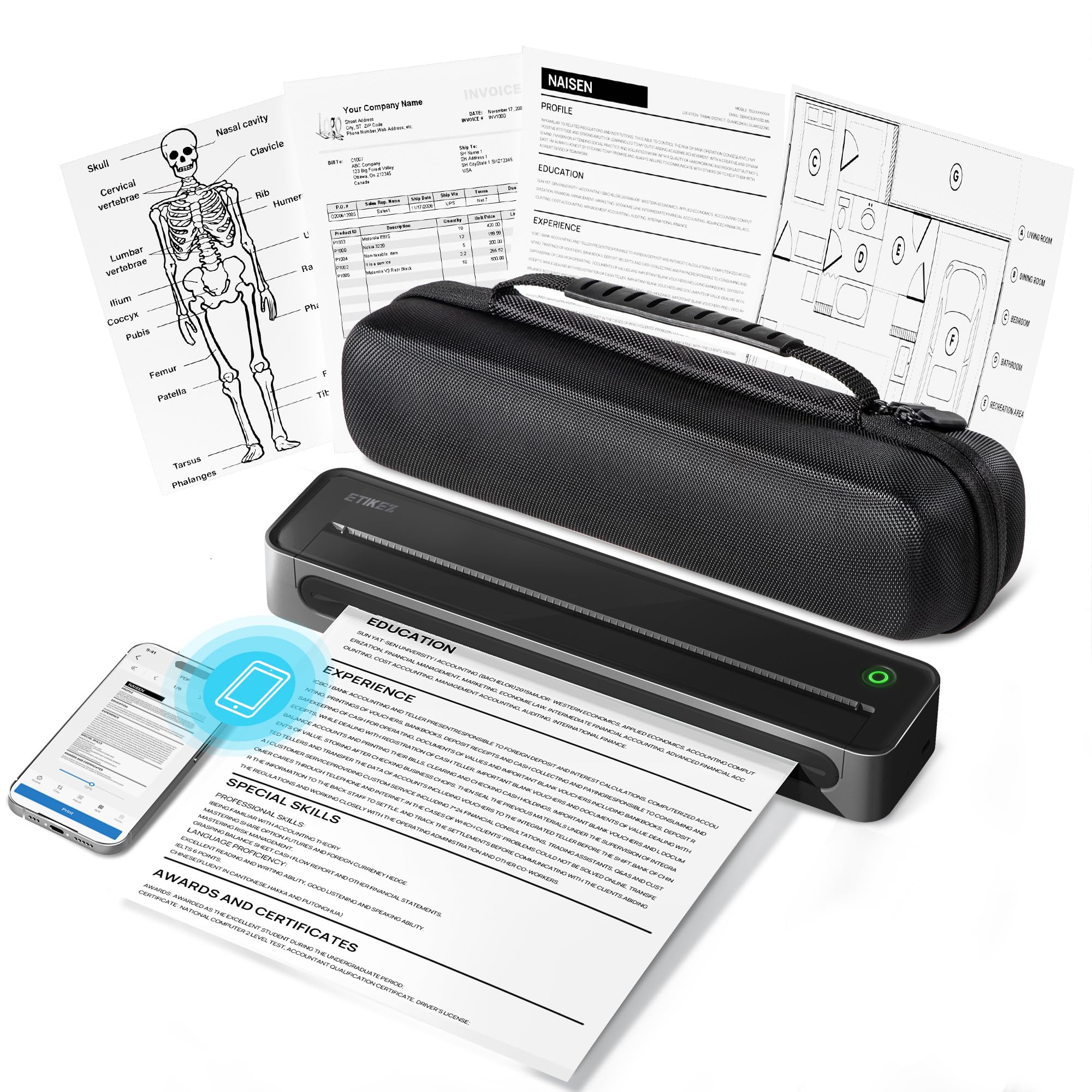
The D90E prints 8.5″ x 11″ pages with zero ink, using thermal technology that eliminates cartridge and ribbon costs. At 1.09lb, it’s light enough to forget in your bag until you need a contract or form printed on the spot. Owners praise sharp, crisp text for everyday documents, with quick Bluetooth pairing to phones and USB to laptops.
The box includes a travel case and 10 sheets of paper, and the app-based setup works on iOS and Android. The trade-off is thermal-only paper (no regular printer paper), and graphics come out less sharp than laser or inkjet — it’s built for text, forms, and documents.
Buyers find it especially handy for printing forms on the go, with the compact size and sturdy case making it a dependable travel companion. It’s print-only — no scanning or copying — just fast, clean, ink-free document output wherever you are.
Why it wins people over
- Inkless thermal printing means no ongoing cartridge costs
- Featherlight 1.09lb build with a protective travel case
- Quick Bluetooth pairing with phones and USB for laptops
The trade-offs to know
- Thermal paper only — regular paper won’t work
- Graphics look less sharp than laser or inkjet output
- Print-only device with no scan or copy functions
Your go-to for: ink-free letter-size documents from a bag that weighs almost nothing.
Think twice if: you need to print detailed graphics or photos, since thermal text excels but images don’t.
2. iDPRT MT610Pro Portable Thermal Printer
Nearly four times faster than the budget leader, this pocket-sized printer cranks out sharp 300 DPI pages.
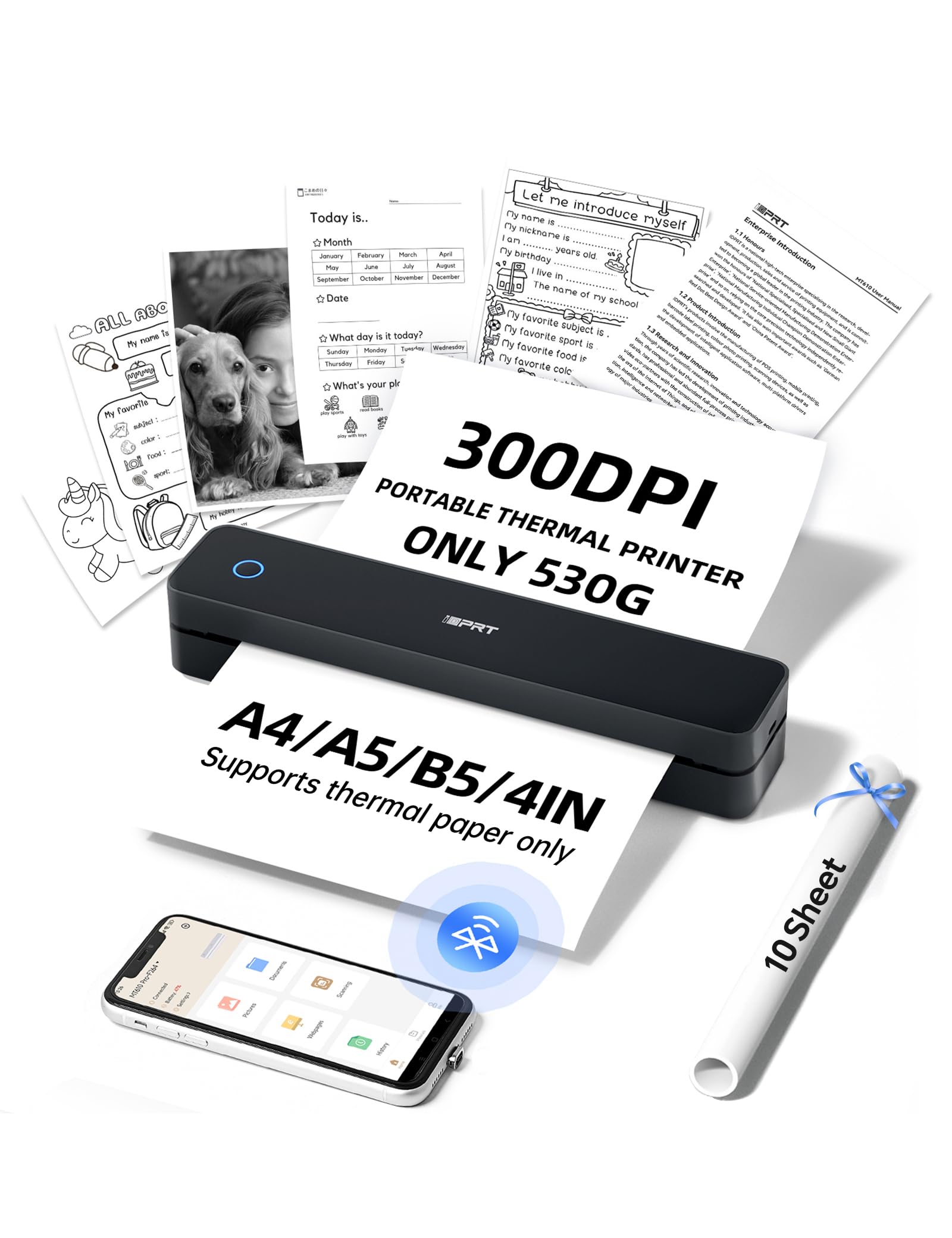
Where the D90E focuses on pure portability, the MT610Pro turns up the speed — it prints at 15 pages per minute, a 3.8x gap versus the D90E’s 4 ppm. That speed makes it a serious option for printing contracts at a coffee shop or boarding passes at the airport without making a room full of people wait. At 1.1lb, it weighs about the same as the D90E, and its 10″ length fits neatly beside a laptop in a work bag.
The 300 DPI resolution (a measure of dot density that defines sharpness) delivers professional-looking results, and the HerePrint app lets you print photos straight from Instagram or turn handwritten notes into PDFs. For laptops, a USB-C connection makes it act like a regular printer for Word docs and Excel sheets. The note about avoiding entirely black images is worth remembering — thermal heads aren’t meant for full-black coverage.
Buyers report the setup is genuinely easy, with the printer and app combo working on the first try, and the output quality exceeding expectations. It supports US Letter, A4, and A5 sizes, making it flexible for different document standards. This is the pick for someone who prints frequently enough that speed and print sharpness matter more than saving a few dollars.
Fast and faithful: 15 ppm speed with 300 DPI clarity makes it the quickest compact document printer here.
The honest catch: it’s single-sheet manual feed, so a long multi-page job means feeding pages one at a time.
Reach for this if: your printing involves a steady stream of text documents where speed and crispness actually matter.
Look elsewhere if: you want to feed a whole stack of paper at once, since this is a one-sheet-at-a-time machine.
3. MUNBYN MC240 Bluetooth Thermal Label Printer
A battery-powered label maker with a built-in paper bin, built for sellers who ship from anywhere.
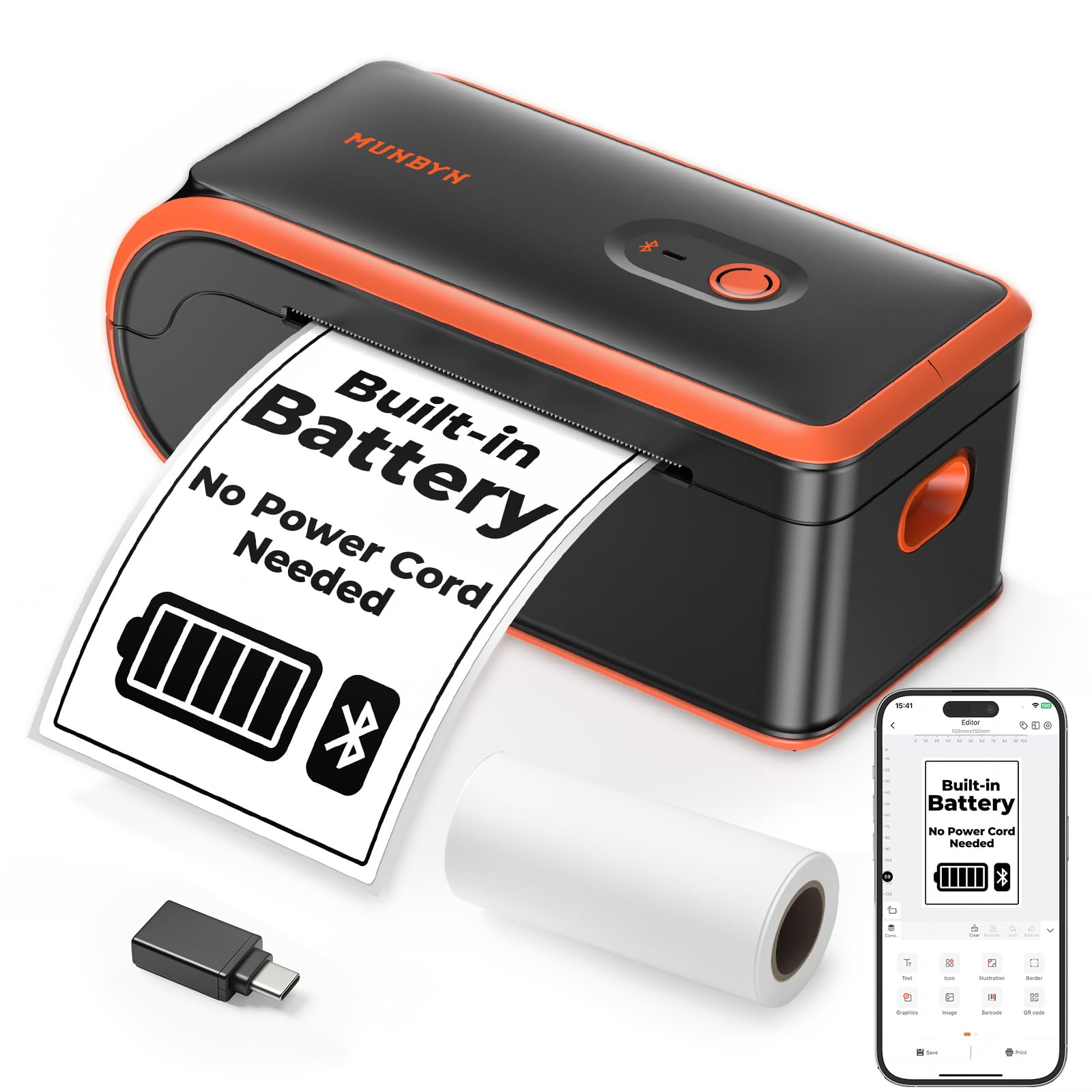
The MUNBYN MC240 is a rechargeable thermal printer that handles 4×6 shipping labels without needing a wall plug — a real advantage for mobile sellers working from a garage, a market stall, or the back of a van. Its built-in paper bin holds labels up to 52mm wide, roughly 50 to 150 labels depending on the roll, and supports widths from 1.57″ to 4.3″. The 203 DPI resolution produces scannable barcodes that keep packages moving through the system.
Compatibility is broad: it works with Amazon, eBay, Shopify, USPS, UPS, Etsy, PayPal, Poshmark, and DHL, as long as you save shipping labels as PDFs before printing. Connection options include Bluetooth via the MUNBYN Print App for iOS and Android, or USB for Windows and Mac. Owners praise the sharp print quality and the convenience of a battery, with one even buying a second unit for the road.
The trade-offs are real but manageable. Bluetooth connectivity earns mixed feedback — some report smooth device switching while others hit connection issues — and print speed is on the slower side. Reliability also gets mixed marks, with an occasional report of the battery dying mid-session. This is the right tool if its job is handheld shipping labels, not high-speed bulk printing.
What sells it
- Rechargeable battery frees you from wall outlets entirely
- Built-in paper bin keeps labels organized on the go
- Scannable 203 DPI barcodes for major shipping platforms
What to watch
- Bluetooth connections can be inconsistent for some users
- Print speed runs slower than wired label printers
- Occasional reliability hiccups reported mid-session
Your best bet for: on-the-go shipping labels where a tidy paper bin and battery power beat raw speed.
skip it if: you print hundreds of labels daily and need maximum throughput, since this leans toward slower operation.
4. Makeid P31 Industrial Label Maker

A 2000mAh industrial labeler that wraps durable legends around cables and wire on the jobsite.
The Makeid P31 is built for a specific kind of work: wiring and cable labeling where labels must survive real conditions. It supports up to 20 label sizes including self-laminating, nylon, and PET all-weather tapes, plus heat shrink tubing — a range that covers everything from a breaker panel to an outdoor run. The 300 DPI resolution (sharp enough for fine text) and a 1-inch print head that prints up to 8 lines of text double the information you can fit on a single label.
Battery life is the standout here — a 2000mAh cell delivers up to 90 days of use on a single charge, and it can print up to 60 labels per minute. It weighs just 1.27lb, and the Label Pro app offers 48 templates, 200+ icons, and 20+ fonts to speed up on-site labeling. Thermal transfer technology produces long-lasting, fade-resistant labels that hold up better than plain thermal output.
Owners rate the print quality as clean and clear, and the app as intuitive, with labels that peel easily and stick firmly on curved surfaces like cables. The honest caveats: Bluetooth range can be short (it loses connection quickly at a distance), and the print quality leans on bold, darker ink settings to avoid bare spots. There’s also a recurring complaint about labels being hard to peel from the backing, so buyer experience on that front is mixed.
Industrial-grade output: fade-resistant thermal transfer labels and a 90-day battery make it a jobsite workhorse.
Know before you buy: keep your phone close for Bluetooth, and use bold settings to get the cleanest print.
Pick this for: electricians and technicians labeling wire, cables, and bins with durable, all-weather tape.
Not for you if: you need long-range Bluetooth or you’re printing on standard letter paper rather than label cartridges.
5. JADENS C10 Battery Powered Thermal Printer
The cordless label printer that churns out 700-plus shipping labels on a single charge.
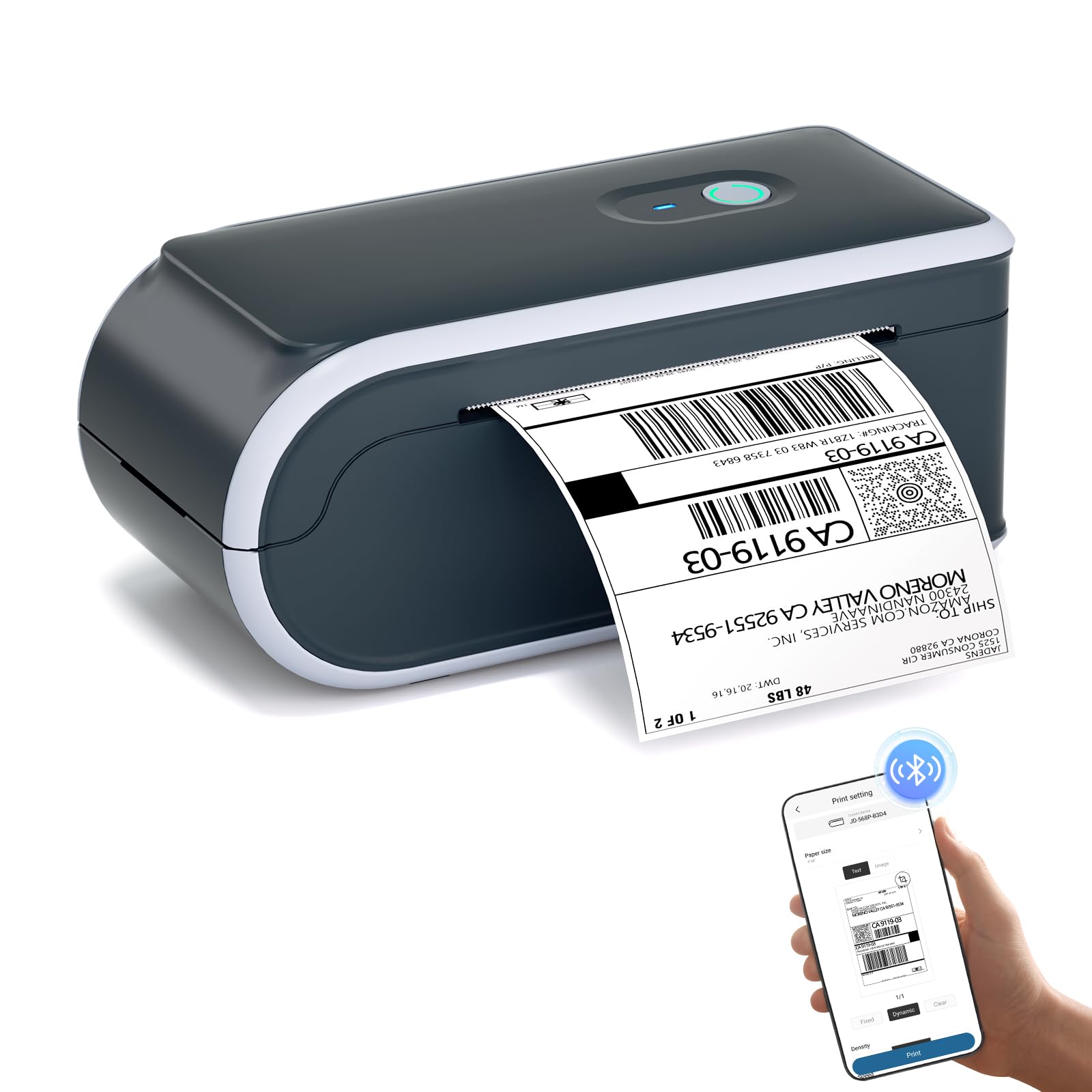
The JADENS C10 answers the biggest complaint about battery label printers — limited stamina — with a high-capacity rechargeable battery that prints 700+ labels per charge and holds a 25-hour standby time. For a seller working a weekend market stall or a temporary warehouse, that means a full day of shipping without hunting for an outlet. It’s built specifically for 4×6 shipping labels, with support for popular marketplace platforms.
Rock-solid Bluetooth 5.0 connectivity (the latest wireless standard, known for stable, long-range links) keeps a constant connection with iPhones, Androids, and Windows or Mac PCs, so you’re not fighting disconnects mid-run. The 203 DPI thermal head produces crisp, high-contrast barcodes that are scannable, and it uses ink-free thermal technology that’s waterproof and smudge-proof. It also auto-recognizes and scales Amazon FBA and return label templates.
Owners find it easy to set up — often under two minutes via the app — and praise print quality that rivals bigger names. The reality check: some report Bluetooth connectivity quirks, and the built-in paper bin only fits smaller-diameter rolls, not standard ones, so you may have to unravel a partial standard roll to make it fit. It’s also louder on startup than some, with an audible on/off beep.
The big wins
- 700+ labels per charge with 25-hour standby
- Stable Bluetooth 5.0 for phones and PCs
- Auto-scaling for Amazon FBA and return label templates
Fair warnings
- Bluetooth connectivity works for most, but not every device pairs smoothly
- Paper bin fits smaller rolls only, not standard diameter
- Loud startup beep that can’t be easily silenced
Reach for it if: your shipping volume is high enough that a full day of label printing on one charge is a genuine advantage.
Look elsewhere if: you want to use standard-diameter label rolls without any prep, since the bin is sized for smaller spools.
6. Phomemo M832D Touchscreen Portable Printer

A touchscreen display takes the guesswork out of printing, with a battery that handles 200 pages.
The Phomemo M832D stands out for its smart digital touchscreen, which shows battery level, connection status, and even identifies paper placement so you know exactly what’s happening before you hit print. That screen makes it genuinely beginner-friendly — you can check battery or adjust paper settings without any guesswork. It weighs 1.5lb, and tune motor algorithms reduce printing noise by 30% compared to earlier models.
Under the hood, a built-in 2600mAh battery delivers up to 200 pages of continuous printing on a single charge. The 300 DPI resolution keeps documents clear and professional, and it supports multiple paper sizes: 8.5″ x 11″ US Letter, A4, and rolls at 53mm, 80mm, and 110mm. That flexibility means a student can print class notes on roll paper while a business traveler handles contracts on letter size — all from the same device.
Bluetooth connectivity is tune to be 50% faster for phone and tablet printing, though laptops need a USB-C cable instead of wireless. Owners describe setup as a one-minute process, with sharp prints including QR codes and a bright color LCD that includes a power-saving mode. The mixed feedback lands on reliability — some report it stops working after about 5 prints — and connectivity, so treat it as a capable daily driver rather than a guaranteed flawless one.
Smarter than the average portable: that touchscreen plus 200-page battery life makes it the most approachable all-rounder here.
Keep in mind: occasional reliability and connectivity quirks mean it’s wonderful when it works, which is most of the time.
Your pick if: you value an on-device screen that removes the app confusion for family members or first-time users.
Not ideal if: you need rock-solid wireless laptop printing, since the Bluetooth is phone-and-tablet only.
7. Phomemo M08D Portable Printer with Touchscreen
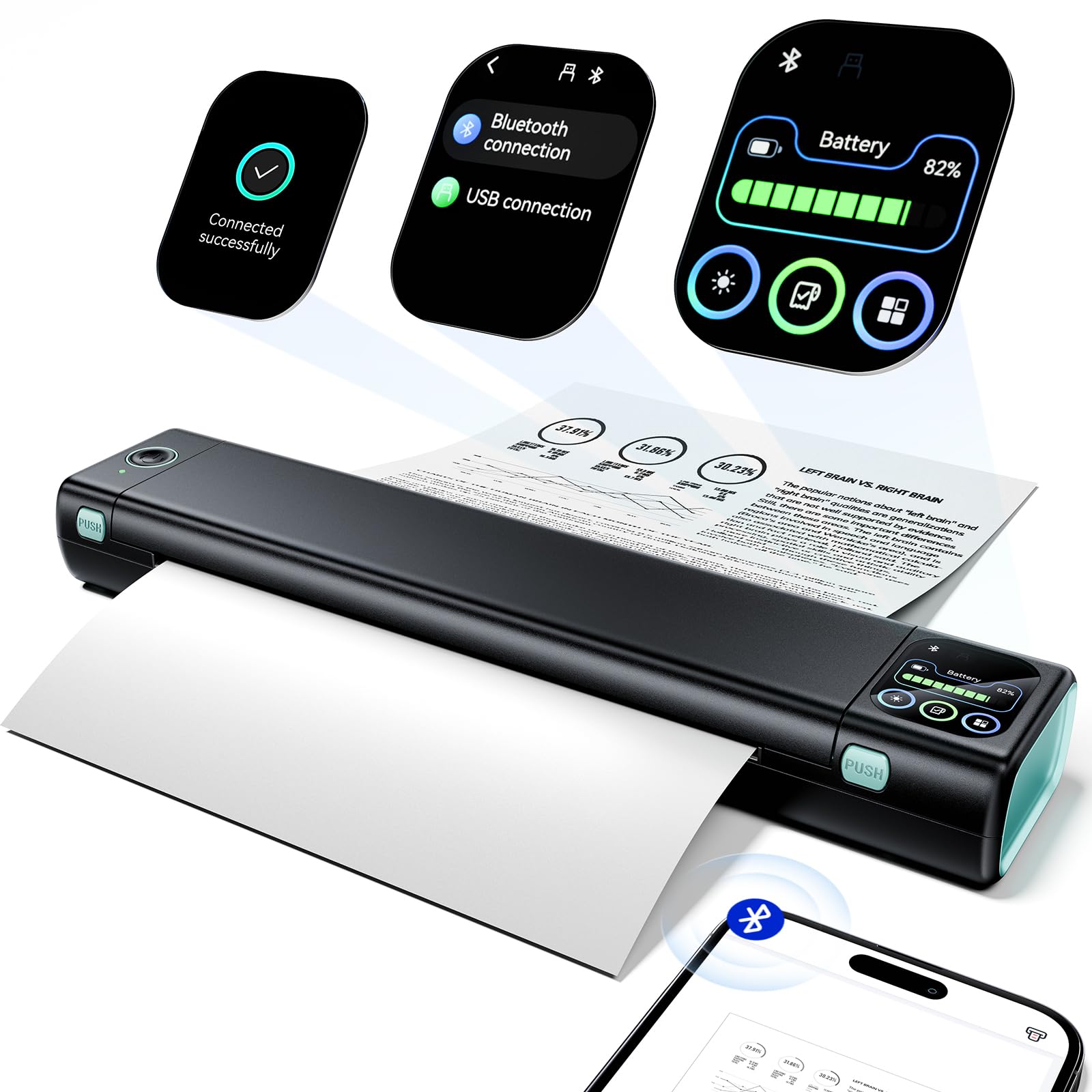
The sharpest text on the list at 600 DPI, wrapped in a 1.5lb frame built for travel.
The M08D pushes resolution higher than most portable thermal printers, hitting 600 DPI (dots per inch, a measure of print sharpness) for documents and labels that look closer to a full-size office printer. At 1.5lb, it’s light enough to slip into a backpack, briefcase, or car, and a built-in battery powers up to 150 pages of continuous printing per charge. The smart display shows printer status at a glance, killing battery anxiety.
Setup takes a couple of minutes, and owners describe it as one of the handiest tools they own, with surprisingly sharp print quality for documents, labels, and quick notes. It’s been specifically praised by truckers who print permits and paperwork on the road without stopping at a truck stop. Note that it’s thermal-only — you’ll need thermal paper, not regular printing paper. For laptops, print via a USB cable with a downloaded driver; Bluetooth is reserved for phone and tablet.
The honest gaps: a few owners found the printing process tricky to figure out at first, and there’s an occasional report of a unit failing after a week. The 150-page battery is a step down from the M832D’s 200, so if you print heavy-volume days, the bigger battery matters. It’s also a print-only device — no scanning or copying — so it’s about output, not an all-in-one.
What impresses
- Sharpest text output on the list at 600 DPI
- Smart display with step-by-step tutorials for beginners
- Perfect for truckers and travelers printing permits on the go
What to expect
- Thermal paper required — regular printing paper won’t work
- Bluetooth is for phones only; laptops need a USB cable
- Print-only, with occasional reports of early failure
Choose this for: the sharpest possible text documents from a small, travel-ready thermal printer.
Look past it if: you want more than 150 pages per charge or need wireless laptop connection.
8. Liene M200 4×6 Photo Printer Battery Edition

The only full-color pick here — a dye-sublimation photo printer with a battery for 40 prints.
The Liene M200 is a completely different beast from the thermal document printers on this list. It uses dye sublimation, where three primary colors penetrate the paper layer by layer, producing vibrant, full-color 4×6 photos. A final protective layer shields each print from water, scratches, and fading. For someone printing memories at a family gathering or travel moments on the road, this is the one that delivers true photo quality.
The rechargeable battery edition gives you 40 prints per charge, and it can also run plugged in so you’re never stranded. A built-in WiFi hotspot lets you connect in about 3 seconds without relying on an unstable home network, and up to 5 users can connect at the same time. The package includes 20 complimentary photo papers, one ink cartridge, and a power adapter — everything you need to start printing right away.
Owners describe the print quality as rivaling photo centers, with vibrant, clear, colorful prints that finish in about a minute each. The compact size and sleek design make it easy to carry, and the magnetic top lets you park the photo cassette neatly. The recurring mixed feedback lands on reliability and internet connectivity — some units work great while others struggle to stay consistent. It’s also the slowest here at 1 page per minute, so it’s for quality, not quantity.
Real photo lab in your bag: layer-by-layer dye sublimation makes colors pop with a protective, fade-resistant finish.
Worth knowing: at 1 ppm and 40 prints per charge, this rewards patience rather than volume.
Your match if: you want full-color, scratch-resistant photos printed away from any outlet.
Wrong tool if: you need fast text documents — this is a photo machine first, document printer never.
9. HP OfficeJet 250 Portable Printer (Renewed)

The only true all-in-one — print, scan, and copy from a briefcase-ready machine with real ink cartridges.
The HP OfficeJet 250 is the outlier on this list in the best way: it’s a genuine multi-function printer with print, scan, and copy capabilities, plus an auto document feeder. It’s not thermal, so it uses standard HP ink cartridges (62 Black and 62 Tri-color, with high-yield XL options), which means full-color documents and photos are possible. A 2.65″ color touchscreen and 20 ppm black-and-white speed make it feel like a full office printer that happens to fit in a car.
Mobile printing is a strength — the free HP ePrint app works from a smartphone or tablet, and Android users can connect via Wi-Fi Direct to a nearby OfficeJet 250. The long-lasting battery reduces charging interruptions, and the AC adapter charges it within 90 minutes while the printer is off. It’s a certified refurbished unit, tested to look and work like new, with a 90-day warranty.
Owners call it “small but mighty” — easy setup, lightweight, and fast at printing, copying, and scanning, making it the perfect mobile office companion. The honest caveats: as a renewed product, some units arrive with missing batteries or power cords (though sellers often reimburse), and battery life gets negative marks from some, with one reporting a faulty battery. It also lacks a paper output tray, so prints can fall to the floor on narrow surfaces.
The full-office advantage
- Print, scan, and copy in one portable unit with an auto document feeder
- Fast 20 ppm black-and-white, 19 ppm color
- Charges in 90 minutes while powered off
Renewed reality
- Some units arrive missing battery, cord, or ink
- Battery life is the most common negative mention
- No paper output tray — prints drop straight out
Pick this if: you need scan-and-copy in the field and want real ink-based color, not thermal monochrome.
Be cautious if: you’re wary of refurbished electronics — the battery is the most variable part of this unit.
Understanding the Specs
Thermal vs. Ink Technology
Thermal printers (like the D90E, iDPRT, MUNBYN, JADENS, and Phomemo models) use heat to darken special paper — no ink, toner, or ribbons, which cuts ongoing costs dramatically. The trade-off is you’re locked into thermal paper, and most are black-and-white only. The HP OfficeJet 250 bucks this with real ink cartridges for full color, at a higher per-page cost. The Liene M200 uses dye-sublimation, a third path that produces photo-quality color but needs special paper-and-ribbon kits.
Battery Capacity in Pages
The real-world battery metric is pages per charge, not milliamps. The JADENS C10 leads with 700+ labels per charge for high-volume shipping, while the Phomemo M832D does 200 pages for mixed documents, and the Liene M200 stops at 40 prints since photo printing draws more power. Match that number to how many pages you actually print in a session — a student needs far less than a weekend-market seller.
FAQ
Can a battery powered printer print without any electrical outlet at all?
Do thermal printers need ink or toner cartridges?
Can these printers print in color?
Does Bluetooth work for laptop printing, or just phones?
Will a 4×6 label printer work for regular letter-size documents?
What does DPI mean and why does it matter?
How many pages can I print on a single battery charge?
Can I use regular printer paper in a thermal printer?
Is a battery powered printer good for a truck driver?
Is the HP OfficeJet 250 worth considering if it’s refurbished?
Final Thoughts: The Verdict
For the majority of shoppers, the battery powered printer winner is the ETIKEZ D90E because it nails the core promise — full letter-size documents with zero ink costs, at a featherlight 1.09lb with a protective travel case. If you want speed and sharper output, grab the iDPRT MT610Pro at 15 ppm with 300 DPI. And for high-volume shipping labels, the JADENS C10 is the one to reach for with its 700+ labels per charge.
How We Picked
We do not accept paid placement. Every pick is matched to a real buyer and a real use-case; we do not hands-on test units.
Sources & Methodology
Specifications: manufacturer listings and product documentation. Review insights: verified customer reviews, as of August 2026. Pricing: not shown on this page (it changes often); check the current price via the retailer link.
As an Amazon Associate, Gadgets Feed earns from qualifying purchases. This does not affect which products we feature.