
Our readers keep the lights on and my morning glass full of iced black tea. As an Amazon Associate, I earn from qualifying purchases.
Specs are compiled from manufacturer listings and verified buyer reviews and can change over time — please confirm the key details on the product page before buying.
If you have a shoebox of 3.5-inch floppy disks in a closet, you already know the problem: no modern laptop or desktop has a slot for them anymore. An external USB floppy drive is the only practical bridge between those old disks and your current computer, letting you pull off family photos, old school projects, or archived work before the magnetic data fades for good.
I’m Min — the founder and writer behind Gadgets Feed. This guide is built by comparing the manufacturers’ published specifications and the patterns across verified customer reviews, so you get each pick’s real strengths and trade-offs instead of marketing spin.
You want a floppy drive that reads your disks cleanly on the first try, works with your operating system, and powers straight from a USB port—no extra software, no wall adapter. The YEY reader does exactly that, which is why it tops this list.
Our Picks at a Glance

How To Choose The Best Floppy Drive
An external floppy drive is simple hardware. The real question is whether it can handle your disks, your computer, and your operating system without drama—here is what you need to know before buying.
Disk condition is the real bottleneck
Most floppy disks are decades old, and the magnetic coating on them degrades over time. A brand-new drive cannot fix a disk that has already rotted, so set your expectations accordingly if you are rescuing data from the early 2000s.
USB-A versus USB-C makes a difference
Newer laptops, especially ultra-thin models, may only have USB-C ports. Some drives ship with both USB-A and USB-C connectors built in, which means you do not need to hunt for an adapter before you can read your disks.
Operating system support matters more than you think
Most drives work with Windows 11, 10, 8, 7, and older versions like XP, but Mac and Linux compatibility is not guaranteed. Check the product’s stated OS list carefully before buying, especially if you are on a Mac.
Quick Comparison
| Model | Best For | Connector | Weight | Disk Types | Amazon |
|---|---|---|---|---|---|
| YEY USB Floppy Reader★ Best Overall | Overall reliability | USB-A / USB-C | 150g | 1.44 MB | Amazon |
| GODBPNYMU Floppy DriveMac & Linux Pick | Mac and Linux users | USB-A / USB-C | Compact | 1.44 MB only | Amazon |
| Tendak Floppy Reader | Recovering old photos | USB-A / USB-C | Lightweight | 720 KB / 1.44 MB | Amazon |
| RAAYOO Floppy Disk Reader | Windows-only users | USB-A / USB-C | 9.91 oz | 1.44 MB, 3.5-inch | Amazon |
| Yaeonku Floppy Drive | Plug-and-play simplicity | USB-A / USB-C | Compact | 1.44 MB | Amazon |
| Mougerk Floppy Drive | Legacy Windows systems | USB | Portable | 720 KB / 1.44 MB | Amazon |
| wintale Floppy Drive | Everyday desk use | USB-A / USB-C | 0.74 lb | 1.44 MB | Amazon |
In-Depth Reviews
1. YEY USB 3.5-inch Floppy Disk Reader
Our pick — over 4★ from 400+ verified ratings; the strongest balance of quality and price.
The dependable first pick that makes old disks readable on both Windows and Linux machines
The YEY reader earns its top spot by covering the two things that frustrate floppy owners most: broad system compatibility and clean data reads. It works with Windows 11/10/8/7/XP and Linux, and it connects through either a USB Type-C or USB Type-A port—so whether you are on a modern ultrabook or an older desktop, you can plug in without hunting for an adapter.
What wins people over is the compatibility — it is the single most-praised aspect of this drive. Owners have pulled photos stored on 3.5-inch floppy disks straight onto modern computers, and the included USB-C connection gets positive mention for saving people from buying extra cables. The whole unit weighs roughly 150g, which makes it genuinely portable, and the anti-skid pads on the bottom keep it stable while the drive spins.
The honest catch here is about old disks, not the drive itself. Buyers report that while the reader handles brand-new floppy disks without issue, some aged disks that have been sitting for decades may read once or not at all—and the drive cannot copy data from a disk that has already degraded. That is a physical reality of 20-plus-year-old magnetic media, not a flaw in the hardware.
Why it wins
- Dual USB-A and Type-C connectors cover old and new computers
- Works with Windows 11/10/8/7/XP and Linux, no driver needed
- Bus-powered via USB, so no wall adapter required
Know the limits
- Aged disks may read once or fail entirely, as owners mention
- Small buffer means Linux users may need rate limiting for file transfers
Reach for this if: you want one drive that works with both Windows and Linux and offers USB-C flexibility for a modern laptop.
Look elsewhere if: you are trying to rescue badly degraded disks — no external drive can revive media that has already rotted.
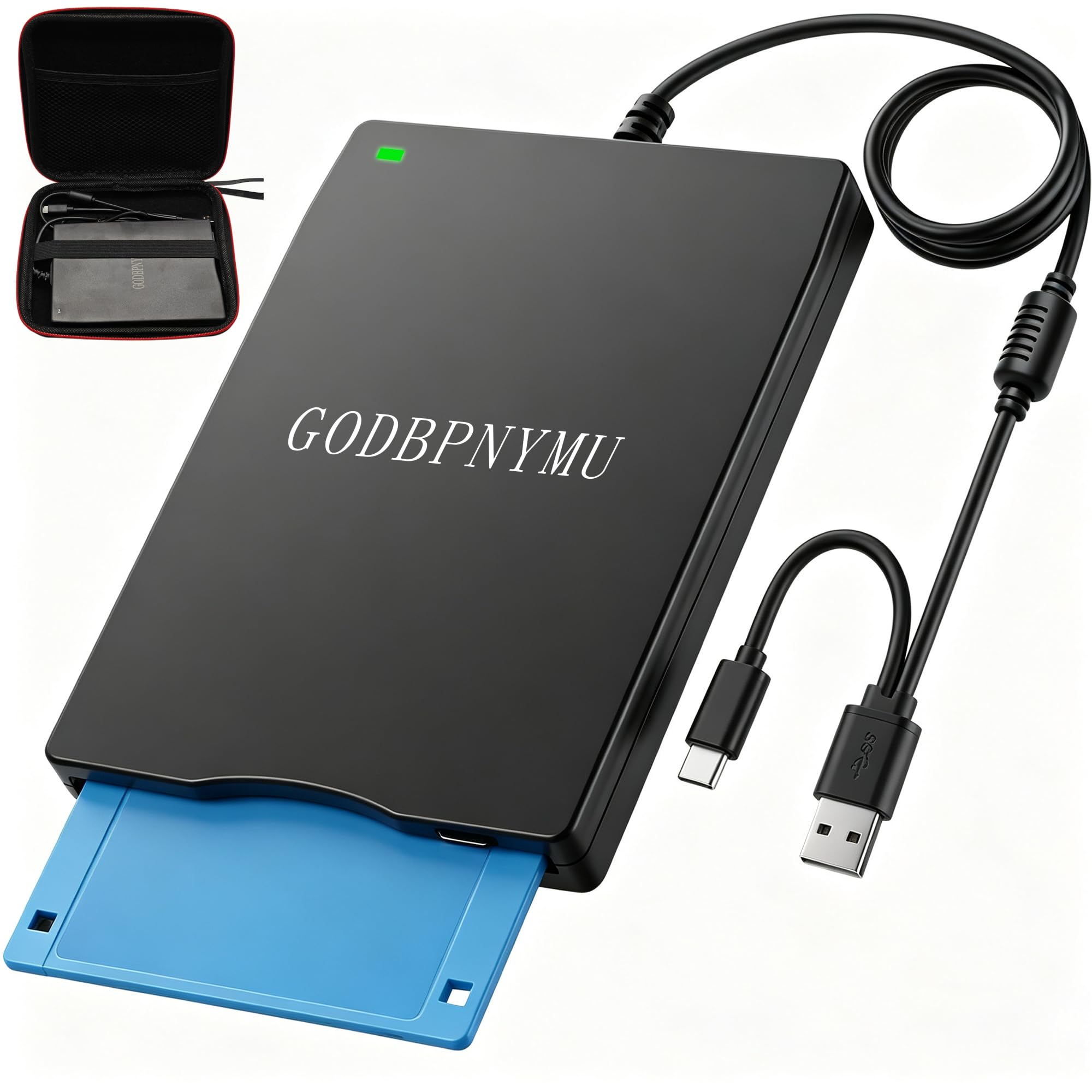
2. GODBPNYMU 3.5-Inch External USB Floppy Drive
The only pick here that openly supports Mac OS and Linux alongside Windows
If you run a Mac, this is the drive to pay attention to. Most external floppy readers in this space say Windows only, but the GODBPNYMU unit lists compatibility with Windows ME/2000/XP/Vista/7/8/8.1/10/11 as well as Mac OS and Linux. That makes it the rare option that fits into a mixed household with different computer brands.
It brings both USB-A and USB-C ports, so a modern MacBook without a classic USB-A port can connect directly through USB-C with no adapter. Owners highlight the plug-and-play installation, the solid build, and the compact, lightweight design, and the included zipper pouch is a genuinely useful extra for keeping the drive safe in a drawer or bag.
There is one important spec note to remember: this drive reads and writes 1.44 MB high-density floppy disks only, and it does not support 720 KB low-density disks. If your collection includes older 720 KB disks, this model will not read them, so check your media before committing.
Who this suits: Mac owners who need a floppy drive and want USB-C connectivity without an adapter. The double-connector design and cross-platform support make it the most flexible option in this list.
Best for: anyone on macOS or Linux who needs to read 1.44 MB floppies and values the bundled pouch for storage.
Not for: users with 720 KB low-density disks — this drive skips that format entirely.
3. Tendak Floppy Disk Reader

A faster reader that cracked open 98% of the files on 30 old disks
The Tendak reader stands out on raw data recovery, not just compatibility. One owner described replacing a previous reader that failed on 10 disks, then using this Tendak unit to successfully open 98% of the files across 30 disks — including 25-year-old photos. That kind of real-world success rate is exactly what you want when the data on your floppies is irreplaceable.
It reads 720 KB and 1.44 MB floppy disks and connects through USB-A or Type-C with no external power supply. The polycarbonate enclosure keeps weight down, and the one-touch ejection button makes swapping disks a smooth, single-action move. Owners also note it is a plug-and-play experience on Windows 11, with the system auto-loading the driver.
Functionality is the aspect owners praise most here — the drive simply does what it is supposed to do. The guidance to plug into the back USB port of a desktop case is worth following; that direct connection delivers steadier power than a front-panel or hub connection.
Strength
- Recovered photos from 30 disks at a 98% success rate in one owner’s experience
- Reads both 720 KB and 1.44 MB floppy formats
- One-touch ejection for quick disk swaps
Watch out
- Best results come from a direct rear USB port, not a hub
- Cannot run with Chromebook, Surface, TV, phones, or cars, per the specs
Reach for this if: your priority is pulling photos and documents off a large stack of old disks with a high success rate.
Consider something else if: you need to connect to a Chromebook or a non-PC device, which this drive does not support.
4. RAAYOO Floppy Disk Reader

The ultra-slim 0.63-inch drive built for nostalgia trips on the go
If you want a floppy drive that disappears into a bag, grab the RAAYOO reader. At only 0.63 inches thick and 0.52 lb, it is among the slimmest options in this list, and the 24-month replacement promise from the maker adds genuine confidence that budget drives rarely offer.
It reads and writes 3.5-inch 1.44 MB floppies through a USB 2.0 or Type-C connection, with no driver installation required. Owners describe the disc functionality and file transfer as the standout positives, and the nostalgic sound of the drive reading a disk is something several reviewers actively enjoy—it is a small sensory time machine back to the 1990s.
The catch is that this drive is strictly Windows-only. It works with Windows 11/10/8.1/7/2000/XP but is not compatible with Mac OS or Chrome, so Apple users need to look at a different option. Also, some owners note the drive can be slow on newer PCs, which is normal for floppy hardware — 1.44 MB is ancient technology moving data at a leisurely pace.
Why it stands out: the 0.63-inch profile and 24-month warranty make it the most travel-friendly, most protected purchase in the lineup — assuming you are on Windows.
Best for: Windows users who want a barely-there drive they can toss in a backpack with confidence, backed by a two-year replacement promise.
skip it if: you are on a Mac or Chromebook — this drive does not support those systems.
5. Yaeonku Floppy Disk Reader
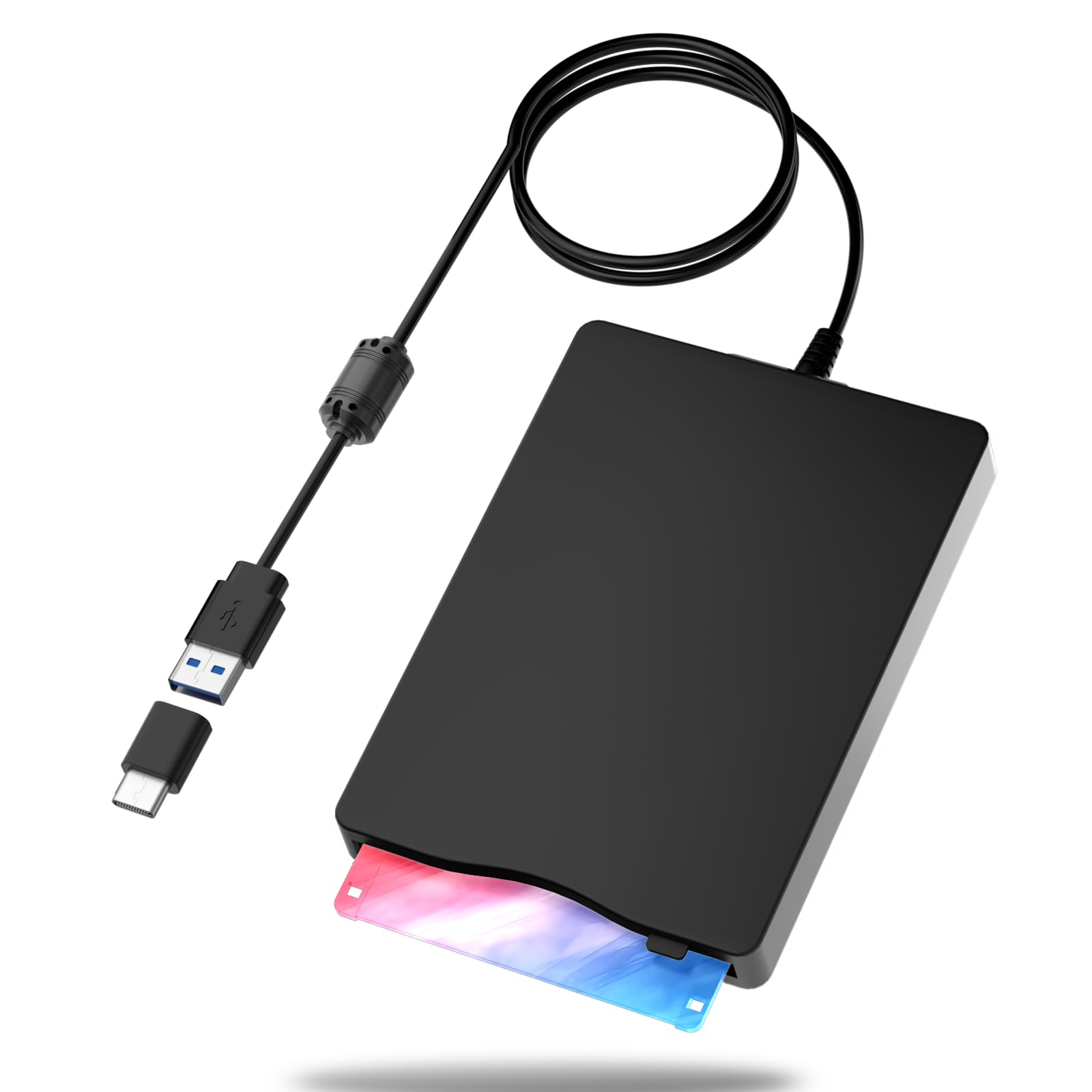
The no-software drive that resurrected late-1980s files in minutes
The Yaeonku reader is built for people who want zero setup friction. It is genuinely plug-and-play, with no extra driver required, and it supports Windows 2000, XP, Vista, 7, 8, 10, and 11. The USB 3.0 interface is worth a mention because it means the drive is future-proof for modern ports.
Owners describe recovering files from floppy disks dating back to the late 1980s—spanning roughly 30 disks—with the drive installing “in a snap.” The shockproof construction and low-noise operation are the kind of details that make it feel sturdier than its budget-tier siblings, and the nostalgic whir of the read head is part of the charm.
The reliability picture here is honestly mixed. While many customers note smooth recoveries, a smaller number say the drive would not accept 3.5-inch floppies at all, and some report trouble specifically with 720 KB disks. If your collection is all standard 1.44 MB floppies, you are in the safe zone; older or damaged media is a gamble with any drive.
What you get
- True plug-and-play across Windows 2000 through Windows 11
- USB 3.0 interface keeps it compatible with modern ports
- Shockproof, low-noise build adds durability
Heads up
- Reliability is mixed, with some owners reporting it refusing some disks
- 720 KB floppy compatibility is not guaranteed
Reach for this if: you want the simplest possible connection experience on a Windows machine with standard 1.44 MB disks.
Think twice if: you have 720 KB floppies or heavily aged media, where this drive’s reliability gets inconsistent.
6. Mougerk Floppy Drive
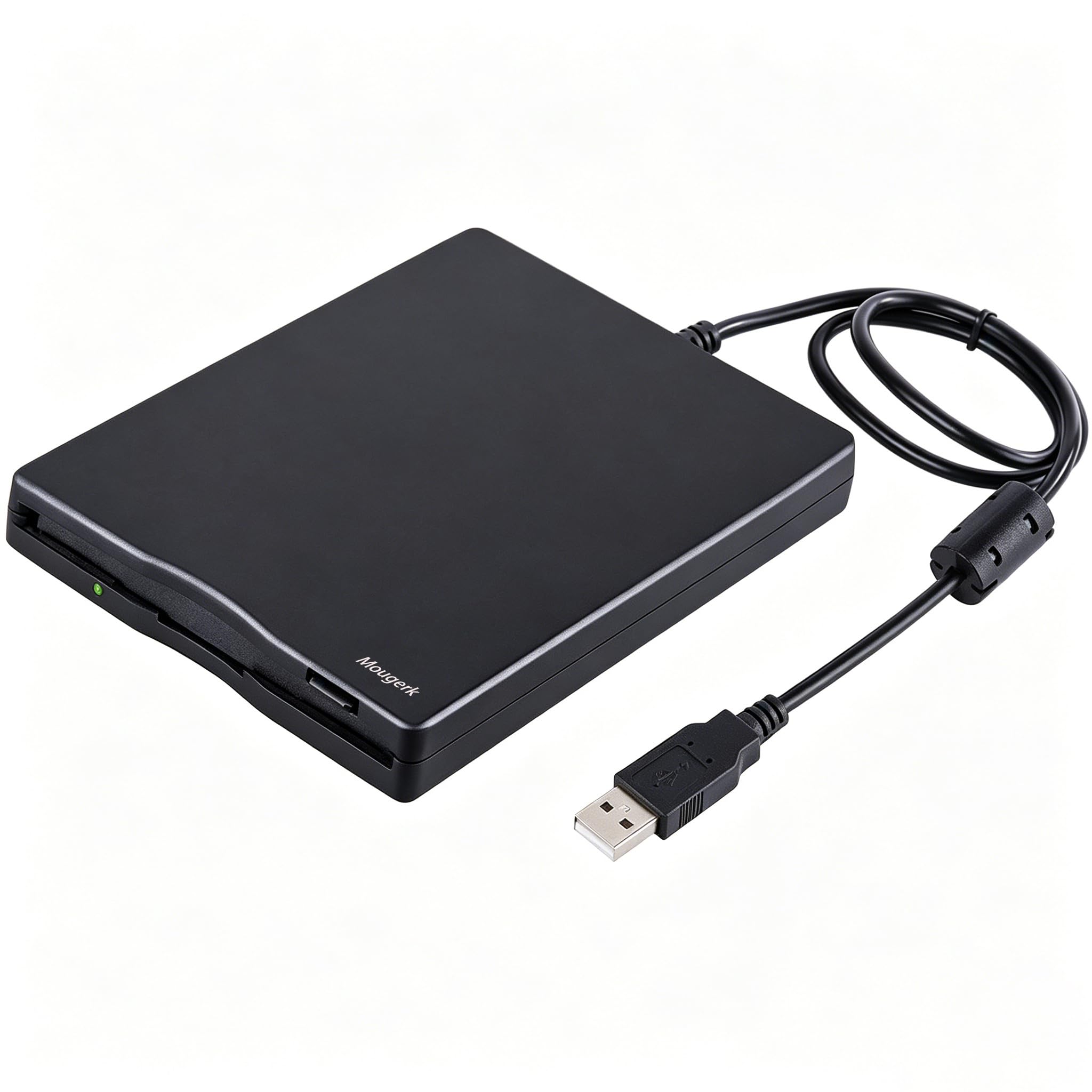
The widest OS net here, reaching back to Windows 98 for industrial and legacy gear
The Mougerk drive is the most flexible for ancient operating systems. It supports Windows 98/SE/ME/2000/XP/Vista/Win 7/Win 8/Win 10, plus Mac, Dell, Acer, Sony, and HP machines, and it reads both 720 KB and 1.44 MB floppy disks. If you are feeding data to industrial machinery or an old CNC rig, that 98/SE/ME coverage matters.
Owners consistently praise how easy it is to set up — Windows auto-loads and installs the driver, and people have used it to transfer cherished recordings and old files without any configuration. The plug-and-play functionality and overall value for money are the aspects that get the most positive feedback.
The honest caveat here is mixed functionality. While many disks read cleanly, a portion of reviewers point out the drive becoming unreliable after a few disks, prompting format prompts, or failing to read some media entirely. The maker also recommends plugging directly into the rear USB port of a motherboard, since a hub or extension cord may not deliver enough power for reliable recognition.
Who it fits: the rare buyer connecting floppy storage to industrial machines or very old Windows systems that need 98/SE/ME support. For everyday home use, newer options are steadier.
Best for: legacy industrial equipment and vintage Windows setups spanning 98 through 10, where OS breadth beats everything else.
Not ideal for: one-off home archival jobs, where mixed reliability makes newer drives a safer bet.
7. wintale External Floppy Disk Drive
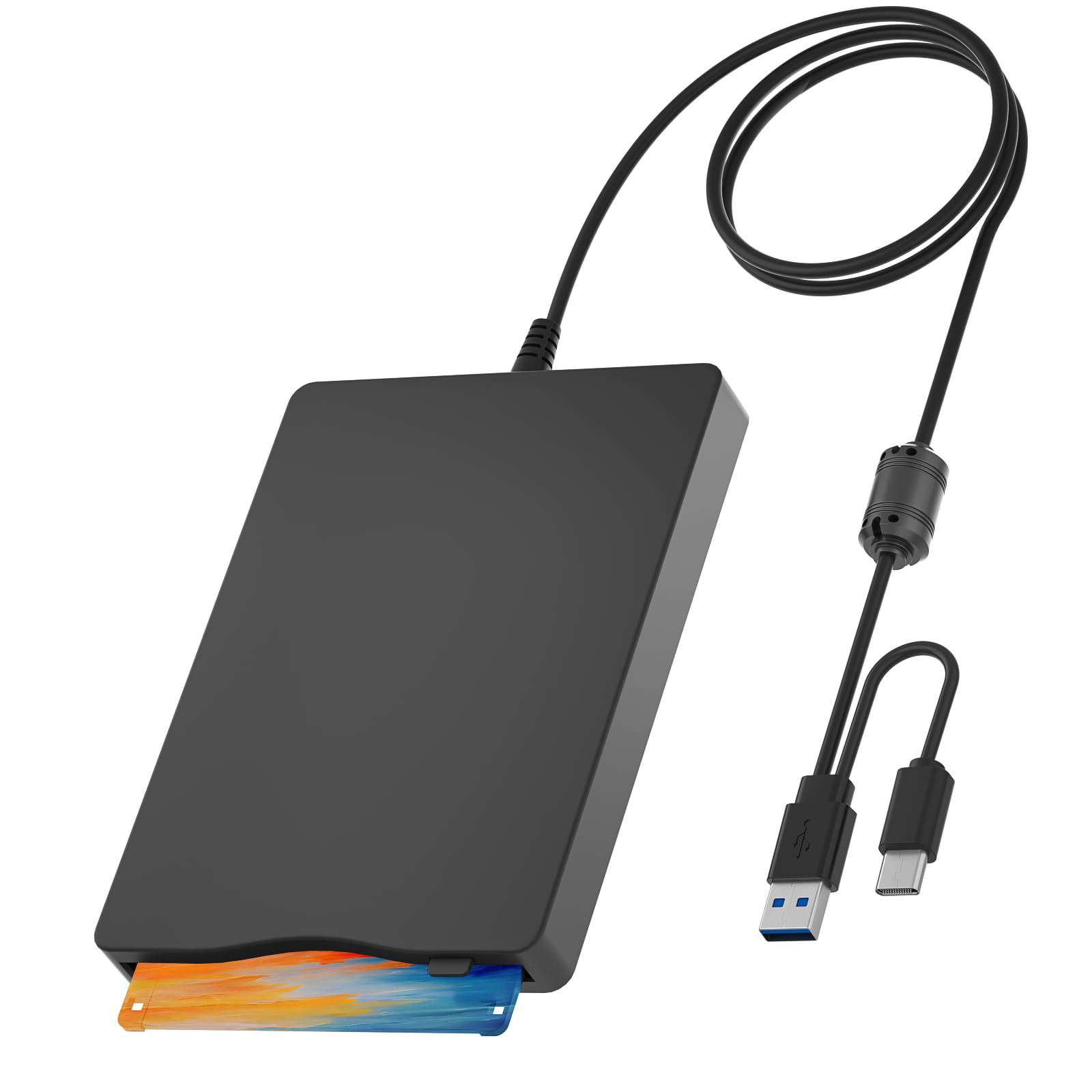
A budget-friendly desk companion that saved one owner the cost of a transfer service
The wintale drive makes a strong value argument: one owner realized a data-transfer service wanted more for migrating their floppy collection than this whole drive costs. That single use case — doing the job yourself instead of paying a service — is exactly the scenario where a budget floppy drive pays for itself.
It weighs just 0.74 lb and measures 8.07 x 5.7 x 1.06 inches, small enough to slip into a bag or purse. The hard plastic shell handles everyday wear and tear, and the drive connects via USB-A or USB-C for compatibility across Windows 2000/XP/Vista/7/8/10/11 machines. Owners confirm it works well in a USB 3.0 slot, where power delivery is strong enough to run the drive reliably.
Functionality here is genuinely split down the middle in the review data. Some shoppers say flawless operation, while others describe the drive working for about 15 disks before the computer stops recognizing it — a pattern that suggests this is a buy-it-for-one-job device rather than a daily workhorse. Compatibility with Mac OS is also flagged as unreliable, so Windows users get the best experience.
Why buy it
- Saves money versus paid disk-to-digital transfer services, as owners note
- Dual USB-A and USB-C connectors work with modern and older laptops
- 0.74 lb weight makes it genuinely portable
Consider this
- Some buyers report the drive stops being recognized after transferring about 15 disks
- Mac OS compatibility is mixed, so Windows is the safer bet
Reach for this if: you have one batch of floppies to convert and want to avoid paying a transfer service to do it.
Look elsewhere if: you need a drive for frequent, long-term use — the reliability reports suggest a one-job tool here.
Understanding the Specs
1.44 MB vs 720 KB Capacity
The 1.44 MB rating is the standard high-density floppy format, developed in the late 1980s and used throughout the 1990s. Some drives also read 720 KB low-density disks from the earlier era. Check which formats your disks are before buying, since several modern drives only support 1.44 MB and will simply ignore 720 KB media.
USB-A vs USB-C Connectivity
USB-A is the classic rectangular port found on older computers, while USB-C is the oval port on most modern laptops and phones. Drives with both connectors built in are the most flexible, because they let you plug into any machine without carrying an adapter. All the drives here are bus-powered, meaning they draw power straight from the USB port with no wall adapter needed.
FAQ
Will an external floppy drive work with my Windows 11 computer?
Can I read 720 KB low-density floppy disks with these drives?
Do these floppy drives work with Mac computers?
Why won’t my floppy drive read some of my old disks?
Do I need to install a driver to use an external floppy drive?
Does an external floppy drive need its own power adapter?
Is it better to use a USB hub or plug directly into the computer?
Can I use a floppy drive to transfer data to industrial machines?
How fast does data transfer happen on a USB floppy drive?
What should I do if my floppy drive stops being recognized mid-transfer?
Final Thoughts: The Verdict
If you want one dependable pick, the floppy drive winner is the YEY USB Floppy Reader because it pairs dual USB-A and Type-C connectivity with reliable reads on both Windows and Linux at a friendly weight. If you need Mac OS and Linux support with a bundled pouch, the GODBPNYMU is the one to grab. And for recovering a big stack of old photos, the Tendak has the strongest single owner success story in the lineup.
How We Picked
We do not accept paid placement. Every pick is matched to a real buyer and a real use-case; we do not hands-on test units.
Sources & Methodology
Specifications: manufacturer listings and product documentation. Review insights: verified customer reviews, as of August 2026. Pricing: not shown on this page (it changes often); check the current price via the retailer link.
As an Amazon Associate, Gadgets Feed earns from qualifying purchases. This does not affect which products we feature.