
Our readers keep the lights on and my morning glass full of iced black tea. As an Amazon Associate, I earn from qualifying purchases.
Specs are compiled from manufacturer listings and verified buyer reviews and can change over time — please confirm the key details on the product page before buying.
You want a 512GB external drive that fits your life without slowing you down. The market splits into two camps: pocket-sized solid-state drives (SSDs, which use memory chips for fast data access) that shift files at a lightning pace, and traditional spinning hard drives that trade speed for bulk capacity. For most people, a 512GB portable SSD is the balance — it holds your entire photo library, a hefty game install list, or a full backup of your documents, all in a device smaller than a phone. The real question is how fast you need it to move data, and whether that speed is worth the jump in price over a basic model.
I’m Min — the founder and writer behind Gadgets Feed. This guide is built by comparing the manufacturers’ published specifications and the patterns across verified customer reviews, so you get each pick’s real strengths and trade-offs instead of marketing spin.
Weighing transfer speeds, build quality, and device compatibility, this breakdown of the best 512gb external hard drive options helps you match the right storage to your daily workflow without overpaying for speed you will never use.
Our Picks at a Glance


How To Choose The Best 512GB External Hard Drive
Before you click buy, decide what matters most: raw speed, rugged durability, or smooth compatibility with your phone and laptop. A 2100MB/s drive (megabytes per second, a measure of data transfer speed) is a joy for video editors, but that speed is wasted if you only plug it in for weekly backups.
Match the Interface to Your Ports
The interface dictates the speed ceiling. USB 3.2 Gen 2×2 drives promise bursts up to 2100MB/s, but you need a matching port on your computer to see it. If your laptop only has a standard USB 3.0 port, a drive rated at 550MB/s will perform at the same real-world speed as a top-tier model — so check your machine’s ports before paying a premium.
Avoid the “One-Size” Cable Trap
Not every drive comes with the right cable for your devices. Look for models that include a USB-C to C cable and a USB-A adapter, or a built-in dual connector. This saves you from the frustrating moment when your new drive arrives and you realize your tablet needs a different cable than your PC.
Quick Comparison
| Model | Best For | Max Read Speed | Interface | Enclosure | Amazon |
|---|---|---|---|---|---|
| KingSpec Z5★ Best Overall | Gamers & Speed Chasers | 2100MB/s | USB 3.2 Gen2x2 | Zinc Alloy | Amazon |
| Netac US8Best Value | Budget-Friendly Value | 550MB/s | USB 3.2 Type-C | Metal | Amazon |
| SSK Portable SSDTop Performer | Reliable Backups | 550MB/s | USB 3.2 Gen 2 | Aluminum | Amazon |
| ORICO G201 | iPhone & 4K Video Creators | 1050MB/s | USB C + USB A | Zinc Alloy | Amazon |
| MOVE SPEED SP20 | High-Speed Dual-Interface | 2100MB/s | USB 3.2 Gen2x2 | Zinc Alloy | Amazon |
| ORICO M25PRO | Drop-Resistant Portability | 460MB/s | USB 3.2 Gen 1 | Metal | Amazon |
| Lexar TouchLock | iPhone & Security-First Users | USB 3.2 Gen 2 | USB-C | Magnetic Slim | Amazon |
| Netac ZX20 | Business Travel | 2000MB/s | USB 3.2 Gen 2 | Aluminum | Amazon |
| Kingston Dual USB-A/C | Cross-Platform Flexibility | 1050MB/s | USB 3.2 Gen 2 | Metal | Amazon |
In‑Depth Reviews
1. KingSpec Z5 512GB External SSD
Our pick — 4.5★ from 400+ verified ratings; the strongest balance of quality and price.
The speed demon with a light show for gamers who hate waiting.
If you are loading games, rendering videos, or moving huge project files, the KingSpec Z5 leads the charge with transfer speeds up to 2100MB/s over a USB 3.2 Gen2x2 interface (a type of connection that carries data twice as fast as standard USB-C). That raw pace is the fastest on this list, and buyers report it makes game loading on laptops rapid and smooth. The drive’s defining spec is its speed, but the 128-color breathing RGB light on the case is what makes it stand out on a desk.
This is a future-focused buy: you only see those 2100MB/s speeds if your laptop has a USB 3.2 Gen2x2 or Thunderbolt port. On older USB ports, it drops to the same speed as cheaper rivals, which is why the MOVE SPEED SP20 below is a smarter choice if your gear is a few years old. The zinc alloy casing keeps things cool and shrugs off bumps, and the whole package is small enough to slip into a pocket for on-the-go use. It works with PS4, laptops, TVs, and Android phones, though the maker explicitly notes it is not for Apple iPhone use.
The crowd favorite — 4.5 stars across 400+ owners — is the speed, with storage capacity for gaming laptops being the most-praised feature. The reviews sum up the experience: “Big, fast, sturdy cable; zero issues for 9 months.” The honest trade-off is that reliability gets mixed feedback, and the brand warns the speed drops to 10Gbps (gigabits per second, a data transfer rate) on Apple MacBooks. Owners mention it is a great fit if you are on Windows 10/11, an iPad Pro, or a Steam Deck, where it works flawlessly after formatting to exFAT (a file system that both Windows and Mac can read).
Blazing Pace & Build
- True 2100MB/s speed for rapid game loads
- Zinc alloy shell stays cool and resists drops
- Includes a sturdy, long USB-C cable
Compatibility Caveats
- Full speed needs a Gen2x2 port
- Not built for Apple iPhones
- Long-term reliability is a mixed bag
Reach for this if: you have a modern Windows PC or gaming laptop and want the fastest 512GB transfer speeds available.
Tread carefully if: you are an iPhone user or your computer predates USB 3.2 Gen2x2 — you will not open up its top speed.
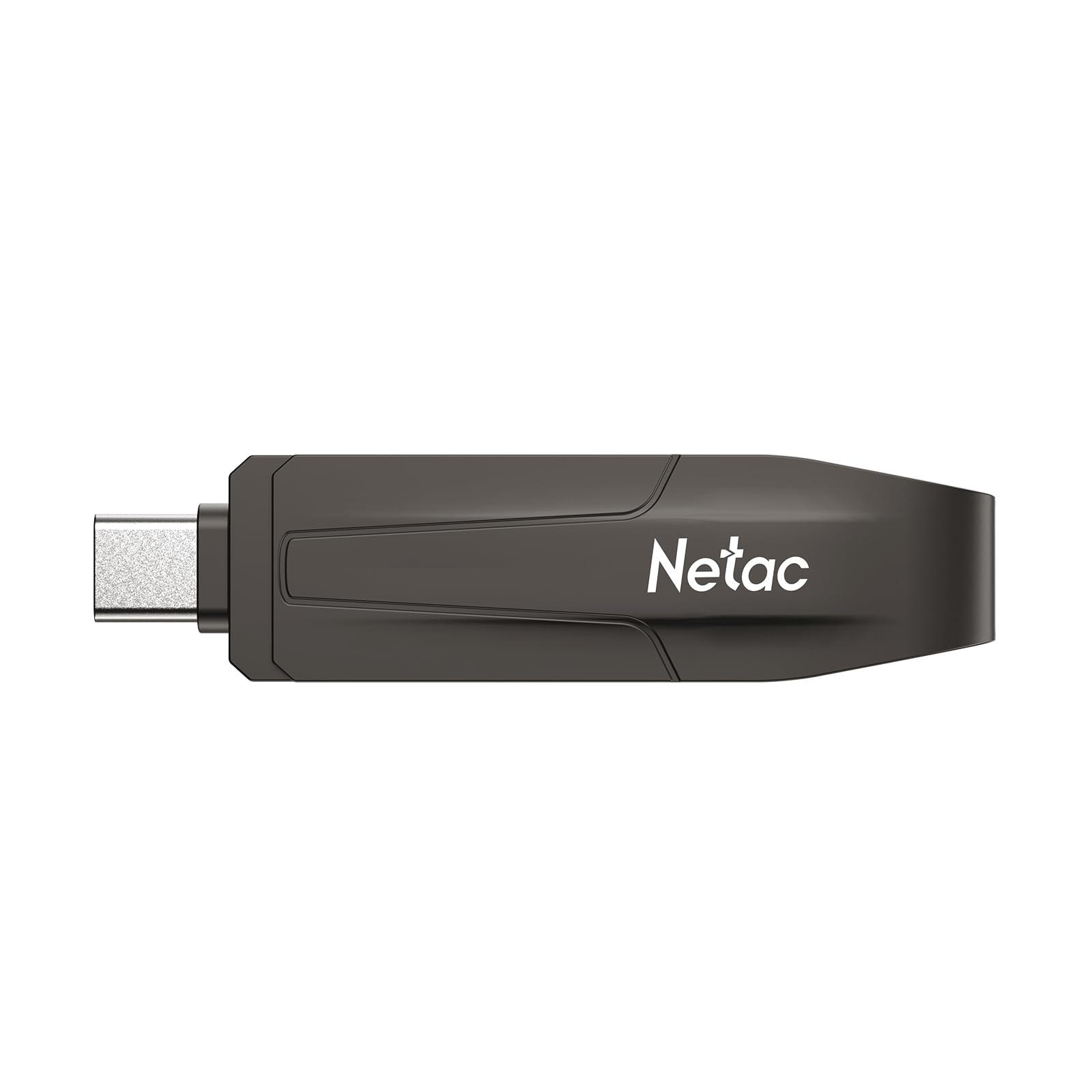
2. Netac 512GB Portable External SSD (US8)
A budget-friendly metal stick that punches far above its price for speed.
The Netac US8 is the entry-level champion here, and the reason is its price-to-performance ratio. With a read speed of 550MB/s and a write speed of 420MB/s over a USB 3.2 Type-C connection, it moves files about as fast as drives costing twice as much. The dual-interface design (meaning it works with both USB-C and older USB-A ports) makes it a versatile first SSD for laptops, desktops, tablets, and even in-car music systems.
Owners are impressed that it is metal, giving it a reassuring bit of weight without being heavy. This is a great pick for file backups where speed matters but you do not want to spend on NVMe-level performance. However, the honest feedback is that it runs warm — a few owners note it gets “very warm, on the verge of being hot” during large transfers, which raises concerns about long-term lifespan. It also will not boot your PC, and despite the description, it does not work with an iPhone 15 Pro without extra effort.
The core value here is undeniable: “Extremely fast and reliable. Great value for the storage and speed” is the recurring verdict. Compare it to the KingSpec above and you are trading 2100MB/s for 550MB/s, but you are also saving a significant chunk of money. The mixed reviews on heat mean this is best for occasional large transfers, not continuous heavy workloads.
The smart budget call: This is the drive to grab if you want SSD speed for everyday file moves without paying for top-tier performance. Stick to it if your ports are standard USB 3.0.
The main caveat: The heat during big transfers is a fair concern, so treat heavy sustained writing as a rare task, and this is not a boot drive.
3. SSK 512GB Portable SSD
The dependable workhorse that keeps speeds high even during massive transfers.
The SSK drive is built for one thing: reliable sustained speed. It hits up to 550MB/s via USB 3.2 Gen 2, but the key spec here is the SLC caching — the drive sets aside 25% of its capacity as a high-speed cache so that large file dumps do not slow down over time. This makes it an outstanding backup drive for a Mac or a Linux OS install. The aluminum case keeps it cool, and owners confirm it runs cooler than NVMe drives (a faster, more expensive internal SSD standard).
Real-world tests back up the claims: a 50GB transfer finishes in under 5 minutes via USB-C, and a full 500GB takes about 50 minutes. That is the pace of a reliable daily driver. The package includes a USB-C cable and a USB-A adapter, so it bridges old and new devices without fuss. It is small — described as “the same portability as a laptop” — and plug-and-play, with the space showing instantly on a PC or Mac.
Reliability is the top reason owners pick this drive, and it is the most-praised aspect across the board. Quality and storage size follow closely, with speed getting frequent praise too. The downsides are minor: the 10-inch cable annoys some, and iPhone support is not as plug-and-play as advertised without an adapter. The MOVE SPEED SP20 is faster, but the SSK is the more balanced, trustworthy pick for pure backup duty.
Why It Wins as a Backup Drive
- SLC caching keeps speeds steady on big transfers
- TRIM and S.M.A.R.T. monitoring extend lifespan
- Includes both USB-C and USB-A connections
Small Gripes
- Short included cable
- iPhone support needs extra adapters
Your go-to for backups: If you want a drive that will hold your entire system backup or run a Linux OS without slowing down, this is it.
Look elsewhere if: you need the absolute fastest speed or smooth iPhone plug-in — you will hit walls on both.
4. ORICO 512GB External SSD (G201)
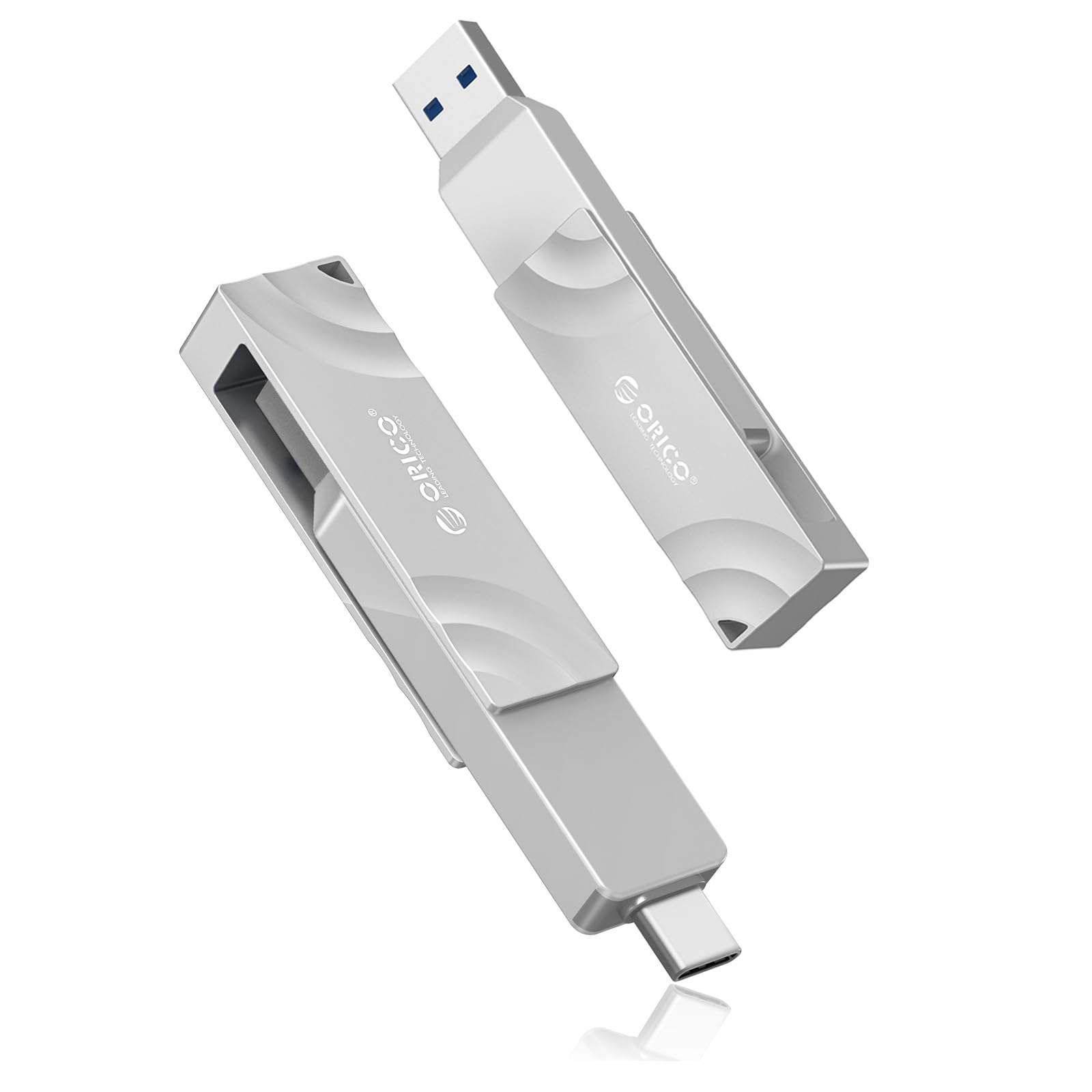
A pocket-sized editor’s tool with a rotating head that fits any device.
Created with video makers in mind, the ORICO G201 moves data up to 1050MB/s — twice the pace of the SSK above — and the standout feature is the physical design. The connector rotates 360 degrees with a 90-degree lock, so you can flip between USB-C and USB-A without carrying an adapter. It is a clever solution for someone who works across an iPad, a Mac, and a PC. The zinc alloy body is built for rough outdoor shoots.
The big sell for iPhone owners is support for 4K 120 fps ProRes recording on the iPhone 16 Pro Max, making this a portable editing drive that keeps up with high-end footage. Owners use it for Time Machine backups on a MacBook, noting it finishes a backup in 30 minutes where another drive took 5 to 7 hours. That is the kind of real-world speed gain that makes this worth the premium over a basic 550MB/s drive.
Storage capacity and speed get the most praise from owners, with portability also highlighted — one uses it for a Model Y sentry dashcam. The recurring negative is heat: it “gets very warm to the touch,” which is a concern for continuous recording. It also does not always hit the advertised speed on older computers. If you are an iPhone 16 Pro Max video creator, this is the drive to beat the Lexar TouchLock on raw speed.
Best for creators: If 4K ProRes recording or fast MacBook backups are your daily grind, the G201’s 1050MB/s and rotating head make it the most useful tool here.
A fair warning: It runs hot during heavy use, so this is a transfer drive, not a permanently-plugged-in storage vault.
5. MOVE SPEED 512GB External SSD (SP20)

A dual-interface rocket that rivals the KingSpec for sheer read speed.
The MOVE SPEED SP20 matches the KingSpec’s headline 2100MB/s read speed, but it adds a crucial twist: dual interfaces. The USB-A connection tops out at 1000MB/s for older computers, while the USB-C port open up the full 2100MB/s on a Gen2x2 or Thunderbolt 5 port. This is the pick for people who own both a newer phone and an older laptop, since it is fast on both. It uses TLC memory, which keeps transfer speeds stable during continuous transfers of files over 100GB.
That speed spec is the headline, and it holds up in practice — owners note it can copy entire movies in seconds and works on iPhone, Mac, and Windows without extra drivers. The zinc alloy casing makes it sturdy, and the brand is upfront about the capacity math: 512GB shows as roughly 465-476GB on a computer, which is standard for all drives. They are also honest that you need professional software and a Gen2x2 interface to hit the lab-tested 2100MB/s figure.
Speed is the most-mentioned positive, with storage capacity close behind, and reliability also gets praise. The catch is that hitting 2100MB/s in real life is rare — one owner measured around 600MB/s on a Thunderbolt 4 port. Think of the SP20 as a future-proofing play: it is faster than the SSK if you have the right port, but do not expect the full lab number every day.
The Speed Advantage
- 2100MB/s read speed for modern ports
- Dual USB-A and USB-C with different speed tiers
- TLC keeps speeds stable on huge files
Real-World Reality
- Full speed needs Gen2x2 or Thunderbolt 5
- Lab speeds rarely show up in daily use
Ideal for: the hybrid user with a recent iPhone or Thunderbolt-equipped PC who still plugs into standard USB-A docks.
skip it if: you want guaranteed top speed without understanding your own ports — the KingSpec is more straightforward at the same pace.
6. ORICO M25PRO 512GB Portable SSD

A drop-proof pocket drive that shrugs off travel bag chaos.
For people who carry their work into the field, the ORICO M25PRO trades top speed for bulletproof durability. The alloy body with a diamond grain design is dust and drop resistant, meaning your data survives the bumps and jolts of a commute or a shoot. It runs at 460MB/s over USB 3.2 Gen 1 — noticeably slower than the 1050MB/s of the G201 above, but plenty fast for documents, presentations, and media files.
The 2-in-1 USB-C cable lets you plug into both USB-C and USB-A devices, covering modern phones, PCs, laptops, and tablets. Owners praise its plug-and-play nature and call it “fast, reliable storage” that is “very valuable for the money.” The compact size, at 4.92 x 3.14 x 0.51 inches, slips easily into a briefcase or pocket. It is compatible with Windows, Mac OS, Android, and Linux.
Quality gets the most praise, followed by speed and ease of use, but the reliability is a mixed bag — most owners have no issues, though a few hit Linux compatibility problems. The main grumbles are the short foot-long cable and the “a little cheap” plastic carrying case. One owner measured 450MB/s in a real test, which is close to the advertised spec. If you value ruggedness over raw pace, this is the dependable travel companion.
Your field companion: This is the drive to toss in a work bag without a second thought, trading speed for a drop-proof shell.
Not for speed freaks: At 460MB/s, it is half the pace of the G201, so heavy video editors should look up the list.
7. Lexar TouchLock Portable SSD 512GB
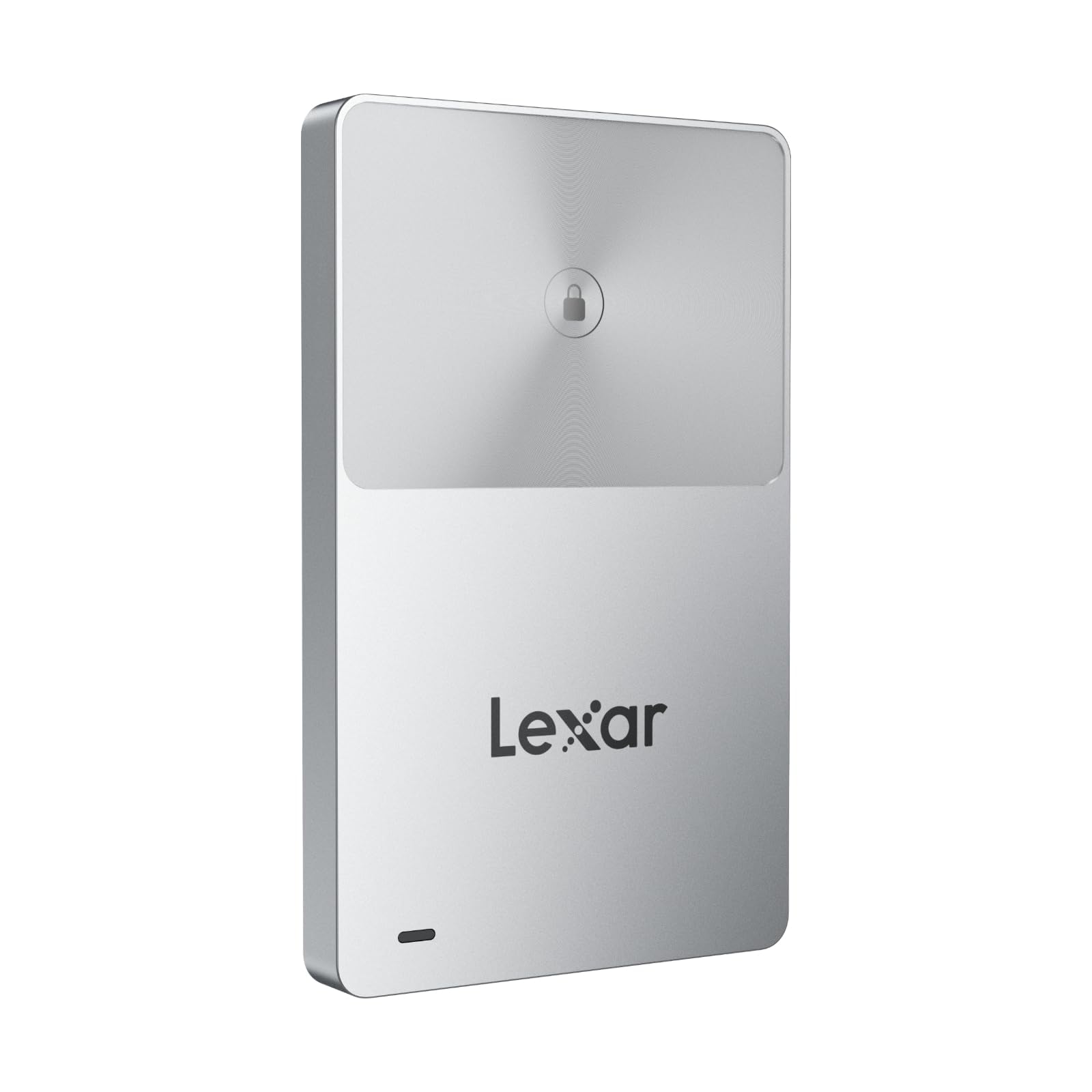
The only SSD here that locks itself with a tap of your phone.
Security is the entire story of the Lexar TouchLock, and it is a unique one in this lineup. Instead of a password, you open up the drive by tapping your phone against it, using NFC (a short-range wireless chip) as a security authenticator. The drive stays completely unrecognized and locked until you do, which is a brilliant layer of protection if you carry sensitive files. It is protected by 128-bit AES hardware encryption, and a free Lexar App handles automatic backups.
The slim, magnetic profile is built to attach to the back of an iPhone, giving it a MagSafe-style mount (the magnetic ring that snaps accessories to iPhones) and it is rated for 2-meter drop protection. Owners love the encryption and note the NFC is purely for security, not file transfer. Data transfers from an iPhone are quick, and it is light enough to “cabe en tu bolsillo” (fit in your pocket) as one owner put it.
This is a USB 3.2 Gen 2 drive, so it is fast but not the fastest here — the ORICO G201 offers double the 1050MB/s for video work. The trade-off is clear: you give up some speed for the magnetic mount and the tap-to-open up security. The slim 0.28-inch thickness makes it pocket-friendly, but there is no included case, so the magnetic surface can pick up scratches.
Choose this for: iPhone users who want a secure, magnetic, pocket-sized drive with automatic encrypted backups.
Pass if: raw speed is your priority or you do not want to deal with the open up ritual every time you plug in.
8. Netac 512GB Extreme Portable SSD (ZX20)

A featherlight 23g slab that rockets through business data.
The Netac ZX20 is engineered for the road warrior with its shock-resistant aluminum housing and reinforced inner frame. It delivers a read speed up to 2000MB/s and write speeds up to 1700MB/s, making it one of the fastest drives here — nearly four times the pace of the SSK above. Owners confirm it “reads and writes 3x as fast” as their other portable storage, making data transfer “a breeze.”
At just 71.5 x 43.5 x 8 mm and weighing only 23g, this is the lightest drive on the list, designed to disappear into a pocket for students, photographers, and content creators. The package includes both a USB-C to C cable and a USB-C to A cable, along with a 3-year low-maintenance warranty. It supports Windows To Go, which lets you run an entire Windows OS from the drive. The NVMe internals (a faster type of solid-state memory) are why it hits those speeds.
Speed and compact size earn strong praise, and the quality is rated as excellent — but the reliability is a mixed story. While many owners say it works fantastically and call it “the best in all senses,” a minority report it stopped working altogether, with one mentioning it lasted about 6 months. That makes this a bit of a gamble compared to the SSK’s rock-solid reliability record. It is a speed-first travel drive, not a long-term backup vault.
The Travel Advantage
- Ultra-light 23g, shock-resistant aluminum
- 2000MB/s read speed rivals top-tier drives
- Supports Windows To Go boot
The Reliability Question
- Mixed feedback on long-term durability
- Some units fail after several months
Best for: the frequent traveler who needs a nearly weightless, lightning-fast drive for moving work between machines.
Think twice if: your data is irreplaceable and you want a proven long-term home for backups — the mixed reliability is a real fit-note.
9. Kingston 512GB Dual USB-A/C Portable SSD
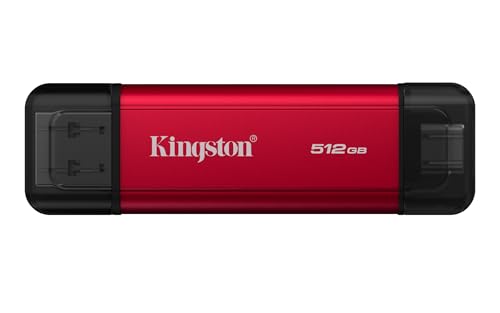
The no-adapter bridge that switches smoothly between old and new ports.
The Kingston Dual is a master of flexibility, packing both a USB Type-A and a USB Type-C connector directly into the drive’s metal casing. That means you never need an adapter or a special cable to move from a modern laptop to an older desktop or an iPad Pro. It runs on USB 3.2 Gen 2 with a read speed up to 1,050MB/s and a write speed up to 950MB/s, putting it mid-pack for pace — faster than the SSK but half the speed of the KingSpec or MOVE SPEED.
Owners call it “the ultimate cross-platform bridge,” noting it works with Windows, macOS, and iPad Pro without reformatting. This is a huge convenience for anyone juggling an iPhone, a work PC, and a personal Mac. The durable metal casing protects the drive, though it is heavier than the plastic-shelled Netac ZX20. It has transferred roughly 580GB of data via a tablet without access issues, and the USB-C connector warms up after heavy use but stays functional.
The “fast, has both USB ports, has more than enough room for backup” verdict sums up why this is a popular choice. The main negative is write speed — one owner found it “pésima” (terrible) compared to the price, suggesting real-world writes lag behind the 950MB/s claim. It is a solid, flexible pick for cross-device work, but if you are price-sensitive, the Netac US8 at a lower tier handles basic transfers for less.
Your bridge drive: If you constantly move files between a modern iPad or iPhone, a Windows PC, and a Mac, this Kingston eliminates cable headaches with its built-in dual connectors.
Know this: Write speeds may disappoint heavy editors, so this is best for file transfers and backups, not video production.
Understanding the Specs
Transfer Speeds & You
Advertised speeds like 2100MB/s or 550MB/s are lab numbers. Your real-world speed depends on your computer’s USB port (Gen 1, Gen 2, or Gen 2×2), the cable, and the file sizes. A 2100MB/s drive plugged into an old USB 3.0 port runs at the same speed as a budget 550MB/s drive. Match the drive’s interface to your device’s best port to avoid paying for speed you cannot use.
Capacity Reality Check
A “512GB” drive rarely shows 512GB when you plug it in. The math uses a different base: Windows interprets 1GB as 1024MB, while the drive’s manufacturer uses 1000MB. The result is around 465GB to 476GB of usable space, which is normal for every hard drive and solid-state drive, not a defect. Budget for that difference when planning your storage.
FAQ
Is a 512GB external SSD faster than a 512GB external hard drive?
Why does my brand new 512GB drive only show 465GB of space?
What is the difference between SATA and NVMe external SSDs?
Can I use a 512GB external SSD with my iPhone?
How long does a 512GB portable SSD last?
Is a dual-interface SSD with USB-C and USB-A better than a single USB-C drive?
Will a 512GB drive slow down when I fill it up?
What does “USB 3.2 Gen 2×2” mean for real-world use?
Final Thoughts: The Verdict
For most people, the 512gb external hard drive winner is the KingSpec Z5 because it pairs the fastest 2100MB/s transfer speed with a durable zinc alloy shell, making it the best all-around choice for gamers and creators on modern hardware. If you want a reliable backup drive with steady sustained speeds and SLC caching, grab the SSK. And for iPhone 16 Pro Max video creators seeking 4K ProRes support, the ORICO G201 is the one to reach for.
How We Picked
We do not accept paid placement. Every pick is matched to a real buyer and a real use-case; we do not hands-on test units.
Sources & Methodology
Specifications: manufacturer listings and product documentation. Review insights: verified customer reviews, as of August 2026. Pricing: not shown on this page (it changes often); check the current price via the retailer link.
As an Amazon Associate, Gadgets Feed earns from qualifying purchases. This does not affect which products we feature.