
Our readers keep the lights on and my morning glass full of iced black tea. As an Amazon Associate, I earn from qualifying purchases.
Specs are compiled from manufacturer listings and verified buyer reviews and can change over time — please confirm the key details on the product page before buying.
Your router’s four LAN ports are full, your gaming PC stutters on Wi-Fi, and your NAS backups crawl overnight. An ethernet switch solves all of that by turning one wall jack into many, and the right one runs silently for years without a single reboot. The good news: nearly every switch here is plug-and-play, so The real decision depends on port count, speed, and if you need power-over-ethernet.
I’m Min — the founder and writer behind Gadgets Feed. This guide is built by comparing the manufacturers’ published specifications and the patterns across verified customer reviews, so you get each pick’s real strengths and trade-offs instead of marketing spin.
From 5-port entry models to 24-port rack units and multi-gig upgrades, these are the best Adaptateur Ethernet Switch options for expanding your wired network without the guesswork.
Our Picks at a Glance


How To Choose The Best Adaptateur Ethernet Switch
An unmanaged ethernet switch is the simplest way to add wired ports: plug in the power, connect it to your router, and every device you attach gets a fast, stable connection. The trick is buying enough ports for tomorrow without overpaying for speed your gear can’t use.
Count your wired devices first
List everything that will plug in permanently — a TV, a console, a desktop PC, a printer, a security camera. A 5-port switch handles the basics, but an 8-port model gives you room to grow when a new streaming box arrives. For a whole-home wired backbone, a 24-port rack unit covers an entire office or a serious home lab.
Speed: gigabit vs 2.5Gb
Every switch here runs at gigabit (1000 Mbps) or faster, which is plenty for internet plans under 1 Gbps. Multi-gig 2.5Gb ports matter only if you have a NAS, a high-end PC, or a Wi-Fi 6 access point that can actually use the extra bandwidth — otherwise the speed sits unused.
When you need PoE
Power over Ethernet (PoE) lets one cable carry both data and electricity, so you can mount a security camera or access point where there’s no wall outlet. If that’s your plan, pick a switch with a PoE budget large enough for every device you intend to power.
Quick Comparison
| Model | Best For | Ports | Speed per Port | PoE | Amazon |
|---|---|---|---|---|---|
| NETGEAR GS305★ Best Overall | Simple home expansion | 5 | 1000 Mbps | No | Amazon |
| D-Link DGS-105Best Value | Quiet desk setups | 5 | 2000 Mbps | No | Amazon |
| TP-Link TL-SG108Most Versatile | Future-proofing homes | 8 | 1000 Mbps | No | Amazon |
| UGREEN 2.5Gb | Fast NAS transfers | 5 | 2500 Mbps | No | Amazon |
| D-Link DMS-105 | Gaming and Wi-Fi 6 | 5 | 2500 Mbps | No | Amazon |
| TP-Link LS108GP | Cameras and APs | 8 | 1000 Mbps | Yes (65W) | Amazon |
| TRENDnet TEG-S380 | Multi-gig home labs | 8 | 2500 Mbps | No | Amazon |
| TP-Link TL-SG1024 | Rack and whole-office | 24 | 1000 Mbps | No | Amazon |
In‑Depth Reviews
1. NETGEAR 5-Port Gigabit Ethernet Unmanaged Network Switch (GS305)
Our pick — over 4.5★ from 54,000+ verified ratings; the strongest balance of quality and price.
The crowd favorite that turns a single wall jack into five rock-solid gigabit ports.
If you stare at a router with four LAN ports and a list of five things to plug in, this is the switch that ends the juggling. Its five auto-negotiating gigabit ports detect the best speed for each device and work with the Cat5e or Cat6 cables you already own, so your TV, console, and work computer all get stable wired connections with zero drops.
The metal case keeps it cool enough for fanless, silent operation, and the IEEE 802.3az Energy Efficient Ethernet standard trims power draw when traffic is light. You can sit it on a desk or screw it to a wall, and with 8.8 ounces of weight and a 6.2″ x 4″ x 1.1″ footprint, it disappears next to the router. Buyers report upload speed can dip slightly — “from 950 to 790-800” — but call the difference barely noticeable in daily use.
It is a U.S. and Canada model, it needs a wall adapter (no PoE here), and the lifetime warranty backing a 4.8-star crowd favorite explains why tens of thousands of owners have made it the default answer.
What wins people over
- Plug-and-play with no software or configuration
- Small, sturdy metal body that runs silent
- Per-port LEDs make troubleshooting easy
Worth knowing
- Needs an AC adapter — no Power over Ethernet
- Some owners saw slight upload speed dip on gigabit plans
The straightforward pick: anyone with a standard home internet plan who wants five reliable ports and no setup time at all.
Look elsewhere if: you need more than five ports or want PoE for cameras — this model does neither.
2. D-Link DGS-105, 5 Port Gigabit Ethernet Switch Unmanaged
The 2 Gbps-per-port workhorse that keeps a busy home network feeling easy.
While most 5-port switches cap every port at 1000 Mbps, the DGS-105 runs each port at up to 2 Gbps (1 Gbps up plus 1 Gbps down) through a 10 Gbps non-blocking switching engine. That headroom shows up in real use: owners mention full 115 MB/s NAS read/write speeds while 4K streaming or running Twitch in the background without a hiccup.
The all-steel chassis sheds heat naturally, so it runs whisper-quiet in a bedroom or studio, and built-in surge and ESD protection up to ±4 kV helps it shrug off everyday power spikes. Smart QoS (802.1p traffic classes) keeps voice and video packets smooth, while IGMP snooping streams 4K or 8K video to multiple screens without flooding the network. It is the lighter of the two 5-port metal units here at 9.6 ounces and a compact 3.95″ x 3.85″ footprint.
The trade-off is a small one: front-mounted cables can need taping down to stay tidy, and the 1 Gbps ports share roughly 2 Gbps of total throughput, so you can’t saturate all five at once. For a home office, TV, and desk setup, owners say you plug it in and forget it exists.
Quietly capable: full-duplex speed on every port plus jumbo frame support (9 KB) makes it the smarter pick for NAS users on a budget.
The honest catch: cable management at the front is fiddly, and heavy simultaneous traffic across all ports is capped around 2 Gbps.
Reach for this if: you move big files to a NAS or stream 4K while gaming on the same network.
Consider the NETGEAR instead if: you want the larger 6.2″ footprint and the reassurance of the 4.8-star rating with over 50,000 owners behind it.
3. TP-Link 8 Port Gigabit Ethernet Network Switch (TL-SG108)
Eight hardened gigabit ports in a 13.76-ounce metal body built to outlast your router.
When four router ports aren’t enough and you’re tired of swapping cables, this 8-port switch adds the headroom in one step. It is noticeably heavier than the NETGEAR GS305 — 13.76 ounces versus 8.8 ounces — and that heft comes from a sturdy metal housing with shielded ports that owners describe as solid and built to last. The gigabit ports handle a 70 Mbps JPEG test and 15 Mbps H.264 streams at under 1 ms ping, which is why camera installs and gaming rigs both land here.
Setup is literally plug-and-play with traffic optimization built in, and it runs fanless at 2.77 watts maximum power, so it stays cool and silent on a desk or wall. The 6.2″ x 4″ x 1″ footprint matches the GS305’s width but adds three more ports, making it the natural upgrade path when a 5-port fills up. Long-time TP-Link users report a decade-plus of trouble-free service from the brand, and the lifetime protection backs that confidence.
The recurring note in reviews is simple: buying the 8-port over a 5-port future-proofs your network for a few extra dollars. The only real caution is that an occasional unit can arrive with a less-than-perfect port fit, so test each port right after unboxing.
Three more ports, same footprint: the 8-port layout gives you room for cameras, TVs, consoles, and a printer without upgrading again next year.
Buyers’ bottom line: rock-solid gigabit speeds, no drops, no latency, and silent operation — the definition of set-and-forget networking.
Best for: homes with three or more wired devices where the 5-port options will fill up within a year.
skip it if: you need multi-gig speed or PoE — this is a plain gigabit switch with no power delivery.
4. UGREEN 2.5Gb Switch, 5-Port Ethernet Switch
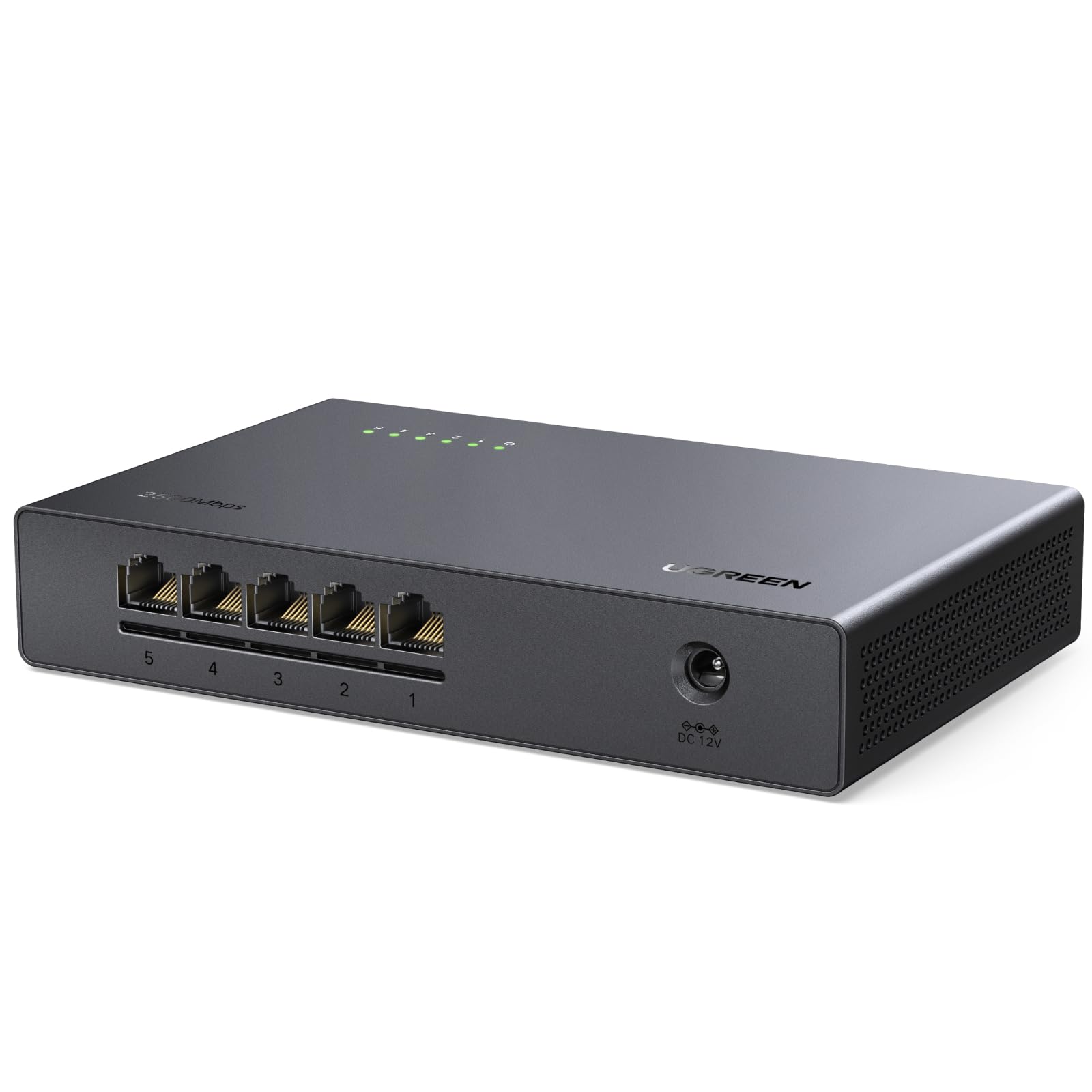
The budget gateway to 2.5Gb speeds that makes gigabit file transfers feel slow.
If your NAS and PC both have 2.5Gb ports, this switch open up a transfer speed jump you can feel: owners measured 280 Mbps where a gigabit switch managed 110 Mbps. All five ports run at 2.5 Gbps with a 25 Gbps switching capacity, and auto-negotiation means it still talks perfectly to older 1000 Mbps and 100 Mbps devices — no drivers, no software, just plug in and go.
The fanless design with bottom and side ventilation keeps it cool under sustained load, and the 6.6″ x 4.2″ x 1.2″ plastic body is light enough to sit anywhere. It is the least expensive route into multi-gig networking, which is exactly why it earns a spot for NAS owners and power users who want faster backups without paying premium switch prices.
The honest trade-off: the plastic case feels lightweight and arguably cheap in hand, there’s no per-port speed LED, and a few customers note odd behavior like doubled DHCP leases per device. It works — but this is a function-first upgrade, not a showpiece.
Why it earns the upgrade label
- Five full 2.5Gb ports for roughly the price of a gigabit switch
- Backward compatible with 1000M and 100M devices
- Runs cool and silent with non-slip feet
Where it cuts corners
- Plastic housing feels cheap, with no port speed LEDs
- A few owners saw doubled DHCP leases per device
Grab it for: a NAS-to-PC 2.5Gb link without spending D-Link or TRENDnet money.
Think twice if: build quality matters as much as speed — the metal units above feel far more durable for similar money in some cases.
5. D-Link 5-Port 2.5GB Unmanaged Gaming Switch (DMS-105)
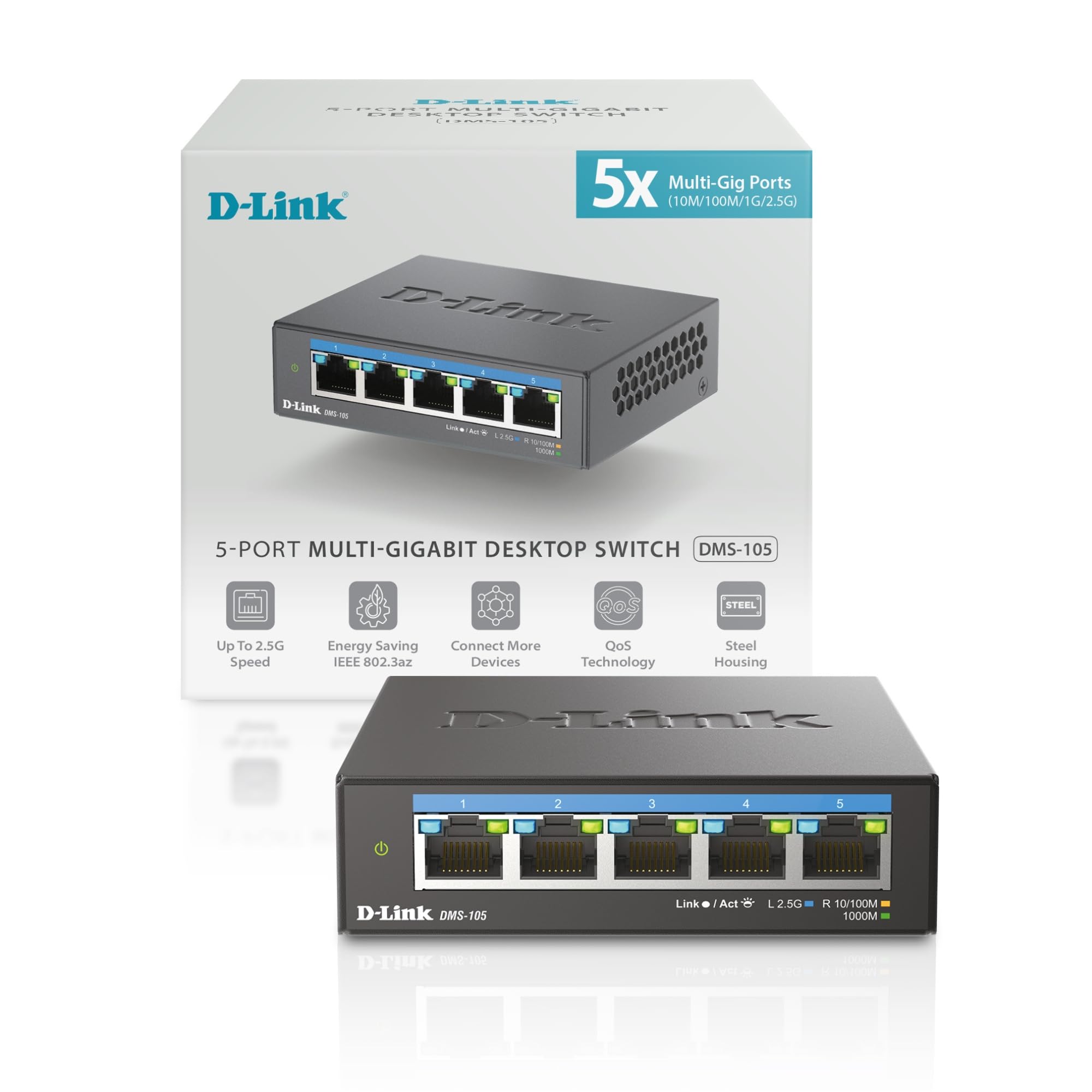
Five 2.5G ports with eight traffic priority levels, tuned for Wi-Fi 6 and competitive play.
This switch handles your busiest home network without a hiccup: its five 2.5 Gigabit ports (each runs up to 2.5 Gbps) deliver up to 25 Gbps of switching capacity — enough for a Wi-Fi 6 access point, a 2.5G NAS, a gaming PC, and an 8K stream all at once. It’s the lightest multi-gig unit in this lineup at just 8.48 ounces, with a 3.85″ x 3.54″ footprint that tucks behind a desk. Owners running it with Cat6a and Wi-Fi 7 mesh report flawless performance after an easy swap from an older gigabit switch.
The gamer-focused features are the headline: QoS sorts traffic into 8 priority levels so your game packets jump the queue, Flow Control minimizes dropped packets, and IGMP snooping keeps multicast streams clean. Auto-negotiation shifts between 100Mb, 1G, and 2.5G speeds to match whatever you plug in, and it stays backward compatible with Cat5 and Cat6 cables. A 2.4 Gbps internal test and 250+ MB/s file server speeds show the real-world headroom.
One quirk: the metal case runs warm at 95-100°F, which is normal for a fanless multi-gig switch, and the included power adapter looks decidedly basic next to the sturdy chassis. Neither affects performance — owners who’ve run two units for 18 months report zero problems.
Built for speed: the 2.5G ports deliver PC-to-NAS transfers with no drops, and the QoS keeps gaming latency low even with heavy traffic.
Minor gripes: the adapter feels cheap and the case runs warm — cosmetic issues on an otherwise rock-solid performer.
The play: upgrade your PC-to-NAS link or feed a Wi-Fi 6/7 mesh node at full 2.5G speed.
Hold off if: your internet plan is under 1 Gbps and nothing on your network has a 2.5Gb port — the speed will sit unused.
6. TP-Link LS108GP, 8 Port PoE Gigabit Ethernet Switch

Eight PoE+ ports with a 65W budget that mount cameras and access points anywhere.
This is the switch you buy when power outlets are the problem. Each of its eight gigabit ports delivers up to 30W of Power over Ethernet (802.3at/af — a standard that sends electricity through the network cable), with a total PoE budget of 65W across the unit — enough to run several IP cameras, a VoIP phone, and a wireless access point from a single cable each. Owners use it in outbuildings to power an access point where running electricity would be a project, and plug it in to find it ready instantly.
The Extend Mode button stretches PoE transmission out to 820 feet, which is the difference between a camera that works and one that won’t reach across a large property. PoE Auto Recovery watches for a dropped or unresponsive powered device and reboots it automatically, saving you a trip to the ladder to power-cycle a camera. The heavy-duty metal case (7.72″ x 4.76″ x 5.16″) runs completely silent with no fan.
At 1.5 pounds it’s the second-heaviest unit here, and that weight signals the durable construction owners highlight. The 16 Gbps switching capacity keeps all eight gigabit ports moving data at full speed while the PoE budget does the heavy lifting for your powered devices.
Two jobs at once: data and power down one cable, with 16 Gbps of switching capacity so PoE never slows your wired traffic.
Owner consensus: reliable, heavy-duty, and surprisingly affordable for a switch that powers cameras and access points without extra adapters.
Made for: security camera installs, outbuildings, and anywhere you need to power a device with no outlet nearby.
Not for: pure data expansion — you’d pay extra for PoE ports you may never use if everything on your network already has its own power.
7. TRENDnet 8-Port 2.5Gb Multi-Gigabit Unmanaged Switch (TEG-S380)

Eight 2.5G ports with the rare NDAA and TAA compliance government buyers require.
When you need 2.5Gb speed on more than five devices, this 8-port unit is the answer — and it’s the only switch here carrying NDAA and TAA compliance (certifications that let government and enterprise buyers install it without a procurement headache). Each 2.5GBASE-T port (a standard that supports 2.5 Gbps over standard network cable) runs up to 2.5 Gbps over your existing Cat5e or better cabling, with a 40 Gbps switching capacity behind all eight. Owners replaced four separate 1Gb switches with this one unit and watched every capable device jump to full 2.5G throughput.
The longer 9.4″ body gives you room to plug in eight cables without crowding, and the fanless metal housing runs with no hum or coil whine — just slightly warm under load, which owners note is normal. The power plug sits on the same side as the LEDs, so cable routing stays clean at a desk edge, and the wall-mountable design with rubber feet covers both installation styles. It stays fully backward compatible with 1000 Mbps devices, so older gear works alongside your new multi-gig kit.
TRENDnet backs it with Lifetime Manufacturer Protection for U.S. and Canada buyers, and the reliability reputation is strong enough that owners describe swapping in this switch as a flawless, set-and-forget upgrade. The only recurring note is heat: it runs warm, though no one reports it getting hot enough to worry about.
What makes it the multi-gig hub
- Eight 2.5G ports — more multi-gig capacity than any other pick here
- NDAA and TAA compliant for government and enterprise use
- 40 Gbps switching capacity with a lifetime warranty
What to expect
- Runs slightly warm under sustained load, though silently
- No PoE — you’ll still need adapters for cameras and APs
Choose it when: you have more than five devices that can actually use 2.5Gb, or you need compliant gear for a government or enterprise network.
Pass if: your network is all gigabit — this costs more than the TP-Link 8-port for speed you won’t hit.
8. TP-Link TL-SG1024, 24 Port Gigabit Unmanaged Ethernet Switch
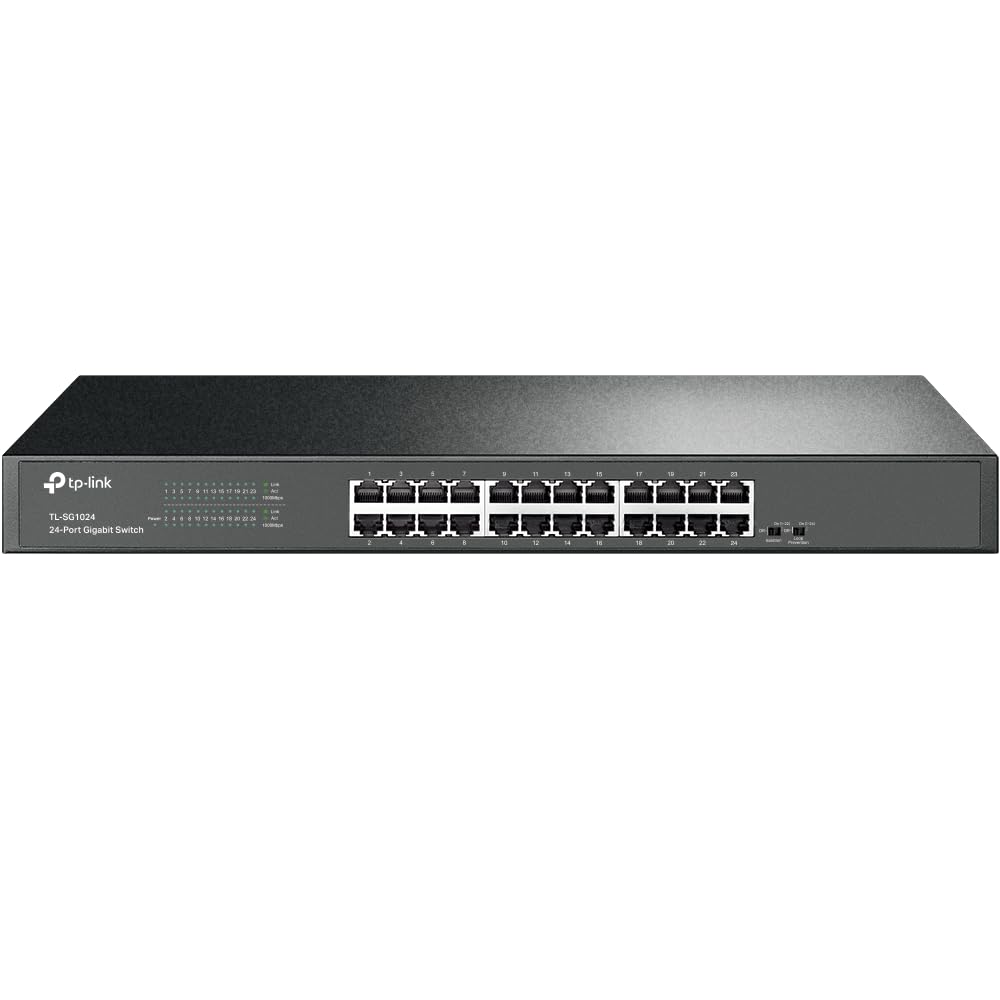
A 24-port steel rack unit that survives sheds, miners, and a decade of 24/7 duty.
This is the switch for whole-office and serious home-lab wiring, where 24 gigabit RJ45 ports (10/100/1000M) all run at full duplex and handle a heavy load without complaint. The alloy steel case is standard 19-inch rack-mountable, and at 17.32″ wide it’s built for a proper network cabinet — though it also works flat on a shelf with the included rubber feet. Reviewers point out running 10 machines at 100 MB/s full duplex, roughly 20 Gbps of aggregate traffic, without a single dropped packet.
It’s fanless and silent at idle, which is the whole point after replacing a noisy 10/100 switch, and the shielded gigabit ports gave one owner’s network an immediate speed boost. A 15-year network professional reported the unit surviving five years in an unclimate-controlled shed with zero issues, which sets the durability bar for this list. It supports MAC address self-learning, auto MDI/MDIX so you never hunt for a crossover cable, and jumbo frames up to 10k for large backups.
The honest caveats are few: the fan is noticeably loud under sustained use (it’s not truly silent under load), there’s no fiber port if you want to link switches with optical later, and a minority of owners have seen connection losses or a less-durable port feel over time. At 2000 grams (about 4.4 pounds) and 6.59 watts maximum power, it’s the heavyweight that just keeps working.
Built for scale: 24 full-duplex gigabit ports, 10k jumbo frame support, and rack ears included — a central wiring hub that handles a whole building.
Owner reality: flawless under heavy load for years; the loud fan under load and lack of a fiber uplink are the only recurring notes.
Pick it for: offices, homelabs, or anywhere you need to wire more than a dozen devices to one central point.
pass on it if: you have fewer than ten wired devices — the smaller 8-port units cost less, run silent, and take up far less space.
Understanding the Specs
Gigabit vs Multi-Gig Speed
Gigabit means each port moves data at up to 1000 Mbps — roughly 125 MB/s, which saturates almost any home internet plan and handles 4K streaming and gaming easily. Multi-gig 2.5Gb ports run at 2.5 times that speed, which only matters if your NAS, PC, or access point has a matching 2.5Gb port and you transfer large files between them. If your internet plan is under 1 Gbps and your devices are all gigabit, a 2.5Gb switch is future-proofing, not a speed boost you’ll feel today.
Unmanaged vs PoE
An unmanaged switch is truly plug-and-play: connect power, plug in cables, and every port works with zero configuration — that’s what all the “plug and play” labels mean. Power over Ethernet (PoE) adds the ability to send electricity down the same cable as data, so a camera or access point needs no wall adapter. The PoE budget (like 65W) tells you the total power available across all ports, so add up your devices’ power needs before buying.
FAQ
What is the difference between an ethernet switch and a splitter?
Do I need a managed or unmanaged switch for my home?
Will a gigabit switch slow down my internet speed?
Can I plug a switch into a switch to add more ports?
What does Power over Ethernet (PoE) actually do?
Is a 2.5Gb switch worth it over a gigabit switch?
How many ports do I really need?
Why are some switches silent while others have fans?
Final Thoughts: The Verdict
For the majority of shoppers, the adaptateur ethernet switch winner is the NETGEAR GS305 because it pairs five rock-solid gigabit ports with a silent metal body and the largest owner base in this guide — a 4.8-star crowd favorite. If you want room for more wired devices, grab the TP-Link TL-SG108 with its sturdy 8-port build. And for camera installs or mounting access points where no outlet exists, the TP-Link LS108GP is the one to reach for.
How We Picked
We do not accept paid placement. Every pick is matched to a real buyer and a real use-case; we do not hands-on test units.
Sources & Methodology
Specifications: manufacturer listings and product documentation. Review insights: verified customer reviews, as of August 2026. Pricing: not shown on this page (it changes often); check the current price via the retailer link.
As an Amazon Associate, Gadgets Feed earns from qualifying purchases. This does not affect which products we feature.