
Our readers keep the lights on and my morning glass full of iced black tea. As an Amazon Associate, I earn from qualifying purchases.
Specs are compiled from manufacturer listings and verified buyer reviews and can change over time — please confirm the key details on the product page before buying.
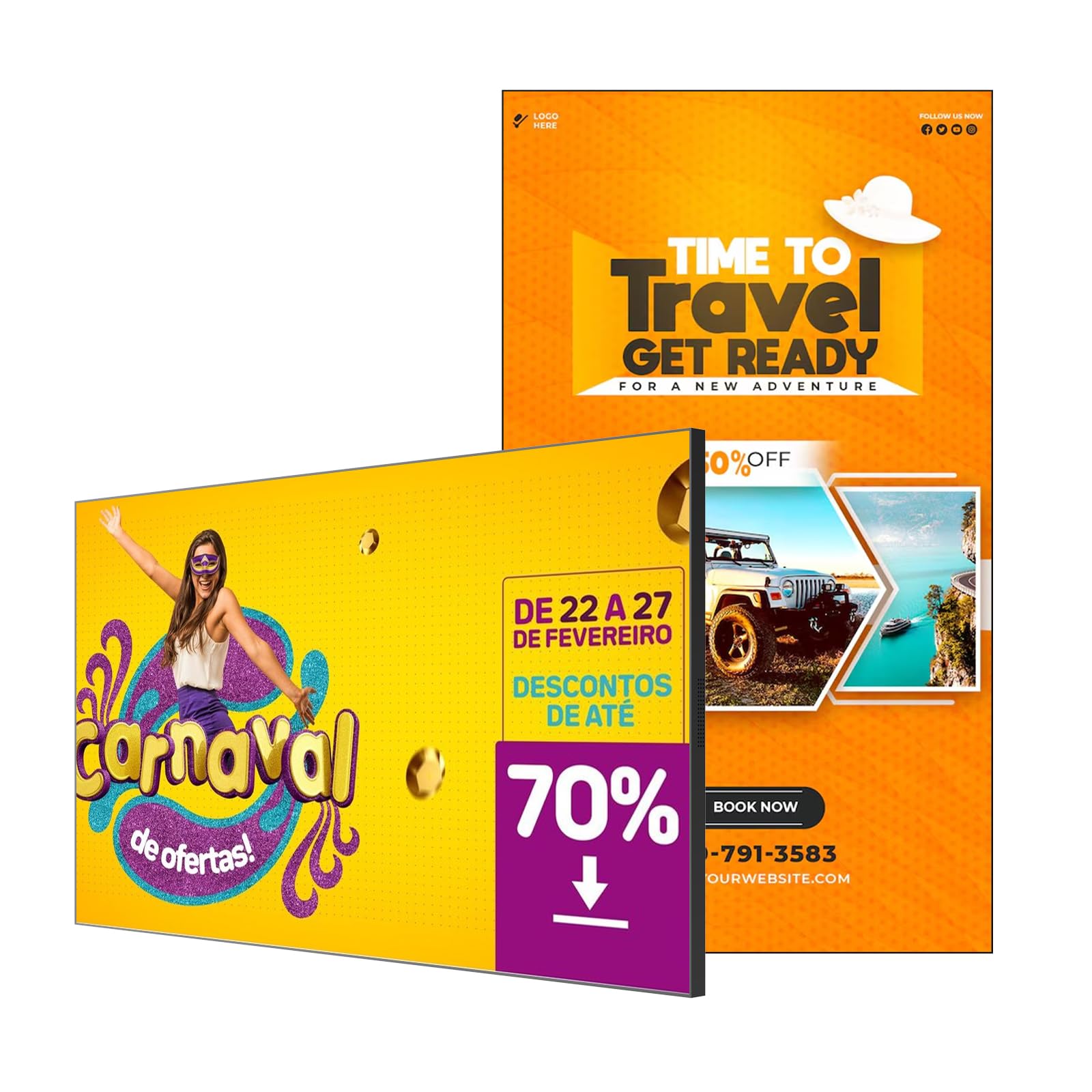
Forget static posters — a screen that swaps content remotely, runs all day, and lets customers touch what they see is the whole point of modern advertising. The real buying question isn’t just size, it’s brightness, software, and whether the thing can survive 24/7 operation without melting down or locking up. This guide breaks down the seven strongest commercial displays, from interactive floor-standing kiosks to wall-mount panels, focusing on the specs that actually keep your message visible.
I’m Min — the founder and writer behind Gadgets Feed. This guide is built by comparing the manufacturers’ published specifications and the patterns across verified customer reviews, so you get each pick’s real strengths and trade-offs instead of marketing spin.
If you want a screen that earns attention without demanding a tech degree to run it, you need the best advertising digital signage for your space, and this guide lines up the contenders shop by shop.
Our Picks at a Glance

How To Choose The Best Advertising Digital Signage
The core decision isn’t just screen size. It’s matching the display’s physical design and technical limits to the exact spot where customers will see it. A kiosk that stands on the floor serves a different purpose than a thin panel mounted flush on a wall.
Match the form factor to the foot traffic
A floor-standing kiosk with a touchscreen invites people to interact, which works wonders in lobbies and trade show booths. A slim wall-mount panel, on the other hand, is ideal for menu boards or waiting-room announcements where viewers just need to read, not touch. Consider how much floor space you can spare and whether interaction is part of your pitch.
Brightness and panel technology are make-or-break
Nits measure how bright the screen gets, and it’s the single most crucial spec for a lit room. A consumer TV at 250 nits looks washed out next to a window, while a 700-nit commercial panel stays readable in a bright cafe. Pair that with IPS technology, which keeps colors accurate from wide angles, so people standing off to the side still see a clear image.
Quick Comparison
| Model | Best For | Screen Size | Brightness | Resolution | Amazon |
|---|---|---|---|---|---|
| MWE 55″ Touchscreen Kiosk★ Best Overall | Full-size interactive storefronts | 55 inches | — | 4K (3840 x 2160) | Amazon |
| Canlarriz 21.5″ 700-Nit DisplayBest Value | Bright countertop menu boards | 21.5 inches | 700 nits | 1080p (1920 x 1080) | Amazon |
| PWR4GTR 15.6″ Battery Kiosk | Portable pop-up displays | 15.6 inches | 400 cd/m² | 2K FHD (1920 x 1080) | Amazon |
| Samsung 50″ BE50T-H Pro TV | Wall-mounted video walls | 50 inches | 250 nits | 4K UHD | Amazon |
| MWE 37″ Indoor Kiosk | Mid-size retail promotion | 37 inches | — | 1080p (1920 x 1080) | Amazon |
| JASZDOT 32″ Touch Kiosk | Restaurant ordering menus | 32 inches | 600 nits | 1080p (1920 x 1080) | Amazon |
| YCKJNB 55″ 4K Touchscreen Kiosk | Lobby wayfinding and games | 55 inches | — | 4K Ultra HD | Amazon |
In-Depth Reviews
1. MWE 55 Inch 4K Touchscreen Kiosk
Our pick — 4.5★ from 55 verified ratings; the strongest balance of quality and price.
A 4K giant that turns passersby into participants with a smooth, lag-free touchscreen.
This floor-standing kiosk brings true 4K resolution at 3840 x 2160, so product shots and brand videos carry a level of crispness that stops people mid-stride. The touch layer responds without lag, and The crowd favorite is the interactivity — guests tap through menus, surveys, or games, staying engaged far longer than with a passive video loop.
Running on Android, it plays content automatically from a USB stick, over Wi-Fi, or through an HDMI connection to a separate player box. The smart split-screen function lets you divide the panel into zones showing images, video, and animations side by side, each with its own size and position. It comes with a 3-year warranty for quality defects, plus a lifetime CMS system offer from the manufacturer for remote management.
What wins people over is the build. Owners describe it as looking far more expensive than the price suggests, with a slim bezel and sturdy frame that feels professional in a lobby or trade show booth. It also runs 24×7 without hiccups, which is the endurance test any commercial display has to pass. The catch is the footprint — this is a substantial floor unit, so it needs open space and two people to move it.
What owners rave about
- crisp 4K picture quality that makes content pop
- Responsive touchscreen that feels like a giant tablet
- Split-screen layout for multiple ads at once
What to weigh first
- Large floor footprint needs dedicated space
- Best moved and installed by two people
Your best bet if: you want a flagship interactive display that improve a storefront, lobby, or event booth with 4K clarity and touch.
Think twice if: your space is tight — this totem demands floor room and a helper to position it.
2. Canlarriz 21.5″ 700-Nit Android Commercial Display
A countertop panel bright enough to stay readable in a sunlit cafe or shop window.
You get a clear, readable menu even in a bright, sunlit storefront because this 21.5-inch panel hits 700 nits (a measure of screen brightness). Cheaper consumer screens often wash out in such light, but this one stays crisp. The 178° viewing angle means customers standing off to the side still read the text clearly. And with an ultra-narrow 6.8mm bezel (the frame around the screen), you can tile several units side by side so the images merge into one smooth visual wall.
It runs on Android with 2GB of RAM and 32GB of storage, which the maker says holds over 25,000 high-definition images or 60 hours of 4K video locally. The bundled CMS software handles the real work: it can auto-switch between breakfast, lunch, and dinner menus, lets you bulk-edit schedules from a phone or computer, and adjusts brightness, volume, and power settings remotely. HDMI plug-and-play works without drivers.
The review pages tell a divided story. Some owners call it premium-looking with vibrant colors and a flush zero-gap mount that updates content easily from a remote. Others hit a wall: buyers report that after hours of setup attempts, the unit “still does not display,” with freezing software. The build is solid but heavier than expected, so plan on mounting it to a solid wall rather than drywall alone.
Where it shines: the 700-nit brightness and slim bezel bring a high-end look to menu boards at a budget-friendly price.
Where to be cautious: setup software has frustrated some owners — comfortable troubleshooting helps here.
3. PWR4GTR 15.6″ Battery-Powered Touchscreen Display
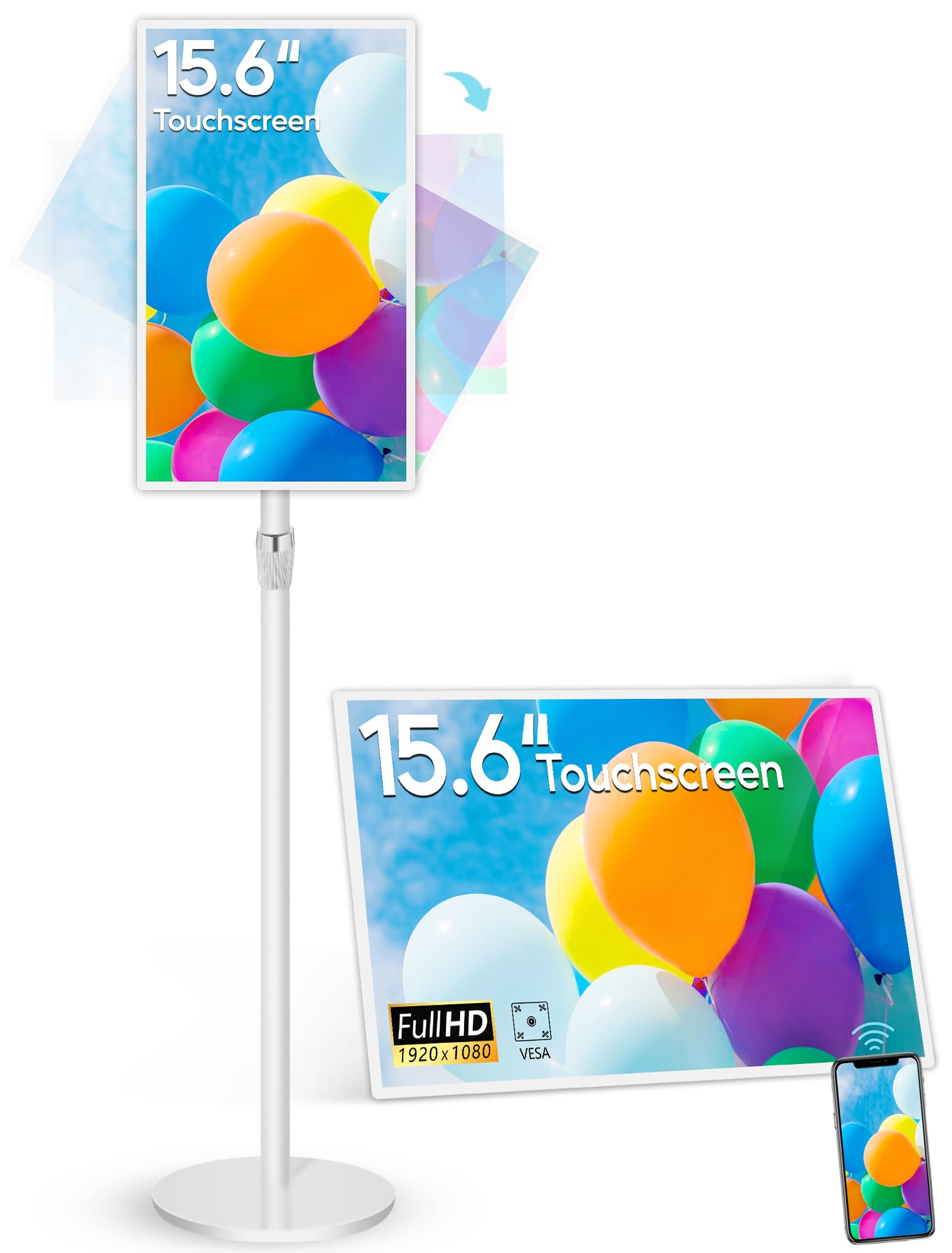
A featherweight panel with a built-in battery that unplugs from the wall entirely.
When you need signage that moves, this is the one. The built-in 10,000mAh battery runs the screen for 4-6 hours on a full charge, so you can wheel it around a trade show, set it on a counter, or position it anywhere without hunting for an outlet. At just 2.3 lbs with a 0.3-inch ultra-thin body, it’s the lightest unit here by far.
Customers can tap, swipe, and zoom with multiple fingers at once because this 15.6-inch 2K FHD (a high-resolution full-HD touchscreen) supports 10-point multitouch. It runs apps smoothly on Android 13 with 4GB of RAM and 64GB of storage. The built-in “Eshare” app lets you mirror screens wirelessly from iOS, Android, Windows, or macOS — and even control your phone or tablet from the display itself. The all-metal stand lifts, rotates, and tilts, so you can angle it for the best view.
Performance is the clearest strength, with owners praising the responsive touchscreen and bright 400 cd/m² IPS panel that plays videos and photos smoothly. Yet it’s not built for heavy lifting: some find the Android experience a bit slow for demanding apps, and the stand’s ball head doesn’t lock as firmly as they’d like. It’s a display-and-signage tool first, not a full replacement for a fast tablet.
Why it stands out
- 10,000mAh battery gives 4-6 hours of cable-free use
- 10-point touchscreen responds like a tablet
- Wireless mirroring from any major device OS
Keep in mind
- Android can feel sluggish for heavier apps
- Adjustable stand head doesn’t lock perfectly tight
Reach for it if: portability is king — pop-up shops, demos, and events where power outlets are scarce.
Look elsewhere if: you need a permanent always-on display; this is a tool, not an installation.
4. Samsung 50-Inch BE50T-H Pro Commercial TV

A trusted 4K name for wall-mounted video walls that run on a 16/7 schedule.
When brand reliability and a big picture matter, Samsung’s name carries weight. This 50-inch commercial panel delivers 4K resolution with high dynamic range, showcasing every detail in a wide color spectrum that owners describe as vivid and sharp. Rated for 16/7 operating time, it’s built to run through business hours day after day without the panel fatigue a consumer TV would show.
Set up is deceptively simple: the Samsung Pro TV app on your phone or tablet walks you through creating content and pushing it to the screen, so advertising your business doesn’t require a media server. It comes with two HDMI ports, two USB slots, an RF tuner, plus Wi-Fi 5 and Bluetooth. The catch on app support: this is a commercial unit that only officially supports YouTube, so streaming services like Netflix need an external media player.
The contrast ratio of 4700:1 produces deep blacks, which owners love for presentations and high-bitrate content. But the caution flags are real. Reliability is a recurring theme — several owners mention units stopping after 6 months with LED failures — and the 250-nit brightness is strictly for controlled indoor light, not sunny window displays. A few also received screens shattered in transit.
The big win: a 4K picture with 4700:1 contrast that rivals far pricier consumer TVs, from a brand you trust.
The honest flaw: long-term reliability and shipping damage have shown up in enough reviews to make an extended warranty worth considering.
5. MWE 37 Inch Indoor Digital Signage Kiosk

The mid-size totem that dressed up a clothing store and lifted featured-item sales.
This 37-inch floor-standing kiosk gives your retail space a strong presence without taking up as much room as a full 55-inch model. The 1080p IPS (in-plane switching, a screen technology that keeps colors accurate from wide angles) panel delivers crisp, vibrant visuals with a 178° viewing angle, so shoppers see a clean image whether they approach head-on or pass by at an angle. Its slim build and wheels let you roll it to a new spot whenever your floor layout changes.
Android powers the experience, with plug-and-play USB, automatic loop playback, remote control, and timed on/off. The split-screen function lets you run images, videos, and scrolling subtitles side by side, and you can connect an external player box inside the chassis for more control. It also works as a wayfinding tool, showing maps and route instructions in larger venues.
Owners consistently point to display quality as the reason they bought it, but the real standout story is the customer support — the manufacturer responds quickly and follows up, which matters when your storefront depends on the screen. One clothing retailer credits it with a 40% sales lift on featured items. At 77 pounds, it’s not light, but the included tools and setup videos make mounting straightforward.
The proven strengths
- Vibrant 1080p IPS display that draws the eye
- Rapid, helpful manufacturer support
- Easy USB plug-and-play content updates
Before you buy
- 77 lbs is heavy — plan your positioning carefully
- No touchscreen (non-interactive display)
Grab it for: a retail floor, yoga studio, or reception area where a polished non-touch display pushes products or class schedules.
skip it if: you need customer interaction — this model is a one-way attention grabber, not a touchscreen.
6. JASZDOT 32″ Touch Screen Digital Signage Kiosk
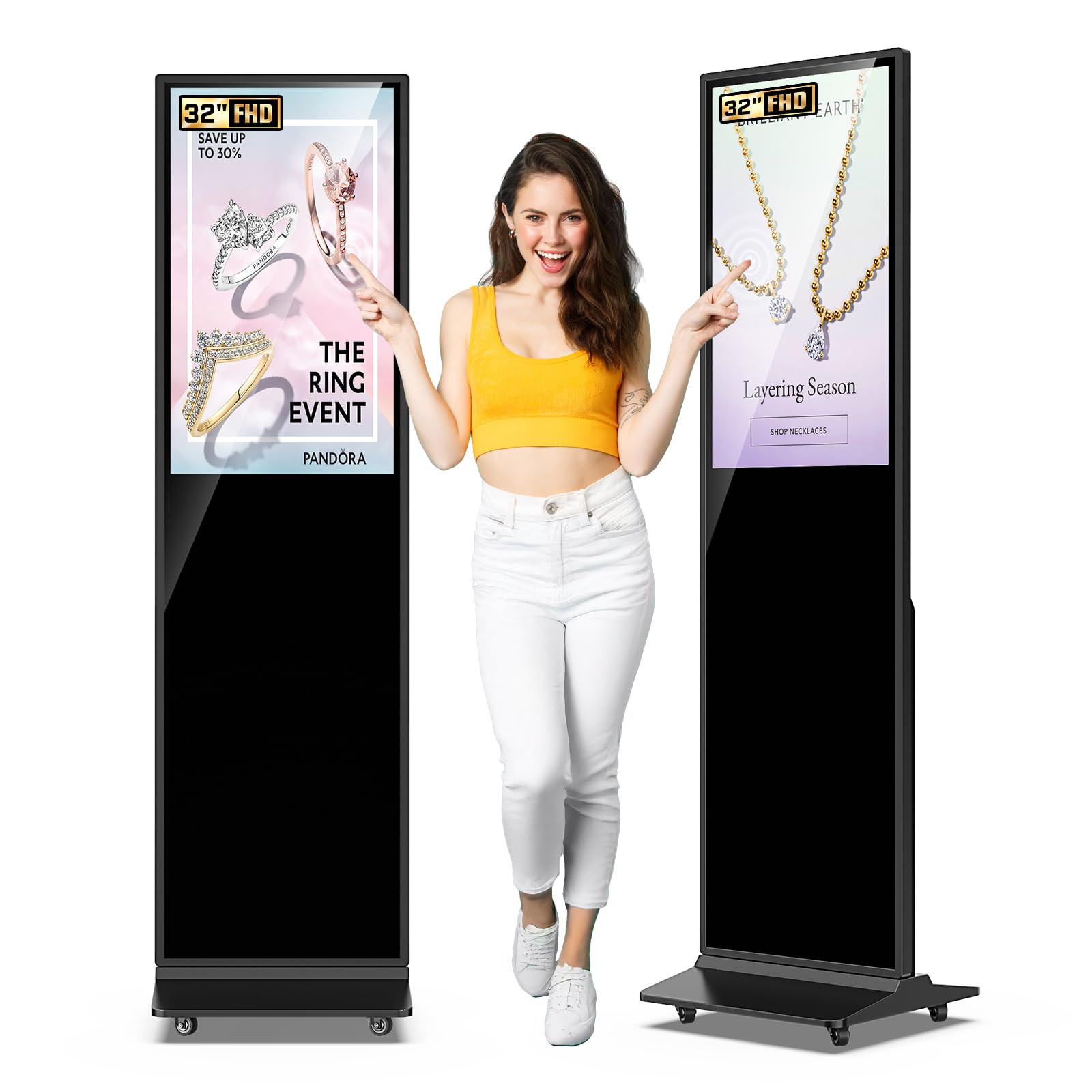
A 600-nit interactive kiosk that’s become a quiet workhorse in restaurant chains.
Restaurant owners have gravitated to this 32-inch touchscreen totem for a simple reason: it runs food videos all day without issue. The IPS panel pushes 600 nits of brightness with a 178° viewing angle, so menu items look appetizing even in a bright dining room, and text stays readable from across the counter. The touch layer responds quickly and smoothly, letting customers tap through specials or promotions.
Content management runs on Android with USB plug-and-play, HDMI, 5G Wi-Fi, and Google Apps support, so you can swap a daily special in seconds. The split-screen function shows videos, images, and text side by side, and the freestanding design is built for high-traffic spaces like malls and airports. A 3-year warranty plus lifetime technical support backs the purchase.
The crowd has expanded from 2 screens to 7 after the first one proved itself, which speaks to confidence in the product. Owners appreciate the lockable button wheel and the fact that it auto-plays video from internal memory, so no USB stick is needed. The only mild critique is the remote — it feels cheap — but the display itself has held up for weeks without dimming.
What wins people over: reliability and touch response at a price point that lets you buy several units instead of one premium model.
The single trade-off: a flimsy remote control is a minor annoyance on an otherwise sturdy machine.
7. YCKJNB 55 Inch 4K Touchscreen Kiosk
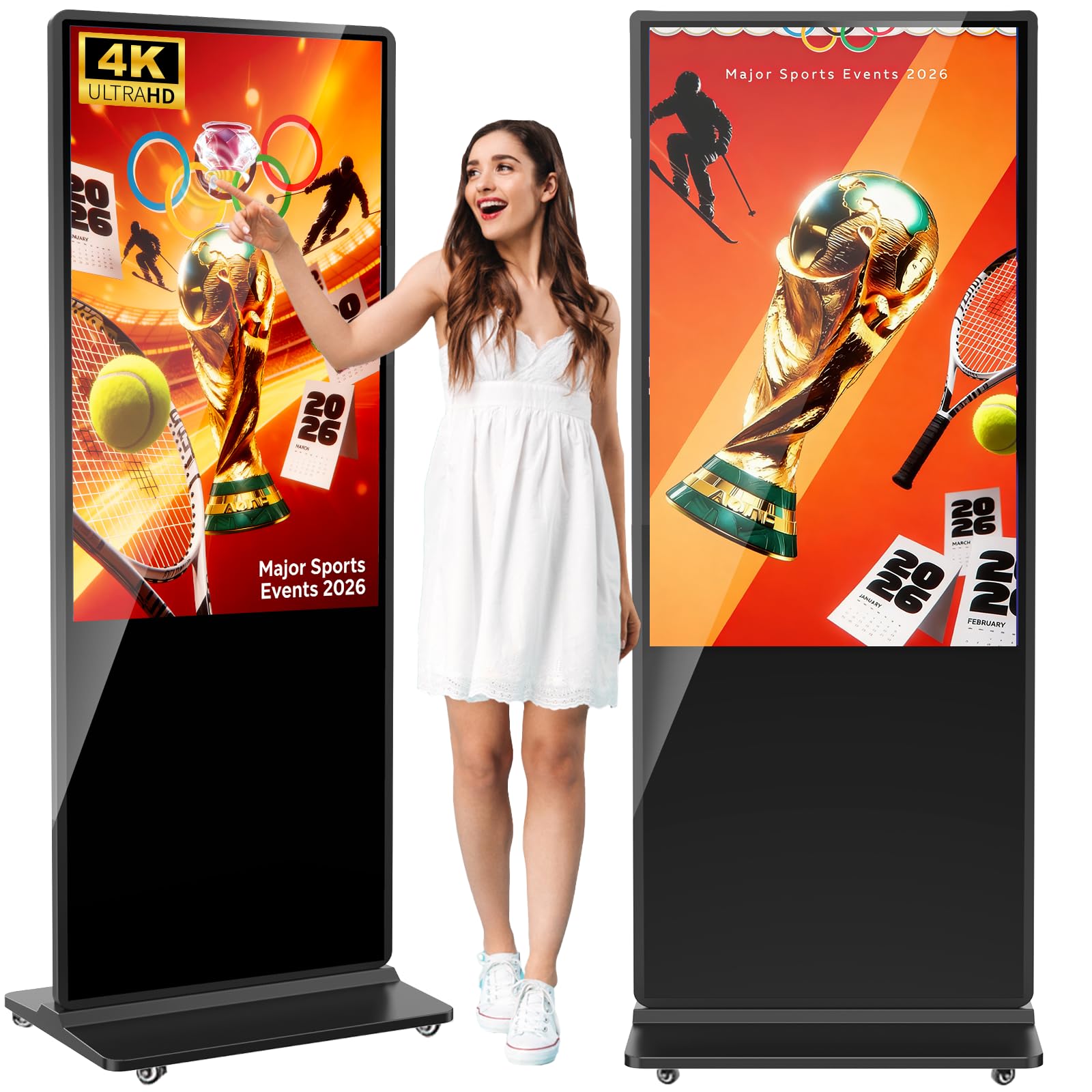
A big, beautiful 4K touchscreen that’s held up strong for over three years of daily use.
Build quality is the headline here — owners consistently single it out, and one academic library has run its unit for three years straight without a problem. The full glass face protects a responsive 4K touchscreen that stays bright and clear even in natural light, making it a favorite for university lobbies, fitness studios, and interactive trade show games. It’s built to be touched, and it takes the abuse.
Android OS powers split-screen playback, so you can run announcements, videos, and scrolling text simultaneously. Connectivity covers Wi-Fi, Ethernet, HDMI, and USB, with a flexible shelf inside for adding external controllers. Autoplay from a U-disk, remote control operation, and timed on/off round out the management tools. The manufacturer throws in a free logo customization service on the front panel — a small touch that helps brand the unit to your business.
Display quality and touch responsiveness get the most praise, with owners calling the picture crisp and the touchscreen highly responsive. Two 8Ω 5W speakers provide built-in audio, so you don’t need external speakers for basic video sound. The deal is sealed by a 3-year warranty that keeps the investment protected well past the first year of service.
Built to last
- Rock-solid build quality with a full glass face
- Responsive 4K touchscreen readable in sunlight
- Free custom logo on the front panel
Points to note
- Same footprint considerations as any 55-inch totem
- Non-touch version also available if you don’t need interaction
Choose it for: a high-traffic lobby, library, or studio where durability and interactive 4K visuals earn back the investment.
Pass on it if: you want a smaller footprint — this is a full-size floor unit built for statement presence.
Understanding the Specs
Brightness (nits)
Nits measure how much light the screen emits. For indoor commercial use, you want at least 400 nits; for spaces with big windows or bright ambient light, 600 to 700 nits keeps the image from looking washed out. A consumer TV at 250 nits will look dim next to a sunny display window.
Touchscreen vs. Non-Touch
A touchscreen converts passive viewing into active engagement — customers tap through catalogs, join surveys, or play games, keeping them near your brand longer. Non-touch units are simpler and cheaper, fine for menu boards or announcement loops where interaction isn’t part of the plan.
FAQ
What brightness do I need for a bright retail store?
Will a consumer TV work for my business?
Do I need a computer to update the content on my signage?
Can I display multiple ads on one screen at the same time?
How does a touchscreen kiosk help my business?
What’s the difference between IPS and standard LCD panels?
Can I hang a floor-standing kiosk on the wall instead?
How long do commercial digital signage displays last?
Final Thoughts: The Verdict
For most buyers, the advertising digital signage winner is the MWE 55-inch 4K Touchscreen Kiosk because it pairs flagship 4K clarity with genuinely useful touch interaction, all backed by a 3-year warranty. If you need a bright countertop menu board that stays readable in daylight, the Canlarriz 21.5″ 700-nit panel delivers the most value per nit. And for a portable display that runs on battery when you’re off-grid, the PWR4GTR 15.6-inch kiosk is the one to grab before your next trade show.
How We Picked
We do not accept paid placement. Every pick is matched to a real buyer and a real use-case; we do not hands-on test units.
Sources & Methodology
Specifications: manufacturer listings and product documentation. Review insights: verified customer reviews, as of August 2026. Pricing: not shown on this page (it changes often); check the current price via the retailer link.
As an Amazon Associate, Gadgets Feed earns from qualifying purchases. This does not affect which products we feature.