
Our readers keep the lights on and my morning glass full of iced black tea. As an Amazon Associate, I earn from qualifying purchases.
Specs are compiled from manufacturer listings and verified buyer reviews and can change over time — please confirm the key details on the product page before buying.
If you spend your workday staring at spreadsheets or your evenings lost in a game, the right 27-inch 1080p screen can be the difference between comfortable, clear viewing and nagging eye strain. The real challenge is balancing refresh rate, color accuracy, and stand ergonomics within your budget.
I’m Min — the founder and writer behind Gadgets Feed. This guide is built by comparing the manufacturers’ published specifications and the patterns across verified customer reviews, so you get each pick’s real strengths and trade-offs instead of marketing spin.
We’ve compared specs and reviews to find 27-inch 1080p monitors that deliver smooth motion, accurate color, and comfort for work and play.
Our Picks at a Glance


How To Choose The Best 27 Inch 1080P Monitor
Match the panel’s strengths to your primary use—gaming, office work, or creative tasks—for a long-term investment. For text-heavy work, prioritize eye comfort and a stable stand over a high refresh rate.
Refresh Rate: The Smoothness Factor
Refresh rate, measured in Hertz (Hz), indicates how many times the screen updates per second. A 100Hz or 120Hz panel makes scrolling smoother and reduces motion blur in fast games compared to a standard 60Hz screen.
Panel Type and Color Accuracy
IPS (In-Plane Switching) panels offer consistent, accurate colors from wide viewing angles. For photo editing, seek high sRGB coverage—99% sRGB means the screen displays nearly the full standard color range.
Quick Comparison
| Model | Best For | Refresh Rate | Contrast Ratio | Color Gamut | Amazon |
|---|---|---|---|---|---|
| Dell SE2725HM★ Best Overall | Eye Comfort & Office Work | 100Hz | 1000:1 | 72% NTSC | Amazon |
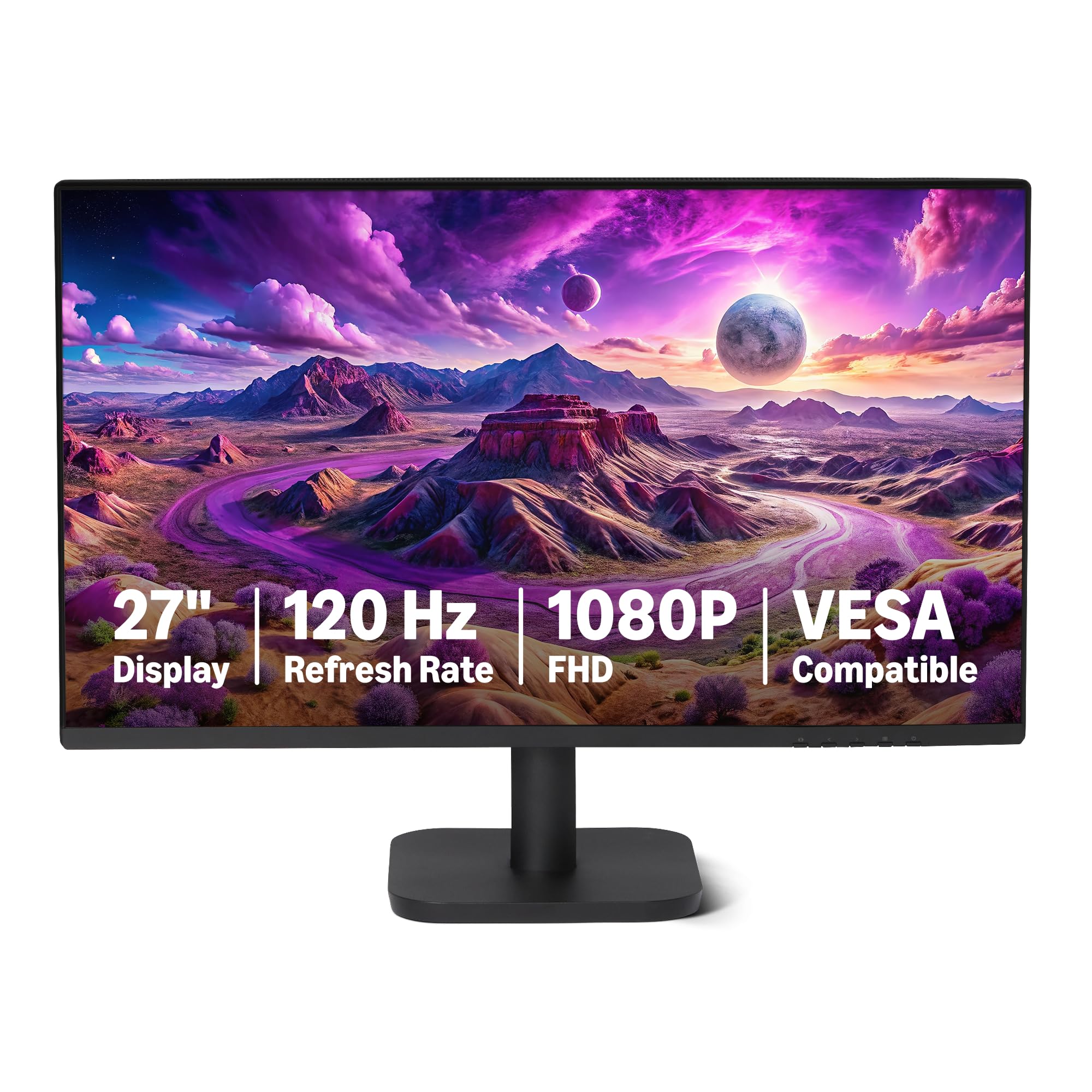
| Amazon Basics 27-inchBest Value | Budget Office & Dual Setup | 120Hz | 1500:1 | 99% sRGB | Amazon |
| Acer SB273 G0biGaming Value | Budget Gaming & Dual Display | 120Hz | 100,000,000:1 | 99% sRGB | Amazon |
| Dell SE2726HG | High-FPS Competitive Gaming | 240Hz | 1000:1 | 99% sRGB | Amazon |
| LG 27U411A-B | Work & Casual Gaming | 120Hz | 1500:1 | 99% sRGB | Amazon |
| Samsung S32GF | Home Office & Streaming | 120Hz | 1000:1 | 72% NTSC | Amazon |
| ViewSonic VA2756A-MHD | Versatile Ports & Value | 120Hz | 1500:1 | 83% sRGB | Amazon |
| Acer SH272 G0bih | Ergonomic Adjustable Stand | 120Hz | 2000:1 | — | Amazon |
| ViewSonic VX2776-SMHD | Lightweight Home Office | 100Hz | 1000:1 | 102% sRGB | Amazon |
| LG 27GS50F-B | Serious 1080p Gaming | 180Hz | 3000:1 | 72% NTSC | Amazon |
| HP Series 3 327se | All-Round Productivity | 100Hz | 1300:1 | — | Amazon |
In-Depth Reviews
1. Dell 27 Monitor SE2725HM
Our pick — over 4.5★ from 800+ verified ratings; the strongest balance of quality and price.
The office workhorse that turns 100Hz smoothness into all-day eye relief.
Staring at tiny text in dense plans or spreadsheets is where this Dell earns its keep. It pairs a high 100Hz refresh rate (so scrolling feels fluid, with less flicker) with ComfortView Plus, a built-in feature that cuts harmful blue light without washing out color accuracy. For anyone whose eyes fatigue by mid-afternoon, this combination is a genuine comfort upgrade — buyers report it has “really helped” with readability and affordability.
Keep your desk tidy with this monitor’s small footprint, built-in power supply, and cable holder. You can tilt the panel to your preferred angle or mount it on a compatible VESA mount (a standard 100x100mm bracket). The trade-off for the clean design is a modest port selection — you get HDMI and VGA, not USB-C or a USB hub, so a dock may be needed for a modern laptop setup.
This is the strongest all-around pick in this list, and the crowd agrees — it holds a 4.8-star rating with over 800 owners behind it, with quality and value-for-money leading the praise. The matte anti-glare finish gets consistent applause for being easy on the eyes, and the picture is described as crisp and clear. It’s not built for high-refresh gaming, but for focused, long-session productivity, nothing here beats it.
What wins people over
- ComfortView Plus filters blue light while keeping colors accurate
- 100Hz refresh rate makes scrolling through long documents noticeably smoother
- Built-in cable holder and power supply keep the desk uncluttered
Fair trade-offs
- No USB-C or USB hub ports, so a dock may be required
- No built-in speakers for multimedia use
- Contrast ratio of 1000:1 is standard, not standout
Reach for this if: you live in spreadsheets, blueprints, or dense documents and want a comfortable, reliable screen all day.
Look elsewhere if: you need USB-C connectivity or plan to game at high frame rates — this is a pure productivity panel.
2. Amazon Basics 27-inch Computer Monitor
A 120Hz panel with speakers that quietly delivers more than its price suggests.
For a first build or a budget dual-monitor setup, this Amazon Basics panel punches well above its position. The 27-inch IPS screen serves up 1920×1080 Full HD resolution with 16.7 million colors and a 1500:1 contrast ratio, so text stays sharp and colors look vivid rather than washed out. The headline spec is the 120Hz refresh rate with Adaptive Sync, which cuts lag and motion blur — a bonus you rarely see at this tier.
Set up multiple monitors with ease thanks to the 4-sided narrow bezel, which makes the seams between screens feel almost invisible. You get HDMI 1.4, DisplayPort 1.2, plus a 3.5mm audio-out jack. Built-in 2W x2 speakers are handy for casual use, though buyers are quick to note they’re “not that great” and best treated as a convenience rather than a sound system. As one owner put it, “you get what you paid for and it’s good value for money.”
The overall verdict is a dependable, no-frills screen that holds up well, with picture quality and value-for-money leading owner satisfaction. It’s not a 4K display, and the speakers won’t replace a real soundbar, but for a clean, large, affordable workspace it hits the mark. If you want a straightforward, honest monitor that does the job without fuss, this is it.
Where it shines
- 120Hz refresh with Adaptive Sync at a budget-friendly price
- 4-sided narrow bezel for a clean multi-monitor setup
- HDMI, DisplayPort, and a headphone jack cover modern needs
Keep in mind
- Built-in speakers are weak — plan for external audio
- Basic stand lacks height adjustment
Best for: anyone building a first PC or a dual-screen home office who wants a big, smooth display without spending up.
Think twice if: audio quality matters to you — the speakers are strictly an afterthought.
3. Acer SB273 G0bi
Fast 1ms response and a towering contrast ratio make this the budget gamer’s sleeper hit.
This Acer is the one to beat if you want a responsive 1080p screen without paying gaming-brand prices. The listed contrast ratio of 100,000,000:1 towers over the Dell SE2725HM’s 1000:1 — a massive gap that translates to far deeper blacks and punchier contrast in dark scenes. Paired with a 1ms (VRB) response time and an up-to-120Hz refresh rate, it renders fast-moving action without the smearing or ghosting that ruins the fun.
The 27-inch IPS panel delivers Full HD (1920 x 1080) detail in a zero-frame design that boost the visible screen area, edge to edge. Adaptive-Sync Support (FreeSync Compatible) matches the monitor’s refresh rate to your graphics card, so gameplay stays smooth and tear-free. It’s also an easy partner for work — one engineering buyer bought it to match their work-supplied HP display and found “the picture quality is identical,” making it great for dual-display productivity.
Owners lean on it for engineering, older-eye-friendly screen size, and gaming systems alike, with quality and value-for-money topping the praise. The setup is straightforward, the picture is crisp, and the stand is stable though basic — there’s no height adjustment. The main quirk is the single-button menu and a power button that needs a firm press, minor annoyances that buyers accept for the savings. It’s a genuine all-rounder for work and play.
Why it stands out
- 100,000,000:1 contrast ratio delivers deep blacks that beat most rivals here
- 1ms (VRB) response time keeps fast motion crisp and ghost-free
- FreeSync compatibility smooths gaming on compatible graphics cards
The small stuff
- Stand only tilts — no height or swivel adjustment
- Single-button menu takes some getting used to
Grab it for: a dual-display workstation or a first gaming rig where you want a fast, high-contrast panel on a budget.
skip it if: you need an adjustable stand or a USB hub — this is a minimal, fixed setup.
4. Dell 27 240Hz Gaming Monitor SE2726HG

A blistering 240Hz refresh rate that leaves every other panel here in its wake.
If you’re chasing every possible frame in competitive shooters, this Dell is the definitive speed king of this lineup. The 240Hz refresh rate combined with a rapid 0.5ms response time delivers fluid, low-lag motion that gives you a real edge in fast-twitch gameplay. FreeSync Premium and HDMI VRR work together to eliminate screen tearing, keeping both PC and console play smooth and responsive.
The Fast IPS panel backs up the speed with strong color — 99% sRGB coverage for vivid, accurate imagery across wide viewing angles. A TÜV Rheinland 3-star certified display lowers blue light while preserving color quality, so it stays comfortable during long sessions. Ports include 2x HDMI and DisplayPort 1.4, and the whole thing is easy to set up, working from the start with a docking station and a MacBook for mixed-use days.
Buyers consistently rate the display quality and picture performance as excellent, noting it’s a great value for dual-monitor setups and dual-purpose work. The honest caveats: the build feels a touch flimsy to some, and there are no built-in speakers — you’ll want a soundbar or headset. There’s also a recurring note about HDR being inconsistent with Windows 11 and FreeSync flickering on certain AMD drivers, which reads like a driver-side issue rather than a panel defect. For pure 1080p speed, it’s class-leading here.
Built for speed
- 240Hz refresh rate is the fastest in this guide
- 0.5ms response time minimizes input lag for competitive play
- 99% sRGB coverage keeps colors accurate and vivid
Speed’s cost
- No built-in speakers — external audio required
- Build feels slightly flimsy to some owners
- HDR and FreeSync can misbehave on certain Windows/AMD setups
Pick this for: competitive gamers who want the smoothest possible 1080p motion and are happy to add their own audio.
Choose something else if: you want integrated speakers or a tank-like build — this panel prioritizes speed above all.
5. LG 27U411A-B

A 120Hz all-rounder whose HDR10 and screen-splitting app make it a workflow powerhouse.
This LG does a little of everything well, which is exactly why it’s such a popular entry-level choice. The 27-inch IPS panel delivers Full HD (1920 x 1080) with a 120Hz refresh rate and 1ms Motion Blur Reduction (MBR), so scrolling stays smooth and fast-paced games remain sharp. HDR10 support plus up to 99% sRGB color coverage mean rich, vivid color whether you’re editing a document or watching a trailer.
Boost your productivity with the Switch app, which turns the screen into a multitasking hub — split the display into up to 6 sections, customize layouts, or launch a video call with a single hotkey. The 3-side virtually borderless design gives a clean, floating look perfect for dual setups, and Reader Mode lowers blue light for comfortable long reading sessions. The tilt adjusts smoothly from -5° to 20° to find your ideal angle.
Owners find it a dependable, well-priced workhorse for both office tasks and streaming, with overall quality and picture quality leading the praise. There are a few honest gripes: the stand lacks height adjustment, and a single menu knob can be fiddly, plus some units arrive with a green-tinted out-of-box picture that needs a quick calibration. Dynamic Action Sync and Black Stabilizer add a gaming edge, making this a versatile jack-of-all-trades.
What makes it versatile
- Switch app splits the screen into up to 6 sections for serious multitasking
- 120Hz with 1ms MBR keeps both work and play fluid
- Reader Mode cuts blue light for comfortable document reading
What to expect
- Stand offers tilt only, no height adjustment
- Out-of-box colors can run slightly green until you adjust them
Ideal for: students and work-from-home users who juggle multiple apps and want a smooth, feature-rich screen.
Not for: anyone who needs a fully adjustable stand or is picky about out-of-box color accuracy.
6. Samsung 27″ S3 (S32GF) Series

A super-slim Samsung that keeps long work sessions comfortable and your desk looking clean.
Samsung brings its design polish to the 1080p office space with this ultra-thin S3 model. The IPS panel keeps colors bright and clear even when you shift viewing angles, while the 120Hz refresh rate cuts lag and motion blur across games, video, and creative work alike. Eye Saver Mode and Flicker-Free technology reduce blue light and screen flicker, so your eyes stay comfortable through back-to-back calls and late deadlines.
The aesthetic is a genuine selling point: a super slim profile with ultra-thin border bezels that looks modern on any desk and pairs beautifully in a dual or triple monitor setup. Owners running double or triple stands find it easy to mount, and it works well in both home office and on-site settings. Game Picture Mode lets you adjust color and contrast instantly, and an included long HDMI cable means you can plug in and go right away.
The feedback is consistently positive — picture quality earns “razor-sharp” descriptions, and it’s seen as great value for home office use. The honest limitations: the stand doesn’t offer height adjustment, and the power button needs a firm press to access the menu, which is annoying at first. Brightness adjustment gets mixed reactions from owners — some can adjust it, others find it tricky — so it’s worth checking your unit early. For a clean, dependable office screen, it delivers.
The standout traits
- Ultra-thin design with small bezels that looks great in multi-monitor setups
- 120Hz refresh keeps scrolling and video buttery smooth
- Eye Saver Mode and Flicker-Free tech reduce eye fatigue
Watch for
- No height adjustment on the stand
- Brightness adjustment receives mixed feedback from owners
Best for: home office users who want a stylish, slim monitor that’s easy on the eyes and mounts cleanly.
Pass on it if: you need ergonomic height adjustment or plan to do color-critical work.
7. ViewSonic VA2756A-MHD
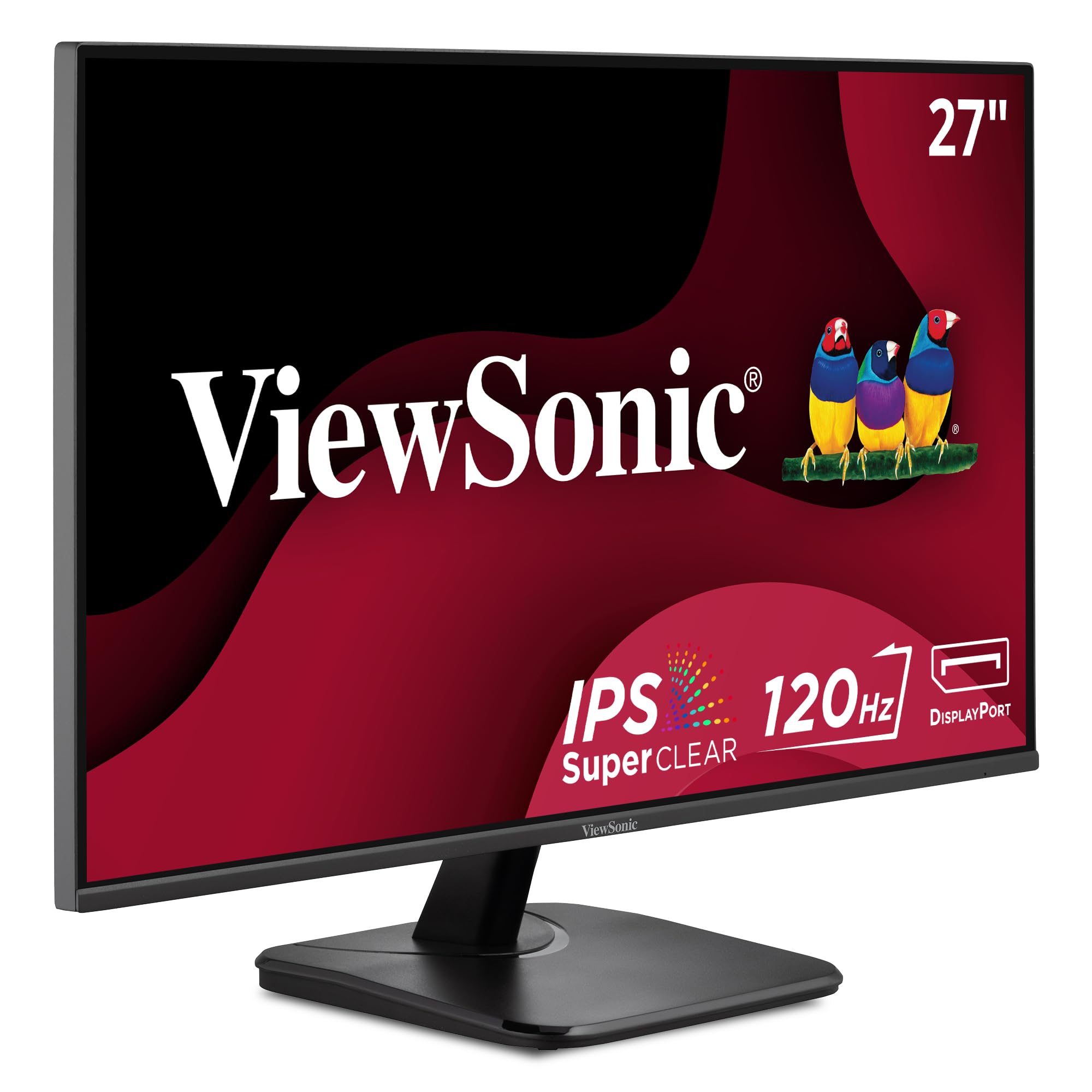
A 120Hz IPS panel with the rare triple-port setup that connects to almost anything.
Connectivity is this ViewSonic’s superpower. While most modern monitors have dropped the legacy port, this one keeps VGA alongside HDMI and DisplayPort, making it a lifesaver for older desktops, network racks, and office gear that hasn’t caught up. The 27-inch Full HD (1920x1080p) IPS panel runs at a smooth 120Hz with SuperClear IPS tech for accurate, vivid colors and consistent brightness from any angle.
The Flicker-Free technology and Blue Light Filter reduce eye fatigue during long sessions, and the thin bezels keep the focus on the screen. A thoughtful set of view presets — “Game,” “Movie,” “Web,” “Text,” and “Mono” — lets you switch the look to match what you’re doing, whether that’s a late-night gaming session or an afternoon of reading. Owners praise its sharp text and clear picture for video calls and YouTube, and its reliability record is strong.
The value story is convincing: buyers describe it as an inexpensive option that does the job well, with display quality and picture quality leading the positive feedback. It’s a favorite among repeat ViewSonic owners, some of whom note their older ViewSonic panels are still running after a decade of daily use. The basic stand and 250-nit brightness are the only real compromises — there’s no height adjustment and it’s not the brightest screen in bright rooms — but for the price, it’s a remarkably complete package.
Why it’s flexible
- HDMI, DisplayPort, and VGA inputs connect to modern and legacy devices
- 120Hz refresh with Adaptive Sync for smooth, tear-free scrolling and gaming
- Five view presets tailor the picture to your activity
Modest limits
- Basic stand lacks height adjustment
- No USB hub for peripheral connections
Choose this if: you need to hook up older gear with VGA or want a reliable, well-priced screen for mixed work and play.
Look past it if: ergonomic stand adjustments or USB passthrough are must-haves.
8. Acer SH272 G0bih

The rare budget panel whose stand tilts, swivels, and adjusts height to fit your setup.
Most monitors in this price range force you to live with a fixed stand — this Acer is the exception. The adjustable stand lets you tilt, swivel, and change the height to find the perfect viewing angle, which is a genuine ergonomic win if you’re picky about neck and posture. Underneath, you get a 27-inch Full HD (1920 x 1080) IPS panel with a strong 2000:1 contrast ratio, putting it above the 1000:1 standard found on many rivals for deeper, richer blacks.
Performance stays smooth with an up-to-120Hz refresh rate and 1ms (VRB) response time, so fast action renders without smearing or ghosting. Adaptive-Sync Support matches the refresh rate to your graphics card for a tear-free experience, and the zero-frame design boost visible screen from edge to edge. Setup is straightforward, and owners describe the picture as clear with bright, accurate colors — a solid performer for both home office and light gaming.
Owners appreciate the versatility for work and play, with the 5 image adjustment buttons and easy setup earning specific praise. However, there’s a split in the feedback: while many say it works exceptionally well, a notable group reports it randomly stops working, and some HDMI cables arrive faulty. It’s a fit-note rather than a fatal flaw — the quality is there when it’s running — but it’s worth knowing the reliability record isn’t as uniformly glowing as some other picks here.
Standout features
- Full tilt, swivel, and height adjustment on the stand — rare at this price
- 2000:1 contrast ratio delivers deeper blacks than many rivals
- 120Hz refresh with 1ms response keeps motion crisp
Heads up
- Some owners mention random power-off issues
- Occasional faulty HDMI cable in the box
Pick this for: a workstation where adjustable ergonomics matter more than a fixed, minimal stand.
Consider others if: you want a flawless reliability record — this one has a split verdict on random shutdowns.
9. ViewSonic VX2776-SMHD

A feather-light panel with 102% sRGB coverage that’s a joy to lift and mount.
If you’re planning a wall mount or a movable setup, the weight of this ViewSonic is a quiet blessing. It’s genuinely lightweight and thin, which makes assembly and repositioning easy, and the ultra-thin bezels give it a sleek, modern look. Under the hood, the 27-inch Full HD (1920x1080p) IPS panel boasts an impressive 102% sRGB color gamut coverage — exceeding the 99% found on many rivals — for vivid, accurate color in creative work.
The 100Hz refresh rate with FreeSync technology keeps gameplay fluid and tear-free, while Flicker-Free tech and a Blue Light Filter reduce eye fatigue during long sessions. It offers the same handy view presets as its sibling — “Game,” “Movie,” “Web,” “Text,” and “Mono” — so you can tailor the picture to the task. Connectivity covers HDMI, DisplayPort, and VGA, keeping it compatible with laptops, PCs, and Macs.
Owners are consistently impressed with the picture quality and value, describing the display as clear with high contrast and deep blacks. The recurring honest gripe is the stand: customers note it feels unstable and wobbly, and it sits too short — one owner needed three reams of paper to clear their laptop screen — so a VESA mount is a smart investment here. There’s also a mixed note on a yellow tint for some units. The screen itself, though, is beautiful and works perfectly with a Mac.
What impresses
- 102% sRGB coverage exceeds most rivals for vibrant, accurate color
- Lightweight, thin design is easy to lift and mount
- FreeSync tech plus 100Hz keeps motion smooth
The honest catch
- Stand is wobbly and short — plan for a VESA mount or riser
- Some units show a yellow tint that needs calibration
Grab it for: a wall-mounted or frequently moved setup where light weight and wide color matter.
Pass if: you plan to use the stock stand — it’s the weak link here.
10. LG 27GS50F-B Ultragear

A 180Hz gaming panel with a 3000:1 contrast ratio that makes blacks look truly black.
Serious gamers who want speed without stepping up to 1440p will find a lot to love in this LG UltraGear. The 180Hz refresh rate with 1ms MBR (Motion Blur Reduction) delivers exceptionally smooth, responsive gameplay, and the 3000:1 contrast ratio is a clear step up from the 1000:1 found on many rivals — owners specifically note “the blacks are black and not gray.” AMD FreeSync keeps the experience virtually tear-free at Full HD resolution.
The gamer-centric features go deep: Dynamic Action Sync reduces input lag, Black Stabilizer brightens dark scenes to spot enemies, an FPS Counter displays your frames per second in real time, and a Crosshair overlay gives you enhanced precision. The 3-side virtually borderless, ultra-thin design boost your battlestation space, with two HDMI ports and DisplayPort on a tilt-adjustable display. HDR10 support adds dramatic color and contrast for rich play.
Owners describe it as an amazing display for both videos and work, with crisp, clear picture quality and great value — a favorite first gaming monitor, and a huge upgrade from 60Hz for budget-minded gamers. The honest caveats: color quality gets mixed feedback, with some finding too much black, and the adjustability is limited to tilt — it doesn’t tilt up and down beyond that. For a dedicated 1080p gaming rig, it’s a top-tier performer.
Built for gamers
- 180Hz refresh with 1ms MBR for ultra-smooth, responsive play
- 3000:1 contrast ratio delivers genuinely deep blacks
- Gaming extras: Crosshair, FPS Counter, and Black Stabilizer
Gamer’s trade-offs
- Adjustability is limited to tilt, no height or swivel
- Color quality gets mixed feedback, some find it too dark
Best for: dedicated 1080p gamers coming from 60Hz who want a big smoothness jump with deep blacks.
Look elsewhere if: you need ergonomic adjustments or plan color-critical creative work.
11. HP Series 3 27 inch FHD Monitor (327se)

The crowd-favorite workspace that pairs certified eye comfort with genuinely useful speakers.
With tens of thousands of owners behind it, this HP is the most proven productivity panel in this guide. The 27-inch IPS display delivers Full HD (1920 x 1080) with a 1300:1 contrast ratio — a step above the 1000:1 baseline — for sharp visuals and nuanced color, shadow, and highlights. HP Eye Ease with Eyesafe Certification provides an always-on, true-color low-blue-light filter, so you get eye protection without the yellow tint that plagues lesser blue-light modes.
The 100Hz refresh rate delivers clearer details and smoother frame-to-frame motion, and the 178-degree IPS viewing angles keep the picture accurate no matter where you sit. Ports cover VGA, HDMI 1.4, and DisplayPort 1.2, and built-in dual 2W speakers handle music and meetings — owners note they work immediately and are adequate for voice, with a menu trick to boost the default 50% volume to 100%. The tilt-adjustable stand is a bonus, though it lacks height adjustment.
The environmental story is a genuine differentiator: the monitor uses at least 90% post-consumer recycled plastics in the enclosure and 20% recycled glass in the panel. Owners consistently praise the crisp picture, easy no-tools setup, and value, with quality and picture quality leading the feedback by a wide margin. The recurring minus is speaker audio via HDMI — some report the sound cuts out, forcing external speakers — but for everyday office work, reading, and calls, it’s a remarkably complete and popular choice.
What makes it popular
- Eyesafe-certified low-blue-light filter protects eyes without color shift
- Built-in dual 2W speakers work from the start for calls and music
- Eco-friendly build with 90% recycled plastics and 20% recycled glass
Known quirks
- No height adjustment on the stand
- Speaker audio can cut out via HDMI for some owners
Reach for this if: you want a trusted, widely-verified office screen with real eye comfort and built-in audio.
Consider alternatives if: you need height adjustment or plan to rely on HDMI audio — external speakers may be safer.
Understanding the Specs
Refresh Rate (Hz)
This is how many times your screen redraws the image each second. A standard 60Hz panel is fine, but a 100Hz or 120Hz screen makes scrolling and fast motion feel much smoother. For competitive gaming, 180Hz or 240Hz panels cut motion blur and input lag dramatically.
Contrast Ratio
This measures the difference between the brightest white and the darkest black the screen can show. A ratio like 1000:1 is the common baseline, while 3000:1 or higher delivers noticeably deeper blacks and more punch in dark scenes — a key factor for gaming and movies.
FAQ
Is a 27-inch 1080P monitor good for everyday office work?
What is the difference between 100Hz and 120Hz on a monitor?
Is IPS panel technology worth it for a 1080p monitor?
How many ports do I need on my new monitor?
Do I need a monitor with built-in speakers?
How important is a VESA mount on a 27-inch monitor?
Can I use these 1080p monitors for gaming with a console?
What does the color gamut percentage like 99% sRGB mean?
Final Thoughts: The Verdict
If you want one dependable pick, the 27 inch 1080p monitor winner is the Dell SE2725HM because it pairs a smooth 100Hz refresh rate with genuine eye comfort features at a price that’s hard to argue with. If you want a fast 120Hz panel with built-in speakers for a budget dual-monitor setup, grab the Amazon Basics 27-inch. And for high-refresh competitive gaming, the Dell SE2726HG with its 240Hz refresh rate is the one to reach for.
How We Picked
We do not accept paid placement. Every pick is matched to a real buyer and a real use-case; we do not hands-on test units.
Sources & Methodology
Specifications: manufacturer listings and product documentation. Review insights: verified customer reviews, as of August 2026. Pricing: not shown on this page (it changes often); check the current price via the retailer link.
As an Amazon Associate, Gadgets Feed earns from qualifying purchases. This does not affect which products we feature.