
Our readers keep the lights on and my morning glass full of iced black tea. As an Amazon Associate, I earn from qualifying purchases.
Specs are compiled from manufacturer listings and verified buyer reviews and can change over time — please confirm the key details on the product page before buying.
When you shop for a 42-inch class computer monitor, you are really picking between three tools: a smart TV for streaming, a gaming powerhouse, and a productivity hub for multitasking. The exact size “42 inches” is rarely sold, so this list features the nearest available size — 43 inches — which delivers the same rich experience. Here are the top 43-inch 4K models, so you can match one to how you actually work and play.
I’m Min — the founder and writer behind Gadgets Feed. This guide is built by comparing the manufacturers’ published specifications and the patterns across verified customer reviews, so you get each pick’s real strengths and trade-offs instead of marketing spin.
Finding the perfect 42 inch computer monitor means weighing refresh rate, connectivity, and smart features to match your desk and daily routine.
Our Picks at a Glance

How To Choose The Best 42 Inch Computer Monitor
Buying a 43-inch monitor is a bigger commitment than most display purchases, so it pays to think through your setup before you commit. Start with your primary task, because the best gaming screen is not necessarily the best office screen.
Match the panel to the job
If your days are filled with spreadsheets, code, and video calls, you want an IPS panel for consistent color and wide viewing angles. If you are chasing frame rates in fast games, look for a high refresh rate like 144Hz and a fast 1ms response time to keep motion blur low.
Check the ports that matter to you
Count the devices you plan to plug in. A USB-C port can charge a laptop and carry video through one cable, while extra USB-A ports let you plug in a mouse and keyboard. Some monitors even include a KVM switch, which lets you control multiple computers with one keyboard and mouse.
Quick Comparison
| Model | Best For | Resolution | Contrast Ratio | Brightness | Amazon |
|---|---|---|---|---|---|
| Samsung M7 (M70F)★ Best Overall | Streaming & casual work | 3840 x 2160 | 5000:1 | 300 cd | Amazon |
| Samsung QET LFD | Digital signage & lobbies | 3840 x 2160 | 4000:1 | 300 cd/m² | Amazon |
| Samsung Odyssey Neo G7 | 4K gaming | 3840 x 2160 | 1,000,000:1 | 400 cd/m2 | Amazon |
| Dell UltraSharp U4323QE | Productivity & multitasking | 3840 x 2160 | 1,000:1 | 1199.1 | Amazon |
In-Depth Reviews
1. Samsung 43” M7 (M70F) Series 4K UHD Smart Monitor
Our pick — over 4★ from 300+ verified ratings; the strongest balance of quality and price.
The all-rounder that turns your desk into a streaming hub and a work station
This Samsung M7 is the chameleon of the group, blending a 4K UHD display with a full smart TV brain. You get instant access to streaming content and Samsung TV Plus for live channels and on-demand shows, all without a separate set-top box. It earns the Best Overall spot because it balances office utility with entertainment value better than anything else here.
Connectivity is genuinely versatile, with USB-C, HDMI, and USB-A ports letting you charge a device, transmit data, and run a multi-screen setup all at once. For work-from-home days, the AI Picture Optimizer adapts visuals to help you read documents comfortably, while gamers get deep, rich blacks. The color gamut of 0.99 and a 5000:1 contrast ratio make the 3840 x 2160 resolution feel vivid.
One important thing to know before you unbox it: the included HDMI cable is a known weak point. Buyers report a washed-out, blurry picture at 4K until you swap in a higher-quality cable, after which the display shines. The review pages sum it up as an excellent monitor with great picture quality and port selection, though a few found the smart TV setup flow annoying and the black levels on the softer side.
Where it wins
- Streams apps and live TV right on the monitor
- USB-C adds easy laptop hookup and charging
- G-Sync Compatible adaptive sync for smoother gaming
Watch out
- Ships with a low-quality HDMI cable that blurs 4K
- Smart TV setup can require workarounds
- Blacks are not the deepest, with middling contrast
Reach for this if: you want one screen that handles work, streaming, and gaming without compromise.
Think twice if: you want true deep blacks for a dark home theater room — this is not that panel.
2. SAMSUNG 43” QET Series LFD Display with MagicInfo Lite Player

The lobby workhorse built to run announcements all day, every day
This QET Series display is not a typical desk monitor — it is a commercial digital signage screen designed for lobbies, churches, and trade shows. Its super-slim bezel keeps the focus on the content, and the built-in MagicINFO Lite Player plays pre-scheduled images and videos with ease. Owners mention using it for church announcements in the lobby, and “it did not disappoint” with UHD/4K picture that made members take notice.
You get reliability first: this monitor is built to run 16 hours a day, 7 days a week, and it comes with a full 3-year onsite commercial warranty. For a business, that confidence beats any single spec. It delivers a crisp 3840 x 2160 resolution (4K UHD) and a 4000:1 contrast ratio, but that falls well short of the 1,000,000:1 on the Odyssey Neo G7 gaming model above.
Color fidelity is solid but not the headline here, with a color gamut of 0.72 versus the 0.99 on the M7 smart monitor. The trade-off is that this panel is built for signage endurance, not for photo-editing color work. A few units have arrived with screen damage despite undamaged boxes, which points to a factory quality-control issue rather than a design flaw, though the seller’s replacement service has been praised.
The bottom line: a dependable, commercial-grade screen for anyone running always-on content. It is more specialized than a home monitor, so skip it if you just want a desk display for everyday use.
Best suited to: businesses, churches, and event spaces that need reliable 24/7-style signage.
Not the pick if: you need wide color accuracy for creative work — the 0.72 gamut limits it.
3. SAMSUNG 43″ Odyssey Neo G7 Series 4K UHD Smart Gaming Monitor

The Mini-LED beast that makes games feel alive at 144Hz
If gaming is your priority, this Odyssey Neo G7 is the screen to beat. Its Quantum Matrix Technology with Mini LEDs delivers a stunning 1,000,000:1 contrast ratio, so dark dungeons and night maps show deep blacks and bright highlights in the same frame. The 144Hz refresh rate keeps action ultra-smooth, while the 1ms response time minimizes ghosting for precise aim.
AMD FreeSync Premium Pro handles adaptive sync, which reduces screen tearing and stutter during intense matches. What wins people over is the picture quality, especially the HDR display with lifelike movie graphics — owners describe it as a massive upgrade for 4K gaming. You also get Smart TV apps and Samsung Gaming Hub for instant access to cloud gaming services, so you can switch from work to warzone without a console.
Honest caveats: reliability is a mixed bag, with some units regularly shutting down unexpectedly and others flickering after a reboot. Many of those issues trace back to using the wrong cable — owners found switching to a DisplayPort 1.4 (HBR3) cable fixed everything, and it works flawlessly with an RTX 5080. It also reflects more light than the matte M7, so a bright room can cause glare during the toughest battles.
Why it dominates
- 144Hz and 1ms response for elite gaming
- 1,000,000:1 contrast with Mini-LED tech
- Flex Move Screen shrinks display from 43 to 20 inches
The catches
- Occasional flickering or shutdown issues
- Requires a quality DisplayPort cable to work right
- Speakers are just mediocre
Pick this for: serious gamers who want console-quality 4K at high frame rates and deep HDR.
Steer clear if: you are on a tight budget or hate troubleshooting cables — the M7 is simpler for everyday use.
4. Dell UltraSharp 43 4K USB-C Hub Monitor – U4323QE
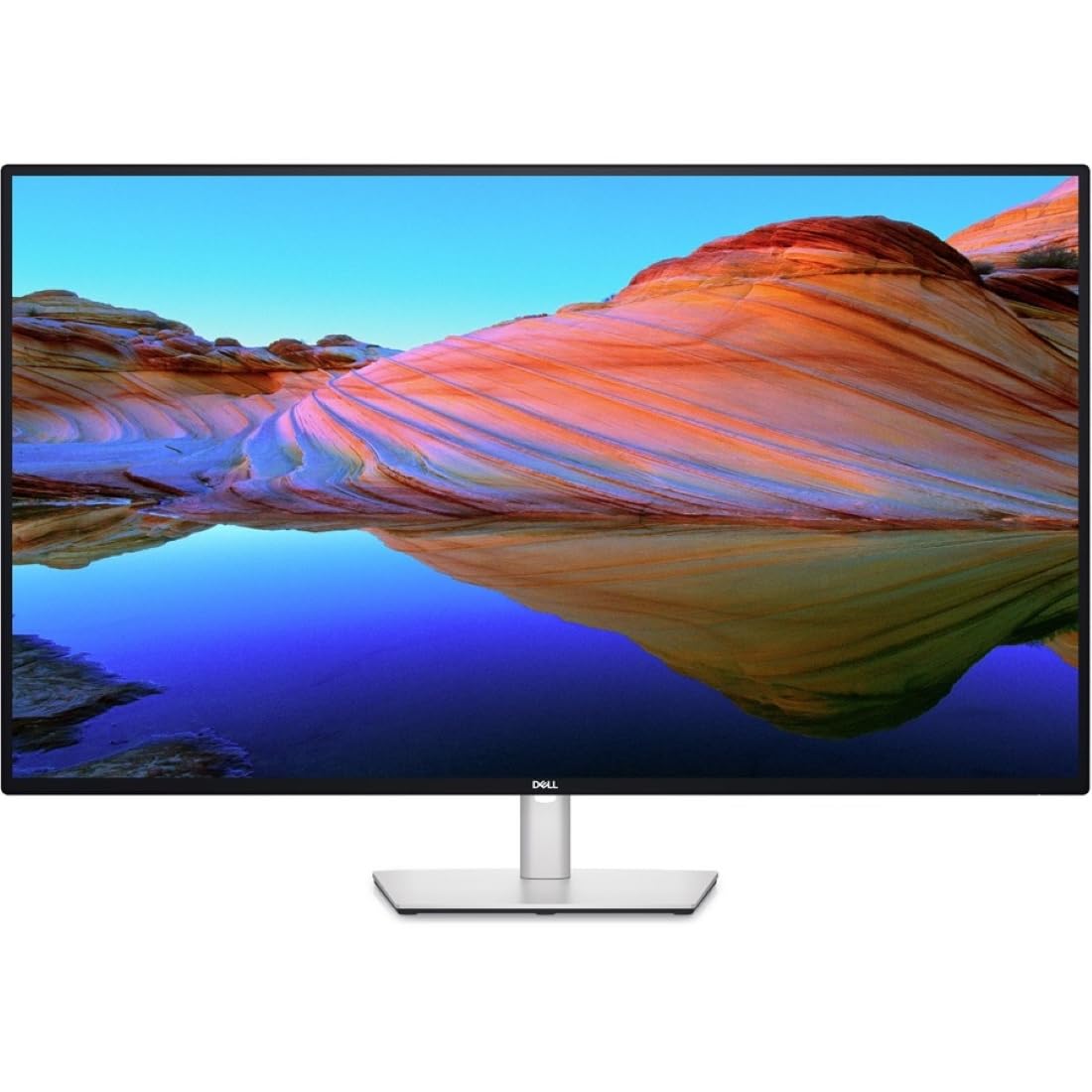
The multitasker’s dream that turns four computers into one clean desk
This Dell UltraSharp is the office powerhouse, designed for people who juggle multiple computers. Its signature trick is a built-in KVM switch, letting you control four different PCs with a single keyboard and mouse. Owners call it the best monitor they have ever owned, praising how the USB-C port charges a MacBook Pro reliably and how the massive 43-inch 4K canvas makes other screens feel tiny.
The 3840 x 2160 IPS panel delivers strong vertical resolution for coding, which is why developers and data-entry pros rave about it. Its 1.77:1 aspect ratio and 1,000:1 contrast ratio are more modest than the gaming screens, but the real value is the hub. Front-facing, pop-out USB-A and USB-C (15W charging) ports let you plug in peripherals, then tuck them away for a clean look.
The standout feature is the KVM, but it has a catch: the software-based version crashes regularly for some owners, requiring a restart or manual back-panel switching. When it works, it simplifies your setup by replacing multiple keyboards, mice, and monitors. The 1,000:1 contrast ratio falls far behind the Neo G7’s 1,000,000:1, so this is not the screen for cinematic movie nights — it is built for getting work done.
Who it serves: professionals running a work PC, a personal laptop, and more on one display. The huge, crisp workspace boosts productivity for multi-program work.
The honest trade-off: the KVM software can be glitchy, so treat it as a bonus rather than a guarantee.
Choose this if: you live in spreadsheets and code and need one keyboard to rule them all.
Look elsewhere if: you want cinematic HDR or don’t need multi-PC control — you are paying for that hub.
Understanding the Specs
Refresh Rate and Response Time
Refresh rate, measured in Hertz (Hz), tells you how many times the screen redraws per second. A standard office monitor runs at 60Hz, which is fine for spreadsheets, but a 144Hz panel like the Odyssey Neo G7 makes fast games feel dramatically smoother. Response time, measured in milliseconds (ms), is how quickly a pixel changes color — lower numbers like 1ms reduce motion blur and ghosting in action scenes.
Contrast Ratio and Color Gamut
Contrast ratio compares the brightest white to the darkest black a screen can show; a higher ratio like 1,000,000:1 on the Neo G7 delivers deeper blacks and more lifelike HDR. Color gamut, shown as a value up to 1.0, measures how much of the color spectrum the panel can display. A 0.99 gamut like the M7 renders richer, more accurate colors than a 0.72 panel, which matters for photo editing and watching vibrant content.
FAQ
Will a 43-inch monitor fit on my standard desk?
Is a 43-inch monitor too big for office work?
Can I use a 43-inch smart monitor as a TV?
What is the difference between a smart monitor and a digital signage display?
Do I need a special cable for 4K at 144Hz?
What does a KVM switch on a monitor do?
Can a 43-inch monitor charge my laptop?
Is 4K resolution worth it on a 43-inch screen?
Final Thoughts: The Verdict
For most buyers, the 42 inch computer monitor winner is the Samsung M7 (M70F) because it gives you versatile 4K UHD with smart TV streaming, a deep feature set, and high owner satisfaction. If you want a Samsung Odyssey Neo G7, you get gaming performance with a 144Hz refresh rate and cinematic contrast. And for Dell UltraSharp U4323QE, the built-in KVM and USB-C hub make it the ultimate productivity companion.
How We Picked
We do not accept paid placement. Every pick is matched to a real buyer and a real use-case; we do not hands-on test units.
Sources & Methodology
Specifications: manufacturer listings and product documentation. Review insights: verified customer reviews, as of August 2026. Pricing: not shown on this page (it changes often); check the current price via the retailer link.
As an Amazon Associate, Gadgets Feed earns from qualifying purchases. This does not affect which products we feature.