
Our readers keep the lights on and my morning glass full of iced black tea. As an Amazon Associate, I earn from qualifying purchases.
Specs are compiled from manufacturer listings and verified buyer reviews and can change over time — please confirm the key details on the product page before buying.
If your laptop takes minutes to boot and stutters when you open a browser, the cheapest and most dramatic fix is swapping the old spinning hard drive for a 256 GB SSD. This guide covers nine drives that will make that aging machine feel years newer, without any of the jargon that makes shopping for storage such a headache.
I’m Min — the founder and writer behind Gadgets Feed. This guide is built by comparing the manufacturers’ published specifications and the patterns across verified customer reviews, so you get each pick’s real strengths and trade-offs instead of marketing spin.
You’ll see exactly which 2.5-inch SATA drives fit older laptops and which M.2 sticks belong in newer ones. Here is a look at the best 256 gb ssd for laptop upgrades that deliver real speed for sensible money.
Our Picks at a Glance


How To Choose The Best 256 GB SSD For Laptop
Buying the wrong SSD is the single most common mistake here. You do not choose a drive by brand loyalty or price — you choose it by the slot inside your laptop. Open your machine’s manual or look up its specs online, and check for one of two things: a 2.5-inch bay for a SATA drive, or an M.2 slot that supports either SATA or NVMe.
Check the interface first, not the capacity
Laptops from the last decade almost always take a 2.5-inch SATA drive — the familiar flat rectangle that matches the old hard drive you are replacing. Newer ultra-thin laptops skip that bay entirely and use a bare M.2 stick, which looks like a small gum wrapper. Buying the wrong form factor means the drive simply will not fit, and no amount of speed on paper fixes that.
Read speed matters most for daily feel
The number that predicts how fast your laptop feels is the sequential read speed, listed in MB/s. A typical SATA SSD lands around 500 MB/s, while an NVMe stick can hit 3000 MB/s. That gap shows up most clearly in how quickly games load levels and how fast you can move big video files, rather than in everyday web browsing.
Do not ignore the warranty and endurance
A drive’s endurance, often written as TBW (TeraBytes Written), tells you how much data you can write before it wears out. For a 256 GB boot drive, a figure in the hundreds of TBW is plenty for years of use. A 3-year warranty is worth having because a failed drive means losing your operating system and everything on it.
Quick Comparison
| Model | Best For | Interface | Read Speed | Form Factor | Amazon |
|---|---|---|---|---|---|
| TEAMGROUP Vulcan Z★ Best Overall | Gaming & quality | SATA III | 520 MB/s | 2.5-inch | Amazon |
| Timetec 256GBAlso Great | Also Great | SATA III | 530 MB/s | 2.5-inch | Amazon |
| Silicon Power A55Crowd Favorite | Crowd favorite | SATA III | 500 MB/s | 2.5-inch | Amazon |
| fanxiang S500 Pro | NVMe speed | NVMe PCIe 3.0 | 3000 MB/s | M.2 | Amazon |
| KOOTION NVMe | Budget NVMe | NVMe PCIe 3.0 | 3000 MB/s | M.2 | Amazon |
| Ediloca EN605 | Secondary storage | NVMe PCIe 3.0 | 1950 MB/s | M.2 | Amazon |
| RAOYI 256GB | PS3 & classic PCs | SATA III | 550 MB/s | 2.5-inch | Amazon |
| Vansuny 256GB | Older PCs | SATA III | 500 MB/s | 2.5-inch | Amazon |
| Ediloca ES580E | Budget value | SATA III | 400 MB/s | 2.5-inch | Amazon |
In‑Depth Reviews
1. TEAMGROUP T-Force Vulcan Z 256GB
Our pick — over 4.5★ from 7,000+ verified ratings; the strongest balance of quality and price.
The gaming-branded SATA drive that loads titles nearly as fast as pricier NVMe sticks.
Gamers get what they need from the T-Force Vulcan Z: its 520/450 MB/s read/write speeds mean game downloads finish faster and cutscenes play without stutter. The 3D NAND flash memory (a type of storage that stacks cells vertically for higher capacity) and SLC cache (a fast buffer that speeds up writes) work together to keep large installs moving quickly instead of choking mid-transfer.
Installation is genuinely painless, with owners noting it slips straight into a standard 2.5-inch drive bay. The shock-resistant, vibration-resistant build means it survives life inside a laptop that gets tossed in a bag, and the lack of moving parts kills the mechanical whine of an old hard drive entirely.
Owners call it a “superb little drive” that delivers major boot-time and game-load improvements for the money. The honest trade-off: a fair chunk of owners mention reliability concerns over the long haul, so buy it knowing the value is excellent while longevity is more of a mystery on this specific model. One owner sums up the value debate plainly: it works “very fast,” but whether it is worth it depends entirely on the current street price.
The gaming credentials
- 520 MB/s read speed for fast game loads
- Shock and vibration resistant for laptops
- Easy slide-in installation for 2.5-inch bays
- Value for money is a top praise point
The honest catch
- Long-term reliability gets mixed feedback from owners
- Value depends heavily on current market pricing
- No cables included in the box
Pick this for: a gaming laptop or desktop where fast level loads and durable build matter more than absolute top-tier endurance ratings.
Pass on it if: you want the confidence of a drive with a longer, more proven reliability track record.
2. Timetec 256GB SSD 3D NAND SATA III
The fastest SATA reader here that turns a sluggish Lenovo into a snappy machine.
This Timetec drive leads the list for one concrete reason: it posts the top sequential read speed of any SATA option in this roundup at 530 MB/s, and its write speed climbs to 510 MB/s. For an older laptop on the 2.5-inch SATA standard, those are ceiling-level numbers that shave real seconds off every boot.
The real-world evidence backs the spec sheet. In a Lenovo Ideapad L340, a 55GB music copy that took 75 minutes on the old hard drive finished in 10 minutes, with boot and shutdown dropping to a breezy 10-15 seconds. The 7mm (0.28-inch) slim body is why this drops neatly into Ultrabook-style bays, and the polycarbonate shell keeps it light inside the chassis.
Buyers report running Windows, Linux, and even a Hackintosh build on this same small drive without a hiccup, and the SLC cache (a fast temporary write buffer) is what keeps sustained transfers from stalling. The seller rates it for 1,000,000 hours mean time before failure, a durability figure that explains why repeat buyers come back.
The speed that sells it
- Fastest SATA read speed in this guide at 530 MB/s
- Slim 7mm build fits Ultrabooks and standard bays
- Rated for 1,000,000 hours before failure
- Works with Windows, Mac OS, and Linux systems
What to know before buying
- No cables, screws, or mounting bracket in the box
- Random writes test slower than premium Samsung drives
- Temperature reporting can read oddly in monitoring tools
Reach for this if: you want the fastest possible SATA upgrade for an older laptop and the strongest value story in the category, backed by broad OS compatibility.
Look elsewhere if: you need mounting hardware included or you expect premium-drive random write performance at this price.
3. Silicon Power 256GB A55 SLC Cache SSD
Tens of thousands of laptop owners trust this slim SATA drive for daily computing.
The Silicon Power A55 is the most proven drive in this guide, with a massive base of laptop owners vouching for its everyday performance. Its 500 MB/s data transfer rate is standard for SATA III (a common connection type for older laptops), but the SLC cache gives it a boost that makes bootup noticeably faster and keeps the system feeling responsive during multitasking.
At 7mm thick, this drive is purpose-built for Ultrabooks and ultra-slim notebooks, and it speaks the modern laptop language with TRIM and Garbage Collection support. An IT professional timed a Windows 10 install at roughly 10 minutes against 24 minutes on a hard drive, and a cold boot at about 10 seconds versus 90 — a dramatic difference isolated to the same PC.
The 3-year limited warranty adds a safety net that cheaper options skip., though one wrinkle is that you must register the product on Silicon Power’s official website to open up the full warranty coverage. On the downside, a notable slice of the owner base reports drives failing after about 6 months, which makes this a value pick where you should keep backups close.
The proven strengths
- Huge, battle-tested owner base
- 7mm design made for slim Ultrabooks
- Cut Windows install time from 24 to 10 minutes
- 3-year limited warranty with registration
The realistic concerns
- Some owners see failures around the 6-month mark
- Warranty needs manual product registration
- SATA pin connector can be fragile
Choose this for: a budget laptop build where proven install ease and a quick boot matter more than peak endurance ratings.
Skip it for: a machine holding irreplaceable data, given the reported failure pattern around half a year.
4. fanxiang S500 Pro 256GB NVMe SSD

The M.2 stick that slaps 3000 MB/s speeds into a laptop that was nearly thrown away.
The fanxiang S500 Pro is a different beast from the SATA drives above because it uses the NVMe standard (a much faster protocol designed for solid-state storage) over a PCIe 3.0 connection. That shift open up a sequential read speed up to 3000 MB/s — compared to a typical SATA drive’s 500 MB/s — which is why one owner replaced a dead drive and measured speeds up to 3000 MB/s.
The 256GB model uses 3D NAND TLC memory (a type of flash storage that stores three bits per cell) with an SLC cache, and the maker rates it for up to 160TBW (TeraBytes Written — the total data you can write before it wears out, which for most people is many years of heavy use). A graphite heat dissipation sticker is included to pull heat off the controller, addressing the “runs hot” reports that hover around some M.2 drives.
It resurrected a Lenovo Flex 5 that had already been to the factory for an overheating main board — an owner who expected to junk the machine instead got a working laptop for the cost of this stick. The kit even includes the mounting screw and screwdriver, so there is nothing else to buy. The main caveat is the reliability reports: a small number of units have failed within two weeks, which keeps this a great-value drive rather than a guaranteed-forever one. Compatibility also comes as MIXED feedback, so double-check your laptop’s M.2 slot supports NVMe before you order.
The speed advantage
- Up to 3000 MB/s read speed over NVMe
- 160TBW endurance rating
- Comes with screw, screwdriver, and heat sticker
- Value for money is the top praise point
The speed trade-offs
- Mixed reliability reports, some failures within two weeks
- Compatibility with every M.2 slot is not guaranteed
- Heating varies by laptop chassis
Get this if: your laptop has a free M.2 NVMe slot and you want the dramatic speed jump from a dying or slow boot drive for minimal cost.
Think twice if: your machine only supports M.2 SATA drives, or you need maximum reliability for irreplaceable data.
5. KOOTION 256GB NVMe M.2 PCIe 2280 SSD
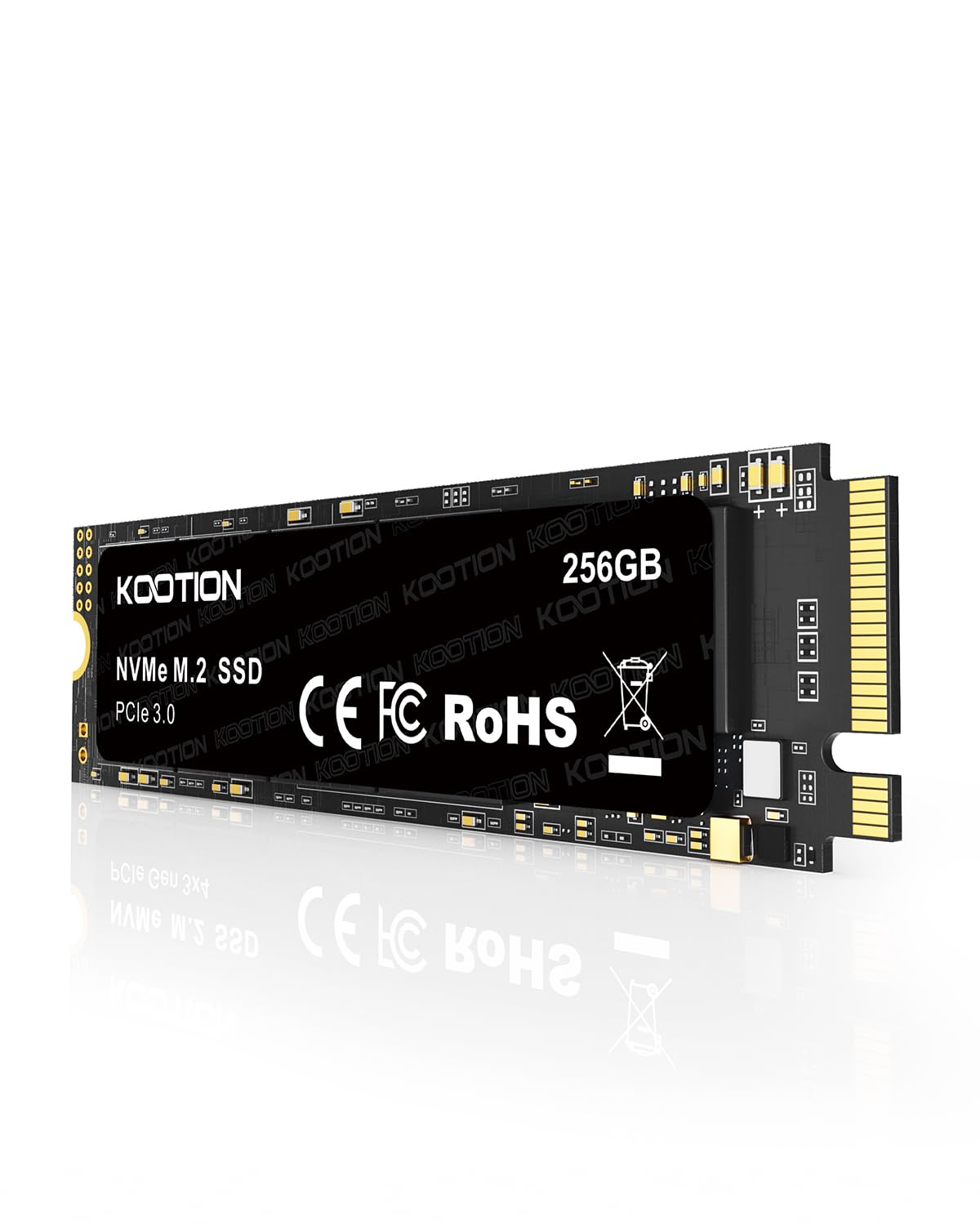
A bare-bones NVMe stick that revived a dying Dell for everyday office chores.
The KOOTION hits the same 3000/2400 MB/s read/write peak as the fanxiang above, making it another strong NVMe option for laptops with a spare M.2 2280 slot. For a laptop stuck on a failing hybrid drive, owners describe the swap as moving “from frustration to functional” — email, internet, and office tasks run cleanly again.
The M.2 2280 form factor (meaning 22mm wide by 80mm long, the most common laptop length) makes it a drop-in replacement for most modern machines. It is also a quieter and cooler proposition than the spinning drive it replaces, with no moving parts and low heat generation that extends its own life.
A dedicated server owner has run one nonstop for months with zero glitches, so it can take constant load. The recurring gripe is reliability — it is MIXED overall — and one owner found it would not stay responsive in a Raspberry Pi 5 setup. That makes this an excellent budget NVMe for a standard laptop, but a gamble for exotic hardware.
What wins people over
- NVMe speed up to 3000 MB/s for budget money
- Standard M.2 2280 size fits most laptops
- Silent operation with no moving parts
- Impressive download speeds from the start
What to watch
- Mixed reliability feedback overall
- Caused issues in a Raspberry Pi 5 build
- Firmware quirks possible on non-standard systems
Buy it when: you need a cheap, fast NVMe boot drive for a mainstream Windows laptop on a strict budget.
Look past it if: you are installing into a single-board computer or another device outside the standard laptop/desktop world.
6. Ediloca EN605 256GB M.2 SSD

A mid-speed NVMe that handles data backup duty without breaking a sweat.
The Ediloca EN605 runs the NVMe 1.3 protocol (a fast communication standard for solid-state drives) over a PCIe Gen3 x4 interface (a high-speed connection slot), delivering sequential read/write speeds of 1950/800 MB/s. That is meaningfully slower than the 3000 MB/s flagships in this guide, but it is still at 1950 MB/s compared to a SATA drive’s typical 500 MB/s — and it costs about the same as one.
Owners describe it as “about the same price as a sata drive but way faster,” which makes it the smart pick for a gaming or business laptop when you want a second, fast drive for data and backups. The LDPC error correction (a technology that detects and fixes data corruption during transfer) keeps large file copies reliable, and it slots into any M.2 2280 PCIe port.
It comes with the screwdriver and screw you need for installation, and it was detected cleanly in an HP Envy laptop and an external enclosure. Compatibility is the MIXED note here — some machines play perfectly while others do not recognize it — so confirm your laptop supports NVMe before buying. It also runs a little hot under heavy load, which is worth knowing before you tuck it into a cramped chassis.
The balance of speed and cost
- NVMe speeds near 2000 MB/s for SATA money
- LDPC error correction keeps transfers reliable
- Kit includes screwdriver and mounting screw
- Owners praise the build quality
The honest limits
- Compatibility with every laptop is mixed
- Runs warm during sustained heavy workloads
- Not the fastest NVMe available
Grab this as: a fast secondary drive for data and backups in a gaming or business laptop where you want NVMe speed without the premium price.
skip it if: your laptop only supports M.2 SATA drives, or if maximum sustained speed is your top priority.
7. RAOYI 256GB Internal SSD SATA III

The SATA drive that even breathes new life into a PlayStation 3, not just laptops.
The RAOYI posts the highest read speed of any SATA drive in this lineup at 550 MB/s, with a 500 MB/s write speed to match — a hair ahead of the Timetec and TEAMGROUP options. That peak makes it a great pick for a laptop on the SATA III standard, but owners have also put it to work in consoles, with one reporting it works “phenomenally” in a PS3.
The PC+ABS casing (a tough plastic blend) is built for heat dissipation, and the 3D NAND flash keeps power draw low so a long gaming session does not tax an older battery. It is backward compatible with SATA 2.0 and 1.0 interfaces, which is a real bonus if you are upgrading a genuinely old machine that predates the modern SATA III port.
Owners highlight the speed boost to their PCs and the easy mounting, while the “spins up like new” feel is a common theme for aging laptops. Reliability draws MIXED feedback from a small number of buyers, so while most are thrilled, a minority want more long-term proof before fully trusting it with vital data.
The standout traits
- Top SATA read speed here at 550 MB/s
- Works in laptops, desktops, and PS3 consoles
- Backward compatible with SATA 2.0 and 1.0
- Durable PC+ABS casing for heat control
The things to weigh
- Reliability draws mixed owner feedback
- Performance is still capped by SATA limits
- Not the pick for M.2-only laptops
Reach for this if: you want the fastest 2.5-inch SATA speeds available and you might also upgrade a classic console like the PS3.
Choose something else if: your laptop takes only M.2 sticks, or if a longer-proven reliability record matters more than peak SATA speed.
8. Vansuny 256GB SATA III SSD

The budget-friendly SATA drive that makes an older computer feel responsive again.
The Vansuny is the value-focused 2.5-inch SATA option here, rated for 500/450 MB/s read/write speeds. Its whole job is to breathe life into an older desktop or laptop, and owners say it does exactly that — “much faster than a spinny disk” is the recurring verdict from people upgrading aging machines.
The plastic ABS casing keeps weight and cost down, and the 3D NAND flash delivers the dependable daily performance that made this a plug-and-play hit across Windows, Mac, and Linux systems. It is a true drop-in replacement for a 2.5-inch hard drive, with no compatibility headaches reported.
One detail worth noting: the usable capacity formats to 240 GB rather than a full 256 GB, a normal difference between marketing capacity and formatted space. It is great for an OS plus your main programs, though media hoarders will fill it fast. An occasional owner reports a failure after a couple of months, so keep important files backed up elsewhere.
The value story
- Budget-friendly SATA upgrade for older PCs
- Plug-and-play across Windows, Mac, and Linux
- Immediate boot-speed improvement over hard drives
- Quiet and cool operation
The value limits
- Formats to 240 GB of usable space
- Rare failures reported around the two-month mark
- Fills quickly if you store large media files
Best value pick for: a budget laptop or desktop that just needs a fast, reliable boot drive for everyday tasks without spending a cent more than necessary.
Not ideal if: you need maximum storage capacity or a drive with a long-proven reliability track record.
9. Ediloca ES580E 256GB SSD
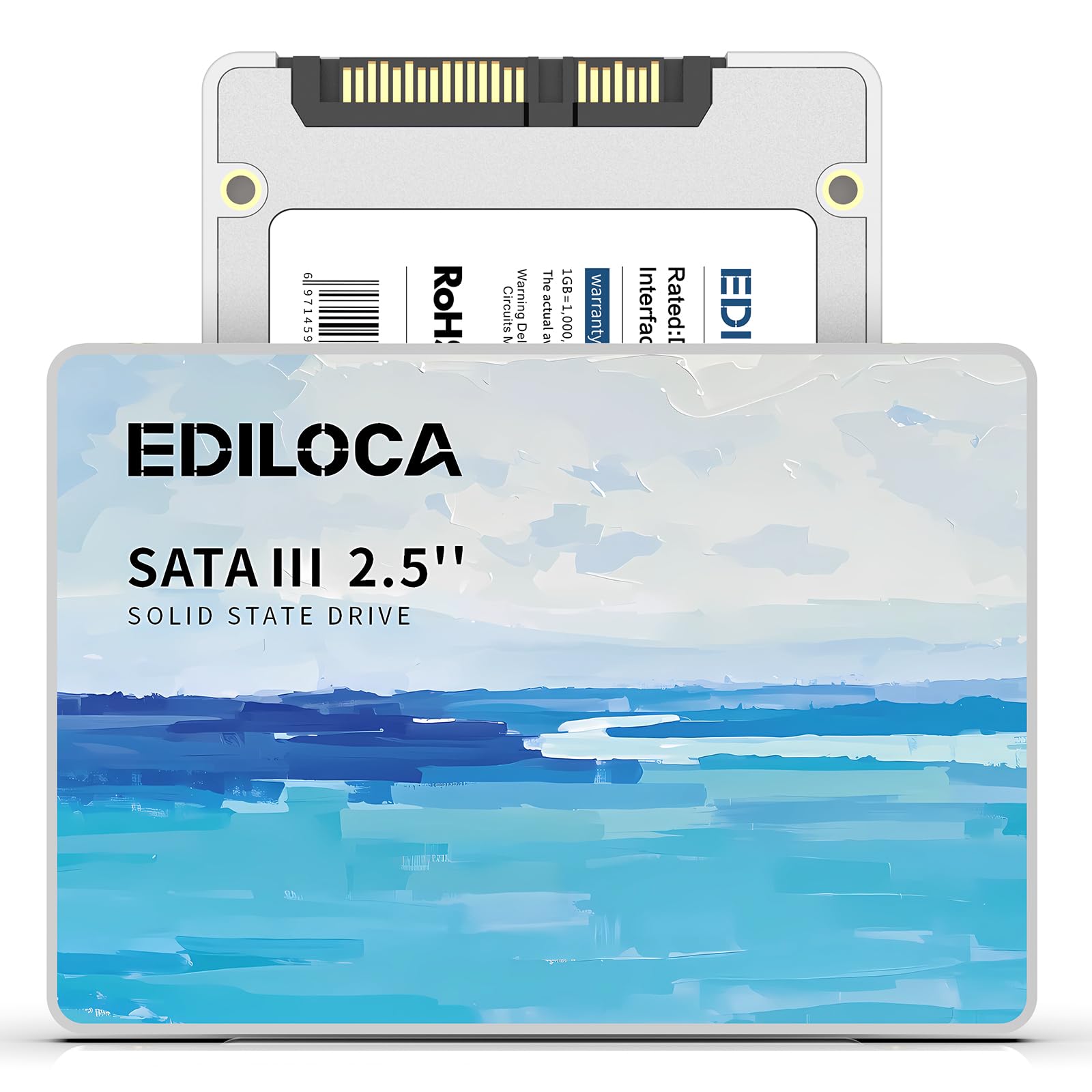
A 15-year-old laptop boots “like new” on the most budget-friendly drive here.
The Ediloca ES580E is the entry-level pick, rated for 400 MB/s read and 300 MB/s write speeds — the most modest numbers in this roundup, but still a massive leap over any mechanical hard drive. It uses 3D QLC NAND flash (a dense, cost-effective memory type) to keep the price low while delivering dependable daily speeds.
For a genuinely old machine, the results are dramatic: one owner installed it in a 15-year-old laptop with a fresh Windows install and reported it “works like new” with a much faster boot. It is built for the budget upgrade path, with silent operation, shock resistance rated at 1500G/0.5ms and drop-proof protection up to 1.2 meters.
The 3-year limited warranty backs the whole package., and Each drive passes a 72-hour stress test before shipping.. Owners also use it happily as a NAS drive in RAID setups, which shows it handles constant duty. The trade-off is simply speed — at 400 MB/s it is the slowest here, so it suits cost-conscious upgrades over performance builds.
The budget strengths
- Lowest-cost path to SSD speeds for old laptops
- Shock resistant to 1500G and drop-proof to 1.2m
- Silent with no moving parts
- 3-year limited warranty included
The budget trade-offs
- Slowest read speed in this guide at 400 MB/s
- QLC memory is denser but less endurance-focused
- Best for boot drives, not heavy workloads
Choose this for: the tightest budgets where any SSD is a life-changing upgrade over a hard drive and speed is secondary.
Move up the list if: you want faster transfers or plan to hammer the drive with heavy daily workloads.
Understanding the Specs
SATA vs NVMe
These are the two ways a drive talks to your laptop, and they are not interchangeable. SATA is the older, slower standard, topping out around 550 MB/s, and it uses the familiar 2.5-inch rectangle. NVMe is a newer protocol that runs over a PCIe connection and can hit well over 3000 MB/s, but it comes as a thin M.2 stick. Your laptop’s motherboard decides which one you can use, so check the slot before you buy.
Form Factor and Size
The physical shape matters as much as the speed. A 2.5-inch drive is the same size as an old laptop hard drive, so it drops into a dedicated bay. An M.2 stick is a bare circuit board, and the 2280 size (22mm by 80mm) is the most common length in laptops. A 7mm or 0.28-inch thickness rating on a SATA drive tells you it fits slim Ultrabooks, while a 9.5mm drive may not.
Read and Write Speed
Read speed is how fast your laptop pulls data off the drive, which controls boot time and how quickly games and apps open. Write speed is how fast it saves data, which shows up when you copy large files or install programs. For a boot drive, read speed matters most; for heavy file work, write speed becomes important too. Speeds are given in MB/s, and a higher number means faster operation.
3D NAND and SLC Cache
3D NAND is the memory technology inside the drive, stacked in layers to pack more storage into the same space. SLC cache is a clever trick where the drive uses part of its memory in a fast single-level mode as a temporary write buffer. That makes everyday transfers feel snappier than the drive’s sustained speed suggests, but the cache fills up during very large copies and speeds drop back to normal.
FAQ
How do I know if my laptop takes a 2.5-inch SATA or an M.2 NVMe drive?
Is 256 GB enough for a laptop?
Will an SSD make my old laptop noticeably faster?
What does 7mm thickness mean for my laptop?
How long does a 256 GB SSD last?
Do I need to format a new SSD before using it?
Can I use a SATA SSD in a laptop that has an M.2 slot?
What is the difference between TLC and QLC NAND memory?
Why is an NVMe SSD so much faster than SATA?
Can I clone my old hard drive to a new SSD instead of reinstalling Windows?
Final Thoughts: The Verdict
For most buyers, the best 256 gb ssd for laptop is the Timetec 256GB because it pairs the fastest SATA read speed in this lineup at 530 MB/s with a proven track record across Windows, Mac, and Linux systems. If your newer laptop has an M.2 NVMe slot and you want the biggest speed jump possible, where the fanxiang S500 Pro hits 3000 MB/s, that is the one to reach for. And for the tightest budgets, the Ediloca ES580E still turns a 15-year-old laptop into a daily driver, so there is a fitting drive here for every machine and every wallet.
How We Picked
We do not accept paid placement. Every pick is matched to a real buyer and a real use-case; we do not hands-on test units.
Sources & Methodology
Specifications: manufacturer listings and product documentation. Review insights: verified customer reviews, as of August 2026. Pricing: not shown on this page (it changes often); check the current price via the retailer link.
As an Amazon Associate, Gadgets Feed earns from qualifying purchases. This does not affect which products we feature.