
Our readers keep the lights on and my morning glass full of iced black tea. As an Amazon Associate, I earn from qualifying purchases.
Specs are compiled from manufacturer listings and verified buyer reviews and can change over time — please confirm the key details on the product page before buying.
The best all-in-one wireless printer for your desk isn’t the one with the most buttons—it’s the one that ends the daily fight with Wi-Fi dropouts and ink that runs dry mid-job. You need print, scan, and copy that just work from your phone and laptop, without a manual the size of a novel. This guide cuts through the spec sheets to nine models that actually earn their spot, ranked by real owner experience and honest trade-offs.
I’m Min — the founder and writer behind Gadgets Feed. This guide is built by comparing the manufacturers’ published specifications and the patterns across verified customer reviews, so you get each pick’s real strengths and trade-offs instead of marketing spin.
Whether you run a home office or manage a busy household, finding the right all-in-one wireless printer means weighing print speed, running costs, and connection reliability—we have done that homework for you.
Our Picks at a Glance

How To Choose The Best All-In-One Wireless Printer
Buying an all-in-one printer is a multi-year commitment, so the smartest move is to match the machine to your actual monthly workload, not the flashiest feature list. A family printing homework and recipes has very different needs than a sales team cranking out proposals.
Laser vs. Inkjet: The Core Decision
The single biggest fork in the road is your primary output. If you mostly print black-and-white text documents, a monochrome laser delivers crisp pages at higher speeds and far lower cost per page. If you print photos or color-heavy marketing materials, an inkjet—especially a refillable tank model—will give you vibrant results without bankrupting you on cartridges.
Wireless and Connectivity
Dual-band Wi-Fi (2.4GHz and 5GHz) is the secret to a stable connection, since it can hop between frequencies to avoid interference. Look for a companion app and mobile printing standards like Apple AirPrint to sidestep the pain of installing drivers on every single device.
Running Costs: The Hidden Budget
The sticker price is only the start; the real budget driver is the cost per page from ink or toner replacements. High-yield cartridges, refillable tank systems, and subscription services all change your cost per page dramatically, so check the cartridge yield numbers before you commit.
Quick Comparison
| Model | Best For | Print Speed (B/W) | Max Paper Tray | Wireless Bands | Amazon |
|---|---|---|---|---|---|
| Brother HL-L2480DW★ Best Overall | Fast mono office work | 36 ppm | 250 sheets | 2.4/5GHz | Amazon |
| HP LaserJet M234sdwFastest Duplex | Small team B/W docs | 30 ppm | — | Dual-band | Amazon |
| HP LaserJet Pro 3101sdwTop Performer | Reliable pro B/W output | 35 ppm | 250 sheets | — | Amazon |
| Brother MFC-L2820DW | Office with fax needs | 36 ppm | — | 2.4/5GHz | Amazon |
| Epson WF-3823 | Color with fax & ADF | 21 ppm | 250 sheets | — | Amazon |
| Canon PIXMA TR7120 | Budget home color | 14 ppm | — | 2.4/5GHz | Amazon |
| Epson EcoTank ET-2980 | High-volume color at low cost | 15 ppm | — | — | Amazon |
| Canon MegaTank GX2020 | High-yield color with fax | 15 ppm | — | — | Amazon |
| Xerox C235dni | Color laser for business | 24 ppm | — | 2.4GHz | Amazon |
In‑Depth Reviews
1. Brother HL-L2480DW
Our pick — 4.5★ from 600+ verified ratings; the strongest balance of quality and price.
The 36-ppm laser that makes color printers feel like a past-life mistake.
Leading with the spec that defines a productive office, the Brother HL-L2480DW pumps out black-and-white pages at up to 36 pages per minute (ppm), making it one of the swiftest print engines on this list. Crisp, sharp text comes standard, and the automatic duplex printing cuts your paper use in half on multi-page jobs. The 2.7-inch touchscreen lets you navigate settings and even print or scan to cloud apps like Google Drive and Dropbox, so you are not tied to a single computer.
Setup is consistently praised as painless, which is rare in this category. Buyers report getting it on their Wi-Fi network and printing from a phone, two PCs, and an iPad within about 30 minutes. It connects over dual-band wireless (2.4GHz/5GHz), Ethernet, or USB, giving you solid fallback options if your network acts up. The 250-sheet paper tray means fewer refills during a busy workday, and the manual feed slot handles envelopes and specialty paper for those occasional formal mailings.
Owner feedback confirms the 36 ppm speed and sharp text in daily use. The thing everyone raves about is print quality—owners describe output as “great and sharp,” and many note it replaces older machines that lasted well over a decade. It runs quiet, too, which matters when the printer sits right next to your desk. The trade-off is that this is a black-and-white machine; if you need color graphics or photos, you’ll need to look at the inkjet picks below.
What owners praise
- Fast 36 ppm output with sharp, crisp text
- Simple wireless setup across multiple devices
- Quiet operation and 250-sheet paper tray
Keep in mind
- Monochrome only — no color printing
- Setup manual has weak illustrations
Your pick if: you want a fast, reliable mono laser for a home office or small team—the crowd favorite at 4.5 stars.
Think twice if: your documents need a splash of color; this prints only black ink.
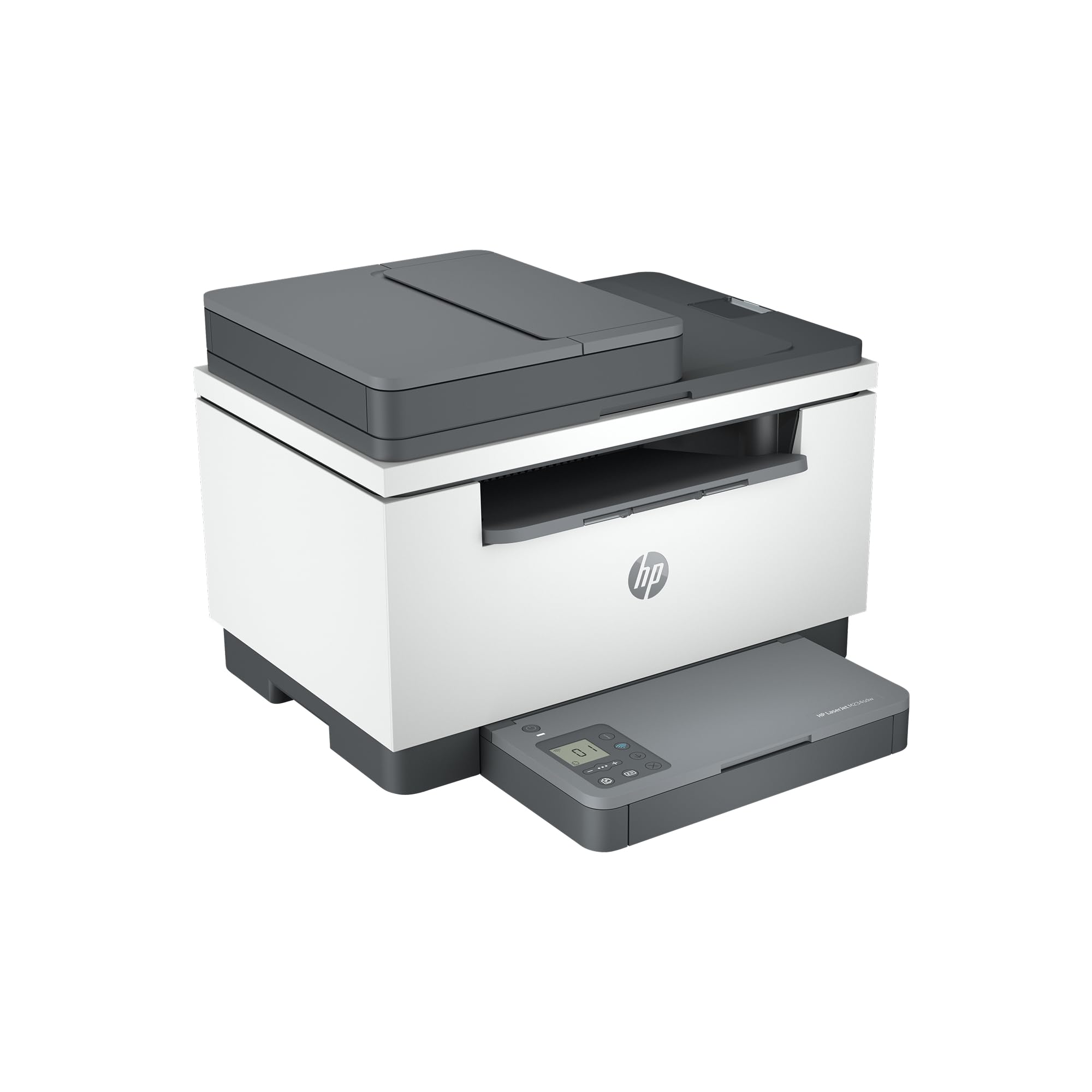
2. HP LaserJet M234sdw
A dual-sided workhorse that hits 19 images per minute with self-resetting Wi-Fi.
Built for small teams of one to five people, the HP LaserJet M234sdw leads with its fastest-in-class two-sided printing, pushing out up to 19 black-and-white images per minute when duplexing. Single-sided, it hits 30 ppm. The auto document feeder lets you copy and scan hands-free, which is a genuine time-saver for multi-page contracts or research stacks. Its dual-band Wi-Fi comes with self-reset, a feature designed to detect and fix connectivity issues before you even notice them.
Owners consistently describe setup as painless, often completing it through the HP Smart app in under 20 minutes across multiple laptops, an iPad, and several iPhones. The wireless connection proves reliable in daily use, and the 300dpi print quality is called crisp and clean. A compact footprint helps it fit neatly on a shared desk, and the toner is reported to last a long time, with replacements priced reasonably for its lifecycle.
The honests catch is the physical design: the control panel lives on the paper tray, which some owners find wobbly and a bit awkward to use. It’s a minor ergonomic quirk rather than a functional flaw, but it’s worth knowing before you buy. For the money, it’s considered a solid value, especially if you tap into HP’s Instant Ink subscription to manage toner costs.
Best for small teams: the automatic duplex and fast 30 ppm speed make it a strong mono laser for shared desks.
The honest trade-off: the tray-mounted control panel feels less sturdy than a fixed one.
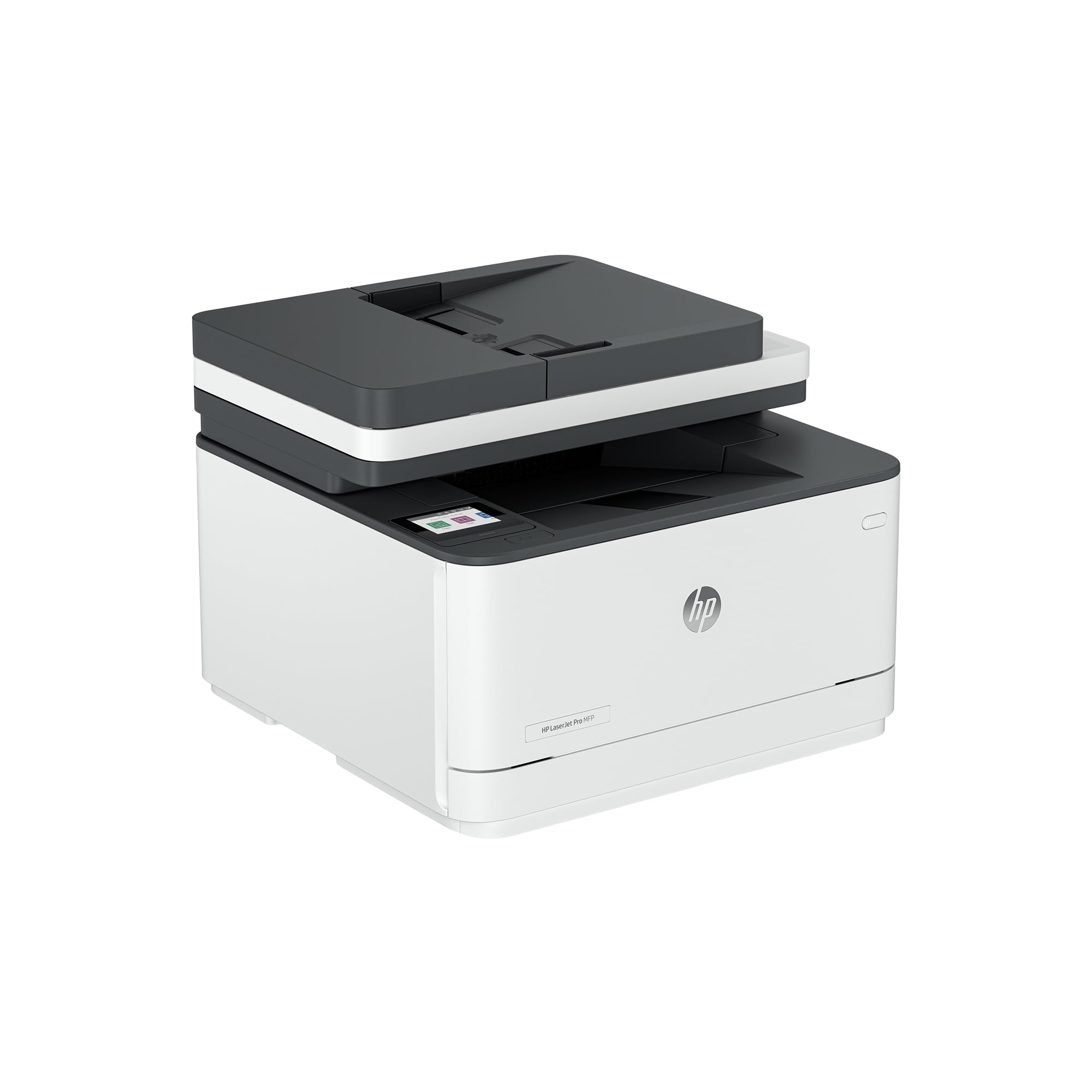
3. HP LaserJet Pro 3101sdw
The 35-ppm performer with a 50-sheet feeder that owners buy twice for.
For teams that live on black-and-white documents, the HP LaserJet Pro 3101sdw is a top-tier performer, printing at up to 35 ppm for near-instant results. The auto two-sided printing is standard, and a 50-sheet auto document feeder handles bigger scanning and copying jobs than most rivals. Its first page prints in just 7 seconds, so you are not tapping your foot waiting for a single page to come out. The wireless connection is designed to seek the best band automatically, keeping you online even in congested networks.
Durability is where this model shines in the review data. Owners mention buying multiple units for their homes and teams, with all of them “working flawlessly” over extended use. The starter toner gives high yield for the price, and the HP app runs without the constant firmware nagging that some rival brands are known for. It’s also economical to run, which is a recurring theme in owner feedback.
The contrast with other picks is clear: at 35 ppm it outpaces the Epson Workforce Pro’s 21 ppm for anyone who primarily works in black-and-white. The main caveats are minor—some owners note the auto feeder can jam if you load more than 25 sheets at once, and HP firmware updates can block non-HP toner cartridges. If you plan to use generic toner, declining those updates is the workaround.
A reliable repeat purchase: owners have bought three of these and report flawless performance across the board.
Note the fine print: HP firmware can block non-HP cartridges, so factor in genuine toner costs.
4. Brother MFC-L2820DW

The compact office hub that adds fax to Brother’s reliable 36-ppm laser formula.
Taking the speed and quality of the HL-L2480DW and adding fax, the Brother MFC-L2820DW is the fullest-featured mono laser here. It prints at the same sharp 36 ppm and scans at up to 23.6 images per minute, with a 50-page auto document feeder for hands-free multi-page jobs. Dual-band wireless (2.4GHz/5GHz), Ethernet, and USB give you flexible connection options, and the 2.7-inch touchscreen ties into cloud apps like Google Drive and OneNote for scan-to-cloud workflows.
The setup story is remarkably simple—owners describe connecting via a network cable and setting the clock, then having it instantly recognized. Several report it replacing Brother machines that served them faithfully for 11 to 16 years, which speaks volumes about the brand’s longevity. Output quality for text is excellent, and the toner economy is a recurring point of praise. The mobile app is capable, though some owners find phone printing slightly clunky and prefer the desktop route.
A minority of customers note daily Wi-Fi drops and PC compatibility hiccups. It’s not universal, but it’s the most-discussed downside. If you need fax capability in a compact footprint, this is the most complete mono laser on the list, and the built-in telephone line cord is included in the box.
Owners highlight
- Blazing 36 ppm print speed
- Reliable, years-long durability
- True fax plus 50-page ADF
The mixed bag
- Some owners see daily Wi-Fi dropouts
- Compatibility issues with certain PCs
Reach for this if: your office still needs fax and you want Brother’s proven laser reliability.
Look elsewhere if: you are on an all-Mac or finicky network; occasional connection drops are reported.
5. Epson Workforce Pro WF-3823

A color inkjet with fax and a 35-sheet feeder that prints 100+ pages on starter ink.
When you need color, the Epson Workforce Pro WF-3823 delivers with print, scan, copy, and fax in one unit, running at 21 ppm black and 11 ppm color. Its 35-sheet auto document feeder keeps multi-page jobs moving, and the auto two-sided printing cuts paper waste. Epson’s PrecisionCore Heat-Free Technology is the engine behind fast, high-volume output, while DURABrite Ultra pigment inks produce professional-quality prints that resist smudging. The 2.7-inch color touchscreen and Epson Smart Panel app make it easy to operate from your phone.
Owners get genuinely great results on the speed and quality front, with crisp black-and-white and color copies. Some report printing over 100 pages on the included starter ink, which is a welcome surprise. The wireless setup is straightforward, and the machine fits a compact footprint for a home office or small business. It also includes Secure Data Erase, a security feature that wipes sensitive info from the drive—rare at this level.
Running costs split owners: some praise low ink use, others flag pricey refills. While some owners praise the value and low ink consumption, others flag that ink can run out quickly and refills are pricey, which is a common Epson complaint. Epson also warns that only genuine cartridges should be used, as third-party ink may not be covered under warranty. If you print heavily in color, budget for cartridge replacements or weigh the tank-based alternative below.
Best suited to: light-to-moderate color printing with occasional fax needs.
Budget the ink: genuine cartridge refills are the main recurring expense.
6. Canon PIXMA TR7120

The compact color inkjet that nails easy setup and sharp output for light home use.
For a budget-friendly color all-in-one, the Canon PIXMA TR7120 is a standout, built for home users and hybrid workers who print in bursts rather than streams. It manages 14 ppm black and 9 ppm color, with a 2-cartridge hybrid ink system that delivers sharp text and vivid colors for a sub–class machine. The auto document feeder and automatic two-sided printing handle multi-page jobs and save paper, while the 1.42-inch monochrome OLED screen puts ink levels and settings at a glance.
Setup is where this Canon earns its reputation—reviewers point out connecting to Wi-Fi quickly and printing within minutes, often calling out the ease compared to older printers. The print quality is consistently described as sharp and clear, and the compact footprint fits neatly on a small desk. It supports dual-band Wi-Fi (2.4GHz or 5GHz), Apple AirPrint, and the Canon PRINT App, so printing from a phone is painless. Owners also appreciate the classic cartridge design, which is simpler and cheaper than some proprietary systems.
A small paper tray and 30-foot wireless range limit it to single-room use. The paper tray is small, which is a recurring gripe, and a few owners note it can lose Wi-Fi on restart until you assign a fixed IP. Ink consumption is on the higher side, and the range is roughly 30 feet, so it’s best in a single room. For light-duty color printing at a low entry price, it’s a hard value to beat.
Pick it for: occasional color prints and easy setup in a small home office.
Expect limits: a small paper tray and 30-foot wireless range suit single-room use.
7. Epson EcoTank ET-2980
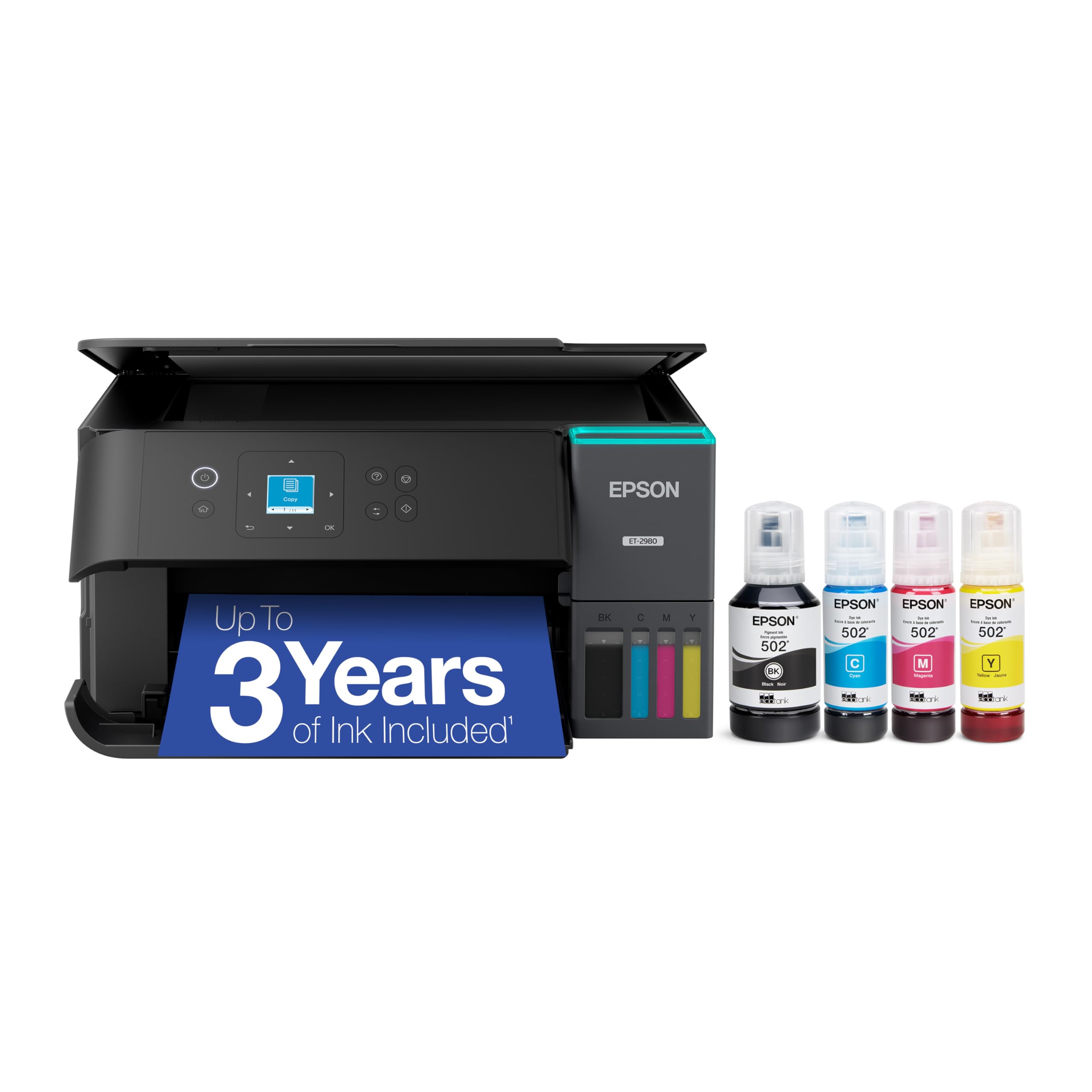
The supertank that bundles up to 6,600 black pages of ink in the box.
If cartridge costs haunt you, the Epson EcoTank ET-2980 rewrites the math with a refillable tank system that includes enough ink in the box for up to 6,600 black pages and 5,500 color pages. Each replacement ink bottle set is equivalent to about 90 individual cartridges, so refills are shockingly cheap. It prints at 15 ppm black and 8 ppm color with auto two-sided printing, plus borderless photo capability that rivals dedicated photo printers.
Owners love the guided setup via instructions and app, calling it simple, and the ink-filling process is mess-free thanks to the EcoFit bottles. The print quality earns praise, especially for photos, with some saying it beats expensive dedicated photo printers they’ve owned. For a family printer, the long-lasting ink supply and consistent wireless reliability make it a low-stress, great-value choice. It’s compact enough for a home office shelf.
Owners note occasional blurry output and a small, hard-to-read LCD screen. Some owners describe occasional blurry output after several lines, and the lack of a print-head cleaner makes troubleshooting harder. The small LCD screen is another recurring complaint. This model is best for high-volume color printing on a budget—the upfront cost pays off quickly through dramatically lower ink expenses.
The big wins
- Years of ink included in the box
- Excellent photo and color quality
- Simple guided refill setup
Watch for
- No print-head cleaner for troubleshooting
- Small screen is hard to read
Choose it if: you print a high volume of color and want near-zero ink anxiety for years.
Pass on it if: you’re a light color user; the upfront tank cost takes longer to pay off.
8. Canon MegaTank MAXIFY GX2020

A refillable office tank that prints 3,000 color pages per ink set with fax built in.
Canon’s MegaTank MAXIFY GX2020 brings a hefty 3,000 black-and-white and 3,000 color pages per ink set, making it one of the lowest-cost-per-page color options for a small office. It covers print, copy, scan, and fax, with a 35-sheet auto document feeder and auto two-sided printing to keep workflows moving. The 2.7-inch color LCD touchscreen makes navigation simple, and the refillable tank system uses gravity-fed, leak-proof ink bottles that are easy to top up with a front window showing levels.
Owners repeatedly enthuse about the crisp text and vibrant colors, the fast duplex printing, and the smooth scanner/copier performance with the ADF. Setup is straightforward with on-screen instructions, and connecting multiple devices is easy. The low cost per page is the headline, and replacement ink bottles are reasonably priced, with generic options available since the nozzles aren’t proprietary. It runs relatively quiet, which is a nice bonus in a shared space.
Photo quality is mixed, and the printer can be picky about paper size and cardstock. Some owners find photo and image output blurry or dull, and the printer can be picky about paper size, refusing to print unless tray settings match. Envelopes and cardstock occasionally fail. It’s excellent for high-volume black-and-white documents and standard color, but demanding photo work would be better served elsewhere. This pick sits firmly in the professional color document space.
Owners love: economical tank refills and fast, crisp document output.
Best kept to documents: photo quality is mixed and paper-size settings can be finicky.
9. Xerox C235dni
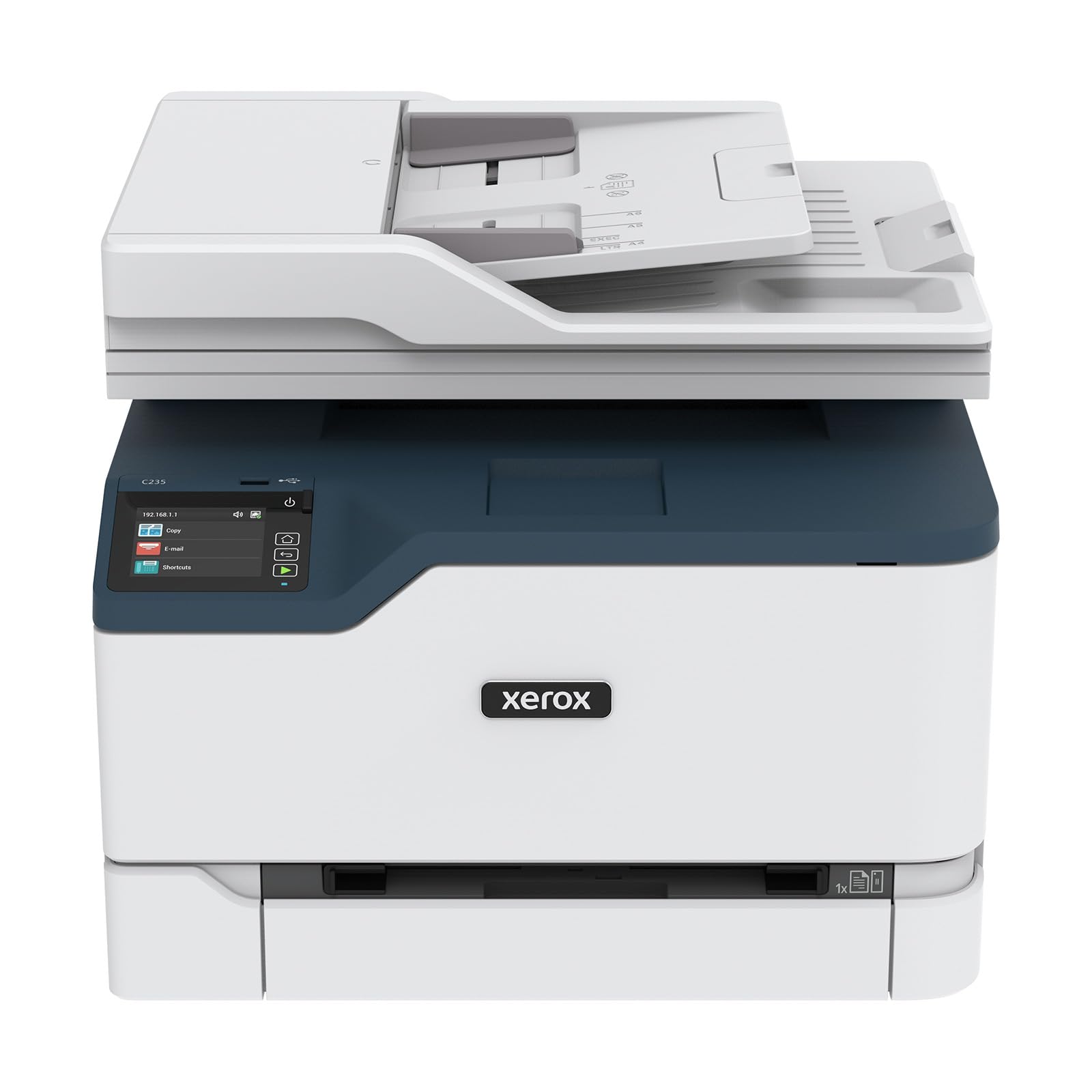
A color laser for hybrid teams that prints 24 ppm with AirPrint and Mopria built in.
For small businesses that need vibrant color graphics without inkjet smudging, the Xerox C235dni is a color laser that delivers professional results at 24 ppm for both black and color. It scans, copies, and faxes, with auto two-sided printing standard. wireless connectivity is handled by built-in Wi-Fi, Apple AirPrint, and Mopria, so printing from a laptop, smartphone, or tablet is straightforward. The Xerox Easy Assist App provides a guided setup over a 2.4 GHz Wi-Fi network for those who want a quick start.
Print quality is the standout theme in owner feedback—at 600 DPI, the resolution for photos and text is described as far superior to other major brands. The included starter toner covers roughly 500 pages, and high-yield cartridges are supported to bring running costs down for offices printing up to 1,500 pages per month. Shoppers say that once the initial setup is conquered, the machine prints, copies, and scans reliably.
Paper choice affects print quality, and setup can be finicky without 5GHz Wi-Fi. Some owners find paper choice matters—generic paper can produce faded prints, with better results on premium paper and with Eco mode disabled. Setup can be finicky, with some app failures and a lack of 5GHz Wi-Fi support, which is a notable gap. Toner is expensive, and an occasional unit arrives with weak cartridge door hinges. If you want true color laser quality and don’t mind a slightly fussier setup, this is the pick.
Praised most
- Superior print resolution for a color laser
- Fast 24 ppm color and mono output
- Built-in AirPrint and Mopria support
Frustrations
- No 5GHz Wi-Fi support
- Finicky setup and pricey toner
Grab it if: you need professional color documents and presentations with laser reliability.
skip it if: you want a plug-and-play setup and cheap refills; this machine demands patience.
Understanding the Specs
Print Speed (ppm)
Pages per minute (ppm) tells you how fast the engine churns out documents. Mono lasers are the speed kings here—36 ppm on the Brother models—while inkjets often land in the 14-21 ppm range. For a busy office, every ppm shaves meaningful time off a 50-page report; for casual home use, it’s less critical.
Auto Document Feeder (ADF)
The ADF is the slot on top that pulls in a stack of pages for scanning or copying without you feeding them one by one. A 35-50 sheet ADF transforms multi-page jobs from a chore into a hands-free experience. Without it, you are stuck lifting the lid and placing each page on the glass individually.
Duplex Printing
Automatic duplex means the printer prints on both sides of the page without manual flipping. It halves your paper use on multi-page documents and speeds up your workflow. Nearly every pick here has it, but it’s worth confirming—it’s a feature you’ll use daily.
Wireless Bands
Dual-band Wi-Fi (2.4GHz and 5GHz) is a reliability standout. The 2.4GHz band reaches farther but faces interference; 5GHz is faster with less congestion. A printer with both can hop to the clearer channel, which drastically reduces the “printer offline” frustration that plagues single-band models.
FAQ
Is a laser printer better than an inkjet for home office?
What does the auto document feeder do?
Will a wireless printer work with my iPhone?
How do I choose between a toner cartridge and an ink tank?
Why does my printer keep dropping Wi-Fi?
What is the difference between duplex and ADF?
Is a color laser printer worth the higher price?
How many pages can I print before refilling a tank printer?
Final Thoughts: The Verdict
For most people, the all-in-one wireless printer winner is the Brother HL-L2480DW because it pairs lightning-fast 36 ppm output with easy setup and Brother’s legendary durability. If you want color on a budget, grab the Canon PIXMA TR7120. And for high-volume color without ink anxiety, the Epson EcoTank ET-2980 is the one to reach for.
How We Picked
We do not accept paid placement. Every pick is matched to a real buyer and a real use-case; we do not hands-on test units.
Sources & Methodology
Specifications: manufacturer listings and product documentation. Review insights: verified customer reviews, as of August 2026. Pricing: not shown on this page (it changes often); check the current price via the retailer link.
As an Amazon Associate, Gadgets Feed earns from qualifying purchases. This does not affect which products we feature.