
Our readers keep the lights on and my morning glass full of iced black tea. As an Amazon Associate, I earn from qualifying purchases.
Specs are compiled from manufacturer listings and verified buyer reviews and can change over time — please confirm the key details on the product page before buying.
The real question for a home office isn’t which printer has the most features on paper—it’s which one will actually print when you’re on a deadline. Inkjets can deliver gorgeous color photos, but lasers and supertanks win on reliability and per-page cost. This guide breaks down the trade-offs between laser speed, inkjet color, and cartridge-free refill systems so you match the machine to how you really work.
I’m Min — the founder and writer behind Gadgets Feed. This guide is built by comparing the manufacturers’ published specifications and the patterns across verified customer reviews, so you get each pick’s real strengths and trade-offs instead of marketing spin.
The best all-in-one printer for home office use balances speed, running costs, and reliability across any print volume. all-in-one printer for home office.
Our Picks at a Glance


How To Choose The Best All-In-One Printer For Home Office
You want one machine that prints, scans, and copies without cluttering your desk. Your choice hinges on weekly page volume, color needs, and long-term ink or toner costs.
Match the Print Technology to Your Workload
If you mostly print black-and-white text documents like contracts and reports, a monochrome laser is the most reliable and cheapest per page. If you need color charts or photos, you’ll choose between an inkjet with cartridges or a supertank that uses refillable ink bottles—supertanks cost more upfront but slash the per-page cost dramatically.
Check the Paper Handling Features
An automatic document feeder (ADF) lets you drop in a stack of pages and scan or copy them hands-free. Automatic duplex printing flips pages for two-sided printing, which cuts paper use roughly in half. A larger paper tray means fewer refills during big jobs.
Quick Comparison
| Model | Best For | Speed (B&W) | Duplex | Paper Capacity | Amazon |
|---|---|---|---|---|---|
| Brother HL-L2480DW★ Best Overall | Fast B&W printing & scanning | 36 ppm | Automatic | 250 sheets | Amazon |
| Canon PIXMA TR7120Best Value Color | Budget color printing | 14 ppm | Automatic | Small tray | Amazon |
| HP LaserJet M234sdwTop Performer | Small teams needing fast duplex | 30 ppm | Automatic | — | Amazon |
| Epson EcoTank ET-2800 | Low-cost color printing | 10 ppm | Simplex | — | Amazon |
| HP LaserJet Pro 3101sdw | Heavy B&W office workloads | 35 ppm | Automatic | 250 sheets | Amazon |
| Brother MFC-L2820DW | Fax-ready small offices | 36 ppm | Automatic | — | Amazon |
| Canon MAXIFY GX2020 | High-volume color documents | 15 ppm | Automatic | 35-sheet ADF | Amazon |
| Xerox C235dni | Color laser for small business | 24 ppm | Automatic | — | Amazon |
| Epson EcoTank ET-4950 | High-volume color with fax | 18 ppm | Automatic | 250 sheets | Amazon |
In‑Depth Reviews
1. Brother HL-L2480DW
Our pick — 4.5★ from 600+ verified ratings; the strongest balance of quality and price.
The monochrome laser that outruns the office inkjet crowd without breaking a sweat.
The Brother HL-L2480DW is built around one defining strength: speed. It pushes out black-and-white pages at up to 36 pages per minute, and your first page appears in just 8.5 seconds—so a long report doesn’t turn into a coffee-break wait. The Brother HL-L2480DW prints at up to 36 pages per minute versus the Canon PIXMA TR7120’s 14 pages per minute, which matters when you’re printing a 50-page deck before a call.
What wins people over is the print quality itself—owners note “prints great and sharp” text and clear copies, with the flatbed scan glass handling copying and scanning in that same compact footprint. The 2.7-inch touchscreen makes navigation intuitive, and the 250-sheet paper tray means fewer refills during bigger jobs. Buyers report setup is genuinely painless, with one account of connecting a phone, two PCs, and an iPad in 30 minutes over Wi-Fi.
The crowd favorite here—4.5 stars across 600-plus owners—has a strong consensus: reliability and printer quality are the two things people praise most. There’s a caveat worth knowing: the manual’s illustrations for toner and drum installation are reportedly poor, so keep a video handy the first time you replace them. And if you’re tempted, several buyers caution against Brother’s subscription toner program, recommending standard TN830 cartridges instead.
Why It Earns the Top Spot
- 36 ppm speed with 8.5-second first page out
- Automatic duplex printing cuts paper use in half
- Dual-band Wi-Fi, Ethernet, or USB connection options
- Quiet operation and sharp text praised by owners
What to Watch
- Monochrome only—no color printing
- Occasional wireless connection drops reported
- Manual illustrations for toner replacement are confusing
Grab it for: fast, reliable black-and-white printing with crisp text and easy mobile setup.
Look elsewhere if: you need color documents or photos—this laser won’t do them.
2. Canon PIXMA TR7120
The budget color inkjet that brings real photo vibrancy to a light-use home office.
Not every home office prints enough to justify a laser or a supertank. The Canon PIXMA TR7120 is the entry-level answer for hybrid workers who want sharp text and vivid color without a premium upfront cost. Its 2-cartridge hybrid ink system delivers crisp documents and surprisingly good photos, and the Auto Document Feeder lets you scan or copy a stack of pages hands-free—a feature rare at this price point.
Setup is the story here. Owners consistently note the printer “connected quickly to my wi fi” and that the guided prompts make installation painless from a phone or computer. The 1.42-inch monochrome OLED screen keeps ink levels and printer status visible at a glance, and dual-band Wi-Fi (2.4GHz or 5GHz) helps keep the connection stable across your home. Automatic two-sided printing is built in, saving paper on multi-page docs.
The trade-off, as owners mention, is the paper tray—it’s on the small side, which limits how much you can load at once. Print quality earns the most praise by far, and the crowd rating sits at 4.3 stars across nearly 400 owners. Note that jamming gets mixed feedback, and some report the printer loses Wi-Fi on restart; a fixed IP address is the common fix. This is a light-use machine, not a production workhorse.
Photo-friendly budget pick: a compact color inkjet with ADF and duplex that sets up in minutes, best for low-to-moderate printing.
Know its limits: the small paper tray and occasional Wi-Fi drop make it less ideal for heavy daily use.
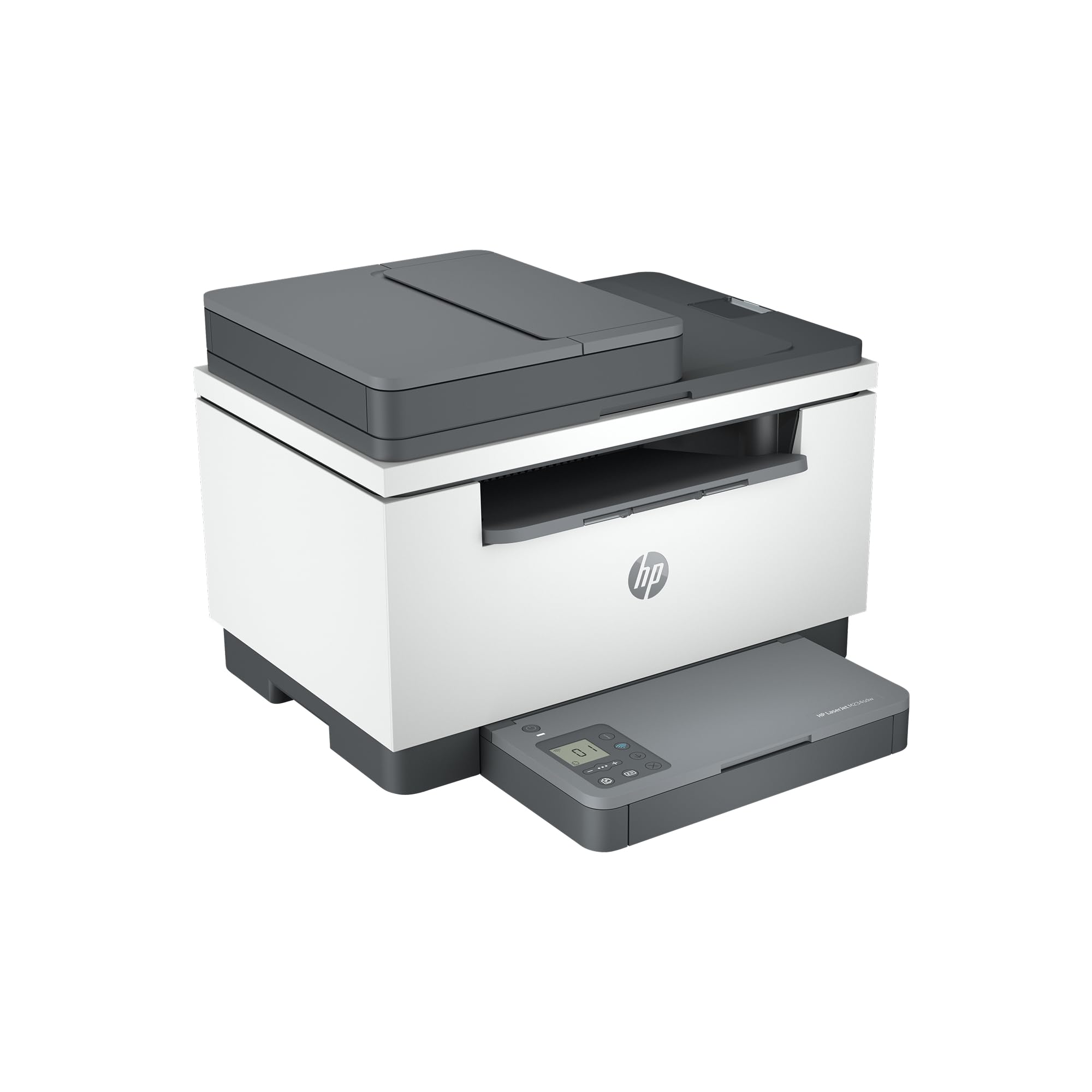
3. HP LaserJet MFP M234sdw
The laser that teams of five trust for fast two-sided printing and easy app setup.
For a small team of one to five people, the HP LaserJet M234sdw keeps your workflow moving—it prints up to 30 black-and-white pages per minute single-sided, and up to 19 images per minute when printing on both sides (duplex). The auto document feeder (a tray that feeds multi-page originals) lets you copy or scan a stack hands-free. Dual-band Wi-Fi (which uses two radio bands to reduce interference) includes self-reset technology, so the printer detects and fixes connection drops before you even notice them.
Setup is a genuine highlight. Customers note connecting three laptops, an old desktop, an iPad, and three iPhones in under 20 minutes using the HP Smart app. Print quality is what people praise most—the crowd rating holds at 4.3 stars across 850 owners, and the recurring theme is that it’s “a good, reliable worker” for remote work and home printing. Security features are built in, and it works with Microsoft, Mac, AirPrint, Android, and Chromebook.
The catch is the control panel, which sits on the paper tray and feels wobbly; the scan button can be unresponsive at times. A few owners note the starter toner runs out sooner than expected, so factor cartridge cost into your decision. Wireless connectivity gets mixed feedback—most have success, but a minority hit snags. This is a dependable worker, not a thrilling one.
Team-ready reliability: fast duplex printing and easy multi-device setup make it a small-office staple.
Heads-up: the flimsy control panel on the tray is the main quality complaint from owners.
4. Epson EcoTank ET-2800
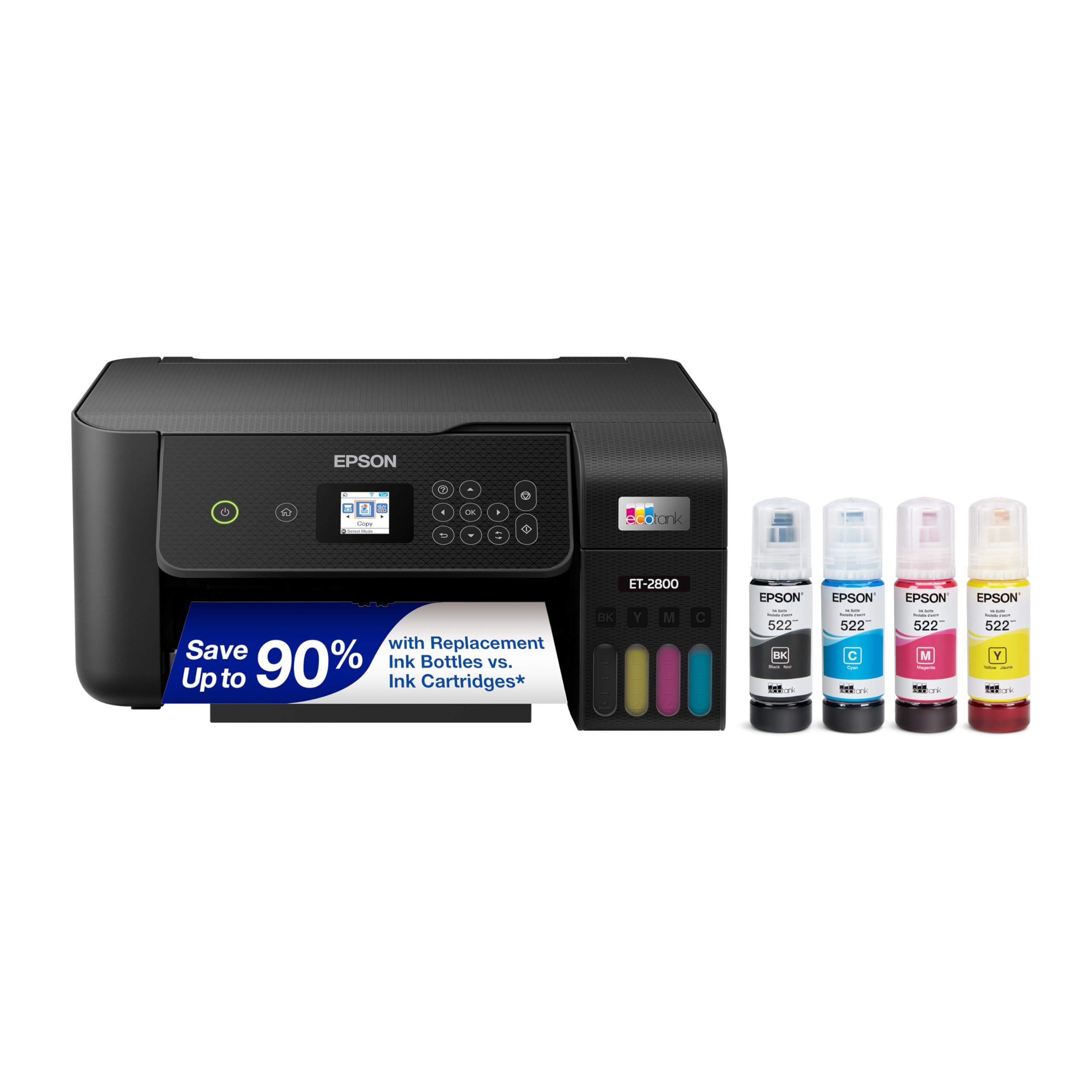
The cartridge-free color machine that makes expensive ink a thing of the past.
If you print enough color that cartridge costs keep you up at night, the Epson EcoTank ET-2800 changes the math. Each ink bottle set is equivalent to about 90 individual cartridges, and the included ink prints up to 4,500 pages in black or 7,500 pages in color—up to two years of ink in the box. Owners confirm the ink barely moves even after hundreds of pages, making this one of the cheapest color printers to run.
The Micro Piezo Heat-Free Technology produces vivid, detailed prints, and owners specifically praise photo quality with “vivid colors.” Setup takes about 10 to 15 minutes, and the machine handles paper, cardstock, and stickers without jamming. At 10 pages per minute in black, it’s not the fastest, but for everyday home and school printing, it gets the job done quietly and cheaply.
The honest picture is mixed on reliability—while many reviewers point out flawless performance for a year or more, a vocal minority hit repeated nozzle clogs that required lengthy cleaning cycles. The crowd rating is 4.0 stars across nearly 8,000 owners (the largest base here), and wireless connectivity gets mixed feedback. This is the budget-conscious color king, but it demands more patience than a laser.
Why Cost-Conscious Buyers Love It
- Up to 4,500 black / 7,500 color pages per ink set
- Borderless photo printing with vivid color
- Ink bottles replace dozens of cartridges
- Compact footprint for small desks
The Trade-Off
- No automatic duplex—flip pages manually
- Mixed reliability reports on nozzle clogs
- Wireless connection can be finicky
Choose it for: high-volume color printing where ink cost is your biggest worry.
Think twice if: you need speed or automatic two-sided printing—both are missing here.
5. HP LaserJet Pro MFP 3101sdw
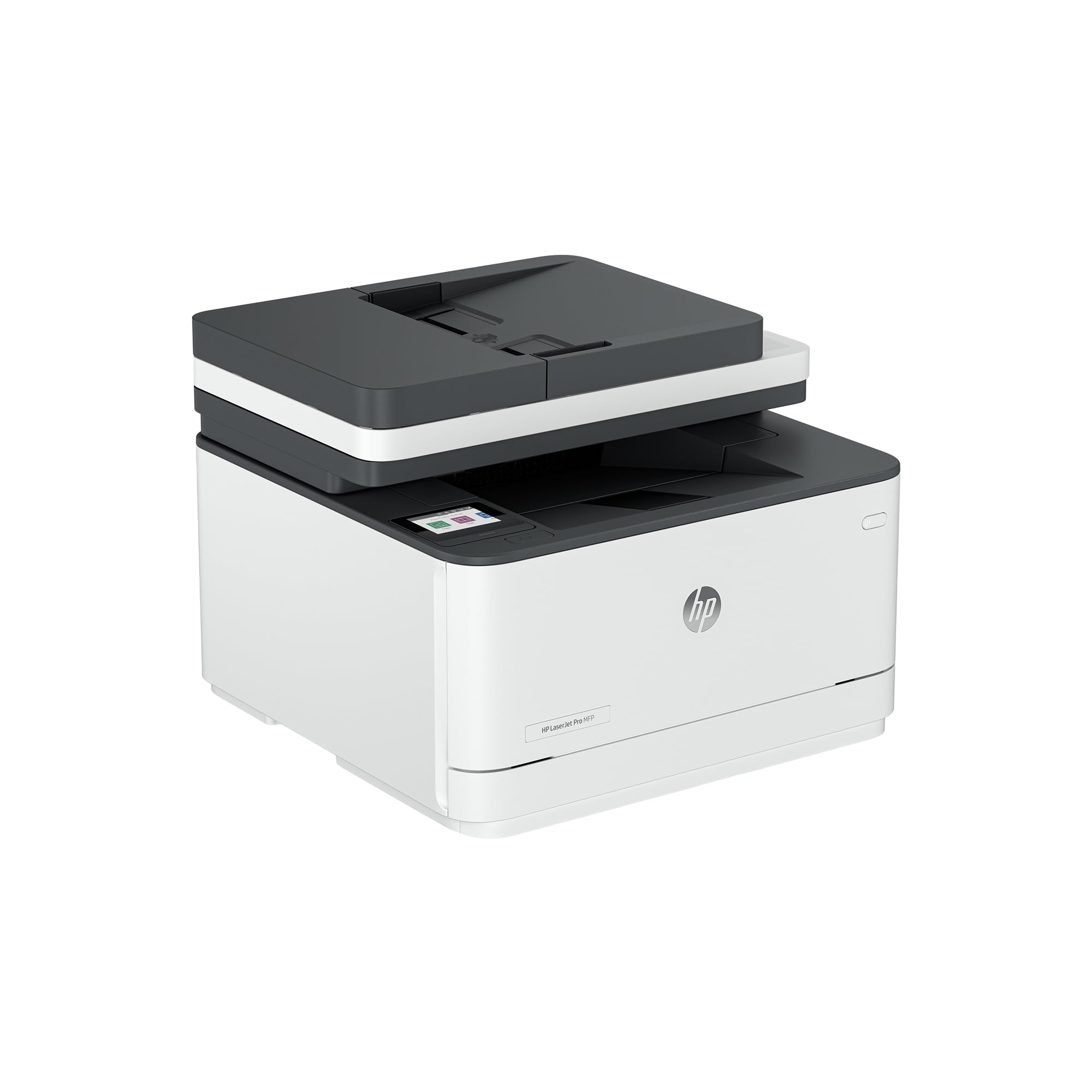
The high-speed laser that runs all day without demanding constant attention.
The HP LaserJet Pro MFP 3101sdw is for offices where printing volume is real and downtime isn’t an option. It prints up to 35 pages per minute in black, with a first page out in just 7 seconds—a pace that keeps a busy desk moving. The 250-sheet input tray paired with a 50-sheet auto document feeder means you can load a full stack of multi-page documents and let it run.
Owners are emphatic about reliability—several report buying two or even three of these machines because the first ones “work flawlessly.” Print quality earns the most praise, with buyers describing “clear, crisp prints” that come at an economical cost. The HP Smart app handles scanning, copying, and mobile printing well, and owners note no bloatware demands like they experienced with other brands. The crowd rating holds at 4.5 stars across 560 owners.
The biggest caveat is HP’s cartridge policy: the firmware is designed to block non-HP toner cartridges, so you’re locked into genuine supplies unless you decline firmware updates. The auto feeder can jam if you load more than about 25 sheets at once, and a few shoppers say the Wi-Fi occasionally drops. This is a serious machine for serious printing volume.
Built for demand: 35 ppm speed, a 50-sheet ADF, and a 250-sheet tray handle heavy office workloads.
Locked-in cost: HP firmware blocks third-party toner, so budget for genuine cartridges.
6. Brother MFC-L2820DW

The compact Brother that adds fax to the all-in-one formula for small offices.
The Brother MFC-L2820DW takes everything the HL-L2480DW does well and adds fax capability plus a 50-page auto document feeder for hands-free multi-page scanning, copying, and faxing. Print speeds match the top pick at up to 36 pages per minute, with an 8.5-second first page out. The 2.7-inch touchscreen and cloud app support (Google Drive, Dropbox, Evernote, OneNote) keep daily tasks quick.
Reliability is the theme owners come back to—one buyer replaced a 16-year-old Brother with this unit and calls it an improvement, while another notes their previous Brother lasted 11 years before the scanner gave out. Setup is widely described as simple, with a 20-minute install via Wi-Fi, USB, or Ethernet, and print and scan quality get consistent praise for home text use. The crowd rating is 4.3 stars across 900-plus owners.
The honest caveat: reliability feedback is mixed in the broader review base, and some buyers report the Wi-Fi drops daily while others have zero issues. Compatibility is also a mixed bag—it plays well with Macs but some PC users hit snags. A few buyers wish it printed faster. If you need fax and a compact footprint, this is the Brother to get; if not, the cheaper HL-L2480DW gives you the same print engine.
Fax-ready all-in-one: the 50-sheet ADF and built-in fax make it a complete small-office hub.
Mixed Wi-Fi reports: connection stability varies by network, so Ethernet is the safer bet for reliability.
7. Canon MegaTank MAXIFY GX2020

The refillable-tank color printer built for offices that print a lot of documents.
The Canon MegaTank MAXIFY GX2020 is the color answer for offices that print documents, not just photos. A single set of GI-25 ink bottles prints up to 3,000 black-and-white and 3,000 color pages, and replacement ink is refillable—no cartridges to swap. The 2.7-inch color LCD touchscreen makes setup and navigation straightforward, and the 35-sheet auto document feeder handles multi-page copying and scanning hands-free.
Owners highlight crisp text, vibrant colors, and fast output, with one calling it “professional-grade” quality at a low cost per page. Setup gets strong marks for its on-screen instructions and mess-free ink installation, and the machine connects easily to phones and computers over Wi-Fi. Automatic two-sided printing is built in. The crowd rating is 3.9 stars across 834 owners.
Owners mention blurry, dull photos, so treat this as a document printer first. Paper size selection is finicky—you may need to match settings to the tray for envelopes or cardstock. Ink consumption is genuinely low, and the front ink windows let you see levels at a glance. For high-volume color document printing, the economics are tough to top.
Document powerhouse: up to 3,000 color pages per ink set makes it cheap to run for office color.
Skip for photos: image quality disappoints; this is strictly for text and graphics documents.
8. Xerox C235dni
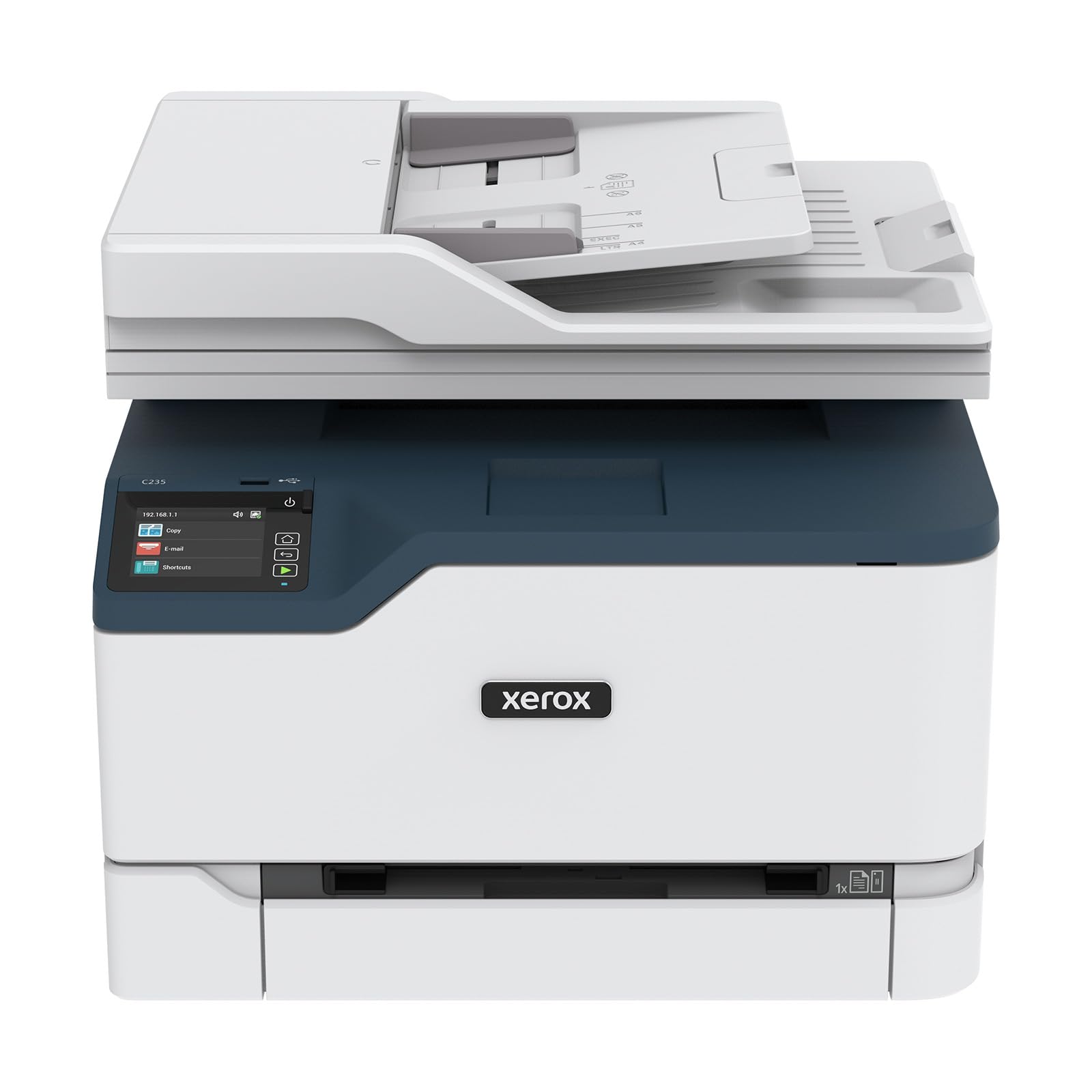
The color laser that delivers vivid graphics for hybrid and small business teams.
When your proposals and presentations need to look sharp in full color, the Xerox C235dni brings laser reliability to color printing. It produces up to 24 pages per minute in both black and color, with toner designed for professional-looking documents. The all-in-one setup handles print, scan, copy, and fax, and it’s rated for small offices printing up to 1,500 pages per month.
Owners praise the print quality intensely—one compares it to other major brands and notes that even at 600 DPI (dots per inch, a measure of sharpness), the resolution of photos and type is “so far superior.” Setup is guided through the Xerox Easy Assist App, and mobile printing works via Apple AirPrint and Mopria (two wireless printing standards). The crowd rating is 3.9 stars across 269 owners, with print quality the most-praised aspect.
The honest downsides: the starter toner yields only about 500 pages, and replacement toner is pricey—a recurring complaint. Setup can be finicky, with reports of app failures and light prints on generic paper that resolve with premium paper and Eco mode off. It only supports 2.4GHz Wi-Fi, not 5GHz. This is a color laser that rewards patience with excellent output.
Color laser standout: exceptional print resolution for graphics-heavy business documents.
Budget for toner: replacement cartridges are expensive, and the starter yield is small.
9. Epson EcoTank ET-4950
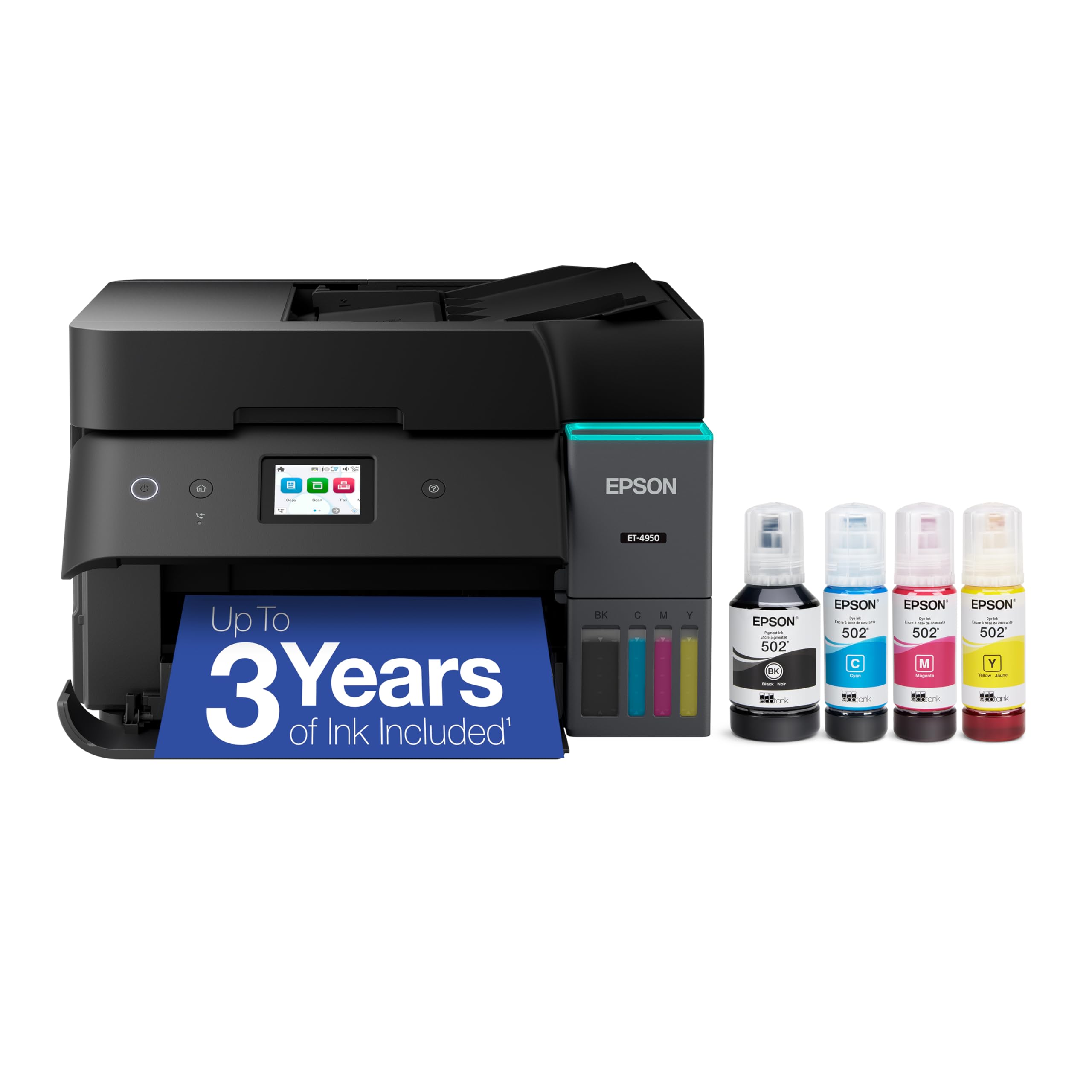
The high-capacity supertank that pairs massive ink reserves with fax and ADF convenience.
The Epson EcoTank ET-4950 is the premium supertank for home offices that want color, fax, and serious ink capacity in one machine. It comes with enough ink to print up to 6,600 pages in black and 5,500 in color right from the start, with each replacement bottle set equivalent to about 80 cartridges. The supersized, keyed EcoFit bottles make refilling simple and mess-free.
Customers note crisp print quality with fast monochrome speed and impressive color output, and many call it the “BEST printer for home office.” Setup takes under 10 minutes via the iPhone app, and wireless printing works reliably from across the house—even reconnecting after a power outage. The auto document feeder handles multi-page scanning and copying, and automatic duplex printing (two-sided) is standard. The 2.4-inch color display keeps navigation easy.
The crowd rating is 4.2 stars across 508 owners, with print quality the most-praised aspect. The honest caveats: some reviewers point out the plastic feels a bit flimsy with snapping sounds, and photo quality on glossy paper gets mixed reviews. Connectivity and print speed both have mixed feedback—a minority hit slow performance or Wi-Fi snags. For heavy color printing with fax, the ink economics are outstanding.
Why It’s the Premium Pick
- Up to 6,600 black / 5,500 color pages included
- Fax, ADF, and auto duplex in one compact unit
- Keyed EcoFit bottles make refills mess-free
- Crisp prints with fast monochrome speed
Where It Falls Short
- Plastic build feels less sturdy than lasers
- Photo quality on glossy paper is inconsistent
- Some shoppers say slow duplex printing
Splurge for: high-volume color with fax and the lowest long-term ink cost in this list.
Pass if: you mostly print black-and-white text—a monochrome laser is cheaper and faster.
Understanding the Specs
Pages Per Minute (ppm)
This is the manufacturer’s maximum print speed, measured in pages per minute. It tells you how fast the machine can churn out single-sided black-and-white pages. In real life, the first page takes longer than the rest—the spec to check alongside ppm is the first-page-out time, which matters for short jobs.
Auto Document Feeder (ADF)
An ADF is a slot on top of the scanner that holds a stack of pages and feeds them through one by one automatically. Without it, you’d have to lift the lid and place each page on the glass for every scan or copy. If you regularly scan multi-page documents, an ADF is the single most useful convenience feature.
Automatic Duplex
Duplex printing means the printer automatically flips the page to print on both sides. This cuts paper usage roughly in half for multi-page documents. The “automatic” part is key—it happens without you touching the paper, which saves time on bigger print jobs.
Supertank vs Cartridge
Cartridge printers use replaceable ink or toner cartridges that run out and get swapped. Supertank printers use refillable ink bottles that pour into built-in tanks, holding far more ink and cutting the cost per page dramatically. Supertanks cost more upfront but can print thousands more pages before you buy more ink.
FAQ
Should I get a laser or inkjet all-in-one printer for my home office?
What does the Auto Document Feeder (ADF) actually do for me?
Is automatic duplex printing worth having?
How much does it cost to run a supertank printer vs a cartridge printer?
Will a home office printer work with my phone and tablet?
What’s the difference between single-sided and duplex printing?
How fast should my home office printer be?
Can a color laser printer do photos as well as an inkjet?
Final Thoughts: The Verdict
Across the board, the all-in-one printer for home office winner is the Brother HL-L2480DW because it combines class-leading 36 ppm speed with dependable printing and a crowd rating of 4.5 stars. If you want color printing at the lowest running cost, grab the Epson EcoTank ET-2800. And for heavy black-and-white office workloads with a 50-sheet document feeder, the HP LaserJet Pro 3101sdw is the one to reach for.
How We Picked
We do not accept paid placement. Every pick is matched to a real buyer and a real use-case; we do not hands-on test units.
Sources & Methodology
Specifications: manufacturer listings and product documentation. Review insights: verified customer reviews, as of August 2026. Pricing: not shown on this page (it changes often); check the current price via the retailer link.
As an Amazon Associate, Gadgets Feed earns from qualifying purchases. This does not affect which products we feature.