
Our readers keep the lights on and my morning glass full of iced black tea. As an Amazon Associate, I earn from qualifying purchases.
Specs are compiled from manufacturer listings and verified buyer reviews and can change over time — please confirm the key details on the product page before buying.
Editing a podcast on a laptop that chokes, overheats, or emits a constant fan whine is a quick way to kill your creative flow. The machines below are picked specifically to handle audio editing, recording, and multitasking without breaking your budget or your patience. You want enough RAM to keep your editing software and browser tabs alive simultaneously, a processor that won’t stutter on a 45-minute track, and a sturdy build that survives daily commutes.
I’m Min — the founder and writer behind Gadgets Feed. This guide is built by comparing the manufacturers’ published specifications and the patterns across verified customer reviews, so you get each pick’s real strengths and trade-offs instead of marketing spin.
We’ve sorted through the specs and owner experiences to find what genuinely works for recording and editing, and this collection of budget laptop for podcasting choices balances price with the power your workflow demands.
Our Picks at a Glance

How To Choose The Best Budget Laptop For Podcasting
Podcasting is a unique mix of tasks: you record audio, edit tracks, maybe run a video call with a remote guest, and juggle several apps at once. A laptop that works for general browsing might not handle a large audio project without slowing to a crawl. Focus on the components that directly affect your editing sessions.
RAM: The Key to Smooth Multitasking
Audio editing software like Audacity or GarageBand needs memory to keep your entire project loaded. If you are running a browser with research notes and a communication app like Discord at the same time, more RAM means fewer freezes. the balance for podcast work is 16GB, which lets you manage a complex timeline and multiple applications simultaneously. Some budget models come with 8GB, which is workable for simpler projects but can feel cramped with heavy multitasking.
Processor Power: Core Counts More Than Speed
Applying effects and exporting a final episode is where a processor earns its keep. A chip with more cores handles these tasks in parallel, so a 4-core processor with 8 threads is a solid foundation. Turbo clock speed matters too, but a higher core count has a bigger impact on rendering and exporting large audio files.
Storage: Speed and Space for Your Files
Raw audio files, especially high-bitrate WAV files, take up space quickly. A solid-state drive (SSD) is essential for fast boot times and quick project loading; a 512GB SSD offers a good balance of speed and capacity, giving you room for software and multiple episodes. An extra slot or port for an external drive can be a lifesaver for archiving older shows.
Quick Comparison
| Model | Best For | RAM | Storage | Processor | Amazon |
|---|---|---|---|---|---|
| HP OmniBook 3★ Best Overall | All-day battery life | 8GB | 512GB SSD | AMD Ryzen 3 30 | Amazon |
| NIMO AI-Creator-LaptopPowerhouse Pick | Heavy multitasking & editing | 32GB | 1TB SSD | 6-Core Ryzen 5 6600H | Amazon |
| ASUS Vivobook Go (Ryzen 5)Top Performer | Solid performance & portability | 8GB | 512GB | AMD Ryzen 5 7520U | Amazon |
| Lenovo V15 | Business-grade features | 16GB | 512GB SSD | AMD Ryzen 5 5500U | Amazon |
| ASUS Vivobook Go (Ryzen 3) | Budget-friendly reliability | 8GB | 256GB SSD | AMD Ryzen 3 7320U | Amazon |
| HP 15.6″ FHD Laptop | Students needing lots of RAM | 16GB | 512GB SSD | Intel N100 | Amazon |
| Acer Aspire Go 15 | Easy everyday use | 8GB | 128GB SSD | AMD Ryzen 3 7320U | Amazon |
| WISESWAN i3 Laptop | Value with expandable storage | 12GB | 256GB SSD | Intel Core i3 | Amazon |
| acer Aspire 3 | Basic editing on a budget | 8GB | 128GB NVMe SSD | AMD Ryzen 3 7320U | Amazon |
| Dell 15.6 Laptop | Reliable brand at a low cost | 8GB | 512GB SSD | Intel Core 3 100U | Amazon |
| jumper 15.6″ FHD Laptop | Office suite included | 12GB | 256GB SSD | Intel Celeron 5205U | Amazon |
In‑Depth Reviews
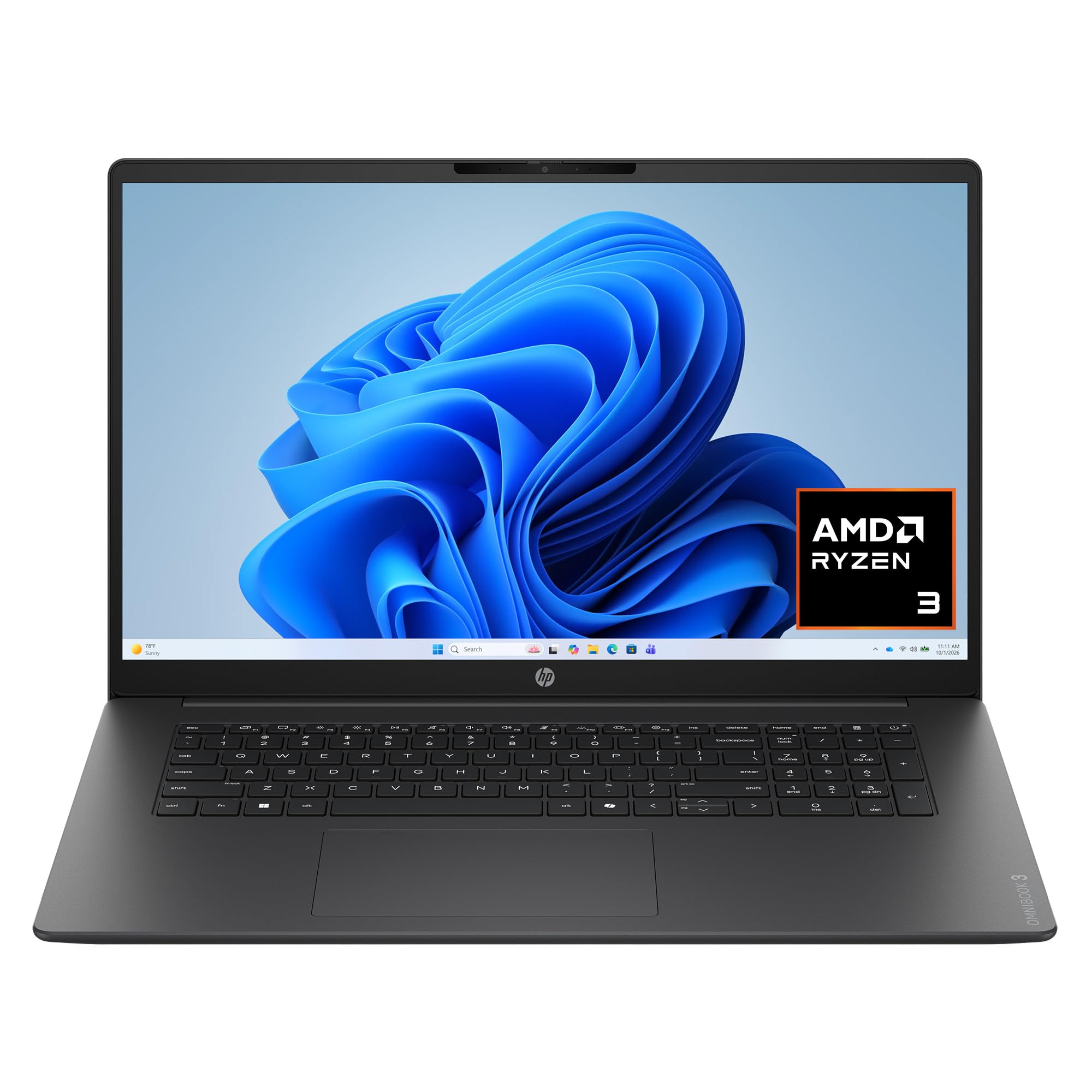
1. HP OmniBook 3 17.3 inch Laptop
Our pick — 4.5★ from 150+ verified ratings; the strongest balance of quality and price.
A 17.3-inch canvas that outlasts your longest recording session on a single charge.
This HP OmniBook 3 is the smart all-rounder for podcasters who want a large screen for editing and the freedom of an extended battery. The 17.3-inch Full HD IPS display offers 178-degree wide-viewing angles, so you can see your entire audio waveform and timeline clearly without squinting. Under the hood, the AMD Ryzen 3 30 processor with speeds up to 4.1GHz handles everyday multitasking, casual streaming, and smooth photo editing, which is plenty for audio work.
What really separates it for content creators is the battery: it’s rated for up to 14 hours and 15 minutes of life, and HP Fast Charge takes it from 0 to 50% in about 45 minutes. That means you can record a long interview in the field, edit on the train, and still have power left for a late-night export. It also has 512GB of storage and 8GB of LPDDR5 RAM, which is enough for a solid editing session. Owners call it “very good,” noting it processes well and has excellent battery life, with one saying it’s “worth it fully.”
This model is also built with podcast-ready communication in mind. Advanced AI Noise Reduction in Personal Mode tracks only your voice and filters out background noise during calls, which is a real benefit if you record remote interviews over a video call. The 1080p FHD camera with HDR auto-switch keeps your video crisp in tricky backlighting. The storage here is a 4.0x larger space than the acer Aspire 3’s 128GB, giving you far more room for raw files and finished episodes.
big screen power
- Massive 17.3-inch screen with wide viewing angles makes timeline editing easier.
- Exceptional battery life up to 14h15m keeps you working untethered.
- AI noise reduction filters out background sounds for cleaner remote recordings.
heavy to carry
- 8GB of RAM is workable but can feel tight when running many apps at once.
- The integrated AMD Radeon 610M graphics aren’t for serious video editing.
- Pre-installed McAfee is hard to uninstall and can block other security software.
reach for display: you want a large display for editing and the best battery life in the roundup to record anywhere.
skip for travel: you need more than 8GB of RAM for heavy multitrack projects.
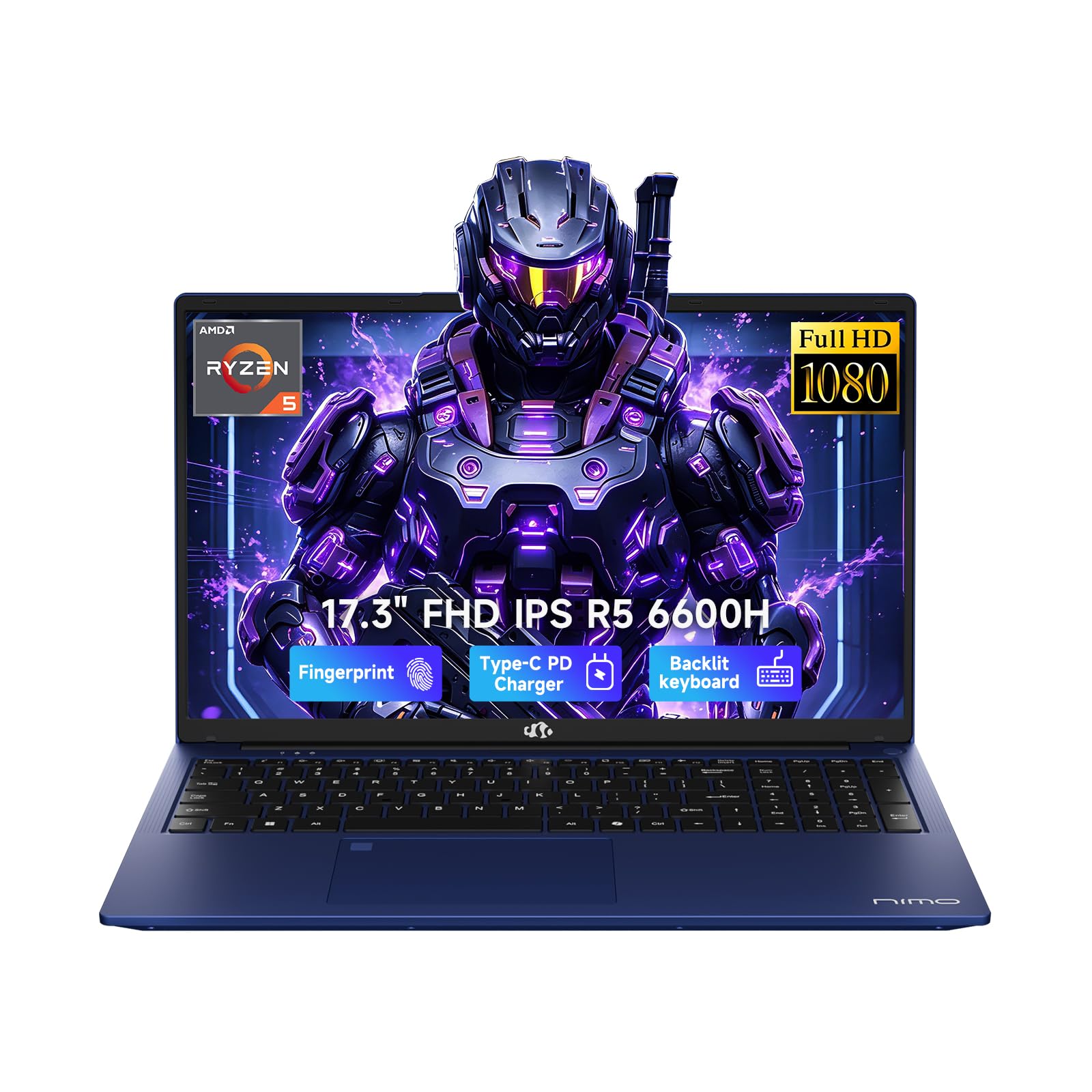
2. NIMO AI-Creator-Laptop
The only pick here that turns heavy podcast sessions into light work without a separate GPU.
It pairs a 6-core AMD Ryzen 5 6600H processor that boosts up to 4.5GHz with 32GB of DDR5 memory and a 1TB PCIe SSD, which means you can run your editor, a browser full of research, and a communication app without feeling the strain. The generous 32GB RAM is the standout figure here, giving you the multitasking headroom that most budget laptops simply don’t have.
The 17.3-inch Full HD display gives you a wide 1920 x 1080 canvas for a sprawling editing timeline, which cuts down on constant window switching. It also has a backlit keyboard for low-light recording sessions and a fingerprint login built into the touchpad for fast, secure access. Buyers report it runs smoothly with multiple screens open, praising its speed and the large display, and they frequently mention the responsive 2-year warranty from a US-based support team as a major reassurance.
This laptop beats the HP and WISESWAN models decisively on RAM and storage headroom. The long battery life is rated at about 6 to 8 hours for light tasks, and it charges through a 100W USB-C PD charger, so a quick top-up during a break can get you through a full editing session. The all-aluminum build is sturdy, though at 2.1kg it’s not the lightest option for a commute, and a few owners noted the power port can be sensitive to over-plugging, but the company’s support is quick to resolve any issue.
AI workflow speed: The rare budget-adjacent laptop that doesn’t ask you to compromise on RAM or storage. If you record, edit, and produce in one place, this is the one to beat.
best for AI: Podcasters who run heavy multitrack sessions and want 32GB of RAM and a 1TB SSD without paying a premium.
skip for general: The 17.3-inch chassis is heavier than a 15.6-inch ultraportable, so it’s best kept on a desk.
3. ASUS Vivobook Go 15.6″ (Ryzen 5)
A 15.6-inch workhorse that survived military-grade testing and cruises through daily tasks.
This ASUS Vivobook Go is the upgrade pick for podcasters who want a faster processor without stepping up to premium prices. It’s powered by the AMD Ryzen 5 7520U, a chip designed for thin laptops that delivers fast performance for browsing and light gaming, with a boost up to 4.3GHz. It comes with 8GB of memory and a roomy 512GB of storage, which is a strong balance for editors who need space for multiple episodes.
The 15.6-inch NanoEdge display has a super slim bezel, a smooth 60Hz refresh rate, and a vibrant 45% NTSC color gamut, making it a pleasure to work on for long stretches. It’s also built to last, having passed 5 tests for US MIL-STD 810H, including high and low temperature, shock, vibration, and altitude tests. This durability is reflected in owner feedback, which regularly calls it “solid” and praises its light weight and build quality, with one college student noting it’s easy to take to class and has a long battery life.
Unlike the HP OmniBook’s huge 17.3-inch screen, this one is more portable, making it a better fit for podcasters who record on location or move between studios. It also comes with SonicMaster audio and an array microphone for better built-in sound pickup, plus a privacy webcam shield for when you’re not on camera. The main limitation is the soldered 8GB RAM, which you can’t upgrade later; a few owners note battery life can be underwhelming under heavy load, so it’s worth keeping the charger close for long editing marathons.
grab for budget: you want a genuinely durable, fast, and portable machine with 512GB of storage to carry between sessions.
think for gaming: you anticipate needing more than 8GB of RAM down the line, since it’s not upgradeable.
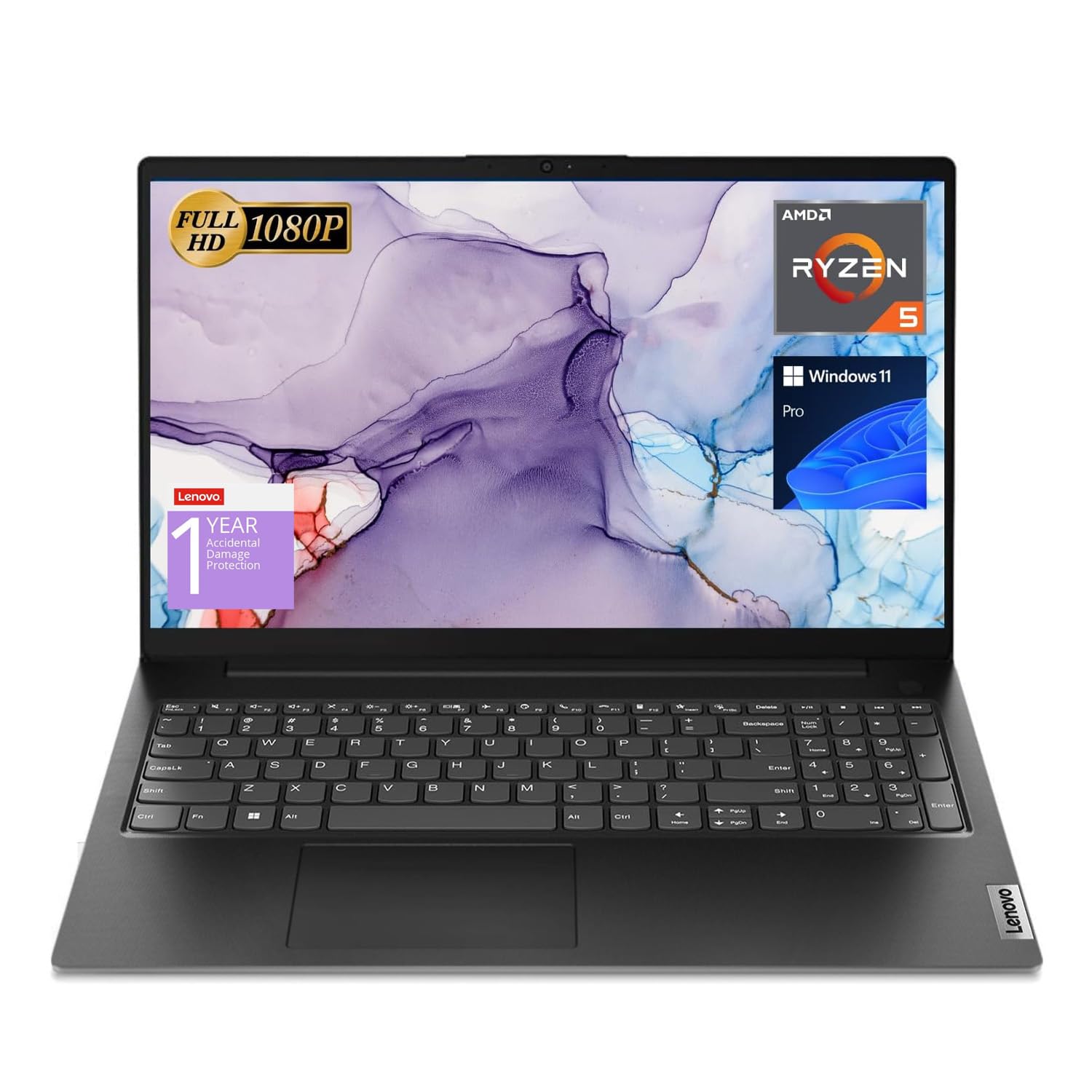
4. Lenovo V15 Laptop
A no-nonsense workhorse with 16GB of RAM and a wired Ethernet port for rock-solid studio connections.
This Lenovo V15 is for podcasters who treat their laptop like a piece of studio equipment and need consistent, dependable performance. It runs a 6-core AMD Ryzen 5 5500U processor with 12 threads and 8MB of L3 cache, clocking up to 4.0GHz. Paired with 16GB of high-bandwidth RAM and a 512GB PCIe NVMe M.2 SSD, it handles multiple applications and browser tabs at once without a hiccup — exactly what you need when editing a long interview while referencing show notes.
One of its most useful features for podcasting is the RJ45 Ethernet port, the only one on this list. A wired connection delivers stable, fast internet for uploading large episode files or running a lag-free remote interview. It also sports a 15.6-inch FHD (1920 x 1080) display, a numeric keypad for efficient data entry, and Windows 11 Pro, which brings advanced features like Group Policy and Active Directory support that creators running a small business will appreciate. Owners call it a “quality laptop” that’s not blazing fast but is very solid for college-level work and light gaming, praising its value and durability.
Compared to the NIMO’s massive 32GB of RAM and 17.3-inch screen, the Lenovo is more modest on specs but much more affordable, putting a dependable 16GB machine within reach. The recurring honest caveat from owners is the display — a few find it mediocre and recommend an external monitor if screen quality is critical. Battery life also gets mixed feedback, with heavy use draining it faster than some would like, so it’s best kept near a power outlet.
pick for work: stable wired connections and business-grade software features that serious podcast operations will use.
be aware specs: the screen quality is a common owner gripe, so budget for an external monitor if visuals matter to you.
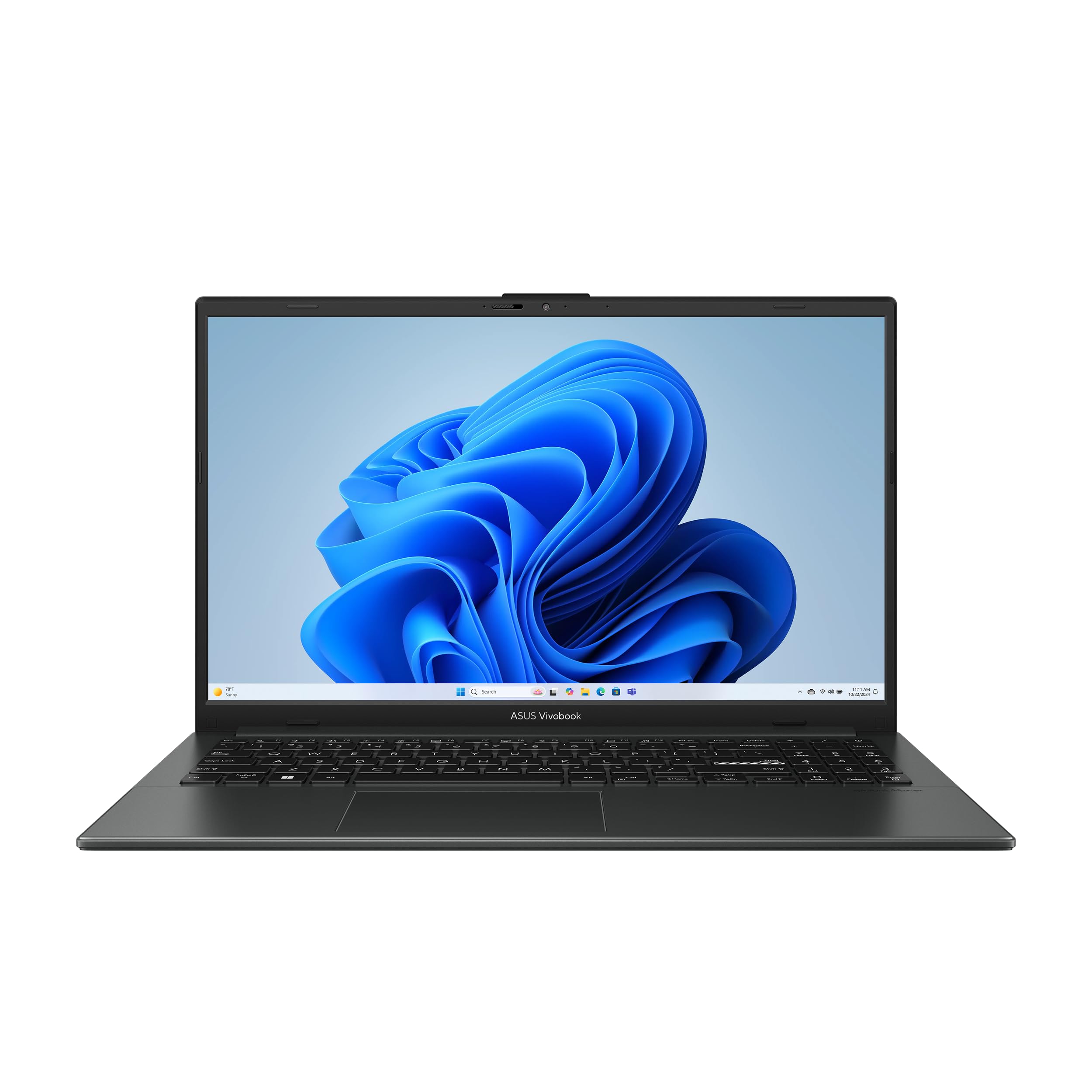
5. ASUS Vivobook Go 15.6” FHD Slim Laptop
A sturdy, budget-friendly studio partner that won’t flinch when you stack up your editing apps.
This is the best entry point for new podcasters who want a reliable machine without overspending. It’s driven by the AMD Ryzen 3 7320U, a 4-core, 8-thread processor that delivers reliable performance for multitasking and browsing, with a boost up to 4.1GHz. It comes with 8GB of DDR5 RAM and 256GB of essential storage — enough to run your recording software and store a few episodes before you offload them to an external drive.
Build quality is a huge selling point here, as it also passed 5 tests for US MIL-STD 810H, covering extreme temperatures, shock, vibration, and altitude. Owners are consistently impressed with the quality for the price, calling it a “great budget laptop” with a sturdy build and a great display. One owner, who installed Linux, noted it runs “like a charm,” which shows it’s also flexible for creators who prefer open-source tools. The quiet chiclet keyboard with a numeric keypad is comfortable for typing up show notes, though it lacks a backlight.
Its battery is rated for up to 11 hours with a 42Wh battery, so you can work through a full day of recording and editing without hunting for an outlet. This 11-hour rating matches the Acer Aspire 3 and beats the WISESWAN’s 7 hours by a significant margin. The downside? A small number of owners mention reliability issues, with units that won’t turn on or stop working after a couple of uses — so it’s worth checking the return policy, but the majority are very happy with this value pick.
best for travel: first-time podcasters on a tight budget who need a durable, long-lasting machine for basic editing.
caveat heavy tasks: a small number of owners hit power-on issues, so test it thoroughly within the return window.
6. HP 15.6″ FHD Laptop
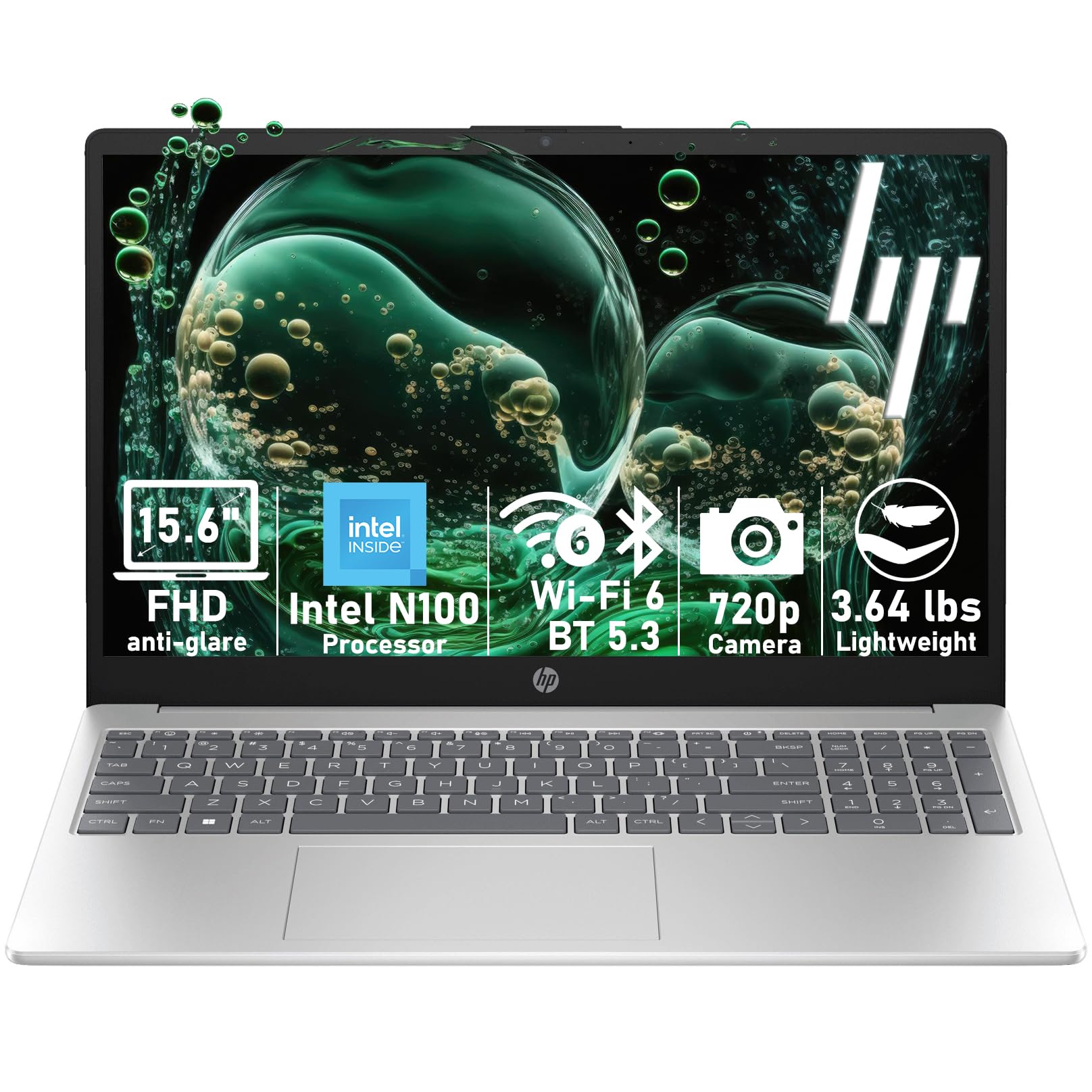
A light 3.64-pound machine that packs 16GB of RAM for juggling classes, edits, and calls.
This HP is a standout for student podcasters because it puts a generous 16GB of RAM into a lightweight 3.64-pound frame. That memory is the key to smooth multitasking — you can have your editor, a browser with sources, and a messaging app all open during a project without slowdowns. It runs on an Intel N100 processor with speeds up to 3.4GHz, which handles multiple browser tabs, video streaming, and online classes simultaneously.
The 15.6-inch anti-glare IPS display reduces eye strain during long editing sessions, and the full-size keyboard with a numeric keypad makes data entry comfortable. It also arrives with Windows 11 Home, a lifetime Office for web, and a Copilot key for quick access to AI assistance. It uses Wi-Fi 6 for stable Zoom calls and video conferences, which are essential for remote podcast interviews. Owners find it “fast, sleek, and easy to set up,” with one college student saying it’s lightweight to carry around campus and has tons of memory.
Compared to the Lenovo V15, this HP gives you the same 16GB of RAM and 512GB of storage but in a lighter, more student-friendly package. The main compromise is the processor — the Intel N100 is efficient, but it doesn’t have the core count of the Ryzen 5 chips in some other picks, so very heavy multitrack sessions could feel less responsive. And while the display is generally praised as crisp, a few owners have mixed feelings about the sound quality, with some reporting a humming noise, so a good pair of headphones is a smart addition to your kit.
choose for daily: you need the portability of a 3.64-pound laptop with the multitasking muscle of 16GB of RAM for campus life.
skip for editing: demanding, processor-heavy multitrack editing, where a 6-core chip would serve you better.
7. Acer Aspire Go 15 AI Ready Laptop
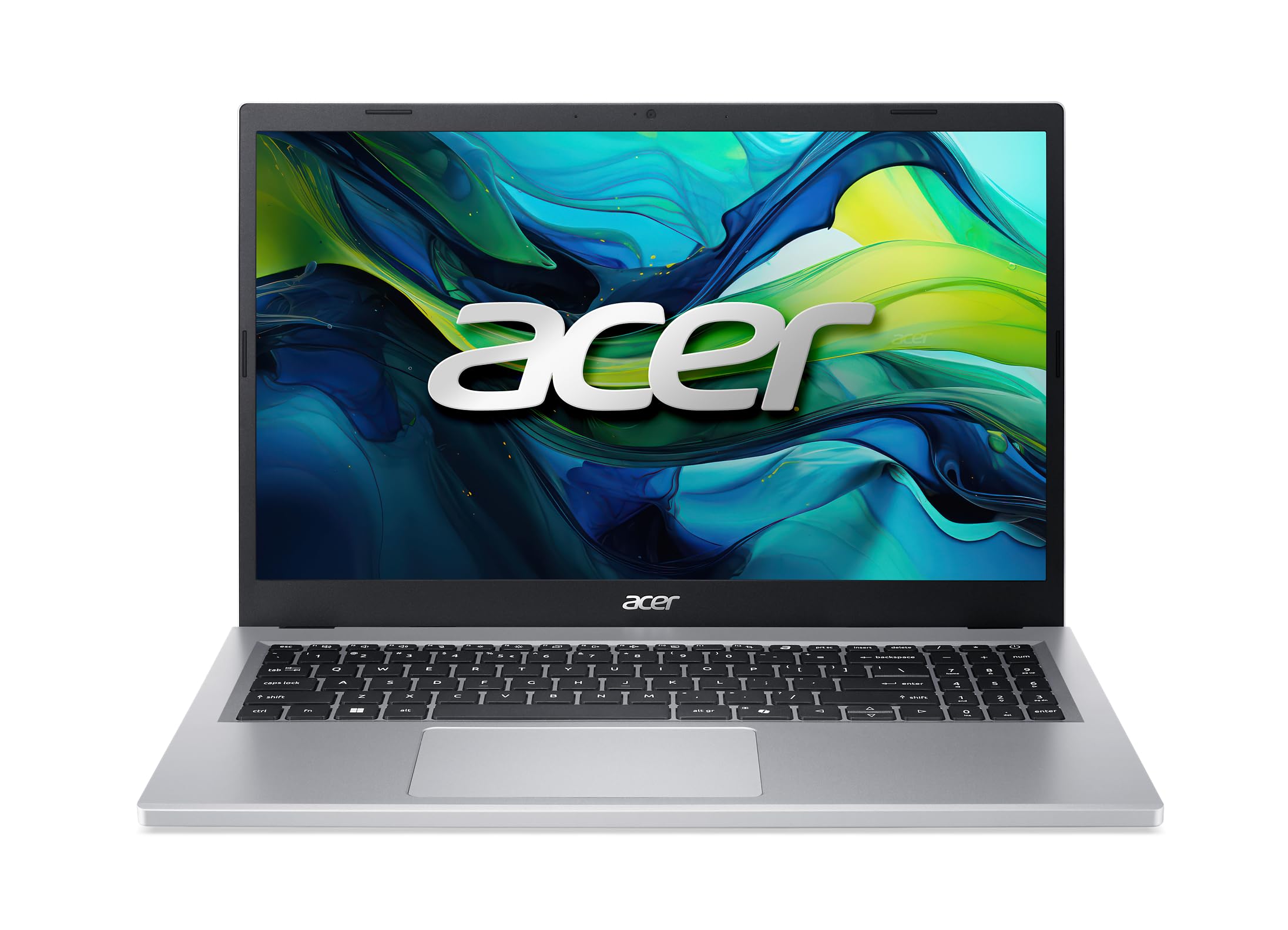
An approachable Acer that’s simple to set up, easy to use, and ready for everyday recording work.
This Acer Aspire Go 15 is the friendliest option on the list for podcasters who don’t want to wrestle with a complicated setup. It’s powered by an AMD Ryzen 3 7320U processor that boosts up to 4.1GHz, paired with 8GB of memory and a 128GB SSD. It also runs Windows 11 Home in S Mode, a streamlined version that prioritizes security and performance — and owners say it’s extremely easy to switch out of S Mode if you want to install other apps.
It shares the same processor as the ASUS Vivobook Go budget pick, so you get comparable editing performance, but this model adds an AI-ready edge with a dedicated Copilot key. The 15.6-inch FHD IPS display with narrow bezels is sharp and detailed, and Acer BluelightShield lowers blue light levels for comfortable late-night editing. It also has dual full-function USB Type-C ports for fast, convenient charging and connectivity, plus Wi-Fi 6 and HDMI 2.1.
Owner feedback is consistent: it’s great for everyday use, extremely easy to use, and has excellent battery life that charges quickly. One owner even wrote their review on the laptop itself, calling it “worth the buy.” The honest limitation is the 128GB SSD, which fills up fast with raw audio files, so you’ll likely want an external drive or a cloud plan from day one. A few owners also note that if you’re slightly tech-savvy, the M.2 drive is replaceable, so you can upgrade the storage down the line.
reach for AI: you want a simple, reliable everyday laptop with convenient USB-C charging and an AI assistant key.
plan for upgrades: the 128GB of storage — you’ll need an external drive to keep your episode archives accessible.
8. WISESWAN Windows 11 Laptop i3
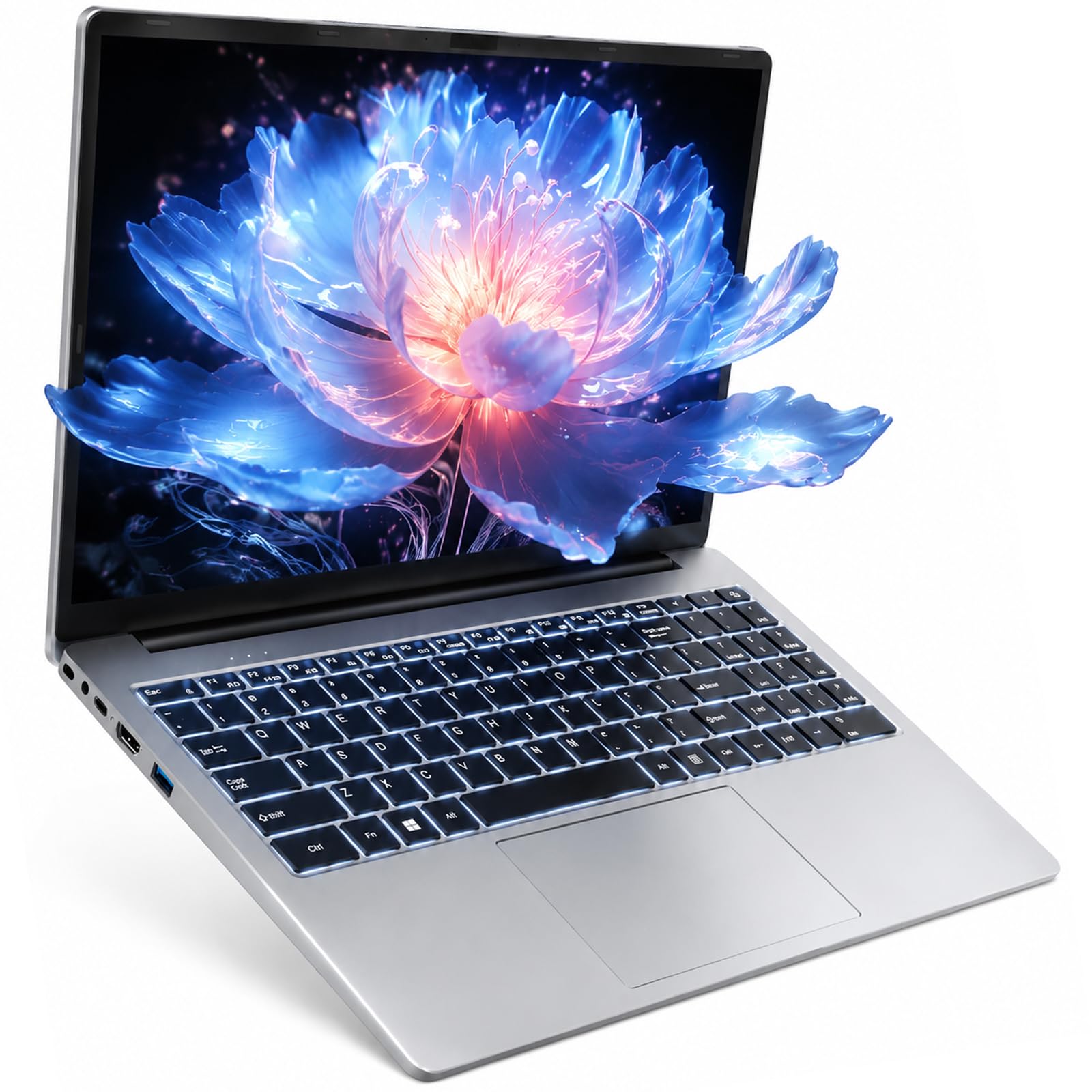
A 12GB RAM sleeper that punches above its weight for multitasking and late-night editing.
This WISESWAN laptop is a clever budget pick that quietly delivers more multitasking muscle than its price suggests. It runs an Intel Core i3 processor with 2 cores and 4 threads, boosting up to 3.4GHz, and pairs it with 12GB of RAM — a middle ground that’s more forgiving than 8GB when you’re running editing software alongside a browser. That extra memory is a real advantage if you like to keep your script, research, and audio editor open in the same session.
The 15.6-inch Full HD (1920×1080) anti-glare screen is crisp and vivid, and it has a backlit keyboard that owners love for late-night studying and editing sessions. It also comes with dual stereo speakers, a webcam, and a full set of ports, including Wi-Fi 6, Bluetooth 5.2, HDMI 2.1, and a Type-C port that supports PD3.0 fast charging.
Owners are thoroughly impressed, with one saying it’s “fast, doesn’t overheat like my HP,” and another calling it a great option if you need an affordable laptop that exceeds expectations. One owner even uses it as their digital music producer platform. The biggest draw is the expandable storage — the 256GB SSD has a TF card slot that expands up to 2TB, giving you room to grow your podcast library. The only recurring complaint is the bulky power plug, which is a minor inconvenience compared to the overall value.
reach for basic: you want 12GB of RAM and a backlit keyboard at a price that leaves room in your budget for a good microphone.
keep in mind multitask: the 7-hour battery is the shortest in this roundup, so keep the charger in your bag.
9. acer Aspire 3 A315-24P-R7VH Slim Laptop

The crowd-favorite budget Acer that balances price, battery, and performance for everyday tasks.
This Acer Aspire 3 is among the most popular budget laptops around for good reason — it delivers a solid package at a price that’s tough to top. It runs the AMD Ryzen 3 7320U processor with Radeon Graphics, boosts up to 4.1GHz, and comes with 8GB of LPDDR5 memory and a 128GB NVMe SSD. The 15.6-inch Full HD IPS display with narrow bezels gives you sharp details and crisp colors for your editing timeline.
Its battery is rated for up to 11 hours of standby, which is a strong figure for a budget machine, and it features Acer’s PurifiedVoice technology with AI Noise Reduction to filter out extra sound during online meetings — a helpful feature for remote interviews. Owners find it performs well for basic tasks and offers good value, with quality being the thing everyone raves about, and a smooth, pleasant experience for browsing and streaming. The 4-core, 8-thread CPU also keeps temperatures low, idling around 41C.
The honest trade-offs are where this budget pick gets real. The 128GB of storage is tiny compared to the HP OmniBook’s 512GB — just a quarter of the space — so you’ll be adding an external drive immediately. The RAM is soldered and non-upgradable, and owners note the battery life is more like 6 hours under normal performance use. A recurring complaint is the sound quality, with many describing the volume as low and the speakers as weak, so a good pair of headphones or external speakers is a must-have for monitoring your edits.
best for students: podcasters on a very tight budget who mainly do simple voice edits and browsing.
don’t expect audio: a large storage drive or strong built-in speakers — plan for both an external drive and headphones.
10. Dell 15.6 Laptop, FHD, Intel Core 3
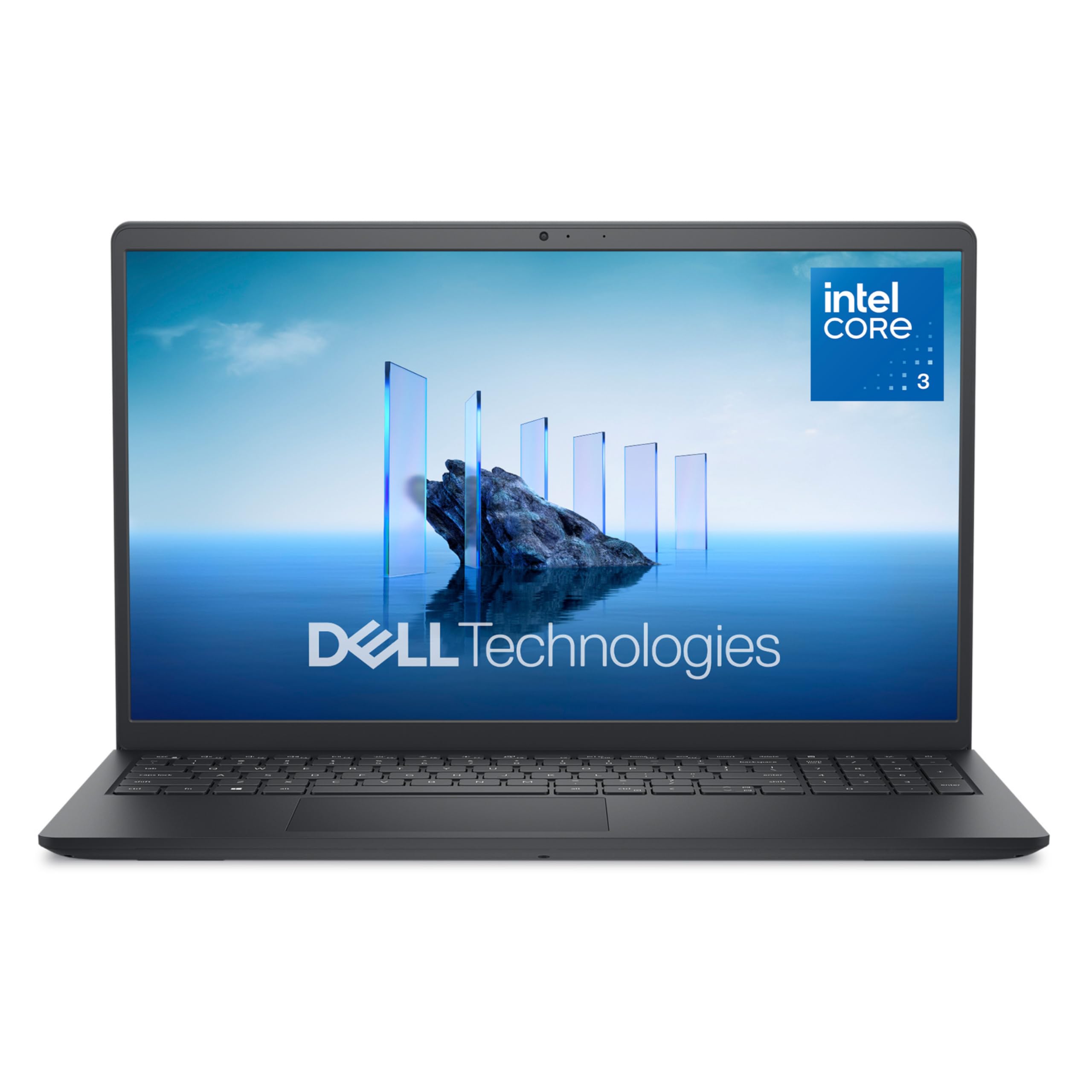
A dependable Dell with a fast, modern processor and the reassurance of onsite service.
This Dell 15 is the pick for podcasters who value brand reliability and the confidence that comes with a support plan. It’s built for everyday computing with an Intel Core 3 100U processor that boosts up to an impressive 4.7GHz, paired with 8GB of RAM and a fast 512GB SSD. Owners say it’s fast and light, and one even runs older games at 60 FPS, so it has plenty of headroom for your audio editing software.
The 15.6-inch anti-glare IPS WVA display with 250 nits of brightness and ComfortView software helps reduce harmful blue light emissions, keeping your eyes comfortable during long editing marathons. It also features a separate numeric keypad and a calculator hotkey for efficient data entry, plus lifted hinges that provide an ergonomic typing angle. The standout feature is the Dell Services offering: 1 Year Onsite Service means a technician will come to your home or office if an issue can’t be resolved remotely, which is rare reassurance at this price point.
Compared to the Acer Aspire 3, this Dell gives you 4x the storage (512GB vs 128GB) and a higher boost clock speed, making it a more capable editing machine. The main trade-off is the battery, which owners consistently describe as poor, and the fan noise, which some find loud under load. The screen is also noted as being a bit dark, even at full brightness, so you might want to edit in a well-lit room or consider an external monitor for color-critical work.
choose for office: the security of a major brand with 4.7GHz processing speed and onsite warranty support.
accept storage limits: battery life is a weak point, so plan to stay near an outlet for long sessions.
11. jumper 15.6″ FHD Laptop
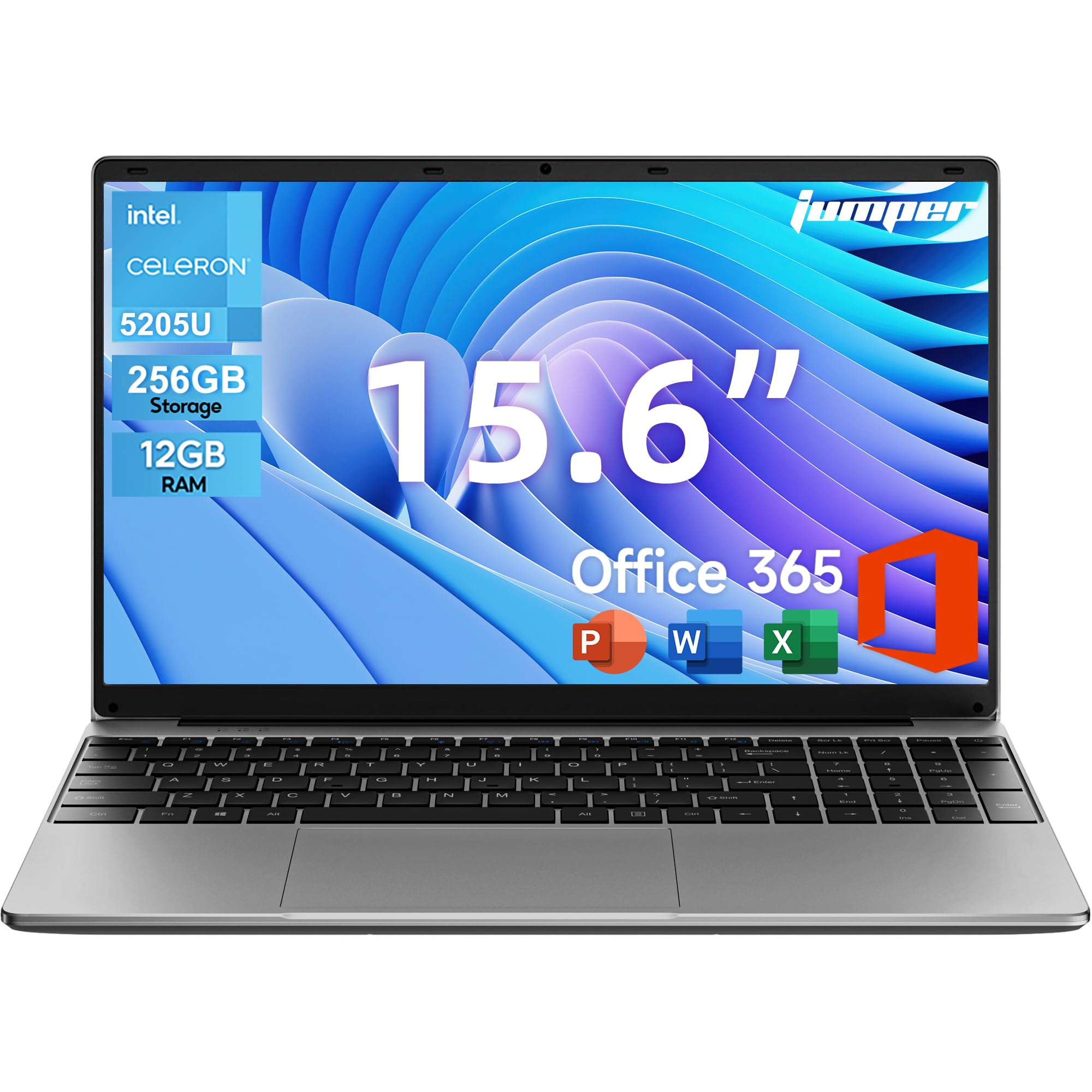
An ultra-portable option that comes with a full year of Office 365 included in the price.
This jumper laptop is a smart value play for podcasters who also need a reliable machine for school, work, and general productivity. It runs an Intel Celeron 5205U dual-core processor at a fixed 1.9GHz, which is modest but perfectly capable of handling daily office tasks, web browsing, and light multitasking. The real star here is the 12GB of high-speed RAM, which keeps program loading fast and multitasking smooth.
It comes with a 15.6-inch Full HD IPS display with a native 1920×1080 resolution, slim 5mm bezels, and an anti-glare coating with blue light filtering to reduce eye strain. A major bonus is the pre-installed 1-Year Official Office 365 License, including Word, Excel, PowerPoint, Outlook, and OneNote — which saves you a significant amount compared to buying the software yourself. It also has a numeric keyboard, which is a great help for data entry, and a solid selection of ports including Type-C, HDMI, dual USB 3.0, and a Micro TF slot.
The 38Wh battery gives you about 5-6 hours of use, which is decent for a budget machine. Owners find it performs well for school and office tasks with hardly any lag, and specifically note that Zoom calls run totally lag-free. The screen quality gets positive feedback, and it’s considered good value for money. The trade-off is the processor — it’s not built for heavy multitrack editing, so keep your projects simple. A very small number of customers note receiving a faulty charger, so it’s worth testing the power adapter immediately.
reach for casual: you want an ultra-portable machine with a year of Office software bundled in for a great price.
best for gaming: light editing and heavy document work, not processor-intensive multitrack sessions.
Understanding the Specs
Processor: Cores and Clock Speed
The processor is the brain of your laptop, and for podcasting, core count matters more than raw clock speed. A multi-core processor like a 4-core Ryzen 3 or a 6-core Ryzen 5 handles multiple tasks in parallel, which comes in handy when you apply effects and export a long episode. The clock speed, measured in GHz, tells you how fast each core runs; a higher boost speed up to 4.1GHz or 4.7GHz means snappier performance when you’re doing a final render.
RAM and Storage: Your Multitasking Muscles
RAM is your short-term memory for open apps, and 16GB is the balance for audio editing, letting you run your editor alongside a browser and communication tools without slowdowns. Storage, meanwhile, is your long-term memory for all your files. A solid-state drive (SSD) is non-negotiable for fast boot times, and 512GB gives you room for your software and multiple raw episode files. If you see 128GB, plan on buying an external drive from day one.
FAQ
How much RAM do I really need for podcast editing?
Can a budget laptop handle recording and editing a podcast?
Is an Intel Core i3 or AMD Ryzen 3 enough for audio work?
What storage size do I need for a podcast library?
Is battery life important for podcasting?
Will a laptop with integrated graphics work for video podcasting?
Should I get a 15.6-inch or 17.3-inch laptop for editing?
What does a USB-C port with PD charging do for me?
Is Windows 11 in S Mode a problem for podcasters?
Is a dual-core processor ever enough for podcasting?
What ports should I look for to connect my microphone and headphones?
Final Thoughts: The Verdict
For most podcasters, the budget laptop for podcasting winner is the HP OmniBook 3 because it balances a huge 17.3-inch screen for editing with the best battery life in the group. If you want the raw power to run heavy multitrack sessions and keep tons of files, grab the NIMO AI-Creator-Laptop. And for a durable, lightweight daily carry that still handles editing well, the ASUS Vivobook Go is the one to reach for.
How We Picked
We do not accept paid placement. Every pick is matched to a real buyer and a real use-case; we do not hands-on test units.
Sources & Methodology
Specifications: manufacturer listings and product documentation. Review insights: verified customer reviews, as of August 2026. Pricing: not shown on this page (it changes often); check the current price via the retailer link.
As an Amazon Associate, Gadgets Feed earns from qualifying purchases. This does not affect which products we feature.