
Our readers keep the lights on and my morning glass full of iced black tea. As an Amazon Associate, I earn from qualifying purchases.
Specs are compiled from manufacturer listings and verified buyer reviews and can change over time — please confirm the key details on the product page before buying.
If you are shopping for a 45-inch OLED monitor, the first question isn’t “which one” — it’s “how much sharpness can my graphics card handle.” The biggest screens in this class split into two camps: those with the ultra-dense 5120 x 2160 (5K2K) panel and those with the more common 3440 x 1440 (WQHD) panel. The 5K2K camp costs more and demands more from your PC, but it makes text crisp enough for daily work. The WQHD camp is easier to run and cheaper, yet the lower pixel density can leave text looking soft. This guide breaks down the best of both, so you can match the panel to your games, your desk, and your budget.
I’m Min — the founder and writer behind Gadgets Feed. This guide is built by comparing the manufacturers’ published specifications and the patterns across verified customer reviews, so you get each pick’s real strengths and trade-offs instead of marketing spin.
From the ultra-sharp 5K2K flagship to the value-focused WQHD models, these are the 45 inch oled monitor picks that survive close scrutiny on picture quality, gaming speed, and long-term reliability.
Our Picks at a Glance
How To Choose The Best 45-Inch OLED Monitor
All the screens here share the same core DNA: an OLED panel that lights each pixel individually, producing perfect blacks and vivid colors. The differences that matter come down to resolution, refresh rate, and the steepness of the curve. Your graphics card and your desk space will decide which of these specs you actually feel.
Resolution: 5K2K vs WQHD
The single biggest fork in the road is the panel resolution. The flagship panels use 5120 x 2160 (called 5K2K) which packs roughly 49% more pixels than the 3440 x 1440 (WQHD) panels. That extra density is why a 5K2K screen looks noticeably sharper for text and spreadsheets, while a WQHD screen at this size can look softer for office work. The trade-off: 5K2K requires a much more powerful graphics card to run games at full detail, which is why some buyers on WQHD models say the pixel density feels low for the screen size.
Refresh Rate and Adaptive Sync
Refresh rate — how many times the screen redraws each second — determines how smooth motion looks. Most 45-inch OLEDs run at 240Hz, meaning the image updates 240 times a second, which is excellent for fast racing and shooter games. A few premium panels reach 330Hz. Both are paired with G-Sync or FreeSync, which sync the monitor’s refresh rate to your graphics card’s frame output to stop screen tearing. Look for FreeSync Premium Pro for a more refined sync experience.
The 800R Curve
Almost every 45-inch OLED uses an aggressive 800R curvature — the screen bends in a circle with an 800-millimeter radius, wrapping around your field of view. This is fantastic for gaming immersion, pulling the edges of the screen into your peripheral vision. The catch is that the strong curve bends straight lines, which several owners note makes spreadsheet columns and design work look slightly warped. If you split your time evenly between gaming and productivity, be prepared for the curve.
Quick Comparison
| Model | Best For | Resolution | Refresh Rate | Response Time | Amazon |
|---|---|---|---|---|---|
| LG Ultragear 45GX950A-B★ Best Overall | Ultimate sharpness | 5120 x 2160 | 165Hz (330Hz dual) | 0.03ms (GtG) | Amazon |
| LG 45GX950A BundleMax Speed | Max speed & sharpness | 5120 x 2160 | 330Hz | 0.03ms (GtG) | Amazon |
| LG 45GX90SA-B BundleSmart Pick | Smart features + gaming | 3440 x 1440 | 240Hz | 0.03ms (GtG) | Amazon |
| LG 45GX900A-B | Gaming immersion | 3440 x 1440 | 240Hz | 0.03ms (GtG) | Amazon |
| LG 45GX90SA | Smart streaming + gaming | 3440 x 1440 | 240Hz | 0.03ms (GtG) | Amazon |
| LG 39GX90SA-W | Compact 39-inch fit | 3440 x 1440 | 240Hz | 0.03ms (GtG) | Amazon |
| LG 39GX900A-B | 39-inch value & quality | 3440 x 1440 | 240Hz | 0.03ms (GtG) | Amazon |
| LG 39GS95QE | Budget 39-inch gaming | 3440 x 1440 | 240Hz | 0.03ms (GtG) | Amazon |
In-Depth Reviews
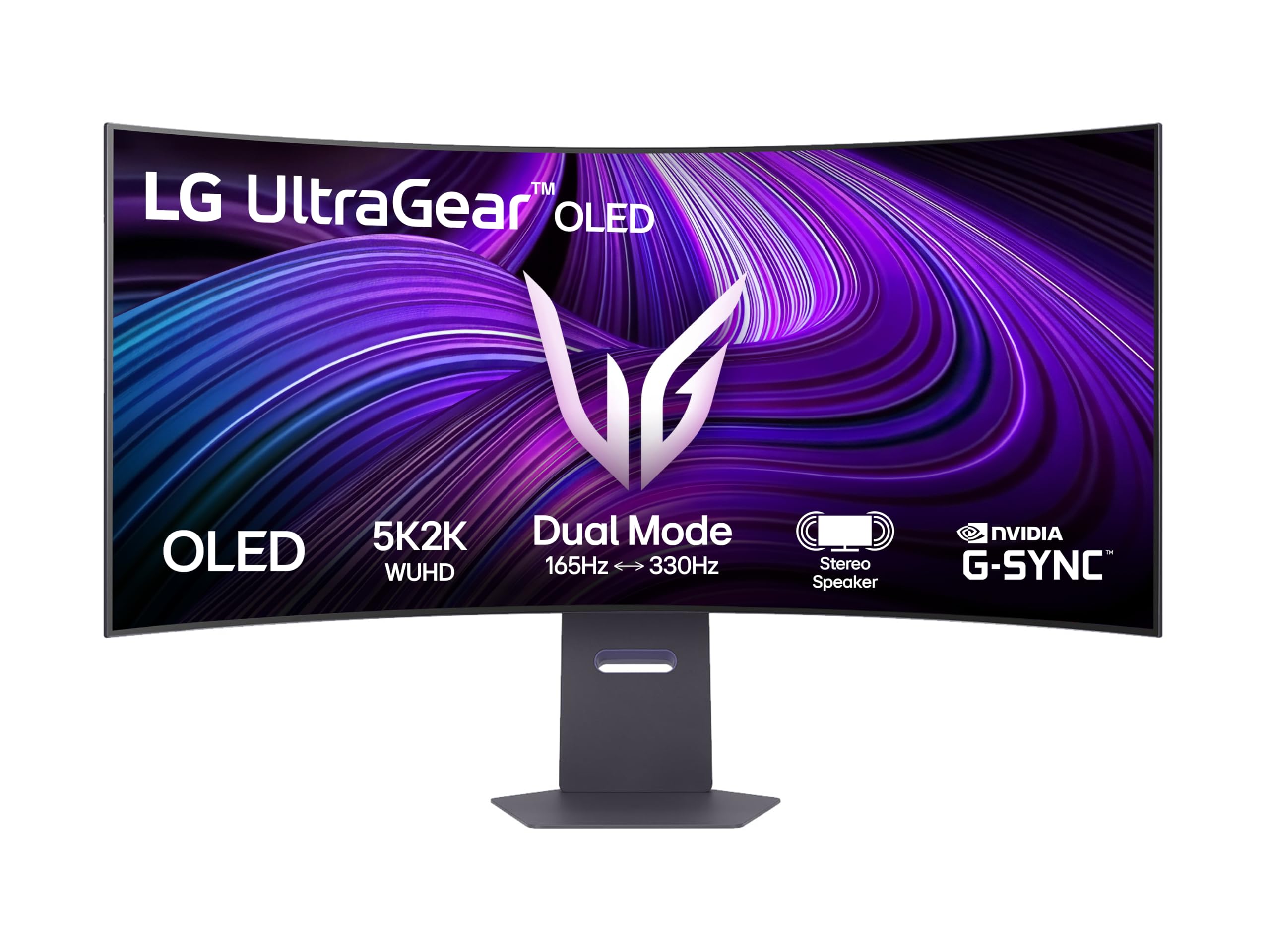
1. LG Ultragear 45GX950A-B 45″ Gaming Screen
Our pick — over 4.5★ from 100+ verified ratings; the strongest balance of quality and price.
The sharpest 45-inch OLED yet, with a dual-mode speed trick for any graphics card.
The LG 45GX950A-B is the one that finally solves the 45-inch text-clarity problem. Its 5120 x 2160 (5K2K) resolution packs roughly 49% more pixels than the 3440 x 1440 panels in this roundup, which is why owners call the text “clear” and note the 125 PPI pixel density keeps spreadsheets readable. For pure gaming, the OLED panel delivers the perfect black levels and zero backlight bleed that buyers describe as “OLED blacks perfect, zero bleed,” which is exactly what you want in dark games like space sims and horror titles.
The defining spec here is the “Dual Mode” refresh rate: it runs natively at 165Hz, but can switch to 330Hz mode for competitive shooters. That flexibility matters because a 5120 x 2160 resolution is heavy — as owners point out, having multiple resolution options is ideal if you don’t own a top-tier graphics card. The 800R curve is also the most aggressive on the list, which one flight-sim fan calls “ideal,” though it does bend straight lines in office apps, so budget for that if you do spreadsheet work.
The response time sits at 0.03ms (GtG), meaning motion blur is essentially a non-issue. It carries both G-Sync Compatible and FreeSync Premium Pro, so it plays nice with NVIDIA and AMD graphics cards alike. One owner notes it needs some calibration for the clearest text — adjusting brightness to 65% and contrast to 55 in the settings — and that the strong curve can distort lines in productivity apps, but for gaming and media this is a 11/10 screen.
What makes it the top pick
- 5K2K (5120 x 2160) resolution keeps text sharp at 45 inches — rare in this class
- Dual Mode 165Hz/330Hz lets you choose sharpness or speed per game
- 0.03ms (GtG) response time makes motion feel instant
- G-Sync Compatible and FreeSync Premium Pro cover both major GPU brands
Trade-offs to know
- The aggressive 800R curve bends straight lines in office work
- Premium price tag is the most common owner complaint
- Needs calibration from the start for the clearest text
Pick this for: the buyer who wants the sharpest possible 45-inch OLED and owns a powerful graphics card to feed the 5K2K panel.
Think twice if: you do heavy spreadsheet work all day — the strong curve and high resolution demand calibration to look their best.
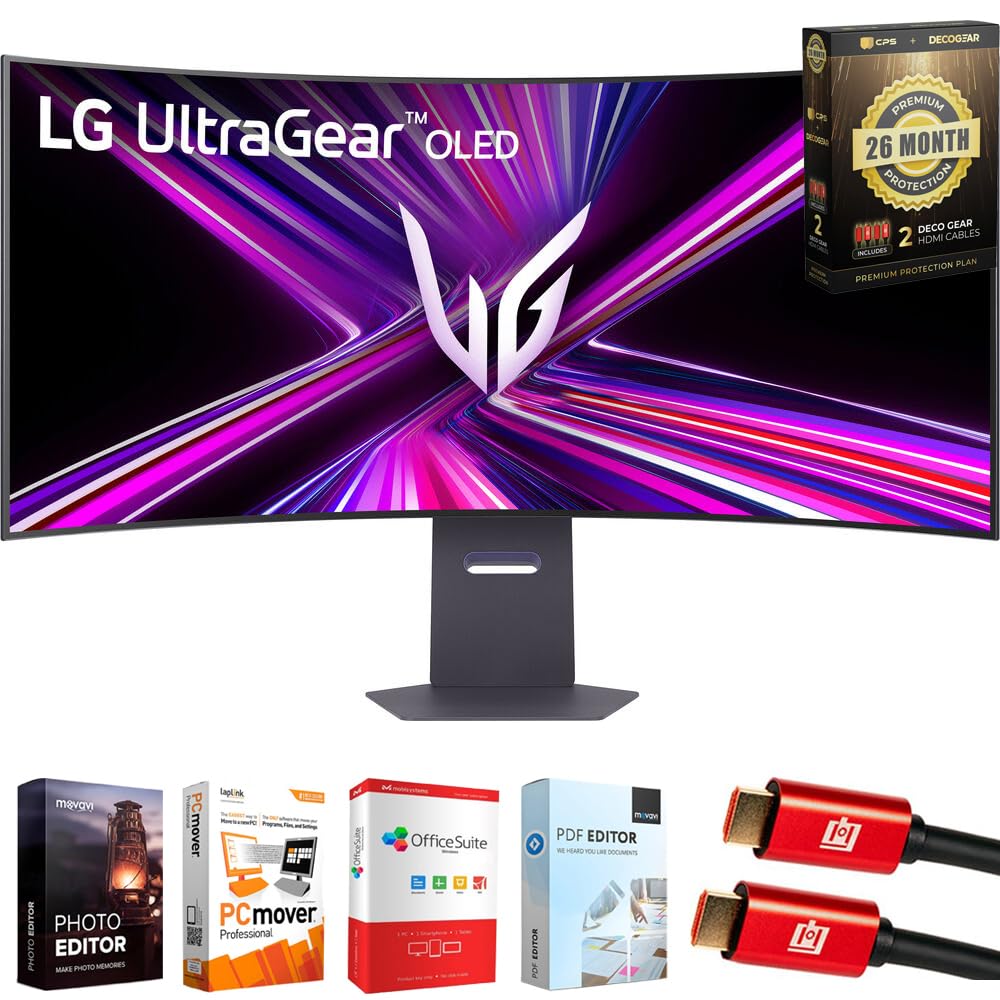
2. LG 45GX950A Ultragear 45″ OLED 5K2K 330Hz Bundle
The same 5K2K sharpness as our top pick, but pushed to a 330Hz refresh rate.
The LG 45GX950A takes the flagship 5K2K panel and cranks the refresh rate up to 330Hz — the fastest of any screen on this list. Where the 45GX950A-B tops out at 165Hz natively, this model runs flat-out at 330Hz, which is the difference between smooth and buttery in fast-paced shooters. It keeps the same 5120 x 2160 resolution and 125 PPI density, so text stays sharp and color fringing stays low, just like the top pick.
Owners who came from smaller screens report “no noticeable input lag in FPS games,” and the G-Sync Compatible plus FreeSync Premium Pro pairing keeps tearing in check on both NVIDIA and AMD systems. This version comes bundled as a package: it includes a 26-month protection plan covering accidental damage and burn-in, plus two 4K HDMI cables and an editing software suite. That extra protection is a real plus for OLED buyers worried about long-term pixel health.
The connectivity here is a step ahead too — it adds DisplayPort 2.1, which offers higher bandwidth than the DisplayPort 1.4 on most rivals, plus HDMI 2.1 and USB-C with 90W power delivery to charge a laptop while it drives the screen. A couple of buyers report flicker in editing sessions, which is worth knowing if you do color-critical video work, but for pure gaming speed this is the most capable panel in the lineup.
Why speed demons want it
- 330Hz refresh rate is the fastest in this roundup
- 5K2K resolution with 125 PPI makes text sharp and games detailed
- DisplayPort 2.1 offers top-tier bandwidth for future GPUs
- Bundle adds 26-month burn-in and accidental damage coverage
The honest caveats
- A few owners mention flicker during long editing sessions
- Running games at full 5K2K needs a very strong graphics card
- Bundle pricing is premium-tier
- Some customers note the 3440 x 1440 sibling is more budget-friendly
Reach for this if: you want the absolute fastest 45-inch OLED with the sharpest panel and don’t want to worry about burn-in coverage.
Look elsewhere if: your graphics card struggles to push 5K2K frames — the WQHD models below are far easier to drive.
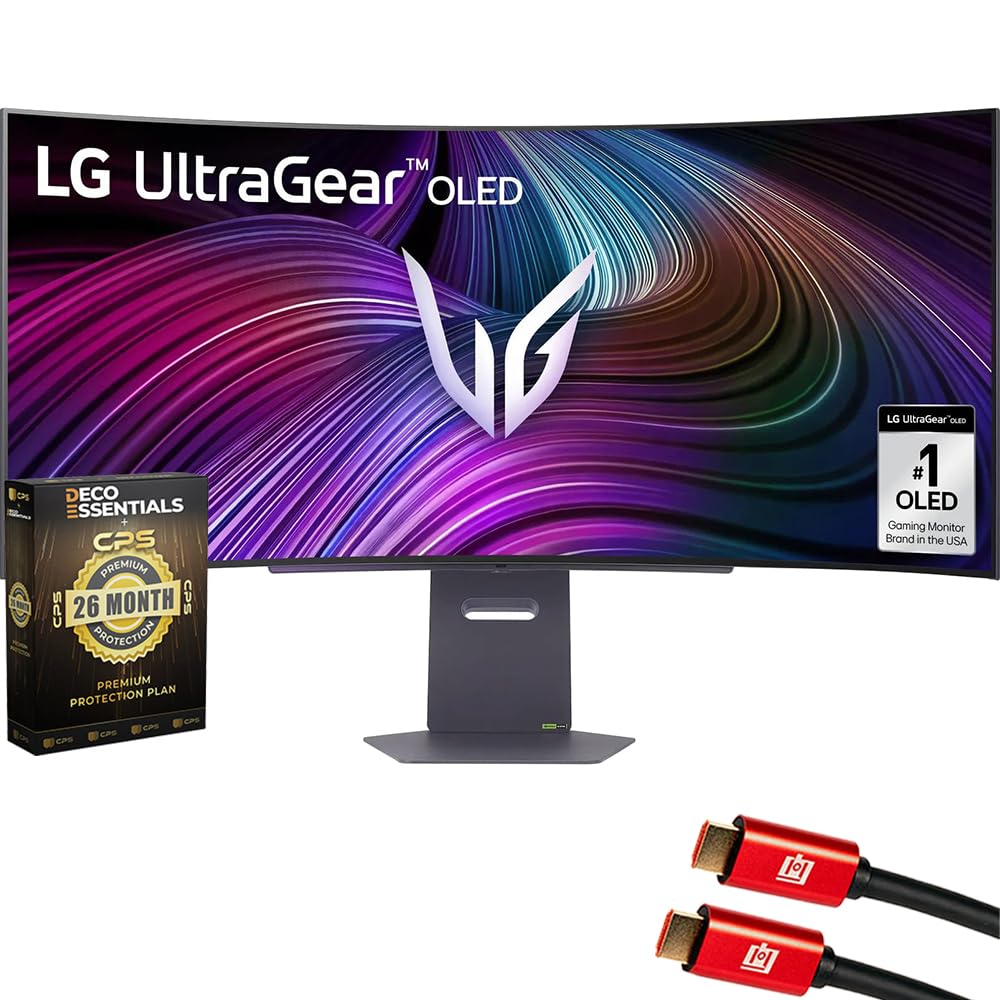
3. LG 45 inch Ultragear OLED WQHD 240Hz 800R with webOS (Bundle)
A 45-inch WQHD OLED that doubles as a smart TV for streaming and cloud gaming.
The LG 45GX90SA-B is the one that pulls double duty as a gaming monitor and a smart television. It runs the 3440 x 1440 (WQHD) OLED panel at 240Hz with a 0.03ms response time, but what separates it is the built-in webOS — you can stream Netflix, Prime Video, and Disney+, or jump straight into cloud gaming on GeForce NOW and Amazon Luna with no PC connected. Long-term owners are emphatic about its reliability: one reports using two of these screens for about 18 months with “never had a single issue,” and another says three years of use has produced no dead pixels.
The 800R curve wraps around your field of view, and the 98.5% DCI-P3 color coverage with 1.5M:1 contrast ratio delivers the rich, deep-image quality OLED is known for. It charges a laptop at up to 65W through USB-C, keeping your desk to a single cable. The extra bundle adds two 6-foot 4K HDMI cables and a 26-month extended protection plan, which sweetens the value for a long-term buy.
The catch is the WQHD resolution: at 45 inches, 3440 x 1440 means text won’t be as razor-sharp as the 5K2K models, and one owner finds it “very dim look” in some content. There’s also a minor report of the power brick being a weak point. But if you want a monitor you can also use as a TV in a bedroom or living-room setup, this is the most versatile pick here.
Why it’s the multi-tasker
- webOS gives built-in Netflix, Prime Video, Disney+ and cloud gaming
- 240Hz refresh rate with 0.03ms response keeps gaming fast
- USB-C with 65W power delivery charges a laptop on one cable
- Impressive long-term owner reports — no issues after 18 months of use
Where it compromises
- WQHD resolution looks softer for text than the 5K2K models
- A few owners find the picture dim in some modes
- The bundled power brick is the one reported weak point
Best for the hybrid buyer: someone who wants one screen for gaming, streaming, and cloud play without a PC running.
Not for pixel peepers: if sharp text matters more than smart-TV convenience, move up to the 5K2K picks.
4. LG 45GX900A-B 45-Inch Ultragear WQHD OLED

The 45-inch WQHD workhorse that pairs a 240Hz panel with strong build quality.
The LG 45GX900A-B is the most straightforward gaming-focused 45-inch OLED here, skipping smart-TV extras in favor of pure speed and solid construction. It runs the 3440 x 1440 panel at 240Hz with a 0.03ms response time, and owners who game heavily call it “sublime” for titles like Battlefield 6 on a high-end card, with buttery-smooth motion and no tearing thanks to FreeSync Premium Pro and G-Sync compatibility. Buyers coming from smaller screens like its “huge” rich size and the less-aggressive feel of the curve in person.
It carries useful FPS-focused tools: Dynamic Action Sync to cut input lag, Black Stabilizer to brighten dark scenes, and a Crosshair overlay for precision aiming. The USB-C port delivers 65W of power to a laptop, and the included HDMI 2.1 and DisplayPort 1.4 connections cover PC and next-gen consoles. The sturdy build and height/tilt/swivel stand earn consistent praise from owners, who describe the base as stable and the quality as impressive.
The recurring owner note is the pixel density: at 3440 x 1440 on a 45-inch screen, some find the sharpness lacking for desktop work, with one calling the DPI “trash” for non-game content. An occasional unit has arrived with defects, which is a risk in any panel lottery. But for a dedicated gaming setup at this size, it delivers the speed and immersion that matters most.
Built for game time
- 240Hz refresh rate with 0.03ms (GtG) response for fluid play
- FPS tools like Black Stabilizer and Crosshair improve competitive play
- USB-C with 65W PD charges a laptop on a single cable
- Owners praise the stable stand and heavy-duty build quality
Know before you buy
- WQHD density looks soft for text and desktop apps at 45 inches
- A few units have arrived with display defects
- Durability is the one mixed area in owner feedback
Get it if: gaming immersion is your priority and you want a proven 240Hz panel with a rock-solid stand.
skip it if: you’ll spend real hours on spreadsheets — the lower pixel density will frustrate you.
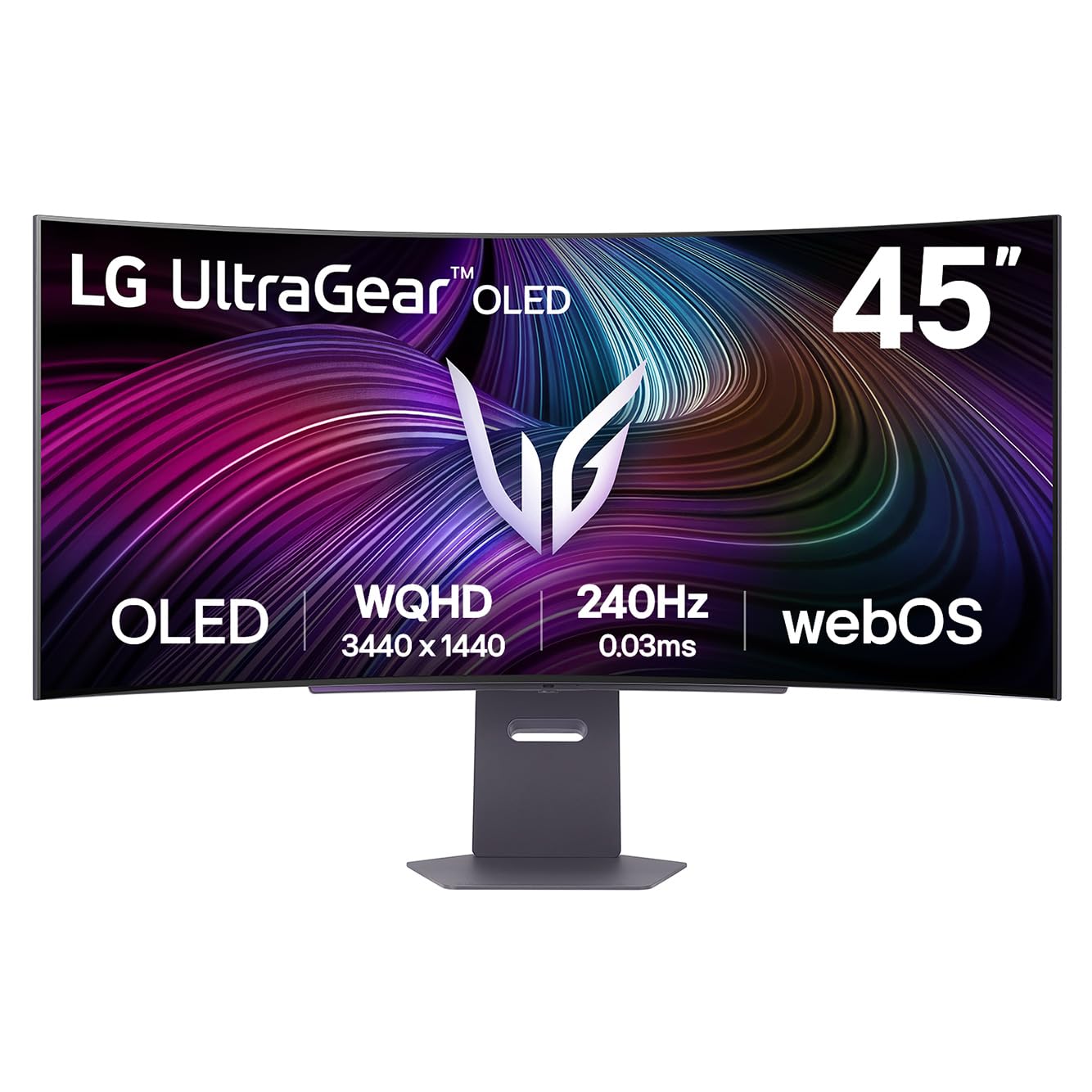
5. LG Ultragear 45GX90SA 45-inch OLED Smart Gaming Monitor
A 45-inch smart OLED that streams, cloud-games, and charges your laptop on one cable.
The 45GX90SA is the sibling of our Smart Pick, offering the same webOS smart features and 3440 x 1440 (WQHD) OLED panel at 240Hz, but without the bundled cables and extended warranty. That makes it a cleaner, more focused option for buyers who want the smart-TV experience at a slightly friendlier price. It still streams Netflix, Prime Video, and Disney+ straight to the screen, and supports cloud gaming on GeForce NOW and Amazon Luna with no console attached.
The panel quality is the same story that wins owners over on every LG here: 98.5% DCI-P3 color coverage, a 1.5M:1 contrast ratio, and DisplayHDR True Black 400 for deep, inky blacks. The USB-C port with 65W power delivery keeps a laptop charged while driving the display. Buyers who upgraded from older IPS panels describe the jump as stunning, saying it makes older games feel new again at 240Hz.
Reliability is the mixed note here. One owner had a first unit with a dead pixel that was replaced — the classic “panel lottery” — and another found that the included DisplayPort cable caused faint dark vertical lines, which vanished after swapping in a better-quality cable. A third calls the panel “blurry” and the smart features laggy, so if you buy this, test your cables and panel early in the return window.
The smart-screen strengths
- webOS brings streaming and cloud gaming without a PC
- 240Hz OLED with 0.03ms response for smooth, responsive play
- USB-C 65W PD keeps a laptop powered on one cable
- Deep OLED blacks and vivid color at a value-friendly tier
Heads-up for buyers
- Quality control varies — some units arrive with dead pixels or blur
- The included DisplayPort cable caused lines for one owner until replaced
- Smart OS can feel laggy to some users
Choose it for: the same smart-feature set as our bundle pick, minus the extras, at a leaner price.
Proceed with care if: you’re sensitive to panel lottery — inspect it thoroughly within the return window.
6. LG 39GX90SA-W 39-inch Ultragear WQHD OLED

The 39-inch balance that fits smaller desks while keeping the full OLED experience.
The 39GX90SA-W is our pick for buyers whose desks can’t swallow a true 45-inch panel but who want the same 21:9 OLED experience. At 39 inches with the same 3440 x 1440 resolution as the 45-inch models, it actually packs a slightly higher pixel density, which owners say makes text noticeably clearer — one notes the 21:9 aspect feels like the balance, while wider screens feel awkward for multitasking. It keeps the 240Hz refresh rate and 0.03ms response time, so gaming speed isn’t sacrificed for the smaller size.
This one pulls double duty with webOS built in, giving you Netflix, Prime Video, Disney+, and over 300 free LG Channels without a PC, plus cloud gaming through GeForce NOW and Amazon Luna. The white finish is a visual departure from the sea of black monitors, and owners like the matte, low-glare surface that keeps reflections down during the day. It connects via DisplayPort, HDMI, and USB-C, and includes the steep 800R curve that makes games rich.
The biggest owner wins here are display quality and picture quality — buyers upgrading from smaller 1440p IPS panels call the jump “insanely rich,” with deep blacks and great contrast. The main caution is the webOS privacy angle: one owner warns LG’s smart platform can install adware-style software on Windows via updates, so if that bothers you, treat this as a gaming monitor first and a smart screen second. It also has built-in speakers, a rarity that saves desk space.
Why 39 inches wins
- Higher pixel density than the 45-inch WQHD models means sharper text
- 240Hz with near-instant 0.03ms response for smooth gaming
- webOS adds streaming, cloud gaming, and 300+ free channels
- Built-in speakers and matte anti-glare finish
Points to weigh
- webOS smart features raise privacy questions for some Windows users
- Not quite the same rich size as a true 45-inch panel
- Owners recommend minor in-game tweaking
Ideal for smaller setups: if you want OLED immersion without a 45-inch footprint, this fits where others can’t.
Fastest verdict: it’s the smart-TV convenience of the 45-inch models, trimmed to fit a tighter desk.
7. LG Ultragear 39GX900A-B 39″ OLED Curved WQHD Gaming Monitor
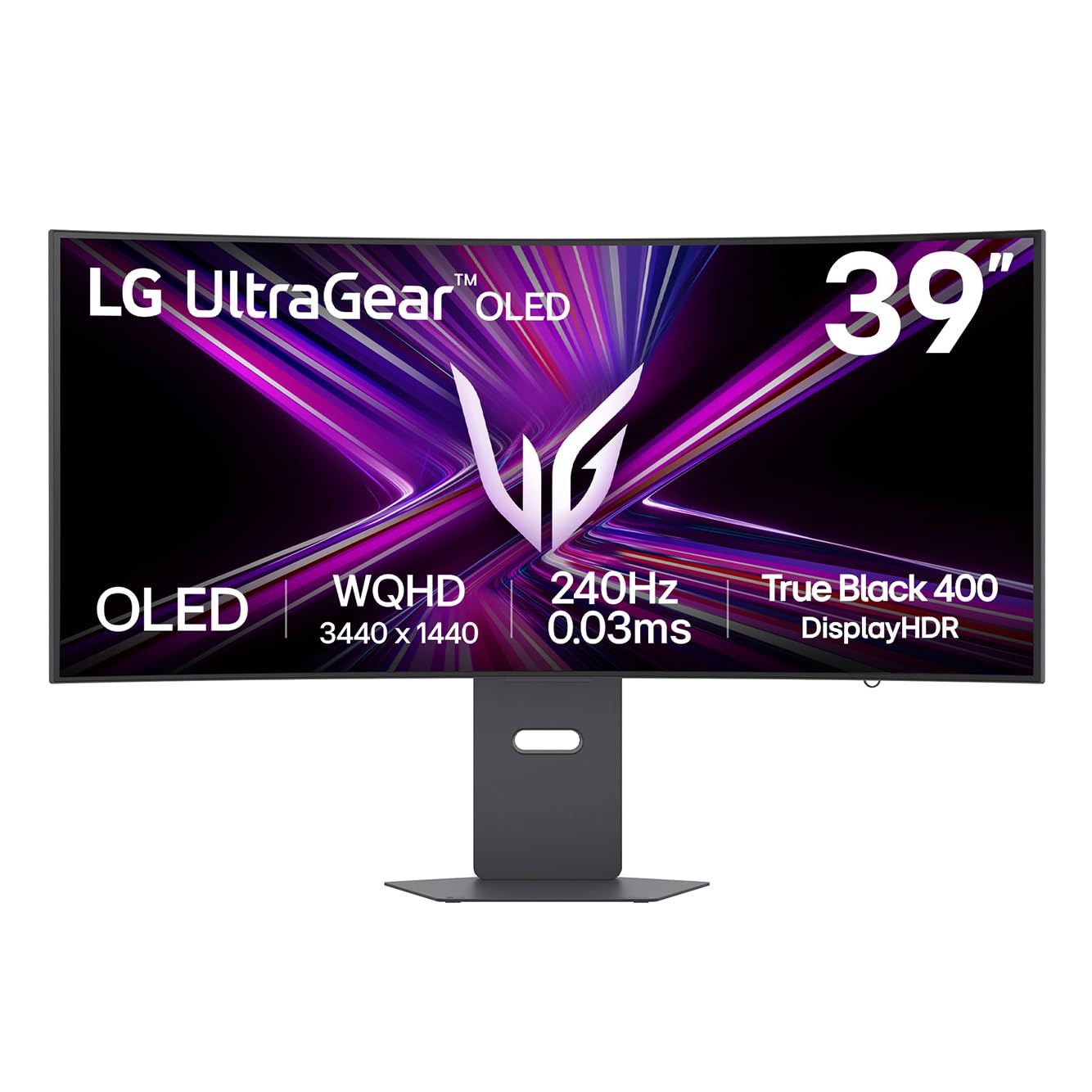
A 39-inch OLED with sturdy metal build and picture quality that earns rare praise.
The 39GX900A-B is the value-focused sister of the 39GX90SA-W, dropping the smart-TV extras but keeping everything that makes OLED gaming special. It runs the same 3440 x 1440 panel at 240Hz with a 0.03ms response, and the image quality earns some of the most enthusiastic owner feedback in this roundup — one buyer calls it “big, bright and clear” with excellent picture quality, and another describes it as “the best purchase I’ve made in years.” The 800R curve is noted as ideal at a 30-inch viewing distance, pulling you into the action without feeling distorted.
It comes with serious gaming tools: Dynamic Action Sync to cut input lag, Black Stabilizer to brighten shadows, and a Crosshair overlay. The USB-C port provides up to 65W of power delivery, so a laptop charges while connected to the display. Owners upgrading from dual 27-inch monitors praise the easy window snapping and wide view, with the built-in speakers and RGB backlight adding a bit of polish to a sturdy, heavy-feeling metal stand.
There are two honest caveats. First, the 800R curve is aggressive — owners acknowledge it’s rich but note straight lines can appear bent in productivity apps. Second, quality is a lottery for a small minority: one owner reports a faulty panel with a vertical colored line appearing since day one, and returned it within the return window. The overwhelming majority of feedback is glowing, but it’s worth testing early.
The praise it earns
- Picture quality described as the best some owners have seen
- 240Hz with G-Sync and FreeSync Premium Pro for tear-free play
- USB-C with 65W power delivery for single-cable laptop setups
- Sturdy metal build with height, tilt, and swivel stand
Fair warnings
- Aggressive 800R curve bends straight lines in office work
- A small share of units arrive with panel defects
- Menu button placement is awkward for some owners
Best for the quality-first buyer: if glowing picture quality and a solid build matter more than smart-TV features, this is a clear win.
Mind the QC: inspect the panel early, since the occasional unit has arrived with a defect.
8. LG 39GS95QE Ultragear OLED Curved Gaming Monitor 39-Inch

The most affordable way into a large curved OLED, built for pure gaming.
It’s a gaming-first screen with no smart-TV extras, and owners say it delivers the OLED essentials — perfect blacks, vibrant colors, and a 0.03ms response — with a “stunning picture” that makes games pop. The 800R curve gets consistent praise for immersion, and at 39 inches it’s praised as suitable for smaller desk spaces where a 45-inch would dominate.
What wins owners over most is the build quality, with buyers appreciating the sturdy, adjustable stand (height, tilt, and swivel) and the clean, virtually borderless design. It runs both FreeSync Premium Pro and G-Sync Compatible, and includes HDMI 2.1 plus DisplayPort 1.4 so you can hit the full 240Hz refresh rate. Buyers moving from an LCD describe the image quality as “far ahead” with true blacks and no backlight bleed.
The honest trade-offs: at 3440 x 1440 on a 39-inch screen, some owners find text clarity only “meh” for productivity work, and the anti-glare coating can slightly lift black levels in bright rooms. There’s no KVM switch or remote, and the refresh rate gets mixed feedback — some call it stunning, while a single unlucky owner reports the screen flickering and going black within two weeks, a defect case rather than a pattern. For pure gaming at the friendliest price, this is a solid pick.
Why it’s the value pick
- 240Hz OLED with 0.03ms response at the most accessible price
- Sturdy stand with height, tilt, and swivel adjustments
- HDMI 2.1 and DisplayPort 1.4 for flexible connections
- Owners praise build quality and deep, true blacks
What to expect
- WQHD text clarity is just okay for spreadsheet-heavy work
- Anti-glare coating can slightly wash out blacks in bright rooms
- No KVM or remote, and refresh-rate experience has been mixed for some
Grab it if: you want a large curved OLED for gaming without paying flagship prices.
pass on it if: crisp text for daily office work is a top priority — the 5K2K panels are worth the jump.
Understanding the Specs
5K2K vs WQHD Resolution
The number you’ll see first is the pixel count. A 5K2K panel (5120 x 2160) delivers roughly a 49% sharper image than a WQHD panel (3440 x 1440) at the same physical size. That extra sharpness makes text and spreadsheet lines look crisp instead of slightly soft on a huge screen. The cost is performance: 5K2K demands a far more powerful graphics card to run modern games well, so match the resolution to the hardware you actually own.
Refresh Rate: 165Hz, 240Hz, and 330Hz
Refresh rate tells you how many times the screen redraws per second. A 240Hz panel — the standard on most 45-inch OLEDs — redraws 240 times per second, which is more than enough for smooth, tear-free motion in competitive games. The 330Hz panels are a step further for speed-focused players, while the dual-mode panel can drop to 165Hz at full 5K2K resolution. Pair either with G-Sync or FreeSync so the monitor matches your graphics card’s frame output.
FAQ
Is a 45-inch OLED monitor too big for a standard desk?
What’s the difference between 5K2K and WQHD on a 45-inch screen?
Can my graphics card run a 5K2K OLED monitor?
Is 240Hz enough, or do I need 330Hz?
Does the 800R curve affect productivity work?
What is OLED burn-in and should I worry about it?
Should I buy a 39-inch or a 45-inch OLED?
What cables do I need to hit 240Hz or 330Hz?
Can I use a 45-inch OLED for console gaming?
Why do some 45-inch OLED monitors cost so much more than others?
Final Thoughts: The Verdict
The best 45 inch oled monitor for most buyers is the LG Ultragear 45GX950A-B because it solves the one real weakness of this category — soft text — with its ultra-sharp 5120 x 2160 resolution. If you want the very fastest panel with a 330Hz refresh rate and burn-in coverage, the LG 45GX950A Bundle is the speed king to reach for. And for those who want one screen that games and streams without a PCrunning, the LG 45GX90SA-B Bundle is the smart pick that pulls double duty as a TV. The crowd favorite across all eight is the LG Ultragear 45GX950A-B — it holds the highest owner rating in this roundup — because it delivers both the sharpest panel and the flexible dual-mode refresh rate that adapts to whatever graphics card you own. If your desk is tighter, the LG 39GX90SA-W brings the same OLED magic down to 39 inches with even sharper text per inch. Whichever you choose, buy from a retailer with a good return policy — the panel lottery is real, and testing your screen early in the return window is the smartest habit you can build as an OLED owner.
How We Picked
We do not accept paid placement. Every pick is matched to a real buyer and a real use-case; we do not hands-on test units.
Sources & Methodology
Specifications: manufacturer listings and product documentation. Review insights: verified customer reviews, as of August 2026. Pricing: not shown on this page (it changes often); check the current price via the retailer link.
As an Amazon Associate, Gadgets Feed earns from qualifying purchases. This does not affect which products we feature.