
Stepping into the world of diode laser engraving means choosing between wattage, work area, and software complexity—all while keeping a firm grip on your budget. The market is flooded with machines promising pro-level cuts at entry-level prices, but the real difference shows up in the laser module, the frame rigidity, and the safety systems that keep you and your projects from going up in smoke.
I’m Rikta — the co-founder and writer behind Gadgets Feed. I’ve spent years analyzing diode laser specs, from spot-size precision to motherboard chipsets, so you can cut through the marketing haze and pick the machine that actually delivers. (And Homer 🐱 gave the honeycomb bed a suspicious sniff before declaring it nap-worthy).
Whether you’re a hobbyist personalizing coasters or a small-business owner scaling up tumbler production, finding the right machine without overpaying is the goal. This guide breaks down the best options to help you choose the best affordable diode laser engraver for your workshop.
How To Choose The Best Affordable Diode Laser Engraver
Picking the right machine isn’t just about the sticker price. The real value comes from matching the laser power, build quality, and software to your specific projects—whether you’re etching glassware, cutting 12mm plywood, or engraving serial numbers on metal.
Laser Power and Module Type
Diode laser modules range from 5W to 40W in this price tier. A 10W laser handles detailed engraving on wood, leather, and painted metal, and cuts 5-8mm wood in a single pass. Step up to 20W to cut 12-15mm wood and engrave anodized aluminum with better speed. Higher wattage also reduces burn time on thicker materials, which directly impacts project turnaround for small businesses.
Work Area and Frame Rigidity
A 400x400mm work area is the sweet spot for most hobbyists, accommodating items like cutting boards, signs, and laptop covers. Larger beds (500x500mm) offer flexibility for bigger projects but require stiffer frames to maintain accuracy at high speeds. Check the frame material—aluminum extrusion and steel plates resist vibration better than thin sheet metal, ensuring crisp lines at 10,000 mm/min.
Software Compatibility and Ease of Use
LightBurn is the industry standard for diode lasers, offering advanced control over power, speed, and passes. Some machines come with proprietary software like AlgoOS or XCS that simplifies setup for beginners with pre-loaded material profiles. If you plan to run batch production, ensure the machine supports LightBurn or LaserGRBL for finer tuning. A built-in touchscreen can also eliminate the need for a dedicated laptop during operation.
Safety Features
Open-frame machines require laser safety glasses and careful placement. Enclosed or semi-enclosed designs with Class 1 certification automatically stop the laser when the lid opens, reducing risk. Look for flame detection, emergency stop buttons, and tilt sensors—critical features for home workshops and spaces shared with pets or children.
Quick Comparison
On smaller screens, swipe sideways to see the full table.
| Model | Category | Best For | Key Spec | Amazon |
|---|---|---|---|---|
| Genmitsu L8 20W | Premium Enclosed | Plug-and-play safety & camera positioning | 40,000 mm/min speed, Class 1 | Amazon |
| TOOCAA NOVA 20W | Premium Smart | AI auto-focus & batch production | 5MP camera, 90° X-axis rotary | Amazon |
| AlgoLaser Alpha MK2 20W | Premium Smart | Touchscreen offline engraving & air assist | 20,000 mm/min, built-in 32GB | Amazon |
| LONGER Ray5 20W | Mid-Range Open | Multi-color engraving & multiple machine control | 0.08mm spot, 256-bit color scale | Amazon |
| Twotrees TTS-20 Pro 20W | Mid-Range Open | High-speed cutting & wireless control | 500 mm/s, MKS ESP32 Pro board | Amazon |
| Creality Falcon 10W | Mid-Range Open | Large 500x500mm bed & beginner ease | 0.06mm spot, honeycomb bed included | Amazon |
| ACMER P1 S Pro 10W | Mid-Range Open | Compact engraving & value | 0.06mm spot, 10,000 mm/min | Amazon |
| AlgoLaser Pixi 10W | Budget/Enclosed | Beginner-friendly touchscreen & safety | 3.5″ screen, AlgoOS, Class 1 design | Amazon |
| xTool S1 40W | High-End Enclosed | Production cutting & rotary engraving | 600mm/s speed, 18mm single-pass cut | Amazon |
In‑Depth Reviews
1. Genmitsu L8 20W Laser Engraver
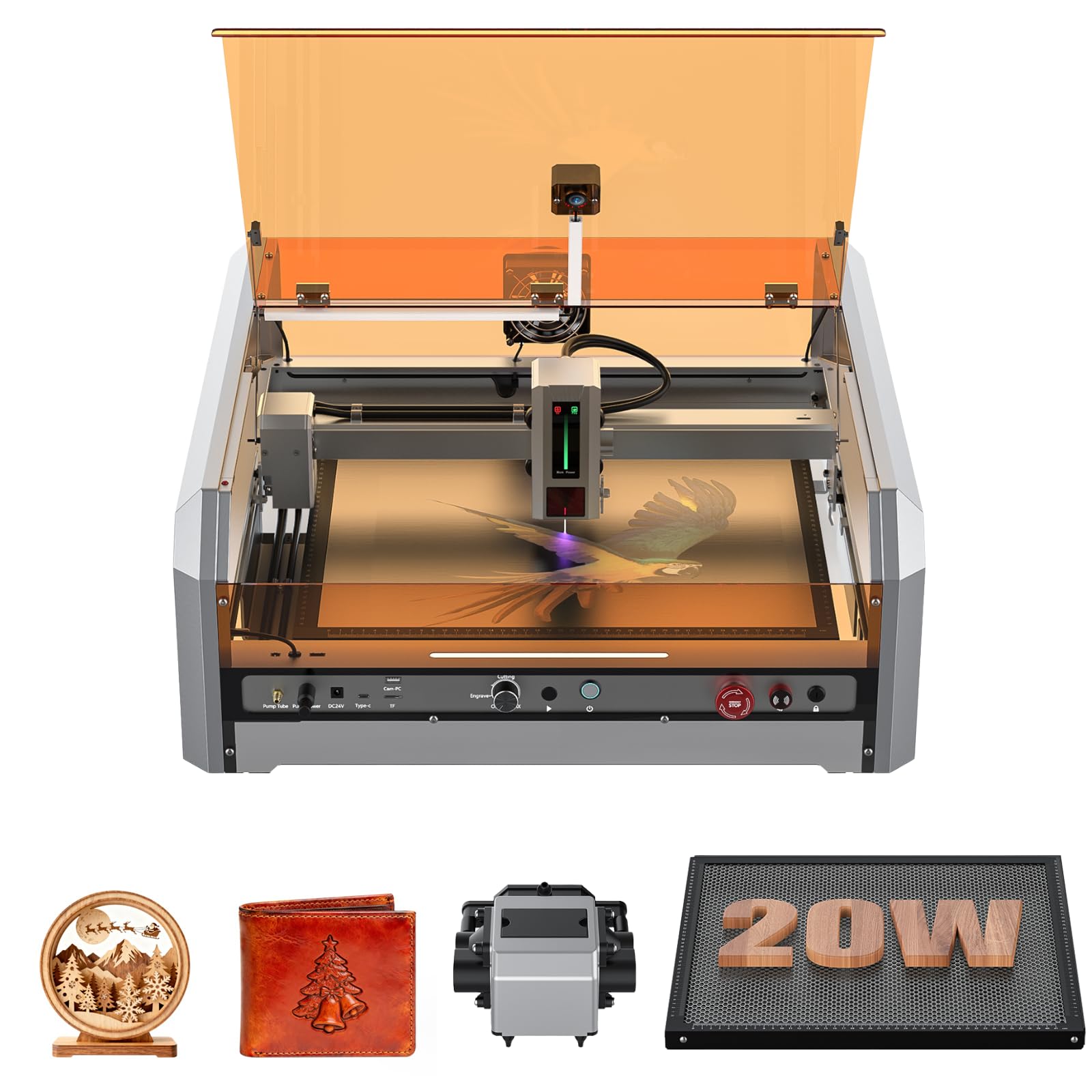
The Genmitsu L8 delivers a fully enclosed, Class 1 certified system that eliminates the need for safety glasses and makes it safe for home workshops. Its 20W optical power cuts 12mm pine wood and 8mm black acrylic in a single pass, while the 40,000 mm/min engraving speed rivals compact Galvo machines—33% faster than most desktop diode lasers at this price tier.
A built-in LightBurn-compatible camera lets you position designs visually, eliminating trial-and-error alignment. The integrated 30 L/min smart air assist pump and honeycomb bed work together to clear debris and reduce scorching, producing cleaner edges on wood and acrylic. Safety features include a door interlock, flame monitor, tilt detection, and an emergency stop, giving you multiple layers of protection during operation.
The L8 arrives fully assembled—just set it on your table, connect power, and start. Optional accessories like a smoke purifier and roller rotary expand its capabilities for tumblers and cylindrical items. Customer support from Sainsmart is consistently praised for responsiveness, which matters when you need help dialing in settings for a new material.
Why it’s great
- Fully assembled out of the box; no frame building required.
- Camera-assisted positioning saves time and reduces material waste.
- Class 1 safety enclosure allows operation without goggles.
- Fast engraving speed—40,000 mm/min beats most open-frame diodes.
Good to know
- Setup can be confusing initially if the camera cable is not connected first.
- Some users report minor quality control issues like loose screws or unreadable USB drives.
- The 20W module is not user-swappable to higher wattage without buying a new unit.
2. TOOCAA NOVA 20W Smart AI Laser Engraver
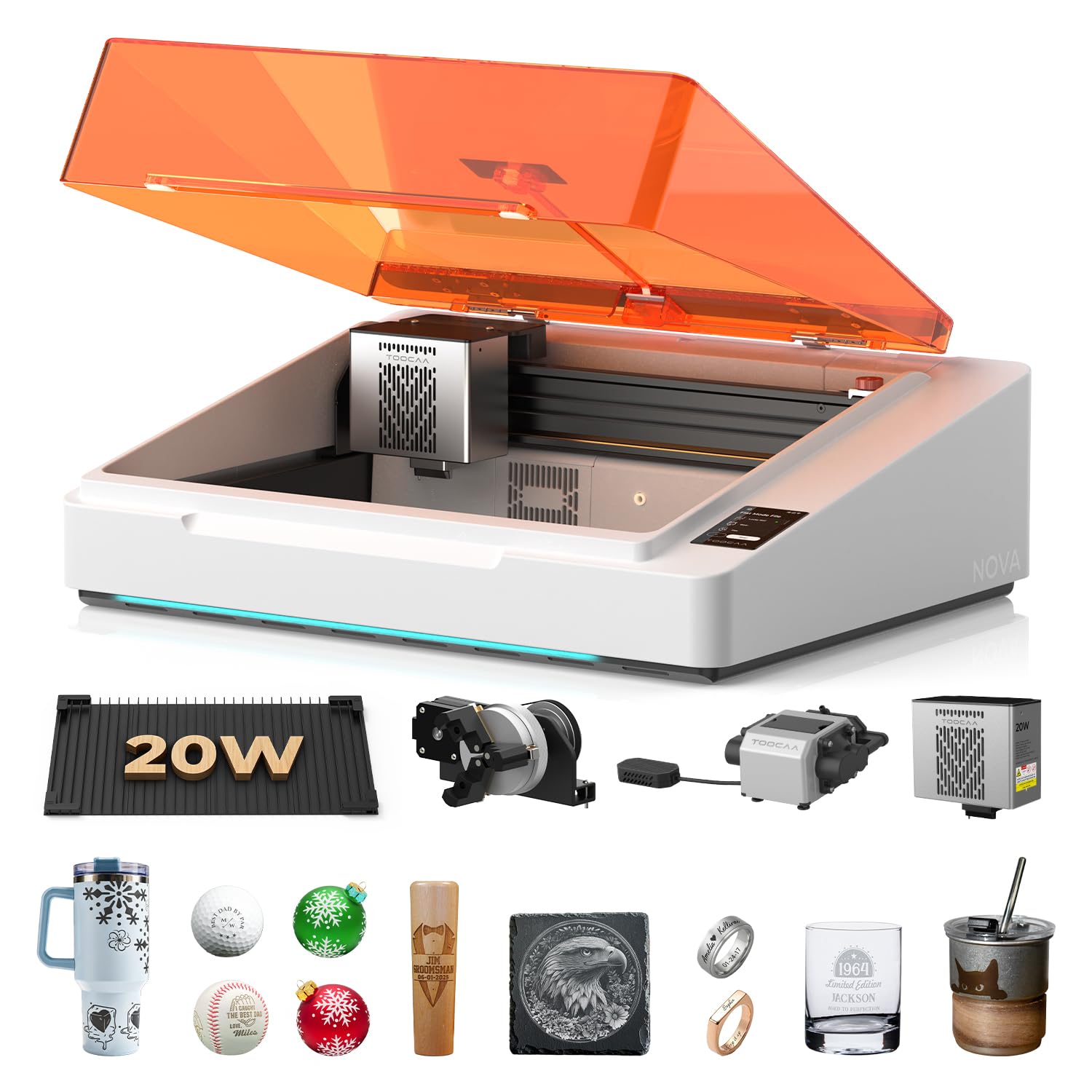
The TOOCAA NOVA redefines ease of use with AI-driven auto focus and a material recognition system that automatically applies optimal engraving settings for wood, leather, acrylic, glass, and coated metals. The 5MP camera provides one-click visual positioning—you see exactly where your design will land on the material, then drag and drop to place it, eliminating manual alignment errors.
Its fully enclosed Class 1 safety design includes lid-open stop, flame detection, tilt protection, and a child lock, making it safe for classrooms and home studios. The dual-channel exhaust system pulls smoke from both upper and lower chambers during cutting, resulting in significantly less smoke residue on the underside of your workpiece—a real advantage for batch production of signs and coasters.
The 90° X-axis rotary system lets you engrave tumblers, bottles, and rings without risers or complex adjustments. TOOCAA Studio software includes over 1,000 commercial templates and AI text-to-image generation, so even beginners can produce sellable products within minutes. This machine is built for small-business owners who need fast turnaround with minimal trial and error.
Why it’s great
- AI auto focus and material recognition removes guesswork from setup.
- Dual-channel exhaust keeps cuts cleaner on both sides of the material.
- Fully enclosed Class 1 safety—no goggles, safe for shared spaces.
- Rotary system handles cylindrical items without additional risers.
Good to know
- Premium price point places it above most entry-level budgets.
- Proprietary software may not offer the same depth as LightBurn for advanced users.
- Heavier than open-frame machines (35 lbs), less portable.
3. AlgoLaser Alpha MK2 20W

The Alpha MK2 pairs a 20W COS laser module with a 3.5-inch smart touchscreen and AlgoOS, allowing you to operate entirely without a computer. You can load designs via WiFi, USB-C, or the built-in 32GB memory, then drag, place, and engrave directly from the touchscreen. This offline capability is a game-changer for workshops where a dedicated PC isn’t always available.
Its integrated smart air pump and internal smoke exhaust form a dual air system that keeps the laser path clean and reduces odor during long runs. The 20W module cuts up to 15mm wood and engraves stainless steel with 500+ color tones. The work area measures 15.7×16 inches, expandable to 15.7×33.35 inches with an optional extension kit—ideal for larger signs or batch runs.
AlgoLaser includes seven safety features: flame detection, emergency stop, tilt protection, and a semi-enclosed design. Users consistently praise the build quality and tech support, noting that complex photo engraving on stone produces crisp details like fur and eyes. For small businesses looking to scale, the MK2 offers a balanced mix of power, ease of use, and expandability.
Why it’s great
- Touchscreen and AlgoOS eliminate the need for a computer during operation.
- Integrated air assist and exhaust system keep cuts clean and reduce smoke.
- Expandable work area via extension kit for larger projects.
- Excellent photo engraving detail on stone, wood, and acrylic.
Good to know
- Semi-enclosed design still requires goggles for direct eye protection.
- Learning curve for mastering color tone settings on metal.
- Extension kit and rotary accessory sold separately.
4. LONGER Ray5 20W Laser Engraver
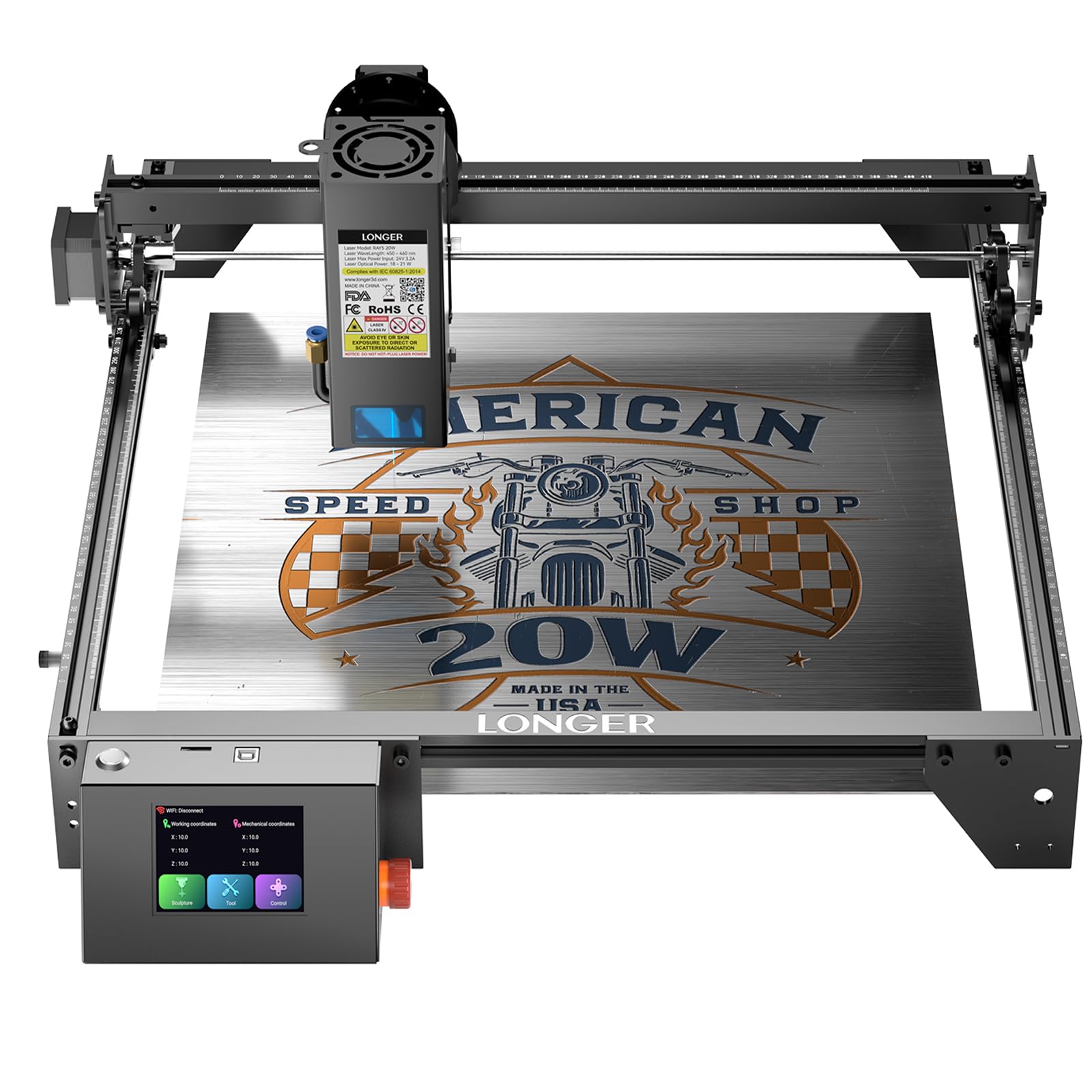
The LONGER Ray5 packs a 20W optical output and a built-in 256-bit color scale that produces high-contrast multi-color engraving on coated metals and anodized aluminum. The 0.08×0.1mm ultra-fine laser focus area delivers detailed results on slate, leather, and wood, making it a strong candidate for personalized gifts and small-batch merchandise.
Its 32-bit chipset motherboard supports smooth, stable operation, and the reserved air-assist interface lets you hook up an external pump for cleaner cuts. The 400x400mm work area provides ample space for coasters, cutting boards, and signs. Four connection methods—SD card, USB, WiFi, and app—give you flexibility whether you’re working from a laptop or tablet.
One standout feature is the ability to control multiple Ray5 units from a single terminal, ideal for scaling production in a workshop. The included protective glasses, thermal protection, and emergency stop add peace of mind. While the learning curve with LaserGRBL or LightBurn takes some time, the lifetime technical support and responsive customer service help smooth out the initial bumps.
Why it’s great
- 256-bit color scale enables multi-color engraving on coated metals.
- Multiple machine control from one terminal for batch production.
- Four connectivity options including WiFi and app for flexible workflows.
- Reserved air-assist interface for cleaner cuts with an external pump.
Good to know
- Learning curve with LaserGRBL settings can be steep for beginners.
- Open-frame design requires separate enclosure or goggles.
- Cut speed chart in manual uses mm/min while LightBurn uses mm/sec—conversion needed.
5. Twotrees TTS-20 Pro 20W

The Twotrees TTS-20 Pro leverages a 32-bit MKS ESP32 mainboard with TMC2209 silent drivers to achieve blazing engraving speeds up to 500 mm/s and ±0.1mm accuracy. The 20W diode laser module cuts through 20mm acrylic and 30mm pine in single passes, making it one of the fastest open-frame machines in the affordable segment.
Built-in WiFi unlocks wireless control from your phone, tablet, or computer browser, and the machine is fully compatible with LightBurn and LaserGRBL across Windows, macOS, and Linux. The 418x418mm work area provides enough room for larger signs and decorative panels, and the built-in air assist nozzle reduces charring on wood edges for a cleaner finish.
Safety certifications include CE, FCC, and RoHS, and the package comes with protective glasses and all necessary tools. While the honeycomb panel and air pump are sold separately, the machine itself is well-built and easy to assemble. Customer reviews note that the seller offers helpful support, which is reassuring if you run into initial configuration issues with LightBurn.
Why it’s great
- Extremely fast 500 mm/s engraving speed for quick project turnaround.
- Wireless control via built-in WiFi from phone or tablet.
- Silent TMC2209 drivers for quieter operation.
- Excellent single-pass cut depth on wood and acrylic.
Good to know
- Honeycomb panel and air pump not included—must purchase separately.
- Open-frame design necessitates eye protection and good ventilation.
- Some users report initial confusion with LightBurn speed settings conversion.
6. Creality Falcon 10W

The Creality Falcon 10W offers a generous 500x500mm honeycomb work bed—one of the largest in its class—making it ideal for oversized signs, large home décor panels, and multi-part batch jobs. The 10W laser delivers 0.06mm spot accuracy and 10,000 mm/min speed, handling detailed engraving on wood, leather, acrylic, and plastic with clean results.
Setup takes about 5–10 minutes right out of the box, and the machine supports both LightBurn and LaserGRBL on Windows and macOS. The included honeycomb laser bed improves airflow and reduces material scorching, which is especially helpful for cutting projects where precision matters. An emergency stop button and tilt detection add basic safety protection.
Users consistently praise the value bundle—complete package with software and minimal assembly—and note that customer support is responsive. The machine is best suited for hobbyists and small businesses that need a large format without jumping to a higher price bracket. Just be aware that the 10W module limits single-pass cut depth to about 5–8mm on soft wood.
Why it’s great
- Large 500x500mm honeycomb bed handles oversized projects.
- Quick 5–10 minute setup with included honeycomb panel.
- Sharp 0.06mm spot accuracy for detailed engraving.
- Compatible with both LightBurn and LaserGRBL.
Good to know
- 10W power limits single-pass cut depth on hardwood and thick acrylic.
- Open-frame design requires goggles and well-ventilated space.
- Some users report the manual contains errors and is difficult to follow.
7. ACMER P1 S Pro 10W
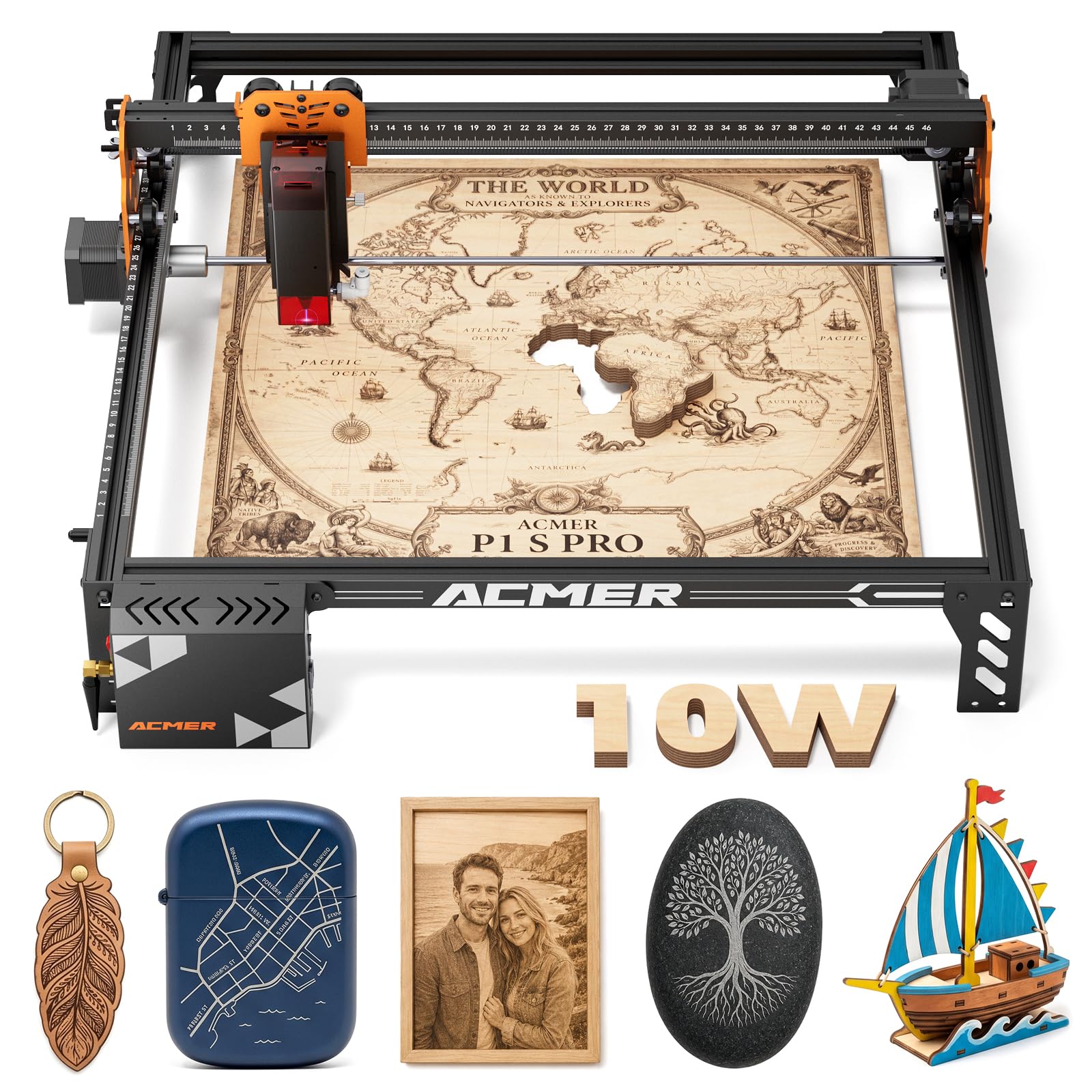
The ACMER P1 S Pro packs a 10W dual-beam laser with a 0.06mm spot size and 0.01mm engraving precision into a compact, affordable package. Its 380x370mm work area fits neatly on a desk while providing enough space for coasters, keychains, ornaments, and small signs. The machine reaches speeds up to 10,000 mm/min and cuts 12mm wood and 8mm acrylic in a single pass.
Connectivity options include WiFi, USB, and TF card, with seamless compatibility across PC software and mobile apps. The modular frame design makes assembly straightforward, and the included protective laser glasses filter 97% of UV light. The machine is Class 1 certified under IEC 60825-1, adding a layer of safety for home use.
Customer reviews highlight that while the initial learning curve can be frustrating—especially with poorly translated assembly instructions—the seller’s responsive support often replaces defective units quickly. For hobbyists who want a compact, budget-friendly introduction to laser engraving without sacrificing precision, the P1 S Pro delivers reliable results on wood, leather, and coated metals.
Why it’s great
- Compact footprint fits small workspaces while maintaining decent work area.
- Sharp 0.06mm laser spot for detailed engraving on wood and leather.
- Class 1 certified with included protective glasses for safe operation.
- Responsive seller support that replaces defective units quickly.
Good to know
- Assembly instructions are poorly translated and difficult to follow.
- 10W power may struggle with thicker hardwoods in single passes.
- Open-frame design requires separate ventilation setup.
8. AlgoLaser Pixi 10W
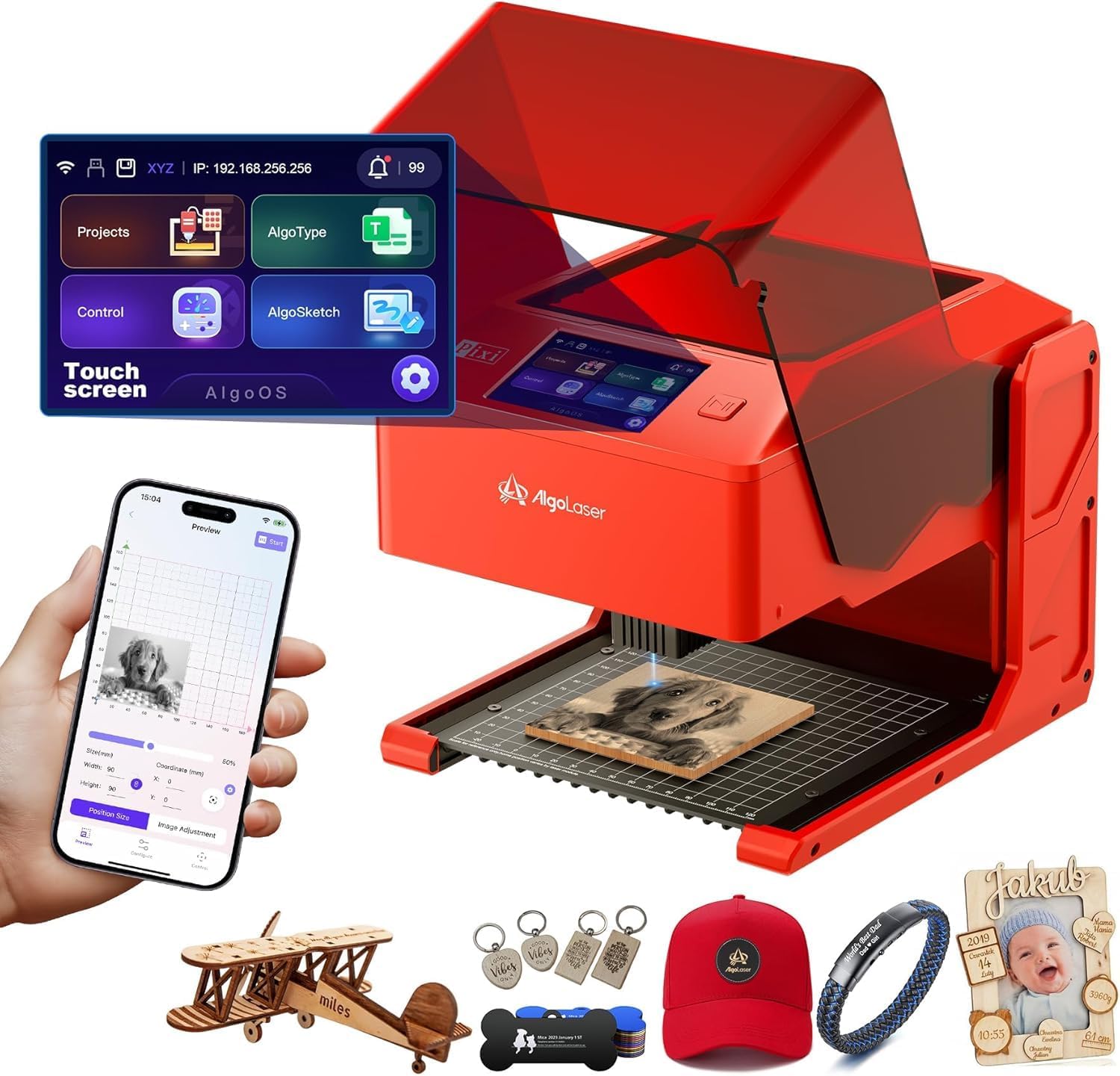
The AlgoLaser Pixi 10W redefines entry-level engraving by combining a fully enclosed Class 1 safety system with a 3.5-inch touchscreen running AlgoOS—no computer, no messy setup. You can draw designs directly on the screen using the patented AlgoSketch feature, upload files via WiFi or USB-C, and start engraving in three steps: drag, place, engrave. This makes it arguably the most beginner-friendly machine on the list.
The 10W laser module with a 0.08mm spot size produces crisp engravings on wood, leather, acrylic, and glass. The auto-pause safety door instantly stops the laser when lifted, and the password-protected lock screen adds an extra layer of safety for shared spaces. The machine supports offline mode via SD card, so you can run batches without keeping a laptop connected.
Reviewers praise the Pixi for its solid build, quiet operation, and smart design, though some note a learning curve with the AlgoOS interface and minor smoke leakage around the safety door. The base alignment markings can be slightly inaccurate, requiring a test run on scrap material first. For a budget-friendly enclosed machine that prioritizes safety and simplicity, the Pixi is hard to beat.
Why it’s great
- Fully enclosed Class 1 safety—no goggles needed, lid interlock stops laser instantly.
- Touchscreen with AlgoOS eliminates the need for a computer altogether.
- AlgoSketch feature lets you draw designs directly on the screen.
- WiFi, USB-C, and SD card connectivity for flexible file transfer.
Good to know
- Smoke can leak from the safety door; good ventilation still necessary.
- Base alignment markings may be slightly off, requiring test runs.
- AlgoOS has a learning curve for users accustomed to LightBurn.
9. xTool S1 40W Laser Cutter & Engraver

The xTool S1 40W is a production-ready laser that slices through 18mm cherry wood in a single pass and engraves at up to 600 mm/s on a spacious 23.93×15.16-inch bed. Its 40W diode module delivers industrial-level cutting power while maintaining the precise detail needed for intricate engravings on wood, leather, acrylic, and coated metal.
Patented Pin-point Positioning technology ensures accurate placement on curved surfaces like spoons and plates, and AutoPassthrough Technology handles projects up to 118 inches long—ideal for long signs or continuous patterns. The xTool Creative Space (XCS) software includes pre-tested settings for over 400 materials, automatic focus, and AI-powered design generation, so you can produce consistent results from the first project.
Class 1 safety is achieved through a fully enclosed design with 99% light-filtering shield, five flame sensors, lid-open stop, and an emergency button. The 3mm aerospace-grade aluminum frame provides exceptional stability, and the machine undergoes 7 pre-shipment inspections. While the price is a significant step up, the S1’s speed, power, and ecosystem make it the best choice for serious entrepreneurs who need reliable batch production.
Why it’s great
- 40W laser cuts 18mm wood in a single pass—fastest cutting in its class.
- Patented Pin-point Positioning and AutoPassthrough for large or curved projects.
- XCS software with 400+ pre-tested material settings and AI design generation.
- Enclosed Class 1 safety with five flame sensors and aerospace-grade frame.
Good to know
- Highest price on this list—not for casual hobbyists on a strict budget.
- Very heavy (86.8 lbs); requires two people to unbox and set up.
- Requires included exhaust duct; a higher-power fan may be needed for heavy cutting.
FAQ
Can a 10W diode laser cut through 1/4-inch plywood in one pass?
Do I always need LightBurn for a diode laser engraver?
What does Class 1 safety certification actually mean for a laser engraver?
Can I engrave stainless steel or aluminum with a 20W diode laser?
How much ventilation does an open-frame laser engraver need?
Final Thoughts: The Verdict
For most users, the affordable diode laser engraver winner is the Genmitsu L8 20W because it combines the safety of a Class 1 enclosure, the speed of a 40,000 mm/min diode, and camera-assisted positioning at a price that undercuts competitors with similar features. If you want AI-driven ease and batch reliability, grab the TOOCAA NOVA 20W. And for maximum cutting power and production throughput, nothing beats the xTool S1 40W.