
Our readers keep the lights on and my morning glass full of iced black tea. As an Amazon Associate, I earn from qualifying purchases.
Specs are compiled from manufacturer listings and verified buyer reviews and can change over time — please confirm the key details on the product page before buying.
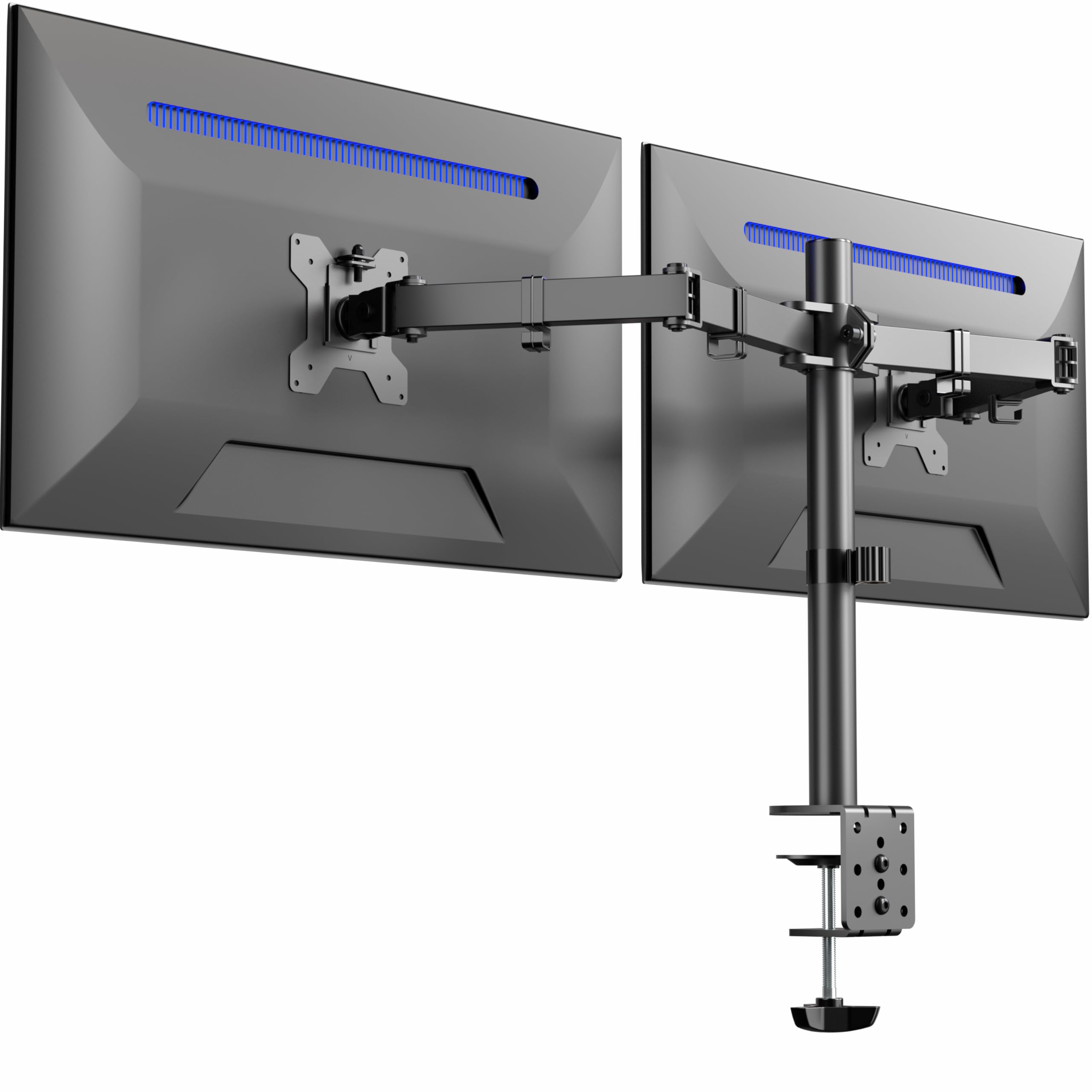
Your neck hurts because your screens sit too low, and your desk is cluttered because they sit too flat. A good 2 monitor arm fixes both by lifting your displays off the surface and letting you position each one exactly at eye level. The real decision depends on how much weight you need to hold, if you want one shared pole or two independent arms, and how far your desk sits from the wall.
I’m Min — the founder and writer behind Gadgets Feed. This guide is built by comparing the manufacturers’ published specifications and the patterns across verified customer reviews, so you get each pick’s real strengths and trade-offs instead of marketing spin.
Once you lift both screens off the desk, you get back real estate for your keyboard, notebook, and coffee, and the whole setup looks cleaner. The best 2 monitor arm for you balances weight capacity, reach, and how easily it stays put during a long workday.
Our Picks at a Glance


How To Choose The Best 2 Monitor Arm
Choosing a dual monitor arm starts with your screens, not the arm. You need three facts about each monitor: its diagonal size in inches, its weight in pounds, and whether the back has VESA mounting holes spaced 75x75mm or 100x100mm apart. Get those three right, and the rest of the decision gets much easier.
Weight capacity and monitor size
Every arm lists a maximum weight per screen and a supported size range, and you want both to cover your actual monitors with a little margin. A 22 lb per arm limit easily holds two standard 27″ office panels, while ultrawide screens that stretch past 32″ push you into heavier-duty models. If your screens are near the top of the weight range, look for gas spring assistance so they hold position instead of sagging.
Shared pole versus independent arms
Most budget-friendly dual mounts attach both arms to a single center pole, which is simple and cheap but means the arms share a common mounting point. Independent arm designs give each screen its own base and range of motion, which is better if you constantly reposition one display for calls or reference documents. For a clean side-by-side setup where you rarely move the screens, a shared pole saves money without costing you much.
Desk compatibility and mounting options
Check your desk thickness before you buy, because C-clamps only grip within a set range, typically around 0.39″ to 3.25″ or 4″. A grommet mount, which drops through a pre-drilled hole, is the answer for glass tops, thicker slabs, and desks with cross beams under the surface. If your desk lacks a grommet hole, a C-clamp is the drill-free route, but always confirm your surface is solid wood or metal.
Quick Comparison
| Model | Best For | Max Screen Size | Max Weight per Arm | Arm Type | Amazon |
|---|---|---|---|---|---|
| VIVO STAND-V032★ Best Overall | Overall value for standard screens | 32 inches | 22 lbs | Shared Pole | Amazon |
| Amazon Basics AdjustableBudget Champion | Budget-friendly and easy setup | 32 inches | 22 lbs | Shared Pole | Amazon |
| HUANUO HNDS18Big Screen Value | Large 32″ displays on a budget | 32 inches | 22 lbs | Shared Pole | Amazon |
| Amazon Basics Gas Spring | Easy height changes for lighter screens | 27 inches | 15.4 lbs | Gas Spring | Amazon |
| HUANUO Gaming Mount | Gamers who want smooth repositioning | 27 inches | 19.8 lbs | Gas Spring | Amazon |
| VIVO STAND-TS38C | Ultrawide and flush-wall setups | 38 inches | 22 lbs | Telescoping | Amazon |
| Acer Dual Monitor Arm | Reliable brand with big range | 32 inches | 19.8 lbs | Gas Spring | Amazon |
| Mount-It! MI-1882 | Independent arm flexibility | 32 inches | 17.6 lbs | Gas Spring | Amazon |
| MOUNTUP Vertical | Stacked monitor setups | 32 inches | 17.6 lbs | Vertical Gas Spring | Amazon |
In-Depth Reviews
1. VIVO Dual Monitor Desk Mount (STAND-V032)
Our pick — over 4.6★ from 60,832 verified ratings; the strongest balance of quality and price.
The crowd-pleasing workhorse that mounts big screens without emptying your wallet
The VIVO STAND-V032 is the mount for the shopper who wants proven reliability, and the numbers explain why it wins. It holds two screens from 13″ up to 32″ and up to 22 lbs each, which covers almost any mainstream office panel or curved gaming display you can pair. Buyers report it handles two 27″ curved monitors with no shaking, and that it arrives well-packed with an easy assembly process.
You get a wide range of motion on paper: +90° to -90° tilt, 180° swivel, 360° rotation, and height adjustment along the center pole. In real use, the panel is sturdier than the adjustment range, since a few owners note height adjustments are limited to roughly 1/4″ per bracket and that the VESA joints have a small amount of play that can complicate alignment. If you set the screens once and leave them, the stiffness becomes a non-issue.
The clamp grips desks up to 3.25″ thick, or you can use the optional grommet mount for a thicker surface. The arms do push the screens a bit far from the wall, so plan for 3-4″ of clearance behind the desk. Keep in mind the VIVO holds a higher rating than the Amazon Basics option below — 4.6 versus 4.2 — which makes it the safer bet for most buyers.
What wins people over
- Holds two 27″ curved monitors rock-steady with zero shaking
- Assembly is the most-praised feature with thousands of positive mentions
- Clamp and grommet options fit nearly any desk type
Where it asks for patience
- Per-bracket height adjustment is limited to about 1/4″
- Arms extend 3-4″ behind the desk, so walls need clearance
- Perfectly aligning two 27″ monitors takes some fiddling
The smart money pick: the strongest blend of weight capacity, build quality, and low price for anyone running standard 24″ to 32″ displays.
Check your wall gap first: if your desk sits flush against a wall, the arms’ rear reach means you will lose that flush fit.
2. Amazon Basics Adjustable Dual Monitor Desk Mount
A dirt-cheap mount that feels nearly invisible on your desk when set up right
The Amazon Basics mount is the entry-level pick for someone mounting a pair of 24″ screens on a tight budget. It supports up to 32″ monitors and 22 lbs per arm, and owners mention it holds two 24″ panels securely once the initial setup is handled. It even includes cable holders along the arms, a small touch that keeps your cords from dangling.
The trade-off for the low price is that performance depends heavily on getting the tension right. Each arm needs individual tension adjustment based on your monitor’s weight, and the joints may arrive pre-tightened from shipping. Owners describe keeping monitors steady after setup and liking that you can move the screens around a lot, but a few found the instructions confusing and the parts unintuitive.
It offers tilt from -45° to +90°, swivel of ±90°, and 360° rotation across a clamp or grommet base for desks 0.39″ to 4.25″ thick. This is one of the best spots to save money, but the VIVO above holds a higher rating for just a little more. The Amazon Basics option makes the most sense when you want a capable mount at the absolute lowest cost.
A genuine bargain: this is the cheapest reliable way to lift two standard monitors, with solid build for the price.
A setup curve: tension tuning takes a few tries, and an occasional unit arrives with parts that do not fit as cleanly as expected.
Grab it if: you are on a strict budget with two typical 24″ office monitors and do not mind a 20-minute setup.
Think twice if: you want easy height changes during the day, since the shared-pole design makes quick adjustments clunkier.
3. HUANUO Dual Monitor Mount (HNDS18)
The 32-inch-capable mount that snaps together fast and frees your whole desktop
The HUANUO HNDS18 is the value pick for anyone running big 32″ panels, and the feature that stands out is the reach. It extends screens out 17.5″ and lets you raise them up to 17.5″ above the desktop, which is a wider range than several comparable mounts in this list. Owners who bought six of them for an office praise the smooth movement and the absence of sag or drift over time.
It holds up to 22 lbs per arm with an aerospace-grade aluminum alloy build, and supports most 17″ to 32″ flat or curved monitors with 75×75 or 100x100mm VESA patterns. The movement includes +/-90° swivel, +90°/-35° tilt, and 360° rotation, so you can flip a screen into portrait for coding without much effort. Compared to the VIVO STAND-V032, the HUANUO leads on adjustment range, with 17.5 inches of extension versus the VIVO’s more limited per-bracket height travel.
The honest caveat is that adjustability trends mixed in owner feedback — the range is wide, but dialing in the perfect position takes a little patience. The clamp works on desks from 0.39″ to 2.56″ thick, and the grommet option covers 0.39″ to 2.17″ thick surfaces. If your workflow changes during the day, the extra reach makes this the better budget pick.
The reach champion: 17.5 inches of extension and lift give it flexibility the VIVO and Amazon Basics mounts lack at similar prices.
A small learning curve: the wide motion range means tension tuning is part of the setup, and some owners find that step fiddly.
Reach for it if: you run 27″ to 32″ screens and want to pull them close for focused work or push them back for viewing.
Look elsewhere if: you want a set-it-and-leave-it mount with zero adjustment fuss.
4. Amazon Basics Gas Spring Dual Monitor Arm

A feather-touch gas arm for the lighter monitors most home offices actually run
This Amazon Basics gas spring model is built for a specific crowd: anyone with 15″ to 27″ monitors weighing between 4.4 and 15.4 lbs each. If that describes your setup, the gas spring system makes height changes feel easy, since you adjust a screw to match your monitor’s weight and the arm then holds its position smoothly. Owners describe it as solidly built with no wobble or sag and note that it frees up desk space nicely.
The joints arrive pre-tightened for shipping safety, so the first thing you do is follow the instructions to loosen them for full range of motion. Setup is widely praised as easy, and the full tilt capability gets called out as a strong point. A standing desk owner found the clamp worked on a 1.25″ table surface even though the spec asks for more, but tall users have noted the height ceiling can feel low if you are around 5’10”.
Its 7 lb overall weight keeps it light enough for thinner desks, and the clamp or grommet base fits surfaces 0.39″ to 4″ thick. The main caveat is that a damaged unit occasionally ships with scratched metal or bent parts, which is a shipping risk rather than a design flaw. For everyday home-office monitors, this is the smoothest-feeling arm at the budget end of the list.
easy height changes: the gas spring turns repositioning into a one-hand glide, unlike the bolt-tightened VIVO above.
A height ceiling: shorter reach than gas arms made for 32″ screens, so very tall users may want more lift.
Ideal for: home offices with two 24″ to 27″ panels where you stand, sit, or switch between the two.
Not for: heavy ultrawide screens over 15.4 lbs, which its gas springs cannot balance.
5. HUANUO Gaming Dual Monitor Stand (B0GFSYH7K4)
A dual-clamp gaming mount that holds its position through the longest ranked sessions
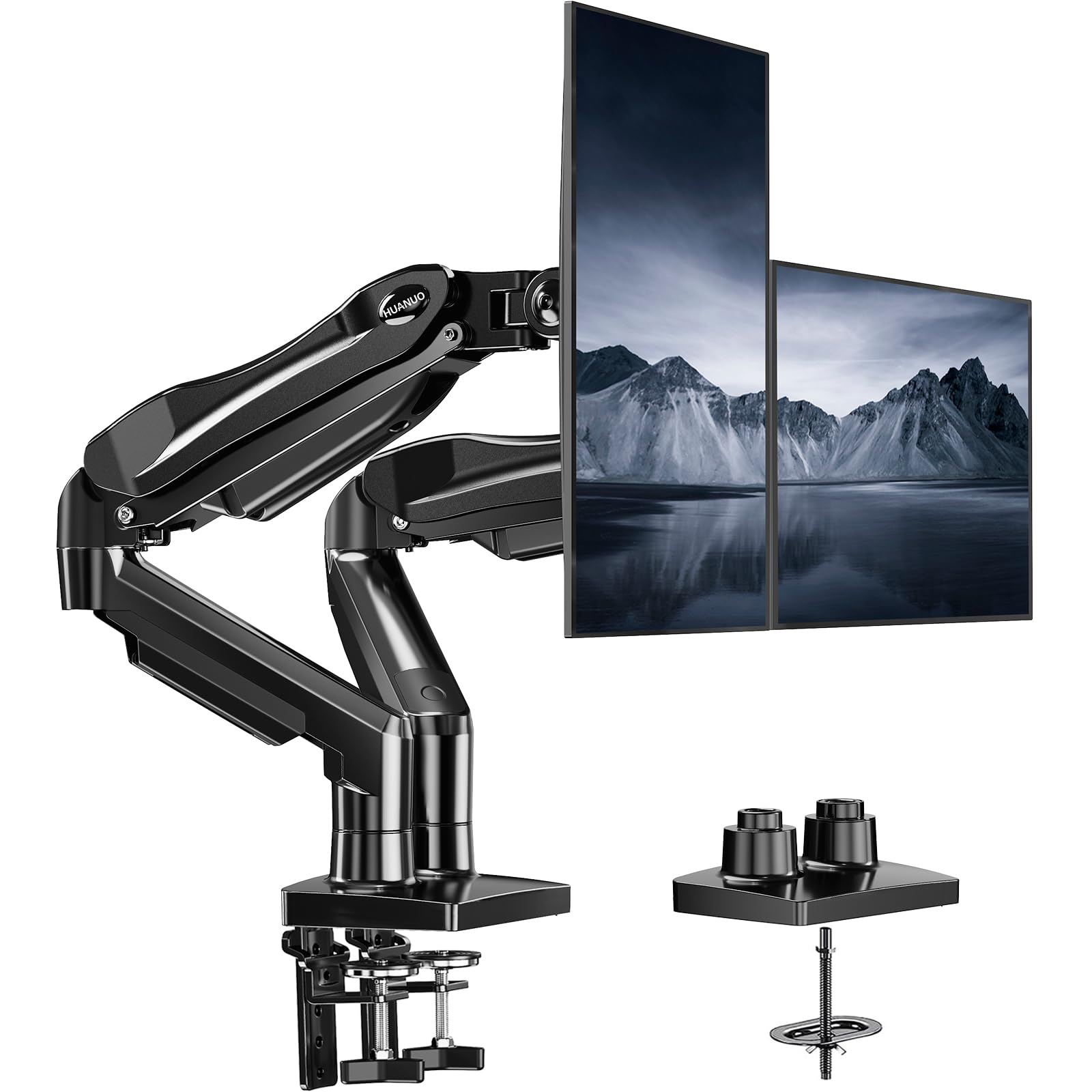
The HUANUO gaming mount targets the crowd that moves their screens constantly — pulling a display close for a spreadsheet, pushing it back for videos, or flipping to portrait for code. It fits 13″ to 27″ screens weighing 4.4 to 19.8 lbs each, and owners say the gas arms hold position perfectly without drift or sag even after months of use on an Ikea desk.
The defining hardware is the upgraded base with a larger platform plus a dual C-clamp structure designed to keep the arms locked firmly while you type or game. The movement range is wide: +85°/-50° tilt, ±90° swivel, 360° rotation, and up to 16.2″ of lift. One owner with an asymmetric setup — a 24″ and a 32″ screen — reports no wobble at all, which is a strong compliment for a shared-pole design.
Setup is straightforward with a simple clamp install and an optional drill mount, and the built-in cable guides hide wires along the arms. The catch is that this mount is pickier about desks than most: it is only recommended for solid wood surfaces between 0.59″ and 3.54″ thick, and glass or plastic tops are off-limits. Fat power bricks may also need zip ties since the cable rails are slim.
Built for movement
- Gas arms hold position with no drift even after two years of use
- Dual C-clamp keeps a 24″ + 32″ setup wobble-free
- One-hand adjustment is smooth across the full tilt and swivel range
Built for wood only
- Not recommended for glass or plastic desks
- Cable rails are tight for thick power cords
- Max screen size caps at 27 inches
Pick this for: a solid wood desk, screens under 27″, and a workflow that has you repositioning displays all day.
Pass if: you run 32″ panels or sit at a glass-topped desk, since both are outside its comfort zone.
6. VIVO Premium Dual Ultra Wide Mount (STAND-TS38C)
The flush-mount specialist that holds ultrawide screens without jutting into your room
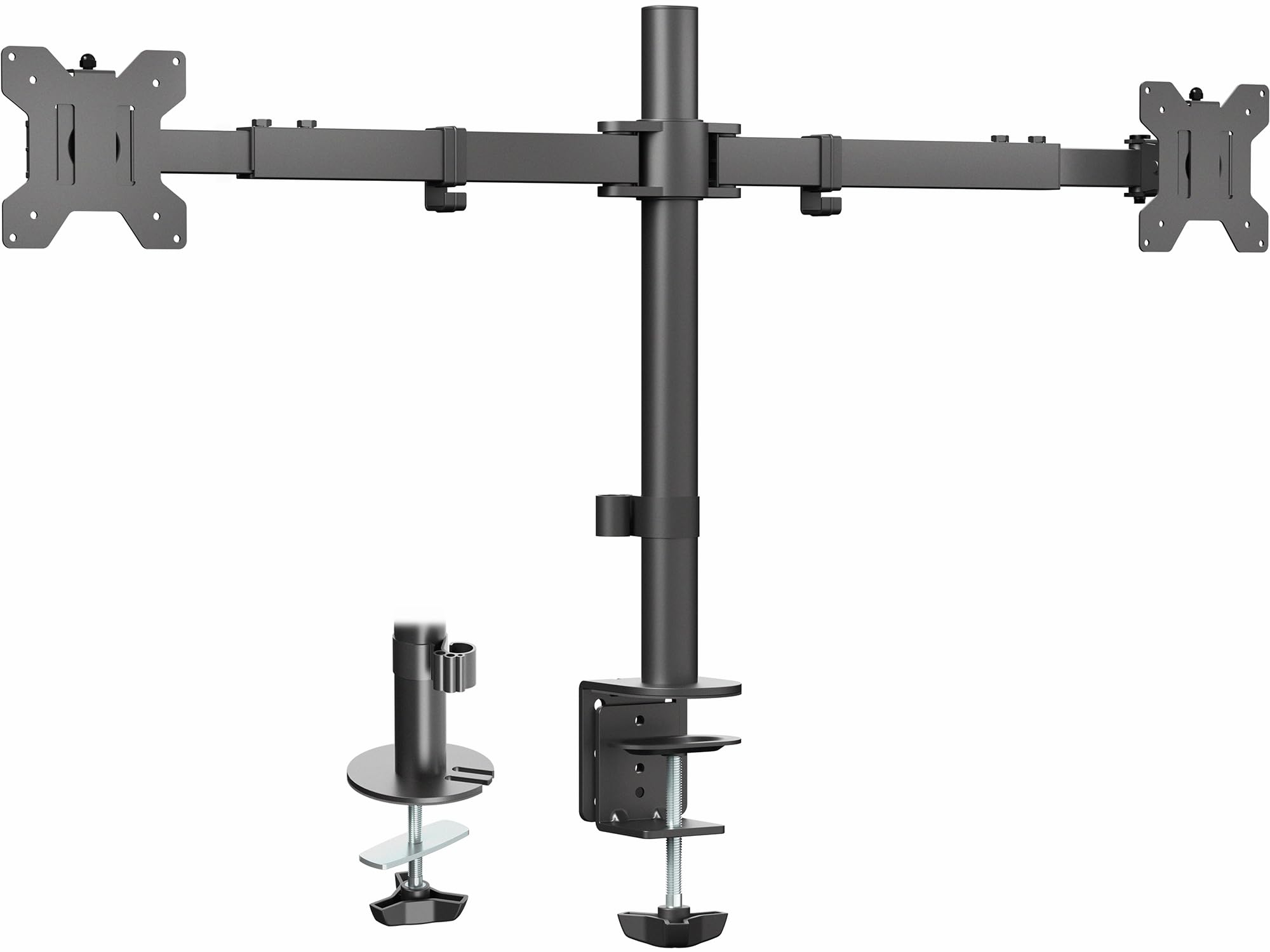
The VIVO STAND-TS38C exists for one main reason: ultrawide monitors. It holds two screens from 27″ up to 38″ and 22 lbs each, which puts it in a class above the standard 32″ mounts in this guide. Its patented telescoping arms slide into each other for extra strength, and the design spreads the arms straight out from 24″ to 39.5″ bracket to bracket so nothing extends past the back edge of your desk.
That flush-to-wall feature is the standout. Where the regular VIVO above pushes screens 3-4″ off the wall, this one sits tight against the wall, which owners describe as a major upgrade over articulated arms that protrude. One owner runs two 24″ monitors with a laptop above them and reports it fits flush against the wall and works on a standing desk without issue.
It offers +90° to -90° tilt, 180° swivel, 360° rotation, and height adjustment along the center pole, with a clamp or grommet base for desks up to 3.25″ thick. The trade-off appears if you constantly pull one screen closer: because both monitors share the telescoping frame, they move together rather than independently. Alignment is also a bit finicky, though owners note the dual anti-slide mechanisms keep it super sturdy once set.
Big screens, small footprint: the telescoping arms and flush design are class-leading in this lineup for ultrawide panels.
Shared movement: you cannot pull one screen forward without the other, so it suits static or side-by-side setups best.
Your pick if: you have 27″ to 38″ ultrawide screens and want them to sit tight against a wall or standing desk.
skip it if: you need to move each monitor independently through the day — this mount moves both as one unit.
7. Acer Dual Monitor Arm (AMS002)
A big-brand gas arm with the longest lift range in this guide
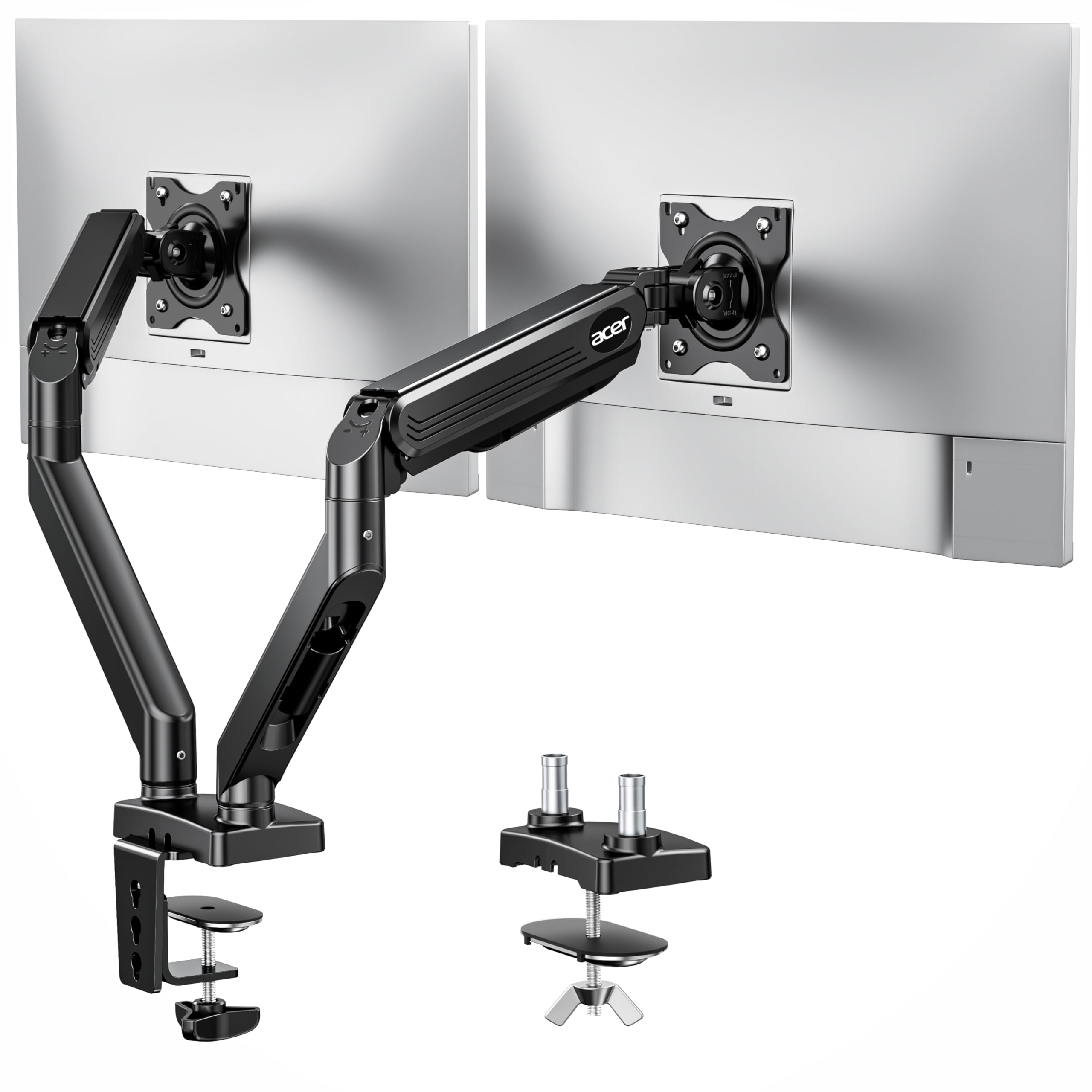
The Acer AMS002 brings name-brand reliability to a 17″ to 32″ gas spring mount, and its headline spec is the reach. It offers up to 18.1″ of height adjustment and 21.25″ of extension, which is the most vertical travel in this lineup and makes it a strong fit for tall users on standing desks. The gas-assisted lifting technology is rated for over 20,000 durability tests, so the arm’s smooth operation is meant to last.
Each arm supports 4.4 to 19.8 lbs, which covers a wide range from small 17″ panels up to hefty 32″ screens. Customers note successfully mounting two 32″ displays and note the mount is sturdy with a good range of motion. The build pairs alloy steel with aluminum for a sturdy feel that justifies the slight price premium over the VIVO and HUANUO options.
It supports 360° rotation, +90°/-60° tilt, and ±90° swivel, plus a hidden cable clip system for a tidy look. The clamp or grommet base fits desk thicknesses between 0.59″ and 3.15″, and the grommet needs a hole larger than 10mm. Compared to the HUANUO HNDS18, the Acer leads on height range, with 18.1 inches of lift versus the HUANUO’s 17.5 inches, and it covers slightly lighter monitors.
Tall-people friendly: the 18.1-inch lift range beats every other arm in this guide for overhead height.
Best for: anyone tall or on a standing desk who wants maximum vertical travel and a trusted brand name.
Price-conscious note: the VIVO and HUANUO mounts cost less while covering the same screen sizes.
8. Mount-It! Dual Monitor Desk Mount (MI-1882BLK)

The independent-arm solution for anyone tired of both screens moving as one
The Mount-It! MI-1882BLK is the answer to the shared-pole limitation you read about above. It uses two fully independent gas spring arms, so each monitor gets its own base, its own weight capacity, and its own range of motion. Owners describe the adjustment as easy and smooth with two 27″ panels, and the cable management as a breeze to route along each arm.
Each arm fits 13″ to 32″ screens up to 17.6 lbs, and the full-motion control includes +90°/-45° tilt, ±90° swivel, and 360° rotation. The gas springs let you glide either monitor up or down with a light touch, and a hex tension adjustment dials in the resistance for your specific screen weight. This is the configuration to choose if your left screen sits as a reference while your right one stays as your active workspace.
The base is a high-strength steel clamp or grommet setup that fits odd desk shapes, which one buyer with a non-standard layout appreciated after finding it easy to attach. The honest caveat is that sturdiness trends mixed with heavy monitors: some reviewers point out the tilt control cannot tighten enough to fully support the weight of a standard large panel. If your monitors are on the lighter end of the 17.6 lb limit, this independence is well worth it.
True independence: this is the pick when you constantly reposition one screen without touching the other.
Weight-sensitive: owners say the tilt can weaken under heavier monitors, so lighter panels are the safer match.
Choose this for: a flexible desk setup where each monitor needs its own dedicated range of motion.
Pick the Acer or VIVO if: your two screens are heavy and just need to stay rock-steady in one position.
9. MOUNTUP Vertical Dual Monitor Mount (B0CHW2NMVG)

The vertical stacker that turns a cramped desk into a clean two-tier command center
The MOUNTUP vertical mount is the specialist for a different arrangement entirely: stacked monitors. It rides a 28″ center pole that raises to a maximum height of 36.3″, so one screen sits above the other instead of side by side. That layout is ideal for call centers, trading desks, or anyone whose primary display needs a secondary reference above eye level without taking up horizontal desk width.
Each arm holds 4.4 to 17.6 lbs with 75×75 or 100x100mm VESA patterns, and the gas spring design supports up to 32″ monitors. Shoppers say it holds stacked monitors securely with no sag, and that the arms work perfectly with smooth adjustment on a sit-stand desk. It even handles a 32″ center screen with two 24″ side monitors in a three-arm configuration for the ambitious.
The movement range includes ±90° tilt, 180° swivel, and 360° rotation, with each arm extending up to 20.5″ forward. The clamp and grommet bases fit desk thicknesses from 0.39″ to 3.15″ with hole diameters of 0.39″ to 2.36″. The honest trade-offs are a jerky tilt that can slump or over-tilt during adjustment, and cable routing that owners describe as finicky with covers that are easy to misplace.
Stacked-screen specialist: the 36.3-inch max height is the tallest rig in this guide, perfect for vertical dual setups.
Adjustment quirks: the tilt can be jerky mid-move, and the cable covers demand patience to secure.
Reach for this if: you want one screen above another to save horizontal desk space.
pass on it if: you prefer the classic side-by-side arrangement — this mount commits to vertical.
Understanding the Specs
VESA patterns and mounting holes
The four screw holes on the back of your monitor follow a standard called VESA, and the two common sizes are 75x75mm and 100x100mm, measuring the distance between holes. An arm that lists both patterns will fit the vast majority of flat and curved monitors. Before buying, flip your screen around and check the hole spacing so you know which standard you need.
Weight capacity and gas springs
Weight capacity tells you the heaviest screen each arm can hold, generally 4.4 to 22 lbs depending on the model. Gas spring arms use compressed gas to counterbalance the screen’s weight, which is what lets you glide a monitor up or down with one hand. The tension screw on these arms needs tuning to your monitor’s weight so the screen holds its position instead of drifting.
FAQ
How do I know if my monitor is compatible with a dual mount?
What is the difference between a C-clamp and a grommet mount?
Why do my monitors slowly drift down after I set the height?
Can I mount two different sized monitors on one dual arm?
Will a dual monitor arm work on a standing desk?
What is the difference between a shared-pole and an independent-arm mount?
Do I need to reinforce my desk before mounting two monitors?
Can I rotate my monitors into portrait mode on any of these mounts?
Final Thoughts: The Verdict
For the majority of shoppers, the 2 monitor arm winner is the VIVO STAND-V032 because it pairs the highest owner satisfaction in this guide with a 32-inch, 22 lb per-arm capacity that covers nearly every standard setup. If you want independent arm movement for constant repositioning, grab the Mount-It! MI-1882. And for ultrawide panels that need to sit flush against a wall, the VIVO STAND-TS38C is the one to reach for.
How We Picked
We do not accept paid placement. Every pick is matched to a real buyer and a real use-case; we do not hands-on test units.
Sources & Methodology
Specifications: manufacturer listings and product documentation. Review insights: verified customer reviews, as of August 2026. Pricing: not shown on this page (it changes often); check the current price via the retailer link.
As an Amazon Associate, Gadgets Feed earns from qualifying purchases. This does not affect which products we feature.