
Our readers keep the lights on and my morning glass full of iced black tea. As an Amazon Associate, I earn from qualifying purchases.
Specs are compiled from manufacturer listings and verified buyer reviews and can change over time — please confirm the key details on the product page before buying.
When you shop for a small TV for a bedroom, kitchen, or dorm, you face a real trade-off: sharpest picture, smartest platform, or most reliable brand. Most 29-inch and 32-inch sets share the same core features, so the best pick for you depends on how you watch — and which quirks you can tolerate.
I’m Min — the founder and writer behind Gadgets Feed. This guide is built by comparing the manufacturers’ published specifications and the patterns across verified customer reviews, so you get each pick’s real strengths and trade-offs instead of marketing spin.
A 29 inch TV fits small rooms well, but because most brands sell 32-inch models, this guide covers the best 29 inch TV options that come closest to that size.
Our Picks at a Glance


How To Choose The Best 29 Inch TV
Start with the room and the viewing distance. A small TV’s resolution matters most when you sit close — a 1080p panel looks noticeably sharper than a 720p one from a few feet away, while the difference fades once you’re across a room.
Resolution: 720p vs 1080p
Resolution is the number of pixels on the screen, and it decides how crisp the picture looks. A 720p set (often labeled HD) is fine for background TV and casual viewing at a distance, while a 1080p panel (Full HD) holds up better for close-up watching, gaming, and reading text on screen.
Smart platform: Roku, Fire TV, or Google TV
Your smart platform is the software that runs your apps, so it shapes your daily experience more than any other spec. Roku is simple and fast, Fire TV suits Amazon households with Alexa, and Google TV offers deep search plus the Google Assistant. Pick the one that matches the devices you already own, since that is how you will control volume, search, and casting every day.
Sound and audio output
Small TVs typically have small speakers, so built-in sound is rarely impressive. Look for a headphone jack or Bluetooth audio if you want private listening at night, and check for an optical or ARC connection if you plan to add a soundbar later.
Quick Comparison
| Model | Best For | Resolution | Smart Platform | Voice Control | Amazon |
|---|---|---|---|---|---|
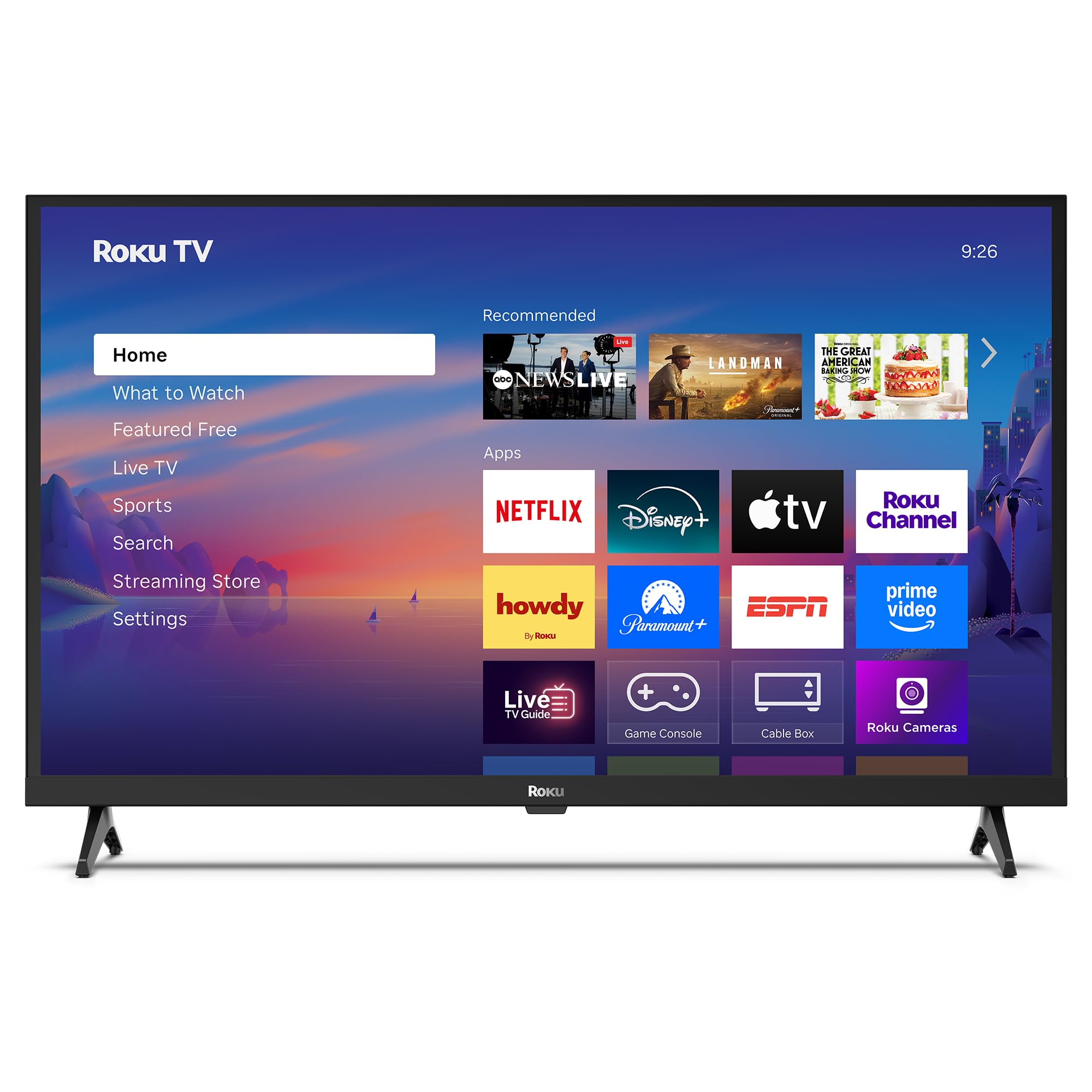
| Roku 32-Inch Select Series★ Best Overall | Overall streaming value | 1080p Full HD | Roku | Roku Voice, Siri, Alexa | Amazon |
| Amazon Ember 32″ 2-SeriesSmart Speed | Fast Fire TV experience | 720p HD | Fire TV | Alexa+ | Amazon |
| TCL 32S350FFull HD Fire TV | Alexa + AirPlay fans | 1080p Full HD | Fire TV | Alexa | Amazon |
| FPD Tizen 32-Inch | Samsung ecosystem | 720p HD | Tizen OS | Voice remote | Amazon |
| FPD Android 32-Inch | Google Play access | 720p HD | Android 11 | Google Assistant | Amazon |
| TCL 32S356 | Google TV interface | 1080p Full HD | Google TV | Google Assistant | Amazon |
| ONN 32-Inch Roku TV | Budget with free wall mount | 720p HD | Roku | Alexa, Google | Amazon |
| VIZIO VHD32M-0810 | Budget Vizio value | 720p HD | SmartCast | AirPlay, Chromecast | Amazon |
| TuTu 32 Inch HD TV | Non-smart simplicity | 720p HD | None (dumb TV) | None | Amazon |
In‑Depth Reviews
1. Roku Smart TV – 32-Inch Select Series
Our pick — 4.5★ from 900+ verified ratings; the strongest balance of quality and price.
The sharp 1080p panel that quietly became the room’s favorite screen
For a bedroom or studio, picture sharpness is the difference between a screen you squint at and one you settle in with. This Roku’s 1080p Full HD display delivers crisp detail at close range, and the 16:9 aspect ratio matches modern streaming shows perfectly — owners describe “clear picture/sound” and call it a “perfect bedroom size.”
What wins people over is the ease of everything around the picture. The Roku interface is famously simple, setup over Wi-Fi takes minutes, and the voice remote lets you search across apps by talking. For quieter hours, Bluetooth Headphone Mode routes the audio to your wireless earbuds so you can watch without waking anyone — a lifesaver for late-night viewing in a shared space.
The full Roku platform offers 500-plus free TV channels plus live news, weather, and Roku Originals, so cord-cutters get a lot without subscriptions. Buyers report the 1080p streaming looks great, the speakers deliver clear dialogue, and the set works well for nightly 4-6 hour use. The one honest trade-off: some owners note the TV can randomly shut off or restart, so it’s a minor reliability roulette — most are delighted, but it’s not flawless. Unlike the 720p VIZIO below, this Roku doubles the pixel count for a visibly sharper close-up picture.
Roku ease and value
- Sharp 1080p Full HD picture for close-up viewing
- Simple Roku interface with 500+ free channels
- Bluetooth Headphone Mode for quiet private listening
- Voice remote with Roku Voice, Siri, and Alexa support
Basic 720p panel
- Some owners mention random shutdowns or restarts
- Speakers are clear but light on bass
Roku loyalists: you want a sharp, easy-to-use streaming TV for a bedroom or studio — the 1080p panel and simple Roku setup make it the most balanced choice.
Sharp-image seekers: you demand absolute reliability with zero chance of glitches, since a few units have shown random power behavior.
2. Amazon Ember 32″ 2-Series with Fire TV
A small Fire TV that feels fast, thanks to Wi-Fi 6 and a new quad-core processor
The thing that separates this Ember from other budget sets is speed — Wi-Fi 6 support and a new quad-core processor make apps open and load fast, and the picture stays smooth. That’s a real upgrade for anyone who hates waiting on spinner wheels between streaming apps. The 720p HD panel is sharp enough for a guest room or kids’ room, where viewing distance forgives the lower resolution.
Amazon’s newest Fire TV experience brings a modern design, dedicated content categories, and personalized recommendations from Alexa+. The Alexa Voice Remote Enhanced has preset buttons for your favorite apps and controls power and volume with one hand. Instantly On tech wakes the display when you enter the room, so it doubles as a quick-start screen.
Voice search across apps plus AirPlay for sharing from Apple devices keeps it flexible. The recurring gripe is connectivity: a portion of owners hit Wi-Fi connection issues, so if you have a finicky network, expect some tinkering. It connects with two HDMI inputs for a console or soundbar.
Alexa households: Amazon households who want a fast, Alexa-integrated secondary TV that’s easy to operate — the Wi-Fi 6 and quad-core processor make it the most responsive streaming set here.
Non-Prime shoppers: your Wi-Fi router is older or your signal is weak, since connectivity has been the most common complaint.
3. TCL 32-Inch Class S3 1080p with Fire TV
A metal bezel-less 1080p panel that pairs Alexa with Apple AirPlay
If you live between Amazon and Apple, this TCL bridges both worlds — Alexa is built in for voice search and control, while AirPlay lets you share videos and photos from an iPhone or iPad. The FullView Metal Bezel-less Design gives an edge-to-edge glass look that feels more modern and premium than typical budget frames, blending into a living space rather than shouting “cheap TV.”
The 1080p Full HD resolution delivers enhanced clarity and detail., and the 2 HDMI inputs — one with ARC — handle a gaming console and a soundbar without juggling cables. Bluetooth Personal Audio pairs your wireless headphones for private listening. The Alexa Voice Remote has preset buttons for quick app access and controls power and volume in one hand.
Owners find the picture clarity good for the price, with easy setup and reasonable value, especially as a kitchen or guest-room set. The caveats are real though: the built-in speakers are the weakest part — audio is often described as tinny — and reliability is a concern, with some units working only briefly. The 60Hz refresh rate suits streaming and older consoles, but not fast-paced modern gaming. This one beats the Ember above on raw sharpness with 1080p versus 720p.
Budget 1080p: you want a Full HD Fire TV that also plays nicely with Apple devices, with a sleek bezel-less frame — it’s the sharpest Alexa-compatible pick here.
Ad-free purists: sound quality or bulletproof reliability outranks looks for you, since the speakers and longevity get mixed reviews.
4. FPD Smart TV 32 Inch 720p with Tizen OS

Samsung’s Tizen OS in a budget shell, with cloud gaming built in
The headline here is Samsung’s Tizen OS — the same smooth, familiar platform from Samsung’s own TVs — running on a 32-inch 720p HD panel. That means fast access to Netflix, YouTube, and Prime Video with quick app switching and no complicated setup. The 2625:1 contrast ratio delivers richer colors and deeper blacks than typical budget panels.
Gamers get a unique perk: Samsung Gaming Hub streams over 1,000 cloud games from Xbox Cloud Gaming and NVIDIA GeForce NOW with no console required. Just connect a controller and play. The 720p resolution keeps it from being a serious gaming monitor, but for casual cloud play on a small screen it’s a fun extra.
The picture is bright and colors look great for an HD set, and the Tizen OS runs smoothly — owners are happy with it for a bedroom or small living room. It also offers 350+ free live channels through Samsung TV Plus and SmartThings control for compatible smart home devices. The complaint: it’s actually Samsung inside, so you must sign into a Samsung account to load certain apps, which is awkward if you’re running two TVs side by side and want separate remotes. Monitor the sound too — it’s a fine set for the money, not an audiophile piece.
Samsung ecosystem: you love Samsung’s interface and want cloud gaming, or you’re adding a bedroom TV that fits the Samsung SmartThings ecosystem.
Detail lovers: you don’t want to create a Samsung account just to load apps, or you need a sharper-than-720p picture.
5. FPD 32 Inch Smart TV with Android 11

A 720p screen that runs full Android 11, opening millions of Google Play apps
Most budget smart TVs give you a locked-down app list, but this FPD runs Android 11, so you get the entire Google Play store — millions of apps, not just the standard streaming ones. Built-in Google Cast lets you beam content from your phone or laptop to the screen with a tap, and Google Assistant responds to voice commands through the remote.
You get a 720p HD panel (1280×720 pixels) with HDR10 support (a format that boosts contrast and color) for a more rich picture, while Dolby Audio (a sound-enhancing technology) tries to fill the room. It works as a connectivity hub: HDMI inputs let you plug in gaming consoles and soundbars, and Bluetooth 5.1 (a wireless standard) connects to speakers. The design suits a home office or bedroom, and the included AV adapter cable handles older devices.
Owners like it best as a bedroom TV, describing the picture as “perfect” and praising the easy setup and responsive vendor support. Customers note it turns itself off after a period of inactivity, which is a nice touch for falling asleep. But the built-in speakers are weak — you’ll want external speakers via the optical audio out to get real sound. The top frame also feels flimsy, though it doesn’t affect the picture. Unlike the Roku above with its 1080p panel, this is a 720p screen, so expect slightly softer close-up detail.
Android users: Android users who want full Google Play access and easy casting in a bedroom or home office — the Android 11 software is the standout.
Streaming purists: built-in sound matters to you, since the speakers are weak and you’ll likely add external audio.
6. TCL 32″ Class 3-Series Full HD 1080p Google TV

A sharp 1080p Google TV that shines as a bedroom set or a PC monitor
This TCL pairs a stunning Full HD 1080p panel with Google TV, so you get both crisp visuals and an interface that organizes 700,000+ movies and shows across your apps into one smart home screen. Owners call it ideal for bedroom use, praising a “sharp, bright 1080p picture.” The 16:9 aspect ratio matches modern shows, and Google Assistant on the remote enables voice search.
The Google TV OS puts live shows, watchlists, and recommendations in one place, and it streams thousands of apps from sports to fitness. It’s also a surprisingly capable PC monitor — several owners use it as a laptop display, noting excellent picture quality as a monitor and easy laptop connection. Bluetooth 5 lets you pair wireless headphones, and the digital tuner pulls in free over-the-air HD channels.
The smart software is responsive with quick app loading, but the internal speakers are the weak link — fine for a bedroom, thin and lacking bass, so a soundbar via HDMI ARC makes a real difference. Reliability is mixed, with a minority of units failing, and the bright power light on the front center can interfere with the IR remote if you cover it. The picture stays best viewed straight-on, so it’s not ideal for wide-angle seating.
Google homes: you want Full HD sharpness plus Google TV’s smart search, especially for a bedroom or as a second computer monitor.
Roku fans: you watch from wide angles on a couch, since the picture is best dead-on and the speakers are thin.
7. ONN 32-inch Roku Smart TV with Free Wall Mount
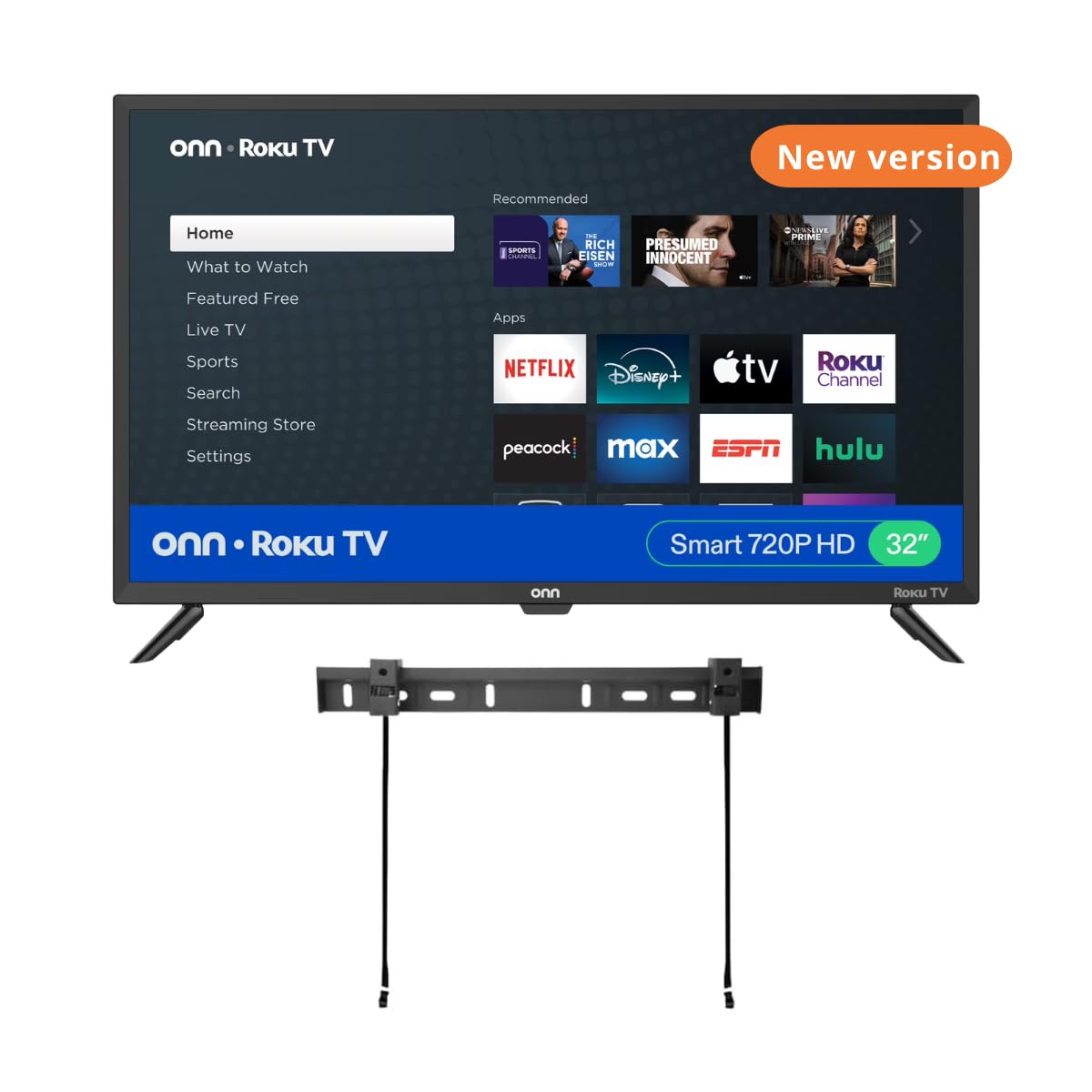
A Roku TV that throws in a free wall mount to save floor space
Here’s the value: a 720p Roku TV that includes a free wall mount, so you get the easy Roku interface plus a way to hang it and free up floor space. The 60Hz refresh rate keeps motion smooth for sports and casual gaming., and Roku streams 350+ free live TV channels plus thousands of apps like Prime Video, MAX, Apple TV+, and Hulu — no subscription hunting needed.
It works with Alexa, Google Assistant, and Apple HomeKit, so you can turn it on, change channels, and control volume by voice. Connections are generous for the price: 3 HDMI, 1 composite, 1 USB, 1 optical, 1 coaxial, and a headphone jack. The Dolby Digital support adds a bit of polish to the audio.
Owners call the picture quality excellent for a 32-inch set and praise the fantastic sound — one described it as better than a 10-year-old 32-inch Sony, with an easy menu and great picture used 8-10 hours a day. That said, this is a refurbished unit, so consistency varies: some get a great screen, others have reported units that stopped working or a wall mount with mismatched screws and no instructions. Treat the included mount as a bonus, not a guarantee. The 720p resolution can’t match the sharpness of the 1080p Roku Select Series above.
Mount savers: budget buyers who want the simple Roku experience and need a wall mount included — the value is tough to top if you get a good refurbished unit.
Brand snobs: refurbished consistency is a gamble, so check the condition and mount hardware carefully on arrival.
8. VIZIO 32 Inch V Series Full Array 720p
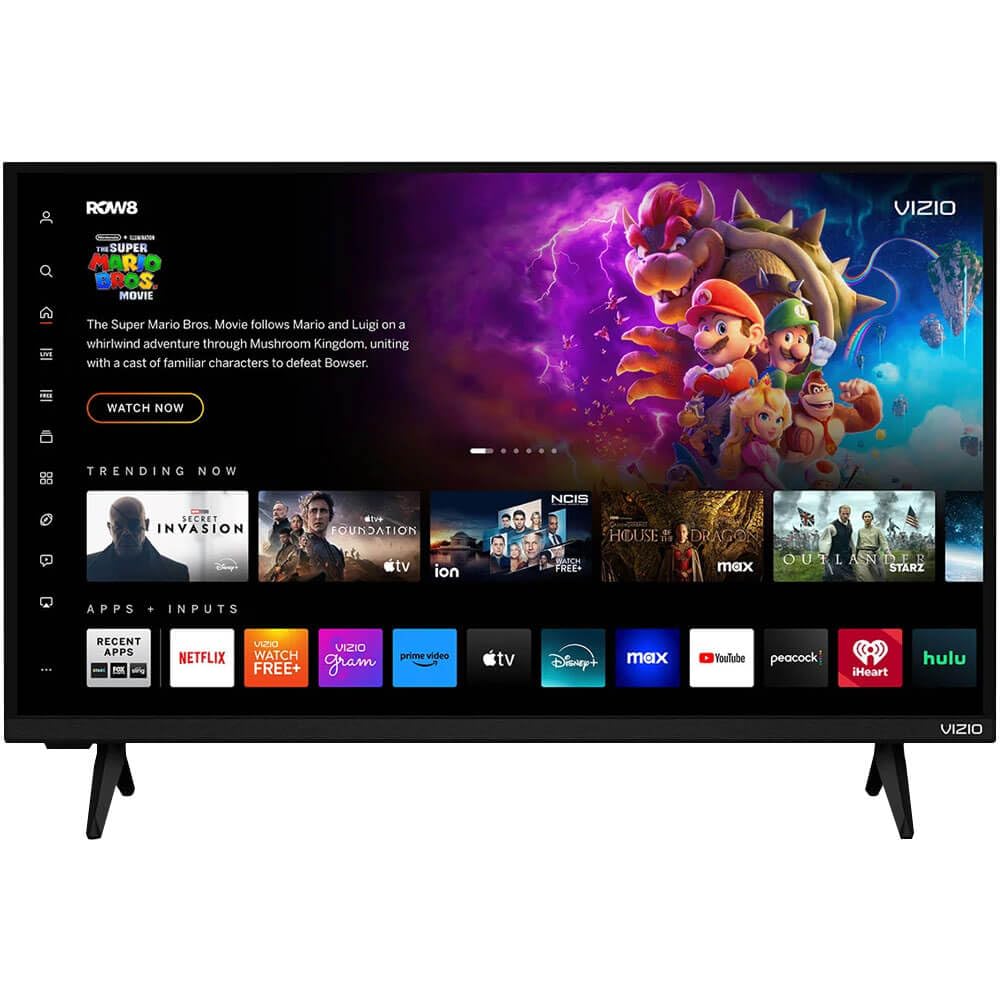
A no-frills 720p Vizio that’s a solid fit for RVs and spare rooms
This Vizio is all about getting the essentials right at a budget price. The full array LED backlighting delivers vibrant colors and sharp details for a 720p panel, and the 1000:1 contrast ratio keeps blacks reasonably deep for the money. It’s the kind of set that “checked all the boxes” for buyers furnishing a fifth wheel or a spare room — nothing fancy, but a good picture and sound for the cost.
The smart suite includes Apple AirPlay 2 and Chromecast built in, so you can stream from an iPhone or Android device directly to the screen. WiFi 5 dual-band keeps streaming smooth without buffering, and Vizio WatchFree+ open up hundreds of free channels and movies with no subscription. Bluetooth compatibility lets you pair wireless headphones or speakers to upgrade the audio.
Reviewers point out a responsive remote, fast app loading, and easy setup, with several using it happily in campers with Starlink. The trade-offs are real: it’s a 720p panel, so it’s noticeably softer than the 1080p Roku at close range, and reliability is a genuine concern — one reviewer noted it stopped working after a month. As a refurbished unit, you’re trading a lower price for some risk. For a guest room or RV where it won’t be the main event, that’s a reasonable deal.
Contrast fans: you need a cheap, capable TV for a camper, spare room, or workshop where 720p is fine — the AirPlay and Chromecast support add real flexibility.
Pixel counters: you want long-term reliability, since a few refurbished units have died early, or you demand 1080p sharpness.
9. TuTu 32 Inch HD Non-Smart Television
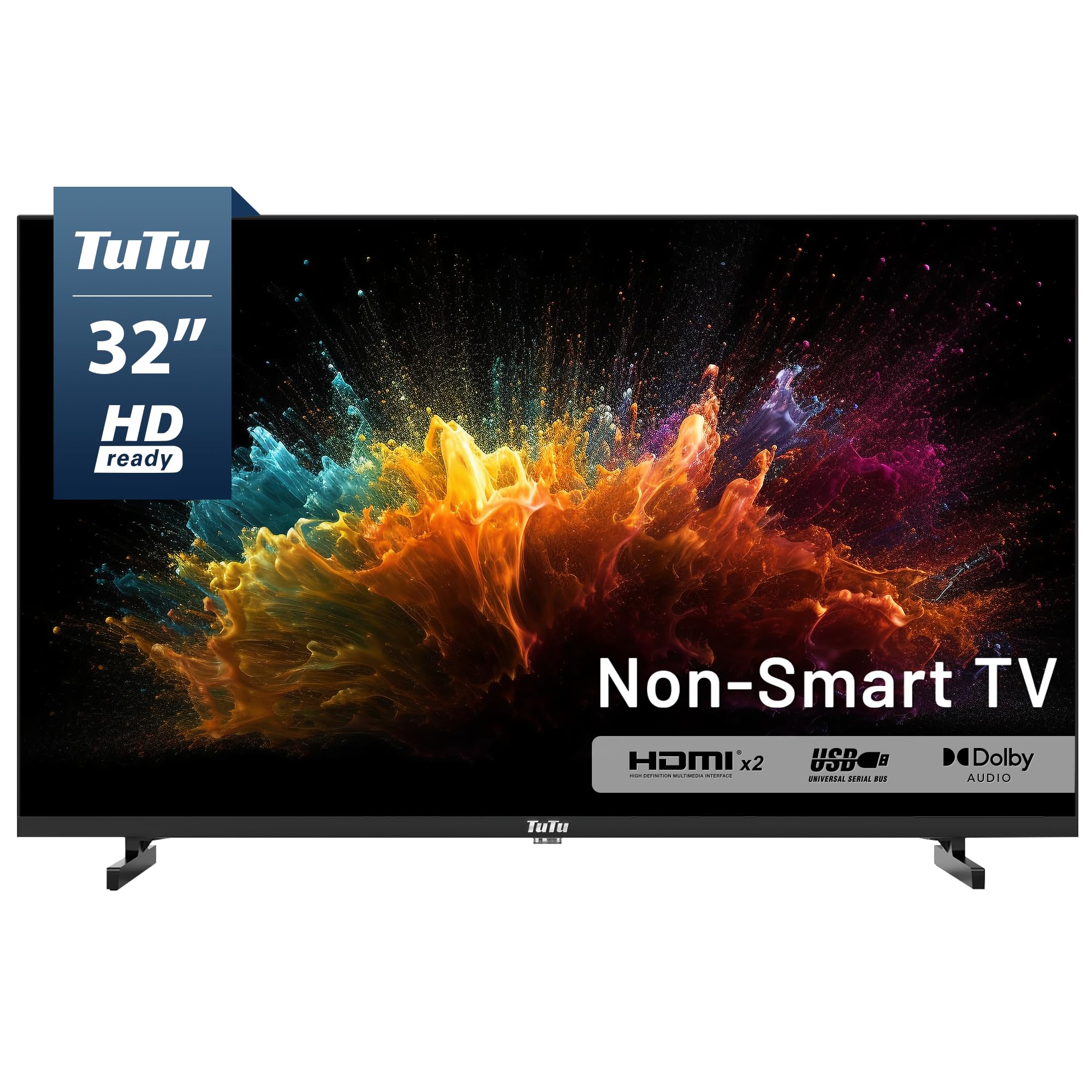
A happily dumb TV for anyone tired of smart menus and forced ads
If you’re exhausted by smart TV menus, this TuTu is a breath of fresh air — it has no built-in smart operating system at all. That means no forced advertisements, no privacy concerns, and no bloatware to slow things down. You plug in your own Roku, Fire Stick, Apple TV, or gaming console and you’re watching in minutes, with full control over your viewing environment.
The 720p HD panel delivers clear images for movies, sports, and everyday viewing., and the built-in ATSC tuner pulls in free over-the-air HD channels for local news and sports with no monthly fee. Dolby Audio adds clear dialogue and rich sound without needing external speakers in most rooms. It also consumes less power than most smart TVs and keeps a straightforward, durable design.
Owners love it for kitchen use and appreciate how simple it is — one called it “a very smart, non-smart TV” that retains antenna settings after power-off, unlike smart TVs that forget them. Buyers using it for seniors with dementia found it ideal because there are no confusing smart features. The catch: the remote is on the fragile side, and the TV lacks physical power buttons, so if the remote dies, you’re stuck until a replacement arrives. The sound and build quality get mixed notes, with some finding it cheaply made. A universal remote code (NEC 20DF) is available, though pairing can be a hunt.
Cable viewers: anyone who wants a simple, ad-free screen to pair with their own streaming stick — especially seniors or anyone who hates smart TV clutter.
Streaming addicts: you don’t want to worry about a fragile remote, since this set depends on it for power and input control.
Understanding the Specs
Resolution: 720p vs 1080p
Resolution tells you how many pixels make up the picture. A 720p panel (1280×720) is fine for background TV and viewing from across the room, but a 1080p screen (1920×1080) looks noticeably sharper when you sit close — reading text, watching sports, or using the TV as a second computer monitor. If your TV will sit a few feet from your face, spend for 1080p; if it’s filling a kitchen corner, 720p is enough.
Smart platform: Roku, Fire TV, Google TV, Tizen
Your smart platform is the software that runs your apps and voice assistant. Roku is the simplest and most neutral, Fire TV works best for Amazon households with Alexa, Google TV offers the deepest search across apps, and Tizen brings Samsung’s experience plus cloud gaming. Pick the platform that matches the devices you already own, because that’s how you’ll control volume, search, and casting every day.
FAQ
Is a 29 inch TV the same as a 32 inch TV?
Will a 32 inch TV fit on a standard bedroom dresser?
What is the difference between 720p and 1080p on a small TV?
Can I use a 32 inch TV as a computer monitor?
Does a smart TV need a subscription to stream?
How do I get free over-the-air TV channels on a 29-inch TV?
Is the Fire TV better than Roku for a small TV?
How do I listen to a small TV without waking others?
Do all 32 inch TVs support wall mounting?
Final Thoughts: The Verdict
If you want one dependable pick, the 29 inch tv winner is the Roku 32-Inch Select Series because it pairs a sharp 1080p panel with the simplest, most reliable streaming experience. If you want a fast, Alexa-powered set, grab the Amazon Ember 2-Series with its Wi-Fi 6 speed. And for the purest, ad-free simplicity, the TuTu non-smart TV is the one to reach for.
How We Picked
We do not accept paid placement. Every pick is matched to a real buyer and a real use-case; we do not hands-on test units.
Sources & Methodology
Specifications: manufacturer listings and product documentation. Review insights: verified customer reviews, as of August 2026. Pricing: not shown on this page (it changes often); check the current price via the retailer link.
As an Amazon Associate, Gadgets Feed earns from qualifying purchases. This does not affect which products we feature.