
The difference between a standard gigabit NAS and a true 10Gb-capable unit isn’t subtle—it’s the difference between waiting minutes for a video project to load and having it snap open as if it were on a local drive. A 10Gb NAS drive handles multi-stream 4K and 8K editing, large database operations, and heavy virtualization workloads without the bottleneck that chokes lesser hardware. For professionals and serious enthusiasts, the network pipe determines how fast your entire workflow moves.
I’m Min — the co-founder and writer behind Gadgets Feed. I’ve spent countless hours analyzing NAS architectures, comparing controller chipsets, and studying real-world throughput benchmarks across dozens of models to separate the genuine 10Gb performers from devices that merely carry the port. (And Homer 🐱 supervised every benchmark run from his perch atop the warm switch, tail swishing at each latency spike).
This guide dives into the hardware and firmware ecosystem behind these storage appliances, focusing on the drives and enclosures that can actually keep a 10GbE link saturated. You’ll find the definitive breakdown of the best 10gb nas drive solutions available right now, matched to specific workflows and budgets.
How To Choose The Best 10Gb NAS Drive
Selecting a 10Gb NAS drive system requires matching your network infrastructure, workload type, and storage capacity needs to a specific hardware configuration. A unit that excels as a media server may struggle with iSCSI targets for virtualization, and vice versa. Focus on these critical factors.
The Network Port: Native vs. Expandable
Some NAS units ship with integrated 10GbE Base-T or SFP+ ports, while others rely on PCIe expansion slots for an add-on card. Native ports offer plug-and-play simplicity and are factory-validated for that specific motherboard and firmware. Expansion slots provide flexibility to upgrade later, but the PCIe lane count and generation directly limit achievable throughput—a single PCIe 3.0 x1 slot caps out far below full 10Gb line rate.
Drive Technology: HDD Arrays, SSD Caches, or All-Flash
A traditional HDD array can sustain sequential reads adequate for large file transfers, but random I/O and multi-user workloads will quickly expose the mechanical latency floor. An SSD cache tier—either through dedicated 2.5-inch SATA SSDs or M.2 NVMe slots—massively accelerates hot data access. All-flash units, while premium, deliver the only path to saturate a 10Gb link for mixed read/write patterns with low latency.
RAID Controller and CPU Horsepower
The onboard processor handles RAID calculations, file sharing protocols, and application hosting. An underpowered ARM chip struggles to keep a 10Gb pipe full, especially with parity RAID. Intel Celeron, Pentium, or Core i-series processors paired with dedicated hardware encryption engines and sufficient RAM (8GB minimum, 16GB recommended) are non-negotiable for sustained high-throughput environments.
Quick Comparison
On smaller screens, swipe sideways to see the full table.
| Model | Category | Best For | Key Spec | Amazon |
|---|---|---|---|---|
| Synology DS1525+ | Premium 5-Bay | Video Production Teams | 1,181 MB/s Read (10GbE Upgradable) | Amazon |
| Asustor Flashstor 12 Pro | All-Flash Powerhouse | Zero-Latency Workflows | 10GbE Native, 12x M.2 NVMe Slots | Amazon |
| TERRAMASTER F8 SSD Plus | Compact All-SSD NAS | Portable High-Performance Storage | Core i3-N305, 10GbE, 8x M.2 NVMe | Amazon |
| QNAP TS-932PX-4G | Hybrid 9-Bay | Mixed HDD/SSD Configurations | Dual 10GbE SFP+, 9-Bay (5×3.5″ + 4×2.5″) | Amazon |
| LincStation N2 | Budget 10GbE Unraid | Entry-Level 10GbE with Unraid OS | Intel N100, 16GB LPDDR5, 10GbE Native | Amazon |
| Synology DS925+ | Mid-Range 4-Bay | Home & Small Business Storage | Dual 2.5GbE, 522 MB/s Read | Amazon |
| UGREEN DH4300 Plus | Entry-Level 4-Bay | Beginner-Friendly Cloud Alternative | 2.5GbE, 8GB LPDDR4X, 4K HDMI | Amazon |
| Seagate IronWolf 10TB | NAS HDD | High-Capacity RAID Arrays | 7200 RPM, 256MB Cache, CMR | Amazon |
| WD Red Plus 10TB | NAS HDD | Reliable 24/7 Operation | 7200 RPM, 512MB Cache, CMR | Amazon |
| Toshiba MG06ACA10TE | Enterprise HDD | High Workload Enterprise Storage | 7200 RPM, 550TB/Year Workload | Amazon |
| BUFFALO TeraStation Essentials | Pre-Configured NAS | Small Office Out-of-Box Storage | 16TB (4x4TB), 2.5GbE, RAID 5 Pre-set | Amazon |
In‑Depth Reviews
1. Synology DS1525+ Video Editing & Production Server
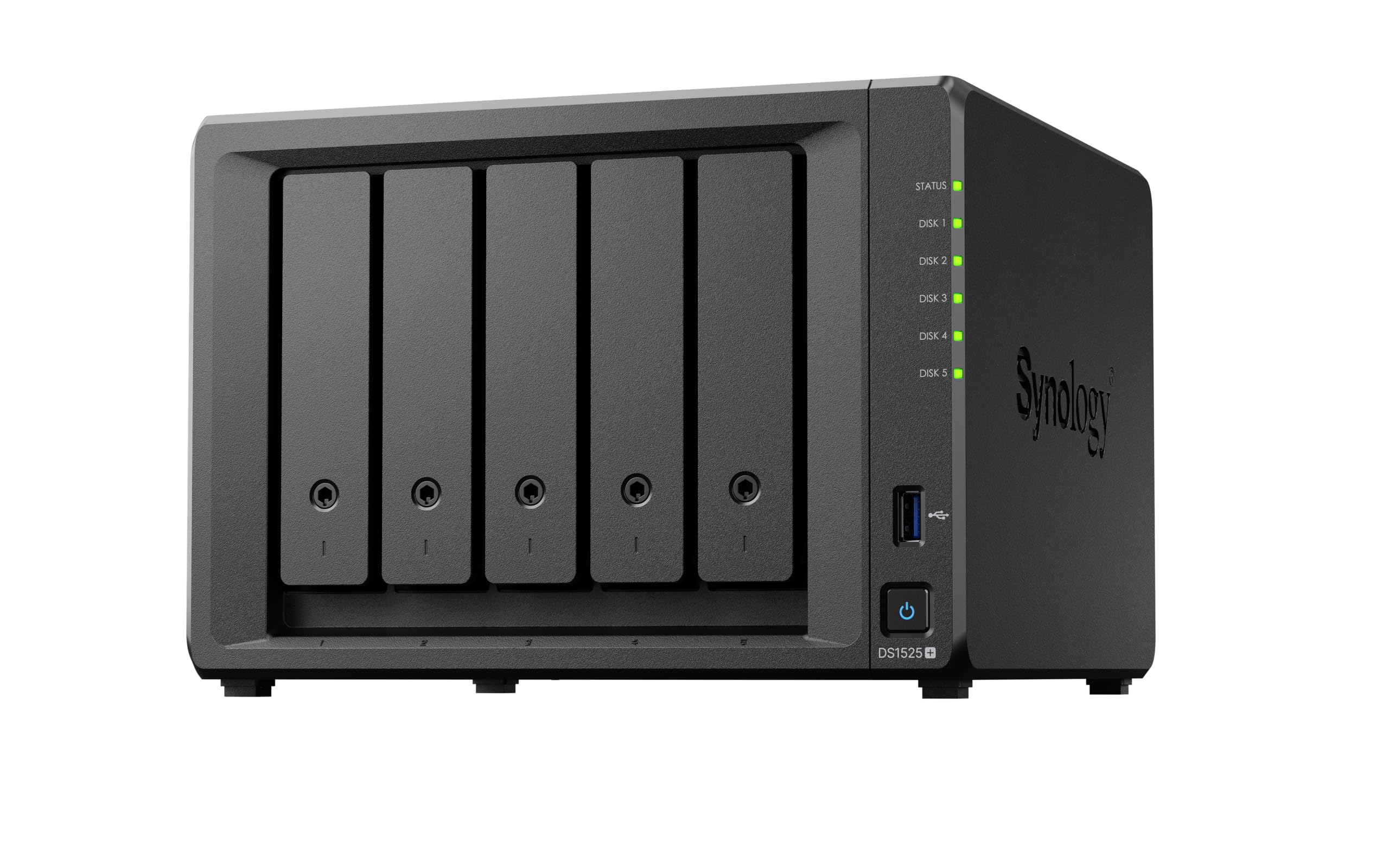
The DS1525+ is purpose-built for media production workflows that demand multi-gigabit throughput. It achieves sequential read speeds up to 1,181 MB/s when equipped with a 10GbE add-on card, allowing multiple editors to work on shared 4K and 8K timelines simultaneously without stuttering. The unit supports expansion to 300TB via two DX525 units, making it a scale-ready hub for growing asset libraries.
Synology’s DiskStation Manager provides an unmatched ecosystem for file management, AI-powered media indexing, and version control. The metal chassis and toolless drive trays simplify maintenance, while the 3-year warranty backs enterprise-level reliability. The processor handles RAID 5 and 6 calculations efficiently, keeping the 10Gb pipe full during heavy sequential transfers.
Note that a 10GbE network interface card is required separately to unlock the advertised speed, and the unit restricts unsupported M.2 drives for caching. For teams working with high-bitrate ProRes and DNxHD footage, this NAS delivers the fastest path to a collaborative 10Gb editing environment.
Why it’s great
- Over 1,100 MB/s sequential read with 10GbE upgrade
- Scalable to 300TB for growing production teams
- Best-in-class DSM software for media management
Good to know
- 10GbE NIC required and sold separately
- M.2 NVMe caching restricted to Synology drives
2. Asustor Flashstor 12 Pro FS6712X

The Flashstor 12 Pro eliminates rotational latency entirely with 12 M.2 NVMe slots and a native 10GbE port. In RAID 5 configurations with six drives, users report saturating the 10Gb link for both reads and writes, achieving line-rate performance that no spinning-disk array can match. The Intel Celeron N5105 processor provides enough horsepower to keep NVMe queues fed without becoming the bottleneck.
Asustor’s ADM operating system supports Docker, VirtualBox, and iSCSI targets, making this unit viable for virtualization and containerized applications. The RAM is upgradeable to 16GB, and the chassis remains whisper-quiet even under load due to the absence of mechanical drives. The form factor is remarkably compact, roughly the size of a hardcover book.
Some users note that the ADM interface is slightly less polished than Synology’s DSM, and the unit does not support hardware transcoding for Plex as robustly as some competitors. For pure storage speed in a zero-compromise 10Gb environment, however, this is the most effective tool available.
Why it’s great
- Full 10GbE saturation in RAID 5 with NVMe drives
- 12 drive slots in a compact, silent form factor
- Upgradeable RAM for virtualization workloads
Good to know
- ADM software less mature than DSM
- Limited hardware transcoding for media servers
3. TERRAMASTER F8 SSD Plus NAS

The F8 SSD Plus packs an 8-core Core i3-N305 processor and 16GB of DDR5 RAM into a palm-sized chassis with 8 M.2 NVMe slots and a native 10GbE port. This combination delivers consistent throughput near the 10Gb line rate for both sequential and random workloads, making it ideal for video editors working directly off the NAS and for database servers requiring low latency.
Each M.2 slot includes its own heat sink, and the convection-based active cooling system keeps drive temperatures under control without excessive fan noise. The standby noise level sits below 19dB, so it disappears into a studio or office environment. The TerraMaster Business Backup Suite provides a comprehensive backup toolset for small businesses.
While the native TOS software has room for improvement—some users report stability quirks and an unintuitive interface—the hardware is a proven platform for TrueNAS Scale or Unraid. If you’re willing to replace the operating system, this becomes one of the most capable compact 10Gb NAS units on the market.
Why it’s great
- Core i3-N305 processor with 8 cores for heavy workloads
- Near-silent operation with effective SSD cooling
- Very compact footprint for an 8-bay all-flash unit
Good to know
- Stock TOS software has stability issues
- Limited hardware transcoding for i3-N305
4. QNAP TS-932PX-4G 9-Bay NAS

The TS-932PX-4G offers dual 10GbE SFP+ ports alongside two 2.5GbE RJ45 ports, providing unprecedented network flexibility for its price tier. The 9-bay layout includes five 3.5-inch SATA bays for high-capacity HDDs and four 2.5-inch SATA bays that can serve as an SSD cache pool or dedicated flash storage. With a properly configured SSD cache, users report saturating 10GbE reads at 1.1 GB/s.
QNAP’s QTS operating system offers a robust application ecosystem including HBS backup with QuDedup, snapshot protection, and full virtualization support. The unit supports RAID 5 and 6 across both drive pools, and the CPU handles moderate workloads well. Upgrading the stock 4GB RAM to the maximum is highly recommended for a smoother interface experience.
The chassis is designed for mixed-media environments where large HDD capacity meets the performance demands of a 10Gb network. For users with spare 2.5-inch SSDs, this is a cost-effective way to build a hybrid 10Gb system without jumping to all-flash pricing.
Why it’s great
- Dual 10GbE SFP+ ports at an accessible price point
- 9-bay hybrid design allows HDD+SSD pool mixing
- SSD cache saturates 10GbE read speeds
Good to know
- Stock 4GB RAM needs immediate upgrade
- No NVMe slots; SATA SSDs only
5. LincStation N2 6-Bay NAS

The LincStation N2 brings native 10GbE to a compact 6-bay design at a price that undercuts most competitors. It combines 2 SATA bays for 2.5-inch HDDs with 4 M.2 NVMe slots, all managed by an included Unraid OS Starter License. The Intel N100 processor and 16GB of LPDDR5 RAM provide enough compute for Docker containers, media servers, and file sharing.
Unraid’s flexibility with mixed drive sizes and its extensive app library make this an attractive platform for enthusiasts who want to tinker without the overhead of Synology or QNAP licensing. The metal chassis acts as a heat sink, and the unit draws low power, running cool and quiet with an all-SSD configuration. A USB 3.2 Gen2 port adds external storage expansion.
Some reviews note that the PCIe lane allocation limits NVMe throughput to roughly 900 MB/s per drive, which means a RAID 1 sync runs at about 684 MB/s. This is still fast enough to saturate a 10Gb link in many workloads, but heavy multi-drive parallelism may be constrained. For a budget-friendly entry into 10Gb NAS, this is a compelling package.
Why it’s great
- Native 10GbE port at an entry-level price point
- Includes full Unraid OS license for flexible storage
- Compact, quiet all-metal design
Good to know
- PCIe x1 lanes limit full NVMe bandwidth
- No 3.5-inch drive support
6. Synology 4-Bay DiskStation DS925+
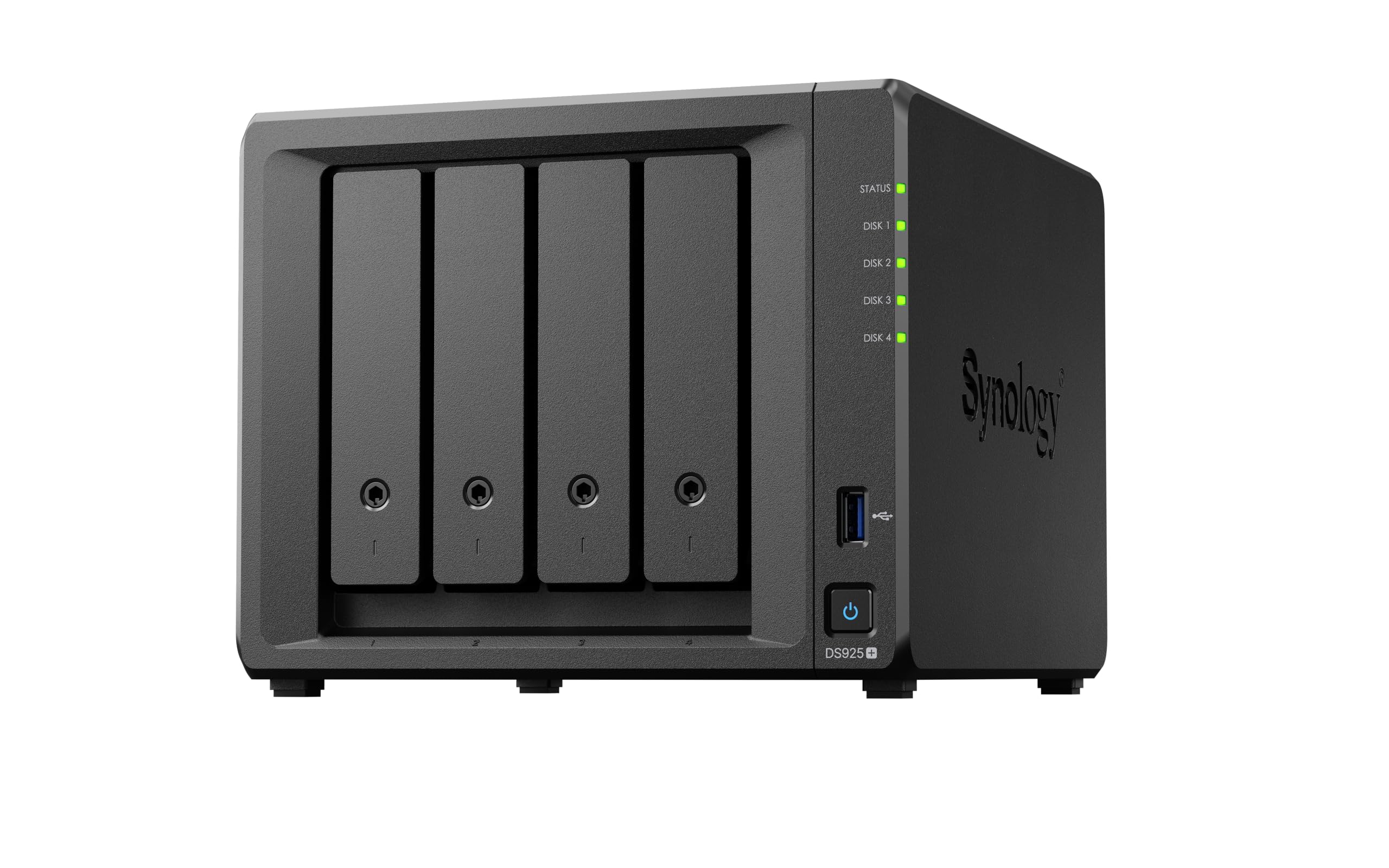
The DS925+ delivers up to 565 MB/s sequential read and write through dual 2.5GbE ports, making it a strong performer for multi-user file sharing and media streaming. While it does not include a native 10GbE port, the dual 2.5GbE links can be aggregated for improved throughput. Synology’s DSM software remains the gold standard for usability, with comprehensive backup, photo management, and surveillance applications.
The 4-bay design supports SHR and RAID configurations, and Synology has relaxed its third-party drive restrictions, allowing standard WD and Seagate drives without compatibility warnings. The toolless caddies and quiet fan operation make it suitable for home office or small business environments. An NVMe cache slot can further accelerate frequently accessed data.
For users whose workflow demands a true 10Gb connection, the DS925+ will be a bottleneck. But for those operating on a 2.5Gb network who want a reliable, feature-rich NAS with an upgrade path to faster networking later, this is the most polished mid-range option available.
Why it’s great
- Best-in-class DSM operating system
- Dual 2.5GbE ports for aggregated throughput
- Third-party drive support for cost savings
Good to know
- No native 10GbE port
- NVMe caching limited to Synology drives
7. UGREEN NAS DH4300 Plus 4-Bay

The DH4300 Plus is an entry-level 4-bay NAS that prioritizes ease of use and affordability over raw 10Gb performance. Its 2.5GbE port and 8GB of LPDDR4X RAM deliver a 1GB file transfer in roughly 3 seconds, which is sufficient for home media libraries and file backups. The UGOS Pro operating system is beginner-friendly, with NFC-assisted setup and AI-powered photo album management.
Support for up to 128TB of raw capacity, Docker containers, and a dedicated 4K HDMI output makes this a versatile home server. The magnetic dust cover and tool-free drive installation simplify maintenance. UGREEN positions this as a one-time purchase alternative to recurring cloud subscriptions, a compelling pitch for users migrating from Google Drive or iCloud.
This unit is not designed to saturate a 10GbE link. It lacks a 10Gb port and the CPU horsepower to push beyond 2.5Gb line rates. For users specifically seeking 10Gb performance, this is a pass. But for those building a first NAS who want a modern interface and ample capacity without complexity, it’s a strong starting point.
Why it’s great
- Very user-friendly setup and operating system
- AI photo management and duplicate removal
- Excellent value as a cloud storage replacement
Good to know
- Only 2.5GbE, no 10Gb connectivity
- Docker available but no virtual machine support
8. Seagate IronWolf 10TB NAS HDD

The 10TB IronWolf is designed for multi-user NAS environments, supporting up to 8 bays with a 7200 RPM spindle speed, 256MB cache, and CMR recording technology for consistent write performance. Users report sustained read and write speeds exceeding 220 MB/s, which is strong for a mechanical drive and sufficient for filling a 10Gb link when aggregated across an array of four or more drives in RAID 0 or 5.
Seagate includes its Rescue Data Recovery Services and IronWolf Health Management for proactive drive monitoring. The 1-million-hour MTBF and 180 TB/year workload rating reflect its enterprise orientation. In RAID configurations, the CMR design avoids the write amplification penalties that plague SMR drives, making this suitable for continuous 24/7 operation.
For a 10Gb NAS build, you’ll want to pair multiple IronWolf drives together to generate enough aggregate bandwidth to approach the 10Gb limit. Five or more of these in a striped set can approach 1 GB/s sequential read, but random I/O will always be constrained by mechanical latency. This is a drive for capacity-focused arrays, not all-flash speed.
Why it’s great
- CMR technology for consistent RAID performance
- Rescue Data Recovery included with purchase
- High 180 TB/yr workload rating for 24/7 use
Good to know
- Mechanical latency limits random I/O on 10Gb links
- Requires multiple drives to saturate 10Gb bandwidth
9. Western Digital 10TB WD Red Plus

The WD Red Plus 10TB pairs a 7200 RPM spindle with 512MB of cache and CMR technology, delivering a sustained data transfer rate of up to 260 MB/s. Its NASware firmware optimizes for RAID environments by managing TLER (Time Limited Error Recovery), preventing drives from dropping out of arrays during error correction. This drive is built for 8-bay enclosures and 24/7 operation with a 180 TB/year workload rate.
Users consistently praise its quiet operation and stable thermal performance in enclosures with adequate airflow. The 512MB cache helps buffer write bursts, smoothing performance in multi-user scenarios. In a RAID 5 array with five or more drives, aggregate sequential reads can approach the threshold where a 10Gb network becomes the limiting factor rather than the drives.
Like the IronWolf, this is an HDD designed for capacity and reliability, not raw speed. Pair it with an SSD cache tier in your 10Gb NAS to accelerate hot data, or use it as bulk cold storage behind a faster front end. The 3-year warranty is standard for the category.
Why it’s great
- Extended 512MB cache improves write burst performance
- NASware firmware with TLER for RAID stability
- Very quiet operation in multi-bay enclosures
Good to know
- Limited to 260 MB/s single-drive speeds
- Not a substitute for SSD caching in 10Gb workflows
10. Toshiba MG06ACA10TE Enterprise 10TB

The Toshiba MG06ACA10TE is an enterprise-grade hard drive designed for 24/7 operation with a massive 550 TB/year workload rating—significantly higher than typical NAS drives. Its Stable Platter Technology reduces vibration-induced tracking errors, and the Persistent Write Cache improves write performance in RAID environments. The 256MB cache and 7200 RPM spindle deliver competitive sequential throughput.
This model supports Native Command Queuing and provides flexibility with SIE and SED encryption options. Users report reliable performance after long-term heavy use, with one reviewer noting that older MG06 drives remained error-free after years on a shelf and continued to perform well. The drive is particularly suited for enterprise storage arrays where warranty and duty cycle are critical.
While the price per terabyte is attractive, this drive lacks the consumer-friendly NAS firmware features like TLER that WD Red and Seagate IronWolf include. For a 10Gb NAS build, it’s a solid capacity drive when paired in a larger array, but ensure your NAS controller handles error recovery to prevent drive drops.
Why it’s great
- Industry-leading 550 TB/year workload rating
- Stable Platter Technology for vibration resistance
- Competitive price per terabyte for enterprise drives
Good to know
- Lacks consumer NAS firmware like TLER
- Modest 256MB cache compared to some competitors
11. BUFFALO TeraStation Essentials 2025 4-Bay

The Buffalo TeraStation Essentials ships with four pretested 4TB hard drives preconfigured in RAID 5 for 12TB usable capacity, making it a turnkey solution for small offices that need reliable network storage without any assembly. Its 2.5GbE port provides faster transfers than standard gigabit networks while remaining backward compatible with existing cabling. Cloud integration with Amazon S3, Dropbox, Azure, and OneDrive allows hybrid backup strategies.
Built with a 3-year warranty covering both the unit and the drives, plus 24/7 US-based support, Buffalo aims for zero-hassle ownership. Users report simple setup, stable long-term operation, and responsive management dashboards. The 256-bit AES drive encryption and closed system design enhance data security in shared environments.
This is not a 10Gb-capable device—it tops out at 2.5GbE and lacks the expansion options for faster networking. For a small business that wants a preconfigured, secure NAS with drives included and doesn’t need multi-gigabit editing workflows, it’s a convenient appliance. But for serious 10Gb NAS buyers, it serves as a secondary or remote backup unit at best.
Why it’s great
- Drives included and preconfigured in RAID 5
- 3-year warranty with 24/7 US support
- Easy integration with major cloud providers
Good to know
- Limited to 2.5GbE with no 10Gb upgrade path
- 5400 RPM drives constrain performance
FAQ
How many HDDs do I need to saturate a 10GbE connection?
What is the difference between a native 10GbE port and an add-on card?
Can I mix SATA HDDs and NVMe SSDs in a 10Gb NAS?
Final Thoughts: The Verdict
For most users, the 10gb nas drive winner is the Synology DS1525+ because its combination of DSM software maturity, expandability to 300TB, and over 1,100 MB/s throughput with a 10GbE upgrade makes it the most complete package for production teams and power users. If you want all-flash speed that saturates 10Gb out of the box, grab the Asustor Flashstor 12 Pro. And for a budget-friendly entry into 10Gb networking with Unraid flexibility, nothing beats the LincStation N2.