
Our readers keep the lights on and my morning glass full of iced black tea. As an Amazon Associate, I earn from qualifying purchases.
Specs are compiled from manufacturer listings and verified buyer reviews and can change over time — please confirm the key details on the product page before buying.
The best accounting laptop handles heavy multitasking, offers a comfortable keyboard with a numeric keypad, and keeps your eyes fresh through long work sessions. This guide uses verified owner reviews and manufacturer specs to match each model to the daily demands of accounting, bookkeeping, and tax preparation.
I’m Min — the founder and writer behind Gadgets Feed. This guide is built by comparing the manufacturers’ published specifications and the patterns across verified customer reviews, so you get each pick’s real strengths and trade-offs instead of marketing spin.
Whether you’re running a busy practice or handling your own books, the right accounting laptop balances processing power, a comfortable keyboard, and a display that keeps your eyes fresh through long reconciliations — here are the models that deliver on all three.
Our Picks at a Glance


How To Choose The Best Accounting Laptop
For accounting work, prioritize a laptop with at least 32GB of RAM and a modern multi-core processor to keep multiple apps and browser tabs running smoothly. Focus on RAM, processor, keyboard, and display—these specs directly impact your daily efficiency and comfort.
Processor & RAM: The Multitasking Engine
The processor and RAM work together to keep your accounting software, spreadsheets, and browser tabs responsive without lag. For accounting, you’ll often have your accounting software, a spreadsheet, a web browser with many tabs, and email all open at once. Ample RAM, like 32GB, allows all these programs to stay active simultaneously without lag. A modern multi-core processor, such as an Intel Core Ultra or a recent AMD Ryzen, ensures that complex calculations and data imports are completed quickly.
Keyboard & Numeric Keypad: Your Primary Tools
Since you’ll type figures for hours, the keyboard is the most important physical feature for comfort and speed. A comfortable keyboard with good key travel and a full-size numeric keypad reduces fatigue and speeds up data entry. For anyone who regularly works with spreadsheets, a full-size numeric keypad on the right side is a significant productivity booster. It allows for fast, one-handed entry of numbers, a feature you’ll appreciate daily during data entry and reconciliations.
Display & Portability: Eyes and Mobility
A Full HD or higher anti-glare display reduces eye strain and makes dense financial reports easier to read. Look for a Full HD (1920×1080) resolution or higher, and an anti-glare finish to minimize reflections. While a larger 15.6-inch or 16-inch screen provides more workspace for viewing multiple windows, it also makes the laptop heavier. If you travel between the office, client sites, and home, consider the weight and battery life. A lighter machine is much easier to carry, but often comes with a smaller screen.
Quick Comparison
| Model | Best For | Processor | RAM | Display | Amazon |
|---|---|---|---|---|---|
| Lenovo ThinkPad E16 Gen 3★ Best Overall | Best Overall | Intel Core Ultra 5 225H | 32GB | 16″ Anti-glare | Amazon |
| Dell Latitude 5550Premium Pick | Ports & Connectivity | Intel Core Ultra 5 125U | 32GB | 15.6″ FHD IPS | Amazon |
| HP EliteBook 6 G1iTop Performer | Premium Business Pick | Intel Core Ultra 7 255U | 32GB | IPS Display | Amazon |
| ASUS Vivobook S16 | Display Quality | Intel Core Ultra 9 285H | 32GB | 16″ 2.8K OLED 120Hz | Amazon |
| Lenovo ThinkPad X1 Carbon Gen 13 | Ultra-Portable Premium | Intel Core Ultra 7 258V | 32GB | 14″ 2.8K OLED | Amazon |
| Lenovo V-Series V15 | High-Capacity RAM | AMD Ryzen 7 7730U | 40GB | 15.6″ FHD | Amazon |
| HP 255 G10 (Ryzen 7) | Balanced Value | AMD Ryzen 7 7730U | 32GB | 15.6″ FHD IPS | Amazon |
| Lenovo Business Laptop (i5) | High-Compute Value | Intel Core i5-13420H | 16GB | 16″ FHD+ IPS | Amazon |
| HP 255 G10 (Ryzen 3) | Budget-Friendly | AMD Ryzen 3 7330U | 32GB | 15.6″ FHD IPS | Amazon |
| Dell Latitude 5520 (Renewed) | Refurbished Performance | Intel Core i7-1165G7 | 32GB | 15.6″ FHD | Amazon |
| HP 17.3″ Business Laptop | Large Screen Budget | Intel Core i5 | 16GB | 17.3″ HD+ | Amazon |
In‑Depth Reviews
1. Lenovo ThinkPad E16 Gen 3
Our pick — 4.5★ from 300+ verified ratings; the strongest balance of quality and price.
The dependable workhorse built for uninterrupted all-day accounting sessions.
For the accountant who needs a machine that simply won’t quit, the ThinkPad E16 Gen 3 leads the list. Its 16-inch anti-glare screen offers ample workspace for multitasking and reduces eye strain during long work sessions — exactly what you need when you’re deep in a month-end close. Buyers report it’s rock-solid, with one buyer noting “No flex, no creaks. It feels like it was machined from a single block of metal.”
Under the hood, the Intel Core Ultra 5 225H processor includes an integrated AI Boost NPU (a dedicated chip that accelerates AI tasks), enabling smooth multitasking, fast calculations, and enhanced video meetings with AI features like noise suppression. The 32GB DDR5 RAM and 1TB SSD ensure your heavy accounting software and large spreadsheets load and operate without slowdown. A full range of ports, including Thunderbolt 4, USB-A, HDMI, and Ethernet, means you can connect dual monitors, printers, and external drives without a docking station.
Security is a real priority here, which matters when you’re handling sensitive financial data. It provides layered protection with a fingerprint power button (so you log in with a tap), a physical camera shutter for privacy, and Windows 11 Pro with advanced security features like encryption. Fast charging via the included 65W adapter minimizes downtime, and owners mention a smooth experience right after purchase — “One month after purchase, so far so good. Pretty sleek for my budget.”
daily driver: This is the pick for bookkeepers and CPAs who want a durable, secure, and powerful laptop that handles the full workday without compromise.
budget check: It’s an investment, so if you’re strictly below this tier, the HP 255 G10 models offer strong value with similar RAM.
2. Dell Latitude 5550
The port-packed professional machine that ends the need for dongles.
The Dell Latitude 5550 is the laptop for the professional who is tired of carrying adapters. It comes with a fantastic array of ports — 2x Thunderbolt 4 (40 Gbps), 2x USB 3.2 Gen 1 Type-A, HDMI 2.1, Ethernet (RJ-45), and a microSD card slot. One owner highlighted this perfectly: “Finally a laptop with ALL the ports!… no dongles required.” This is a huge convenience for connecting directly to office networks or presenting to clients on external displays.
Powering this machine is an Intel Core Ultra 5 125U processor with 12-cores, paired with 32GB of fast 4800MHz DDR5 RAM. This combination provides smooth multitasking for any accounting workflow. For storage, it uses a dual 512GB SSD setup, which the maker says helps keep the system more stable and improves file management. The display is a 15.6″ FHD (1920 x 1080) IPS Anti-Glare panel, and it can even drive two external 4K monitors through its HDMI and Thunderbolt ports.
This model also positions itself as an AI PC, with a battery life of up to 11 hours, so you can confidently work through a full day of meetings and client visits without worrying about finding a power outlet. It runs Windows 11 Professional 64-bit, which includes AI-powered features like Copilot. While it’s a premium investment, buyers describe it as “super practical, with solid performance and battery life to match” and note it works well with heavier programs.
port powerhouse: If your desk setup involves multiple monitors, an Ethernet cable, and a flurry of peripherals, this is the laptop that plugs right in with zero fuss.
3. HP EliteBook 6 G1i
A powerful business machine that comes ready to work from the start.
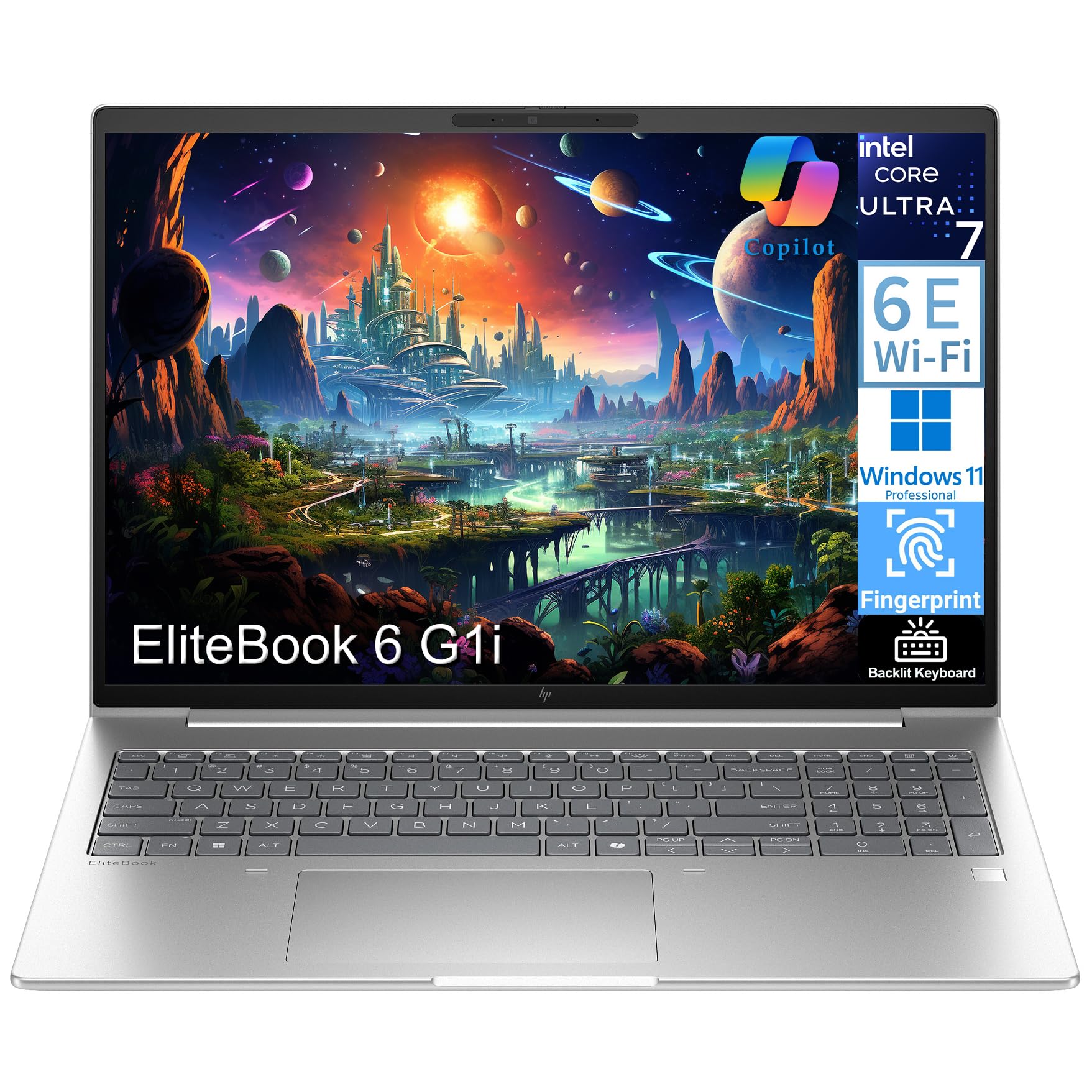
The HP EliteBook 6 G1i is pitched squarely at business users who need a reliable daily driver for document creation, video conferencing, and multitasking. It’s powered by the Intel Core Ultra 7 255U (a 12-core processor with up to 5.20 GHz and 12MB cache), which offers peak responsiveness for demanding accounting tasks and remote work. The inclusion of an Intel AI Boost NPU (a chip dedicated to AI tasks) adds an extra layer of efficiency for supported applications.
This laptop comes “ready to work right from the start” with Windows 11 Pro pre-installed and lifetime access to Office 365 for web. This can be a significant value-add for a small business that doesn’t want to manage separate software licenses. It’s equipped with 32GB DDR5 RAM and a 1TB PCIe SSD for super-fast boot times, and a backlit keyboard with a Fingerprint Reader for secure and comfortable use in any lighting.
Connectivity is comprehensive, with 2x Thunderbolt 4 ports, HDMI 2.1, 2x USB-A, and Ethernet (RJ-45), making it easy to hook up to any office setup. While specific display specs were not detailed, it’s built for daily productivity and remote collaboration, all wrapped in a pale silver chassis. Owners are pleased, with one saying it’s a “Great value” as a replacement for a much older machine, and another calling it an “Awesome!” upgrade for learning and daily tasks.
all-in-one: This suits a professional who values a smooth, secure, and powerful setup without the hassle of configuring software.
note limits: Some users may need time to adjust to the unique layout, as one owner noted the power button is located by the Delete key.
4. ASUS Vivobook S16

The machine with a jaw-dropping screen that makes spreadsheet grids pop.
For the accountant who spends hours staring at dense financial models, the ASUS Vivobook S16 offers the best screen on this list. It features a 16-inch 2.8K WQXGA+ (2880×1800) OLED display with a 120Hz refresh rate and a 600 nits HDR peak brightness. This means incredibly sharp text, vibrant colors, and excellent contrast, making it much easier on the eyes during long, detail-focused work sessions. Owners are impressed, calling the picture “amazing” and the screen “superb.”
Under the hood, it’s a performance beast. It runs on an Intel Core Ultra 9 Processor 285H, which can reach up to 5.4 GHz with 16 cores, so it can chew through any complex calculation or data analysis you throw at it. This is paired with 32GB of LPDDR5X RAM and a 1TB SSD, ensuring top-tier multitasking. While it includes Intel Arc Graphics and is marketed towards creators and designers, its raw power and sturdy specs make it more than capable for demanding accounting, and it even comes with an RGB backlit keyboard with a Num-key for data entry.
Its port selection includes 2x USB 3.2 Gen 1 Type-A, 2x Thunderbolt 4, and HDMI 2.1, so you’re covered for docking and peripherals. It also features Wi-Fi 7 and Bluetooth 5.4 for the latest wireless connectivity. This is a premium, high-value option for professionals who want a top-tier display and performance. While most feedback is stellar, a couple of users found the backlit keyboard characters difficult to read in low light, but overall the value and performance are praised highly.
display standout: This is the pick for number crunchers who demand the crispest text and clearest data visualization, offering an “excellent value for gaming and professional use” according to buyers.
5. Lenovo ThinkPad X1 Carbon Gen 13

The featherweight executive machine that travels from boardroom to client site.
If your work takes you between offices and client meetings, the ThinkPad X1 Carbon Gen 13 is in a class of its own for portability. It is Lenovo’s flagship ultra-premium AI business laptop, weighing just 2.17 lbs. Owners consistently highlight this, with one noting, “I can tell that this is one of the lightest laptops I’ve experienced,” and another simply stating it’s “Really light.” This makes it easy to carry all day without shoulder strain.
Despite its light frame, it’s powerful. It runs on an Intel Core Ultra 7 258V processor (up to 4.8GHz, 8 cores) with a dedicated 47 TOPS NPU (a highly capable AI accelerator), paired with 32GB of fast DDR5 RAM and a 1TB SSD. The 14″ 2.8K (2880×1800) OLED display with 500 nits brightness and 120Hz VRR is stunning, and buyers describe it as “crisp” and “vibrant.” It also supports up to three external monitors without a docking station, so you can replicate a full desktop setup when needed.
It’s built to the MIL-STD-810H military-grade standard for durability, so it can handle the bumps of travel. The keyboard is comfortable, quiet, and has a backlight, making it a joy for long typing sessions. The security features include a fingerprint reader and an IR webcam supporting facial recognition. This premium machine is an “investment” — as one owner put it — but it’s designed for those who demand premium performance and portability in equal measure, with a battery life of up to 15 hours to last through the longest travel days.
mobile exec: This is the ultimate pick for consultants and managers who prioritize a featherlight build, a brilliant display, and a comfortable typing experience above all else.
port note: It has only one USB-A port, so you may need the bundled 7-in-1 Hub (included) to connect all your legacy peripherals.
6. Lenovo V-Series V15

The spreadsheet beast with an unusual 40GB of RAM for heavy multitasking.
Handling a massive 40GB of RAM is the standout feature of the Lenovo V-Series V15. This high-bandwidth memory allows you to smoothly run multiple applications and browser tabs all at once without a hiccup, which is a boon for anyone who keeps 20+ tabs open while running a full accounting suite. Owners praise its speed, noting the OS loads in under 10 seconds, and it handles fast multitasking easily.
It runs on an AMD Ryzen 7 7730U processor (8 cores, 16 threads, up to 4.5 GHz Max Turbo) with AMD Radeon Graphics. This provides more than enough power for the most demanding accounting calculations, data imports, and year-end reporting. It also includes a 1TB PCIe NVMe M.2 Solid State Drive for fast bootup and data transfer. The 15.6″ FHD (1920×1080) display is clear and offers enough workspace for viewing multiple columns of data.
For a business machine, it includes the crucial full-size Numeric Keypad for quick data entry, alongside useful ports like HDMI and RJ45 for a wired network connection, which can be more stable and secure than Wi-Fi in an office environment. With an 8-hour battery life, it’s ready for a full day of work. While the display quality has received some mixed feedback regarding color, the consensus is that it’s an excellent value for the money, described as a “Fantastic home laptop” and a “Nice machine at a good price.”
ram bargain: This is the best pick for power users who juggle enormous datasets and numerous applications, offering near-premium performance at a more accessible price point.
7. HP 255 G10 (Ryzen 7)

A reliable, fast, and well-built workhorse for the everyday accounting professional.
The HP 255 G10 with the AMD Ryzen 7 7730U offers a balance of performance, build quality, and value. This processor (with 8 cores and 16 threads) is a powerhouse for business tasks, and owners describe the laptop as fast, reliable, and well-made. It’s a machine that handles daily accounting work, video calls, and data analysis with ease. The “Quality” and “Performance” of this model are among the most praised aspects by its owners.
It comes well-equipped with 32GB of high-bandwidth RAM to smoothly run multiple applications and browser tabs simultaneously, and a 1TB PCIe M.2 Solid State Drive for fast bootup and data transfer. The 15.6″ diagonal FHD (1920 x 1080) IPS anti-glare, micro-edge display with 250 nits is easy on the eyes for extended use. A valuable feature for accounting is the inclusion of a Numeric Keypad, allowing for rapid and accurate number entry.
Connectivity is solid with Wi-Fi 6, Bluetooth, and a range of ports including 2x USB-A and 1x USB-C, HDMI, and a headphone/mic combo. Running Windows 11 Pro, it provides enterprise-grade security and remote desktop functionality. Buyers are very satisfied, with one noting it’s “Very great laptop for working from home” and another confirming it’s “Reliable, good size and well made” with “No issues in the first 4 months with daily use.”
safe bet: This laptop is perfect for accountants who want a well-rounded, reliable machine with plenty of power for a reasonable price.
keep mind: As with many Windows laptops at this level, battery life tends to drain faster during video playback or more intensive tasks.
8. Lenovo Business Laptop (i5-13420H)
A light and fast 16-inch machine that strikes a perfect size and weight balance.
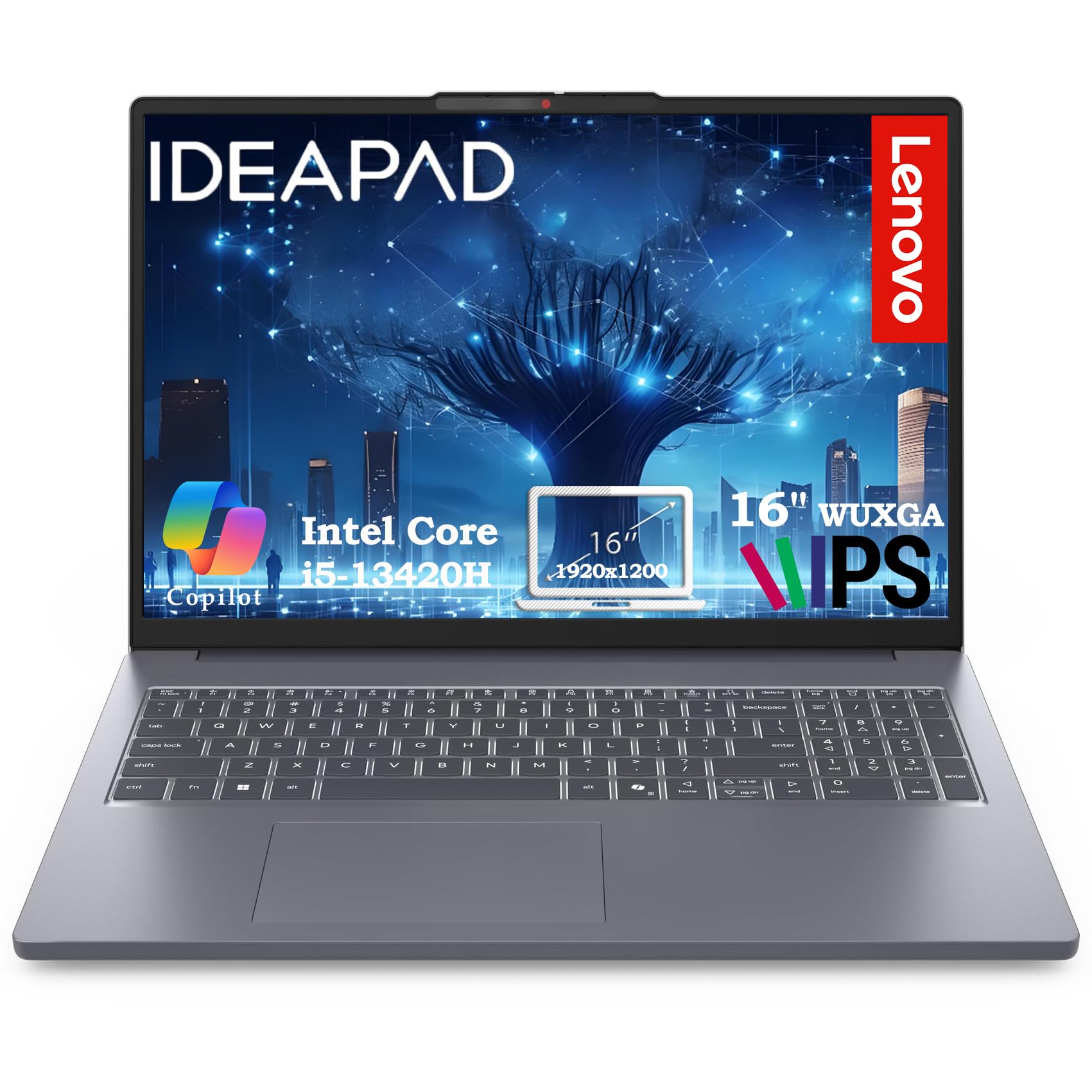
The Lenovo Business Laptop finds a great middle ground, offering a large 16-inch screen in a design that owners say is “very light and very easy to carry anywhere.” This makes it an excellent choice for professionals who want the workspace of a larger display without the usual back-breaking weight. The expansive 16″ WUXGA (1920×1200) IPS anti-glare screen with 300 nits brightness provides more vertical space than standard 1080p. For accountants, this is a real advantage, as it means seeing more rows of your spreadsheet without scrolling.
Performance is driven by the Intel Core i5-13420H, an 8-core high-compute processor that can reach up to 4.6GHz with 12 threads. This “H-series” chip is designed for more demanding tasks, ensuring smooth multitasking for business apps and document-heavy workflows. It comes with 16GB of DDR5 RAM which handles 10+ browser tabs and simultaneous video calls, and a 512GB PCIe SSD that provides sub-10-second boot times. The HD 720p webcam also includes a privacy shutter for security during client calls.
It includes a complete connectivity suite with WiFi 6, Bluetooth 5.2, 2x USB-A, 1x USB-C, HDMI 1.4, and an SD card reader. Owners see this as a fantastic deal, calling it a “Great computer at it’s price point” and “worth the money,” noting its speed, light weight, and great battery life. It’s a strong value pick for those who prioritize screen real estate and portability together.
spreadsheet pick: The taller screen and light chassis make this ideal for users constantly moving between spreadsheets and applications.
minor flaw: A few users find the machine can slow down temporarily when working with more than four heavily loaded windows at once.
9. HP 255 G10 (Ryzen 3)
A budget-friendly model that doesn’t skimp on RAM or performance.
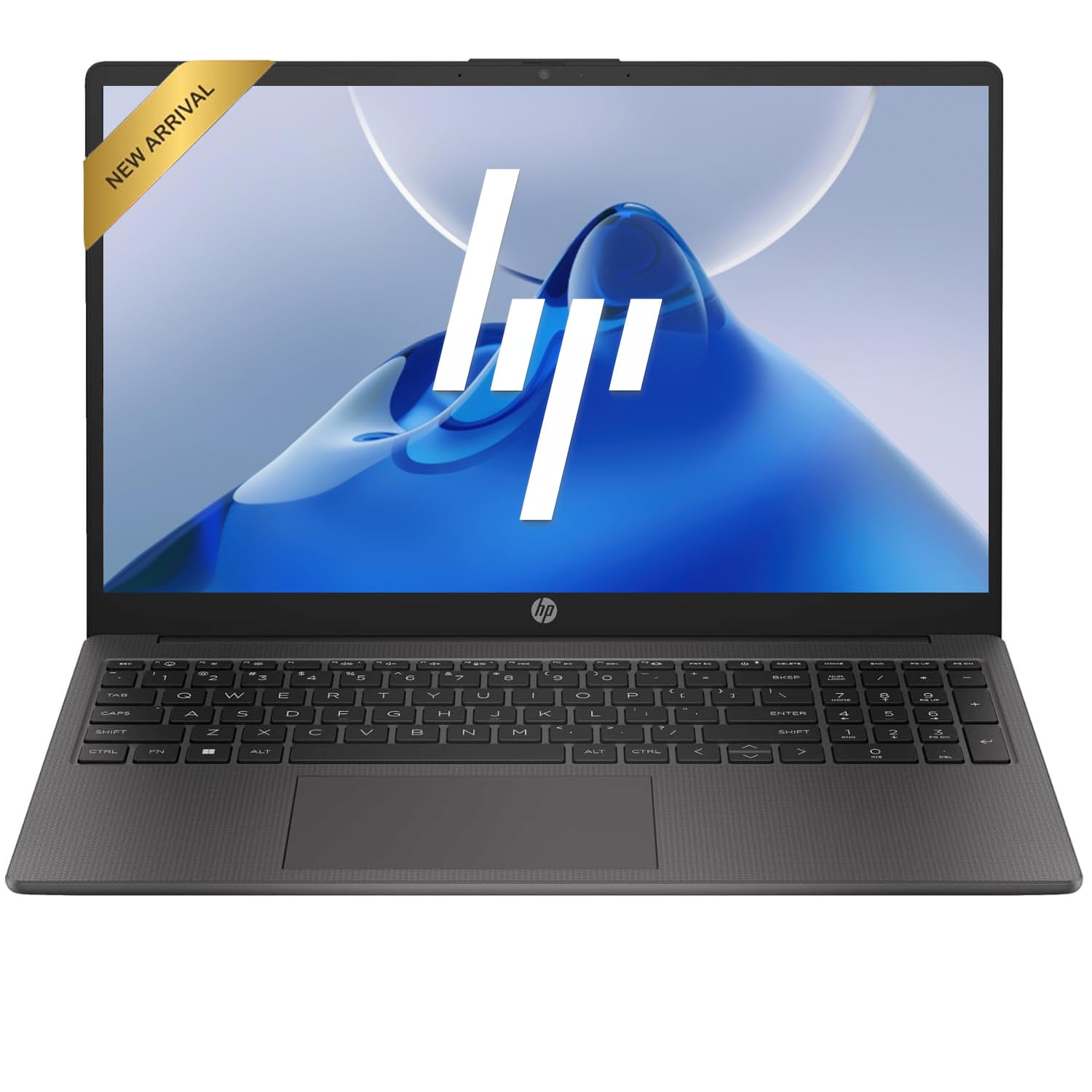
The HP 255 G10 powered by the AMD Ryzen 3 7330U proves you don’t need to spend a fortune to get a capable accounting machine. With a 4-core processor, it offers impressive power efficiency, but the real star here is the 32GB of RAM and 1TB of SSD storage. This large amount of memory allows you to keep your accounting software, spreadsheet, and dozens of browser tabs open simultaneously without the system slowing down, which is a fantastic feature at this price point. Owners say it’s a “fast” machine that “works great.”
The 15.6″ diagonal, FHD (1920 x 1080) IPS anti-glare display provides sharp, clear visuals that are comfortable for long work sessions. This specific model’s display holds a 1920×1080 resolution, while some comparable budget laptops have a 1600×900 screen. For everyday accounting tasks, this resolution is more than sufficient, and the anti-glare finish is a welcome touch for well-lit offices.
It comes with Windows 11 Pro, offering enterprise-grade security and remote desktop functionality. In terms of connectivity, it has 2x Superspeed USB Type-A, 1x Superspeed USB Type-C, HDMI, and Wi-Fi 6, making it ready for a standard office setup. Buyers are happy with the value, noting it handles business tasks and streaming well and praising its “great battery life so far.” It’s a dependable, cost-effective choice for basic bookkeeping and remote work.
entry level: This is the best choice for a new small business, a student, or anyone needing a dependable, fast machine for core accounting tasks without the premium price tag.
note one: The keyboard isn’t backlit, so if you often work in a dark office, this may require an extra desk lamp.
10. Dell Latitude 5520 (Renewed)

A high-performance business-class machine at a renewed, budget-conscious price.
The Dell Latitude 5520 is a way to get premium, business-grade performance without the premium price tag. As a “Renewed” model, it brings an 11th Gen Intel Quad-Core i7-1165G7 processor, which can reach a maximum speed of 4.7 GHz. This delivers excellent processing power for demanding tasks, and because it runs at a higher clock speed, it reaches 4.7 GHz compared to the 4.6 GHz Core i5 in some other machines on this list. Buyers confirm this, saying “The product looks and works great” and “Computer has been great so far, no issues at all!”
It’s a powerful multitasker with 32GB of DDR4 RAM and a fast 1TB NVMe M.2 SSD. This ensures smooth, responsive performance and quick system boot times, making it perfect for running multiple applications simultaneously. The 15.6″ FHD (1920×1080) Non-Touch IPS Display offers crisp, clear visuals. Its business pedigree shines through its sturdy port selection, which includes USB 3.2, 2x USB Type-C/Thunderbolt 4 with Power Delivery and DisplayPort, HDMI, and an RJ45 port for wired networking, which is excellent for office connectivity.
It also comes with Windows 11 Pro for a secure and manageable operating system, and an AC adapter is included. The “Grade A Condition” promise of the renewal process means you get a high-quality machine with cosmetic and functional integrity. While there is some risk inherent in buying refurbished, each unit is sold as Grade A, and the value-for-money is undeniable. It’s an ideal choice for an accountant who needs a high-powered workhorse but prefers to allocate their budget elsewhere.
smart budget: This is for the savvy buyer who wants top-tier business specs and is open to a renewed model to boost the value of their investment.
due diligence: Since it’s a renewed unit, an occasional one might show signs of shipping wear, so it’s worth a careful inspection upon arrival.
11. HP 17.3″ Business Laptop

A huge, easy-to-read screen that’s a standout for aging eyes.
This HP 17.3″ Business Laptop is all about screen real estate and readability. The “extra large screen” is the first thing buyers notice, and it provides a major comfort advantage for those who struggle with smaller displays. As one owner put it, “I really love this laptop it’s so fast the size is great especially for aging eyes.” This makes it a brilliant option for accountants who want to minimize eye strain and see more of their financial documents at once.
The 17.3″ display has a 1600 x 900 high resolution LED screen (250 nits), which is sharp and clear for text and images. While it’s not Full HD, the larger panel means a more comfortable visual experience when browsing web pages or working on documents. It’s powered by a 10-core Intel Core i5 processor with a maximum speed of 4.6 GHz, and comes with an Intel Iris Xe Graphics coprocessor, which is excellent for everyday productivity and even light multimedia tasks.
This model is configured with 16GB RAM and a 512GB SSD, offering smooth performance for standard accounting software and web-based tools. The design is ultra-thin and stylish, making it “convenient and portable for business trips.” It comes with a range of ports including a USB-C, 2x USB-A, and HDMI, and includes a pair of PLUSERA earphones. While the majority of owners are happy, a few have noted performance can be mixed for heavy-duty tasks, and some were surprised by the lack of an Ethernet port.
big-screen lover: This is the pick for users who prioritize a vast, readable display and a wide keyboard for comfortable all-day data entry.
workflow check: If your office relies on a wired Ethernet connection for the network, you’ll need to plan for a USB-to-Ethernet adapter since this model doesn’t include an RJ45 port.
Understanding the Specs
RAM (Memory)
RAM is your laptop’s short-term memory. It holds all the files and programs you have open so the processor can access them instantly. For accounting, 16GB is a decent starting point for light work, but 32GB is the real balance for handling complex spreadsheets, multiple browser tabs, and accounting software simultaneously without slowdowns. The more RAM you have, the more you can do at once, making it among the most critical specs for day-to-day productivity.
Processor (CPU)
The processor is the “brain” that executes instructions. Modern processors from Intel (like the Core Ultra and Core i5/i7 series) and AMD (like the Ryzen 3, 5, and 7 series) are all capable of handling accounting software. The key is to look for a processor with multiple cores (4 or more) that can handle multitasking efficiently. A faster clock speed (measured in GHz) generally means quicker calculations and faster performance, so a speed of 4.0 GHz or higher is desirable.
Storage (SSD)
Storage is where your files and programs live long-term. An SSD (Solid State Drive) is a must-have in a modern laptop. Unlike older hard drives, SSDs have no moving parts, which makes them much faster and more durable. When a spec lists a “512GB SSD” or “1TB NVMe SSD,” it means you’ll get lightning-fast boot times (often under 10 seconds) and instant file access, so you’re never waiting for your machine to catch up with you. 512GB is enough for most, while 1TB provides ample space for large data files.
Display & Numeric Keypad
The display’s resolution determines how sharp and clear the screen is. Full HD (1920×1080) is the standard for crisp text, while higher resolutions like 2.8K (2880×1800) are even sharper. A full-size numeric keypad, the grid of numbers to the right of the keyboard, is a huge convenience for accountants. It allows for fast, one-handed entry of numbers, which can significantly speed up data entry and reduce errors when working in spreadsheets or accounting software.
FAQ
What’s more important for accounting, the processor or the RAM?
How much RAM do I really need in an accounting laptop?
Should I get a touchscreen laptop for accounting?
Is a discrete graphics card needed for accounting software?
Why does my accounting laptop need a numeric keypad?
Is a business laptop worth the extra cost compared to a consumer laptop?
Should I buy a renewed or refurbished business laptop?
How long should a good accounting laptop last?
What is the benefit of Windows 11 Pro over Windows 11 Home for accounting?
Should I look for a specific screen size for accounting work?
What does an “AI PC” or “AI Boost NPU” mean for accounting software?
Final Thoughts: The Verdict
For the majority of shoppers, the accounting laptop winner is the Lenovo ThinkPad E16 Gen 3 because it delivers the perfect combination of durability, security, and raw power for the daily demands of accounting work. If you want a brilliant display for analyzing data with the latest processor, grab the ASUS Vivobook S16. And for the accountant who is always on the move, the incredibly light Lenovo ThinkPad X1 Carbon Gen 13 is the one to reach for.
How We Picked
We do not accept paid placement. Every pick is matched to a real buyer and a real use-case; we do not hands-on test units.
Sources & Methodology
Specifications: manufacturer listings and product documentation. Review insights: verified customer reviews, as of August 2026. Pricing: not shown on this page (it changes often); check the current price via the retailer link.
As an Amazon Associate, Gadgets Feed earns from qualifying purchases. This does not affect which products we feature.