
Choosing a first 3D printer for the home is about trading glossy marketing promises for the reality of what lands on your dining table. You want a machine that prints straight out of the box, not a weekend tinkering project disguised as a “kit.” The real test is how few failed prints it gives you before you actually finish a project.
I’m Rikta — the co-founder and writer behind Gadgets Feed. I break down FDM chassis designs, CoreXY kinematics, and hotend temperature ceilings to help home users separate genuine value from spec-sheet hype. (And Homer 🐱 has claimed the packing foam as his kingdom).
Whether you are an absolute beginner or a weekend maker upgrading from a shaky entry-level unit, the affordable 3d printer for home use market now offers CoreXY speed, auto-leveling, and multi-material options without demanding a second mortgage.
How To Choose The Best Affordable 3D Printer For Home Use
Every home buyer faces the same fork in the road: a fast CoreXY machine that demands less patience or a budget Cartesian bed-slinger that demands more. The right choice depends on your tolerance for calibration and the types of objects you actually want to hold in your hand.
Build Volume vs. Desk Footprint
A 220mm cube handles 90% of household objects — phone cases, cable clips, action figures. If you plan to print helmet-sized props or large lithophanes, look for a 256mm or 270mm build volume. Wider machines take up more desk real estate, so measure your surface before you commit.
Auto-Leveling and First-Layer Confidence
Inductive, strain-gauge, or nozzle-touch sensors all solve the same beginner pain: a warped bed that ruins the first layer. Machines that offer one-click or full-auto leveling save you the manual paper-slip ritual and turn “unbox to print” into a sub-30-minute experience.
Direct Drive vs. Bowden Extruder
For home use, a direct-drive extruder mounted directly above the hotend is a massive quality-of-life win. It eliminates retraction nightmares and lets you print flexible TPU hand-grips without jams. Bowden setups are lighter but introduce stringing and slower filament changes.
Quick Comparison
On smaller screens, swipe sideways to see the full table.
| Model | Category | Best For | Key Spec | Amazon |
|---|---|---|---|---|
| QIDI Q2 | Enclosed CoreXY | Engineering materials & multi-color | 370°C nozzle / 65°C chamber | Amazon |
| Anycubic Kobra S1 Combo | Multi-Color CoreXY | Vibrant 4-color prints out of box | 600mm/s / 20k accel | Amazon |
| Bambu Lab P1S | Enclosed CoreXY | Reliable workhorse with AMS support | 500mm/s / 20k accel | Amazon |
| ELEGOO Centauri Carbon | Enclosed CoreXY | Carbon fiber & high-temp materials | 320°C hardened steel nozzle | Amazon |
| Creality SPARKX i7 | AI-Enhanced FDM | Smart monitoring & multicolor | 260mm³ / 500mm/s | Amazon |
| Creality Ender-3 V3 KE | Open Cartesian | Budget speed with huge community | 300°C direct drive | Amazon |
| FLASHFORGE Adventurer 5M | Compact CoreXY | Small-footprint fast printing | 600mm/s / 20k accel | Amazon |
| Bambu Lab A1 mini | Compact Cartesian | First printer for complete beginners | ≥48 dB quiet operation | Amazon |
| Entina Tina2 Plus | Compact Cartesian | Kids & classroom STEM | 250mm/s / 40s heat nozzle | Amazon |
In‑Depth Reviews
1. QIDI Q2 3D Printer

The QIDI Q2 is the most versatile enclosed printer in this tier, pairing a 65°C active heated chamber with a 370°C all-metal hotend. That combination lets you print ABS without warping and high-temp engineering filaments like Polycarbonate or Nylon-CF that cheaper open-frame machines cannot touch. The CoreXY structure hits 600mm/s with a rigid 1.5GT belt that minimizes vibration artifacts for remarkably smooth sidewalls.
Setup takes under 20 minutes thanks to nozzle-touch auto-leveling that reads the bed surface directly for first-layer accuracy. The triple-filtration system (G3 pre-filter, H12 HEPA, activated carbon) makes indoor use safer, and the 1080p built-in camera with spaghetti detection offers real-time remote monitoring. The QIDI BOX add-on unlocks up to 16 color swaps with dry-while-print technology that prevents moisture absorption mid-project.
Customer reports highlight excellent support response times and a silent fan profile that stays quieter than the Q1 Pro. The main trade-off is the AI detection being occasionally trigger-happy on false positives, but the reliable extrusion, 270mm³ build volume, and bombproof metal chassis make this the strongest value proposition for a home user who wants to grow into advanced materials without buying a second printer.
Why it’s great
- Active 65°C chamber eliminates ABS/ASA warping
- Nozzle-touch auto-leveling delivers flawless first layers every time
- Triple HEPA/charcoal filtration for safe indoor operation
Good to know
- AI spaghetti detection can trigger false pauses
- QIDI BOX multi-color add-on sold separately
2. Anycubic Kobra S1 Combo

The Kobra S1 Combo arrives with a fully integrated 4-color ACE PRO system that handles filament drying and multi-material switching out of the box — no separate AMS purchase required. The dual PTC heating module plus 360° hot air circulation actively dries filaments inside the unit, a feature usually reserved for much pricier setups. Combined with 600mm/s CoreXY motion and 20,000 mm/s² acceleration, it turns multi-color prints from a weekend project into a same-day reality.
Anycubic’s Kobra OS applies flow compensation to reduce blobbing at color transitions, producing cleaner layer lines than earlier Kobra generations. The Anycubic App supports one-click printing from your phone, and multi-plate parsing handles complex files without crashing the slicer. The full metal enclosure keeps noise manageable and supports ABS/PETG without draft issues.
Early units had clogs and sensor failures, but recent production runs fixed the hotend design with metal tabs and removed the internal PTFE tube. Current owners report 500+ hours of reliable operation on PETG and PLA, with the ACE dryer being a game-changer for PETG hygroscopic behavior. The trade-off is that filament changes are slower than Bambu’s AMS, and the ACE struggles with cardboard spools without adapters.
Why it’s great
- Included 4-color ACE PRO with active filament drying
- Reliable CoreXY at 600mm/s with flow compensation
- Fully enclosed for draft-free ABS prints
Good to know
- Ace struggles with cardboard spools without adapters
- Filament color changes are slower than some competitors
3. Bambu Lab P1S 3D Printer

The P1S is the gold standard for a home user who wants a printer that simply works with zero maintenance ritual. The fully enclosed CoreXY frame delivers 500mm/s printing with 20,000 mm/s² acceleration while staying quiet enough to share a room. Auto bed leveling happens in under two minutes, and the dual-gear direct drive extruder feeds PLA, PETG, ABS, and TPU with reliable traction. The 260mm³ build volume accommodates most hobby projects comfortably.
Bambu Studio software streamlines the entire workflow from slicing to print monitoring, and the Bambu Handy app gives you remote camera access and stop/start control from your phone. The optional AMS add-on enables up to 16 colors by chaining multiple units, making complex multi-material prints as simple as selecting a file. Customer reviews consistently praise the out-of-box experience — assembly takes under 30 minutes and the first print lands with near-zero layer lines.
The P1S is less forgiving than a QIDI Q2 when printing abrasive carbon-fiber filaments because the standard nozzle is brass, but upgrading to a hardened steel nozzle solves that. It also lacks an active heated chamber, so high-temp ABS prints benefit from closing the door and lid to trap ambient heat. For the home user who values reliability above all else, the P1S is the closest thing to an appliance-grade 3D printer at this price point.
Why it’s great
- Reliable out-of-box with minimal tinkering required
- Extensive Bambu ecosystem with seamless app control
- Quiet enclosed operation suitable for home offices
Good to know
- No active chamber heating for demanding materials
- AMS multi-color system sold separately
4. ELEGOO Centauri Carbon 3D Printer

ELEGOO entered the CoreXY race with the Centauri Carbon, and it lands as a serious contender for home users who want carbon-fiber composite printing without jumping to the QIDI Q2’s price tier. The integrated die-cast aluminum frame minimizes high-speed vibrations, and the 320°C brass-hardened steel nozzle handles abrasive filaments like PLA-CF and PETG-CF without replacing the hotend. The 256mm³ build volume is one of the largest in the mid-range cohort, and the dual-sided PEI plate includes a PLA-specific surface that reduces warping even at lower bed temperatures.
Auto calibration, vibration compensation, and pressure advance are all handled before the first layer goes down. A built-in chamber camera with dual LED lighting supports time-lapse capture and remote monitoring via the ElegooSlicer Wi-Fi interface. Early adopters report printing a Benchy in 18 minutes with smooth layers that require minimal post-processing.
The main reliability concern comes from a small percentage of units that experience hotend communication failures within the first week due to cable connector design. ELEGOO’s tech support replaces these units, and firmware updates have been rolling out. For the home user who prioritizes material versatility — especially carbon-fiber composites — over the absolute quietest operation, the Centauri Carbon offers specs that punch well above its price placement.
Why it’s great
- 320°C hardened nozzle for carbon/glass-fiber filaments
- Large 256mm³ build volume in a compact enclosure
- Dual-sided PEI plate with PLA-specific surface
Good to know
- Early units had hotend communication cable issues
- Vibration feet do not fully dampen high-speed shakes
5. Creality SPARKX i7 3D Printer
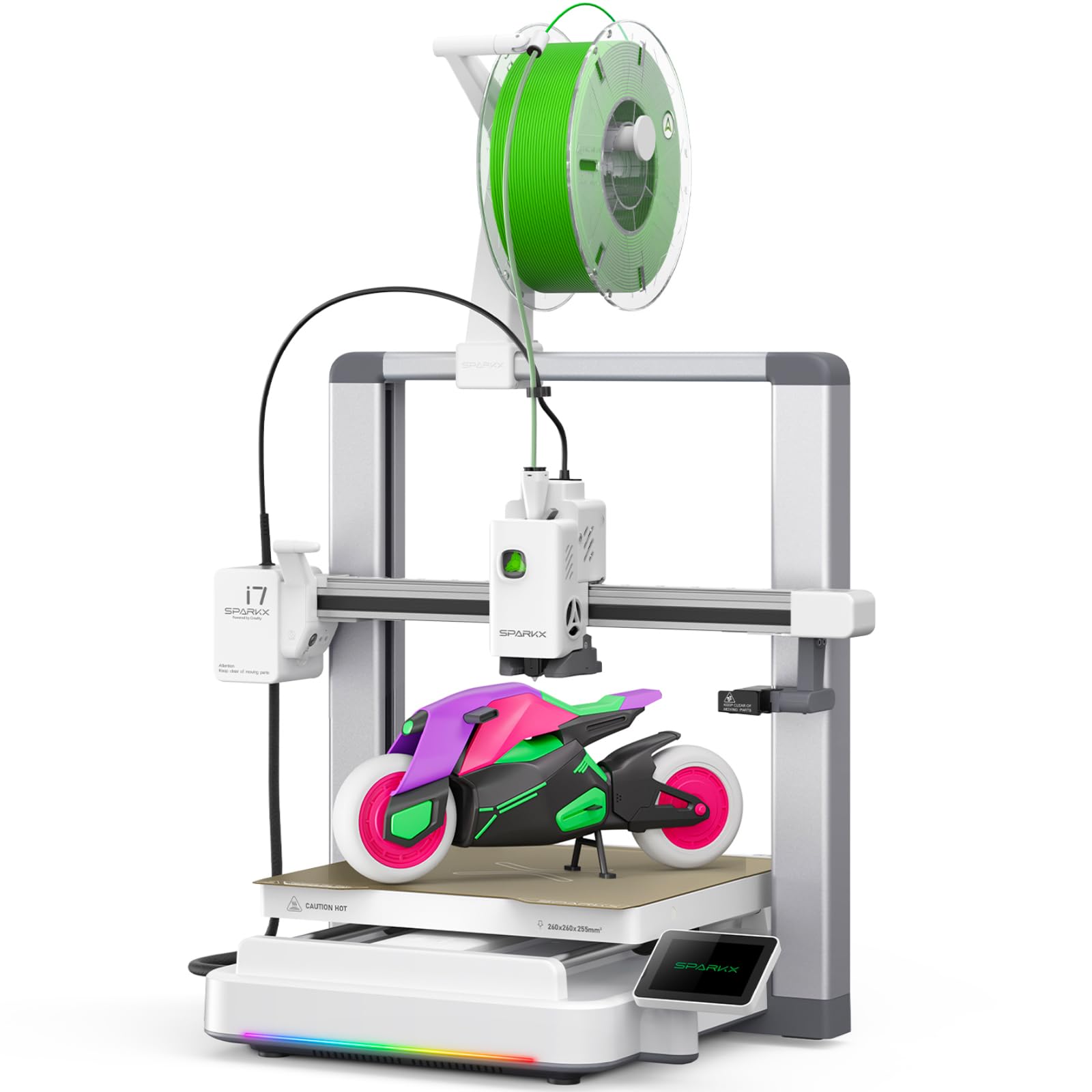
The SPARKX i7 is Creality’s most beginner-friendly machine yet, bundling AI-powered monitoring with a fully automatic pre-print workflow that handles bed leveling, nozzle Z-offset, and input shaping before you touch a setting. The CubeMe AI feature converts 2D portraits into 3D models on the fly — a party trick that becomes genuinely useful for personalized gifts. Its 260mm³ build volume is generous for a machine in this segment, and the multi-color CFS system cuts purge waste by 50% compared to earlier Creality palette systems.
The onboard AI camera actively watches for spaghetti failures and filament tangling, sending push alerts to your phone. The dynamic RGB light bar doubles as a print-status indicator and can be programmed to match your desk aesthetic. Night Mode drops fan and motor noise to whisper levels for uninterrupted sleep, and the enclosed frame keeps temperatures stable for ABS without requiring a separate enclosure purchase.
Some units arrive with a top panel that causes extruder cable noise at the edges of the build area, solvable with a riser or cable guide. The slicer UI also needs refinement for cleaner print profiles. But for a home user who values a “set it and forget it” experience with smart alerts and multi-color potential, the SPARKX i7 is the most thoughtful entry in the Creality lineup at this price point.
Why it’s great
- AI camera detects spaghetti failures and filament tangles
- CubeMe AI creates 3D models from portrait photos
- Night Mode allows near-silent overnight printing
Good to know
- Top panel can cause extruder cable noise at edges
- Slicer UI and print profiles still need refinement
6. Creality Ender-3 V3 KE 3D Printer

The Ender-3 V3 KE is the printer that finally makes the Ender line worth recommending without a long list of caveats. The Sprite direct-drive extruder with a 60W ceramic heater handles 300°C printing for PLA, PETG, ABS, TPU, and ASA without jamming, and the CR Touch auto-leveling sensor measures multiple platform points for a reliable first layer. The 500mm/s speed with 8,000 mm/s² acceleration cuts print times in half compared to the classic Ender-3.
The all-metal X-axis carriage with ball bearings delivers smoother motion than previous V2 and Neo generations, and the dual-fan cooling system keeps complex overhangs crisp. The 10-minute assembly time is genuinely fast — the gantry comes pre-assembled and you only need to attach the base and screen. Support from the massive Creality community means hundreds of custom profiles and mods are available on Reddit and Printables.
Not every unit passes quality control — some arrive with the gantry not square to the bed, which ruins tall prints over 30mm. The stock fans are also loud enough to be annoying in a shared room. For the home user comfortable with basic adjustments and willing to swap in a PEI plate and silent board over time, the V3 KE remains the most capable open-frame budget machine with the largest aftermarket ecosystem.
Why it’s great
- Huge community with endless modding and profile support
- Sprite direct drive handles flexible TPU easily
- Fast 10-minute assembly with pre-built gantry
Good to know
- Stock fans are loud — silent board upgrade recommended
- Gantry alignment issues reported on some units
7. FLASHFORGE Adventurer 5M 3D Printer

The Adventurer 5M packs a CoreXY motion system into one of the smallest desk footprints in this roundup — 14.3 inches deep and just over 15 inches wide — while still delivering 600mm/s peak speeds and 20,000 mm/s² acceleration. The full-auto one-click leveling uses a strain-gauge sensor to measure 16 bed points, and the 50W ceramic heater brings the 280°C nozzle from cold to 200°C in 35 seconds. The quick-detachable nozzle design makes hotend swaps a 10-second tool-less operation.
The filament run-out sensor and power-loss recovery add a layer of reassurance for long overnight prints, and the dual-sided PEI steel plate sticks PLA, PETG, and TPU reliably without glue sticks. The vibration compensation algorithm effectively eliminates ghosting at high speeds, producing clean corners even on benchy hulls. Customers who moved from bed-slinger designs consistently praise the stable XY motion and intuitive Orca Slicer integration.
The 220mm³ build volume limits large projects like helmet halves or full-size brackets. Early production runs experienced firmware freeze issues during Wi-Fi printing and a dark work area that makes nozzle cleaning harder to see. For the home user with limited desk space who wants CoreXY speed without paying for an enclosure, the Adventurer 5M delivers disproportionately fast prints from a genuinely small package.
Why it’s great
- CoreXY speed in a truly compact desk footprint
- Tool-less hotend swap in under 10 seconds
- Orca Slicer integration for optimized print profiles
Good to know
- 220mm³ build volume limits large projects
- Firmware freezes reported during Wi-Fi printing
8. Bambu Lab A1 mini 3D Printer + LED Lamp Kit
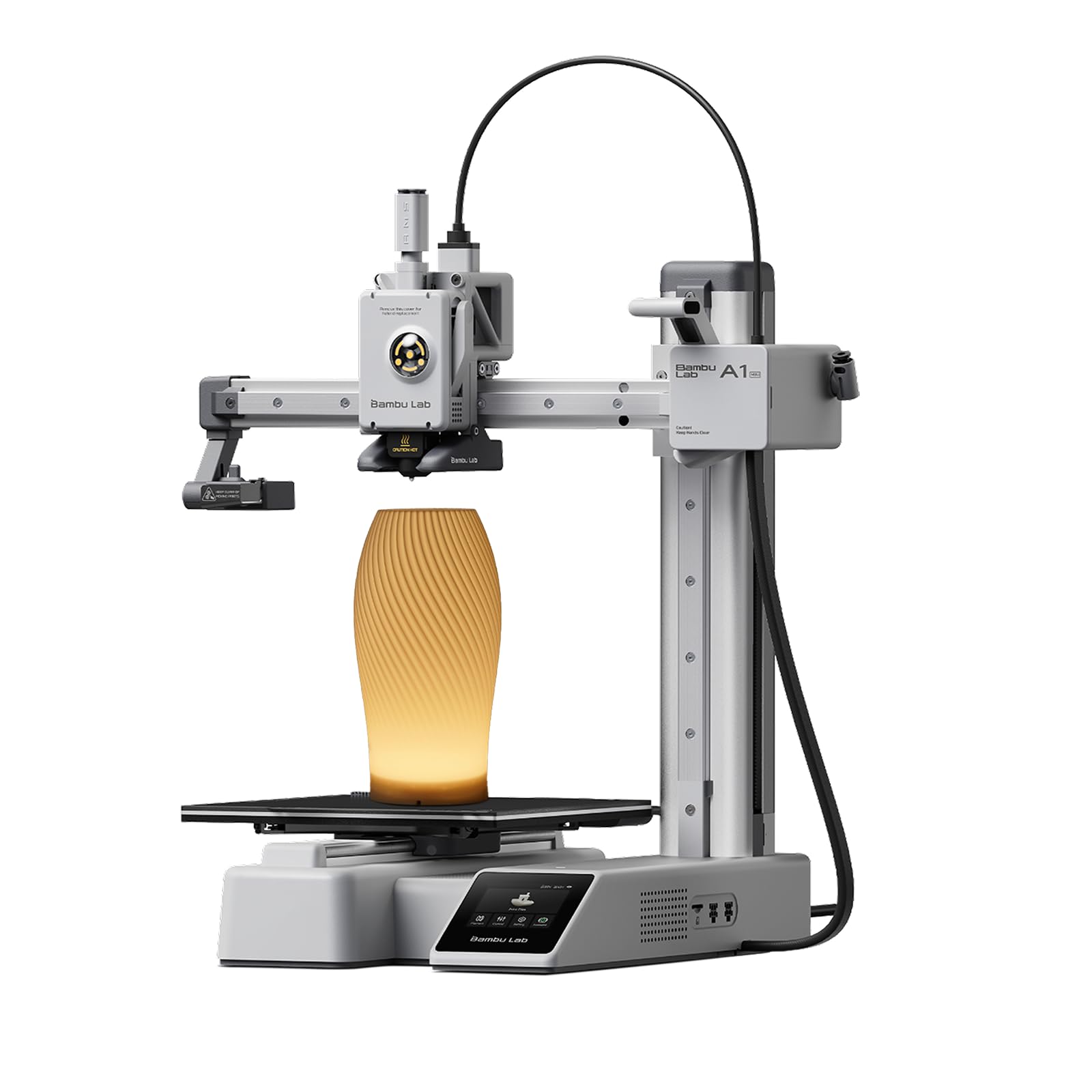
Bambu Lab’s A1 mini achieves what most budget printers cannot: a genuinely out-of-box experience where the hardest decision is which STL file to print first. The full-auto calibration routine handles bed leveling, nozzle offset, input shaping, and active flow rate compensation without any user intervention. The included LED Lamp Kit turns printed lamp models into functional desk lights, giving first-time users a immediately satisfying project that showcases the machine’s layer precision.
The A1 mini operates at ≤48 dB during printing, quieter than a typical refrigerator hum, making it the best choice for shared rooms or open-plan living spaces. The Bambu Handy app gives you access to MakerWorld’s library of ready-to-print models with one-tap send to the printer, and multi-device control (phone, iPad, laptop) means no dedicated PC is required. The 180mm³ build volume is small, but it handles the vast majority of toys, coasters, cable organizers, and giftable trinkets.
There is a small failure rate with defective hotends — some units arrive with a melted rubber heat cover or temperature malfunction on the first print. Bambu’s customer support addresses these with replacements, but it is a frustrating introduction for beginners. For the home user who prioritizes a silent, frictionless first experience over build volume, the A1 mini is the least intimidating entry point into FDM printing.
Why it’s great
- Ultra-quiet ≤48 dB operation for shared spaces
- True out-of-box experience with zero calibration needed
- Included LED Lamp Kit for an immediate first project
Good to know
- Small 180mm³ build volume limits larger objects
- Some early units arrived with defective hotends
9. Entina Tina2 Plus 3D Printer
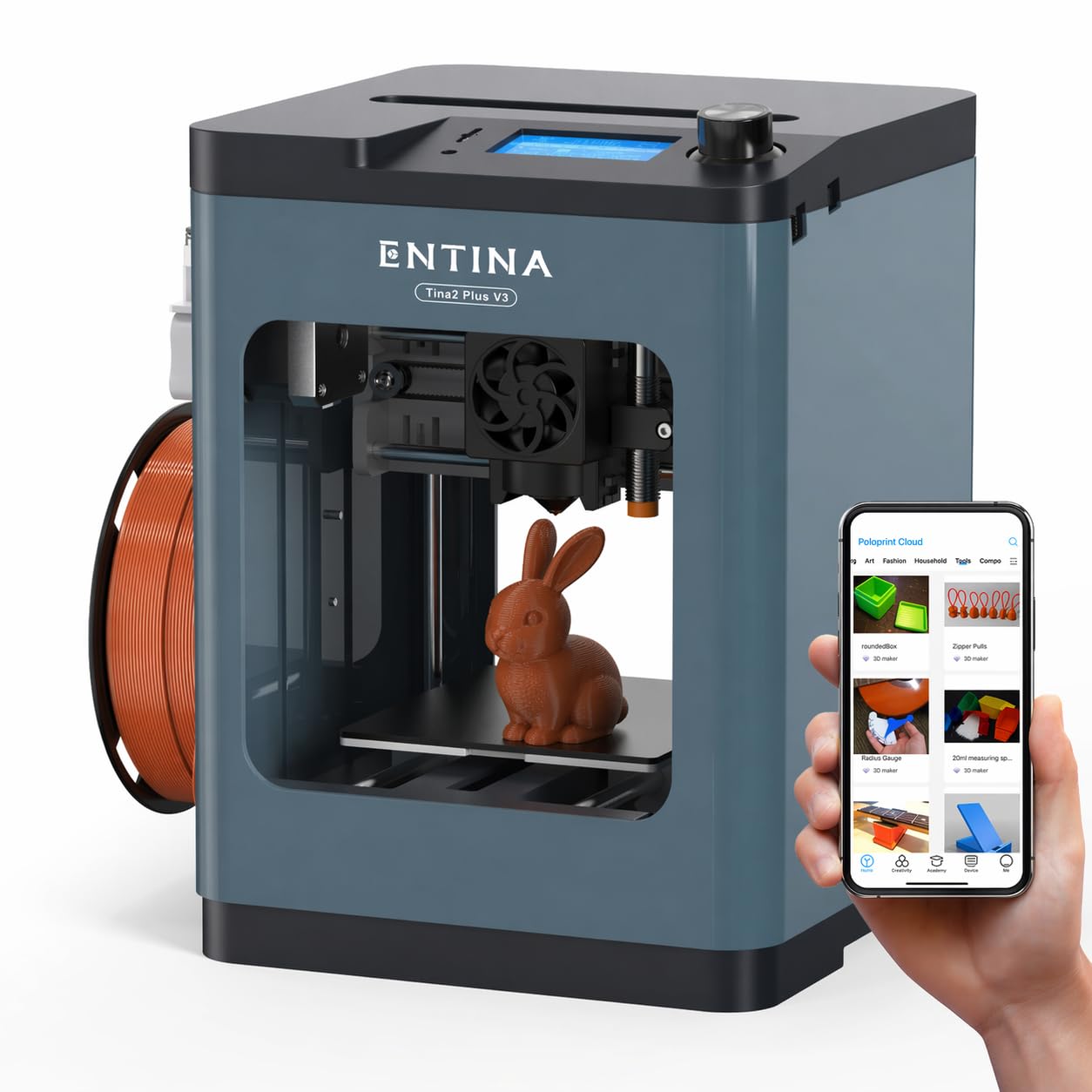
The Tina2 Plus targets a very specific home niche: the parent who wants a printer for their child that is safe enough to use with supervision and simple enough that a 10-year-old can operate it without frustration. It arrives fully assembled with preloaded models on the included TF card, so the first print happens in minutes without any calibration. The partially enclosed frame keeps hot components and moving belts behind a buffer that reduces accidental contact, earning its place in classrooms and kids’ bedrooms.
The Poloprint Cloud app unlocks a library of 1,500+ STEM models and supports WiFi slicing and mobile control, so no laptop is needed. The 250mm/s print speed is modest compared to the CoreXY machines in this list, but the 40-second heat-up ceramic hotend minimizes downtime for small projects. The dual Z-axis and auto-leveling system keep first-layer adhesion reliable for the most common beginner mistakes — printing too fast or forgetting to clean the PEI plate.
The 110mm³ build volume is genuinely small, limiting projects to miniatures, chess pieces, and phone stands. For the home user who wants to introduce 3D printing to a young maker without risking frustration, the Tina2 Plus trades speed and size for safety and simplicity — and for that specific buyer, it is the right tool.
Why it’s great
- Partially enclosed frame is safer for supervised kids
- Pre-loaded models for instant first print
- App-based control removes need for a PC
Good to know
- Very small 110mm³ build volume limits projects
- Modest speed compared to CoreXY alternatives
FAQ
What build volume do I actually need for home projects?
Should I get an enclosed or open-frame printer for my home?
Final Thoughts: The Verdict
For most users, the affordable 3d printer for home use winner is the QIDI Q2 because its active 65°C chamber and 370°C hotend let you grow from PLA toys to engineering-grade Nylon-CF without buying a second machine. If you want multi-color printing straight out of the box, grab the Anycubic Kobra S1 Combo. And for complete beginners who value silence and simplicity above all, nothing beats the Bambu Lab A1 mini.