
Our readers keep the lights on and my morning glass full of iced black tea. As an Amazon Associate, I earn from qualifying purchases.
Specs are compiled from manufacturer listings and verified buyer reviews and can change over time — please confirm the key details on the product page before buying.
Staring at one laptop screen while juggling a spreadsheet, a video call, and a chat window is a daily grind. A second monitor for your laptop ends the tab-switching shuffle and gives your eyes a break. This guide sorts through the best portable and desktop options to help you find the one that fits your bag and your workflow.
I’m Min — the founder and writer behind Gadgets Feed. This guide is built by comparing the manufacturers’ published specifications and the patterns across verified customer reviews, so you get each pick’s real strengths and trade-offs instead of marketing spin.
Think about where you’ll actually use it: if you’re always on the move, you’ll want a panel that powers up over a single USB-C cable, but if it stays on a desk, you can prioritize sharper resolution and richer color. The best 2nd monitor for laptop for you depends on matching the screen size, ports, and panel technology to your daily routine.
Our Picks at a Glance
How To Choose The Best 2nd Monitor For Laptop
Pick your panel style first. If you travel often, a portable monitor that slips into a backpack is your match. If the screen stays on a desk, a larger stationary display might serve you better. The choices below revolve around this one decision.
Check the Ports on Your Laptop
Modern portable screens run on a single USB-C connection that carries both video and power. That clean setup only works if your laptop’s USB-C port supports DisplayPort Alt Mode. If it doesn’t, you’ll need a USB-A adapter and a driver, which adds complexity to the plug-and-play promise.
Quick Comparison
| Model | Best For | Size | Resolution | Connectivity | Amazon |
|---|---|---|---|---|---|
| ASUS ZenScreen MB16ACV★ Best Overall | Best Value | 15.6-inch | 1920 x 1080 | USB-C | Amazon |
| Blackview DCM8 ProBest Triple-Screen Travel | Best Triple-Screen Travel | 15.6-inch | 1920 x 1200 | USB-C | Amazon |
| Lenovo ThinkVision M14t Gen2Editor’s Choice | Editor’s Choice | 14-inch | 2240 x 1400 | USB-C | Amazon |
| ViewSonic VX1655-4K-OLED | Best Display Quality | 15.6-inch | 3840 x 2160 | USB-C, Mini HDMI | Amazon |
| Redalf Laptop Screen Extender | Best Multi-Screen Setup | 15.6-inch | 1920 x 1080 | HDMI, USB-C | Amazon |
| Acer PM191Q | Best for Gaming | 18.5-inch | 1920 x 1080 | HDMI, 2x USB-C | Amazon |
| ARZOPA A1M | Best Large Portable | 17.3-inch | 1920 x 1080 | HDMI, USB-C | Amazon |
| InnoView Portable Monitor | Best 2K Resolution | 15.6-inch | 2560 x 1440 | HDMI, USB-C | Amazon |
| Lenovo L15 | Best for ThinkPad Owners | 15.6-inch | 1920 x 1080 | USB-C | Amazon |
| ASUS ZenScreen MB169CK | Best Budget Pick | 15.6-inch | 1920 x 1080 | Mini HDMI, USB-C | Amazon |
| ViewSonic VA1653 | Best Entry Level | 15.6-inch | 1920 x 1080 | Mini HDMI, USB-C | Amazon |
In‑Depth Reviews
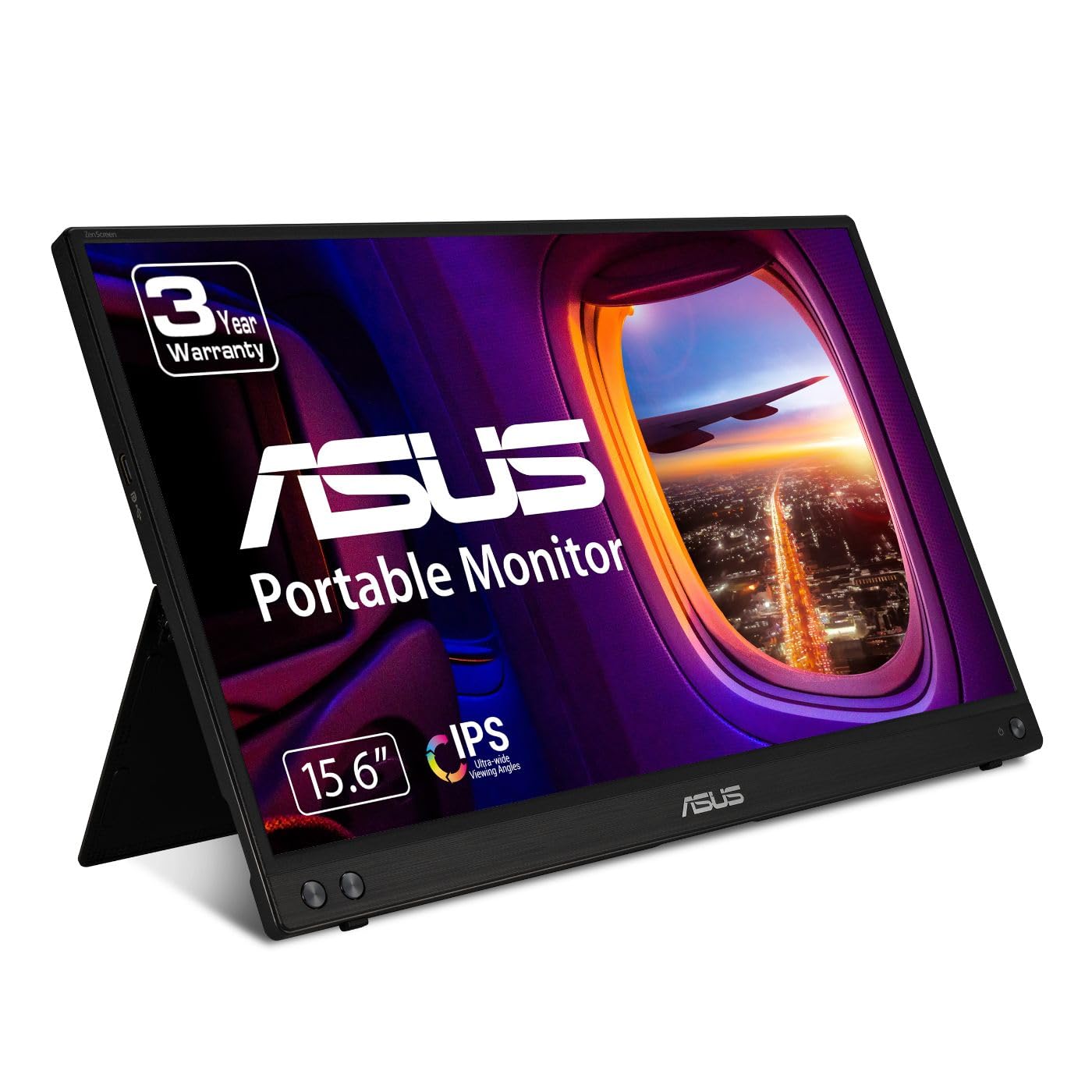
1. ASUS ZenScreen MB16ACV
Our pick — 4.5★ from 950+ verified ratings; the strongest balance of quality and price.
The featherweight 1080p panel that makes a single USB-C cord your entire desk setup
Owners call this ASUS the dream display for minimalists, and the review pages bear that out — the thing everyone raves about is the build quality. At just a few pounds, it’s light enough to forget it’s in your bag, yet it runs completely off one USB-C cable for both power and video. No wall wart, no separate adapter, just plug in and extend your desktop for a 1920 x 1080 view.
Picture quality earns strong praise too, with bright, clear text and an anti-glare IPS finish that cuts reflections. Just don’t expect OLED magic — as buyers report: “do not expect a crisp picture. The picture is clear, but not 4k clear.” For spreadsheets, email, and coding, it’s more than sharp enough. The kickstand props it up in portrait or landscape, and a protective sleeve comes included.
Setup is mostly plug-and-play, though Windows owners may need a driver for full extended-screen mode. What wins people over is that a laptop with a plain USB-A port can also power it, thanks to the included USB-C to A cable. The recurring gripe is the kickstand — an occasional unit arrives with the stand breaking within a month, so treat the hinge gently.
featherlight USB-C display
- Single USB-C cable delivers power and video
- Ultra-slim and lightweight for travel
- Anti-glare IPS screen with Flicker-Free and Low Blue Light
no touch, dim panel
- Picture is clear but not 4K sharp
- Kickstand durability has drawn mixed reports
- Windows may require a driver for extended mode
portable productivity: you want the simplest, most portable way to add a second screen for productivity on the road.
bright outdoor use: you need 4K sharpness or a rock-solid stand for heavy daily folding.
2. Blackview DCM8 Pro
A triple-screen workstation that fits in a bag at just 2.2 pounds
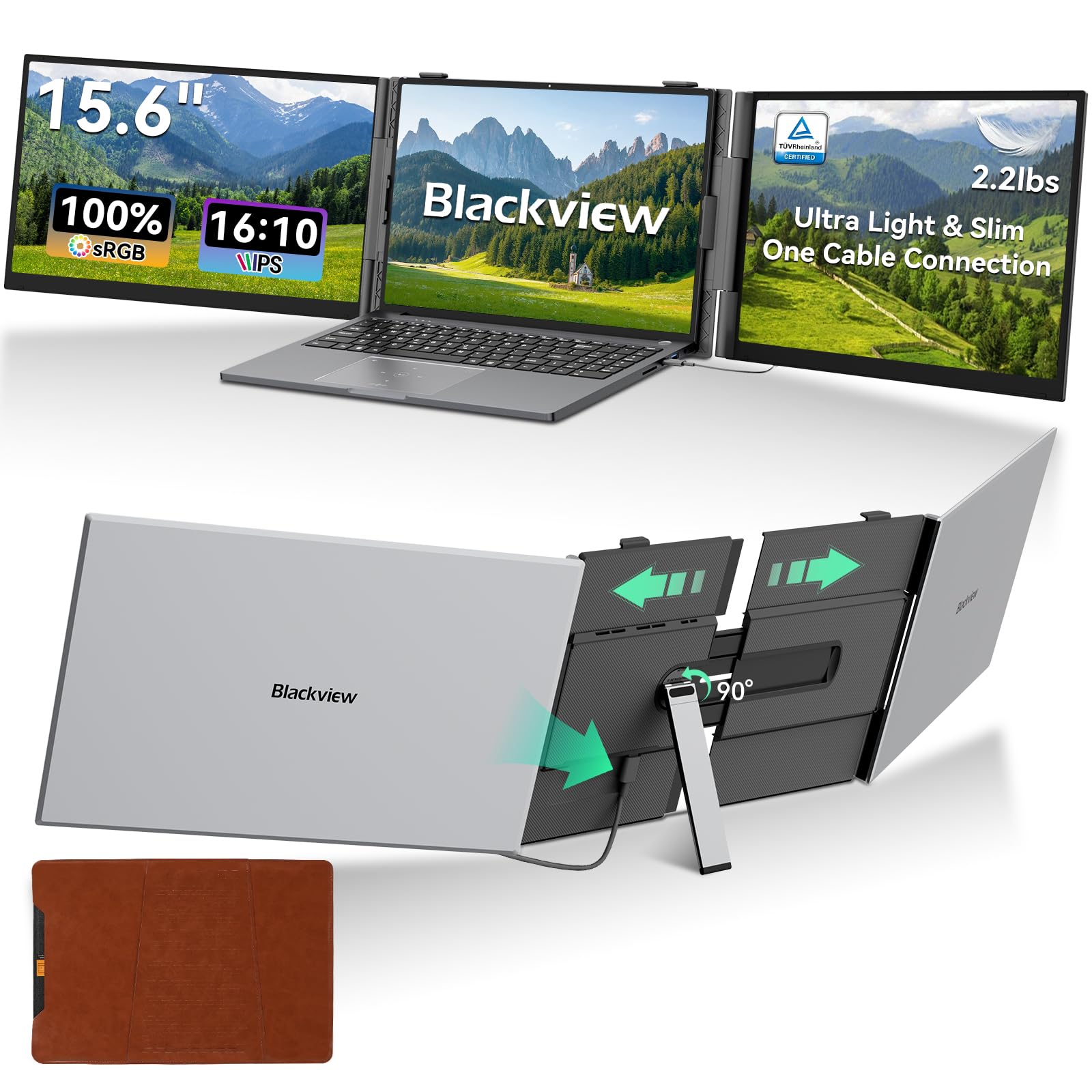
This is the extender for the coffee-shop professional. It clips onto your laptop lid to give you two extra 15.6-inch screens, yet the whole unit weighs only 2.2 lbs and measures a slim 0.17 inches. The defining feature is the single USB-C to USB-C cable that powers both displays and carries the video signal, killing the tangle of cords most multi-screen setups demand.
Color fidelity is strong with a 100% sRGB gamut, and the 1920 x 1200 resolution in a 16:10 ratio gives you a bit more vertical space for documents. The IPS panel stays vivid at 300 cd brightness, and built-in speakers mean you can leave your laptop’s tinny audio behind. It’s TÜV Rheinland and TÜV SÜD certified for flicker-free, low-blue-light viewing, so long coding or trading sessions are easier on your eyes.
Compatibility covers Mac, Windows, ChromeOS, and Switch, with a quick one-minute driver install clearing up any missing-driver issues. The aspect ratio and high resolution are what owners praise most — the portability is the standout, with multiple people noting coworkers asked for the product link after seeing it in action. It handles 14-inch to 17.3-inch laptops, and the premium aluminum alloy finish looks at home in a boardroom.
tough travel work: the road warrior who lives out of a backpack and needs three screens at every coffee shop.
color-critical tasks: at 2.2 lbs with two panels, it’s a premium investment, and the 16:10 ratio may not match every laptop’s native resolution perfectly.
3. Lenovo ThinkVision M14t Gen2
An engineering marvel with a sharper-than-HD resolution that towers above typical portable displays
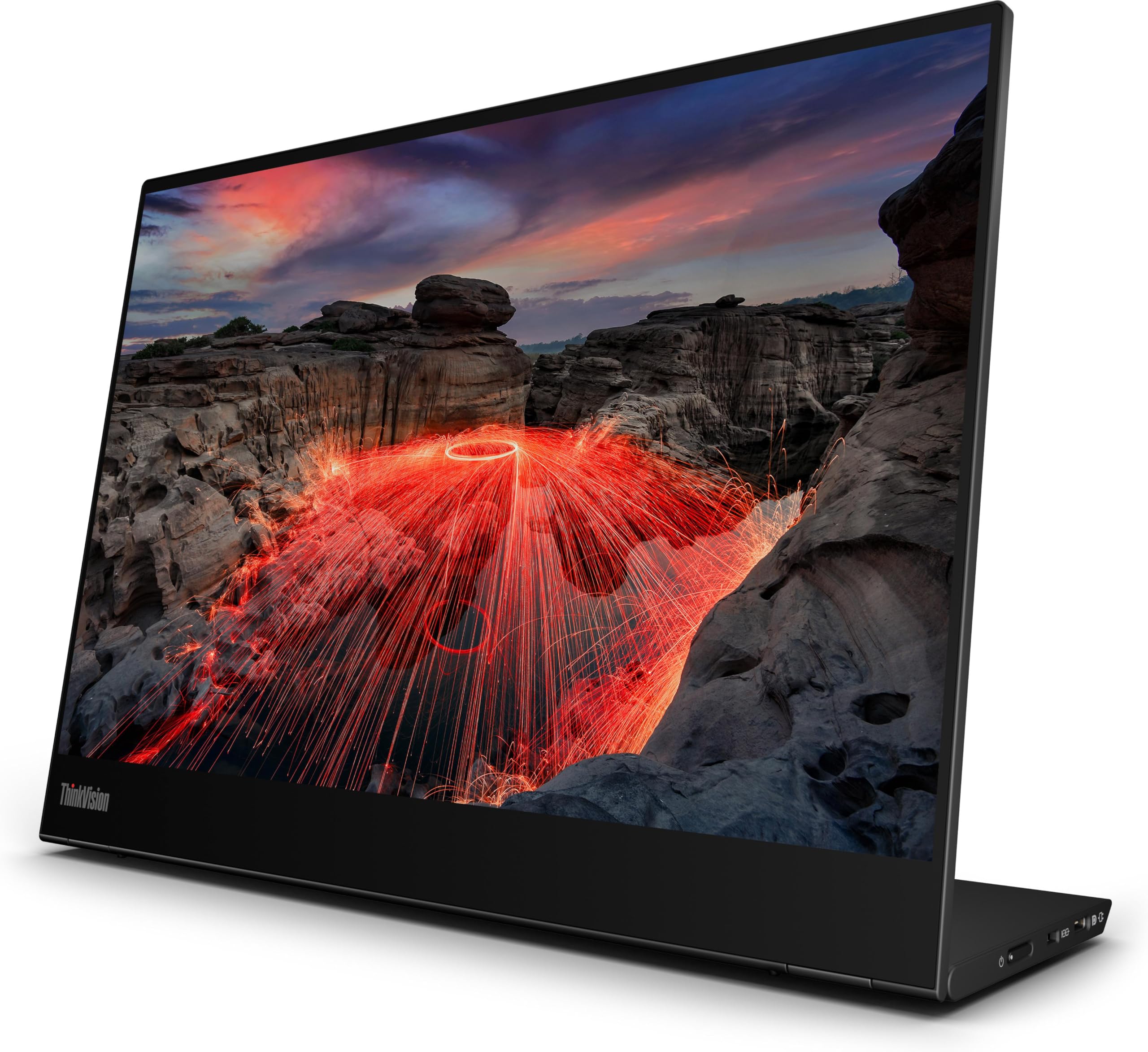
Lenovo’s ThinkVision M14t Gen2 is the pick for the discerning traveler who wants more than standard Full HD. Its 14-inch IPS panel pushes a 2240 x 1400 resolution with a 16:10 aspect ratio, giving you noticeably crisper text and a taller workspace than a 1080p screen. Owners unanimously say the pixels are so sharp that the display clarity beats their laptop’s own screen.
Super thin and lightweight, this monitor powers entirely from your laptop’s USB-C port, so it turns on the instant you plug it in. The build quality is what wins people over, with one owner calling it “an engineering marvel” that packs no compromise in color intensity or sharpness. A protective case is included, and it fits neatly in a travel backpack for client visits or remote-work days.
The 270 cd/m2 brightness with a 1500:1 contrast ratio delivers solid blacks and good color accuracy. It’s the closest competitor to Dell’s premium portable units in weight and quality, as owners note. The trade-off is the premium price — this is an investment for professionals who spend hours in front of a second screen and want zero compromise.
creative annotation: you’re a mobile professional who values sharp text and perfect color over saving a few dollars.
ultralight packing: high resolution means a higher price, and the 14-inch size is smaller than the 15.6-inch standard for the same money.
4. ViewSonic VX1655-4K-OLED

OLED black levels and 4K detail in a 1.5 lb frame that redefines the portable display
This is the screen you buy when image quality is non-negotiable. The 15.6-inch OLED panel delivers a stunning 3840 x 2160 UHD resolution with an 80,000,000:1 contrast ratio — that’s the spec that makes blacks look truly black and colors pop. Owners consistently say the display beats even a MacBook Pro 16-inch screen, the highest compliment in this category.
The 0.05ms response time makes motion blur a non-issue., and HDR500 support brings out detail in movies and games. It’s also a dock in disguise: the USB-C connection handles data, video, and 60W charging for your laptop over a single cable, cutting clutter. At just 1.5 lbs and 0.6 inches thick, it slips into a backpack pocket, and the smart cover doubles as a stand in portrait or landscape.
Connectivity is the one area with mixed feedback — HDMI performance is flawless for most, but some owners hit flaky USB-C connections that need a specific cable. The built-in speakers are weak, so you’ll want headphones via the 3.5mm jack. The image quality is so good that some owners considered buying two., but the power brick is bulky and the mini-HDMI port feels delicate. It’s the crowd favorite for image quality, with 4.4 stars across 175 owners.
HDR media viewing: photo editors, video editors, and anyone who judges their work by what’s on screen.
tight budgets: you’re on a budget — this is the premium pick, and you’ll want a reliable better-quality USB-C cable.
5. Redalf Laptop Screen Extender
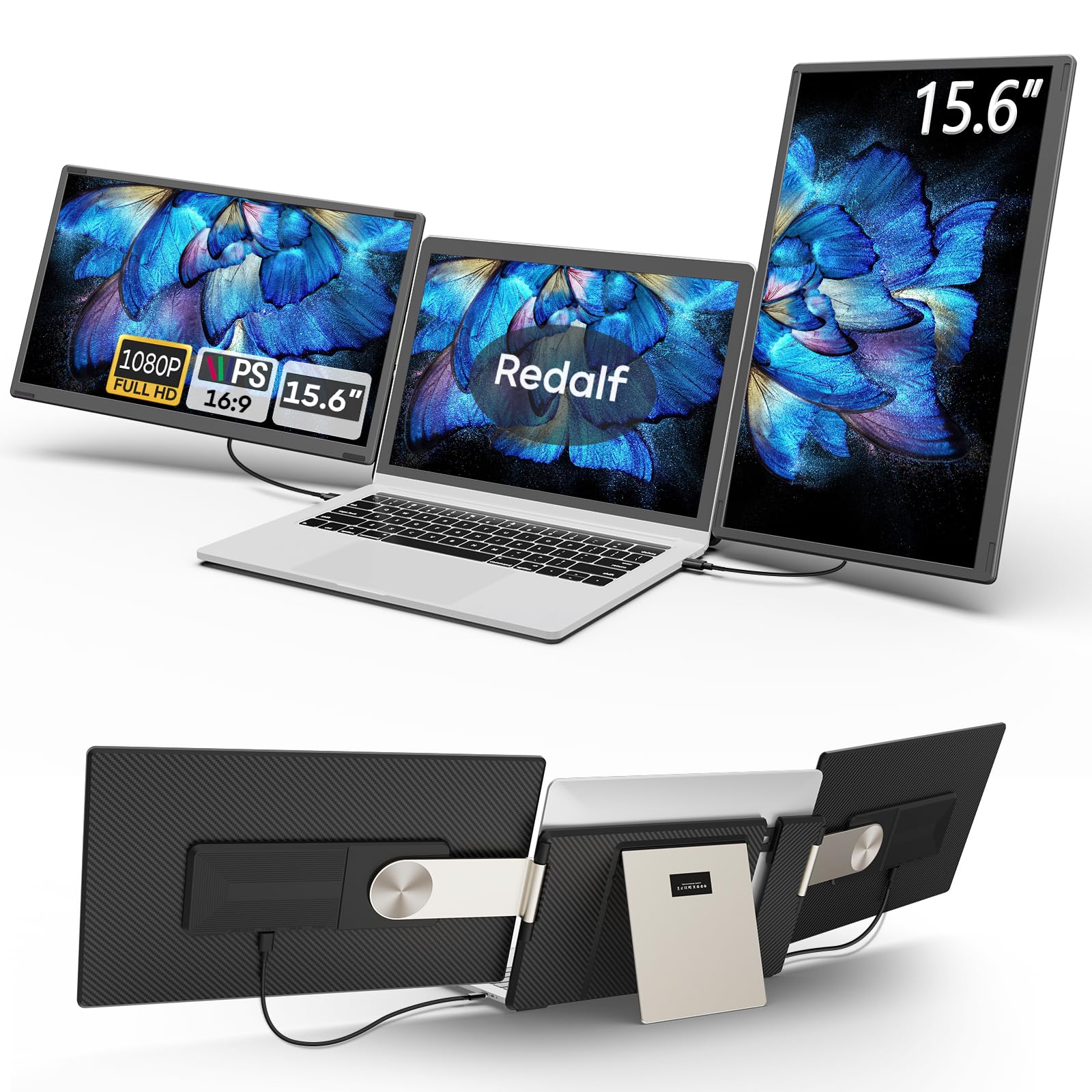
Turn any laptop into a triple-screen workstation with a 235° rotating clamp design
This extender attaches directly to your laptop lid, adding two 15.6-inch 1080p IPS screens for a full triple-display setup. The flexible stand rotates 235° horizontally and 90° vertically, so you can configure landscape, portrait, or a stacked layout. Each side detaches to weigh just 2.1 lbs, letting you carry a single screen when you only need a quick second display.
The productivity boost is the headline: open three pages at once for coding, spreadsheets, or client presentations. Owners call it a standout for remote work and multitasking., with teachers using it to simplify grading and multi-tab research. Setup is genuinely plug-and-play with USB-C, USB-A, or HDMI, and no driver installation is needed for most systems.
Compatibility is broad but has limits: it works with Windows, Mac (M1 Pro/Max, M2 Pro/Max, M3 Pro/Max), Chrome, Android, Linux, and Dex — but notably does not support base M1/M2/M3 chips. The 300-nit brightness with a 120% color gamut delivers vibrant colors, and built-in speakers add convenience. The stand is lighter than you might expect, and some owners add magnetic weights to keep it steady when moving the laptop.
multi-window work: developers, traders, and multitaskers who need three screens without buying a desktop monitor arm.
minimalist desks: it needs two USB-C ports (three if your charger also uses USB-C) to avoid battery drain, and the stand isn’t heavy-duty.
6. Acer PM191Q

The large 18.5-inch panel that brings a 100Hz refresh rate to work and play
Most portable monitors top out at 60Hz, but this Acer runs a 100Hz refresh rate for smoother scrolling and tear-free gaming. The 18.5-inch Full HD IPS display is larger than the typical 15.6-inch panel, giving you a more spacious workspace. Adaptive-Sync support matches the refresh rate to your graphics card, which makes it a solid companion for the PS5, Xbox, or Switch.
At 2.49 lbs and 0.54 inches thin, it slides into a large backpack, though owners note it’s better for desk use than a daily commuter bag. The single USB-C cable handles video, data, and power — you can even connect a smartphone or tablet to it. For work, the 1080p resolution and sRGB 99% color accuracy keep text crisp and colors true, with a Black Boost feature to lighten dark scenes in games.
Owners praise it as an easy plug-and-play monitor that just works, unlike others that die after a few uses or need finicky software. The built-in speaker is a bonus, and the adjustable stand helps you find a comfortable angle. VRR for gaming needs a separate HDMI 2.1 cable (the included one doesn’t support it), and some find colors need a bit of tuning at max settings.
simple office use: a home-office desk where you also want a smooth gaming second screen — the 100Hz refresh rate is the standout spec.
multi-device setups: frequent flyers who need a compact backpack-friendly panel, since 18.5 inches is better for a desk than a duffel.
7. ARZOPA A1M
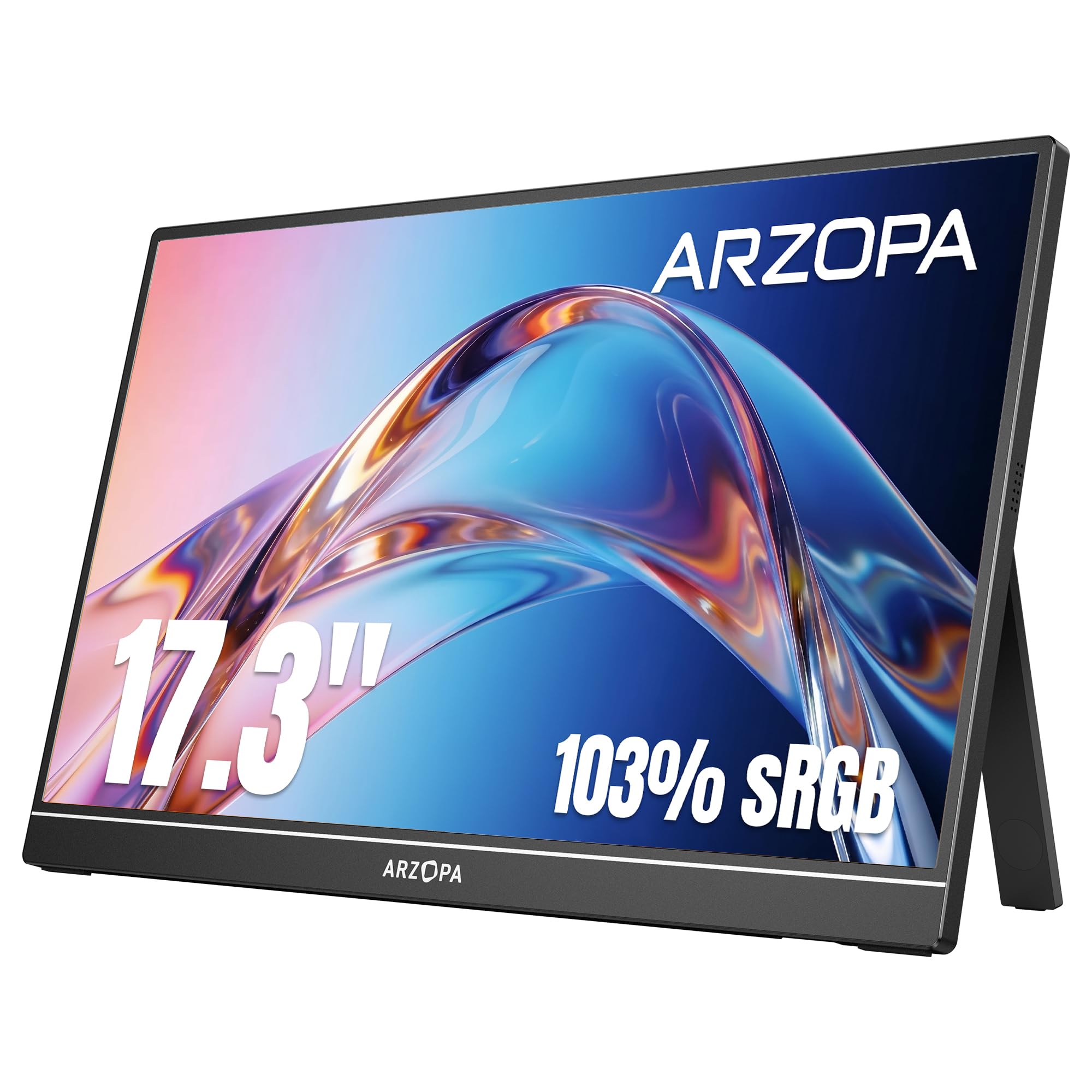
A roomy 17.3-inch screen that doesn’t weigh down your bag
The ARZOPA A1M gives you the biggest screen in the portable category at 17.3 inches, yet the build stays light and slim enough for travel. The 1080p IPS panel covers 103% of the sRGB color space, which means colors look vibrant and accurate for photo editing or video watching. Owners describe the display as crisp, bright, and sharp, with wide viewing angles that hold up from any position.
The built-in kickstand rotates for both landscape and portrait modes, and the smart cover doubles as a stand and screen protector. A single USB-C cable provides both video and power for easy plug-and-play set up, with a mini-HDMI port as a backup for consoles or other devices. There are three display modes — duplicate, extend, and second screen — so you can mirror your laptop or expand your workspace as needed.
If you live in an RV or work remotely, this screen gives you a large display without hauling a desk-bound monitor. The built-in stand is sturdy and adjustable, and the whole package survives daily packing. One buyer did report spending three hours hunting for compatible cables to connect it to a docking station, and the instructions are picture-only, so budget time for setup.
on-the-go productivity: you want maximum portable screen real estate for work or entertainment — 17.3 inches feels like a desktop monitor.
audio-centric use: you need to connect through a docking station and want zero setup guesswork, since cable compatibility can be finicky.
8. InnoView Portable Monitor
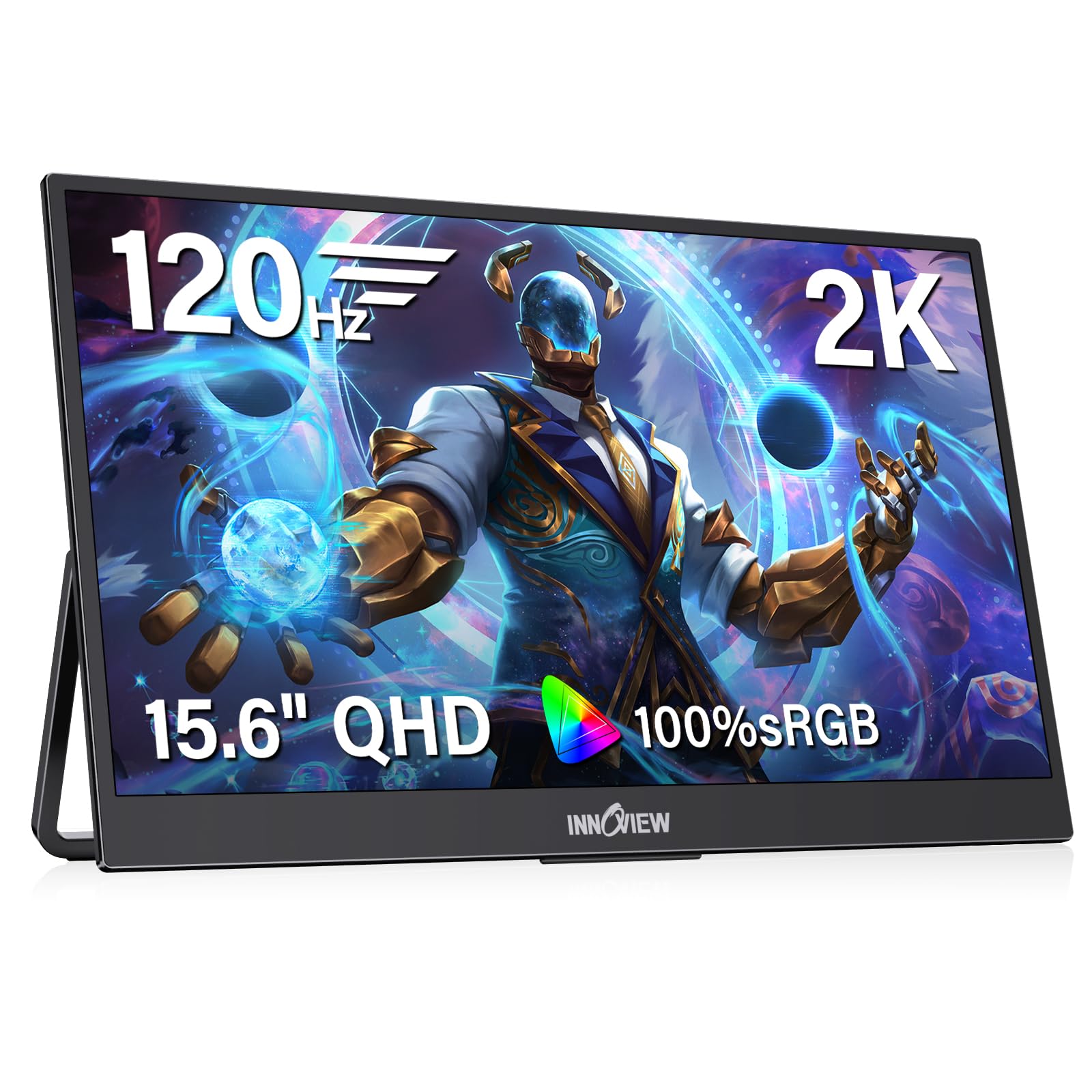
The 1440p panel that sits between 1080p and 4K for sharp text without the 4K price
If your laptop can push it, this InnoView resolves the middle ground between standard HD and premium 4K. The 15.6-inch screen runs a 2560 x 1440 resolution with a 120Hz refresh rate, so text is noticeably sharper than 1080p and motion stays fluid for gaming. FreeSync technology eliminates stuttering and screen tearing, giving you a competitive edge in fast-paced games.
Color accuracy is a strong point with 100% sRGB coverage and an IPS panel that keeps colors true from wide angles. The hardware low-blue-light mode reduces eye strain during long sessions, and HDR support with 16.7 million colors makes videos look vibrant. At just 1.65 lbs and 0.25 inches at its thinnest, it slides easily into a backpack, and the sturdy metal stand keeps it stable.
Owners praise the picture quality and brightness, with one noting it’s clearly visible even in full sunlight locations. The 120Hz refresh rate requires your device to have an HDMI 2.0 or later port, and if your laptop can’t supply enough power, you may see flickering — the maker recommends a 20W or higher adapter. The VESA 75×75 mount adds flexibility for desk-arm setups.
flexible viewing angles: the best resolution-per-dollar balance — 2K text sharpness and 120Hz gaming in a travel-friendly frame.
sturdy desk mounting: check your laptop’s HDMI version before buying, since the high refresh rate needs HDMI 2.0 or later.
9. Lenovo L15

A brand-matched 1080p companion that pairs perfectly with a ThinkPad on the road
The Lenovo L15 is cut from the same cloth as the ThinkPad — business-tough, practical, and reliable. Its 15.6-inch Full HD IPS panel delivers sharp, bright visuals at 250 nits, and the height-adjustable stand lets you dial in the perfect ergonomic angle to reduce eye strain. At just under two pounds, it’s light enough to carry every day for a true dual-screen mobile office.
Connectivity is clean and simple with two USB-C ports, so a single cable handles power and video for a tidy desk. Owners working from hotel rooms call it a no-brainer for ThinkPad owners, noting it starts up fast, remembers your settings, and slips into a backpack with its included carrying slip. Display quality and ease of use are the standout praises, making it a versatile productivity booster for anyone who spends their week in airports.
The 16:9 aspect ratio (the same widescreen shape as most laptops) and flicker-free technology (which reduces screen flicker that can strain your eyes) keep long work sessions comfortable. However, reliability gets the most mixed feedback: a small number of owners mention the screen developing a pattern after a month of light use, so handle the panel carefully and keep your warranty paperwork. For daily business travel, it earns its spot in your bag.
spreadsheet heavy use: business travelers with a ThinkPad who want a matching, dependable second screen for hotel-room productivity.
touchscreen needs: a few owners cite panel fragility, so treat it gently and use the included carrying slip.
10. ASUS ZenScreen MB169CK
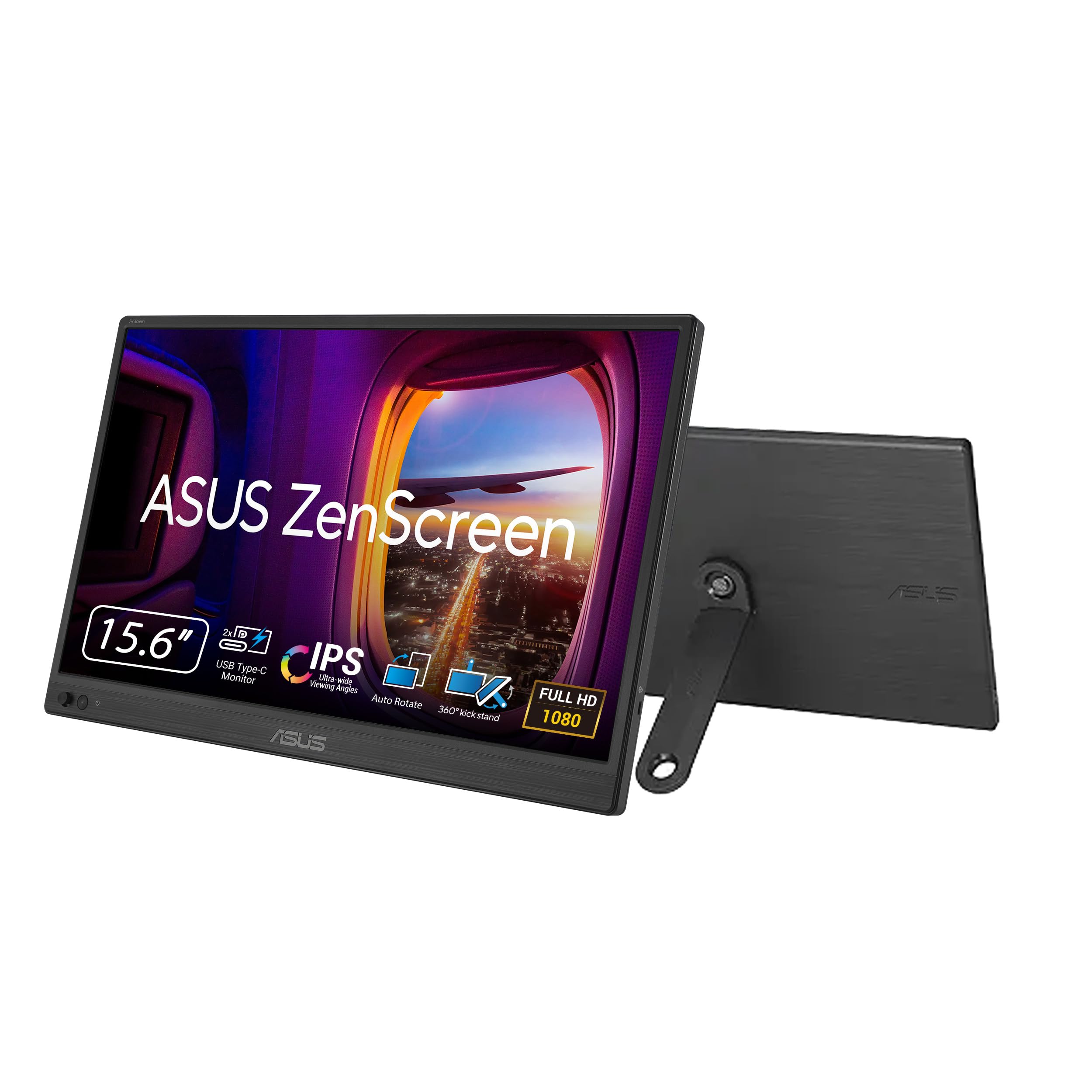
Vivid colors and a 360-degree kickstand at a price that makes it easy to say yes
This ASUS ZenScreen proves you don’t need to spend big for a great second display. The 15.6-inch Full HD IPS panel delivers crisp text and vibrant colors with a 2000:1 contrast ratio, and the 300-nit brightness keeps it readable in bright cafes. The defining spec is the 360-degree kickstand that rotates to any viewing angle, plus a 1/4-inch tripod socket for boom-arm mounts — so you’re never stuck with a bad angle.
The 0.78kg ultra-slim profile means it slips into a standard backpack or briefcase with ease. A single USB-C cable delivers both power and video for a clean setup, while the Auto-Rotate DisplayWidget software automatically switches between portrait and landscape as you pivot the screen. The TV-certified eye-care tech with flicker-free and low-blue-light features keep late-night sessions comfortable.
Owners consistently point to the size and portability as the top reasons to buy, calling it an excellent second display for travel. The vivid colors and good contrast beat the laptop’s built-in screen, and setup is genuinely plug-and-play with both HDMI and USB-C cables included. The review pages sum it up: “excellent 2nd display.” There’s no VESA mount, so the kickstand limits positioning, but the tripod socket opens cheap mounting alternatives.
simple laptop mirror: budget-conscious remote workers who want a proven ASUS panel and flexible viewing angles without the markup.
color grading work: no VESA mount, so wall or arm mounting requires the 1/4-inch tripod thread instead.
11. ViewSonic VA1653
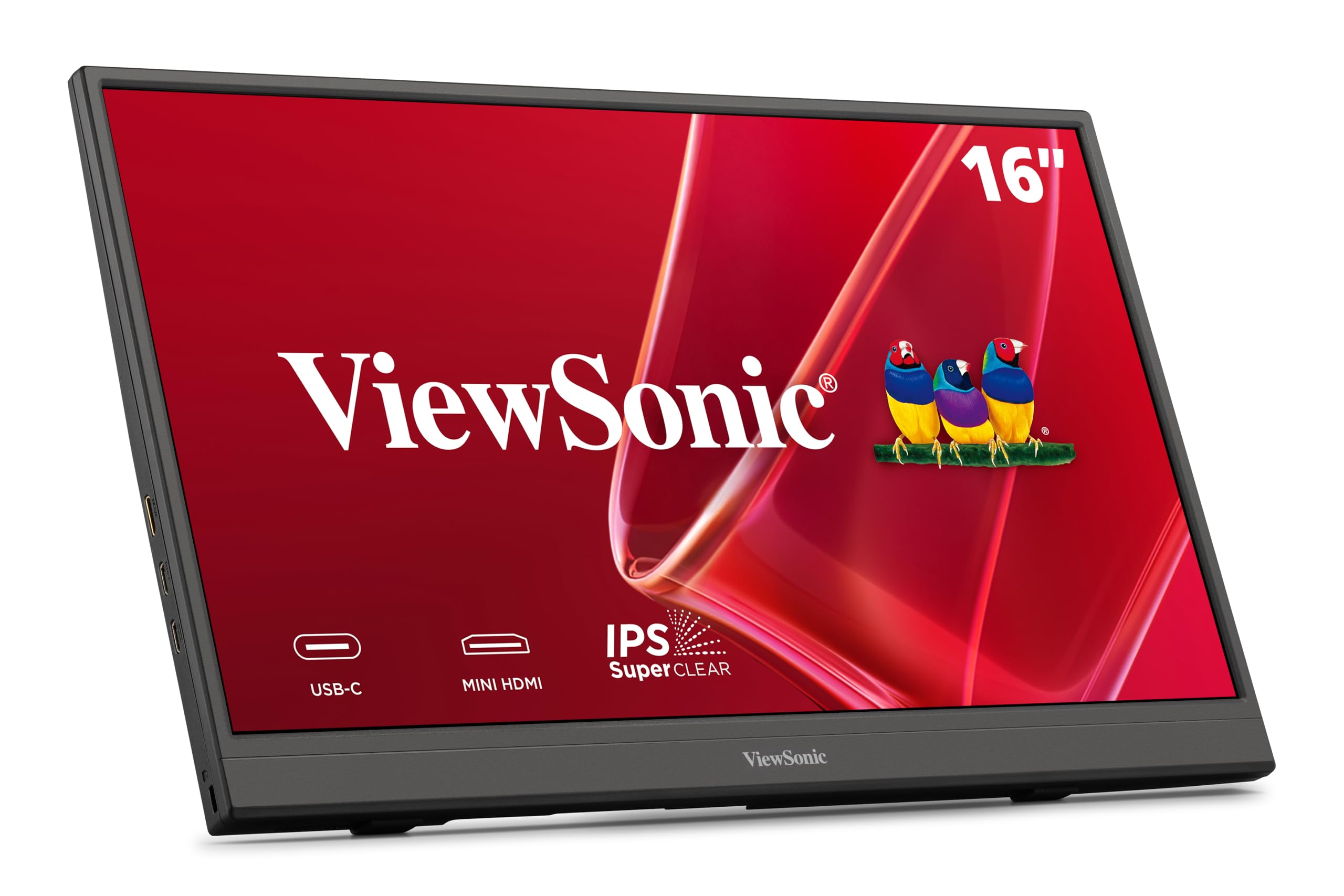
An ultra-light 1080p entry point that makes your first second screen a no-brainer
If you’re dipping your toes into dual-screen productivity, the ViewSonic VA1653 is the perfect first panel. It’s a 15.6-inch Full HD 1080p IPS monitor weighing just 1.5 lbs and measuring 0.7 inches thin, so it disappears into a backpack or purse. The image quality is the standout praise — owners call the resolution excellent, with an on-screen menu to adjust size, magnification, brightness, and color to your liking.
Setup takes seconds with a single USB-C cable that carries data, audio, and video with passthrough power. The included protective sleeve doubles as a built-in stand for both portrait and landscape orientation. It works with laptops, PCs, Macs, and more via Mini-HDMI and USB-C inputs, and it’s powered by a 3-year warranty with US-based support.
For traveling workers, the compact size and light weight make it an easy daily carrier, and the anti-glare surface keeps reflections down. The verdict from owners is that it’s “pretty darned good for a cheap 2nd monitor.” Connectivity does draw mixed feedback — a few owners hit connection issues that needed cable reinsertion, and the stand could be sturdier. If the included USB-C cable isn’t available, you’ll need a USB-C to USB 3.0 cable to run it from a power bank.
casual second screen: you want the lowest-friction way to add a second screen for basic productivity and travel on a budget.
prolonged sessions: you demand rock-solid cable reliability for client presentations — an occasional connection needs a re-plug.
Understanding the Specs
USB-C One-Cable Setup
This is the spec that defines the modern portable monitor. A single USB-C cable can carry video, data, and power to your laptop at the same time. For this to work, your laptop’s USB-C port needs to support DisplayPort Alt Mode. If it doesn’t, you’ll need an adapter and possibly a driver, which adds friction to the plug-and-play experience.
IPS vs OLED Panels
IPS screens (a type of LCD panel) are the standard for portable monitors because they give you wide viewing angles and accurate colors while staying affordable. OLED panels (which light up each pixel individually) are the premium upgrade, delivering true blacks and a vastly higher contrast ratio, so dark scenes in movies look deep and detailed. You’ll pay significantly more for OLED, but the image quality is class-leading for photo and video editing.
FAQ
Does my laptop need a special USB-C port to use a portable monitor?
Can I use a portable monitor for gaming?
Is a portable monitor better than a desktop monitor for a second screen?
How do I get the monitor to work in portrait mode?
Will a second monitor work with a MacBook?
What does the refresh rate do?
Can I run a triple-monitor setup with my laptop?
Are built-in speakers on portable monitors any good?
Final Thoughts: The Verdict
For most people, the 2nd monitor for laptop winner is the ASUS ZenScreen MB16ACV because it nails the essential balance of portability, single-cable simplicity, and a proven 1080p picture. If you’re a frequent flyer who needs three screens in one bag, the Blackview DCM8 Pro delivers the most workspace at just 2.2 lbs. And if crisp text and true colors matter more than price, the Lenovo ThinkVision M14t Gen2 is the one to reach for.
How We Picked
We do not accept paid placement. Every pick is matched to a real buyer and a real use-case; we do not hands-on test units.
Sources & Methodology
Specifications: manufacturer listings and product documentation. Review insights: verified customer reviews, as of August 2026. Pricing: not shown on this page (it changes often); check the current price via the retailer link.
As an Amazon Associate, Gadgets Feed earns from qualifying purchases. This does not affect which products we feature.