
Our readers keep the lights on and my morning glass full of iced black tea. As an Amazon Associate, I earn from qualifying purchases.
Specs are compiled from manufacturer listings and verified buyer reviews and can change over time — please confirm the key details on the product page before buying.
Buying a 32-inch OLED that can hit 480Hz means choosing between a glossy finish that makes colors pop or a matte coating that tames reflections, and picking the wrong one for your room can ruin an expensive purchase. This guide covers only dual-mode OLED panels that deliver 4K at 240Hz for story-driven games and Full HD at 480Hz for competitive shooters, so you get both sharpness and speed from one screen. A quick note on matching: this list accepts the nearest standard size and refresh rates of 480Hz or higher, so every pick serves the same purpose even if a label reads slightly differently.
I’m Min — the founder and writer behind Gadgets Feed. This guide is built by comparing the manufacturers’ published specifications and the patterns across verified customer reviews, so you get each pick’s real strengths and trade-offs instead of marketing spin.
Every monitor here pairs a 3840 x 2160 resolution with a dual-mode panel that leaps to 480Hz, and you can find the best 480hz 32 inch monitor for your setup by weighing color gamut against brightness and warranty.
Our Picks at a Glance
How To Choose The Best 480Hz 32 Inch Monitor
Your choice between these premium OLED panels hinges on your room lighting, whether you value color accuracy or raw brightness more, and the games you play most. The first decision is glossy versus matte, because it changes how the screen looks every time you use it.
Glossy vs Matte Coating
A glossy OLED surface gives you punchier colors and deeper blacks because there is no anti-glare layer washing out the image, but it acts like a mirror in a bright room. A matte coating cuts reflections so you can game near a window, though it can add a subtle grainy texture on solid light backgrounds. Think about where your desk sits and whether a lamp or window sits behind you.
Dual Mode and Refresh Rate
Dual mode means one panel runs at 4K with a 240Hz refresh rate for single-player immersion, then flips to Full HD at 480Hz for competitive titles where every millisecond counts. The switch happens through a hotkey, so you do not need to dig through menus mid-match. The 0.03ms response time keeps motion blur and ghosting out of the picture at either speed.
OLED Care and Warranty
OLED panels can develop burn-in when static images sit on screen for long stretches, so look for pixel-cleaning tools and a warranty that covers the panel itself. The strongest options here offer three years of burn-in coverage, which turns an expensive purchase into a safer long-term investment.
Quick Comparison
| Model | Best For | Color Gamut | Brightness | Response | Amazon |
|---|---|---|---|---|---|
| ASUS ROG XG32UCWMG★ Best Overall | Glossy visuals + work | 99% DCI-P3 | DisplayHDR 400 | 0.03ms | Amazon |
| LG 32GX870A-B | Brightest HDR scenes | 98.5% | 1300 nits peak | 0.03ms | Amazon |
| ASUS ROG PG32UCDP | Passive cooling + 90W USB-C | 99% DCI-P3 | Uniform brightness | 0.03ms | Amazon |
| LG 32GS95UV | Pixel Sound audio | — | 1300 nits | 0.03ms | Amazon |
In-Depth Reviews
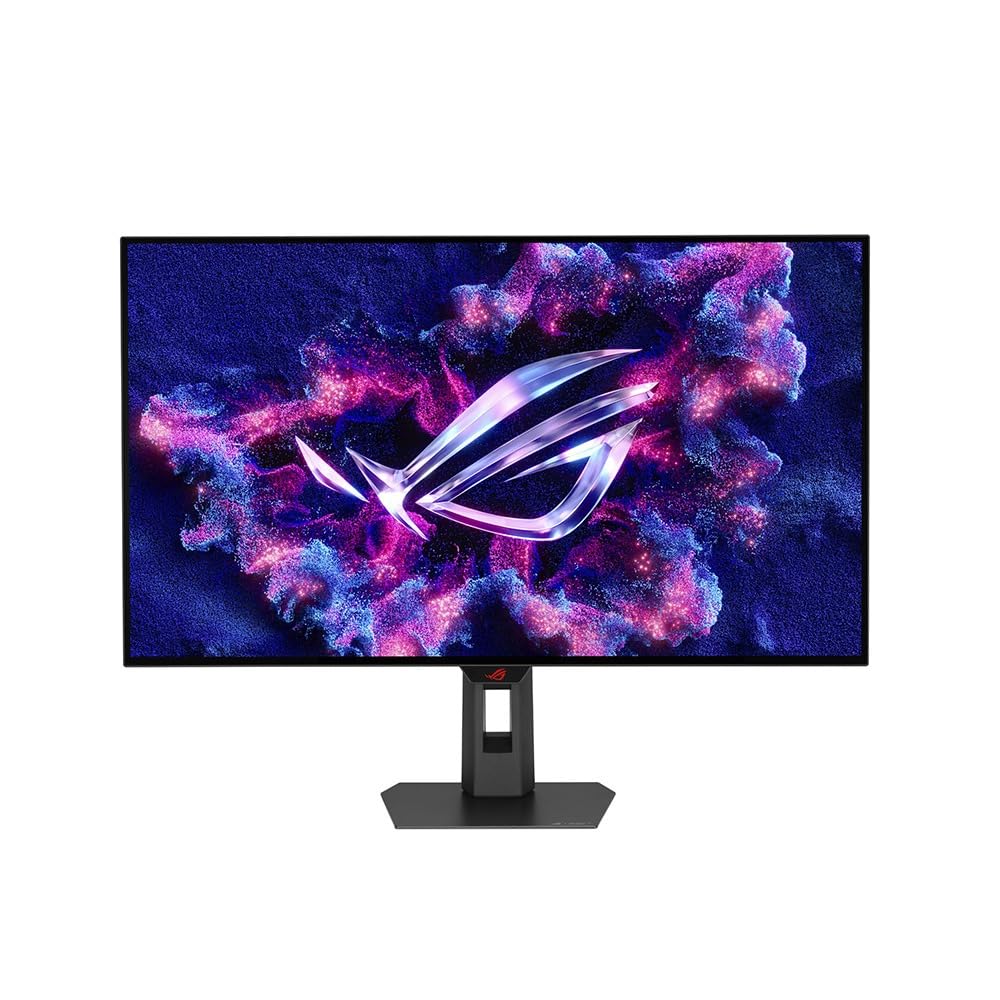
1. ASUS ROG XG32UCWMG
Our pick — over 4.5★ from 90+ verified ratings; the strongest balance of quality and price.
The glossy TrueBlack panel that makes colors sing and keeps text sharp for desk work
This ASUS is the showcase for what a glossy OLED coating can do, delivering a zero-haze surface that makes every scene look extra crisp and punchy. The 4K (3840 x 2160) WOLED panel runs at 240Hz for single-player games, then flips to Full HD at 480Hz when you jump into a competitive shooter. Buyers describe the result with a simple verdict: “Very glossy screen so be ware of a near by window or light position,” which is the one real condition to plan around.
What wins people over is the overall quality — it shows up as the most-praised trait across owner feedback, with image quality and color close behind. The display covers 99% DCI-P3 gamut with true 10-bit color and a Delta E under 2, so photo and video editing looks accurate enough for professional work. Text comes across surprisingly sharp for everyday tasks, a frequent complaint on other OLED panels that this one sidesteps.
The ASUS OLED Care Pro system uses a Neo Proximity Sensor to detect when you step away and switch to a black screen, cutting the risk of burn-in. That protection pairs with a 3-year warranty that includes burn-in coverage, the strongest safety net on this list. The 0.03ms response time keeps motion blur-free, and connectivity covers DisplayPort 1.4 with DSC, HDMI 2.1, and USB-C with 15-watt Power Delivery.
What owners rave about
- Sharp text for daily work on an OLED panel
- True black gloss produces perfect blacks in dark scenes
- Easy setup with automatic dimming protection
- 3-year burn-in warranty for confidence
Where it asks for patience
- Glossy screen reflects nearby windows or light sources
- Premium pricing draws mixed value feedback
Reach for this if: you want the crispest glossy image with the strongest burn-in warranty and you can control your room lighting.
Look elsewhere if: your desk faces a bright window, because the reflections will follow you all day.
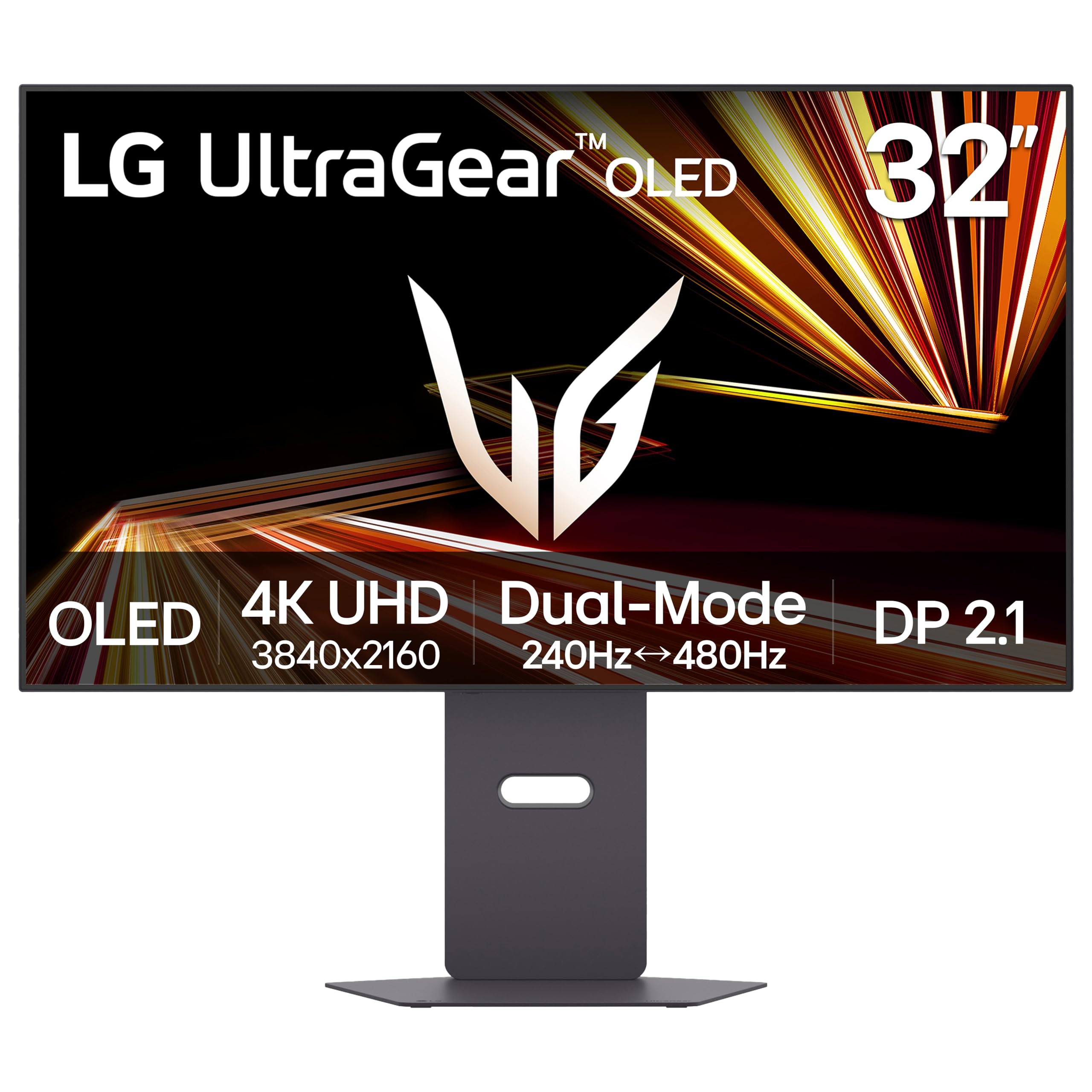
2. LG 32GX870A-B UltraGear
The LG that leads on raw brightness with a 1300-nit peak for stunning HDR moments
This LG UltraGear delivers the brightest HDR experience in this list, thanks to Micro Lens Array+ technology (a layer of tiny lenses that boosts light output) reaching a typical 1300 nits peak brightness, so bright scenes in games like racing titles pop with vivid highlights. It offers a 98.5% gamut, while the ASUS above covers 99% DCI-P3. Buyers consistently call the 4K UHD resolution (3840×2160 pixels) stunning and praise the perfect blacks that make dark scenes feel properly rich.
Dual mode here is VESA Certified, letting you run 4K UHD at 240Hz for story-rich games or switch to Full HD at 480Hz for fast-paced FPS, MOBA, and racing titles with a single hotkey. The 0.03ms (GtG) response time keeps motion clean, and the screen carries both NVIDIA G-SYNC Compatible and AMD FreeSync Premium Pro validation. Buyers report that FPS games feel incredibly responsive, and one owner sums it up after a week of use: the image is gorgeous and the built-in speakers sound crisp, even better than a headset.
The design is virtually borderless with height, tilt, swivel, and pivot adjustment, so you can dial in the perfect angle. An anti-glare and low-reflection coating minimizes light distractions, and the Switch app splits your screen into up to six sections for multitasking between work and play. LG backs it with a 2-year limited warranty that covers the OLED panel, and OLED Care pixel-cleaning tools keep the display sharp.
The honest trade-off: the matte anti-glare coating can look slightly grainy on static bright pages — a minor cosmetic quibble for a panel that otherwise nails brightness and color. Peak HDR also lands below QD-OLED rivals, so the brightest highlights are not the most extreme available.
Who it fits: if you game in a bright room and want the brightest HDR this list offers, this is your pick—but be ready to spend time fine-tuning, since owners note it needs plenty of adjustment to look its best.
Grab it for: the highest peak brightness in this lineup and a virtually borderless design that shrinks your desk footprint.
Think twice if: you want zero fuss — “Needs a lot and I mean a lot of time adjusting the settings” is the recurring owner refrain.
3. ASUS ROG PG32UCDP

The passively cooled OLED that fights burn-in with a custom heatsink instead of a fan
This ASUS cuts burn-in risk with a custom heatsink for passive cooling—no moving parts to wear out—so you can game for hours without worrying about image retention. The 32-inch WOLED panel (a type of OLED that uses white subpixels) runs 4K at 240Hz or flips to Full HD at 480Hz, and the 0.03ms gray-to-gray response time earns enthusiastic owner feedback as “insane.” Buyers who upgraded from older LCDs describe a “visually transformative” jump, with perfect deep blacks and vivid colors that feel like seeing a game for the first time.
It stands apart on connectivity with a USB-C port delivering 90W Power Delivery, enough to charge a laptop while it drives the screen. The color gamut reaches 99% DCI-P3 with true 10-bit depth, and an optional Uniform Brightness setting keeps luminance consistent across the whole panel. ASUS adds AI Assistant features like AI Crosshair, AI Sniper, and a Dynamic Shadow Boost to sharpen competitive play, plus ROG-exclusive anti-flicker tech for long sessions.
Display quality is the most-praised trait here, with color and appearance right behind it. The matte anti-glare finish handles bright rooms well, and one owner confirmed zero glare even in direct sunlight. The 3-year warranty with ARR and burn-in coverage matches the first ASUS pick, so you get the same long-term protection with extra cooling headroom.
Why owners pick it
- Passive heatsink cooling extends OLED panel life
- 90W USB-C powers a laptop from the monitor
- Matte anti-glare works in bright rooms
- Deep blacks and vivid colors transform games
The friction points
- OLED flicker can appear in multi-monitor setups
- Aggressive brightness dimming on static images
- Price draws mixed value-for-money feedback
Choose it if: you run a single-monitor battle station and want passive cooling plus laptop charging from one cable.
Pass on it if: you plan to pair it with secondary displays, because multi-monitor flicker is the most-cited headache.
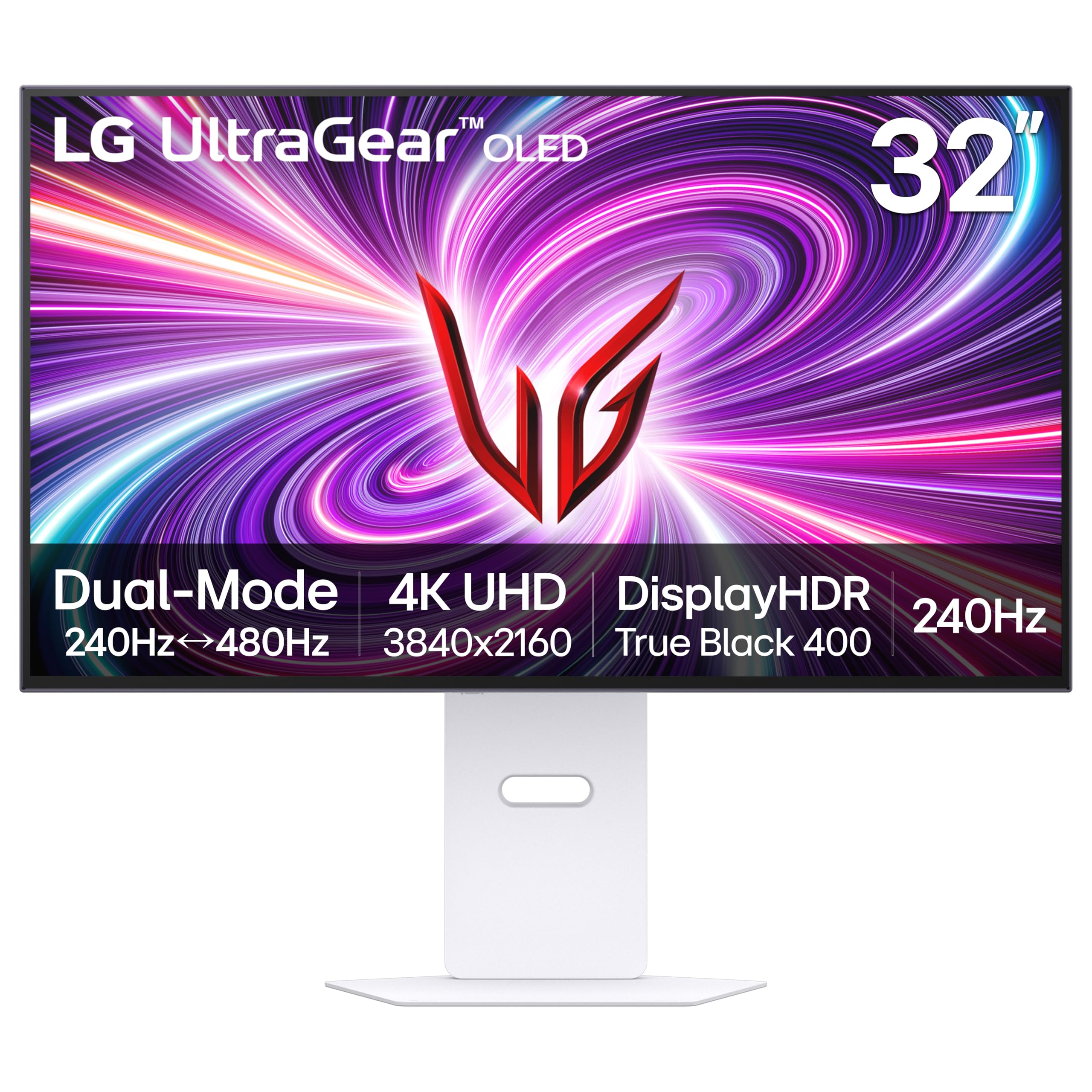
4. LG 32GS95UV UltraGear
The white LG that plays its own audio straight out of the OLED panel itself
This LG introduces Pixel Sound, a system where audio waves emit from behind the OLED panel so sound drives directly at you from the screen rather than from speakers underneath. It is the only pick here with this feature, and it also stands out visually with a white finish that breaks from the black-everything monitor norm. The 32-inch panel runs 4K UHD at 240Hz or Full HD at 480Hz, with the same 0.03ms (GtG) response time as the rest of this list.
Picture quality earns consistent praise for its brightness, size, and clarity, with owners noting the dual-mode 1080p/480Hz setting is genuinely useful for competitive play. The display hits 1300 candela per square meter peak brightness and carries a 1.5M:1 contrast ratio, with DisplayHDR True Black 400 certification for rich blacks and vivid color. Both NVIDIA G-SYNC Compatible and AMD FreeSync Premium Pro validation keep tearing and stutter out of the frame.
Owners do flag two firmware-related notes: an initial flicker that clears up after a software update, and a disorienting jump when switching between 4K and 1080p modes. The anti-glare low-reflection screen minimizes distraction, the stand handles tilt, height, and swivel, and LG covers it with a 2-year limited warranty that includes the OLED display panel.
Standout trait: Pixel Sound makes this the pick for anyone who wants solid built-in audio without a separate speaker bar, and the white chassis suits a lighter-themed setup.
Before you buy: update the firmware the moment you set it up — owners who skipped it lived with flicker until the update fixed it.
Pick this for: rich screen-driven audio and a unique white design that no other dual-mode OLED in this list offers.
skip it if: you already own a good headset, because you would be paying extra for sound you will not use.
Understanding the Specs
Dual Mode and Refresh Rate
Dual mode is the defining feature of this category, letting one OLED panel run at 4K with 240Hz for cinematic single-player games, then flip to Full HD at 480Hz for competitive shooters where response time decides outcomes. The switch happens through a hotkey on every monitor here, so you never dig through menus when a match is about to start. The 0.03ms response time keeps ghosting and motion blur out of the picture at both speeds.
Color Gamut and Brightness
Color gamut tells you how much of the DCI-P3 cinema color space the panel can display, and higher numbers mean richer, more accurate reds and greens. Brightness determines how well the screen performs in a lit room and how dramatic HDR highlights look, with the LG here hitting a 1300-nit peak while the ASUS relies on DisplayHDR 400 True Black certification. Pair a wide gamut with high brightness and you get HDR scenes that genuinely impress.
Glossy vs Matte OLED Coating
A glossy coat delivers the punchiest colors and deepest blacks with zero haze, but it reflects windows and lamps like a mirror. A matte coat kills reflections so you can play in a bright room, though it adds a faint grain on solid light backgrounds. Your desk position decides which finish will look better every day, so weigh this before any other spec.
OLED Care and Burn-in Protection
OLED panels can permanently retain static images, so every monitor here ships with pixel-cleaning tools and either a proximity sensor that blacks the screen when you step away or a custom heatsink that keeps the panel cool. Warranty length matters as much as the headlining specs — the two ASUS picks cover burn-in for three years, while both LG options carry two-year panel coverage. That difference can be worth as much as any refresh-rate number.
FAQ
What does dual mode mean on a 480Hz monitor?
Which is better, glossy or matte OLED coating?
Is a 480Hz refresh rate worth it over 240Hz?
Can my graphics card actually run 480Hz?
How long do these OLED monitors last before burn-in?
Will these monitors work with my PS5 or Xbox?
Do I need built-in speakers on a 480Hz monitor?
Why does my OLED monitor flicker in a multi-monitor setup?
Can I do photo editing on these gaming monitors?
Final Thoughts: The Verdict
If you want one dependable pick, the strongest 480hz 32 inch monitor is the ASUS ROG XG32UCWMG because it pairs a sharp-glossy image with work-friendly text clarity and the longest burn-in warranty on the list. If you want the brightest HDR scenes and a borderless design, grab the LG 32GX870A-B. And for passive cooling plus 90W laptop charging, the ASUS ROG PG32UCDP is the one to reach for.
How We Picked
We do not accept paid placement. Every pick is matched to a real buyer and a real use-case; we do not hands-on test units.
Sources & Methodology
Specifications: manufacturer listings and product documentation. Review insights: verified customer reviews, as of August 2026. Pricing: not shown on this page (it changes often); check the current price via the retailer link.
As an Amazon Associate, Gadgets Feed earns from qualifying purchases. This does not affect which products we feature.