
Our readers keep the lights on and my morning glass full of iced black tea. As an Amazon Associate, I earn from qualifying purchases.
Specs are compiled from manufacturer listings and verified buyer reviews and can change over time — please confirm the key details on the product page before buying.
A 300 Hz monitor refreshes its image 300 times per second, giving you a split-second edge in fast-paced games. At this refresh rate, the screen redraws its image 300 times every second, so fast-moving action stays silky and sharp instead of turning into a blurry mess. This guide ranks the best 300Hz gaming monitors by price tier, decoding each spec for your gameplay and setup.
I’m Min — the founder and writer behind Gadgets Feed. This guide is built by comparing the manufacturers’ published specifications and the patterns across verified customer reviews, so you get each pick’s real strengths and trade-offs instead of marketing spin.
A 300Hz refresh rate makes motion smoother and reactions quicker, a real advantage in fast-paced shooters and story-driven games. Here is the 300 hz monitor that fits how you actually play.
Our Picks at a Glance

How To Choose The Best 300 Hz Monitor
A 300Hz monitor is only half the battle. You also need to make sure the monitor’s other specs, like resolution and panel type, match what you play and what your graphics card can actually push. If your PC can’t push 300 frames per second, you won’t see the full benefit of a 300Hz monitor.
Resolution: Do You Want Pure Speed or Crisper Detail?
At 300Hz, you are usually looking at either 1080p (1920 x 1080 pixels) or 1440p (2560 x 1440 pixels). A 1080p panel is easier for your graphics card to drive at extremely high frame rates, making it a favorite for hardcore competitive play. A 1440p panel delivers noticeably sharper images and more detail, but demands more power from your GPU to reach those high frames — it’s the route most gamers take for a balance of speed and visual quality.
Panel Type: IPS, VA, or OLED
Panel type—IPS, VA, or OLED—defines the monitor’s core strengths. Fast IPS panels offer great color and wide viewing angles, making them a solid all-rounder. VA panels deliver far better contrast for deeper blacks, but can sometimes show a dark “smearing” effect on moving text. OLED panels are the premium pick, offering perfect blacks, incredible colors, and near-instant response times, but they come with a higher price and require some care to avoid permanent image retention, known as burn-in.
Response Time and Adaptive Sync
Response time (ms) measures how fast a pixel changes color. A lower number like 1ms means less ghosting behind fast-moving objects. Adaptive sync (G-Sync, FreeSync) matches refresh rate to frame output, eliminating tearing and stuttering.
Quick Comparison
| Model | Best For | Refresh Rate | Resolution | Response Time | Amazon |
|---|---|---|---|---|---|
| ASUS ROG Strix XG27ACDNG★ Best Overall | The Best Overall | 360 Hz | 2560 x 1440 | 0.03 ms | Amazon |
| Samsung Odyssey G4Budget Speedster | Budget 300Hz Speed | 300 Hz | 1920 x 1080 | 1 ms | Amazon |
| ZZA 32″ Curvedrich Curve | Large Curved Immersion | 300 Hz | 2560 x 1440 | 1 ms (GtG) | Amazon |
| LG 27G640A-B | Versatile IPS Value | 300 Hz | 2560 x 1440 | 1 ms (GtG) | Amazon |
| MSI MAG 274QPF X30MV | Bright HDR Mini-LED | 300 Hz | 2560 x 1440 | 0.5 ms | Amazon |
| ASUS ROG Strix XG27AQMR | Pro-Grade Fast IPS | 300 Hz | 2560 x 1440 | 1 ms | Amazon |
| LG 27GX790A-B | Blazing OLED Speed | 480 Hz | 2560 x 1440 | 0.03 ms | Amazon |
| MSI MAG 271QPX QD-OLED | Premium QD-OLED Color | 360 Hz | 2560 x 1440 | 0.03 ms | Amazon |
| Alienware AW2725DF | Top-Tier QD-OLED | 360 Hz | 2560 x 1440 | 0.03 ms | Amazon |
| Samsung Odyssey OLED G6 | Bright Samsung QD-OLED | 360 Hz | 2560 x 1440 | 0.03 ms | Amazon |
| LG 32GX850A-B | 4K Dual-Mode Flexibility | 165/330 Hz | 3840 x 2160 | 0.03 ms | Amazon |
In‑Depth Reviews
1. ASUS ROG Strix 26.5” 1440P QD-OLED Gaming Monitor (XG27ACDNG)
Our pick — 4.5★ from 350+ verified ratings; the strongest balance of quality and price.
The crowd favorite that pairs 360Hz speed with the pitch-black depths of QD-OLED — a genuine all-round champion.
This ASUS ROG Strix monitor earns its top spot because it pairs a 360 Hz refresh rate with a QD-OLED panel (a screen type that uses quantum dots over an OLED base for rich, accurate colors) and a 0.03 ms response time (how fast a pixel changes color). That 0.03 ms response is 33.3 times faster than a typical 1ms panel, so fast-moving scenes stay crisp with no ghosting. You get both competitive speed and vivid image quality in one screen.
Owners consistently praise the inky blacks and vibrant, accurate colors. The 2560 x 1440 resolution offers 33% more pixels than a 1080p screen, and the 4000:1 contrast ratio is 4 times higher than standard IPS panels, so dark scenes in horror games or night missions look dramatically better. A custom heatsink and OLED Care+ features are built in to reduce burn-in risk, and the 3-year warranty includes burn-in coverage for confidence.
Buyers report “No burn-in after 3 months; register for 3-yr warranty,” which speaks to both the panel’s endurance and the importance of claiming that coverage. While it sits at a premium price point, the combination of speed, color accuracy (99% DCI-P3), and G-SYNC compatibility makes it a top-tier choice for gamers who want one monitor that does everything brilliantly.
What Wins People Over
- Spectacular QD-OLED picture quality with deep blacks and vibrant colors
- Blistering 360 Hz refresh rate with a 0.03 ms response time for no ghosting
- G-SYNC Compatible for tear-free gameplay
- 3-year warranty with burn-in coverage
Things to Keep in Mind
- Premium price tag, justified by the panel but a real budget consideration
- Some owners mention limited height adjustment on the stand
- A few report flicker in very dark areas of games
Reach for this if: you want the best all-around 1440p gaming experience with OLED-class visuals and 360Hz speed, and you’re willing to pay for it.
Look elsewhere if: you’re on a tight budget or prefer a matte screen, as the premium price and occasional dark-scene flicker are the main trade-offs.
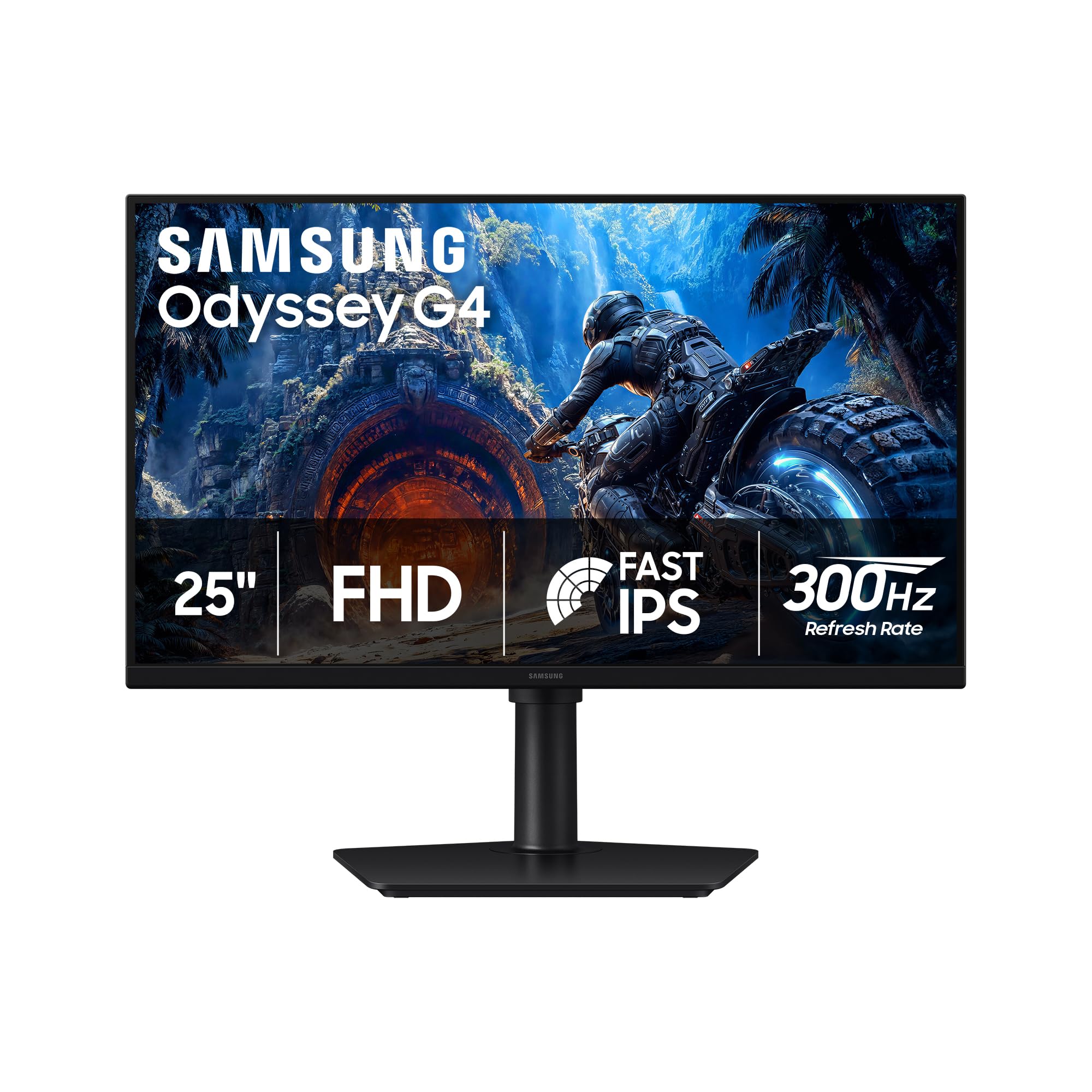
2. Samsung 25″ Odyssey G4 (G40H) Series FHD Gaming Monitor
A 300Hz Fast IPS panel that delivers esports-ready speed without demanding a premium budget — pure value.
If your main goal is hitting 300Hz without spending a fortune, this Samsung Odyssey G4 is the pick that makes the most sense. Its Fast IPS panel delivers a 300 Hz refresh rate with a 1 ms response time, so you get the split-second responsiveness needed for competitive shooters. The 1920 x 1080 resolution is easier for mid-range graphics cards to drive at high frame rates, making it a practical choice for esports titles like Valorant or CS.
The HDR10 support improves contrast and color accuracy, while the G-SYNC Compatibility and AMD FreeSync Premium keep gameplay smooth and free of screen tearing. Customers note “300Hz Fast IPS, 1ms, G-Sync/FreeSync Premium, HDR10” as the standout combo, and the ergonomic stand offers tilt, pivot, swivel, and height adjustments. The Black Equalizer feature brightens dark areas of games, helping you spot enemies hiding in shadows.
At 1000:1 contrast ratio, it doesn’t have the deep blacks of an OLED, but for a budget-focused monitor, the color accuracy and speed are impressive. Owners also appreciate the 178° wide viewing angle, which keeps colors consistent when you’re not sitting dead center. If you’re a competitive player who prioritizes raw frame rate over pixel count, this is a smart, wallet-friendly option.
Best for: the budget-conscious competitive gamer who wants true 300Hz speed and doesn’t need 1440p resolution.
Choose this for: pure esports performance at a value price, where every millisecond counts and 1080p is fine.
Think twice if: you want a sharper 1440p image for story-driven games, as the 1080p panel limits detail.
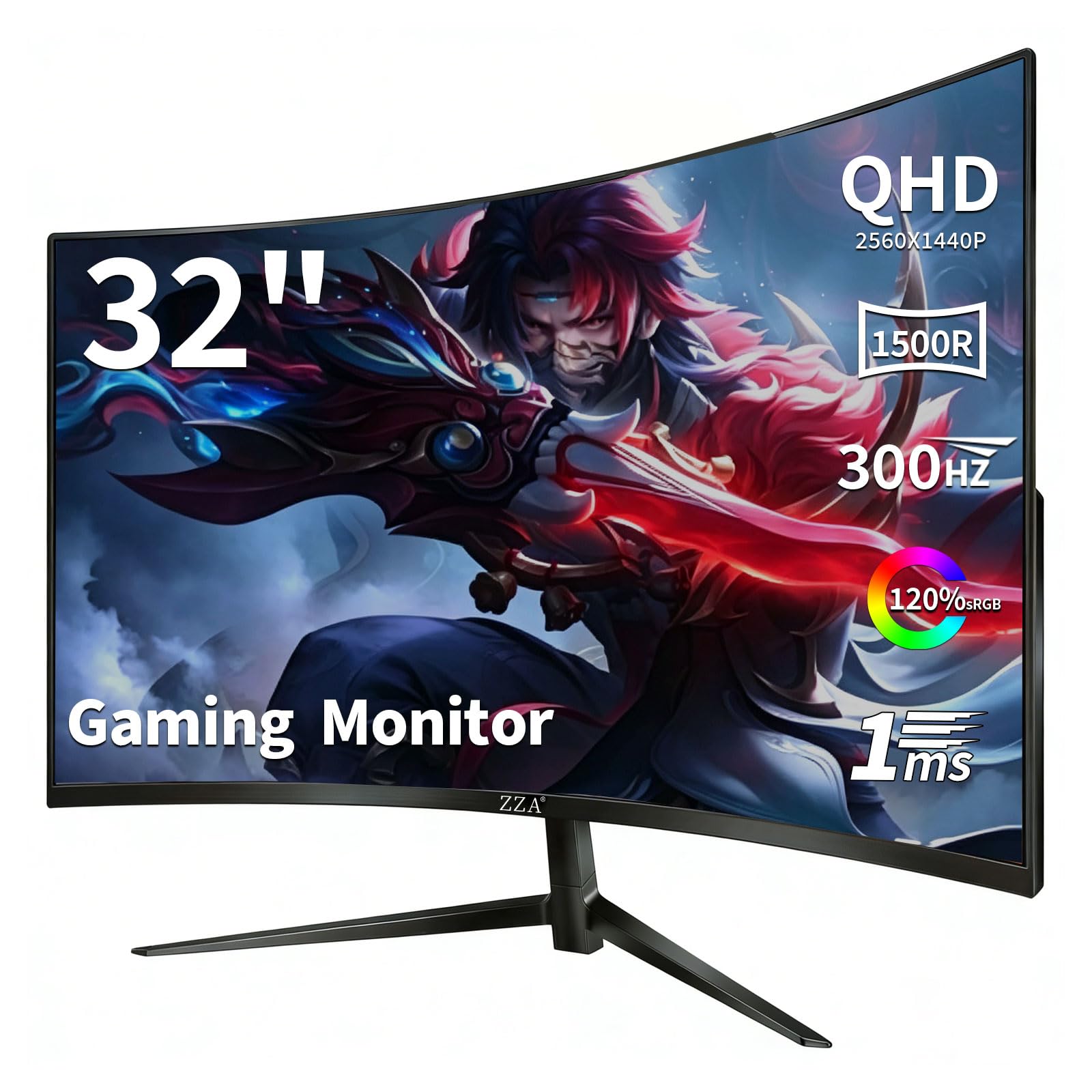
3. ZZA 32” Curved Gaming Monitor 300Hz, QHD 1440p
A big 32-inch curved VA panel that wraps around your vision, offering 300Hz speed and deep contrast on a grand scale.
This ZZA monitor stands out for its 32-inch screen and 1500R curvature (a curve radius that mimics the natural shape of the human eye), which creates a more rich panoramic view. Its VA panel delivers a 3000:1 contrast ratio, three times better than a typical IPS panel, so darker scenes have more depth and punch. The QHD 2560 x 1440 resolution keeps visuals sharp and detailed.
The 300 Hz refresh rate and 1 ms GtG (gray-to-gray, a measure of how fast pixels change color) response time ensure smooth motion in fast games. The 120% sRGB color gamut produces vibrant, true-to-life colors, and HDR10 support enhances contrast for deeper blacks and brighter highlights. With two HDMI 2.1 ports and two DisplayPort 1.4 ports, it can connect multiple devices like a PC, PS5, and Xbox Series X simultaneously without swapping cables.
Owners praise the picture quality and size, but some note the screen isn’t as curved as advertised, with a few calling it effectively flat. The stand can feel a little wobbly for some. This suits gamers who want a large, rich display with high refresh rates, especially for racing or flight sims where the curve adds to the experience. skip it if you need a rock-solid stand or a pronounced curve.
What stands out: the 32-inch size and 1500R curve create a wraparound feel that smaller flat monitors can’t match, and the 3000:1 contrast ratio makes dark scenes look rich.
Ideal for: gamers who want a large, rich curved screen for racing, flight, and open-world games.
Consider passing if: you have a small desk or prefer a true, pronounced curve, as some buyers found the actual curve subtler than expected.
4. LG 27G640A-B 27-inch Ultragear QHD IPS Gaming Monitor
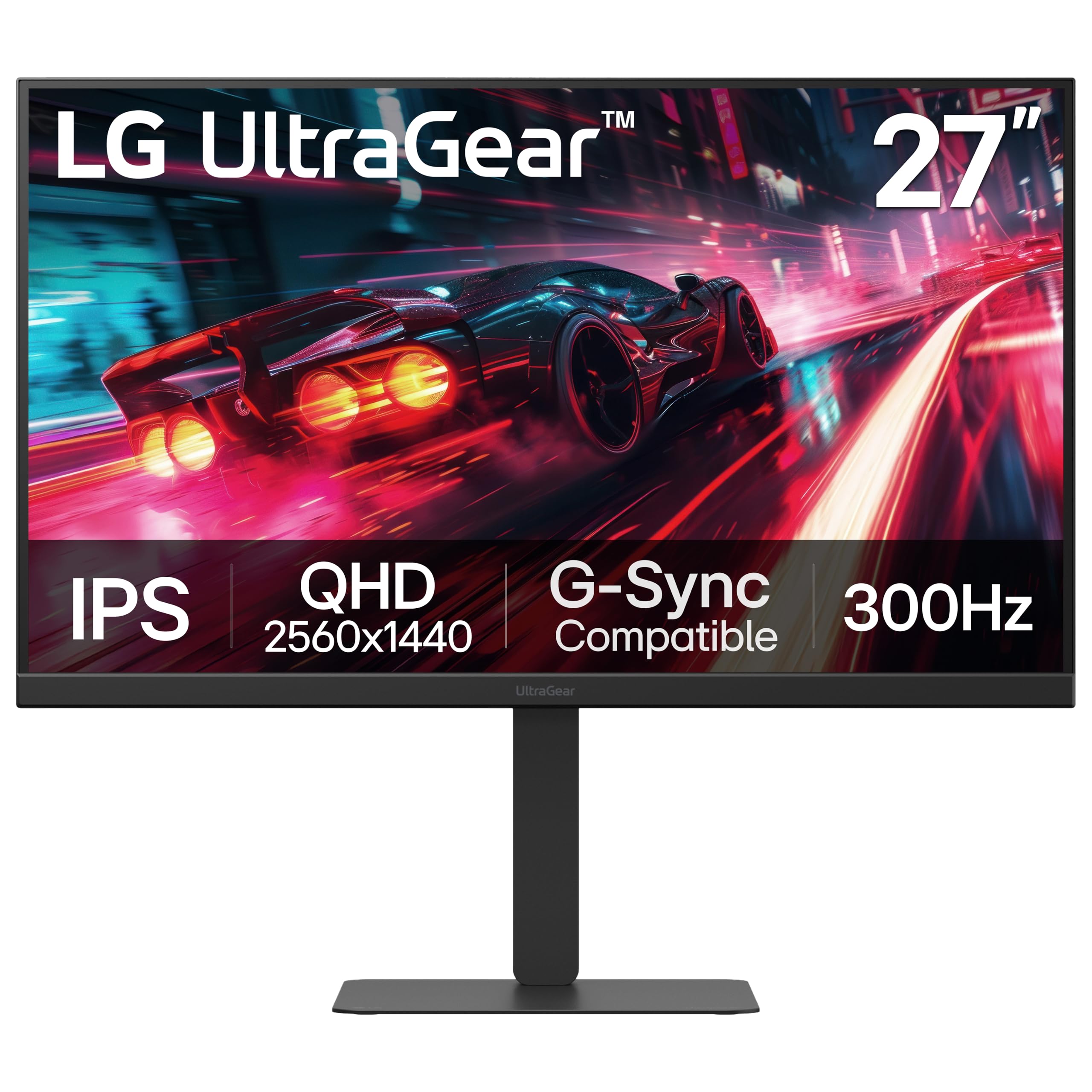
A 27-inch QHD IPS monitor that balances top-tier speed with excellent color for both gaming and work.
The LG 27G640A-B is a versatile 27-inch monitor that combines a 300 Hz refresh rate and 1 ms GtG response time with vibrant IPS color accuracy. The QHD 2560 x 1440 resolution delivers crisp, detailed visuals, and the IPS panel offers wide viewing angles so colors stay vivid from any position. It’s a great choice if your desk doubles as both a gaming station and a workspace.
The 300 Hz refresh rate makes fast-paced competitive gaming feel incredibly smooth, while the VESA DisplayHDR 400 and 95% DCI-P3 color gamut (a color space standard for digital cinema) make colors rich and lifelike. You get both AMD FreeSync Premium and NVIDIA G-SYNC compatibility for tear-free gameplay, plus a wide range of ports including dual HDMI 2.1, DisplayPort 1.4, and USB Type-C with 15W power delivery. Features like Dynamic Action Sync reduce input lag, and Black Stabilizer brightens dark scenes.
Owners highlight the display quality and value for money, though the built-in speakers are described as weak, so a headset or external speakers are recommended. The included DisplayPort cable worked poorly for one buyer, so you may want to test it or have a spare. The fully adjustable stand with height, tilt, swivel, and pivot controls is a practical bonus for ergonomic comfort.
Standout quality: the 300Hz refresh rate at 1440p resolution makes this an exceptional value for the price, with owners calling the colors better than any other IPS panel they’ve used.
Pick this for: a balanced 27-inch monitor that excels at both competitive gaming and everyday productivity.
pass on it if: you rely on built-in speakers, as they’re the weakest point and a headset is a better bet.
5. MSI MAG 274QPF X30MV 27-inch QHD Gaming Monitor

A 300Hz Mini-LED monster that cranks brightness and HDR far beyond what standard IPS panels can deliver.
This MSI monitor takes a different approach to high refresh rates by pairing a 300 Hz display with Mini-LED backlighting. Mini-LED (a backlight technology using thousands of tiny LEDs) with 1,152 zones of full-array local dimming gives this monitor a VESA DisplayHDR 1000 certification. That means it can get exceptionally bright — 1370.4 lm — for brilliant highlights while still showing deep blacks, making HDR content look genuinely spectacular.
The Rapid VA panel ensures colors stay intense and pure, and the 0.5 ms GtG response time is among the fastest you’ll find, eliminating screen tearing and choppy frame rates. At 2560 x 1440 resolution, you get sharp detail, and the high brightness makes it a great option for well-lit rooms where other monitors look dim.
Owners recommend adjusting the color temperature (some suggest R:53 G:48 B:44) or installing the MSI ICC profile for the best white balance, as out-of-box colors need a tweak. Some note VA black smearing on dark text, which is a common trait of the panel type. If you want the impact of HDR without the burn-in concerns of OLED, especially for static work or MMOs, this is a compelling alternative.
The Big Wins
- Exceptional 1000-nit HDR brightness with 1,152 local dimming zones
- Fast 0.5 ms response time for sharp, tear-free motion
- No OLED burn-in risk for static work
Heads Up
- Colors need adjustment or an ICC profile for accuracy
- VA panel shows some dark text smearing
- Firmware and support documentation is clunky
Go for this if: you want a very bright, HDR-capable 300Hz monitor that won’t suffer burn-in during long work sessions.
Look elsewhere if: you want perfect color from the start or prioritize OLED’s perfect blacks over extreme brightness.
6. ASUS ROG Strix 27” 1440P Gaming Monitor (XG27AQMR)

An esports-focused 27-inch Fast IPS panel that keeps 300Hz motion perfectly sharp with its exclusive blur-reduction tech.
The ASUS ROG Strix XG27AQMR is built for professional gamers who demand the clearest motion possible. Its Fast IPS panel delivers a 300 Hz refresh rate with a 1 ms GTG response time, and the standout feature is ASUS Extreme Low Motion Blur Sync (ELMB SYNC). This technology lets you use motion blur reduction together with G-SYNC Compatible, a combination that eliminates both ghosting and screen tearing for razor-sharp visuals during fast gameplay.
The 27-inch QHD 2560 x 1440 display offers a great balance of sharpness and performance, with a 120% color gamut that owners find vivid, if slightly oversaturated in reds and yellows. DisplayHDR 600 certification provides strong HDR performance with good contrast and color. The monitor is G-SYNC Compatible and FreeSync Premium Pro certified, ensuring smooth, tear-free experiences on both NVIDIA and AMD systems.
Owners consistently praise it as one of the best non-OLED monitors for PC gaming, noting the clarity is “insane” and that the quick presets for different game genres are a great feature. The main caution from buyers is to check for dead pixels on arrival, as some units have shipped with them. It’s a fantastic pick for competitive players who want a fast, responsive IPS panel without paying OLED prices.
The takeaway: owners call it possibly the best non-OLED monitor for competitive gaming because the ELMB SYNC combined with 300Hz makes motion unbelievably crisp.
Best for: competitive gamers who want top-tier 300Hz IPS speed and clarity without the risk of OLED burn-in.
Consider passing if: you’re sensitive to quality control issues, as a few buyers received units with dead pixels and want a flawless screen from the start.
7. LG 27GX790A-B 27-inch Ultragear OLED Gaming Monitor
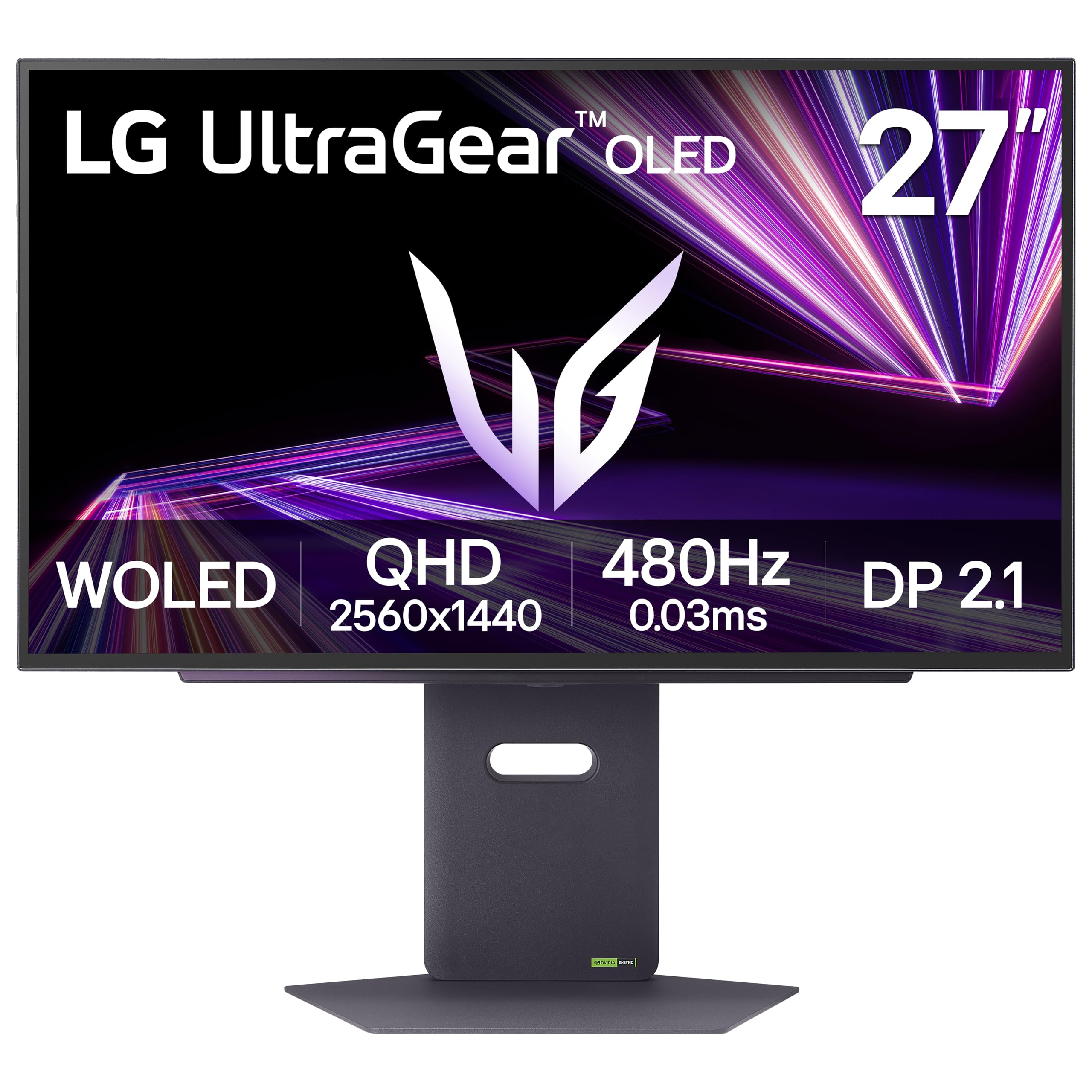
An OLED panel pushed to a staggering 480Hz with a 0.03ms response — the ultimate speed for esports perfectionists.
The LG 27GX790A-B isn’t just a 300Hz monitor; it blows past that with a 480 Hz refresh rate, making it one of the fastest displays you can buy. Combined with a 0.03 ms response time, this OLED panel delivers motion clarity that’s virtually instantaneous. Owners describe the 480fps as “cool to look at,” noting even the mouse cursor moves with unprecedented smoothness.
The OLED technology delivers perfect blacks with a 1.5M:1 contrast ratio and up to 98.5% DCI-P3 color coverage, making HDR content with DisplayHDR True Black 400 look incredible. The DisplayPort 2.1 connection provides the ultra-fast data speeds needed for flawless 480Hz gameplay. It’s also G-SYNC Compatible and FreeSync Premium Pro certified, and features Dynamic Action Sync to reduce input lag.
The 2-year warranty covers the OLED panel, and OLED Care tools like pixel cleaning help prevent burn-in. Owners upgrading from a 240Hz screen note the jump is minimal in some titles like CS2, but the monitor is excellent value when on sale. It’s the definitive choice for anyone wanting the absolute fastest, most responsive gaming display available.
Why it’s special: the 480Hz refresh rate and 0.03ms response make this the pinnacle of speed, with owners saying there’s no going back once you’ve experienced it.
Reach for this if: you want the absolute fastest monitor on the market and have a powerful PC to push 480 frames per second.
Look elsewhere if: you’re on a 240Hz OLED already — owners suggest the upgrade is incremental — or if you’re mindful of the premium price.
8. MSI MAG 271QPX QD-OLED Gaming Monitor

A 3rd-gen QD-OLED panel that delivers premium color and speed at a price that undercuts the big brands.
The MSI MAG 271QPX brings 3rd Gen QD-OLED technology to a 27-inch 2560 x 1440 panel, offering a 360 Hz refresh rate and a fastest-in-class 0.03 ms GtG response time. The QD Premium Color technology ensures the color meets market standards with a Delta E≤2 (a measure of color accuracy where lower is better), and the 98% DCI-P3 coverage means rich, lifelike hues. It’s the best bang-for-your-buck OLED that owners consistently rave about for its deep blacks and vibrant colors.
The VESA DisplayHDR True Black 400 certification delivers incredible HDR with proper black levels, and the 360Hz refresh rate eliminates motion blur and screen tearing. MSI OLED Care 2.0 reduces the risk of burn-in, and the adjustable stand offers comfortable ergonomics. The understated, sleek design makes it as suitable for a professional desk as a gaming setup.
Owners call it a “standout” for the price, praising the vibrant colors and near-instant response. Some note the burn-in risk is manageable with the built-in care features, and there’s a 3-year burn-in warranty for extra confidence. If you want OLED quality without the highest price tag, this MSI is the smart choice over the ASUS ROG Strix for budget-conscious buyers.
Why It Wins
- Phenomenal QD-OLED color and contrast at a value price
- Blazing 360 Hz refresh with 0.03 ms response
- 3-year burn-in warranty included
Watch Out For
- Burn-in risk is real, even if manageable with care features
- DSC slows down alt-tab switching
- Some VRR flicker in loading screens
Choose this for: the best OLED experience for the money, where color, speed, and warranty coverage come together brilliantly.
Think twice if: you frequently alt-tab out of games or are sensitive to flicker during loading screens.
9. Alienware AW2725DF OLED Gaming Monitor

A 26.7-inch QD-OLED that sets the standard for competitive clarity with a 360Hz refresh rate and legendary build quality.
The Alienware AW2725DF is a 26.7-inch QD-OLED monitor that many consider the best QD OLED on the market for gaming. Its 360 Hz refresh rate with a 0.03 ms response time makes the picture look “amazing” and provides the superb motion clarity competitive players need. The 2560 x 1440 QHD resolution (a spec that delivers high detail) ensures sharp visuals.
The infinite contrast ratio and VESA DisplayHDR True Black 400 certification deliver deep blacks and stunning highlights in the same scene. With DCI-P3 99.3% color coverage and Delta E<2 accuracy, colors are true-to-life and vivid. AMD FreeSync Premium Pro and VESA AdaptiveSync ensure tear-free, stutter-free visuals, and the anti-glare, flicker-free screen keeps long gaming sessions comfortable.
Owners praise the premium build and sturdy stand, plus the 3-year burn-in warranty. Some note a minor purple tint on the coating and that the screen is a fingerprint magnet. The 5-minute pixel refresh cycle is worth remembering. It’s a top-tier choice for gamers who want the complete package of OLED color, speed, and a trusted brand name.
Standout feature: the 360Hz refresh rate with 0.03ms response and 99.3% DCI-P3 coverage makes this a god-like monitor for both competitive and single-player titles.
Go for this if: you want a premium, all-around QD-OLED with excellent color, speed, and a reputable build.
Consider passing if: you’re bothered by fingerprints on the screen or dislike the slight purple tint of the coating.
10. Samsung 27” Odyssey OLED G6 (G60SD) Series Gaming Monitor

A Samsung QD-OLED with a unique pulsating heat pipe cooling system that fights burn-in while hitting 360Hz.
The Samsung Odyssey OLED G6 is a 27-inch QD-OLED monitor that stands out for its advanced cooling system. It features a Pulsating Heat Pipe, a first for monitors, which Samsung says diffuses heat 5x better than older graphite sheet methods, helping to prevent burn-in. This is supported by a Thermal Modulation System that predicts surface temperature and controls brightness to reduce heat automatically.
The 360 Hz refresh rate and 0.03 ms response time deliver near-instant reaction speeds, and the QHD 2560 x 1440 resolution keeps visuals sharp. The AMD FreeSync Premium Pro support keeps the GPU and panel synced to eliminate choppiness and screen tearing. With a 1,000,000:1 contrast ratio, the QD-OLED panel produces purer blacks and brighter highlights than traditional monitors.
Owners praise the vibrant colors, deep blacks, and anti-glare Glare Free technology that makes long sessions comfortable. It also features Logo and Taskbar Detection, which automatically reduces brightness on static images to prevent burn-in, plus a screen saver that dims after 10 minutes of inactivity. While the panel quality is highly praised, the build quality has received mixed feedback from some owners.
The selling point: the Dynamic Cooling System with its pulsating heat pipe is designed to prevent burn-in, a key worry for OLED buyers, while keeping the visuals stunning.
Pick this if: you prioritize anti-burn-in technology and vibrant QD-OLED colors in a sleek, ultra-thin design (3.9mm at its thinnest).
Look elsewhere if: you’re concerned about build quality consistency, as some buyers reported issues with the physical construction.
11. LG 32GX850A-B 32″ UltraGear 4K UHD Glossy OLED Gaming Monitor
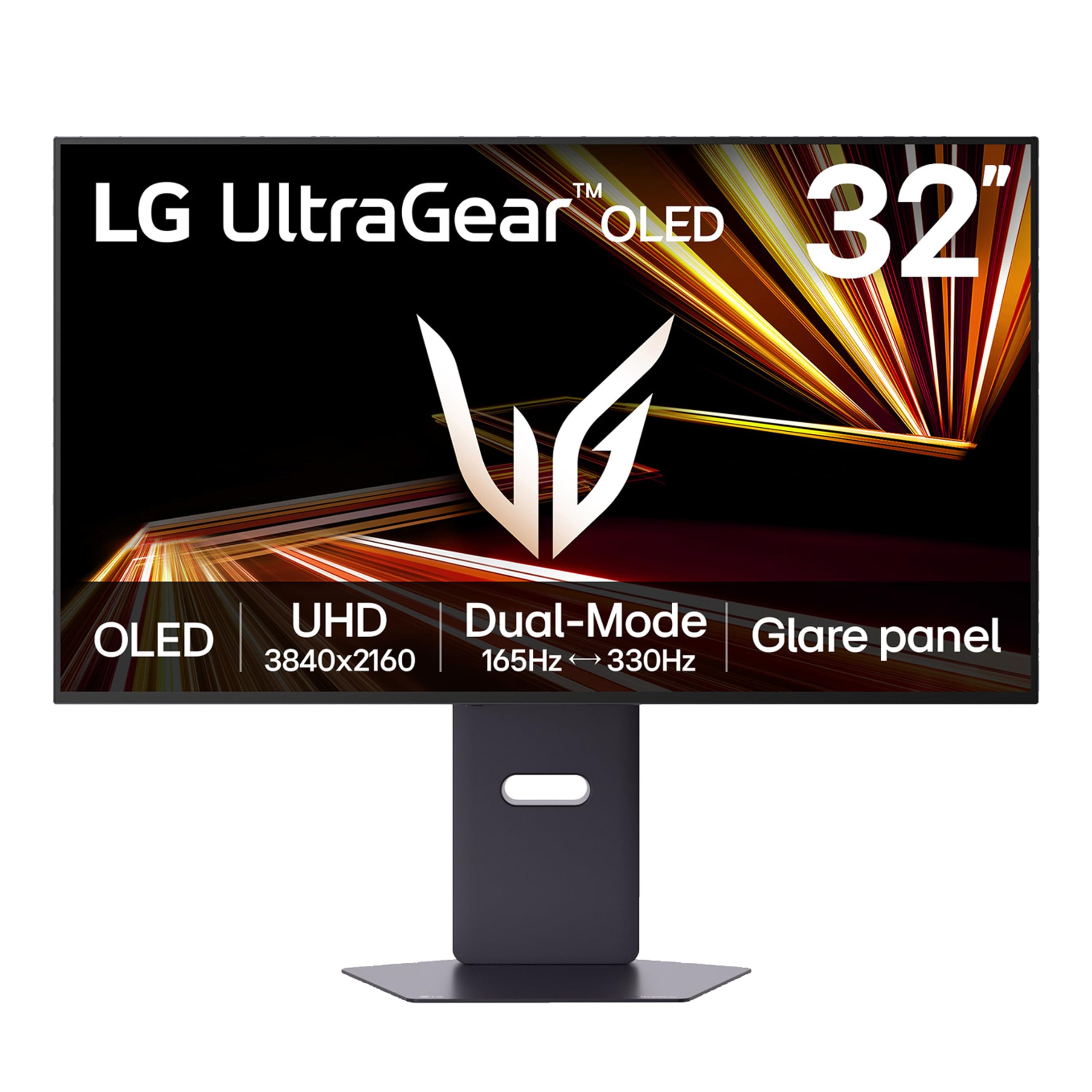
A 32-inch glossy 4K OLED that switches between 165Hz at full detail and 330Hz for esports — the best of both worlds.
The LG 32GX850A-B solves the resolution-versus-speed dilemma with Dual-Mode technology. You can play story-driven games in full 4K UHD (3840 x 2160) at up to 165Hz, or switch via hotkey to Full HD (1920 x 1080) for fast-paced FPS, MOBA, and racing games at up to 330Hz. This flexibility suits gamers who play a wide variety of titles, from cinematic adventures to competitive shooters.
The glossy OLED display with Micro Lens Array+ technology delivers a typical brightness of 275 nits, which is brighter than previous UltraGear OLEDs, with improved viewing angles. It’s VESA DisplayHDR True Black 400 certified with up to 98.5% DCI-P3 color gamut and a 1.5M:1 contrast ratio, providing deep blacks and impeccable detail in dark scenes. The 0.03 ms response time leaves lag and ghosting behind.
Owners love the vibrant colors and perfect blacks, noting that glossy screens offer more vibrant colors than matte finishes. It’s three times UL-certified for Anti-Glare, Flicker-Free, and Low Blue Light, ensuring eye comfort during long sessions. Some owners note the glossy screen is reflective in bright rooms and that 4K text can show minor banding common to OLED panels, but the overall experience is described as a massive upgrade from LCD.
What Makes It Great
- Dual-Mode lets you switch between 4K 165Hz and FHD 330Hz
- Stunning glossy OLED with perfect blacks and vibrant colors
- Brighter than previous UltraGear OLEDs with MLA+ tech
What to Consider
- Glossy screen is reflective in brightly lit rooms
- Premium price, though some find it great value for the specs
- Some minor text clarity issues common to WOLED panels
Reach for this if: you want one monitor that delivers jaw-dropping 4K visuals for single-player games and blistering 330Hz speed for competitive play.
Look elsewhere if: you play in a very bright room where the glossy reflective screen could be a distraction.
Understanding the Specs
Refresh Rate (Hz) and Response Time (ms)
Refresh rate, measured in Hertz (Hz), is how many times your monitor redraws the image every second. A 300Hz monitor refreshes 300 times per second, making fast motion look much smoother than a standard 60Hz screen. Response time, measured in milliseconds (ms), is how quickly a pixel can change color. Lower is better — 1ms is great, while 0.03ms OLED panels are nearly instantaneous, eliminating ghosting behind fast-moving objects.
Adaptive Sync: G-Sync and FreeSync
Adaptive sync technologies match your monitor’s refresh rate to the frame rate your graphics card is producing. This prevents screen tearing, where the image looks split horizontally, and stuttering, where motion feels choppy. NVIDIA’s G-Sync works best with NVIDIA GPUs, while AMD’s FreeSync is designed for AMD cards, though many monitors, like the ones here, support both for maximum compatibility.
FAQ
What is the difference between 300Hz and 360Hz?
Do I need a powerful graphics card for a 300Hz monitor?
Is 300Hz better than 144Hz?
Will a 300Hz monitor work with my console like the PS5 or Xbox?
What is the difference between IPS, VA, and OLED panels?
How long do OLED gaming monitors last?
Is DisplayPort better than HDMI for 300Hz?
What is HDR10 and DisplayHDR 400?
What does G-Sync Compatible mean?
Should I get a curved or flat 300Hz monitor?
Can a 300Hz monitor reduce eye strain?
Final Thoughts: The Verdict
For most people, the 300 hz monitor winner is the ASUS ROG Strix XG27ACDNG because it combines a 360Hz refresh rate with the stunning picture quality of a QD-OLED panel and includes a 3-year warranty with burn-in coverage. If you want the most versatile option for a mix of work and play, the LG 27G640A-B brings 300Hz speed and strong IPS color at a great value. And for the absolute fastest experience, the LG 27GX790A-B offers a mind-blowing 480Hz OLED display for serious esports competitors.
How We Picked
We do not accept paid placement. Every pick is matched to a real buyer and a real use-case; we do not hands-on test units.
Sources & Methodology
Specifications: manufacturer listings and product documentation. Review insights: verified customer reviews, as of August 2026. Pricing: not shown on this page (it changes often); check the current price via the retailer link.
As an Amazon Associate, Gadgets Feed earns from qualifying purchases. This does not affect which products we feature.