
Our readers keep the lights on and my morning glass full of iced black tea. As an Amazon Associate, I earn from qualifying purchases.
Specs are compiled from manufacturer listings and verified buyer reviews and can change over time — please confirm the key details on the product page before buying.
You want a wireless gaming keyboard that doesn’t drain your wallet or your patience. The real question isn’t just which one is cheap—it’s which one gives you that satisfying, creamy “thock” sound, a battery that lasts, and a connection that doesn’t drop mid-match. This guide cuts through the marketing noise to find the budget boards that actually feel premium where it counts.
I’m Min — the founder and writer behind Gadgets Feed. This guide is built by comparing the manufacturers’ published specifications and the patterns across verified customer reviews, so you get each pick’s real strengths and trade-offs instead of marketing spin.
From 8000mAh batteries to gasket-mounted frames, we break down the best budget wireless gaming keyboard options so you can buy with total confidence.
Our Picks at a Glance


How To Choose The Best Budget Wireless Gaming Keyboard
Before you click buy, you need to separate the boards that feel like a bargain from the ones that feel like a toy. The secret is to focus on the parts you touch and the battery that powers them, not just the flashy lights.
Focus on the Sound and Feel (Gasket Mounts and Foam)
That deep, satisfying “thock” you hear in YouTube reviews isn’t magic—it’s physics. Look for “gasket mount” construction and multiple layers of sound-dampening foam. These parts absorb the hollow echo from the case, so each keypress feels soft and sounds deep instead of rattling and cheap.
Battery Capacity is King
A huge battery capacity (measured in mAh) separates a keyboard you charge weekly from one you charge daily. Bigger numbers like 4000mAh or 8000mAh mean you can leave the RGB lights on high and still game for days without hunting for a USB-C cable.
Check the Connectivity Flexibility
Most modern options are “tri-mode,” meaning you can connect three ways: a lag-free 2.4GHz USB dongle for gaming, Bluetooth 5.0 for your laptop or tablet, and a USB-C cable for charging while playing wired. Make sure you get all three options, not just one.
Quick Comparison
| Model | Best For | Battery | Layout Size | Keys | Amazon |
|---|---|---|---|---|---|
| MechLands Aula F99 PRO★ Best Overall | Best Overall | 8000mAh | 96% | 99 | Amazon |
| RK ROYAL KLUDGE M65Best 60% Value | Best 60% Value | 240 hrs (RGB off) | 60% | 66 | Amazon |
| Redragon K689 PROBest Full-Size | Best Full-Size | Rechargeable | Full (108) | 108 | Amazon |
| SOLAKAKA A75 | Best 75% Feel | 4000mAh | 75% | 81 | Amazon |
| Womier Retro 75% | Best for Custom GIFs | Rechargeable | 75% | 87 | Amazon |
| Redragon K580 PRO | Best for MMO Macros | Rechargeable | Full (104) | 104 | Amazon |
| Redragon K742 | Best for Office + Gaming | 4000mAh | 98% | — | Amazon |
| SOLAKAKA KI99 Pro | Best Battery Life | 10000mAh | 96% | — | Amazon |
| AULA F75 Pro | Best Compact Feel | 4000mAh | 75% | 81 | Amazon |
In‑Depth Reviews
1. MechLands Aula F99 PRO 96% Mechanical Gaming Keyboard
Our pick — over 4.5★ from 350+ verified ratings; the strongest balance of quality and price.
A gasket-mounted 96% board that delivers a creamy “thock” and an 8000mAh battery at a budget price.
The MechLands Aula F99 PRO earns its crown because it nails the two things budget boards usually mess up: sound and stamina. It packs a massive 8000mAh battery, so you can leave the RGB blazing and still game for days without reaching for a cable. The 99-key 96% layout keeps your numpad and arrow keys intact while shaving off the wasted space of a full-size board, so your mouse gets more room to move.
The secret to its creamy “thock” is the gasket-mounted frame with five layers of sound-dampening materials. This sandwich of foam, switch pads, and silicone kills the hollow echo, making every keystroke feel soft, precise, and satisfying. It is also hot-swappable, meaning you can pull out the switches without soldering and swap in your favorite feel whenever you like.
Buyers report the typing experience is “almost ceramic” — smooth and polished. The crowd favorite parts are the buttery clicky sounds and the solid build that still feels lightweight. There is a caveat, though: one owner reported the 2.4GHz and Bluetooth stopped working after several months, leaving them with wired-only use, so treat the wireless modes gently and keep the cable handy.
What Wins People Over
- The “thocky” sound is praised most — buyers mention it as the standout feature
- Large 8000mAh battery means fewer charging sessions and more gaming
- Gasket mount plus five foam layers delivers a soft, satisfying keypress
Who Should Think Twice
- A few long-term owners mention the wireless modes die out, leaving only wired
- The plastic rotary knob feels a bit flimsy for an otherwise premium board
Reach for this if: you want a high-end typing feel and monster battery capacity without the premium price tag.
Look elsewhere if: you rely heavily on Bluetooth and need rock-solid wireless for years — this one is happiest on the dongle or cable.
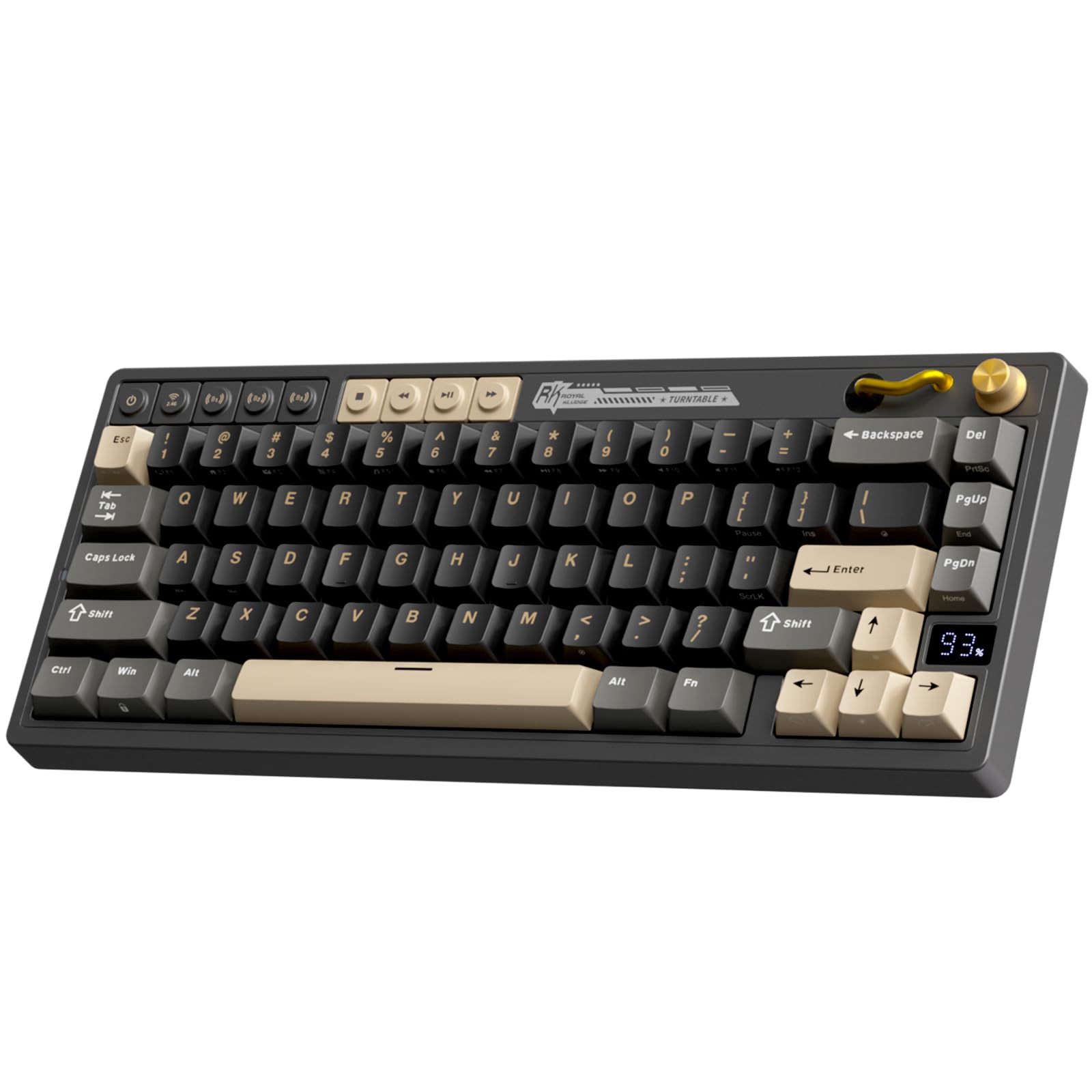
2. RK ROYAL KLUDGE M65 Wireless Gaming Keyboard
A tiny 60% board with a vintage style and an astonishing 240-hour battery life.
The RK ROYAL KLUDGE M65 is the ultimate space-saver for minimalists who want a clean desk. At just 66 keys with a 60% layout, it ditches the number pad and function row entirely, but keeps dedicated arrow keys for gaming. The standout feature is the battery: up to 240 hours of continuous use with the RGB lights off, which means you can go for weeks between charges with normal daily gaming.
It rocks a gasket mount design and pre-lubed Cream switches that deliver a quiet, smooth, softer-sounding keypress. The premium aluminum volume knob is a tactile delight for adjusting sound mid-game. It is hot-swappable too, so you can swap in different switches to change the feel without soldering.
Owners most praise the build quality and the multi-device knob that eases switching between up to 3 devices. The honest trade-off, as customers note, is the battery capacity feels low despite the long runtime because the internal cell is small, and the gasket is stiffer with minimal bounce. You are trading some flex for portability here.
The Standout Bits
- 240 hours of battery life with RGB off — the best endurance in this price tier
- Compact 60% footprint frees up huge amounts of desk space
- Quiet, creamy Cream switches that are hot-swappable
Keep In Mind
- No arrow keys or function row — a real adjustment if you use them a lot
- The gasket is stiff, so the typing bounce is minimal
Buy it if: you want a compact board that slips into a bag and still looks sharp, plus battery life that outlasts your workweek.
skip it if: you need a numpad or function row for work — the 60% layout won’t cut it for heavy spreadsheet or coding use.
3. Redragon K689 PRO Wireless 108-Key Gasket RGB Gaming Keyboard
The full-size workhorse that brings gasket softness to a 108-key layout.
The Redragon K689 PRO is for gamers and typists who refuse to give up their numpad. With 108 keys, you get everything a full-size board offers — including 4 extra dedicated shortcut hotkeys that default to mute, calculator, screen lock, and desktop. It uses a gasket-mounted construction with 3-layer noise dampening, giving you a soft, silky bounce and a satisfying “creamy” sound.
It is tri-mode, jumping between USB-C wired, Bluetooth, and 2.4GHz wireless so you can move from your PC to a laptop without re-pairing. The socket accepts almost any 3-pin or 5-pin switch, so you can experiment with different feels whenever you want. The PBT keycaps resist the glossy shine that cheap ABS plastic develops over time, keeping the keycaps looking fresh for months.
Owners most praise the soft, quiet keypress and linear switches for a premium feel. The most-discussed trade-off is the battery: some reviewers point out it holds a charge for a long time, while others say it drains too fast. If you want a soft, quiet full-size board and can live with variable battery luck, this is a solid pick.
The High Points
- Full 108-key layout keeps your numpad and adds 4 useful shortcut keys
- Gasket mount and 3-layer foam deliver a quiet, creamy sound
- Hot-swappable socket accepts 3-pin or 5-pin switches
The Trade-Offs
- Battery life reports are mixed — some units drain faster than expected
- The internal battery is non-replaceable, so longevity is a question mark
Pick it for: a cushioned, quiet full-size feel that still lets you game and work without giving up your numpad.
Think twice if: you demand predictable battery performance — this one’s endurance is a roll of the dice.
4. SOLAKAKA A75 75% Wireless Mechanical Keyboard
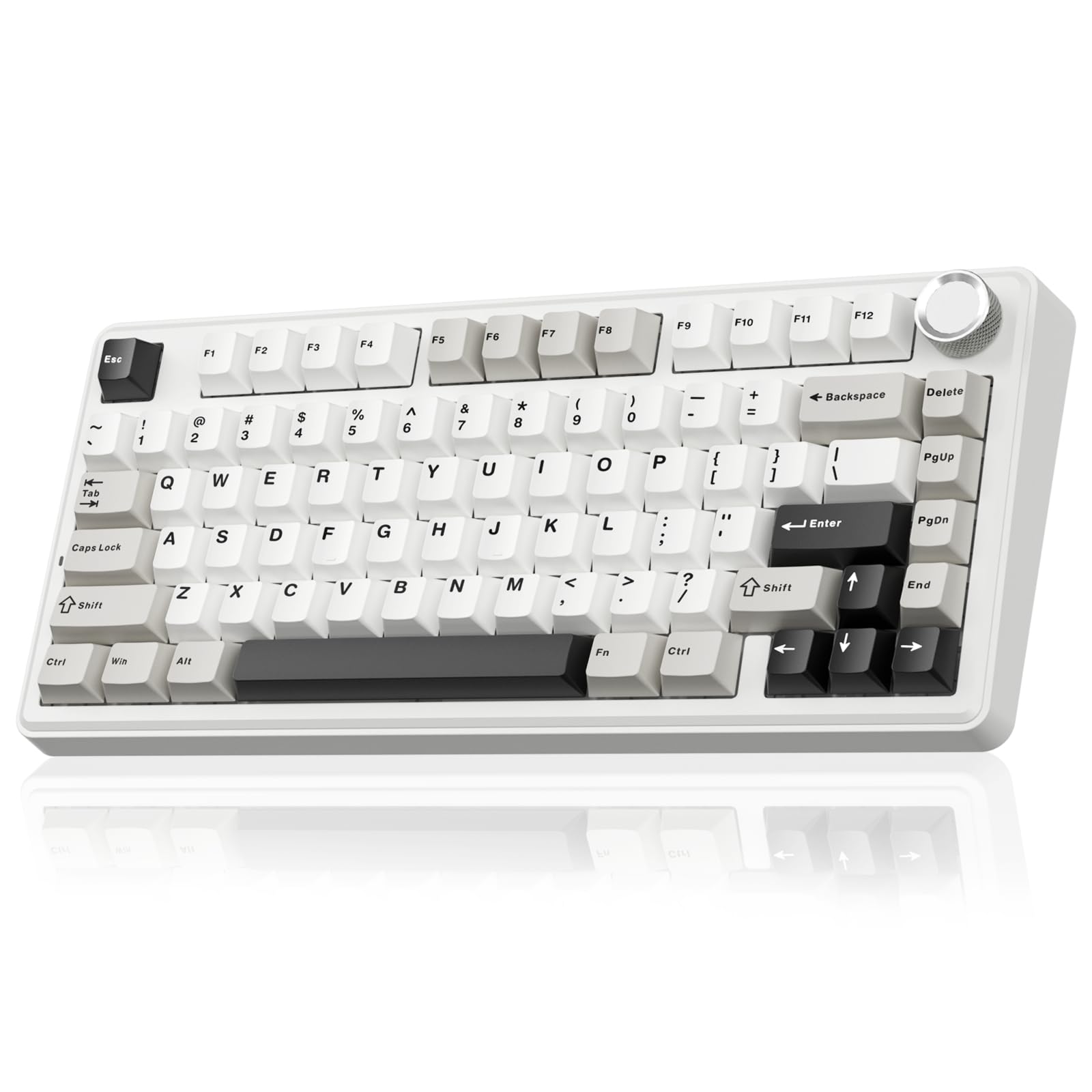
A bouncy, gasket-mounted 75% board that brings the premium “thock” without the premium cost.
The SOLAKAKA A75 earns its spot because it sounds like a board costing twice as much. Its gasket mount (a flexible mounting system that cushions each keystroke) stacks a single-key slotting PCB (the circuit board under the keys) with IXPE pads (a soft foam), PET film (a thin plastic layer), and silicone mats to kill the hollow echo, giving you a creamy, muffled “thock” sound that buyers describe as “so thocky, so nice.” With 81 keys on a 75% layout (a compact size that keeps the arrow keys and function row), you get full functionality while freeing up desk space.
The multifunctional metal knob is the star of the show. In gaming mode, a short press cycles lighting patterns and rotation adjusts brightness; in office mode, the same knob mutes audio and controls volume. It connects to up to five devices across 2.4GHz, BT 5.0, and USB-C, and a high-capacity 4000mAh battery keeps the lights on for extended sessions.
What wins people over is the sound quality — buyers can’t stop talking about the “buttery” typing feel and the satisfying clicky-clack. Owners note the keycaps have a protective layer that prevents WASD fading, and the build is surprisingly weighted and solid. The most common gripe is simply the lack of a numpad, which is inherent to the 75% layout.
The Highlights
- Incredible creamy “thock” sound right from the start
- Metal knob switches between gaming RGB controls and office volume
- Connects to up to 5 devices with tri-mode wireless
Note This
- No numpad — number-heavy data entry will slow you down
- Works best on Windows; Mac users lose some driver features
Reach for it if: you want a compact board with a premium sound profile that needs zero modding.
Steer clear if: you’re a data-entry pro who needs a dedicated number pad.
5. Womier Retro 75% Gaming Keyboard with OLED Display & Knob

A retro-styled 75% board with a built-in OLED screen for custom GIFs and real-time stats.
The Womier Retro 75% is the pick for keyboard enthusiasts who want personality on their desk. The smart OLED color display can show a custom GIF, caps lock status, connection mode, and even battery life — a neat extra no other budget board in this list offers. It pairs with a mechanical knob that adjusts brightness, RGB mode, volume, and language selection without digging into software.
Under the retro cap, it is a tri-mode board with USB-C wired, BT 5.1, and 2.4GHz wireless. It uses triple absorption layers (EVA foam, IXPE switch pad, and sponge case foam) to refine the key sound, plus a silencer foam under the spacebar to boost rebound speed. The 87-key layout keeps your arrow keys and adds 19 RGB backlight modes to play with.
Owners most praise the solid build and head-turning retro aesthetic. The sound quality also earns high marks, with a satisfying tactile response. The recurring concern is reliability: some units develop unresponsive keys after weeks, and Bluetooth connectivity gets mixed feedback, so keep your receipts and the box for potential returns.
The Cool Factor
- Unique OLED display shows custom GIFs and live keyboard stats
- Retro design stands out from the typical black slab
- Triple-layer sound dampening for a refined keypress
The Reality Check
- Reliability is the biggest worry — keys can stop responding over time
- Bluetooth connectivity is hit-or-miss for some owners
Buy it for: the wow factor — the OLED screen and retro vibe make it a conversation starter.
Avoid it if: you need bulletproof reliability for daily competitive gaming; the QC track record is shaky.
6. Redragon K580 PRO Wireless RGB Gaming Keyboard

A full-size MMO machine with 5 dedicated macro keys ready to fire on the fly.
The Redragon K580 PRO is built for MMO and MOBA players who need complex ability rotations at their fingertips. It features 5 dedicated macro keys (G1-G5) that let you record combos directly onto the keyboard — no software required mid-game. A metal media wheel handles volume with a satisfying click, keeping your hand on the board instead of reaching for your desktop.
It runs tri-mode connectivity across USB-C, Bluetooth, and 2.4GHz wireless, so switching from PC to laptop doesn’t cost you a re-pairing delay. The hot-swappable socket accepts almost any 3-pin or 5-pin switch, and the 104 keys register accurately even during rapid multi-key combos thanks to full anti-ghosting. It is also Mac-compatible right from the start, a flexibility many budget boards lack.
Owners most praise the solid build and quiet operation versus clicky alternatives. The software is optional — you can save your RGB and macro settings directly to the board’s memory. The most-discussed drawback is long-term reliability, especially Bluetooth connectivity degrading over time, plus documentation that one owner called “horrible.”
The Strong Points
- 5 onboard macro keys let you record combos without software
- Solid, heavy build with a satisfying metal volume wheel
- Quieter red linear switches avoid waking the whole house
The Weak Spots
- Bluetooth connectivity can get shoddy after extended use
- Documentation is poor — finding advanced features is a chore
Choose it if: you play MMOs and want macro power plus a full layout on a budget.
pass on it if: you plan to rely mainly on Bluetooth — the 2.4GHz dongle is the more stable path here.
7. Redragon K742 Wireless Mechanical Gaming Keyboard with Knob
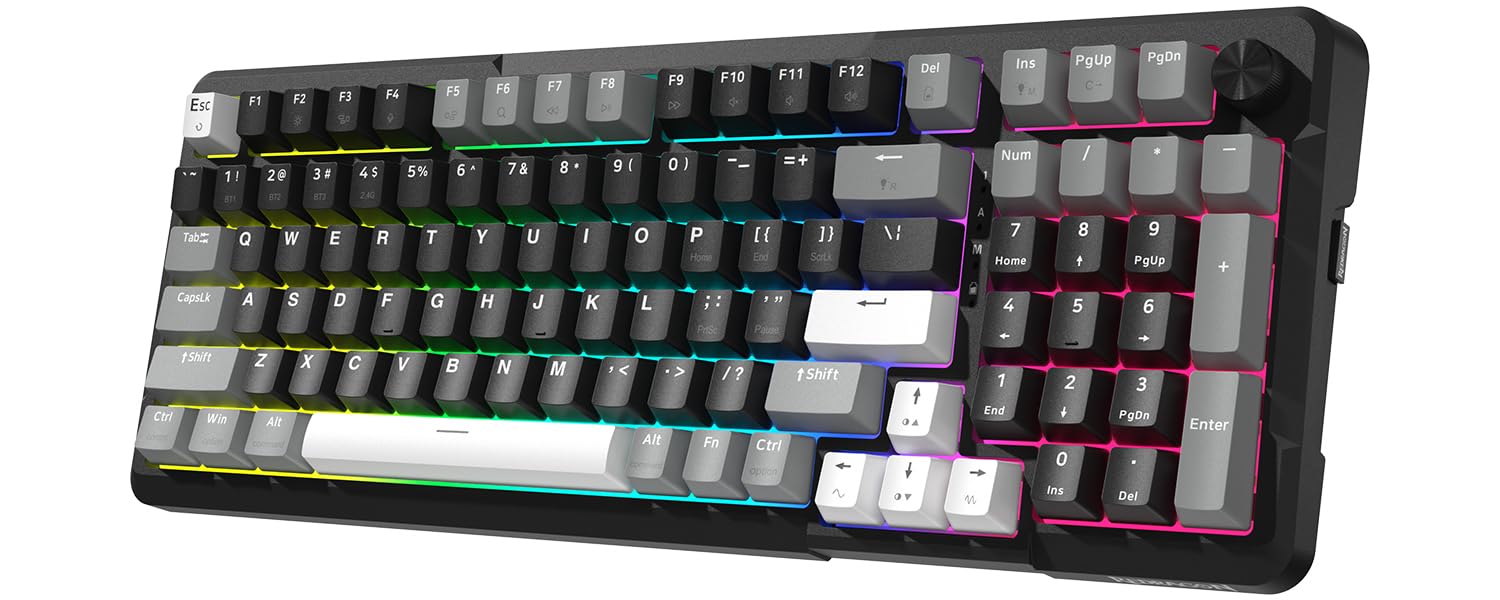
A sleek 98% board that splits the difference between a minimalist office slab and a gaming weapon.
The Redragon K742 is the productivity-focused pick that still delivers for gamers. Its 98% compact layout saves 10% of your desk space while keeping every function you need, including a multimedia volume knob for instant audio control. The gasket structure with 5-layer sound-absorbing padding makes it one of the quieter boards here — ideal for open-plan offices.
It runs on a 4000mAh battery rated for 53 hours with the backlight off and 16 hours with it on. The pre-lubed RPC linear switches offer a creamy sound with a 40±10gf operation force, meaning they’re light enough for extended typing without fatigue. It also supports QMK/VIA programmability, so you can remap keys and automate macros at the firmware level — a feature usually reserved for much pricier boards.
Owners consistently praise the creamy typing feel, sturdy build, and convenient volume knob. Battery life in real-world office use lands around 1 to 1.5 weeks of heavy typing, which is solid. The mixed feedback centers on connectivity — the dongle and Bluetooth can be unreliable for some users — and the spacebar can sound a bit hollow until you get used to it.
What Works
- QMK/VIA support gives you pro-level key remapping and macro automation
- 53 hours of battery life with backlight off keeps you working for days
- 5-layer sound padding makes it office-safe and quiet
What To Watch
- 2.4GHz and Bluetooth connections can be spotty for some units
- The spacebar lacks cushioning and sounds hollow at first
Grab it if: you split your time between spreadsheets and gaming and want QMK-level control without the pro price.
Think again if: you need rock-solid wireless — you may end up plugging in the cable more often than you’d like.
8. SOLAKAKA KI99 Pro 96% Wireless Mechanical Keyboard
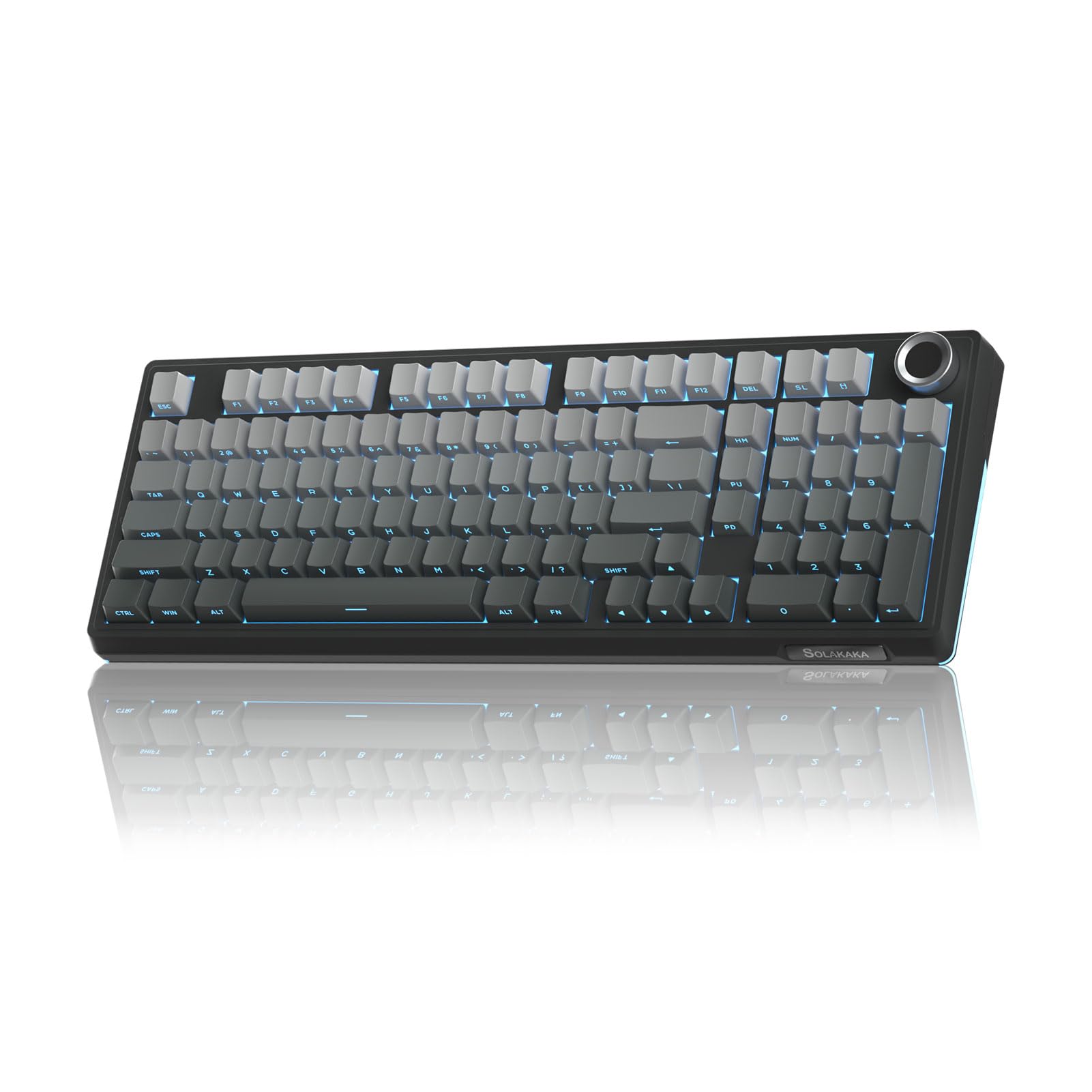
The battery king with a 10,000mAh cell that leaves every other budget board behind.
The SOLAKAKA KI99 Pro tackles the biggest wireless gaming gripe: constant recharging. Its 10,000mAh battery (the capacity that determines how long it lasts) is the biggest in this guide, so shoppers say the charge drops only about 4% per day — that means roughly 20 to 30 days of use. You can keep the RGB (the colorful backlighting) on and still forget where you left the charging cable.
The 96% layout packs most of a full-size keyboard into a compact frame, with a multifunctional metal knob to adjust volume, switch media, and regulate light brightness. It uses a gasket structure with five layers of noise reduction, plus a 1.2mm flex-cut hot-swappable PCB that accepts 3-pin or 5-pin switches. The dual-color injection molded PBT keycaps resist fading and keep their texture under heavy use.
Owners most praise the crisp sound and soft, creamy keypresses. The RGB lighting is a highlight, with 16.8 million color options and side light bars for extra flair. The one practical gripe: the flexible PC board means the layout skips a dedicated “End” button, which some typists miss when jumping to the end of a line.
The Big Wins
- Monster 10,000mAh battery delivers weeks of real-world use
- Premium creamy typing feel with a flex-cut PCB for soft keystrokes
- Full-key RGB with 16.8 million colors plus side light bars
The Small Gripes
- No dedicated “End” button for quick line-jumping while typing
- Plastic case feels less premium than its sound would suggest
Get it for: battery endurance that beats every other pick here — if you hate plugging in devices, this is your board.
Pass on it if: you constantly hit the “End” key while writing or coding; its absence will annoy you.
9. AULA F75 Pro Wireless Mechanical Keyboard with Knob
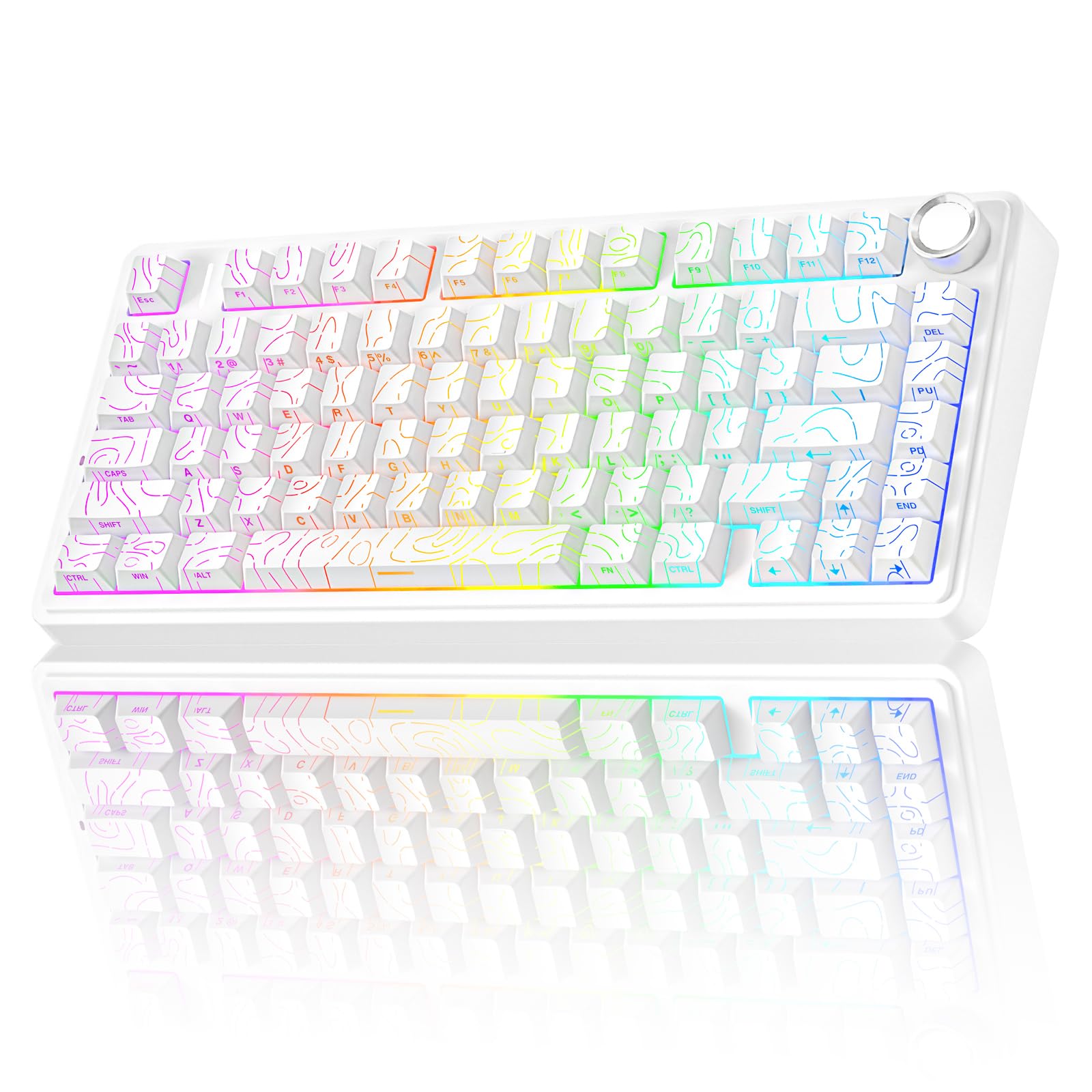
A tactile 75% board with LEOBOG switches that lets you feel every single keypress.
The AULA F75 Pro is for gamers who love pronounced tactile feedback — the kind where you feel each key click beneath your fingers. It comes with pre-lubricated LEOBOG star vector switches that provide a smooth, fast response, wrapped in a gasket-mount structure with five layers of filling silencer. The result is a soft, elastic hand feel that owners describe as “really tactile.”
The 81-key 75% layout keeps your arrow keys and function row while saving desk space, and the multifunction knob switches between gaming mode (brightness and lighting effects) and office mode (volume and play/pause). It connects up to five devices across Bluetooth 5.0, 2.4GHz, and USB-C, with a 4000mAh battery for long sessions. The hot-swappable base accepts 3-pin or 5-pin switches for future tinkering.
Owners love the “chonky clacking” sound and bright, colorful appearance. The keycaps are side-printed PBT, which resists fading from heavy WASD use. Be aware this is a louder board — the tactile switches have an audible clack — and the south-facing RGB doesn’t shine through the keycaps, so the lighting reads as ambient glow rather than per-key illumination.
The Perks
- Extremely tactile switches give you clear feedback on every press
- Side-printed PBT keycaps resist wear and look unique
- Multifunction knob handles both gaming lighting and office volume
The Caveats
- The clack is loud — not ideal for shared quiet spaces
- South-facing RGB means light doesn’t shine through the letters
Pick it up if: you’re a tactile switch fan who wants maximum feedback per keystroke.
Leave it if: you need a silent board for a shared office or late-night gaming next to a sleeping family.
Understanding the Specs
Battery Capacity (mAh)
This is the fuel tank of your keyboard, measured in milliamp hours. Bigger numbers like 4000mAh or 8000mAh mean you can go days or weeks between charges. The SOLAKAKA KI99 Pro’s 10,000mAh cell is the outlier here — it laughs at the idea of a weekly charge.
Gasket Mount and Sound Layers
A gasket mount suspends the PCB between soft rubber pads instead of screwing it rigidly to the case. That flexibility, combined with foam layers inside, absorbs the hollow echo and creates that deep “thock” sound. If you want a quiet, satisfying board, look for “gasket structure” plus multiple dampening layers.
FAQ
What is the difference between 60% and 75% keyboard layouts?
How long does a wireless gaming keyboard battery actually last?
What does hot-swappable mean and why should I care?
Is 2.4GHz wireless or Bluetooth better for gaming?
What are the benefits of PBT keycaps over ABS keycaps?
Can I use these keyboards with a Mac or a gaming console?
Why do people talk about the “thock” sound so much?
Is the RK ROYAL KLUDGE M65 a 60% or 65% keyboard?
Final Thoughts: The Verdict
If you want one dependable pick, the budget wireless gaming keyboard winner is the MechLands Aula F99 PRO because it delivers a premium gasket-mounted typing feel and a huge 8000mAh battery at a price that undercuts boards with half its features. If you want maximum battery endurance above all, grab the SOLAKAKA KI99 Pro for its massive 10,000mAh cell. And for a tiny footprint with class-leading stamina, the RK ROYAL KLUDGE M65 is the one to reach for. Buy the one that matches your space and battery needs — the crowd favorite at 4.8 stars is the MechLands, and it earns that respect.
How We Picked
We do not accept paid placement. Every pick is matched to a real buyer and a real use-case; we do not hands-on test units.
Sources & Methodology
Specifications: manufacturer listings and product documentation. Review insights: verified customer reviews, as of August 2026. Pricing: not shown on this page (it changes often); check the current price via the retailer link.
As an Amazon Associate, Gadgets Feed earns from qualifying purchases. This does not affect which products we feature.