
Our readers keep the lights on and my morning glass full of iced black tea. As an Amazon Associate, I earn from qualifying purchases.
Specs are compiled from manufacturer listings and verified buyer reviews and can change over time — please confirm the key details on the product page before buying.
The best digital photo frame is the one your parents can actually use without calling you for help. You want crisp photos, generous storage, and an app that makes sharing easy — not a gadget that demands a monthly fee to do basic things. This guide cuts through the specs to find frames that deliver on the everyday promise of reliving memories.
I’m Min — the founder and writer behind Gadgets Feed. This guide is built by comparing the manufacturers’ published specifications and the patterns across verified customer reviews, so you get each pick’s real strengths and trade-offs instead of marketing spin.
We’ve dug through the specifications and owner feedback to find the digital photo frame that balances ease of use, storage, and display quality for real families.
Our Picks at a Glance


How To Choose The Best Digital Photo Album Frame
Your choice of digital photo frame should match the room and the person receiving it. A 10-inch model fits neatly on a nightstand, while a 15.6-inch screen can replace a piece of wall art above the fireplace. Think about where it will live and who will use it before you buy.
Storage and Subscriptions
Check whether the frame has built-in memory and whether you’ll pay a monthly fee later. Some frames, like the Skylight, hold roughly 4,000-5,000 photos on an 8GB drive without any subscription. Others give you 32GB or 64GB of space, so you can store tens of thousands of images without worrying about running out.
Screen Quality and Size
The display is the whole point, so resolution matters. A 1920×1080 Full HD screen on a 15.6-inch frame makes colors vivid and text sharp. If you prefer a compact 10-inch frame, look for a 1280×800 resolution, which still looks bright and clear for everyday viewing.
Sharing and App Experience
The best frames let family members send photos from their phones no matter where they are. Apps like Frameo and Nixplay allow multiple people to contribute to one frame, turning it into a shared family album. Confirm the frame supports your phone’s operating system so everyone can join in.
Quick Comparison
| Model | Best For | Display Size | Storage | Resolution | Amazon |
|---|---|---|---|---|---|
| Skylight 10″★ Best Overall | Grandparent-friendly gifts | 10 inches | 8 GB | 1280×800 | Amazon |
| Dragon Touch 15.6″Best for Organization | Family calendar + photos | 15.6 inches | 32 GB | 1920×1080 | Amazon |
| PhotoSpring 10″No-Fee Champion | No-subscription buyers | 10 inches | 32 GB | — | Amazon |
| humblestead 15.6″ | Large storage capacity | 15.6 inches | 64 GB | 1920×1080 | Amazon |
| BIGASUO 15.6″ | Full-screen photo display | 15.6 inches | 64 GB | 1920×1080 | Amazon |
| Uhale 15.6″ | Video playback with sound | 15.6 inches | 64 GB | 1920×1080 | Amazon |
| ApoloSign by Nixplay 15.6″ | Multi-frame households | 15.6 inches | 32 GB | 1920×1080 | Amazon |
| FLYRUIT Frameo 15.6″ | Offline photo transfers | 15.6 inches | 32 GB | 1920×1080 | Amazon |
| ApoloSign Neon 14.1″ | Smart calendar + ambient light | 14.1 inches | 32 GB | 1920×1200 | Amazon |
In‑Depth Reviews
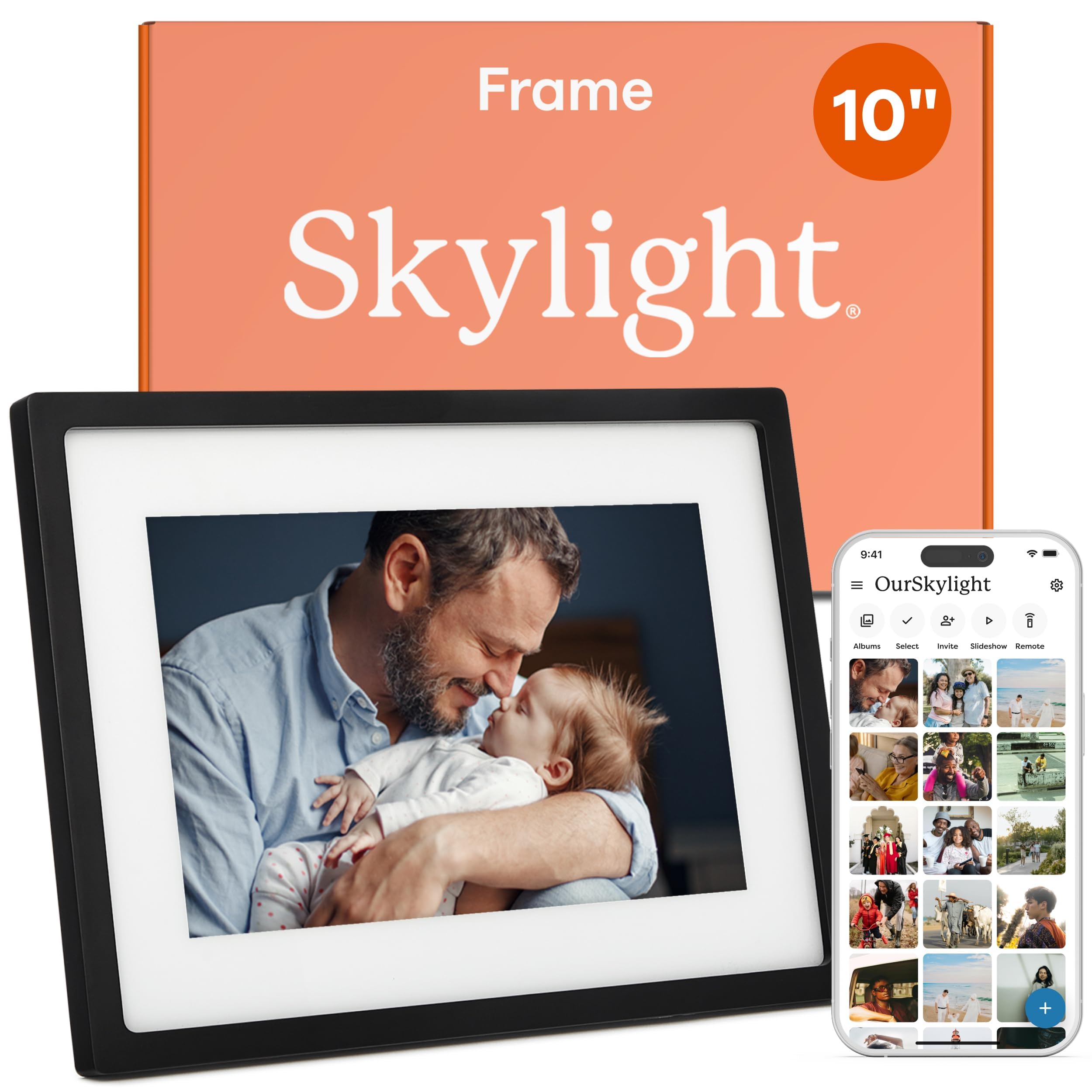
1. Skylight Digital Picture Frame 10″
Our pick — over 4.5★ from 27,000+ verified ratings; the strongest balance of quality and price.
The crowd-pleasing gift that grandparents actually figure out on their own.
The Skylight frame wins on the thing that matters most for a gift: ease of use. Setup means plugging it in, connecting to Wi-Fi, and choosing a unique Skylight email address — that’s it. Family members then send photos and videos to that address from anywhere, and the frame shows them on a bright 10-inch touchscreen with a crisp 1280×800 resolution. The whole experience is designed so a non-tech-savvy person never feels lost.
It holds about 4,000-5,000 photos on its 8GB of built-in storage — buyers report that’s plenty for a rotating daily slideshow. What wins people over is the sheer simplicity, with ease of use drawing the most praise by far. You can even activate Gift Mode to preload photos before wrapping it, so the recipient opens a frame already filled with memories. An offline mode lets them enjoy existing photos without Wi-Fi, though uploading new ones does require a connection.
The trade-off is a smaller screen and less storage than the 15.6-inch rivals below. If you want a frame that fills a wall or holds tens of thousands of images, look at the bigger models. For a ready-to-enjoy, zero-maintenance photo gift that the whole family can contribute to, the Skylight is the proven favorite.
Loved For
- Truly plug-and-play setup that grandparents master quickly
- No subscription fees for core functionality
- Family can email photos in from anywhere
Consider This
- 8GB storage is modest next to 32GB and 64GB rivals
- 10-inch screen won’t dominate a large room
Reach for this if: you want a gift-ready frame that works right from the start with no setup fuss.
Look elsewhere if: you need a wall-filling 15-inch display or massive photo archives.
2. Dragon Touch 15.6 Inch Large Digital Picture Frame
The 15.6-inch screen that doubles as your family’s mission-control calendar.
The Dragon Touch is the largest pick here at 15.6 inches, and its 1920×1080 Full HD touchscreen makes photos look vivid and detailed. Owners mention swapping their smaller 10.1-inch frame for this one specifically for the size, loving the software and customization options. It’s a genuine alternative to the Skylight above, trading that frame’s simplicity for a bigger canvas and extra utilities.
Beyond photos, this frame runs a full family calendar with color-coded chores, tasks, and meal planning that syncs with both iPhone and Samsung devices. The 2-way sync is reportedly fast, taking roughly 1-2 minutes, and the app integration makes on-the-go scheduling easy. A built-in speaker plays small videos, and features like an alarm, weather forecast, and scheduled on/off add daily usefulness. Its 32GB of storage gives you solid room for a large collection.
The honest catch is that functionality is the most-discussed topic in reviews, and it earns mixed feedback rather than pure praise. The power button sits on the back of the wall-mounted frame, which some find awkward, and auto on/off scheduling feels limited. If you want a true all-in-one family hub that shows photos and keeps everyone organized, this is a strong mid-range choice.
Who it fits: busy households that want a shared calendar plus a photo display in one device, with a screen that’s 56% larger than the 10-inch Skylight above.
Pick it for: families juggling schedules who want photos and a shared planner on one big touchscreen.
Think twice if: you want dead-simple photo display only — the extra features add complexity.
3. PhotoSpring 10in WiFi Digital Picture Frame
A USA-company frame with 32GB of storage and zero subscription fees, ever.
PhotoSpring is explicit about what it won’t charge you for: nothing, ever. This 10-inch frame comes fully featured without subscription fees, while some other brands charge for features this one includes free. It holds a 32GB capacity — a 4.0x gap over the Skylight’s 8GB — so you can load a much bigger library of memories without worrying about space.
Setup takes about 5 minutes with its user-friendly touchscreen, and you can send photos via email, app, or web, or import them from a USB stick. The frame even plays videos up to 1GB (roughly 5 minutes) in HD quality. An award-winning ease of use makes it approachable for all ages, and the wood frame material gives it a warmer, more furniture-like look than plastic rivals.
The recurring real-world gripe is connectivity, with some owners reporting the frame doesn’t always stay connected to Wi-Fi. There’s no remote or app control, and the built-in speaker sounds weak on video playback. If you prioritize a subscription-free, made-in-America frame with generous storage and a warm aesthetic, this is a compelling pick.
Free Forever
- 32GB storage with no subscription fees
- 5-minute setup with touchscreen interface
- Plays videos up to 5 minutes in HD
Watch For
- Wi-Fi connection can drop for some owners
- No remote control and weak video sound
Choose it for: buyers who refuse monthly fees and want 4x the storage of the top pick.
skip it if: your Wi-Fi is unreliable or you want to control the frame from a phone app.
4. humblestead 15.6 Inch Digital Picture Frame
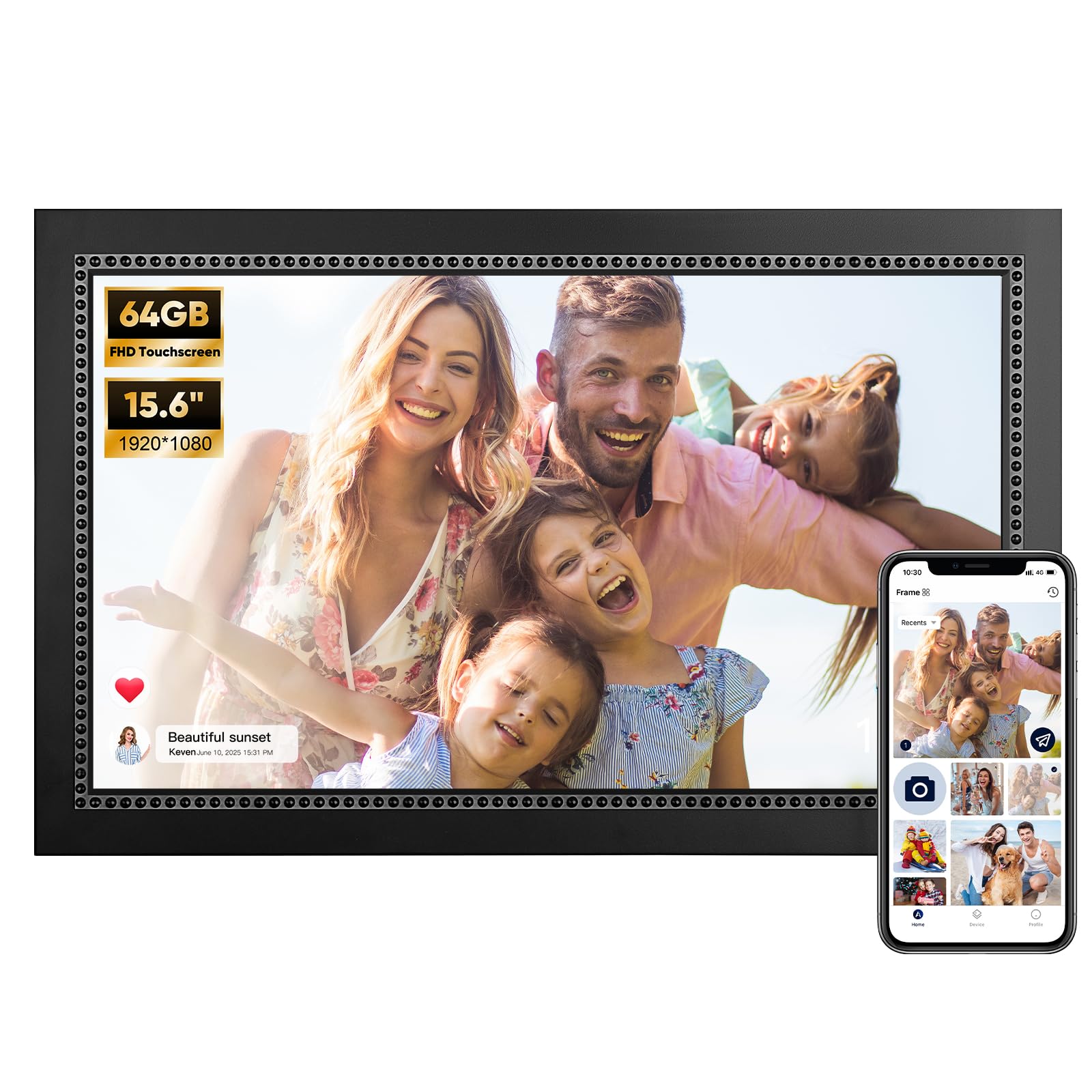
A 15.6-inch canvas with 64GB of space for your entire photo history.
The humblestead frame solves the two biggest complaints about digital frames: small screens and cramped storage. Its 64GB of built-in memory holds 80,000+ photos, so you can dump your entire camera roll without curation. The 15.6-inch 1920×1080 IPS touchscreen displays images clearly from wide angles, making it a strong pick for a mantle or living room wall.
Sharing works through the AiMOR app, which lets unlimited family and friends join and exchange photos and short clips up to 15 seconds long. The auto-rotation adjusts images between portrait and landscape, and a reserved mounting hole supports both tabletop and wall placement. A 360-day warranty and GDPR-compliant cloud servers (servers that meet strict European privacy rules) add confidence for privacy-minded buyers.
The catch is that wireless connectivity earns mixed feedback, and uploads may fail for photos stored only in the cloud rather than directly on your phone. For a generous-storage frame with a huge, sharp display that fits a wall, this is a solid value. The simplicity and storage beat the pricier Nixplay option below, though the app isn’t as polished.
Standout value: 64GB of storage plus a 15.6-inch IPS screen at a mid-range price, with a one-year warranty as backup.
Best for: photo hoarders who want tens of thousands of images on one big wall-ready screen.
Not for: anyone who relies on cloud-stored photos rather than images saved on their phone.
5. BIGASUO 15.6″ Frameo Digital Picture Frame
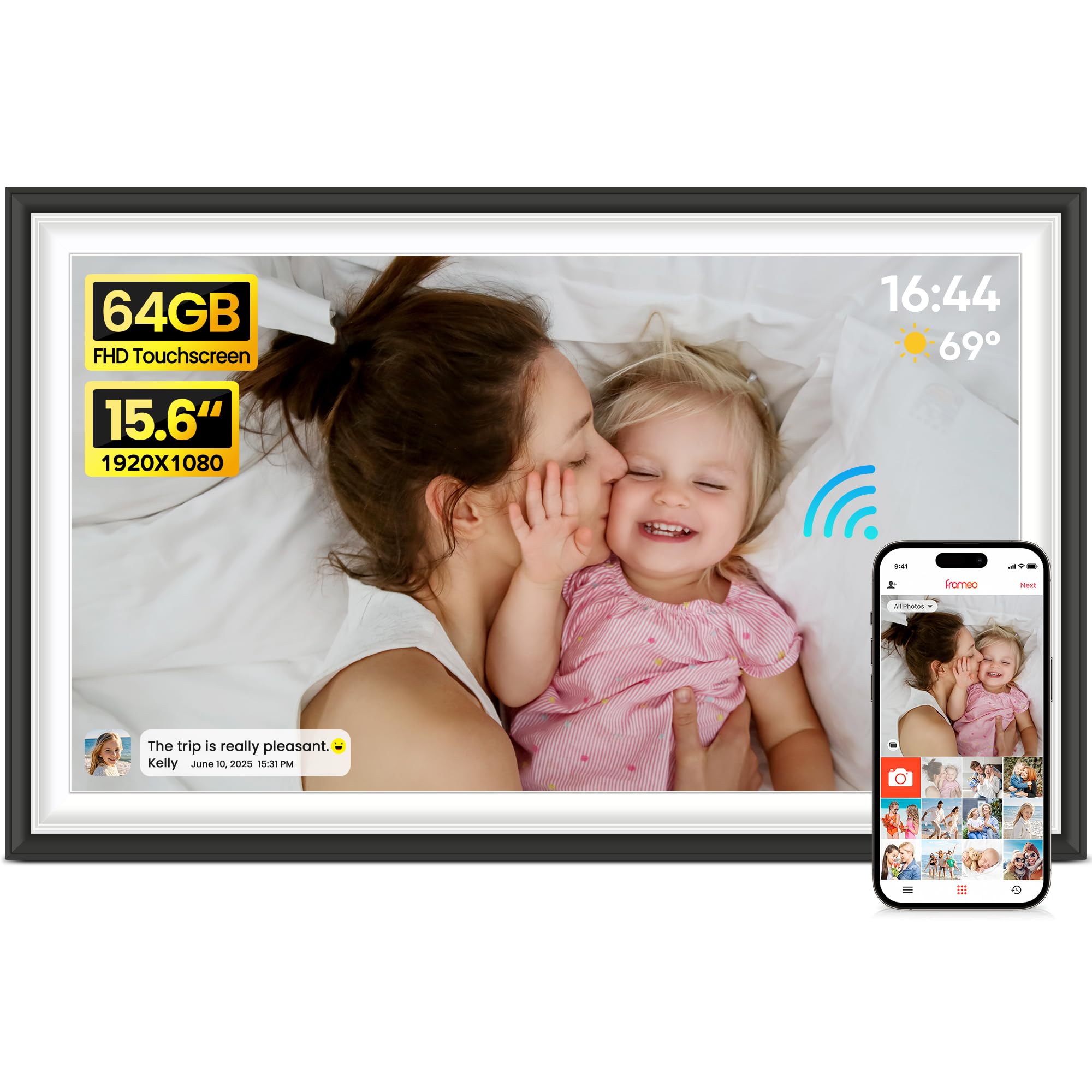
The frame with no border, so your photos fill the entire screen edge to edge.
What buyers rave about first with the BIGASUO is that it has no extra border around the display — the picture fills the full screen. On a 15.6-inch 1920×1080 IPS touchscreen, that means your photos become the whole show, not a small image inside a bulky bezel. Owners love placing it over the fireplace as a replacement for a large family photo.
It runs on the Frameo app, trusted by millions worldwide, which lets loved ones share photos and videos instantly from iOS or Android. The 64GB of built-in storage holds up to 100,000 photos, so running out of space is a non-issue. You can also import media via SD card or USB drive, and add warm captions to every memory before sending.
The honest trade-off involves reliability, which earns mixed feedback in owner experiences. For the best compatibility, format SD cards to FAT32 and stick with 32GB cards, since larger ones may not work reliably. If you want an rich, edge-to-edge photo display with huge storage, this is a top contender.
Why It Wins
- Borderless design makes photos fill the full screen
- 64GB storage holds up to 100,000 photos
- Frameo app is secure and supports instant sharing
Keep In Mind
- SD card compatibility works best with 32GB cards
- Reliability varies for some owners
Grab it for: the most striking photo display where images fill the entire 15.6-inch screen.
Consider others if: you need guaranteed SD card support for large cards.
6. Uhale 64GB 15.6″ Digital Picture Frame
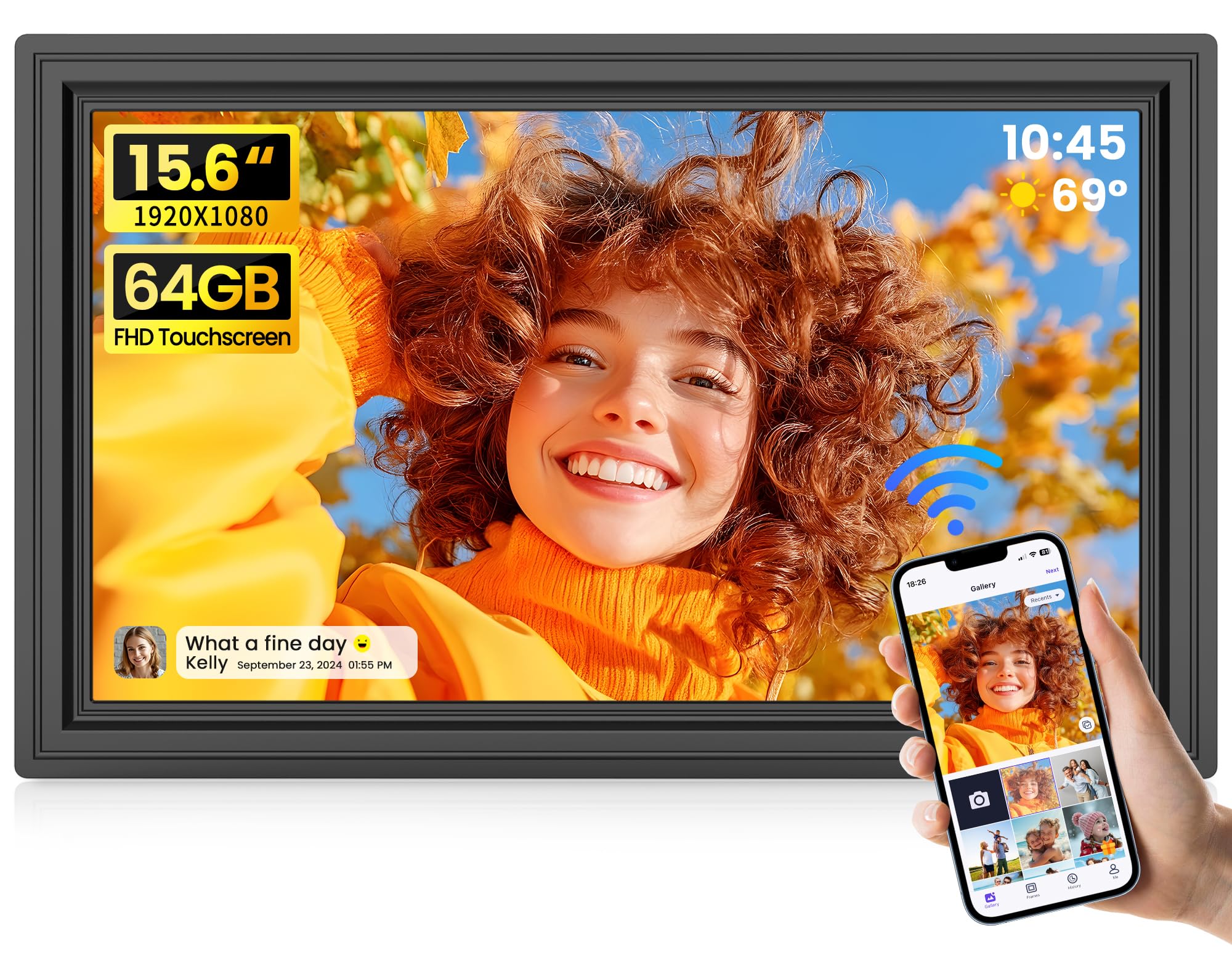
Plays videos with sound, so you relive the laughter along with the image.
Most frames treat video as an afterthought, but the Uhale is built around bringing memories to life with audio. Its built-in speaker plays videos with sound, capturing every laugh and song in vivid detail. You can upload videos without a time limit via SD card or USB, though the Uhale app caps app uploads at 2 minutes. That flexibility makes it a favorite for distant family members who want to share more than stills.
The 15.6-inch FHD 1080P IPS touchscreen delivers crisp, vibrant images from any viewing angle, and the 64GB of storage holds 160,000+ photos. A 365-day warranty and lifetime technical support back the purchase, with a team that responds within 24 hours. Buyers consistently praise how easy it is to use, with ease of use drawing the most mentions by far.
Reliability is the most-discussed concern, earning mixed feedback — some report the LCD failing, though support resolves issues quickly. The mounting bracket doesn’t swivel, which makes wall installation trickier. For a frame that brings video moments to life with sound and offers massive storage, this is a strong value pick.
Signature feature: unbounded video playback via SD/USB with built-in audio — something few rivals offer at this price.
Pick it for: families who want to watch short video memories with sound on a big 15.6-inch screen.
Be mindful: occasional hardware issues mean you should test the unit early in the warranty period.
7. ApoloSign 15.6″ Powered by Nixplay

The frame that connects multiple screens in different homes into one shared network.
The ApoloSign runs on Nixplay, among the most mature ecosystems in digital frames, and it shows. Setup is fast, and customers note loading close to 1,000 photos in just 15 minutes — far quicker than older frames. The 15.6-inch 1920×1080 FHD IPS touchscreen (a high-resolution screen with wide viewing angles) offers a 178° viewing angle, so photos look vivid even when viewed from the side.
Its standout skill is linking multiple frames to one app, so a playlist created in your home can appear on a relative’s frame across the country. Nixplay’s free cloud storage keeps your library synced, and logging into your account migrates photos to a new frame with one click. A smart Nixplay-SenseMe sensor wakes the frame when you enter the room and sleeps it when you leave, saving power. It even works with Amazon Alexa for voice-controlled playlists.
Advanced features sit behind a subscription tier, and occasional app drops are reported. For multi-frame households or existing Nixplay users, this integration is worth the premium.
Ecosystem Power
- Connect multiple frames in different homes to one app
- Free cloud storage with one-click photo migration
- Motion sensor wakes and sleeps the frame automatically
Trade-offs
- 32GB storage with no SD card support
- Advanced features require a subscription
Best for: families spread across multiple homes who want one synced photo network.
Look elsewhere if: you want maximum local storage without any subscription layer.
8. FLYRUIT 15.6″ Frameo Digital Picture Frame

The frame that works even when Wi-Fi doesn’t, thanks to USB and SD transfers.
The FLYRUIT stands out for its no-Wi-Fi mode, a lifesaver for elderly relatives who find apps tricky. You can pop in a full-sized SD card or USB drive, or connect via USB-C cable to transfer photos straight from a computer. That flexibility means it works in cabins, retirement homes, or anywhere connectivity is spotty, without sacrificing the modern Frameo app experience when Wi-Fi is available.
Its 15.6-inch 1920×1080 IPS touchscreen displays photos with crisp clarity, and 32GB of internal storage holds over 10,000 photos. As an official Frameo partner, it offers the most trusted and stable Frameo app experience, supporting unlimited members. A night mode and scheduled shut-off let it double as a bedside display without glare.
The most-discussed topic is ease of use, with praise for how intuitive the Frameo app is — reviewers point out it’s the easiest frame for non-tech users, especially compared to cloud-only brands. Some photos appear slightly fuzzy, and the app has a 10-photo upload limit at a time. If offline transfers and grandparent-proof simplicity matter most, this is a top choice.
Differentiator: four transfer methods (SD, USB, USB-C, app) mean photos get on the frame no matter what.
Reach for it if: your recipient lives where Wi-Fi is unreliable or prefers not to use apps.
Skip it for: photo purists who need every image razor-sharp with zero fuzziness.
9. ApoloSign 14″ Neon Light Digital Picture Frame
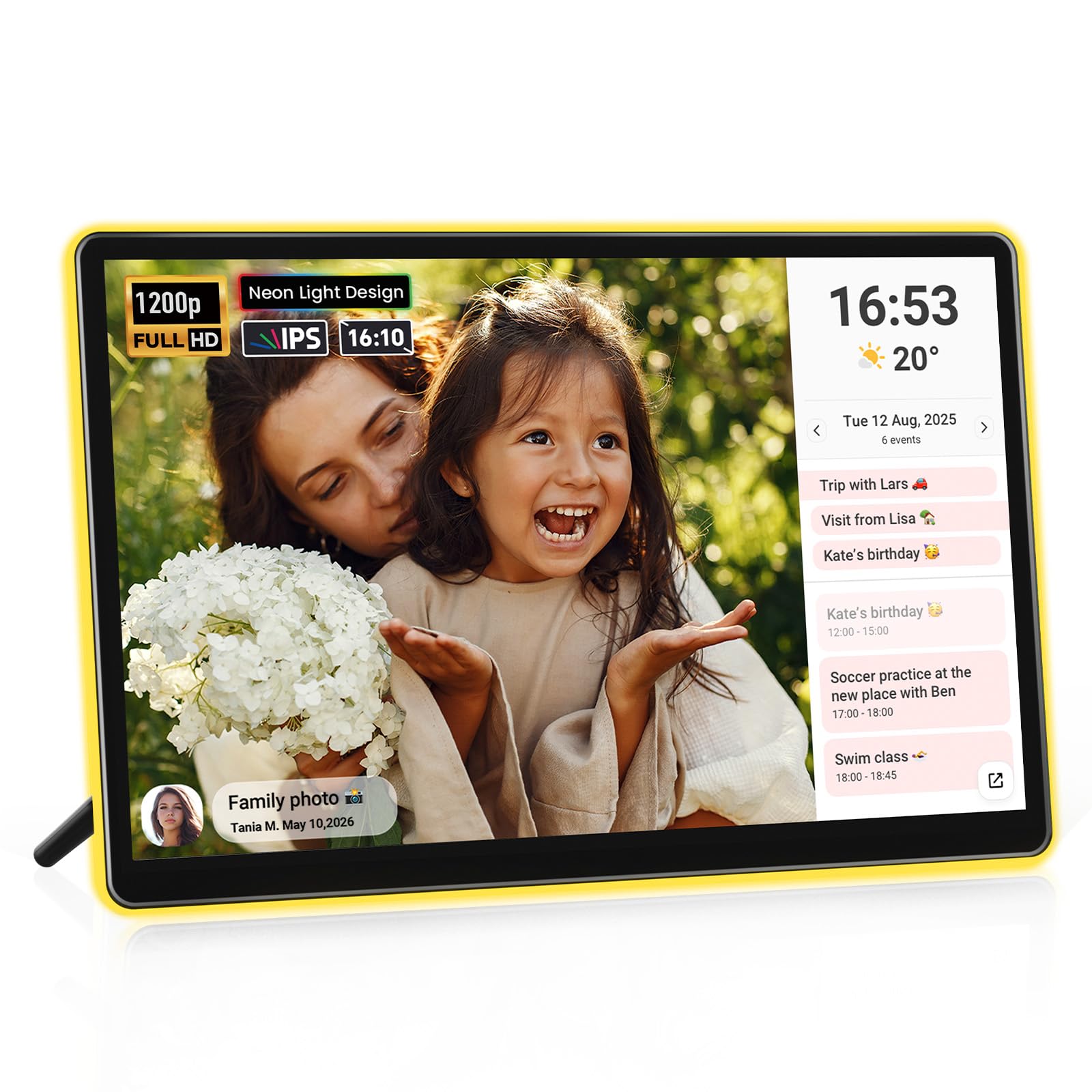
The frame with AI lighting that shifts color to match every photo’s mood.
The ApoloSign Neon is the most distinctive frame here, wrapping your photos in an AI-powered ambient light that changes color in real time based on the image’s tone. A 3W system casts a soft glow that warms family moments and enhances landscapes. Buyers describe the effect as stunning, with the neon border automatically matching photo colors — it’s a centerpiece, not just a display.
Its 14.1-inch 1920×1200 FHD touchscreen uses a 2.5D glass panel for exceptional clarity, and the 16:10 aspect ratio gives it a slightly taller profile than standard frames. It’s also a 2-in-1 smart calendar, syncing with Google, Outlook, or iCloud through the Frameo app so your schedule updates in real time. A clock, weather updates, and Do Not Disturb mode make it a true desk companion.
The mixed feedback centers on upload speed — some find sending from phones easy, others hit difficulties. The free app handles essentials, but video clips are limited to 15 seconds and some owners worry about future subscription fees. For a gorgeous, conversation-starting frame that doubles as a smart calendar, this is a special gift.
Signature Moves
- AI neon lighting auto-matches photo colors
- 2-in-1 photo frame and smart home calendar
- 1920×1200 FHD resolution on 2.5D glass
Know Before Buying
- 15-second video limit through the app
- Upload speed gets mixed feedback
Pick it for: design lovers who want a glowing, color-shifting frame that also shows their schedule.
Look elsewhere if: you need long video playback or the fastest possible uploads.
Understanding the Specs
Display Resolution and Size
Resolution determines how sharp your photos appear. A 1920×1080 Full HD screen on a 15.6-inch frame looks crisp and vibrant, while a 10-inch frame with 1280×800 still appears bright and clear. Bigger screens demand higher resolution to keep images from looking pixelated, so pair size with resolution when comparing.
Storage Capacity
Built-in storage defines how many photos you can keep on the frame at once. An 8GB frame holds roughly 4,000-5,000 photos, while 32GB and 64GB models can store tens of thousands or even 100,000+. If you want to dump your entire camera roll without curating, choose 64GB; for a rotating daily slideshow, 8GB is plenty.
FAQ
Do digital picture frames require a monthly subscription?
Can family members add photos from their own phones?
Will a 10-inch frame be too small for grandparents?
Can I transfer photos to the frame without Wi-Fi?
How many photos can a 32GB frame actually hold?
What is Gift Mode on a digital picture frame?
Can digital frames play videos, or just photos?
Which frame is easiest for a non-tech-savvy person?
Does the frame auto-rotate between portrait and landscape?
Is wall mounting an option for these frames?
Final Thoughts: The Verdict
Across the board, the digital photo album frame winner is the Skylight 10″ because it nails the two things that matter most: dead-simple setup and a no-subscription experience that the whole family can use. If you want a wall-filling 15.6-inch display that also organizes your family calendar, grab the Dragon Touch. And for a gorgeous, glow-in-the-dark conversation piece that doubles as a smart calendar, the ApoloSign Neon 14″ is the one to reach for.
How We Picked
We do not accept paid placement. Every pick is matched to a real buyer and a real use-case; we do not hands-on test units.
Sources & Methodology
Specifications: manufacturer listings and product documentation. Review insights: verified customer reviews, as of August 2026. Pricing: not shown on this page (it changes often); check the current price via the retailer link.
As an Amazon Associate, Gadgets Feed earns from qualifying purchases. This does not affect which products we feature.