
The jump to a 34-inch ultrawide monitor fundamentally changes how you play — the panoramic field of view removes the blinders of a standard 16:9 panel, but the wrong choice leaves you battling ghosting, low frame rates, or a curvature that feels more gimmick than game-changer. The difference between a sluggish VA panel and a lightning-fast OLED or FastIPS at this scale is the difference between seeing the enemy first and being the one who gets seen. Every millisecond of input lag and every missed pixel of color accuracy matters when the monitor is the single most important window into your virtual world.
I’m Min — the co-founder and writer behind Gadgets Feed. For years, I’ve tracked the spec sheets, panel roadmaps, and real-world performance trade-offs of ultrawide gaming monitors, analyzing how refresh rate, response time, and panel technology translate into tangible competitive and visual gains. (And Homer 🐱 supervised this review from his own dedicated cat perch on the desk, tail flicking at every on-screen explosion).
From the sub-400Hz budget entrants to the flagship QD-OLEDs that redefine HDR, this guide cuts through the marketing to bring you the honest breakdown of the best 34 Inch Gaming Monitor options available today, ranked for performance, value, and longevity.
How To Choose The Best 34 Inch Gaming Monitor
Choosing the right ultrawide gaming monitor is a matter of understanding the compromises between panel type, refresh rate, and connectivity. A high refresh rate means little if the panel has slow pixel response, and a stunning OLED is wasted if your GPU can’t push enough frames. Here’s what to prioritize.
Panel Technology: VA, FastIPS, or QD-OLED
VA panels offer strong contrast and deeper blacks, making them great for dark-room gaming, but they often suffer from black-level smearing and slower pixel transitions. FastIPS panels eliminate ghosting almost entirely and offer superior color accuracy, though contrast ratios are lower, and backlight bleed can be an issue. QD-OLED panels combine the best of both worlds — perfect blacks, infinite contrast, and near-instant response times — but they carry the risk of burn-in over many years, and they come at a premium price. For competitive gaming, FastIPS and QD-OLED are the clear winners; for immersive single-player with deeper blacks, VA or QD-OLED serve better.
Refresh Rate vs. Response Time
Refresh rate (measured in Hz) dictates how many frames the monitor can display per second, while response time (measured in milliseconds, GtG or MPRT) governs how quickly a pixel can change from one color to another. A 240Hz monitor with a 0.3ms response time will appear drastically smoother and more responsive than a 165Hz monitor with a 4ms response time. However, diminishing returns set in — the jump from 60Hz to 144Hz is massive, while the jump from 175Hz to 240Hz is subtle, noticeable mainly in fast-twitch shooters. Prioritize a low and consistent response time over peak Hz if you have to choose between the two.
Connectivity and VRR Standards
Modern 34-inch gaming monitors require at least DisplayPort 1.4 or HDMI 2.1 to drive the full 3440×1440 resolution at high refresh rates. HDMI 2.1 is essential for console gamers on PS5 or Xbox Series X who want VRR and 4K-like scaling. For PC users, DisplayPort 1.4 with DSC (Display Stream Compression) is the standard for hitting 175Hz or 240Hz without bandwidth issues. FreeSync Premium and G-Sync Compatible are the most common VRR standards; ensure your GPU supports the monitor’s specific VRR technology to avoid screen tearing. USB-C with power delivery (65W or 90W) is a strong bonus for laptop users, simplifying a clean desk setup.
Quick Comparison
On smaller screens, swipe sideways to see the full table.
| Model | Category | Best For | Key Spec | Amazon |
|---|---|---|---|---|
| AOC Agon PRO AG346UCD | QD-OLED | High-end immersive gaming | 175Hz, 0.03ms GtG | Amazon |
| ASUS ROG Strix XG34WCDG | QD-OLED | Pro gaming with OLED Care | 175Hz, 0.03ms GTG | Amazon |
| Acer Predator X34 | OLED | 240Hz competitive speed | 240Hz, 0.01ms GtG | Amazon |
| LG 34GX90SA-W | OLED | Smart features + 240Hz gaming | 240Hz, 0.03ms GTG | Amazon |
| Samsung Odyssey OLED G8 | QD-OLED | Best overall HDR & color | 175Hz, 0.03ms GtG | Amazon |
| Alienware AW3423DW | QD-OLED | Creator & competitive gaming | 175Hz, 0.1ms GTG | Amazon |
| Philips Evnia 34M2C6500 | QD-OLED | Budget-friendly OLED entry | 175Hz, 0.03ms GTG | Amazon |
| ASUS TUF Gaming VG34WQML5A | FastIPS | High refresh rate on a budget | 250Hz, 0.5ms MPRT | Amazon |
| AOC CU34G4Z | VA | 240Hz on a tight budget | 240Hz, 0.3ms MPRT | Amazon |
| LG 34G600A-B | VA | Productivity & casual gaming | 160Hz, 1ms MBR | Amazon |
| Dell S3425DW | VA | Best for work & light gaming | 120Hz, 0.03ms GTG | Amazon |
In‑Depth Reviews
1. AOC Agon PRO AG346UCD

The AOC Agon PRO AG346UCD is a QD-OLED monitor that delivers a truly transformative visual experience at a mid-range price point. Its 3440×1440 resolution, combined with a 175Hz refresh rate and a blistering 0.03ms GtG response time, makes it a phenomenal choice for both competitive shooters and rich single-player adventures. The HDR400 True Black certification ensures that shadows are genuinely inky and highlights pop with authority, creating a level of depth that VA and IPS panels simply cannot match.
Ergonomics are a strong point here — the stand offers full height, swivel, and tilt adjustments plus VESA compatibility, making it easy to fit into any multi-monitor setup. The 1500R curve is pronounced enough to feel immersive without distorting the image. Connectivity includes DisplayPort 1.4 and HDMI, and the monitor is G-Sync Compatible, ensuring a tear-free experience with NVIDIA and AMD GPUs alike. The 3-year warranty includes burn-in coverage, which is crucial peace of mind for an OLED panel.
User reviews consistently praise the stunning picture quality and the smooth, fluid motion in games. The only common complaint is the screen protector being stubborn to remove — a minor setup hassle. Overall, the AG346UCD offers a premium OLED experience without the premium flagship price tag, making it the best overall recommendation for most gamers looking to step up to a 34-inch ultrawide.
Why it’s great
- Stunning QD-OLED color and contrast
- Fast 175Hz refresh with 0.03ms response
- Full ergonomic stand and VESA mount
- Includes burn-in warranty coverage
Good to know
- Screen protector can be difficult to remove
- No built-in speakers
2. ASUS ROG Strix XG34WCDG

The ASUS ROG Strix XG34WCDG is a 34-inch QD-OLED monitor that outfits your gaming rig with a full suite of premium features. It boasts the same core 3440×1440, 175Hz, 0.03ms panel as its high-end competitors, but ASUS adds advanced OLED Care Pro with a Neo Proximity Sensor. This sensor automatically detects when you leave your desk and switches the screen to black, drastically reducing the risk of burn-in from static elements — a standout feature for any user who walks away frequently.
Color performance is exceptional, covering 99.3% of the DCI-P3 gamut with a true 10-bit panel and Delta E < 2 accuracy, making it a capable tool for photo and video editing alongside gaming. The DisplayWidget Center software allows you to tweak OLED Care settings and OSD options with a mouse, which is far more convenient than fiddling with a joystick. G-Sync Compatible certification ensures smooth gameplay across a wide range of frame rates.
Some users report that the Neo Proximity Sensor can be unreliable, occasionally registering false triggers. The lack of HDMI 2.1 means HDMI-connected devices are limited, and there is no built-in speaker. Despite these minor quirks, the XG34WCDG’s combination of beautiful QD-OLED visuals, robust burn-in protection, and user-friendly software makes it a top-tier choice for serious gamers and creators who want to maximize their investment.
Why it’s great
- Neo Proximity Sensor for burn-in prevention
- Incredible 99.3% DCI-P3 color gamut
- DisplayWidget Center software control
- G-Sync Compatible
Good to know
- Neo Proximity Sensor can be finicky
- No HDMI 2.1 or built-in speakers
3. Acer Predator X34

The Acer Predator X34 stands apart from the 175Hz crowd with its 240Hz refresh rate and a stunning 0.01ms pixel response time, making it the king of motion clarity in this list. This OLED panel is paired with an extremely aggressive 800R curve, which wraps around your peripheral vision more tightly than any other monitor here, creating a genuinely immersive cocoon for racing and flight sims. The VESA DisplayHDR True Black 400 certification ensures deep blacks and bright highlights that make HDR content truly pop.
Connectivity is a strong suit: it includes dual HDMI 2.1 ports, DisplayPort 1.4, and a USB-C port with 90W power delivery, plus a built-in KVM switch for easy transitions between a desktop and a laptop. The integrated 5W stereo speakers are a welcome bonus, delivering decent sound for casual use. FreeSync Premium Pro support ensures tear-free gameplay with AMD GPUs and is compatible with NVIDIA G-Sync as well.
Some users find the burn-in prevention pop-up that appears every four hours to be intrusive, and the headphone output can introduce digital noise. The 800R curve is not for everyone — it can feel too aggressive for desktop productivity or content creation. However, for competitive gamers who prioritize raw speed and deep immersion, the Predator X34 delivers a blisteringly fast and visually stunning package.
Why it’s great
- 240Hz refresh with 0.01ms response
- Immersive 800R curve
- HDMI 2.1 with 90W USB-C PD
- Built-in KVM switch
Good to know
- Burn-in prevention pop-up every 4 hours
- Headphone output has digital noise
- 800R curve can feel too aggressive for some
4. LG 34GX90SA-W

The LG 34GX90SA-W is a unique hybrid that combines a high-performance 240Hz OLED gaming monitor with LG’s webOS smart platform. This allows you to stream content from Netflix, Prime Video, and Disney+ directly on the monitor without needing a connected PC or console, and even access cloud gaming services via NVIDIA GeForce Now. The 800R curve is steep and immersive, paired with an anti-glare OLED surface that minimizes reflections even in bright rooms.
With an impressive 98.5% DCI-P3 coverage and a 1.5M:1 contrast ratio, the picture quality is superb, with deep blacks and brilliant highlights. The monitor supports both FreeSync Premium and G-Sync Compatible, making it versatile for any GPU setup. Connectivity includes HDMI 2.1, DisplayPort 1.4, and USB-C with 65W power delivery, ideal for a laptop-based gaming station.
User feedback highlights the fantastic picture quality and the convenience of the smart platform. However, the built-in speakers are described as adequate at best. The aggressive 800R curve again requires a personal preference check. The 2-year limited warranty on the OLED panel provides some peace of mind. For a gamer who also wants a dedicated streaming and cloud gaming screen, the LG 34GX90SA-W is a versatile all-rounder.
Why it’s great
- 240Hz OLED with smart webOS platform
- Built-in streaming and cloud gaming
- Low-glare anti-reflection surface
- HDMI 2.1 and USB-C with 65W PD
Good to know
- Built-in speakers are only adequate
- Aggressive 800R curve not for everyone
- 2-year warranty is shorter than some competitors
5. Samsung Odyssey OLED G8 (G85SD)

The Samsung Odyssey OLED G8 (G85SD) is a premium QD-OLED monitor that focuses on delivering top-tier HDR and color accuracy. It features Samsung’s Glare Free technology, which effectively diffuses ambient light to preserve perfect blacks and vivid colors even in well-lit rooms, a significant advantage over glossy OLEDs. The 3440×1440 resolution, combined with a 175Hz refresh rate and a near-instant 0.03ms response time, provides an incredibly responsive and visually rich gaming experience.
Samsung includes advanced OLED protection features such as a Thermal Modulation System to manage heat and Logo/Taskbar Detection to automatically dim static elements, reducing burn-in risk. The Dynamic Black Equalizer is a useful tool for brightening dark scenes without washing out the highlights, giving a competitive edge in shooters. The monitor is G-Sync Compatible and supports FreeSync Premium Pro, ensuring smooth gameplay across the board. It also includes a remote controller, adding to the smart-monitor feel.
Users are overwhelmingly positive about the fantastic contrast and clarity, and many appreciate the smart TV functions and ease of setup. The primary downsides are the same as most OLEDs: pixel shift can cause slight text softness for reading, and the black crush inherent to OLED panels can hide some shadow detail. The price is on the higher end, but the combination of Samsung’s Glare Free tech and robust burn-in prevention makes it a compelling premium choice for those who prioritize image quality above all else.
Why it’s great
- Samsung Glare Free technology for bright rooms
- Excellent HDR and color performance
- Advanced burn-in prevention features
- Includes remote and smart TV features
Good to know
- OLED black crush can hide shadow detail
- Slightly soft text for reading due to pixel shift
- Premium price point
6. Alienware AW3423DW

The Alienware AW3423DW is a legendary name in the QD-OLED space, and it remains a top-tier 34-inch gaming monitor for good reason. This 34.18-inch panel delivers a 3440×1440 resolution, a 175Hz refresh rate, and a 0.1ms GtG response time, all validated by NVIDIA G-Sync Ultimate certification for the smoothest possible VRR experience. The 1800R curve is a comfortable middle ground that provides immersion without the intensity of an 800R curve, making it excellent for both gaming and productivity.
Color performance is outstanding, covering 149% of the sRGB gamut and featuring a true 1M:1 contrast ratio. Creator Mode is a dedicated feature for color-critical work, allowing switching between DCI-P3 and sRGB spaces. The stand offers full ergonomic adjustments, and the Lunar Light (white) design is a welcome change from the black standard. Dell includes a 3-year burn-in warranty, which is a critical value-add for any OLED owner.
Users report incredible picture quality and smoothness, with no dead pixels out of the box. Common cons include a faint fan noise (for active cooling), a pixel refresh prompt every 4 hours that can interrupt gameplay, and the lack of HDMI 2.1 (capping HDMI at 100Hz). Despite being a slightly older model, the AW3423DW remains a phenomenal monitor for those who can find it at a good price, especially with its comprehensive warranty.
Why it’s great
- NVIDIA G-Sync Ultimate certified
- Creator Mode for color-accurate work
- Comfortable 1800R curve for all-around use
- 3-year burn-in warranty included
Good to know
- No HDMI 2.1 (limits HDMI to 100Hz)
- Faint fan noise from active cooling
- Pixel refresh prompt can interrupt gaming
7. Philips Evnia 34M2C6500

The Philips Evnia 34M2C6500 offers the most accessible entry point into QD-OLED gaming without sacrificing core performance. It packs a 3440×1440 resolution, a 175Hz refresh rate, and the same sub-0.03ms response time as the premium OLEDs, all driven by VESA DisplayHDR TrueBlack 400 certification. The 1800R curve provides a good balance between immersion and desktop practicality, and the 1000-nit peak brightness ensures bright highlights in HDR content.
The monitor includes Ambiglow, Philips’ ambient backlight technology, which projects light on the wall behind the monitor to reduce eye strain and increase immersion. It syncs with the on-screen content to a degree. Connectivity covers the basics: DisplayPort 1.4, HDMI 2.0 (not 2.1), and a headphone jack. It also comes with a 4-year advance replacement warranty, which is generous for the price point.
User feedback is divided. Many praise the stunning colors, deep blacks, and smooth gaming performance at a great price. However, there are significant complaints: the mandatory pixel refresh after 12 hours of use is annoying, and the OSD menu is universally panned as cheap and cumbersome. Some users received units with dead pixels or other defects, which Philips considers acceptable under warranty. It’s an excellent OLED if you get a good unit, but quality control is a gamble.
Why it’s great
- Accessible QD-OLED pricing
- Ambiglow ambient backlight
- 4-year advance replacement warranty
- Excellent HDR brightness
Good to know
- Poor OSD menu user experience
- Mandatory pixel refresh can be annoying
- Quality control can be inconsistent
- No HDMI 2.1
8. ASUS TUF Gaming VG34WQML5A
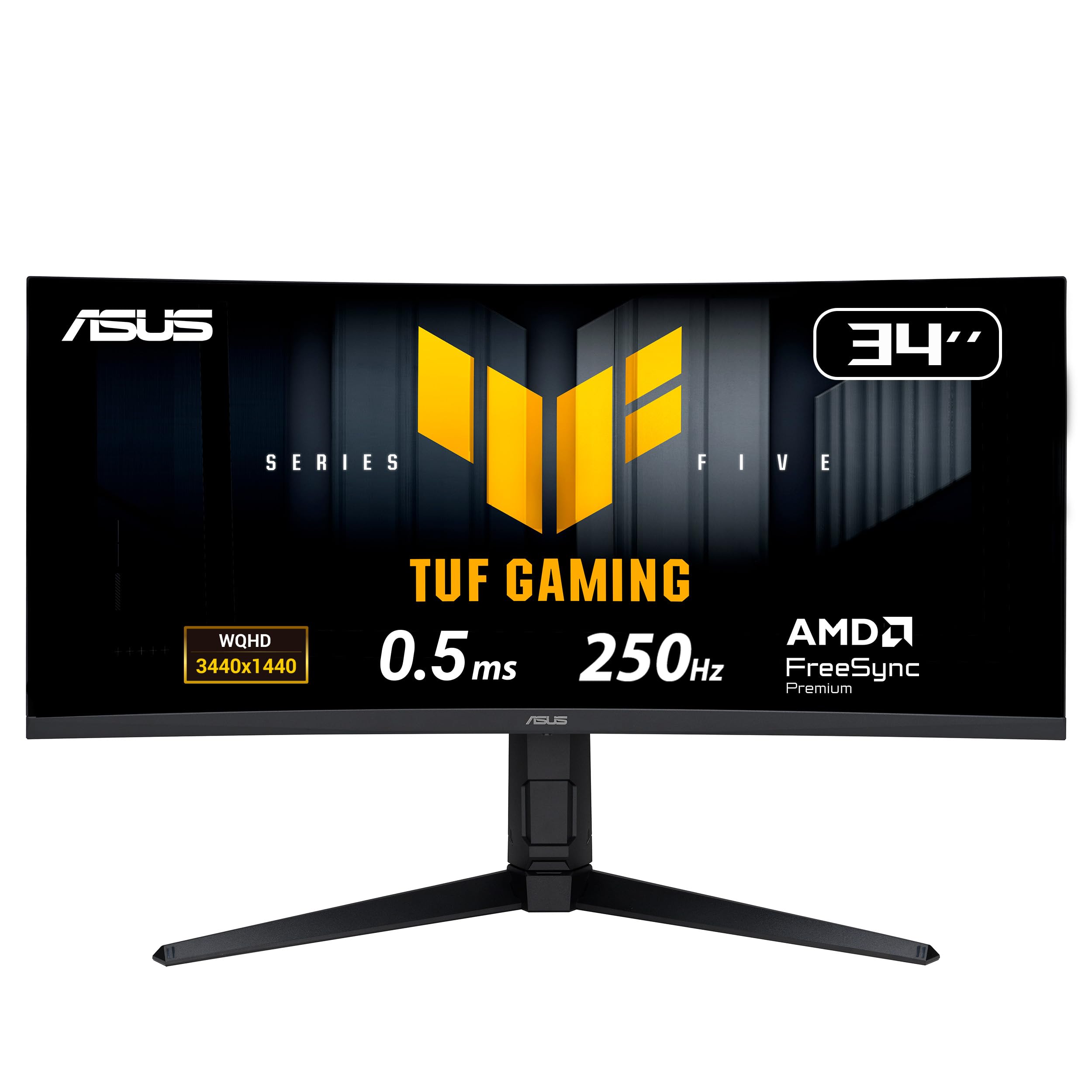
The ASUS TUF Gaming VG34WQML5A is a FastIPS panel that prioritizes raw refresh rate, offering an overclocked 250Hz on a 3440×1440 resolution. For competitive gamers on a tighter budget who cannot stomach the higher price of OLED, this monitor delivers incredibly fluid motion with a 0.5ms MPRT response time. The 1500R curve is present but mild, and the panel supports AMD FreeSync Premium Pro to eliminate tearing.
Color performance is good for a FastIPS panel, covering 95% of the DCI-P3 gamut with DisplayHDR 400 support, providing a vibrant image for HDR gaming. ASUS includes useful features like Extreme Low Motion Blur (ELMB) Sync, which can be used alongside VRR to further reduce ghosting. The monitor also features TUF Gaming AI technology for dynamic crosshair and shadow boost adjustments, though these are niche additions.
User reviews are mixed. Some praise the great colors and the high refresh rate, while others note that the image quality and brightness are inferior to VA panels at a similar price. The AI features are often described as useless, and there is no true 250Hz standard (it requires overclocking from 240Hz). The biggest downside is that this FastIPS panel lacks the contrast and black levels of a VA or OLED, making it less ideal for dark-room gaming. It’s a solid choice for the competitive player who wants speed over visual depth.
Why it’s great
- Overclocked 250Hz refresh rate
- Fast 0.5ms MPRT response time
- ELMB Sync for reduced ghosting
- Decent DCI-P3 color coverage
Good to know
- Inferior contrast and black levels vs VA/OLED
- AI features are not very useful
- True max refresh requires overclocking
9. AOC CU34G4Z
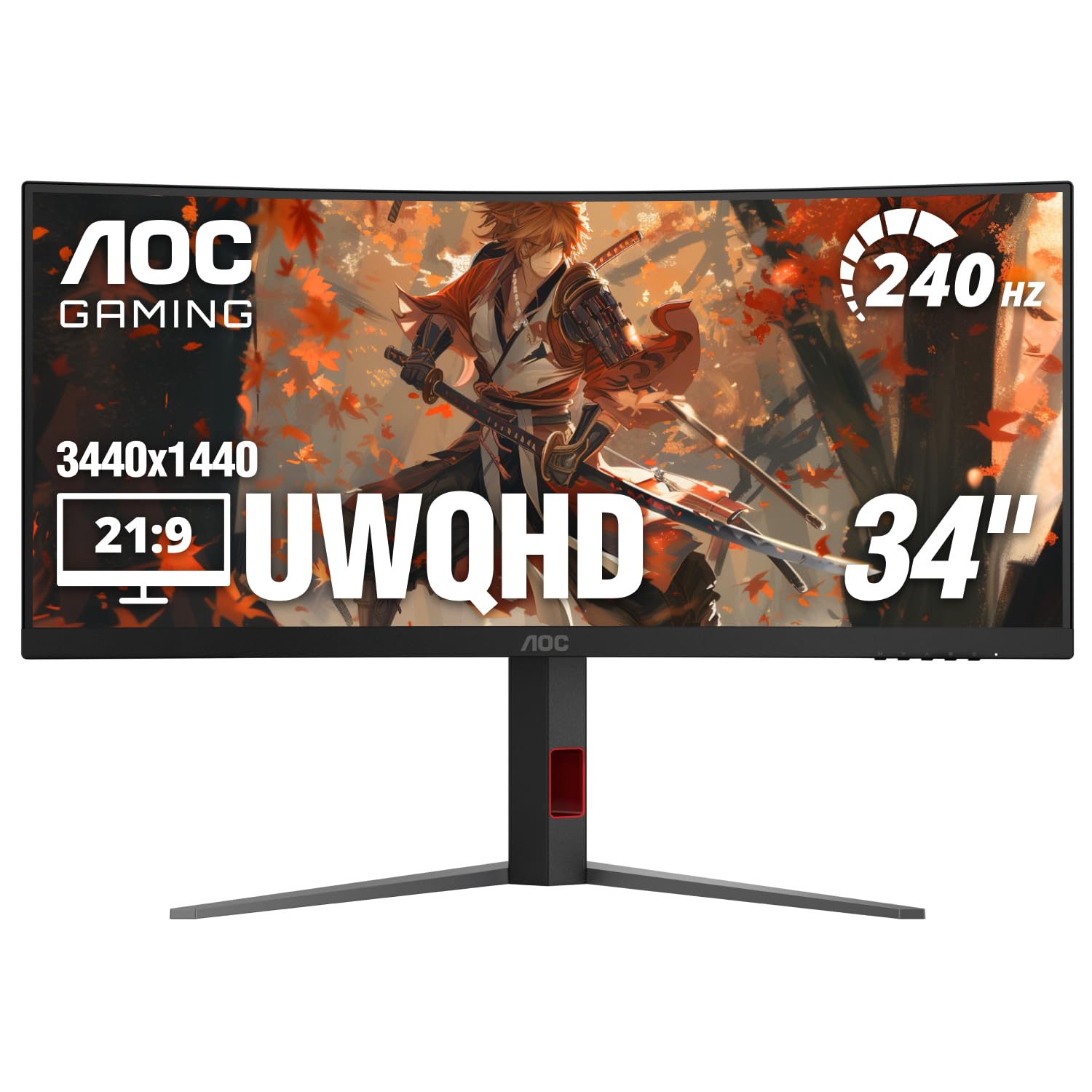
The AOC CU34G4Z is a budget-friendly VA panel that brings a 240Hz refresh rate and a 0.3ms MPRT response time to the 34-inch ultrawide space without breaking the bank. For a VA panel, it offers a sharp 3440×1440 resolution, a 1500R curve, and HDR 400 support, making it a strong contender for gamers who want high motion clarity but cannot afford an OLED. The contrast ratio is a strong 80000000:1 dynamic, providing decent blacks for a VA panel.
Connectivity is a major plus: it includes both DisplayPort 1.4 and two HDMI 2.1 ports, allowing full 240Hz from consoles and PCs. The stand provides height, swivel, and tilt adjustments, and it comes with a 3-year zero-bright-dot warranty, which is excellent for a budget model. AMD FreeSync Premium ensures tear-free gameplay with compatible GPUs.
User reviews highlight it as a fantastic value for the price, with great factory calibration and a sturdy stand. However, a significant number of users report noticeable ghosting on all overdrive settings, which is a common weakness of budget VA panels. One user also reported coil whine. The AOC CU34G4Z is a remarkable deal for its refresh rate and connectivity, but be prepared to tolerate some motion blur if you are sensitive to ghosting.
Why it’s great
- Budget-friendly 240Hz ultrawide
- Includes HDMI 2.1 ports for consoles
- Height-adjustable stand
- 3-year zero-bright-dot warranty
Good to know
- Noticeable ghosting typical of budget VA panels
- Some units may have coil whine
- HDR performance is basic
10. LG 34G600A-B
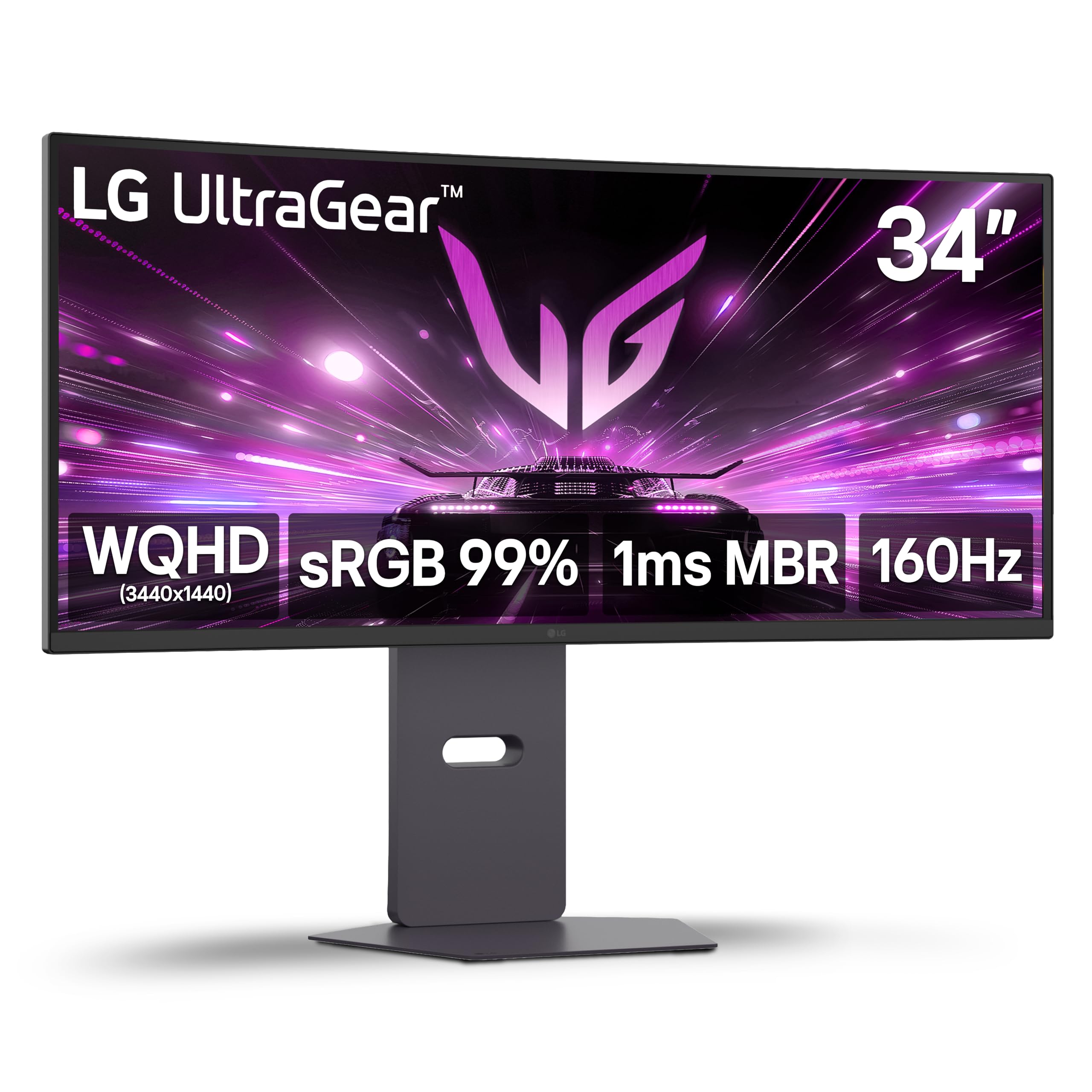
The LG 34G600A-B is a solid mid-range VA monitor that strikes a balance between gaming performance and productivity features. It offers a 3440×1440 resolution at a 160Hz refresh rate with a 1ms MBR (Motion Blur Reduction) mode, providing a smooth experience for most games. The 1800R curve is comfortable for long sessions, and the display covers up to 99% of the sRGB gamut with HDR10 support, making it a decent choice for photo editing and multi-tasking.
LG includes useful features like Dynamic Action Sync to minimize input lag, Black Stabilizer to brighten shadows, and a Crosshair overlay for FPS games. The built-in stereo speakers with Waves MaxxAudio are a significant bonus, providing reasonable sound for a monitor without external speakers. The stand supports tilt, height, and swivel adjustments for ergonomic comfort.
User feedback is very positive, with many praising the excellent picture quality for the price and the sturdy build quality. It’s noted as being great for productivity and casual gaming. A recurring point is that the HDMI ports are not true HDMI 2.1, so to achieve the full 160Hz refresh rate, you must use a DisplayPort connection (USB-C to DP works well). For mixed-use scenarios where gaming is important but not the sole priority, the LG 34G600A-B offers excellent value.
Why it’s great
- Great balance of gaming & productivity
- Built-in stereo speakers with MaxxAudio
- Full ergonomic stand adjustment
- Good sRGB color coverage
Good to know
- HDMI ports are not full HDMI 2.1
- Requires DisplayPort for 160Hz
- VA ghosting can be present in fast scenes
11. Dell S3425DW

The Dell S3425DW is an excellent 34-inch curved monitor for users who need a large screen for productivity and enjoy casual gaming. It features a 3440×1440 VA panel with a 120Hz refresh rate and a 0.03ms response time, making it smooth enough for most non-competitive games. The VA panel provides a strong 3000:1 contrast ratio, delivering deep blacks that are great for content consumption in dim lighting.
Color accuracy is a highlight, with 99% sRGB and 95% DCI-P3 coverage right out of the box. The built-in speakers have been upgraded from previous Dell models, offering more decibel range and fuller sound. Connectivity is streamlined with a single USB-C port that supports up to 65W power delivery, keeping your desk clean. The Ash White color is a stylish departure from standard black monitors.
User reviews praise the build quality, the sharp screen, and the excellent value for money, particularly for office work with a MacBook. Some users note that the color is slightly worse than older Dell models, and there is a VESA mount design flaw where the mounting area is recessed, requiring pre-attaching the bracket. The limited port selection (no DisplayPort) is a downside for some PC gamers. It is a fantastic productivity monitor with a 120Hz refresh rate, but it is not designed for high-level competitive gaming.
Why it’s great
- Excellent color accuracy for productivity
- Strong 3000:1 contrast ratio
- USB-C with 65W power delivery
- Upgraded built-in speakers
Good to know
- No DisplayPort connection
- VESA mount has a recessed design issue
- 120Hz limit for gaming
FAQ
Is a 34-inch ultrawide monitor better than a 27-inch for gaming?
Do I need HDMI 2.1 for a 34-inch 3440×1440 monitor?
How much does a good 34-inch gaming monitor cost?
What is the ideal curvature for a 34-inch gaming monitor?
Do I have to worry about burn-in on a QD-OLED gaming monitor?
Final Thoughts: The Verdict
For most users, the best 34 inch gaming monitor winner is the AOC Agon PRO AG346UCD because it delivers stunning QD-OLED picture quality, a fast 175Hz refresh rate, and excellent ergonomics at a mid-range price point. If you want the fastest possible refresh rate with an immersive 800R curve and HDMI 2.1 for next-gen consoles, grab the Acer Predator X34. And for a pure focus on high refresh with minimal motion blur on a tighter budget, nothing beats the raw speed of the ASUS TUF Gaming VG34WQML5A.