
Jumping into machine embroidery is exciting, but the wrong starting machine can turn a creative hobby into a tangle of broken needles and frustrating tension issues. You need a machine that balances easy setup, a thoughtful selection of built-in designs, and reliable stitch quality without overwhelming a new user with commercial-level complexity.
I’m Min — the co-founder and writer behind Gadgets Feed. I’ve spent countless hours dissecting the technical specifications, comparing hoop sizes, and analyzing digitizing software compatibility to separate genuinely beginner-friendly machines from those that demand advanced skills right out of the box. (And Homer 🐱 supervised the unboxing from his perch on a stack of stabilizer sheets).
Whether your goal is to personalize onesies, create custom patches, or start a small side hustle, finding the right balance of features and ease-of-use is everything. This guide breaks down the top contenders to help you pick the perfect beginning embroidery machine for your first project.
How To Choose The Best Beginning Embroidery Machine
The first machine you buy should remove friction, not add it. A true beginner model needs an intuitive interface, ample built-in content to get you started, and a hoop size that lets you tackle common projects like towels, tote bags, and shirt pockets without feeling cramped. Prioritizing these factors from the start will save you hours of frustration.
Dedicated Embroidery vs. Combo Machine
A dedicated embroidery machine focuses solely on stitching out patterns with precise control, often offering a larger touchscreen and more advanced editing features. A combination machine lets you switch to standard sewing for repairs or garment construction. For a pure beginner focusing on embroidery projects, a dedicated model removes the distraction of sewing settings and often offers a smoother learning curve for the embroidery workflow.
Hoop Size and Project Potential
The most common beginner hoop is 4″ x 4″, perfectly sized for monograms, small patches, and pocket details. If you envision making larger center designs on towels or full back patches on jackets, consider a machine that supports a larger hoop area, such as 5″ x 7″ or bigger. A larger hoop gives you more flexibility without requiring you to re-hoop and realign for bigger projects, which is a common frustration for new users.
Built-in Designs, Fonts, and Connectivity
Machines packed with 100+ built-in designs and multiple font styles let you create personalized projects immediately without purchasing extra design files. Look for models with USB ports or wireless LAN connectivity, which allow you to transfer your own custom digitized designs from a computer or mobile app. This feature bridges the gap between using pre-loaded patterns and unlocking unlimited creative potential.
Quick Comparison
On smaller screens, swipe sideways to see the full table.
| Model | Category | Best For | Key Spec | Amazon |
|---|---|---|---|---|
| Brother PE545 | Dedicated Embroidery | Pure Beginners | 4″x4″ Hoop, 135 Designs | Amazon |
| Brother SE700 | Combo Machine | Sewing + Embroidery | 4″x4″ Hoop, 103 Stitches | Amazon |
| SINGER SE9180 | Combo Machine | Large Touchscreen | 7″ Screen, 150 Designs | Amazon |
| EverSewn Sparrow X2 | Combo Machine | App-Based Control | Smart Device Controlled | Amazon |
| PooLin EOC05 (2in1) | Combo Machine | Larger Hoop Variety | 4″x4″ & 4″x9.25″ Hoops | Amazon |
| PooLin EOC06 | Dedicated Embroidery | Large Projects | 7.9″x11″ Max Hoop | Amazon |
| BAI The Mirror | Commercial | Small Business | 20″x14″ Area, 15 Needles | Amazon |
| Embrilliance StitchArtist L2 | Software | Design Digitizing | MAC & PC Compatible | Amazon |
| Mighty Hoop 5.5″ Kit | Accessory | Easier Hooping | Magnetic, 5.5″ Hoop | Amazon |
In‑Depth Reviews
1. Brother PE545 Embroidery Machine

The Brother PE545 earns the top spot because it strips away sewing complexity and focuses purely on embroidery. With 135 built-in designs, 10 font styles, and a responsive 3.7-inch color touchscreen, you can start editing and stitching right away without needing a separate computer. The Wireless LAN connectivity and free Artspira mobile app make transferring or creating custom patterns remarkably simple.
Beginner feedback consistently highlights how intuitive the drag-and-drop touchscreen feels — you position patterns and preview your stitch-out before committing thread. The 4″ x 4″ hoop is the standard starting size for monograms and small patches, and the machine handles them reliably. Pre-wound bobbins and a full accessory pouch mean you are not hunting for extra parts on day one.
Experienced hobbyists note that the dedicated embroidery-only focus keeps the interface clean and the learning curve short. The Brother PE545 is a precise, well-supported entry point that grows with you as you tackle custom logos and intricate floral patterns. Its solid metal frame and robust build quality provide reassuring stability during long stitching sessions.
Why it’s great
- Wireless design transfer is seamless and fast.
- Large library of 135 built-in designs offers immediate variety.
- Intuitive 3.7-inch LCD touchscreen simplifies editing.
Good to know
- Embroidery-only machine, no standard sewing function.
- Hoop size limited to 4″ x 4″ for all projects.
2. Brother SE700 Sewing and Embroidery Machine

The Brother SE700 packs a full sewing machine and a capable embroidery unit into a single compact frame. It shares the same 4″ x 4″ embroidery field and 135 built-in designs as the PE545, but adds 103 sewing stitches, 8 sewing feet, and a one-step auto-size buttonhole. This makes it the ideal choice if you want to stitch garments and then personalize them on the same machine.
The 3.7-inch color touchscreen lets you preview and edit embroidery patterns, while the automatic needle threader and jam-resistant drop-in bobbin cut down on setup time. Real-world users report that the machine handles thick quilt sandwiches and delicate fabrics alike with minimal tension adjustment. The included Artspira app and Wireless LAN transfer are identical to the PE545, giving you design flexibility.
At a slightly higher investment than the dedicated model, you gain significant sewing versatility without sacrificing embroidery quality. The SE700 is a strong contender for beginners who want one machine that does double duty, especially for making and decorating clothing, bags, and home decor items. Its lightweight construction (under 16 pounds) makes it easy to store or move between workspaces.
Why it’s great
- Combines full sewing and embroidery functions smoothly.
- Automatic needle threader saves time and frustration.
- Eight included sewing feet cover most techniques.
Good to know
- Throat space is limited for large quilting projects.
- Learning both sewing and embroidery modes adds initial steps.
3. SINGER SE9180 Sewing & Embroidery Machine

The SINGER SE9180 elevates the beginner experience with a massive 7-inch color touchscreen that makes navigating 250 sewing stitches and 150 embroidery designs incredibly intuitive. The large screen lets you edit and position patterns with fingertip precision, while the included 170x100mm hoop provides a noticeably larger stitching area than the standard 4×4 format, perfect for towels and larger center designs.
Built-in Wi-Fi connectivity via the mySewnet app allows wireless design transfer and real-time project tracking, a premium feature at this tier. The 15-needle automatic threader and top drop-in bobbin simplify the workflow. Users running small side businesses find the endless hoop capability useful for creating continuous borders on quilts and garments.
Some early units have reported connectivity glitches and tension inconsistencies, so reading recent reviews is wise. However, when dialed in, the SE9180 delivers fast stitching (up to 800 SPM sewing) and excellent stitch quality. It is a strong mid-range investment for the beginner who wants a larger hoop and a modern, connected workflow without jumping to commercial pricing.
Why it’s great
- Generous 170x100mm hoop for larger projects.
- Vivid 7-inch touchscreen with intuitive controls.
- Wi-Fi app connectivity for wireless design transfers.
Good to know
- Occasional reports of software and connectivity bugs.
- Limited to SINGER-specific larger hoop accessories.
4. EverSewn Sparrow X2 Sewing & Embroidery Machine

The EverSewn Sparrow X2 takes a modern approach by using your smartphone or tablet as the control hub for embroidery. The machine itself is a capable combo unit with 120+ stitch patterns, an automatic thread cutter, and electronic tension adjustment, but the standout feature is the app that lets you customize and send designs without needing a built-in screen. A large and small hoop are included to handle varied project sizes.
Setup is straightforward, and the machine reads common file formats like PES, DST, and EXP, which gives you a wide library of third-party designs to explore. The metal frame and presser foot pressure adjustment provide solid stitching performance. Many users who work through the initial app pairing process find the system seamless within a 15-foot range.
The Sparrow X2 has a notable learning curve — some users report persistent tension issues and broken needles if settings are not perfectly dialed in. This machine rewards patience and methodical troubleshooting, making it better suited for the beginner who enjoys tinkering with settings. For those who get it right, the app-based control is genuinely liberating.
Why it’s great
- Innovative app-based design control frees up space.
- Two hoops included for varied project dimensions.
- Reads multiple embroidery file formats out of the box.
Good to know
- App pairing and connectivity can be temperamental.
- Inconsistent performance may frustrate absolute beginners.
5. PooLin EOC05 (2in1) Sewing and Embroidery Machine
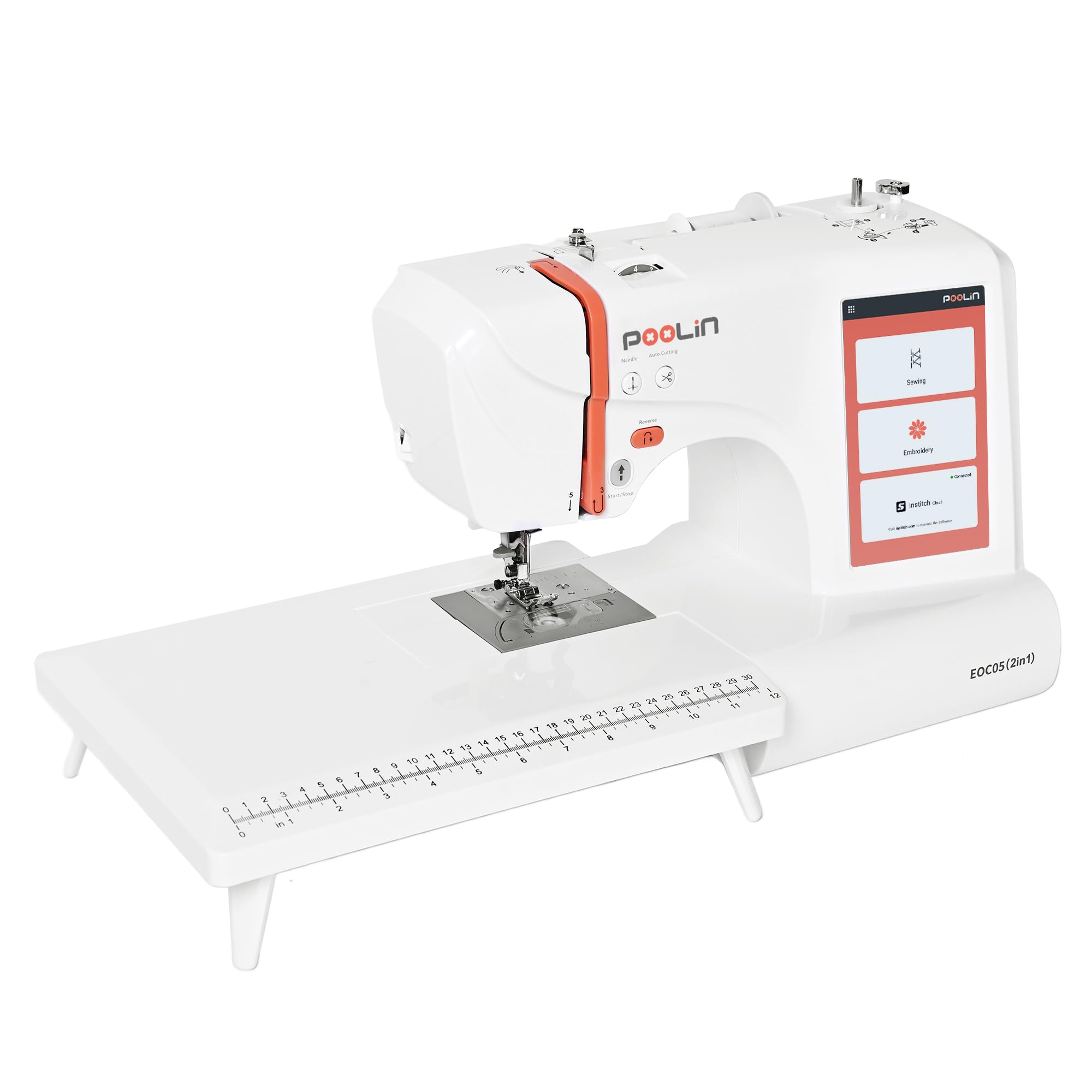
PooLin’s EOC05 enters the beginner space with a compelling dual-hoop system — you get both a 4″ x 4″ hoop for small patches and a 4″ x 9.25″ hoop for longer designs on towels or garment sleeves. The 7-inch color touchscreen uses the InStitch i2 system, which feels fluid and phone-like, automatically recommending the correct presser foot. With 130 built-in designs and 207 sewing stitches, creative options are plentiful from the start.
The all-in-one starter kit includes polyester sewing thread, embroidery thread, pre-wound bobbins, and stabilizers, so you can run your first project immediately. The standout value here is the one-on-one training support — new users can access a dedicated tutor for video guidance, which dramatically lowers the initial frustration barrier. The machine also reads common formats via USB.
Connectivity has been a weak point for some, with reports of Wi-Fi transfer issues that required support intervention. However, the responsive customer service and community group on Facebook help resolve problems quickly. For a beginner who values larger hoop options and hands-on learning support, the EOC05 offers excellent versatility at a mid-range investment.
Why it’s great
- Dual hoop sizes allow larger embroidery areas.
- Generous starter kit includes supplies for first projects.
- One-on-one training support is rare at this price tier.
Good to know
- Wireless connectivity can be unreliable for some users.
- Customer support response time varies.
6. PooLin EOC06 Embroidery Machine
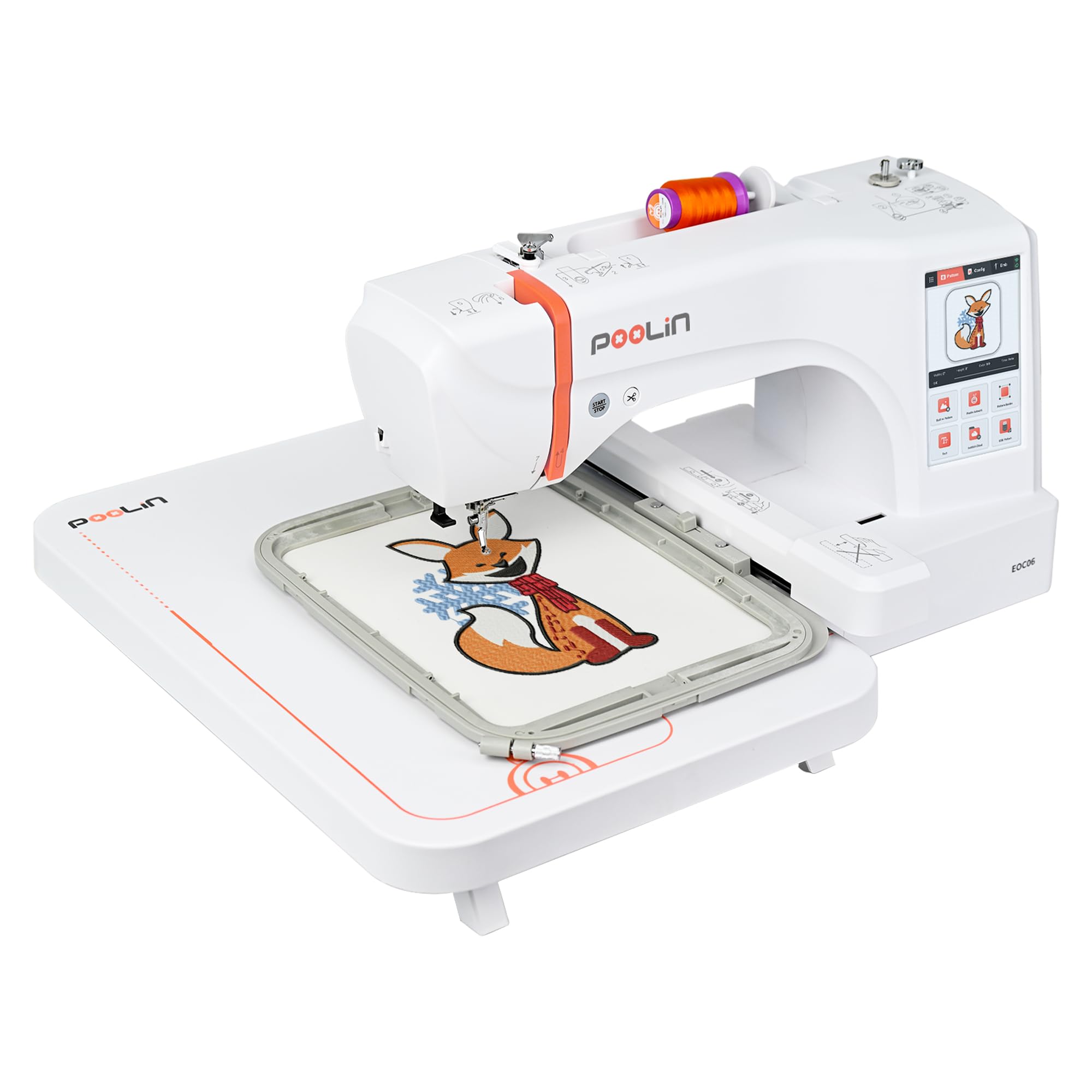
For beginners who know they will outgrow a 4×4 hoop quickly, the PooLin EOC06 is the dedicated embroidery machine to consider. It ships with four hoops, including a spacious 7.9″ x 11″ frame that accommodates large back designs on hoodies and jackets. The 7-inch LCD touchscreen makes pattern editing feel natural, and the 200 built-in designs and 8 font styles provide extensive content right away.
The InStitch i3 system guides you through setup, design selection, and output, while automatic thread trimming between color changes saves manual cutting. A complete starter bundle includes thread rolls, pre-wound bobbins, and stabilizers. The machine also includes InStitch Doodle digitizing software, allowing you to open and edit your own embroidery files, a huge step up for the ambitious beginner.
Weighting 35 pounds, it is a substantial machine that requires a dedicated table. Some users received units requiring minor adjustments out of the box, but the responsive support team quickly resolved issues via video calls. For the beginner who wants commercial-capable hoop sizes without the commercial price tag, the EOC06 delivers serious value.
Why it’s great
- Large 7.9″ x 11″ hoop for oversized designs.
- Includes digitizing software for custom pattern creation.
- Automatic jump stitch cutting saves cleanup time.
Good to know
- Heavy at 35 pounds; needs a permanent setup.
- Some units may require initial calibration support.
7. BAI The Mirror 15 Needle Embroidery Machine
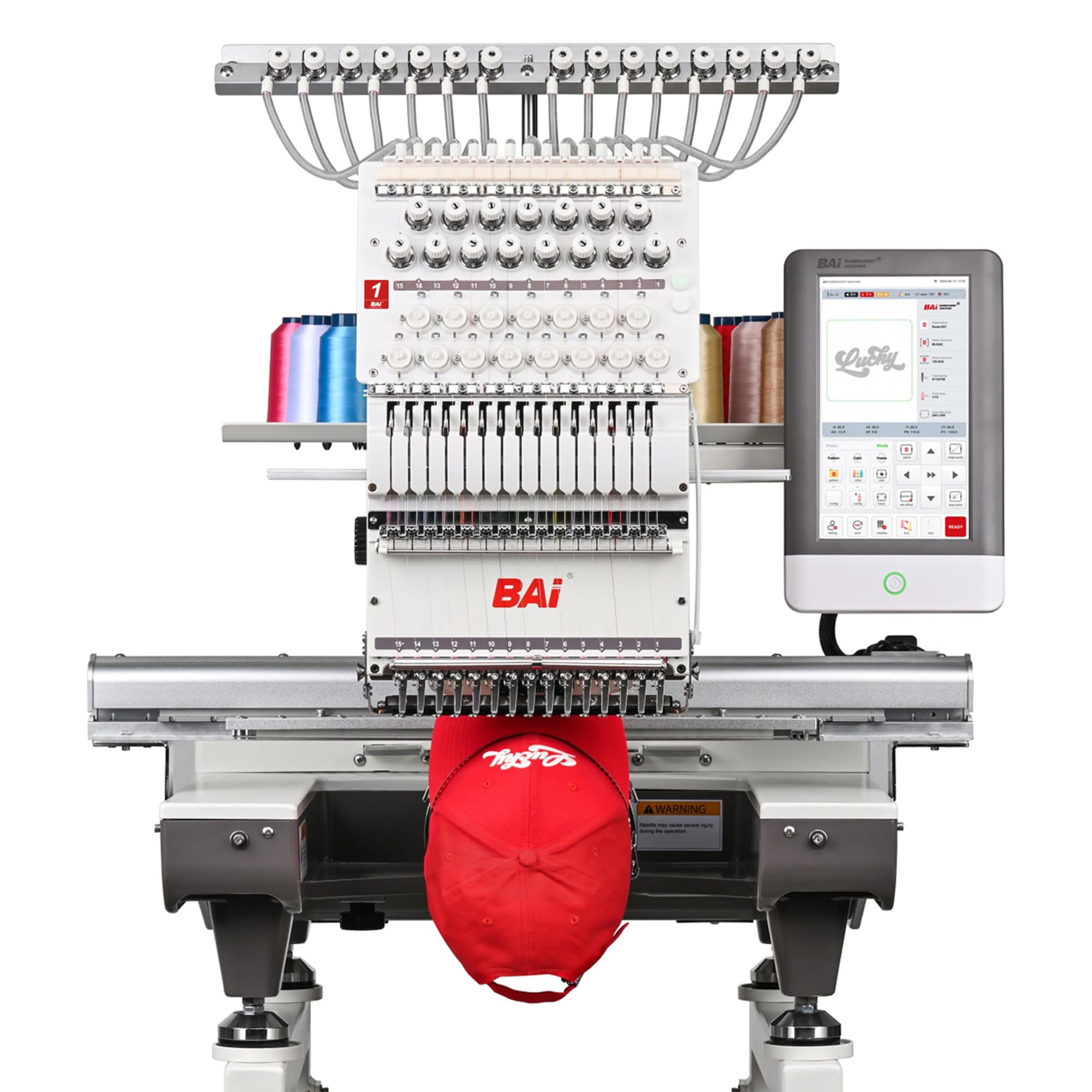
The BAI The Mirror is a leap from hobbyist to professional-grade equipment, but it earns a spot in this guide because some beginners launch with a business mindset. The 15-needle system eliminates constant thread changes for multi-color logos, and the massive 20″ x 14″ embroidery area can handle hats, jackets, and back designs. The proprietary Institch OS5 touchscreen guides you through setup in 1-3 steps, making it surprisingly approachable for a commercial machine.
Dual-speed performance delivers 1200 stitches per minute on flat goods and a stable 850 SPM on structured caps, allowing real production throughput. BAI includes local technical support and training, plus an active 18k+ user Facebook group for community troubleshooting. The machine uses brand-name components designed for long-term reliability.
At over 390 pounds, this requires professional installation and a dedicated workspace. The investment is significant, but for the beginner who has a clear business plan and wants to skip the upgrade cycle, BAI The Mirror provides a direct path to commercial embroidery without compromise. It is best viewed as the endpoint for a serious beginner, not the starting line.
Why it’s great
- 15 needles handle multi-color designs without re-threading.
- 1200 SPM speed enables real production output.
- Local tech support and training included.
Good to know
- Very heavy (391 lbs); requires professional setup.
- High investment, best for planned commercial use.
8. Embrilliance StitchArtist Level 2 Digitizing Software

A beginning embroidery machine is only as good as the designs you feed it, and Embrilliance StitchArtist Level 2 gives you professional-grade digitizing power without demanding a steep learning curve. This software runs natively on both MAC and PC, and its Level 2 capabilities include satin stitch tools, complex shape editing, and the ability to create sophisticated logos. It stands alone or integrates with other Embrilliance programs for advanced editing.
Users transitioning from vector software like Adobe Illustrator find the interface familiar and capable of translating graphics into stitch files. The extensive YouTube channel, built-in help manual, and engaged community provide thorough learning resources. For the beginner who wants to create original artwork rather than stitching pre-loaded designs, this unlocks unlimited creative potential.
The software does not split designs or create alignment marks for multi-hooping large projects — a limitation some users note. It also requires a comfort with GUI and vector concepts. However, for the tech-savvy beginner, StitchArtist Level 2 is a smart investment that expands what your machine can do, turning any image into a stitch-ready design.
Why it’s great
- Professional satin stitch tools for high-quality logos.
- Comprehensive learning resources available online.
- Runs natively on both MAC and PC without emulation.
Good to know
- Does not split large designs for multi-hooping.
- Requires some familiarity with vector graphics concepts.
9. Mighty Hoop 5.5″ Kit for BAi Machines

The Mighty Hoop 5.5″ Kit is an essential accessory upgrade for BAi machine owners, but its magnetic hooping system is a revelation for any embroiderer struggling with traditional hoops. The system uses magnetic force to hold garments securely, automatically adjusting for varying fabric thicknesses. This eliminates the hand strain and frustration of manual screw hoops, and it works with delicate fabrics without distortion.
Included in the kit are the 5.5″ Mighty Hoop, a HoopMaster station for alignment, and a Freestyle base for precise placement. Users report hooping a shirt in under 30 seconds with perfect tension and centering. The kit is designed specifically for BAi commercial machines, so it will not work with Brother, SINGER, or PooLin models.
For the beginner who has chosen a BAi machine, this is the single best upgrade for improving workflow and reducing fatigue. The quality of the metal components is exceptional, and the time saved on hooping directly translates to more time stitching. It is a specialized investment that pays for itself in consistency and ease of use.
Why it’s great
- Magnetic system eliminates manual screw tightening.
- Hooping time reduces from minutes to seconds.
- Maintains consistent tension on varied fabric thicknesses.
Good to know
- Exclusively compatible with BAi commercial machines.
- Additional Mighty Hoops for different sizes are sold separately.
FAQ
Do I need a combo sewing and embroidery machine as a beginner?
What hoop size is best for a beginning embroidery machine?
Final Thoughts: The Verdict
For most users, the beginning embroidery machine winner is the Brother PE545 because it offers a pure, intuitive embroidery experience with a stellar library of built-in designs and easy wireless transfer, making the first project a breeze. If you want the flexibility to sew garments and embroider them on one machine, grab the Brother SE700. And for large-format projects from day one, nothing beats the PooLin EOC06.